How to watch Channel 4 in the US in August 2026
Our in-house cybersecurity experts and journalists, renowned for major reports like The Mother of All Breaches, conduct transparent, unbiased VPN testing and in-depth analysis.
With 750+ articles crafted based on real-world research, we empower readers to make informed purchasing decisions through first-hand expertise.
Learn more

Watching Channel 4 in the US can be frustrating due to geo-restrictions that block access outside the UK. The platform detects your location via your IP address, which prevents US viewers from streaming content by default. Fortunately, using a VPN can help solve part of this problem. However, you’d still need a UK postcode to fully access Channel 4.
In this guide, I explain how to watch Channel 4 in the US in June 2026 using a reliable VPN. Together with Cybernews researchers, I tested leading VPN services to find the best options for speed, consistency, and security. You’ll also learn how to set a VPN up on different devices, including smartphones, laptops, and smart TVs.
Do you actually need a VPN for Channel 4?
If you’re in the UK or the Republic of Ireland, you don’t need a VPN. Channel 4 works in both places, so just go to channel4.com or open the Channel 4 app and sign in. If you’re a UK viewer traveling for a short time, you may still be able to watch shows you downloaded to your iOS or Android device before you left.
You only need a VPN if you’re outside the UK and Ireland and want to stream live. Channel 4 is geo-restricted because of UK content licensing and distribution rules. So, if you try to connect from outside the UK, the service checks your IP address and blocks you before the page loads.
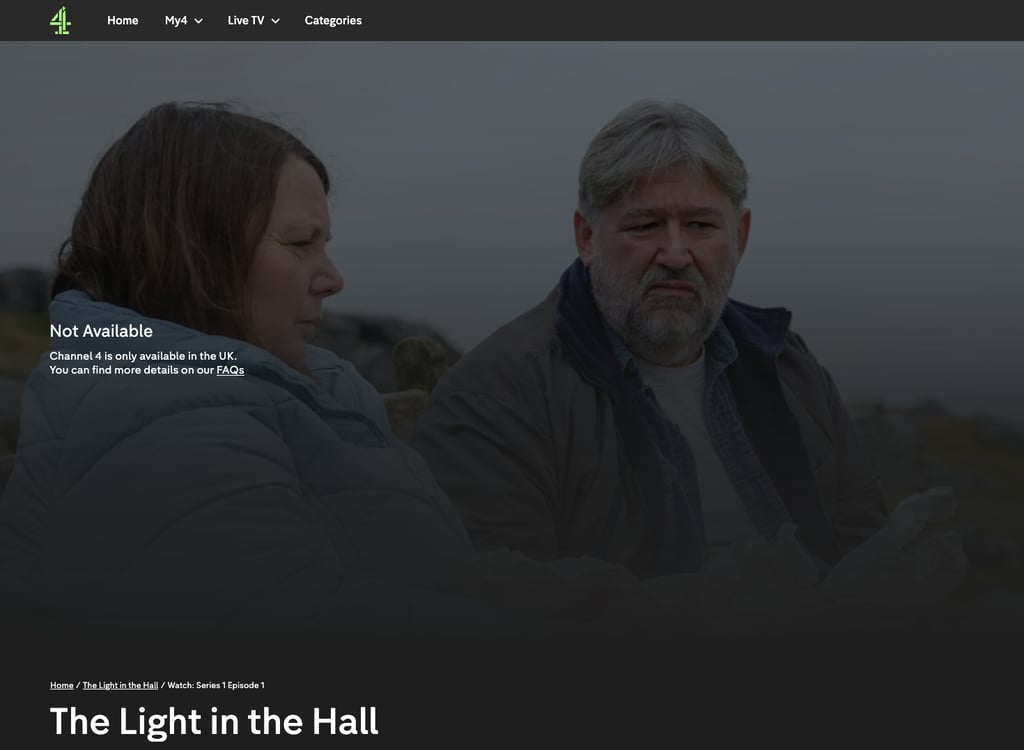
A VPN can help with the IP check. Connecting to a UK server gives your device a UK IP address, which is what Channel 4 looks for first. However, even the best VPN can’t give you a valid UK postcode for registration or help you pass the age check. Also, keep in mind that if Channel 4 spots you’re using a VPN, it might block you anytime.
What you actually need to watch Channel 4 abroad
| What you need | What it requires | Can a VPN help? |
| A UK-based connection | A UK IP address | ✅ Yes |
| A Channel 4 account | Registration with a valid UK postcode (Channel 4 is free – no payment method needed) | ❌ No |
| Passing the age check | A date of birth confirming you're 16+ | ❌ No |
| The app on mobile / TV | The app available in your UK app-store region (tied to your account, not your IP) | ❌ No |
| Reliable access over time | A UK IP that Channel 4 hasn't detected and blocked as VPN traffic | ⚠️ Only if the VPN's UK IPs aren't already blocked |
So the UK IP is only the first hurdle, not the whole solution. The steps below can help you access the Channel 4 content outside of the UK, but you’ll still need to handle the registration and age checks yourself.
How to watch Channel 4 in the US with a VPN

If you can, it's easiest to register your Channel 4 account while you're still in the UK – that way the account is set up before you travel and you skip the postcode step abroad. If you're registering from outside the UK, you'll need to enter a valid UK postcode during sign-up to complete it.
- Choose a reliable VPN that has UK servers
- Download and install your VPN app
- Connect to a UK server
- Go to channel4.com or download the Channel 4 app
- Sit back and start streaming Channel 4 in the US
Best VPNs to watch Channel 4 in the US and elsewhere – shortlist
- NordVPN – best Channel 4 VPN overall in 2026
- Surfshark – top VPN to watch Channel 4 on all of your home devices
- IPVanish – budget-friendly VPN for streaming Channel 4
How to watch Channel 4 from anywhere on different devices
Channel 4 is completely free to watch, so you don’t need to add any payment details. You can watch Channel 4 from abroad on any device, provided you can connect it to your VPN. This means that you can watch it on your mobile phone, laptop, or tablet. You can even watch it on a smart TV or streaming stick.
Here, I will talk you through how to watch Channel 4 on some of the most popular devices:
- Watch Channel 4 on Windows or Mac
- Watch Channel 4 on Android
- Watch Channel 4 on iOS
- Watch Channel 4 on your smart TV
- Watch Channel 4 on your Roku
- Watch Channel 4 on Fire TV Stick
Watch Channel 4 on Windows and Mac PC
-
Choose a VPN with plenty of UK servers – for this walkthrough, I used NordVPN, since it offers multiple UK and Irish servers. For more UK VPN alternatives, check our guide on the best VPNs for the UK.

-
Sign in to your chosen VPN and connect to a UK serverUse your VPN to connect to the UK server
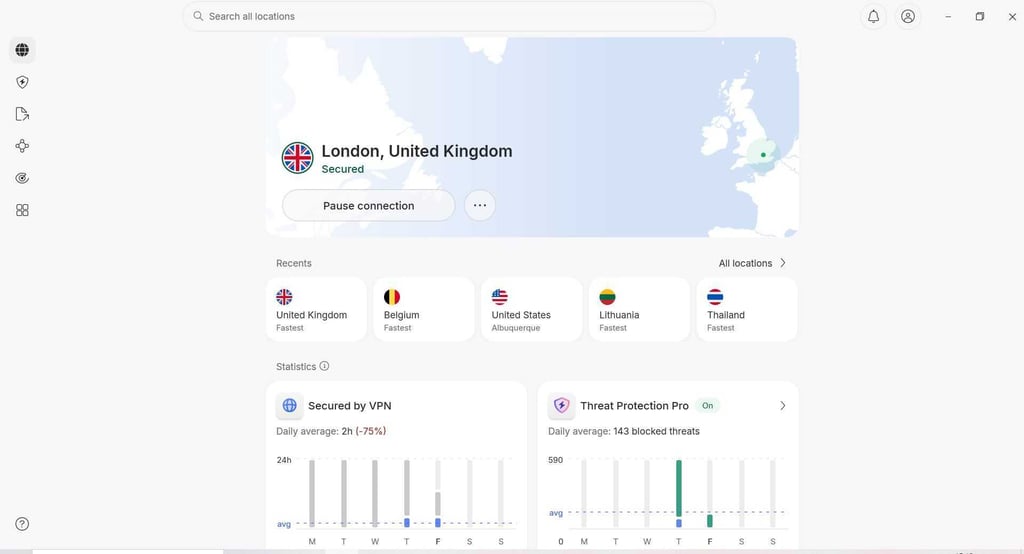
- Go to channel4.com in a desktop browser
-
Sign in or register a new account

- If you’re creating a new account, enter your email address and set a password
- Verify your email address
- Enter your date of birth to confirm you are at least 16 years old
- Enter a UK address with a UK postcode
- Sit back and start watching Channel 4’s content
Watch Channel 4 on Android devices
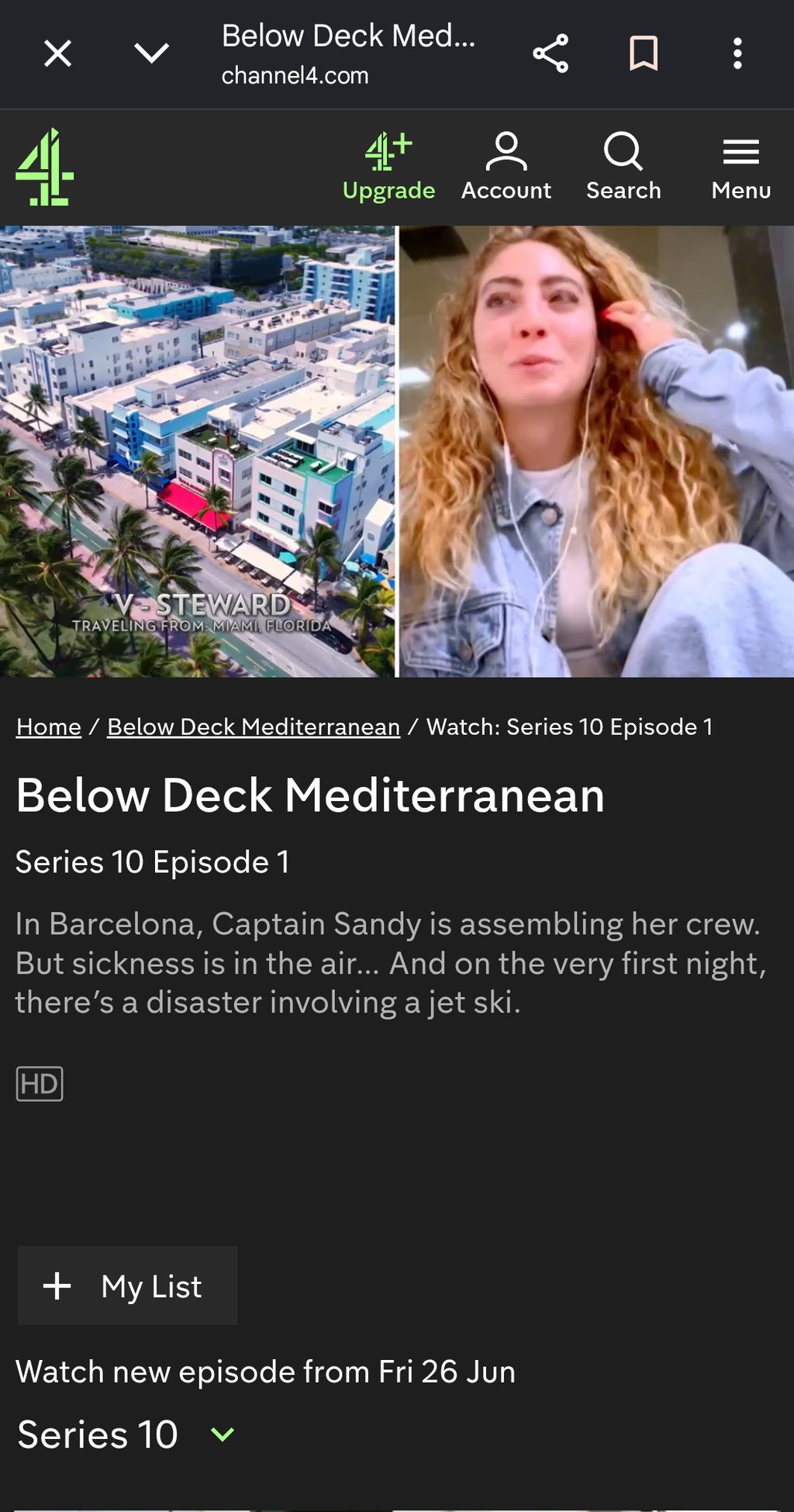
On phones, Channel 4 may run extra location checks beyond the IP address, so the VPN trick can be less dependable. In my case, since I had the Channel 4 app pre-downloaded in the UK, it worked, and I was able to stream the “Below Deck Mediterranean” show from my Google Pixel while outside the UK or Ireland.
If you want to watch Channel 4 on an Android device, follow these steps.
- Install a good VPN to your Android device
- Set up your VPN and connect to a UK server
- Make sure your Play Store account is set to the UK – the Channel 4 app won't appear otherwise, and a VPN won't fix this, as the app-store region is tied to your account, not your IP. If you didn't pre-download the app while in the UK, you'll need to switch your Play store country to the UK first, which requires a valid UK payment method
- Download the Channel 4 app – or, to skip the region hassle, just watch at channel4.com in your phone browser
- Sign in or set up an account
- Enjoy watching Channel 4
Watch Channel 4 on iOS devices (iPad and iPhone)
You can also watch Channel 4 on Apple devices by using a VPN. Here is how to do it:
- Download and install a VPN on your iPhone or iPad
- Create an account and connect to a server in the UK
- Set your Apple account region to the UK in Settings – the Channel 4 app won't show in the App Store otherwise, and you'll usually need a valid UK payment method to switch. It's easier if you pre-downloaded the app while in the UK, as you can skip this step
- Download the Channel 4 app from the Apple App Store
- Sign in or set up an account and start watching Channel 4
Watch Channel 4 on a smart TV
Whether you can put a VPN on a smart TV depends on its operating system. Android TV and Google TV models (many Sony, TCL, Hisense, Philips sets) can install a VPN app directly from the Play Store.
Samsung (Tizen) and LG (webOS) TVs don't support VPN apps – for those you set the VPN up on your Wi-Fi router so the whole network routes through a UK connection. For an Android TV or Google TV, follow these steps:
- Install a reliable VPN app on the TV from the Play Store
- Sign in to your VPN and connect to a UK-based server
- Install the Channel 4 UK app on your smart TV
- Sign up or create a Channel 4 account
- Start watching Channel 4
For a Samsung, LG, or other TV without VPN-app support, set the VPN up on your router instead, then open the Channel 4 app as normal.
Also, remember that a smart TV app may apply location checks beyond the IP address, so a desktop browser at channel4.com remains the most reliable route.
Watch Channel 4 on Roku
Roku doesn't support VPN apps – you can't install one from the Roku store, and no major VPN offers a native Roku app. To use a VPN with Roku, you have to route the connection through your network, which requires a more advanced setup:
- Set your VPN up on your Wi-Fi router (or a virtual router) and connect it to a UK server – see your VPN's router-setup guide
- Connect your Roku to that VPN-enabled Wi-Fi network
- Open the Channel 4 app on Roku
- Sign in or create an account and start watching
Watch Channel 4 on Fire TV Stick
Fire TV Stick runs Fire OS, which does support VPN apps directly, so the VPN part is straightforward. The catch is the same app-store-region issue as on mobile: the Channel 4 app only appears in the Amazon Appstore if your Fire TV is signed in with a UK-registered Amazon account, which in turn usually needs a UK payment method on file. Your VPN changes your IP, not your Amazon account region.
- From the Fire TV Appstore, install a reliable VPN
- Open the app, sign in, and connect to a UK server
- Make sure your Fire TV is signed in with a UK Amazon account – otherwise the Channel 4 app won't show in the store
- Open the Channel 4 app, sign in or create an account, and start watching
If the Channel 4 app isn't available in your store, you can either open the Fire TV's Silk browser and go to channel4.com directly, or sideload the app by installing the APK manually.
Channel 4 not working with a VPN? Here's how to fix it
Even with a reputable VPN, it's possible to encounter some problems when trying to access Channel 4. Here are the possible reasons why you might still encounter a blocked page:
- Channel 4 has blocked your VPN's IP addresses. This is the likeliest cause – Channel 4 actively detects and blocks shared VPN IPs, so a server that worked last week may stop working.
- An IP or DNS leak is exposing your real location despite the VPN.
- Cookies or cached location data from a previous visit are revealing where you really are.
- You're using a mobile or TV app rather than a desktop browser. Apps can run location checks beyond the IP address, so the method is less reliable there.
If Channel 4 is not working with a VPN, there are few things you can try:
- Switch to a different UK server, then reconnect – this resolves most IP-block issues. If your provider lets you pick a city, a London server is often a good bet, since most VPNs concentrate their largest pool of UK servers there
- Clear your browser's cookies and cache (or open an incognito window)
- Use a desktop browser at channel4.com rather than the app, which is the most reliable route
- Check for leaks: search "what is my IP address" while connected and confirm it shows a UK location, not your real one
- Contact your VPN's customer support if the problem persists
If none of that works, the VPN's UK IPs may simply be blocked by Channel 4, and a provider with a larger or more frequently refreshed UK server pool may have better luck.

What can you watch on Channel 4?
Channel 4 is one of the most popular TV channels in the UK, and it boasts one of the largest libraries of free on-demand content in the country. You can watch programmes from Channel 4 and its wider family of channels, including E4, More4, Film4, 4seven and 4Music, plus selected collections such as Walter Presents.
Channel 4 features original dramas, comedy, documentaries, reality shows, entertainment programmes, news and films. It is known for popular UK series as well as archive favourites and exclusive digital content.
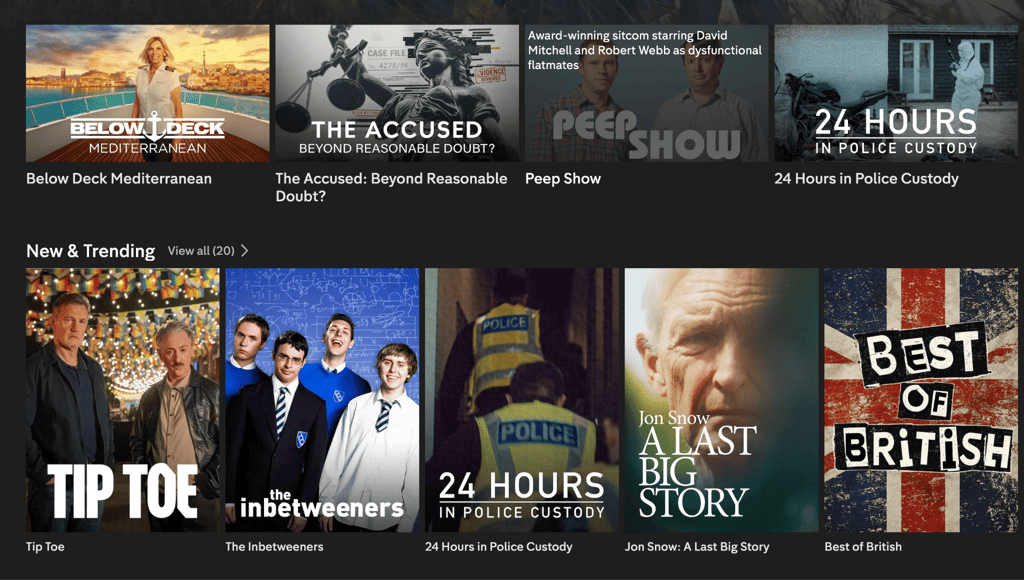
Take a look at what you can watch on Channel 4 in 2026:
| TV show | Seasons |
| Naked attraction | 2016–present |
| Married at First Sight Australia | 2015–present |
| I am... | 2019–present |
| The Undeclared War | 2022 |
| Big Boys | 2022–2025 |
| Derry Girls | 2018–2022 |
| Feel Good | 2020–2021 |
| 8 out of 10 Cats Does Countdown | 2012–present |
| Open House: The Great Sex Experiment | 2022–2023 |
| The Great British Bake Off | 2017–present |
| Gogglebox | 2013–present |
| It’s a Sin | 2021 |
| Tempting Fortune | 2023–present |
| Dexter | 2006–2013 |
| Game of Wool: Britain's Best Knitter | 2025–present |
Final thoughts
Channel 4 offers access to a wide range of content that spans 4Music, 4News, or Film 4. However, if you're not located in the United Kingdom or Ireland, accessing the platform isn't completely straightforward. Because the service provider only grants access to those with a British or Irish IP address, the simplest solution is to use a VPN which changes your IP to make it look like you're connecting from the UK. I would also highly advise registering your Channel 4 account before leaving the UK and pre-downloading it on any device you're planning to stream it on.
The VPNs highlighted on this list have been thoroughly tested, and my top 3 recommendations to unblock Channel 4 from the US are NordVPN, Surfshark, and IPVanish.
FAQ
Can I watch Channel 4 from outside the UK?
Yes, you can watch Channel 4 outside the UK by connecting to a reliable VPN server in the UK to obtain a UK IP address, then signing up for a free Channel 4 account using a valid UK postcode.
How can I stream British TV in the USA?
If you want to access British TV in the US, using a reliable VPN and connecting to a UK server can help.
How do I get Channel 4 on my TV?
In the UK, watch via Freeview or the Channel 4 app on a smart TV, games console, or streaming stick. Outside the UK you'd need a VPN, but how depends on the device. Fire TV and Android/Google TV can install a VPN app directly. Roku and most Samsung/LG smart TVs can't, so you need to set the VPN up on your Wi-Fi router instead. Once connected to a UK server, open the Channel 4 app and sign in.
Can you use a VPN to watch Channel 4?
Yes, you need a quality VPN that prevents IP and DNS leaks, plus a UK postcode to register an account. Keep in mind Channel 4 might block VPN IPs, so success depends on the VPN provider and its servers.
Is Channel 4 free?
Yes, Channel 4 is free to watch for everyone in the UK and Ireland. You only need a UK postcode to sign up with the service.
Is Channel 4 the same as 4oD?
Yes, today's Channel 4 streaming service is the same service that used to be called 4oD and then All 4. Channel 4's streaming service was originally launched as 4oD in 2006, renamed All 4 in 2015, and rebranded simply to "Channel 4" in 2023.
Does Channel 4 block VPNs?
Yes, Channel 4 might detect and block shared VPN IP addresses, so a server that worked before can stop working. Switching to a different UK server usually resolves it, and a VPN with a larger or more frequently refreshed UK server pool tends to cope better.
Is it legal to watch Channel 4 from outside the UK?
It’s not illegal to watch Channel 4 from outside the UK. However, due to rights agreements, Channel 4 is only accessible in the UK. Even UK citizens can't normally use it abroad without a VPN, except for watching previously downloaded shows on iOS and Android devices.