How to Make Your WordPress Website Accessible: The Simple Way


 Follow us
The web just got a new kind of assistant, one that makes accessibility simpler, smarter, and finally achievable.
For many creators, accessibility has always been the elephant in the room—essential, but overwhelming. Millions of people with disabilities face barriers every day when navigating websites that weren’t built with inclusion in mind, until now.
Today, Ally by Elementor introduces Ally Assistant: A game-changing tool that scans your WordPress site, detects over 180 accessibility violations, and helps you fix them with AI-assisted guidance.
This isn’t another checklist. This is your path to real accessibility without the stress, confusion, or need for deep technical expertise.
Meet Ally Assistant: Your Accessibility Partner
With the new Ally Assistant, creators can now scan any WordPress page for accessibility violations and get step-by-step guidance to fix them, right from their dashboard.
No jargon. No trial and error. Just real violations, and real solutions.
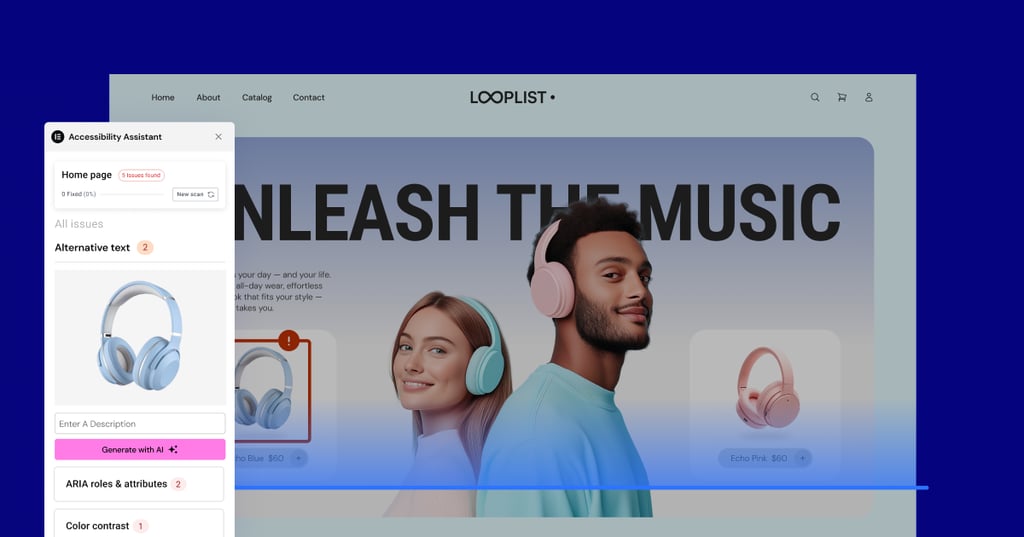
Here’s what you can do with Ally Assistant:
✅ Scan any URL for 180+ accessibility violations based on WCAG 2.1 AA
✅ Get clear fix recommendations based on WCAG 2.1 AA guidelines
✅ Use AI to apply fixes (in paid plans) like alt text, ARIA labels, and page structure, quickly and effortlessly
✅ Track your progress and rescan pages when you’re done
This is a hands-on, creator-friendly toolkit that helps you turn intent into action.
And yes, this tool works on any WordPress website, Elementor or not.
Real Fixes, Not Just Overlays
Let’s be clear: Ally isn’t a band-aid.
Some WordPress plugins promise to make your website accessible by adding a toolbar or overlay, but those tools don’t actually fix the underlying violations in your site’s code.
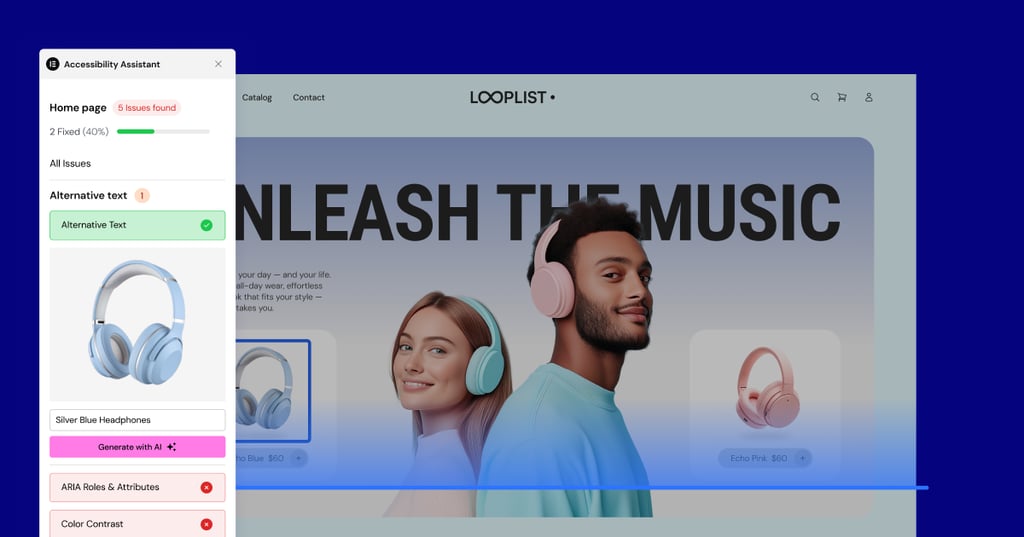
Ally does. The Assistant highlights real problems and gives you ways to fix them, with AI suggestions, or you can fix them manually. And the changes happen where they matter, within your website’s underlying structure, not just a visual layer.
So, whether your site is missing alt text, has poor color contrast, unlabeled form fields, or broken page navigation, Ally shows you exactly what to fix.
What Else Do You Get with Ally?
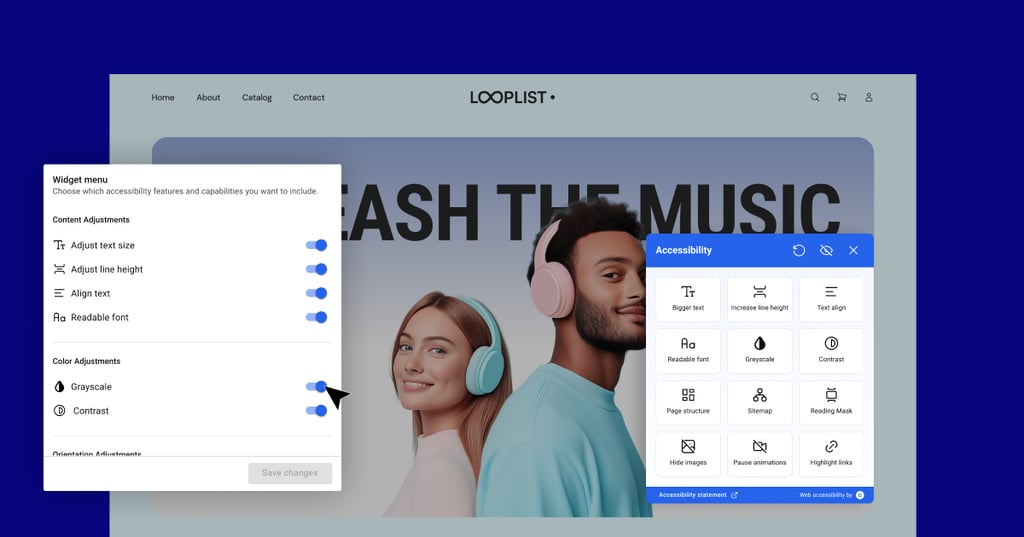
Even before launching the Assistant, Ally provided tools to simplify your steps to improving web accessibility, such as:
- Usability Widget: Visitors can adjust text size, spacing, contrast, and other elements to suit their needs. You control the look and placement of the icon to match your site.
- Accessibility Statement Generator: Instantly create a customizable statement to help meet global compliance standards.
- Pro Tools: For advanced users, Ally also includes screen reader improvements, analytics, AI-powered remediation of violations, and white-label options.
All in one plugin—no expertise required.
The Simpler Way to a More Inclusive Web
WordPress powers over 43% of the internet. If even a fraction of its users took steps toward accessibility, the ripple effect would be huge.
We’re not saying Ally solves everything, but it does give web creators the clarity, tools, and momentum to finally move forward.
And that’s what matters most.
Scan Your Website to Detect Accessibility Violations—Today!
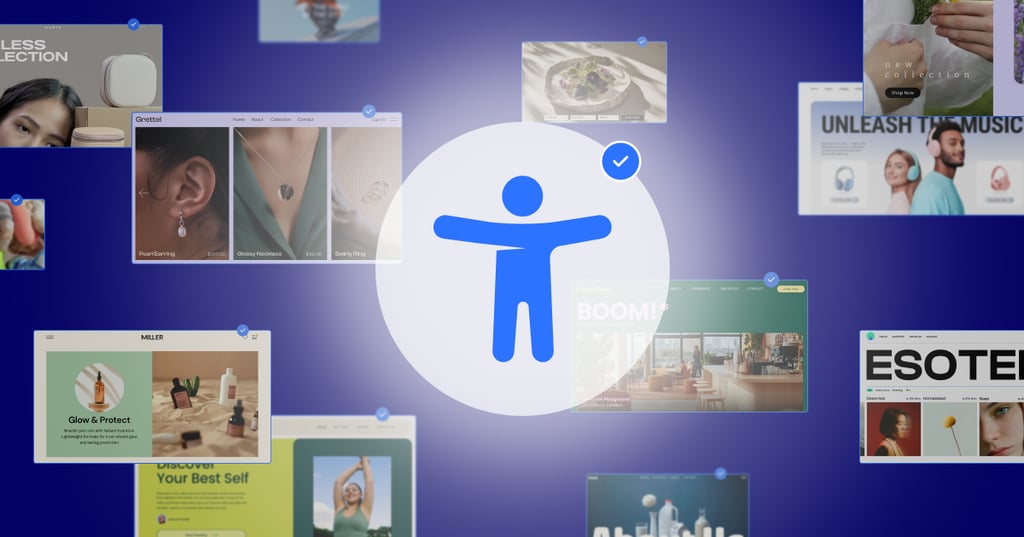
Getting started is easy. Install Ally, activate the WordPress accessibility plugin, and scan your site.
Launch offer: Upgrade to a paid plan and get 50% off. Unlock AI-powered accessibility fixes, advanced analytics, and more.
Detect. Fix. Done.
Web accessibility, simplified.
Final Thoughts
Accessibility has become a global priority as the web evolves into a space that everyone should be able to use. Creating an inclusive site isn’t just the right thing to do—it expands your reach to a wider range of users and customers around the world.
Making your website inclusive doesn’t have to be complex. If you've been exploring how to make a WordPress website accessible, you'll find that Ally gives you actionable guidance without technical hurdles.
It’s accessibility for non-developers, enabling you to scan, fix, and improve your site for everyone.
By embracing accessibility, you future‑proof your website, align with global standards, and invite more visitors to engage, connect, and convert.
FAQ
1. What is Ally, and how does it help make your website more accessible?
Ally is a WordPress accessibility plugin that scans your site for 180+ WCAG 2.1 AA violations and guides you to fix them. It simplifies accessibility so you can make your website more accessible without deep technical knowledge.
2. How do the accessibility tools in Ally work?
Ally’s accessibility tools scan your pages and flag issues like missing alt text, poor color contrast, and unlabeled form fields. You can then follow clear, step‑by‑step instructions or use Ally’s AI remediations to fix the issues quickly.
3. Do I need to be a developer to use Ally?
No. Ally is designed for non‑developers and creators. You can boost your website's accessibility with guided recommendations and optional AI‑powered fixes, all from your WordPress dashboard.
4. How is Ally different from other WordPress accessibility plugins?
Unlike other WordPress accessibility plugins that only add overlays or usability widgets, Ally provides real solutions. It corrects issues in your site’s underlying structure, ensuring improved accessibility for all visitors.
5. Why should I start improving my website’s accessibility now?
Web accessibility is a global priority, opening your site to millions of users with disabilities and helping you avoid legal risks. Ally makes it simple to act today with its AI‑assisted remediations and accessibility tools that work within WordPress.