Avoiding Internet Surveillance: Protect Your Privacy Online


 Follow us
Internet surveillance is persistent and nearly unavoidable. Anything you do online – from simple googling to clicking like on a photo on your Instagram feed – is recorded, analyzed, and put in a digital profile. This profile may be bought by advertisers, but can also be accessed by governments.
Internet surveillance doesn’t only result in personalized ads on your feed. It is used to tailor social media algorithms to show you only specific content. This can lead to subtle, almost imperceptible manipulation to get you to buy or do something, vote for specific people at elections, and adopt specific views that are beneficial to someone else. Internet surveillance is essentially a threat to your freedom and autonomy.
In this article, I explain what internet surveillance is, how it works, and why it’s dangerous. You will also find tips on how to avoid internet surveillance by using privacy tools, and the best practices for general privacy and security online.
What is internet surveillance?
Internet surveillance is the practice of monitoring your online activity, including everything from the websites you visit, TikToks or Instagram reels you watch, which buttons or links you click on, and your search history. This list is not exhaustive, either. Essentially, anything that you do online is monitored.

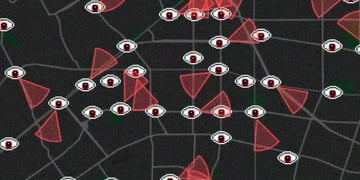




Why? Surveillance, such as government surveillance, is most often associated with safety, national security, and the like. Offline surveillance such as CCTV cameras in public places or stores helps with finding suspects of crimes, for example. However, internet surveillance is a different beast altogether.
As scholar Shoshana Zuboff aptly noted in her writings on surveillance capitalism, Internet surveillance is rarely for the safety of anyone. Corporations like Google and social media platforms like Meta or TikTok use internet surveillance solely for financial profit.
Types of internet surveillance
Technically, anyone with access to the internet can find information on you if they look very hard. Social media profile stalking is a thing, and even you can Google your name to see what’s out there. However, when it comes to large-scale internet surveillance, it’s the governments, corporations, and internet service providers that do most of it. Below, I break down each type of internet surveillance.
Government surveillance
You might’ve thought at least once, “Is the government spying on me?” The answer to that question is yes. On the street, it’s the CCTV cameras. On the internet, it may be a little more subtle, but rest assured the FBI agent in your phone really exists in some form.
Most governments of the world have security agencies and authorities that collect data on their citizens for various purposes, be it national or international security, or something else entirely. For example, in 2013, Edward Snowden revealed the extent to which the National Security Agency (NSA) spies on the citizens of the United States.
These days, it’s difficult to say how exactly the government is monitoring your internet activities, but one thing is clear. The majority of the data that a government may have on you is bought or taken from corporations and data broker databases. As Steven Overly writes in his interview with book author Byron Tau, countless obscure companies collect all kinds of data on internet users, put them in their databases, or analyze them to create advertisement profiles. And then they sell that data not only to advertisers but also to governments.
Corporate surveillance
Governments spy on you, but most surveillance on the internet is being done by corporations. Think of Google, Meta, TikTok, or any other social media site you visit. That, and more. These are the main players in the game.
These corporations have a myriad of ways to track you online. Some, like cookies, browser history, and geo-location, are very straightforward. Others are more subtle. For example, every click on an ad or an engagement button on a social media site is a data point that tells the corporation something about you. A website may include trackers that record things about your device, the contents of your shopping cart, and how many seconds of a 30-second video you watched.
Corporate surveillance techniques also involve something called dark patterns. Dark patterns are specific design choices that push you in a certain direction – in this case, giving up as much of your data as you can. Think of pre-ticked boxes for mailing lists or marketing emails, for example. Even the cookies window that says either “Accept all” or “Learn more” is an example of a dark pattern. It makes it disproportionately difficult to reject the cookies, and simply clicking “accept all” is just easier.
The point is that ways to record information about you are unlimited. Even the data that you might think has no importance whatsoever is captured and added to your digital shadow – an approximation of you as a person on the internet.
ISP monitoring
Another type of internet surveillance is internet service provider monitoring, also known as tracking. Similarly to corporate surveillance, ISPs can and often do track and keep records of user activity online, including search and browsing history. This information is usually sold to third parties, such as for-profit companies and government agencies. Depending on the local laws, ISPs may also be legally obliged to store information on their clients and provide it to government agencies if asked.
Why avoiding internet surveillance is crucial
Any type of surveillance, including internet surveillance, is a threat to a person's freedom and autonomy. Below, I explain why internet surveillance is dangerous and why you should avoid it.
On a personal level, internet surveillance makes it possible for someone you don’t know to know things about you while you don’t know anything about them. Aggregation and analysis of large quantities of data from various sources lets these corporations infer information about your hobbies and interests, political views and religious affiliations, financial status, disabilities, and even more. A simple Google search and an accepted cookie can reveal information about you that you wouldn’t think to tell anyone.
In the best-case scenario, Google will use this information to make an advertisement profile for you, resulting in personalized ads on social media. However, in worse cases, this advertisement profile could be used for subtle psychological manipulation known as social engineering, and discrimination on the internet and in real life.
For example, scammers may use information about you in phishing attacks to convince you to log into your bank account via a malicious website. An insurance company, an airline, or any other service may engage in price discrimination based on the information they have on you. Furthermore, your advertisement profile is also a behavioral profile, which can be used to subtly influence your views and opinions by displaying heavily targeted social media content and/or ads.
How to avoid internet surveillance
If you use the internet at all, surveillance might seem inescapable. However, there are ways to stop or limit the amount and the types of information that can be recorded about you. You might not be able to completely delete your presence from the internet, but you can do some things to make your online life more private and secure. Below are four things you can do to avoid online tracking.
- Use a VPN. VPN providers can help establish a secure Virtual Private Network between your device and the internet.. This means that all information about your activities online will be protected with encryption and inaccessible to anyone but you. A website or an internet service provider may see that you are using a VPN, but they will not be able to track you. You can also use a VPN to change your virtual location, block ads, and more.
- Use privacy-focused search engines. A privacy-focused search engine will not store your personal information or track your browsing history. More common search engines like Google rely on tracking this information to create advertisement profiles. However, a privacy-focused search engine like Brave, Vivaldi, and Tor won’t do that.
- Browse with Tor. Tor is an open-source browser that, because of its design, makes it difficult to trace user activity. It does not grant complete anonymity, however, it is probably the most private browser you can use. It is famously used to access the dark web.
- Enable end-to-end encryption. End-to-end encryption is most often used for private communications. It means that only the sender and the recipient can read the messages sent in an online chat. If someone intercepts the communications traffic, they won’t be able to decrypt the message. On a lot of messaging applications, end-to-end encryption is enabled by default. However, I recommend checking the settings and enabling it in case it isn’t.
Best practices for online privacy
Besides using tools to make your online life more private, you can adopt certain privacy habits. Below are some that I keep up with, and I recommend you do too.
- Regularly updating software and antivirus. Updating software for all your devices and applications will ensure that the latest security and privacy updates are in place. Keeping your antivirus software updated is also crucial, as the newest updates will include information on the latest malware and other threats.
- Being cautious with public Wi-Fi. Although generally safe, public Wi-Fi traffic can sometimes be intercepted by threat actors. This can then lead to your information being collected, malicious attacks, and other dangers. So whenever you connect to the internet in airports, hotels, or cafes, be vigilant and use a VPN for maximum privacy and security.
- Understanding privacy policies and terms of service. Every single app, service, and website now has privacy policies and terms of service. Whenever you make an account somewhere or click “agree” on a cookie pop-up, there is an option to read the privacy policy. I know that the privacy policies are long and complicated, but I recommend at least taking a look to know which information the site or app is collecting. That way, you know what you’re agreeing to. Here’s a great guide on how to read privacy policies and spot red flags.
Conclusion
The reality is that whenever you do anything on the internet, your actions are being tracked and recorded. It is nearly impossible to escape internet surveillance completely. However, there are ways to minimize it and keep yourself protected. You can do it by using tools like VPNs, privacy-focused search engines, and end-to-end encryption. General privacy practices such as rejecting cookies, reading privacy policies, and keeping your software updated can also help avoid internet surveillance.