How I tracked down my online friend – with only open-source clues


 Follow us
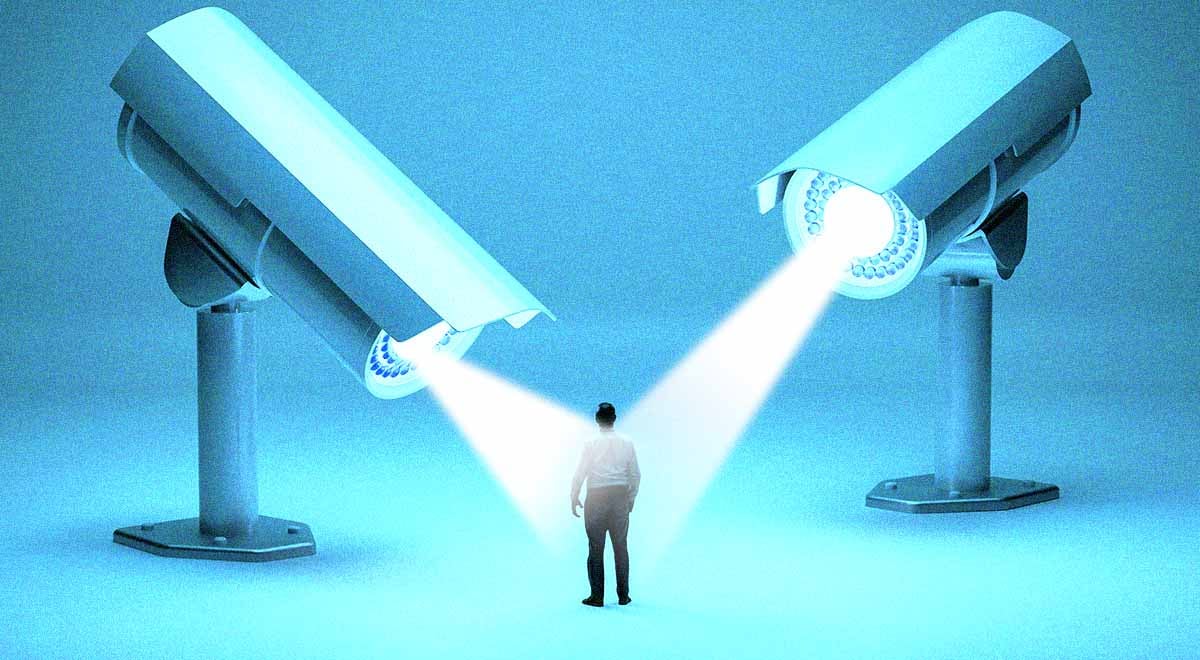
Seems like we’ve got used to treating online anonymity as a guaranteed safe harbor. We share secrets, opinions, and photos, believing that these almighty protective shields will guard our identities. Well, let me prove you wrong.
I’ve decided to play detective and find someone online, starting with the bare minimum – their username in an online game. Here’s one catch: the person I was investigating is fully made-up (for data protection reasons). I’ve generated their photo with AI and created fake profiles not to leak the data of any real person.
Also, throughout the investigation, I used only free, publicly available tools – no special, high-tech equipment was needed. This is known as Open-Source Intelligence (OSINT), the practice of collecting publicly available data from open sources. Read on to learn how to protect yourself from OSINT techniques and follow every step of my investigation.
How to learn everything about a person with just their username
Picture this: I was playing a game when, suddenly, my internet connection dropped. Luckily, I’ve memorized the username of my online friend – Wireframe_Thorne. The username doesn’t reveal any personal details about the person, and this is where my game started.





Step 1: look up the username and find their other profiles
I used SpiderFoot, a popular OSINT (Open-Source Intelligence) tool that lets you search for any username, among many other functions.
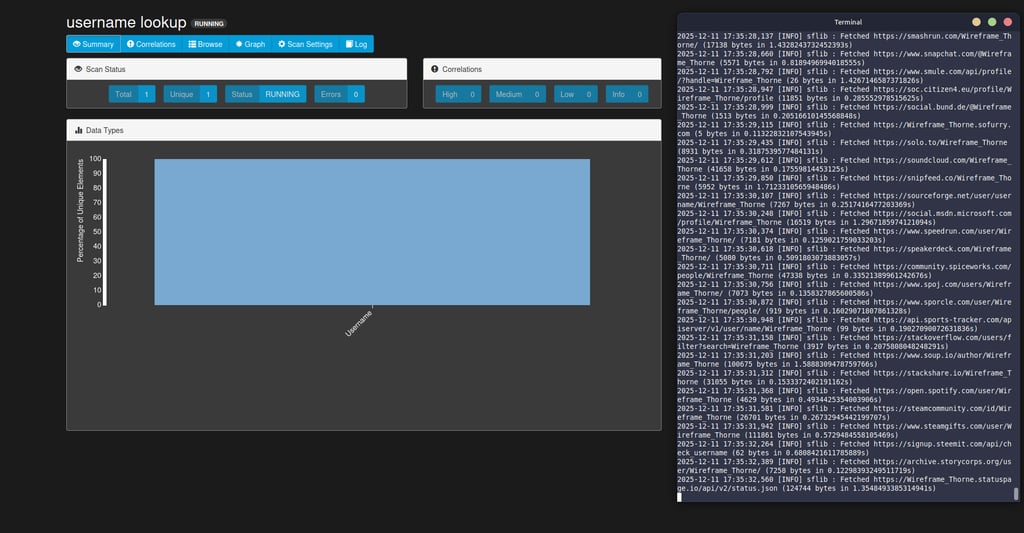
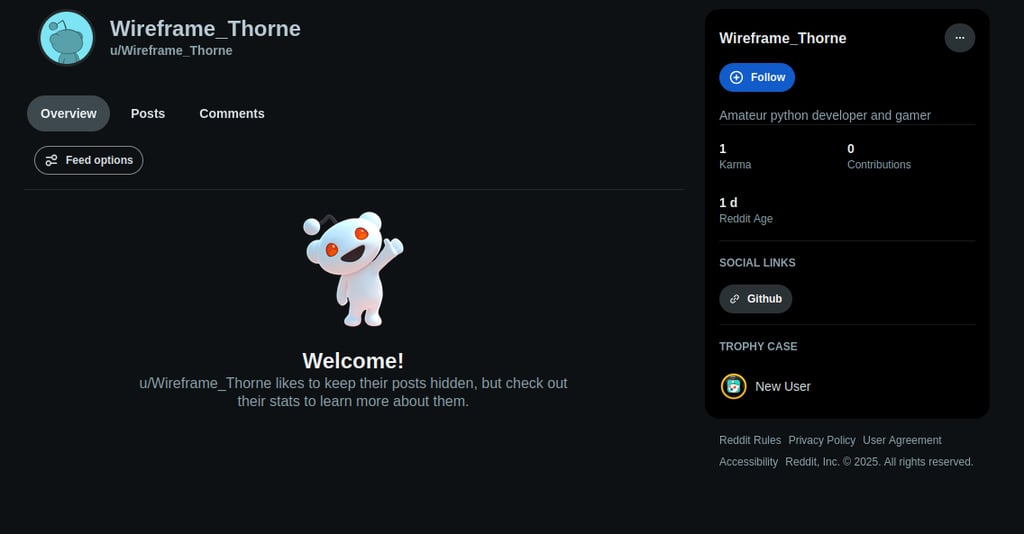
After 5 minutes, SpiderFoot found the Reddit profile with just the same username.
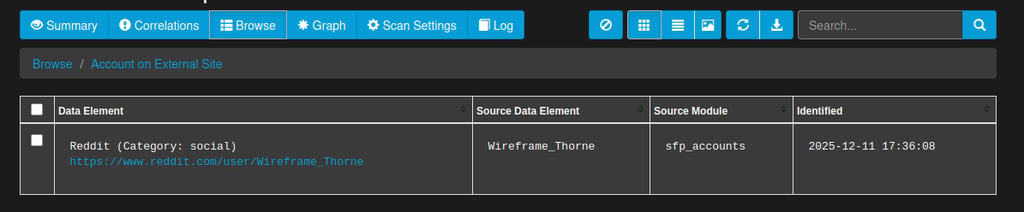
The owner set a private profile, so I couldn’t see their posts or comments. What I could see, though, was their interests, and luckily, a link to a GitHub page.
Step 2: check GitHub files for metadata
GitHub also didn’t reveal any personal data, but it had a single repository with a .txt file and displayed the username, DevThorne. Git always records who and when made changes to a file, along with their email, time, time zone, and system path. So, some personal data may be leaked if a developer skips online security practices like using dummy emails or enabling additional privacy settings in GitHub. Luckily, the person I was following slipped up here, too.
The metadata can’t be viewed simply on the web interface, so I wrote a simple Python script to reach out to the GitHub API and request a list of every public project owned by the provided profile. GitHub returned a JSON list with all the repositories and their commit hashes. Then, the script added a .patch suffix to the end of the URL with each hash, making GitHub display the raw text of the commit along with its metadata. Success! I found the email of the repository owner, as the script filtered out all the information.
GitHub is a website where developers store and manage code. There, they can save files, track changes, and collaborate with each other. A Git commit is a saved change to the code. Each change has a unique ID, called a hash. Every time someone updates the code file, they “commit” those changes, which creates a snapshot of the new code version along with information on who made the change and when.


Step 3: track down everything associated with the found email
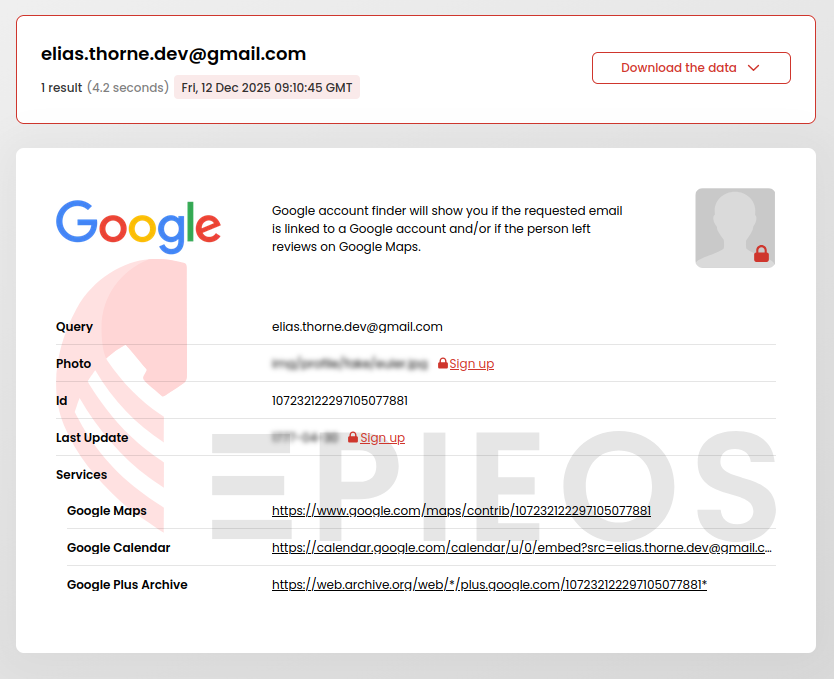
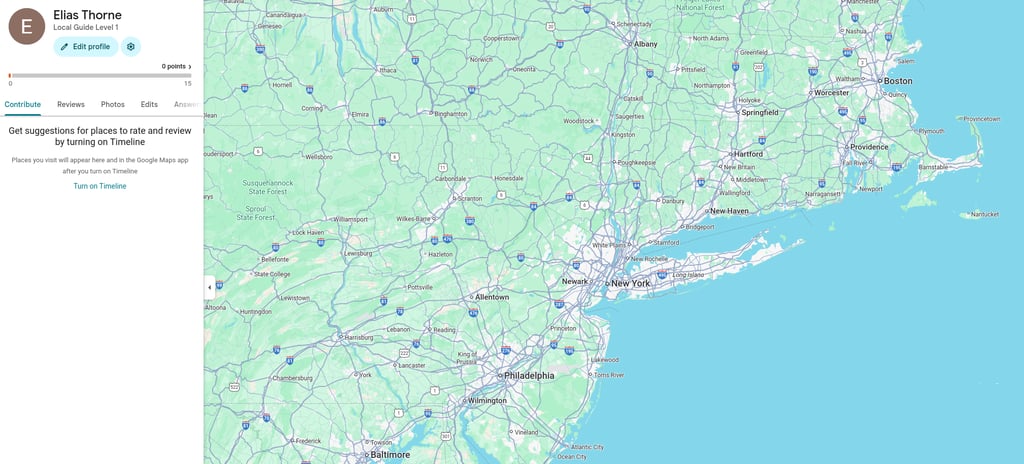
Now, it’s time to use Epieos, the OSINT tool that looks up data related to a specific email address. The tool revealed my friend’s Google Maps account with their full name – Elias Thorne.
Step 4: dig into their social media profiles
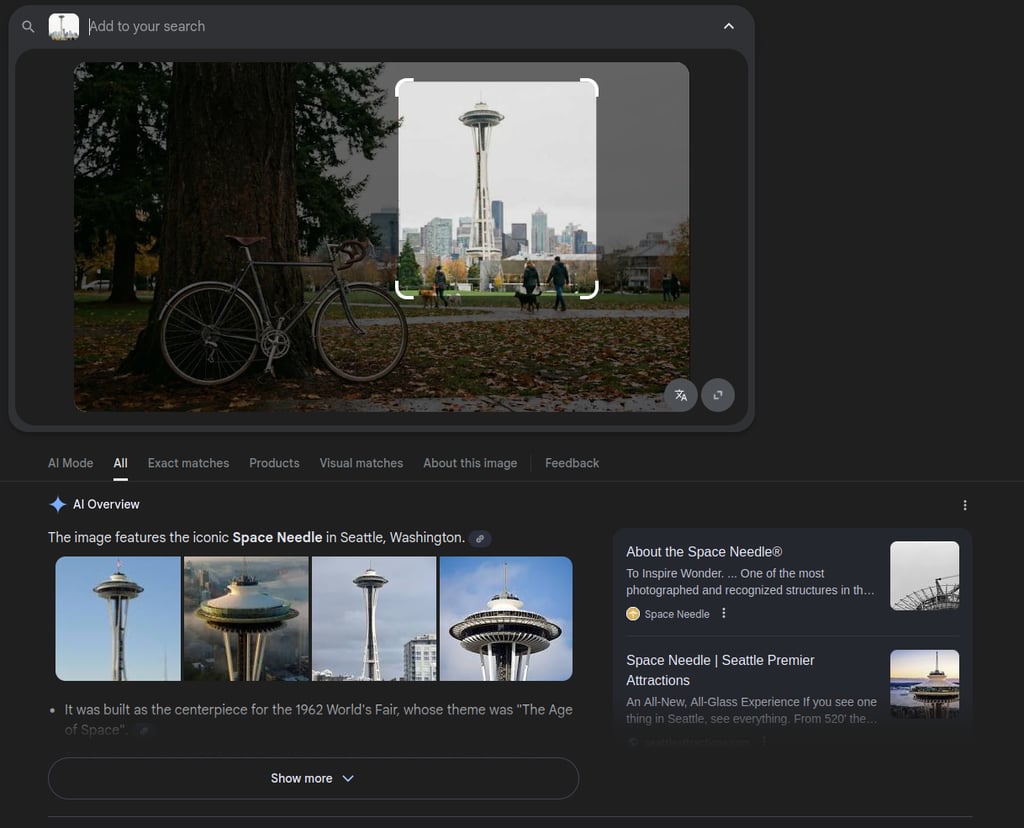
With the name and email address, I could find literally anything. I started with their X (Twitter) profile. There, Elias had posted a recent image that helped me narrow down their location. Even though X strips the photos of all metadata after upload, the depicted landmark already told us enough. I searched for it using Google Lens, an image recognition software.
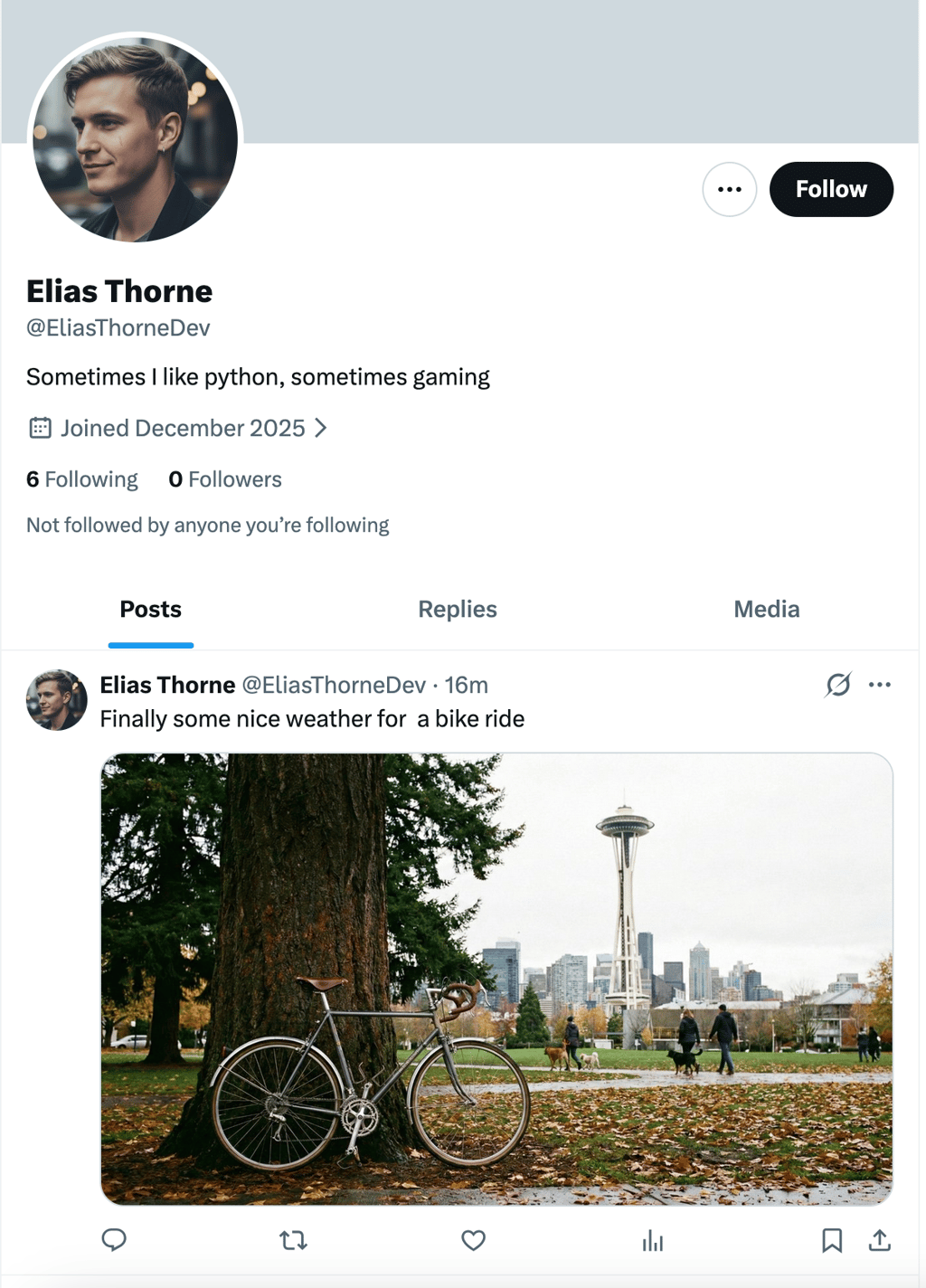
And there we go, the AI recognized the Seattle Space Needle. The post text leaves little to no opportunity for imagination: Elias Thorne most likely lives in Seattle.
Don’t be afraid of stalkers – insights on how to stay private
Just with the person’s username, I dug up their name, email address, location, social media profiles, and hobbies. Imagine how much I could uncover if it were a real person who shares much more on the internet, and I was a malicious hacker.
Here is some advice to protect yourself from online detectives like me:
- Break the links between your hobbies, work, and location. Elias’ profile was pieced together like a mosaic. The username on the game platform was harmless, the GitHub code was uploaded correctly, and the photo on X was just scenic. However, if the person didn’t have a link to GitHub on Reddit, most probably I wouldn’t be able to track them down.
- Don’t rely on software privacy settings. True anonymity is determined by your behaviour, rather than software settings. The person didn’t use their real name where possible, set their profiles to private, yet I was still able to find them. If only they had different usernames for each platform and were more careful with Git commits!
- Check how much you can find out about yourself. Each of the tools I used was free, public, and required little to no computer skills. A willing person would have been able to find much more. So, follow my steps to learn what you can find about yourself with your username or email – I’m sure you’ll be surprised. After that, you’ll know what to change to minimize your digital footprint.
You can still post online, but do it responsibly
We often forget that, in the end, our personal online pages don’t belong to us. Instead, they leave a lasting trail on the open internet, which can be traced back decades. Even if you don’t have anything to hide, your privacy is more important than you think. Even harmless posts can reveal patterns about your daily routine to creepy stalkers. Companies may also use them to manipulate you with intrusive personalized ads.
I hope my investigation has inspired you to learn a thing or two about OSINT techniques to stay cautious online, and, however burdensome it may be, use different usernames and emails for each platform.