Are password managers the future of private messaging?


 Follow us
Age verification laws, the Online Safety Act, and Chat Control show a worrying trend – governments around the world are cracking down on privacy online. Soon, even messaging your friends could be open for government surveillance.
All of these initiatives hide behind the same old cliché – think of the children. Most of the new changes completely undermine your right to privacy and online security in general. Worst of all, their capacity to “protect the children” is questionable to say the least, as some of the systems like age verification have already shown to be easy to bypass.
Ensuring that children don’t have access to harmful content is important, and we, along with many people, fully support that goal. However, the currently proposed systems, like age verification and Chat Control, are far too invasive and pose real security risks, both on individual and national level.
- On October 14th, 2025, the EU is voting on Chat Control – a mass surveillance system that would scan all of your private messages in real time, bypassing end-to-end encryption (E2EE) and opening doors for malicious hackers, cybercriminals, and spies
- More and more governments are introducing anti-privacy laws to “protect the children” at the expense of all of our privacy and security – Chat Control could be the future worldwide
- If Chat Control or similar laws are passed, all of your online communications will be scanned by AI and, if flagged, reviewed by government officials. This sets a precedent for mass surveillance, suppressing free speech, and monitoring of political dissidents
- Password managers could be an alternative method of communicating – secure sharing feature was designed to securely share login credentials, but also lets you send messages as well as photos and videos – all end-to-end encrypted. This would only work if password managers were exempt from Chat Control, which, in theory, they should be
EU wants to read all of your messages

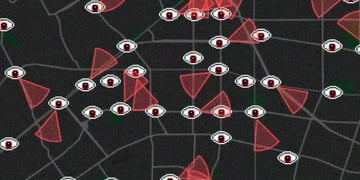




The EU is soon voting on Chat Control, a set of laws that will enable government agencies to read all of your private messages, even on end-to-end encrypted messengers like WhatsApp, Signal, and Telegram. This also includes photos and videos you share with your friends and loved ones.
They plan to do this by installing software on your device and scanning your messages before they’re even encrypted, making the end-to-end encryption virtually useless. It’s essentially a backdoor into your device and everything that’s on it, and it will introduce vulnerabilities, which can and will be abused by malicious hackers, foreign spies, and terrorist organizations.
Why is this such a big deal? E2EE is one of the core pillars of online privacy. It enables secure and private communication between parties and ensures that no one else but the intended recipient(s) read it.
On top of that, they’re planning to use AI to scan your messages. If the AI flags your chat or email, a human agent will get on your case – reading all of your private messages and invading your right to privacy. Plus, AI is prone to mistakes and false positives, which can lead to wrongful accusations and wasted resources.
These are the first steps to making mass surveillance the norm, and you’re right to be worried. As we’ve seen with age verification, countries tend to follow these systems despite the public outrage.
The EU may be the only one proposing Chat Control now, but it could be the US tomorrow, and the rest of the world the day after. So, are there alternatives for private messaging? The answer could surprise you.
Password managers – how can you use them to communicate privately
You probably know password managers as a place you can securely store your login details. But password managers have evolved well beyond a simple password storage and retrieval service.
Let’s start from the beginning. Password managers use end-to-end encryption and zero-knowledge framework to ensure that everything you store in your vault can only be accessed by you – not even the staff behind the company can gain access, it’s simply not possible.
That’s why I only recommend end-to-end encrypted password managers. Storing your login credentials in an unencrypted password manager is the same as storing it in your notes app.
Now, E2EE is what Chat Control is trying to bypass, particularly for communication services like messengers. But it can’t apply for a password manager – or at least it shouldn’t.
After all, password managers contain your most sensitive information such as login credentials and payment details. Bypassing end-to-end encryption on these types of services makes them extremely vulnerable and basically useless.
The EU’s Chat Control proposal states that “The proposed rules only apply to providers of certain types of online services which have proven to be vulnerable to misuse for the purpose of dissemination of child sexual abuse material or solicitation of children”. This is a very broad definition and could be applied to any online service. But, it’s very unlikely that it will affect something that’s not social media, like a password manager.
So, assuming that certain online services like password managers are exempt from being scanned, you could take advantage of one of its features for private messaging. That feature is called secure sharing.
Secure sharing was designed to provide a simple and easy way to share login credentials without breaking encryption. So, instead of sending the Netflix password in plain text over SMS, you’d send an end-to-end encrypted link. This way, your login credentials are secure from unauthorized access. But did you know that you can share more than just passwords? Password managers let you store and share secure notes, which can be used to relay messages.
How to securely share messages on a password manager: mini guide
Nowadays, most password managers have a secure sharing feature, so you can’t really go wrong. I recommend using a password manager for its intended purpose first, and then take advantage of the additional features to improve your online privacy.
Here are some of the options I’ve tested and liked:
-
Bitwarden Send is currently the best option because it’s included in the free version of Bitwarden, so you won’t have to buy a subscription just to send messages. It’s super simple, just write a message, set privacy settings, and share the link with the recipient.
The privacy settings are the best part of Bitwarden Send, as they let you set an expiration date, set a number of times the message can be accessed, and even enable a self-destruct feature that deletes the message after the recipient has viewed it.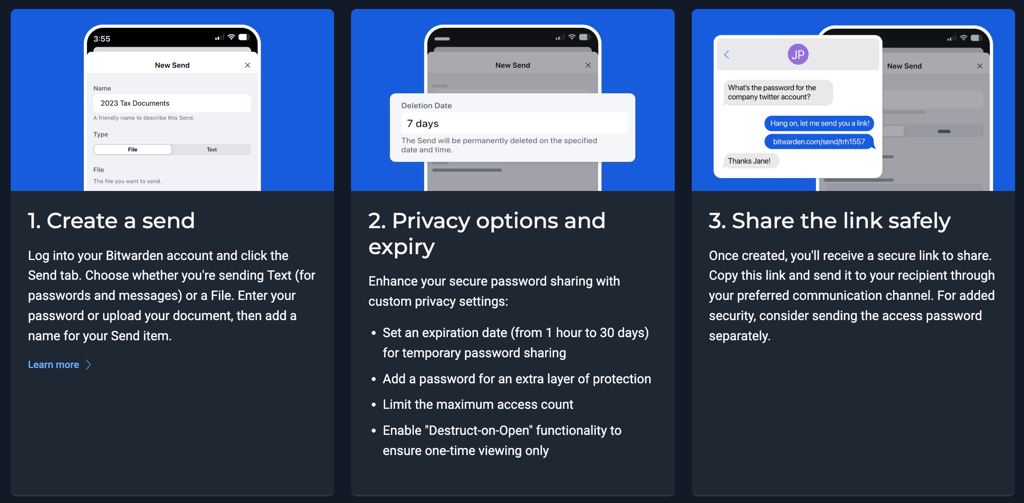
How Bitwarden Send works -
1Password is a paid password manager, but it offers a solid secure sharing feature. To send a message, you’ll have to create and title a note first, just how you would add login credentials. Once you have the secure note, click share and set the expiration date.
There are two ways to share notes on 1Password: a link or an email. If you choose the link, you’ll simply send the link address to the recipient and they’ll have to open it to view the message.
Unfortunately, since you can’t protect the link with a password, it can technically be intercepted, especially if your messenger isn’t end-to-end encrypted because of laws like Chat Control.
Sharing through the email is more secure, but the recipient will have to verify their email address, so the whole process takes longer. Still, if the information you’re sharing is sensitive, it’s worth the extra minute to do it privately and securely.
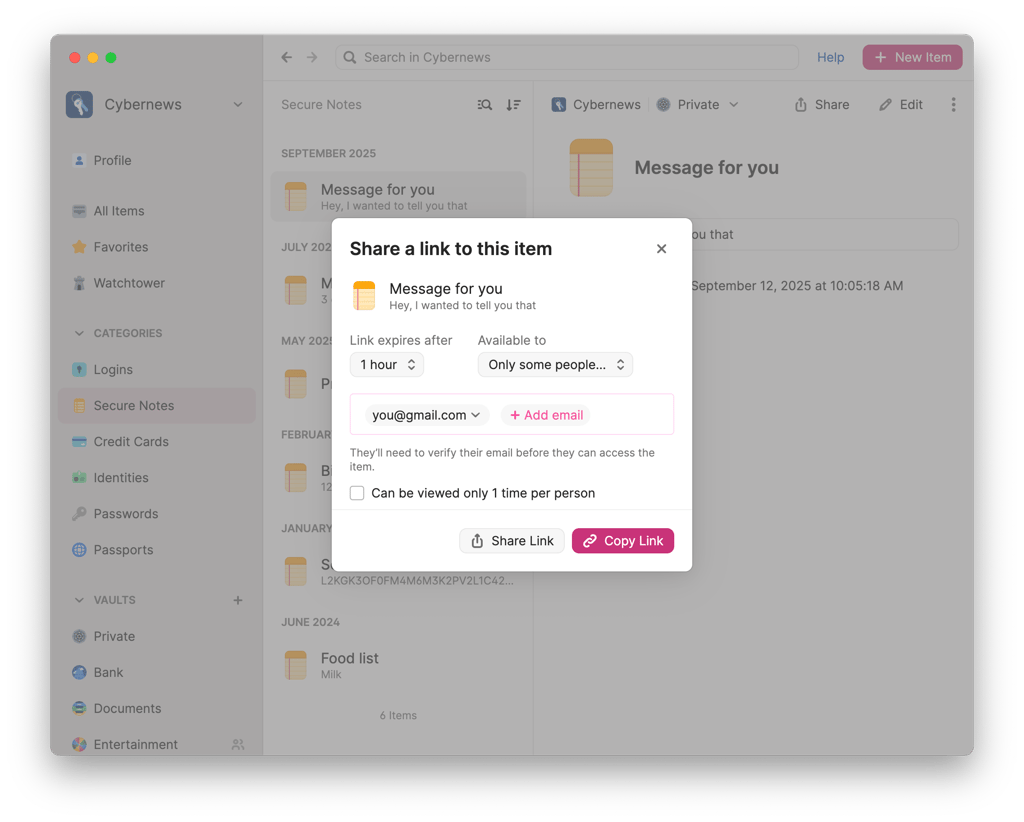
Share secure notes via a link or email on 1Password -
Similar to 1Password, NordPass is a premium password manager so you’ll have to buy a subscription to securely share items. The sharing process is similar to 1Password’s, but you can only share via email. The main downside is that the recipient must also have a NordPass account to view the message.
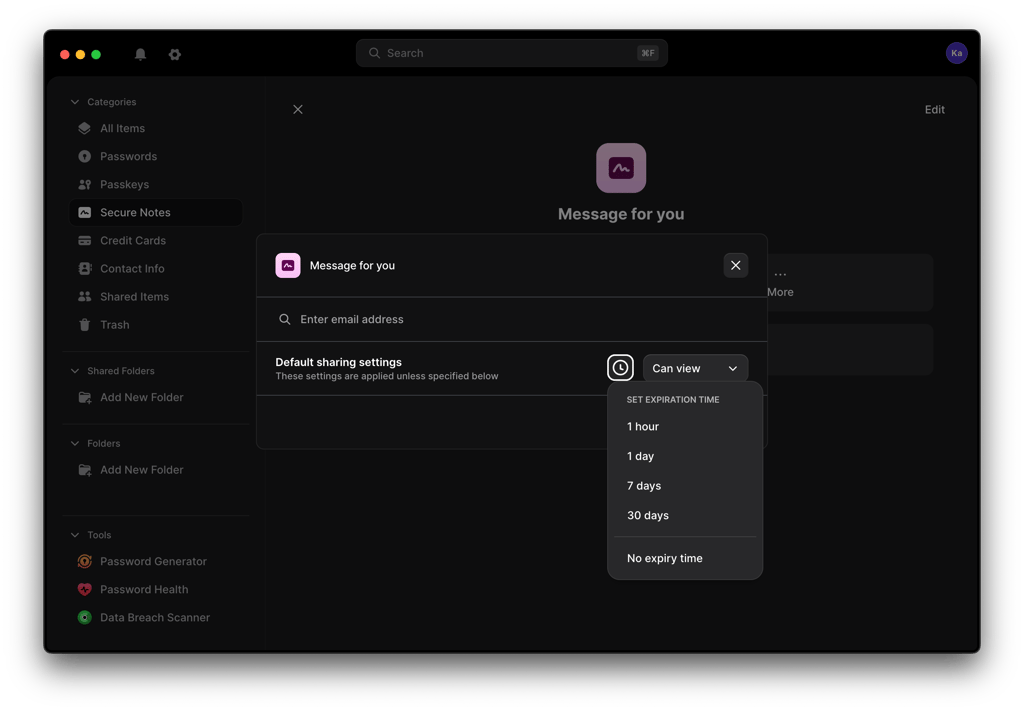
Share secure notes via email on NordPass
Of course, secure sharing is nowhere as convenient as a messaging app. It requires time to prepare the message, set privacy settings, and send it to the right person. But it’s a secure and private alternative of sharing important information that you don’t want anyone to snoop on.
Some password managers, like Keeper, also provide end-to-end messengers as part of their service, but they’re separate apps, and would be scanned like any other messaging application. If it was built into the password manager itself, perhaps it could work, but there’s no such solution at the moment.
Nonetheless, depending on how the law is enforced, anything with end-to-end encryption could be bypassed by government agencies, in which case, the internet as we know it will change forever. Ideally, these laws won’t pass, but in case they do, consider using a password manager to send sensitive messages.
Final thoughts
While using a password manager for private messaging may seem strange now, this may be the new normal. Users who want to maintain their privacy online may have to take “extreme” measures and unusual routes, such as sending important messages via a password manager.
Secure sharing adds extra steps to communicating online and is not as convenient or easy as modern messaging apps, but it may be one of the few ways you can send messages privately in the near future. Don’t trade your security and privacy for convenience – speak up and defend your right to privacy.
