Working from a coffee shop? A Russian spy may be taking screenshots
Using your laptop in Starbucks could be risky even if you don’t work for Palantir.
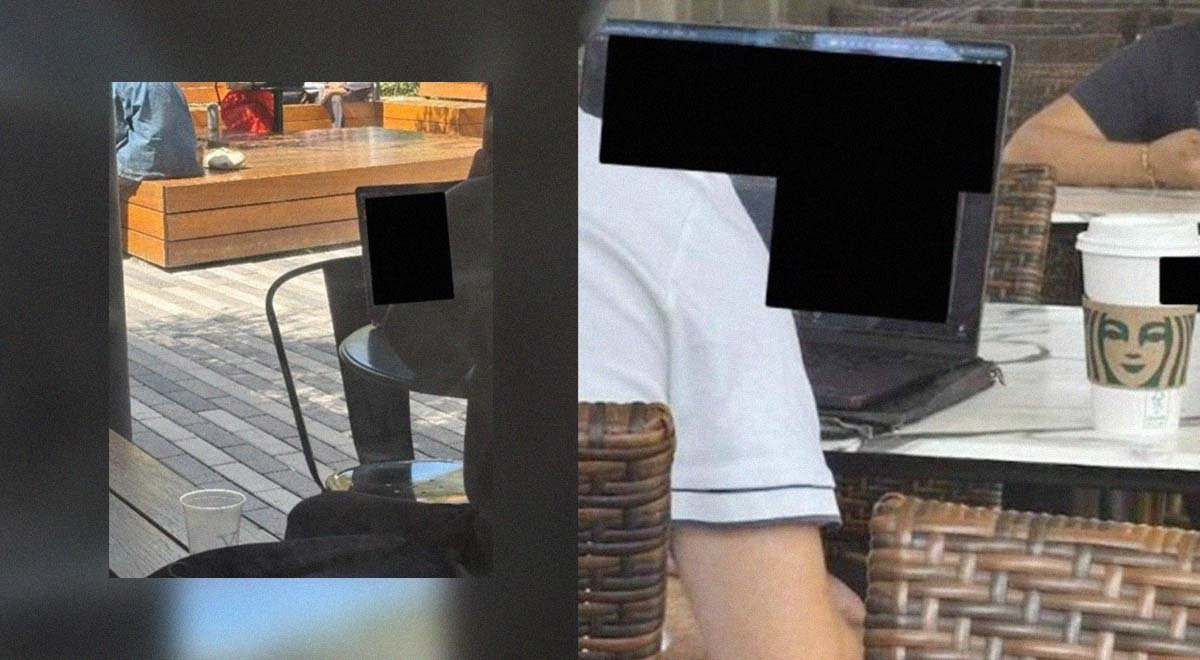
Photos D'iu took of employees' computers. Image by Department of Justice

 Follow us
- The DOJ says Igor D’iu photographed Palantir employees’ laptop screens at a coffee shop.
- Investigators say he later used a remotely controlled laptop to collect data from nearby employees.
- Experts warn public screens and Wi-Fi can expose logins, documents, and personal data.
- Workers should use privacy filters, VPNs, device locks, updates, and trusted networks for sensitive tasks.
Key Takeaways by nexos.ai, reviewed by Cybernews staff.
The indictment of an alleged Russian agent who spied on Palantir employees working in a coffee shop serves as a wake-up call for anyone handling sensitive data in public places.
The US Department of Justice (DOJ) announced on November 18th that it is indicting a Russian national, Igor D’iu, who is accused of spying on the American company Palantir Technologies, which provides its analytics software to Ukraine.
The suspected agent was instructed to visit a coffee shop near Palantir’s office, identify the company’s employees, photograph their laptop screens while they worked, and send the photos to his Telegram contacts, according to an affidavit released by the DOJ.


Stay updated with our latest stories and follow us on social media
Be the first to discover new stories, ideas, and updates from our team.




D’iu was later ordered to go to the same coffee shop with his laptop controlled by his Telegram contacts via remote access software to collect data from any Palantir employees in range.
The Department of Defense and other crucial US government agencies use Palantir technology. Ukraine also uses the company’s software in its defense against Russia’s invasion, while data collected on the battlefield is used to train Palantir’s systems.
Even hand movements can be recorded
Foreign powers targeting employees of critical companies isn’t a new phenomenon, with even Nvidia CEO Jensen Huang allegedly falling into China’s trap.
A person familiar with the investigation told NBC News that one of Palantir employees noticed D’iu’s unusual behavior and reported it. The spy reportedly sought access to the company’s internal systems, but none were breached.
Karolis Kačiulis, lead system engineer at Surfshark, says that while the particular spying case is an extreme example, the underlying risks apply to anyone who regularly works in public spaces, even if they don’t perform sensitive tasks.
The screen that is visible to anyone easily allows snoopers to access login credentials, client names, or internal documents. Even when the screen is covered, someone could record hand movements and reconstruct what they are typing from the footage.
Kačiulis argues that public Wi-Fi adds a second layer of exposure, because open or poorly secured networks can be used to intercept unencrypted traffic, push users to spoofed login pages, or deliver malware.
A seemingly ordinary customer with a phone or a laptop running remote-access software can turn a café into a collection point,Karolis Kačiulis, lead system engineer at Surfshark
Such risks aren’t merely theoretical. In 2026, Russian hackers hijacked hotel and conference WiFi networks worldwide and infected travelers with malware to steal sensitive data
Experts from the cybersecurity firm Dreamlab hacked into the WiFi system of a Starbucks cafe in Bern, Switzerland, in 2018. Using a free downloadable app, they accessed user data, such as customers’ names, phone numbers, and e-mail addresses.
Kačiulis says AI assistants and agents, when connected to a public network, can be fed poisoned information and end up installing malware or running harmful code on your computer without the user ever realizing.
How to work from a cafe safely
With 35% of American employees working remotely at least sometimes, the temptation to open a sensitive Excel sheet or type in login credentials while sipping coffee at Starbucks may be alive and well.
If working from a public place is unavoidable, Kačiulis recommends taking the following steps:
- Protect your screen by using a privacy filter or sitting with your back to a wall.
- Lock the device whenever you step away, even for a moment. Never leave a laptop unattended.
- Use a VPN on any network you don’t own. It encrypts your traffic and prevents the cafe’s Wi-Fi or anyone monitoring it from reading what you’re sending or receiving.
- Keep your operating system, browser, and apps updated, and run reputable antivirus software.
- Only download remote-access tools, extensions, or utilities from official sources, and only if you genuinely need them.
- Treat sensitive work as sensitive, regardless of location. Confidential documents, client data, and internal systems should be accessed on trusted networks whenever possible.