Clicks Keyboard case review: what to know before buying

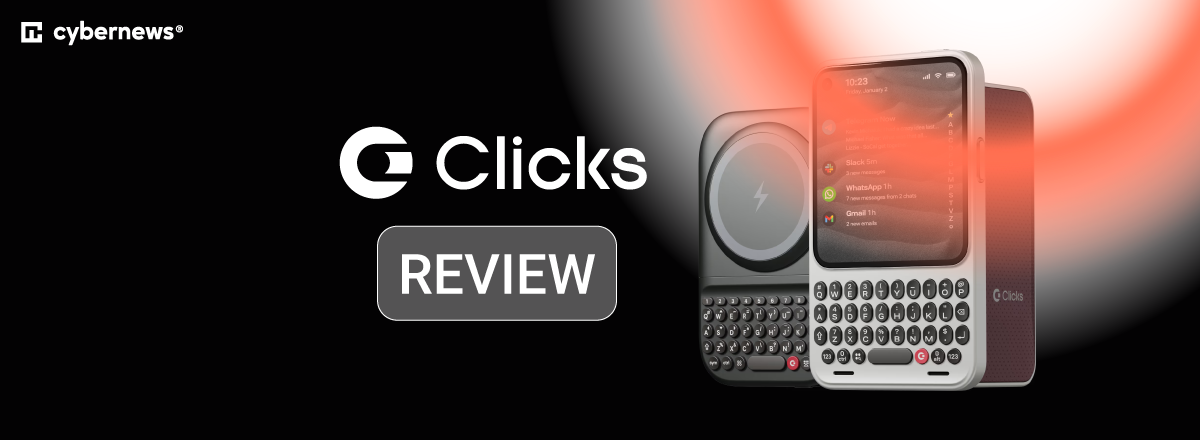
Typing on your smartphone’s touchscreen works fine for quick texts. However, when you need to handle more complex tasks, like editing documents on the go, it can quickly become frustrating. You start experiencing lower typing accuracy and visibility because the on-screen keyboard covers half the screen. That’s why smartphone users looking for better productivity are turning to external keyboards like the Clicks Keyboard case.
The Clicks Keyboard case is a smartphone case with an integrated physical keyboard. It sits somewhere between a full phone with a built-in keyboard (like the Clicks Communicator) and a separate add-on keyboard (such as the Clicks Power Keyboard). This product is meant to improve your productivity. But does it really deliver?
That’s why I, together with the Cybernews research team, reviewed publicly available specifications, official product materials, and real user feedback to assess what the Clicks Keyboard case offers. This Clicks Keyboard case review will help you decide whether it's worth buying.
Quick overview of Clicks Keyboard case
Before I go into the detailed part of this Clicks Keyboard case review, here’s a quick overview of its essential features and specifications.
| ⭐ Overall rating: | 4.5 |
| 📝 Brief description: | Smartphone case with an integrated physical keyboard that connects via USB-C and offers tactile typing while keeping your full screen visible for better productivity. |
| 💻 Operating system: | iOS and Android |
| ⚖️ Weight: | 0.4lb |
| 🔌 Connection mode: | USB-C port |
| 📶 Bluetooth connectivity: | Not supported |
| 📱 Supported smartphone models: | iPhone 14 (Pro and Pro Max models only), iPhone 15, 16, and 17 (Standard, Pro, and Pro Max models), Google Pixel 9 and 9 Pro, and the Motorola Razr 2024 and 2025. |
| 💡 Backlit keyboard: | Present |
| 🔄 USB-C data mode: | Only present in iPhone 16 and 17 models |
| 🧲 MagSafe support: | Only present in iPhone 16 and 17 models |
| 🎙️ Voice control support: | Present |
| ↩️ Returns: | 30-day return policy |
| 🛡️ Warranty: | 1-year warranty |
| 💰 Pricing: | Ranges from $139.00 to $159.00 |
Our methodology
To ensure that this Clicks Keyboard case review is as accurate as possible, the Cybernews research team and I carried out a thorough assessment of its features based on specifications and user feedback using the following criteria.
- Keyboard experience and ergonomics (30%). I focused on factors like key travel, tactile feedback, and typing accuracy to determine how the keyboard feels and whether it's comfortable for longer typing sessions.
- Hardware quality and design (20%). I reviewed its build materials, examined how well the case fits different smartphone models, and considered what users say about its durability.
- Software and app integration (15%). I evaluated how smoothly the keyboard works with different operating systems, and checked for possible compatibility issues with specific apps.
- Compatibility and ease of use (15%). I assessed how straightforward it is to attach the case, pair it with your phone, and start typing.
- Price and value (10%). I compared Clicks against other smartphone keyboard solutions to see if the cost makes sense.
- User reviews and reputation (10%). I also assessed what current and previous customers say about the device to identify common strengths and weaknesses.
What is Clicks Keyboard case?
The Clicks Keyboard case is a protective phone case with a built-in external keyboard that attaches to your smartphone (iOS or Android). Unlike on-screen keyboards, which take up half your screen, the Clicks Keyboard sits below your phone. As a result, you don’t sacrifice screen space for a better typing experience.
This accessory is different from Bluetooth keyboards because it doesn’t use Bluetooth connectivity. Instead, the Clicks Keyboard case plugs directly into your USB-C port. It’s also different from the Clicks Communicator phone, which is a standalone compact Android smartphone with a built-in physical keyboard rather than an add-on accessory.
The Clicks Keyboard case supports various iPhone models (from 14 Pro and up) and the Google Pixel 9 and 9 Pro. It also supports the Motorola Razr 2024 and 2025 models. However, availability varies by region. Clicks currently ships to over 100 regions across the US, Canada, and Europe, but it’s a good idea to verify if delivery to your area is supported.
Clicks Keyboard case keyboard review
The Clicks phone case keyboard has a layout similar to the iPhone, following the traditional QWERTY design. If you prefer, there are also models with the AZERTY layout. The main difference compared to your on-screen keyboard is that the buttons on the Clicks case are slightly smaller.
Because the keyboard sits below your smartphone, you get more screen space, which helps improve your typing workflow. The key spacing is also wide enough to enhance your typing experience and accuracy.
Many users say the tactile feedback brings back that classic BlackBerry feel. They mention that the round buttons have just the right resistance, so typing feels satisfying and accidental presses are less likely.
The Clicks Keyboard case also supports some iOS shortcuts. Plus, there are extra buttons, like “CMD,” that you can combine with other keys for navigation shortcuts.
Clicks Keyboard case vs Clicks Power Keyboard: what's the difference?
Before you commit to buying a Clicks Keyboard for your smartphone, you should know that Clicks actually offers other types of keyboard accessories for smartphones, like the Clicks Power Keyboard. The Clicks Keyboard case and the Clicks Power Keyboard are quite different, and they serve different purposes.
The Clicks Keyboard case is a protective case and keyboard rolled into one accessory, so you’ll be getting improved productivity plus device protection. However, this integrated design means that you can't separate the two, so you'll always be carrying the keyboard whether you need it or not. It is ideal for users who want constant access to physical keys without juggling separate accessories.
The Clicks Power Keyboard, however, is a standalone keyboard that doesn’t double as a case. This gives you more flexibility, since you’ll be able to add or remove it whenever you want. It’s a bit bulkier, though, because it also has a built-in power bank. This option is for you if you want to go keyboard-free sometimes and want the extra battery juice.
Hardware of Clicks Keyboard case
Overall, user reviews suggest that the Clicks Keyboard case strikes a balance between premium build and durability. The case is a soft plastic and silicone shell that wraps around your smartphone and feels solid enough for daily use. However, the plastic construction means it only provides basic drop protection. The keys are also durable, but with heavy typing and prolonged use, they may wear out eventually.
Using the Clicks Keyboard case makes your phone a bit longer. Some users find this extra length awkward in their pockets, but most say you get used to it and barely notice it over time.
This accessory does not have an in-built battery, which makes it pleasantly lightweight. It also comes in different colors, so you will be able to pick something that matches your style.
The Clicks app
One special feature of the Clicks Keyboard case is that it comes with its own companion app. The Clicks app lets you personalize the physical keyboard to your workflow. For example, you can customize keyboard settings like the backlight, map specific shortcuts to key combinations, and push firmware updates to the case when they become available.
The Clicks app will also help you manage your battery more effectively. It comes with a battery setting feature that you can use to stop the keyboard from activating and draining battery from your phone when you’re not using it.
Note that upon installation and launch, the Clicks app may request some system permissions it needs to function properly. You can always revoke these permissions anytime you want in your phone settings.
Limitations of Clicks Keyboard case
While the Clicks Keyboard case offers you a better typing experience, it's not without its trade-offs. The most immediate limitation you’ll notice is the added bulk. With the Clicks Keyboard case, your phone is noticeably taller and heavier, so it won't slip into your pocket quite as easily as before. If you're someone who values a slim profile, this might be a dealbreaker.
There's also an adjustment period to consider. Adjusting to the switch between your usual touchscreen habits and the Clicks layout will likely take some time. You might even find yourself accidentally hitting the wrong keys during those first few days.
One other thing that is worth noting is phone compatibility. Right now, Clicks doesn't make cases for every device out there. That’s why I recommend checking whether Clicks makes a keyboard case for your specific phone model before buying.
Pricing and availability
The Clicks Keyboard case costs $139 for smaller iPhone models (14 Pro, 15, and 16) and $159 for the larger Pro Max versions. If you own a Google Pixel 9 or 9 Pro, or a Motorola Razr 2024/2025, the cost is $139. You can order directly from Clicks’ website, with shipping available to most regions, including the US, Canada, and Europe.
The Clicks phone case is clearly more expensive than a standard protective case, but it does offer more. The price is actually on par with the market cost of Bluetooth keyboards, even though it offers better features. The models for smaller phones are even cheaper. Overall, I can conclude that it offers good value for money.
Clicks offers a 30-day return policy with full refunds if you don’t like the experience. Each device also comes with a one-year warranty that covers defects such as mold damage, bad finishing, keyboard faults, and USB-C connection issues. Note that the warranty does not cover natural wear and tear or damage from poor handling.
What do users think about Clicks Keyboard case?
In order to create a well-rounded Clicks Keyboard case review, I looked at what users are saying about it on platforms like Reddit. Many users praised the typing accuracy once they got used to it. According to them, it genuinely improves productivity for longer messages and emails. Some users also mention that using the Clicks Keyboard case brings back that satisfying BlackBerry typing experience they've been missing.
At the same time, users did point out some drawbacks. The price is a common complaint, with many questioning whether it's worth the premium cost. The added bulk is another common issue, as it makes phones noticeably thicker and heavier. Some users note that there is a real learning curve, which makes it challenging to type at full speed right away.
Final thoughts: is Clicks Keyboard case worth it?
The Clicks Keyboard case offers a tactile typing experience that touchscreens simply can’t match, so it’s definitely worth buying. I recommend this accessory if you’re someone who prioritizes typing accuracy and speed, or if you want to transform your smartphone into a performant workspace.
However, it’s not for everyone. The added bulk and adjustment period might make it less appealing to some people.
That said, if you prefer a standalone keyboard that offers the same experience, the Clicks Power Keyboard could be what you need. But if typing speed and productivity are very important to you, then consider the Clicks Communicator phone.
FAQ
Which phones are compatible with the Clicks Keyboard case?
Right now, the Clicks Keyboard case is only compatible with a few iPhone and Android models. Compatible iPhones include the 14 Pro and Pro Max, as well as the 15 and 16 series. For Android, the compatible devices are the Google Pixel 9 and 9 Pro, and the Motorola Razr 2024 and 2025.
Does the Clicks Keyboard case require the Clicks app to work?
No, it doesn’t. The Clicks Keyboard works out of the box for your typing needs. That said, the optional companion app lets you customize certain shortcuts and settings to improve your overall experience.
How does typing on the Clicks Keyboard case compare to on-screen keyboards?
The experience is quite different. The Clicks Keyboard offers you a satisfying tactile feedback that on-screen keyboards cannot replicate. In addition, you get a better display with the Clicks Keyboard since you won’t be covering half your screen with a virtual keyboard anymore. However, there is a learning curve you will go through for adjustment.
Is the Clicks Keyboard case comfortable for long typing sessions?
This depends on your typing habits and thumb strength. Some users prefer the Clicks Keyboard case for long typing sessions. But some others report fatigue after extended typing sessions.
Does the Clicks Keyboard case significantly increase phone size or weight?
Yes, it does. The Clicks Keyboard case is designed to be lightweight, but it does add some noticeable bulk to your phone’s length and weight. You will still be able to put your phone in your pocket, but you’ll definitely feel the difference.