Hidden Chrome extensions racked up 13M+ installs, hijacking user searches for profit
A click on a “PDF converter” ad installs a Chrome extension that does nothing but route search queries through a stranger’s server.
Chrome extensions redirecting search queries. Image by Cybernews.

 Follow us
- Researchers found 319 Chrome extensions that hijacked search settings and reached 13.4 million installs.
- The extensions route searches through operator-controlled proxy servers before sending users to Bing, Yahoo, or other destinations.
- Operators spread the unlisted extensions through deceptive ads for PDF converters, safe search tools, and similar utilities.
- Researchers did not observe malicious redirects, but warn operators could send users to phishing or malware pages.
More than 13 million users have installed Chrome extensions that secretly hijack search queries to collect referral payments from Bing and Yahoo, researchers say. Unlisted on the Chrome Web Store, these add-ons spread primarily through deceptive ads for PDF converters and other tools.
Security researchers at Socket have flagged 319 Chrome extensions, released by a “handful of organized operators,” that accumulated 13.4 million installs over a ten-year period.
Most are hidden in the Chrome Web Store, so users can’t find them directly. Many are also nearly empty, require no permissions, contain no background code or even an interface, and offer no useful functionality. They’re designed to do one thing.
“[They] quietly take over the browser's default search engine, route every query through a suspicious proxy server, and collect partner referral payments from Yahoo or Bing under a syndication partner ID,” Socket said in a new report.






Hijacked searches are not the only risk – extensions can quickly turn malicious, researchers warn. The operators control where each request lands and can redirect users to phishing sites or malware lures based on search terms or geographic location.



Stay updated with our latest stories and follow us on social media
Be the first to discover new stories, ideas, and updates from our team.
How do these extensions work?
The extensions’ manifest file simply swaps the default search provider – it’s not even code that executes, but a built-in feature of the framework.
“Changing the default search provider will trigger a prompt to the user during installation, but it will not clearly state where your searches end up going,” the researchers explained.
Searches do not go directly to Bing or Yahoo, but rather through the operators’ proxy servers, which track queries before redirecting users.
The researchers speculate that proxy servers allow operators to measure whether their compensation matches referrals. Additionally, each query can potentially be monetized as trend or sentiment data.

Check if your data was exposed
Find out if your email and related personal information have appeared in known data breaches.
A third potential motivation is “programmable redirects,” allowing operators to selectively route traffic.
The Socket researchers observed instances in which repeated searches were redirected to Google’s homepage without a partner tag, while other searches went to Bing. In another case, six identical searches sent through an extension’s proxy reached four different destinations.
“This means redirects are chosen per request based on the search itself,” the report explains.
“The search referral revenue is a profitable watering hole while the proxy operator can wait for data to accumulate and targets to surface before redirecting to malicious search results or landing pages for phishing or other malicious downloads.”
The researchers did not observe malicious redirects and described that scenario as an assumption.
Operators buy ads
The Chrome Web Store allows publishers to keep extensions unlisted – they don’t appear in search results. The operators use this to avoid public scrutiny while maintaining the facade of legitimacy.
Unlisted extensions remain accessible via direct link and appear as benign utility tools on their storefront pages.
The “searchjacking” extensions reach users through ad networks as pop-over and pop-under ads promoting “manual finders,” “safe search,” “PDF converters,” “AI search,” and other utilities.
“It only takes a few clicks to end up with the extension installed and forgotten about quickly after,” the researchers said.
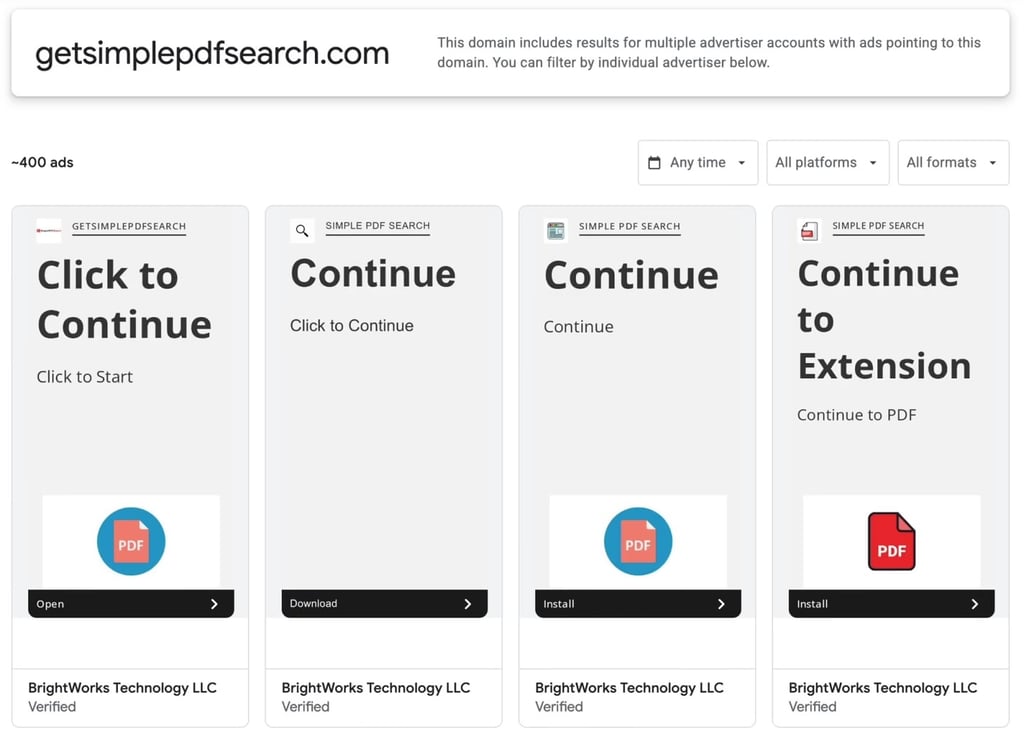
Socket attributed 200 extensions, with about 5.7 million users, to identifiable operators, while the remaining 119 extensions, with 7.8 million users, were published by unknown operators.
Researchers say this activity has been running continuously since at least 2016.
The largest identified cluster, “SecuryBrowse,” accounts for 58 extensions and 4.9 million users. Another group, “Bing-Search,” comprises 37 extensions distributed through Bidbrain ads.
“The Chrome Web Store hasn’t kept up. Even if extensions are taken down, there are new domains and lures popping up quickly after.”
The report includes a downloadable list of affected extensions, including their IDs and publication dates.
Cybernews reached out to Google for a comment and will update the story with its response.