How to watch F1: Mexico City GP
Our in-house cybersecurity experts and journalists, renowned for major reports like The Mother of All Breaches, conduct transparent, unbiased VPN testing and in-depth analysis.
With 750+ articles crafted based on real-world research, we empower readers to make informed purchasing decisions through first-hand expertise.
Learn more
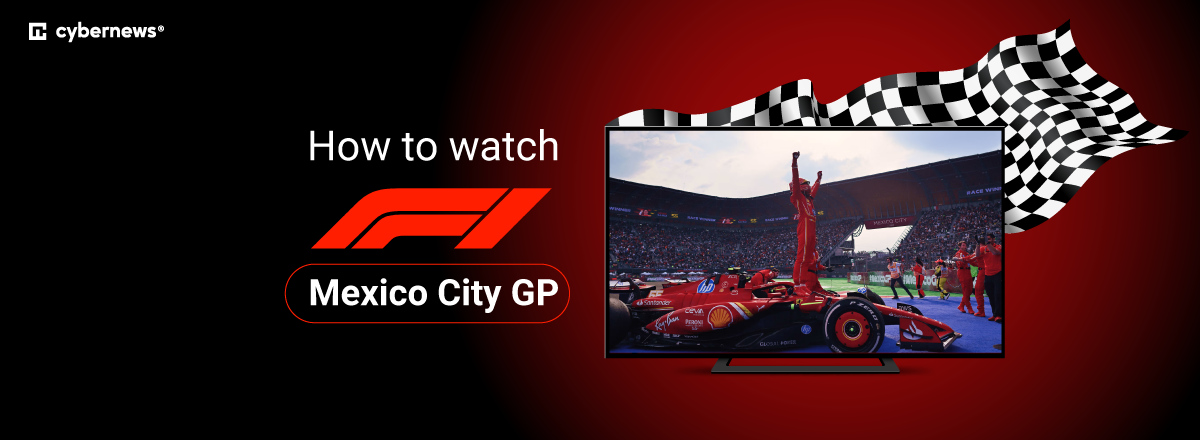
The 2026 Mexico City Grand Prix takes place at Autódromo Hermanos Rodríguez on Sunday, November 1st, 2026. The race starts at 2:00 PM local time, which is 3:00 PM ET, 12:00 PM PT, and 8:00 PM in the UK.
US viewers can watch every Formula 1 session, including practice, qualifying, and the Grand Prix, on Apple TV. The service is Formula 1’s exclusive US broadcaster for the 2026 season and includes F1 TV Premium at no extra cost for Apple TV subscribers.
If you are traveling outside your home country, your usual F1 streaming service may be unavailable because of regional broadcast restrictions. A VPN can help you securely access your existing home subscription while abroad, subject to the streaming platform’s terms and local laws.
Mexico City GP schedule and start time
The Mexico City GP is Round 19 of the 2026 F1 season. Kimi Antonelli arrives with a 123-point lead over Mercedes teammate George Russell and could clinch his first Drivers’ Championship during the weekend.
| Session | Mexico City | US | UK | Australia |
| Practice 1, Friday, October 30th | 12:30 PM | 2:30 PM ET | 6:30 PM GMT | 5:30 AM AEDT, October 31st |
| Practice 2, Friday, October 30th | 4:00 PM | 6:00 PM ET | 10:00 PM GMT | 9:00 AM AEDT, October 31st |
| Practice 3, Saturday, October 31st | 11:30 AM | 1:30 PM ET | 5:30 PM GMT | 4:30 AM AEDT, November 1st |
| Qualifying, Saturday, October 31st | 3:00 PM | 5:00 PM ET | 9:00 PM GMT | 8:00 AM AEDT, November 1st |
| Grand Prix, Sunday, November 1st | 2:00 PM | 3:00 PM ET / 12:00 PM PT | 8:00 PM GMT | 7:00 AM AEDT, November 2nd |
Formula 1 has confirmed the local session times for the weekend. The international conversions above account for the US switch from daylight saving time on November 1st.
Where to watch F1: Mexico City GP
The table below covers verified official options for watching the Mexico City GP. Availability, pricing, and package requirements can change, so check the service before race weekend.
| Country | Streaming service | Price | Local race start time | Notes |
| United States | Apple TV | From $14.99/month | 3:00 PM ET / 12:00 PM PT | Every F1 practice, qualifying session, Sprint, and Grand Prix live and on demand. F1 TV Premium is included for US Apple TV subscribers. |
| United Kingdom | Sky Sports F1 | Varies by package | 8:00 PM GMT | Live coverage of every Mexico City GP session. |
| Canada | TSN | Varies by TV provider or TSN plan | 3:00 PM ET / 12:00 PM PT | TSN lists the race for November 1st at 2:30 PM in its schedule, including pre-race programming. |
| Mexico | TUDN, Sky Sports, and Izzi | Varies by provider | 2:00 PM local time | Formula 1 lists all three as official broadcasters in Mexico. |
| Selected territories | F1 TV | Varies by territory | Check local time | F1 TV Pro and F1 TV Premium are available in selected locations, with live sessions and extra features. |
Apple TV’s US coverage includes English and Spanish commentary, live driver and telemetry feeds, race replays, and Multiview on supported devices. The Apple TV app is available on iPhone, iPad, Apple TV 4K, Mac, compatible smart TVs, Roku, Fire TV, Chromecast with Google TV, PlayStation, Xbox, and the web.
F1 TV Pro provides live coverage of every session in selected countries, plus onboard cameras and pre- and post-race shows. F1 TV Premium adds 4K UHD/HDR on compatible devices, Multiview, and support for up to six simultaneous devices.
How to watch F1: Mexico City GP from abroad with a VPN
If you already subscribe to Apple TV in the US, Sky Sports in the UK, or another official local F1 service, that platform may not work while you are abroad. A VPN can change your IP location to your home country, helping you access the subscription you already have. It does not replace a valid subscription, and you should follow the streaming provider’s terms of use.
- Choose a VPN. We recommend NordVPN because it combines reliable streaming access with NordLynx, its fast WireGuard-based protocol. In our tests, NordLynx retained an average of 84% of baseline download speed, and NordVPN worked with Apple TV without buffering or errors. It also has apps for major desktop and mobile platforms, plus options for Android TV and Fire TV. Learn more in our guide to the best VPNs for streaming.
- Download and install the VPN app. Install NordVPN on the device you plan to use for race coverage. For the simplest setup, use a laptop, tablet, phone, streaming stick, or compatible smart TV.
- Connect to a server in your home country. For example, connect to a US server if you have an Apple TV subscription, or a UK server if you use Sky Sports. If the stream does not load, try another server in the same country. You can also learn more about changing your location with a VPN.
- Open your official F1 streaming service. Sign in to your existing Apple TV, Sky Sports, TSN, or F1 TV account. If the site still shows the wrong region, open a private browser window or clear the service’s cookies before trying again.
- Find the Mexico City GP and start watching. Keep the VPN connected while streaming. If playback stalls, switch to a nearby server, restart the app, and make sure NordLynx is selected for the best chance of smooth live coverage.
Best VPNs to watch F1: Mexico City GP
The VPNs below are strong options for accessing an existing F1 streaming subscription while traveling. A VPN cannot guarantee access because streaming providers can update their detection systems, but these services performed well in our streaming tests.
- NordVPN – best overall VPN. NordVPN starts at $3.49/month and has thousands of servers across 225 locations. Its NordLynx protocol retained 84% of baseline speed in our testing, making it a strong fit for bandwidth-heavy live racing streams. We also tested it with Apple TV and found that 4K playback remained stable without buffering. NordVPN supports up to 10 devices and offers apps for Windows, macOS, Linux, iOS, Android, Android TV, and Fire TV. Read our full NordVPN review.
- Surfshark – best budget VPN. Surfshark starts at $2.49/month and allows unlimited simultaneous connections, which makes it useful for households streaming on several devices. It has 4,500+ servers in 100 countries and supports the fast WireGuard protocol. In our tests, Surfshark maintained around 82% download-speed retention when connected to US and Canadian servers, which is sufficient for live HD streaming. It also has native apps for Apple TV, Android TV, and Fire TV. Read our full Surfshark review.
- Proton VPN – best VPN for privacy. Proton VPN starts at $2.49/month and is based in Switzerland. Its paid plan provides access to 21,200+ servers in 149 countries, while its free plan offers unlimited data but is not designed for premium streaming access. Proton VPN’s open-source apps, independently audited no-logs policy, and Secure Core option make it a compelling choice for privacy-minded F1 fans. Its paid servers also worked reliably with major streaming platforms in our testing. Read our full Proton VPN review.
Why you might need a VPN to watch the Mexico City GP
F1 broadcasting rights vary by country. Apple TV has exclusive US rights for the 2026 season, while Sky Sports carries the event in the UK, TSN is an official Canadian option, and Mexico has its own broadcaster lineup. That means an F1 service available at home may be restricted when you travel.
A VPN can help an existing subscriber connect through their home country and access their usual service while abroad. It does not give you a subscription, and it should not be used to misrepresent your location to avoid paying for content. For a closer comparison of suitable providers and streaming features, see our guide to VPNs for streaming.
How to watch the Mexico City GP on different devices
Apple devices: In the US, Apple TV subscribers can watch live F1 through the Apple TV app on iPhone, iPad, Apple TV 4K, and Mac. Apple says Multiview is available on supported Apple TV 4K, iPad, and Apple Vision Pro devices.
Smart TVs and streaming devices: Apple TV supports major smart-TV brands as well as Roku, Fire TV, Chromecast with Google TV, PlayStation, and Xbox in the US. F1 TV Pro also supports Apple TV, Chromecast, Android TV, Google TV, Amazon Fire TV, and Roku in eligible territories.
Web browser: A laptop browser is often the least complicated option when traveling. Connect to the appropriate VPN server, sign in to the official broadcaster, and use a private window if the service remembers an earlier location.
FAQ
Can I watch the Mexico City GP on Apple TV?
Yes, Apple TV is the exclusive US broadcaster for the 2026 F1 season and includes the Mexico City GP, qualifying, practice sessions, and all other race weekends. US subscribers can also access F1 TV Premium through their Apple TV subscription.
Can I watch F1 TV in the US?
No, not as a separate standalone F1 TV subscription. Formula 1 says F1 TV is included within an Apple TV subscription in the US for 2026.
What time does the Mexico City GP start?
The race starts at 2:00 PM local time in Mexico City on Sunday, November 1st, 2026. That is 3:00 PM ET, 12:00 PM PT, 8:00 PM GMT, and 7:00 AM AEDT on Monday, November 2nd.
Can I use a VPN to watch F1 while traveling?
Yes, a VPN may help you access an F1 streaming service you already subscribe to in your home country while traveling abroad. You still need a valid subscription, and availability depends on the platform’s terms and technical restrictions. NordVPN is our top option for this use case. See our best VPNs for streaming for more information.
Is the Mexico City GP available in 4K?
Yes, in selected territories. Formula 1 says F1 TV Premium supports live F1 sessions in 4K UHD/HDR on compatible devices. Apple TV also states that its US F1 coverage is available in 4K with Dolby Vision.