How to watch Farmer Wants A Wife from anywhere
Our in-house cybersecurity experts and journalists, renowned for major reports like The Mother of All Breaches, conduct transparent, unbiased VPN testing and in-depth analysis.
With 750+ articles crafted based on real-world research, we empower readers to make informed purchasing decisions through first-hand expertise.
Learn more

Farmer Wants A Wife is back for another season of rural romance, premiering Monday, June 8th, 2026 on Channel 7 and 7plus at 7:30 pm AEST. This year, five new farmers – Alex, Dylan, Jarrad, Jason, and Zac – are opening the gates to find love, each meeting a hand-picked group of single women ready to swap city life for country living.
Fan-favourite host Natalie Gruzlewski returns to guide the farmers and their potential partners through the emotional journey, continuing her role from the 2025 season. Based on previous seasons, the show is expected to air weekly on Monday nights, with episodes available to stream on demand on 7plus shortly after broadcast.
Farmer Wants A Wife streams free on 7plus in Australia. 7plus is ad-supported and requires a free account to access content. If you are outside Australia, the platform is geo-restricted, meaning you'll need a VPN connected to an Australian server to watch from abroad.
Where to watch Farmer Wants a Wife
Below is a complete overview of where to watch Farmer Wants A Wife and what each service costs.
| Country | Streaming service | Price | Notes |
| Australia | 7plus | Free | Ad-supported, free account required, geo-restricted |
| United States | Hulu | From $7.99/month | Older seasons only, current 2026 season not yet confirmed on Hulu |
How to watch Farmer Wants A Wife for free with a VPN
Farmer Wants A Wife streams free on 7plus, Channel 7's official streaming platform in Australia. The service is ad-supported and completely free to use, but it is geo-restricted and only available with an Australian IP address. If you are in the US, UK, Canada, or anywhere else outside Australia, you will need one of the best VPNs for streaming to access 7plus and watch the show from abroad.
- Choose a VPN. I recommend NordVPN for streaming 7plus. It runs thousands of servers across 225 locations, including strong Australian coverage, and uses the NordLynx protocol for fast, stable HD streaming. Smart DNS support makes it a solid option for smart TVs that do not have a native VPN app.
- Install the VPN app on your device. Download NordVPN on your device of choice – Windows, macOS, iOS, Android, Amazon Fire TV, or Apple TV are all supported. Install the app and sign in.
- Connect to an Australian server. Open the VPN app and select a server in Australia. This gives you an Australian IP address so 7plus recognises you as a local viewer.
- Go to 7plus and create a free account. Head to 7plus in your browser or open the 7plus app. You will need to register for a free account. During sign-up, enter any valid Australian postcode (for example, 2000 for Sydney) to complete registration.
- Start watching for free. Find Farmer Wants A Wife and stream live at 7:30 pm AEST on Monday nights, or catch up on demand with ads. Keep the VPN connected for the full episode.
Why you need a VPN to watch Farmer Wants A Wife
7plus holds the broadcasting rights to Farmer Wants A Wife exclusively in Australia. If you try to access the platform from another country, it detects your location and blocks playback. This applies whether you are traveling, living abroad as an expat, or simply based in a country where Channel 7 does not hold rights.
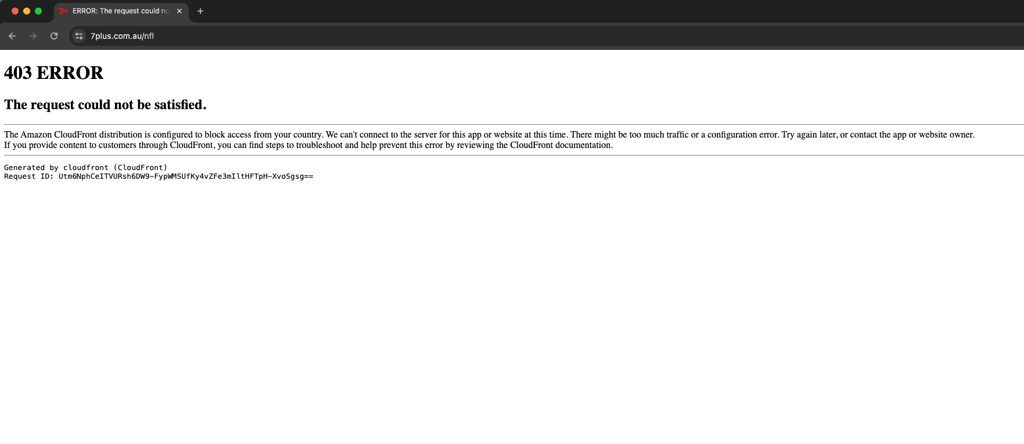
A VPN solves this by changing your virtual location. Connecting to an Australian server makes 7plus recognise you as an in-country viewer, unlocking the free live and on-demand stream. It is also useful for Australian subscribers who travel and want to keep watching their home platform without interruption.
Best VPNs to watch Farmer Wants A Wife
These three VPNs have been tested for streaming performance and are our top picks for accessing 7plus from outside Australia.
- NordVPN – best overall for streaming. NordVPN starts at $3.49/month and runs thousands of servers across 225 locations, with strong Australian server coverage for reliable 7plus access. Our Cybernews tests recorded 86% speed retention using the NordLynx protocol, which is more than enough for smooth HD streaming. Smart DNS support covers smart TVs that lack a native VPN app, and up to 10 simultaneous device connections are included. Read our full NordVPN review for more.
- Surfshark – best budget option. Surfshark starts at $2.49/month and allows unlimited simultaneous connections, making it ideal for households streaming Farmer Wants a Wife on multiple screens. It covers 4,500+ servers in 100 countries, including Australia, and the WireGuard protocol delivered 80% speed retention in our tests – enough for reliable HD catch-up on 7plus. Read our full Surfshark review for the complete breakdown.
- Proton VPN – best for privacy-focused users. Proton VPN starts at $2.99/month and is based in Switzerland under strict privacy laws, with 20,700+ servers across 149 countries. It includes a usable free plan for basic browsing, while the paid tier delivers solid streaming performance for accessing 7plus. A good choice for viewers who want strong privacy alongside their catch-up TV. See our full Proton VPN review for details.
How to watch Farmer Wants A Wife on different devices
The easiest way to watch Farmer Wants A Wife on 7plus with a VPN is through a web browser on desktop or mobile, since no app store account or regional app install is required. Streaming sticks and smart TVs may add an extra step, usually a router-level VPN or Smart DNS setup. Here is what each device needs:
| Device | Best way to watch | Notes |
| Web browser (desktop and mobile) | Use a browser on Windows, macOS, Linux, iPhone, iPad, or Android with the VPN connected to an Australian server. | This is the easiest option because no app store account change is needed. If you have previously opened 7plus from another region, a private window can help. |
| iPhone and iPad (iOS/iPadOS) | Use Safari with the VPN active. | The 7plus app is region-locked to the Australian App Store. If you want the app, you’ll need to change your Apple App Store country and use an Australian payment method or gift card. |
| Android phones and tablets | Use the 7plus mobile website in Chrome with the VPN active. | The app is available for Australian Play Store accounts, but the browser version is the simplest workaround outside Australia. |
| Smart TVs (Samsung, LG, Google TV, Android TV) | Use a native VPN app on Google TV or Android TV, or Smart DNS/router-level VPN on Samsung and LG TVs. | Google TV and Android TV are the easiest because they support native VPN apps. Samsung Tizen and LG webOS do not support native VPN apps. |
| Streaming sticks (Amazon Fire TV, Roku, Chromecast, Apple TV) | Use a native VPN app where supported, or router-level VPN/Smart DNS. | Fire TV supports native VPN apps. Roku does not. Apple TV may require region/account workarounds for the app store. |
| Game consoles (PlayStation and Xbox) | Use a router-level VPN, or cast/screen-mirror from a VPN-connected phone or laptop. | Neither console supports a native VPN app. Router setup is the most practical method. |
FAQ
Where can I watch Farmer Wants A Wife in 2026?
Farmer Wants A Wife 2026 streams free on 7plus in Australia. The show airs live on Channel 7 on Monday nights at 7:30 pm AEST, and full episodes are available on demand on 7plus shortly after broadcast. Viewers outside Australia can access 7plus with a reliable VPN like NordVPN connected to an Australian server.
Is Farmer Wants A Wife free to watch?
Yes, in Australia, Farmer Wants A Wife is free to watch on 7plus. The platform is ad-supported and does not require a paid subscription – only a free account. Outside Australia, 7plus is geo-restricted, but it remains free once accessed via a VPN with an Australian server.
How many episodes does Farmer Wants A Wife 2026 have?
The episode count for the 2026 season has not been officially confirmed. For reference, the 2025 season (season 15) ran 19 episodes across approximately two months. The 2026 season is expected to run a similar length based on prior seasons.
How can I watch Farmer Wants A Wife from abroad?
If you are outside Australia, 7plus is geo-blocked and will not stream content without an Australian IP address. A VPN lets you connect to an Australian server and access 7plus as if you were in the country. This is the easiest way for Australian expats and travelers to keep watching their home streaming service.
Who is the host of Farmer Wants A Wife in 2026?
Natalie Gruzlewski is the host of Farmer Wants A Wife in 2026. She originally hosted the show from 2007 to 2012 and returned in 2020. After a two-year break while Samantha Armytage fronted the series in 2023 and 2024, Gruzlewski came back for the 2025 season and is continuing in 2026.
Who are the farmers on Farmer Wants A Wife 2026?
The 2026 season features five farmers: Alex (28, Kin Kin, Queensland), Dylan (24, Cherry Gardens, South Australia), Jarrad, Jason, and Zac (24, apple farmer, Forest Range, South Australia). Each farmer meets a group of women looking to swap city life for something more rural.
What devices can I watch Farmer Wants a Wife on?
7plus is available on web browsers (desktop and mobile), iPhone, iPad, Android phones and tablets, Android TV, Google TV, Samsung smart TVs, LG smart TVs, Amazon Fire TV, Apple TV, and Chromecast.