How to watch The Voice UK Season 14 from anywhere
Our in-house cybersecurity experts and journalists, renowned for major reports like The Mother of All Breaches, conduct transparent, unbiased VPN testing and in-depth analysis.
With 750+ articles crafted based on real-world research, we empower readers to make informed purchasing decisions through first-hand expertise.
Learn more
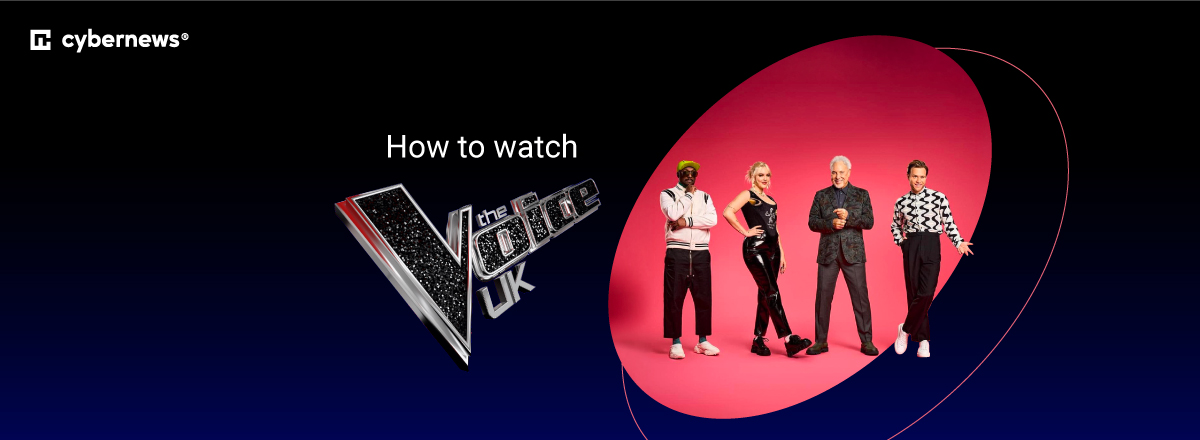
The Voice UK Season 14 is set to return in summer 2026 on ITVX and ITV1, filling the slot left by Dancing on Ice, which ITV rested earlier this year. The new season brings a fresh coaching lineup with Kelly Rowland joining returning legends will.i.am, Sir Tom Jones, Tom Fletcher, and Danny Jones. The Destiny's Child star replaces LeAnn Rimes and brings her global industry experience to the iconic red chairs.
The season will feature 10 episodes, including Blind Auditions, the return of Battle rounds, and Live Shows. Episodes air weekly on Saturdays and are available to stream live and on demand on ITVX for free with a UK account. However, ITVX is geo-restricted to the United Kingdom, so international viewers and UK travelers abroad will need a VPN to access the show.
How to watch The Voice UK for free with a VPN
The Voice UK Season 14 streams for free on ITVX, but the platform is geo-restricted to the United Kingdom due to licensing agreements. If you try to access ITVX from outside the UK, you'll see an error message blocking the stream. A VPN solves this by changing your virtual location to the UK, allowing you to access ITVX as if you were in the country. This is especially useful for UK expats, travelers, and international fans who want to watch the show as it airs.
- Choose a VPN. I recommend NordVPN for streaming. It operates 440+ servers in the UK across its network with thousands of servers in 225 locations, uses the fast NordLynx protocol for smooth HD streaming with 86% speed retention, and supports Smart DNS for smart TVs without native VPN apps.
- Install the VPN app. Download and install the VPN on your device (Windows, macOS, iOS, Android, or a supported smart TV).
- Connect to a UK server. Open the app and select a server in the United Kingdom to get a UK IP address.
- Go to ITVX. Visit itv.com/watch and create a free account. You'll be asked for a UK postcode during signup. Use any valid UK postcode such as SW1A 1AA (Westminster, London).
- Start streaming. Find The Voice UK in the entertainment section and start watching live or on-demand for free.
How to watch The Voice UK in the UK, US, Canada, and Australia
How to watch in the United Kingdom
The Voice UK Season 14 streams for free on ITVX, ITV's streaming platform, and airs live on ITV1 on Saturday evenings. ITVX offers both live streaming and on-demand catch-up, so you can watch episodes as they air or anytime after broadcast. You'll need to create a free ITVX account with a UK postcode to access the content. The platform is ad-supported, and all episodes are available at no cost.
Since ITVX is geo-restricted, you'll need a VPN to access you existing account when traveling abroad.
How to watch in the United States
The Voice UK does not have an official broadcaster in the United States for Season 14. Past seasons occasionally appeared on streaming services, but no US rights holder has been confirmed for the 2026 season. The most reliable way to watch is by using a VPN to access ITVX with a UK IP address. This lets you stream all episodes live and on demand as they become available in the UK.
How to watch in Canada
Similar to the US, The Voice UK Season 14 has no confirmed Canadian broadcaster. Canadian viewers can use a VPN to connect to a UK server and stream the show on ITVX for free. The platform requires a UK postcode at signup, but any valid postcode will work, and no payment method is required.
How to watch in Australia
The Voice UK is not officially available in Australia. Australian fans can watch ITVX using a VPN from abroad. Connect to a UK server, create a free ITVX account, and stream all episodes as they air in the UK.
Why you need a VPN to watch The Voice UK
ITVX is free, but it's only available to viewers located in the United Kingdom. The platform detects your location using your IP address and blocks access from other countries, displaying an error message instead of the stream. This happens because ITV only has broadcasting rights for the UK.
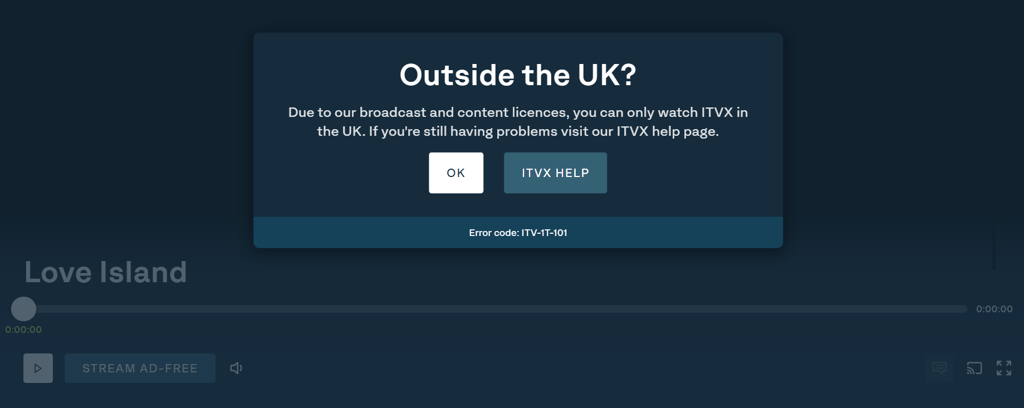
A VPN changes your virtual location by routing your connection through a server in the UK, making ITVX think you're accessing it from inside the country. This unblocks the official free stream legally, without piracy or unofficial sources. It's especially helpful for UK citizens traveling abroad who want to keep watching their favorite shows, and for international fans who want to follow The Voice UK as it airs. For more options, check out our guide to the best VPNs for streaming.
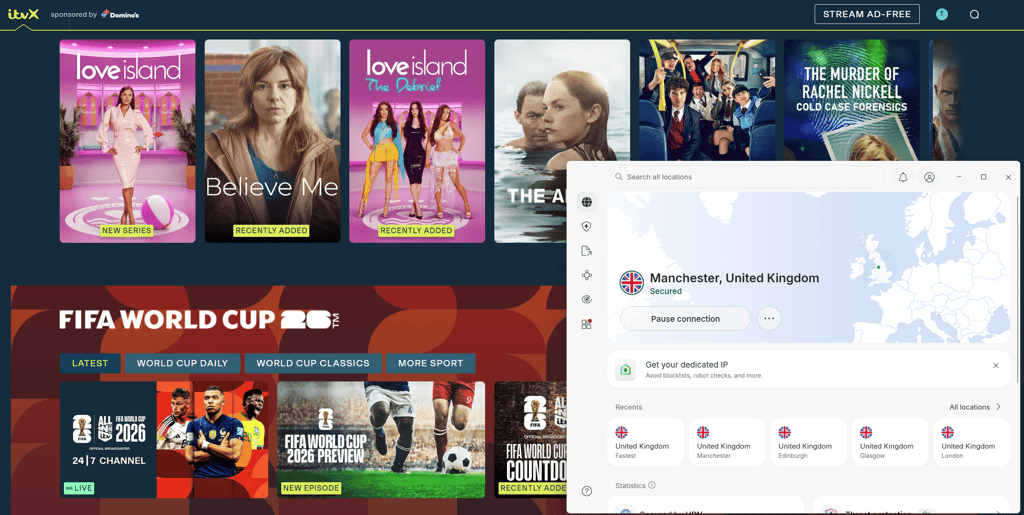
How to watch The Voice UK – detailed VPN guide
Step 1. Choose a VPN with UK servers
NordVPN is the best choice for streaming The Voice UK on ITVX. It operates 440+ UK servers, offers tons of servers across 225 locations, and delivers 86% speed retention in our tests thanks to the NordLynx protocol. Smart DNS support makes it easy to set up on smart TVs without native VPN apps, and it reliably unblocks ITVX even when the platform updates its detection. Plans start at $3.49/month with a 30-day money-back guarantee. For more streaming options, see our best VPNs for streaming guide.
Step 2. Install the VPN app on your device
NordVPN supports all major platforms including Windows, macOS, iOS, Android, Fire TV, Apple TV, and select smart TVs. The easiest way to watch The Voice UK is through the ITVX app on your phone, tablet, or streaming stick, or via the ITVX website in any browser. If you're watching on iPhone or iPad, check out our best VPN for iPhone guide. For Android devices, see our best VPN for Android recommendations.
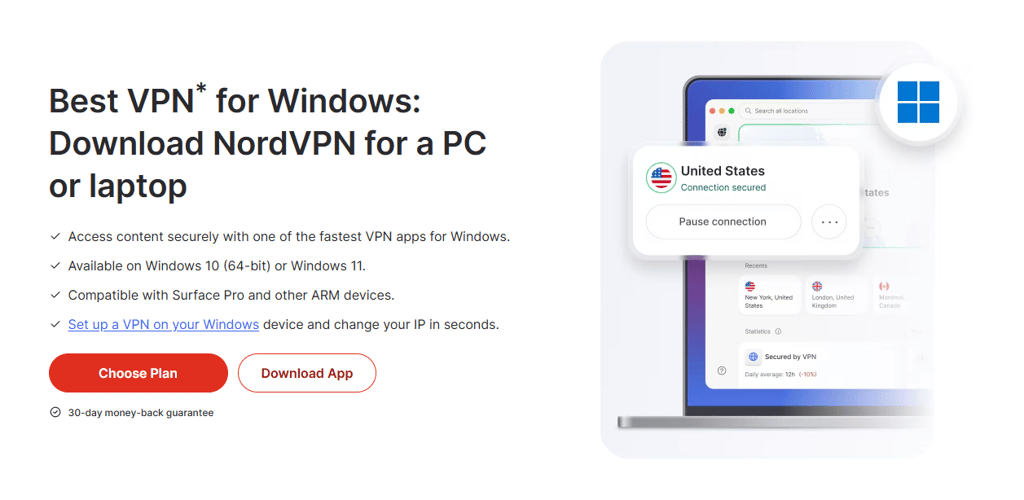
Step 3. Connect to a UK server
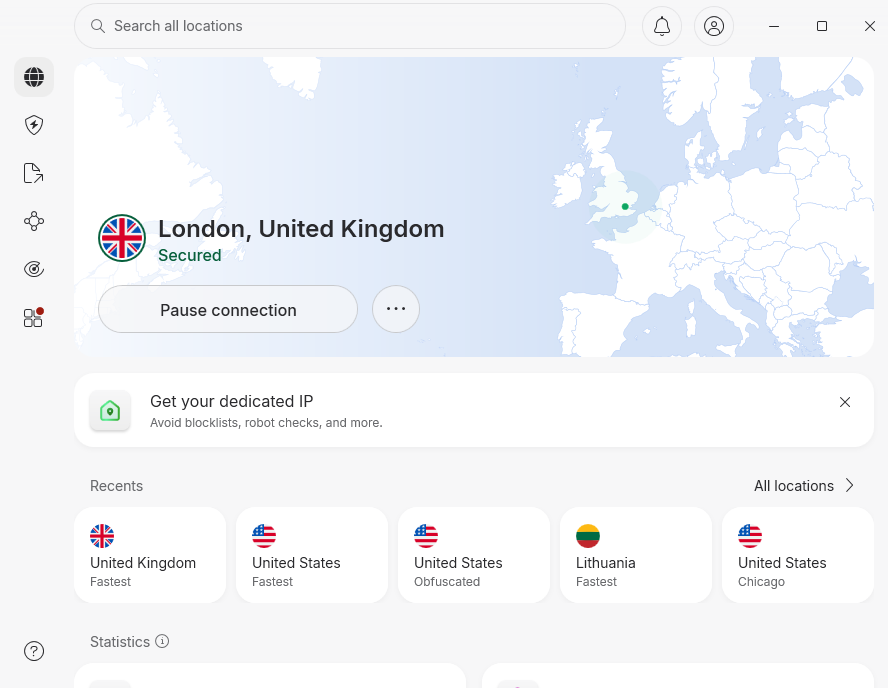
Open the VPN app and select a server in the United Kingdom from the server list. This changes your IP address to a UK location, which is what ITVX checks when you try to access the stream. If the stream doesn't load or you see an error, try switching to a different UK server, as some IPs may be temporarily flagged. For a detailed explanation of how this works, read our guide on how to change your location with a VPN.
Step 4. Open ITVX
Visit itv.com/watch in your browser or open the ITVX app on your device. If you already have an ITVX account, log in. If not, click the sign-up button and create a free account. Use an incognito or private browsing window if ITVX detects your previous location, and clear your cookies if needed.
Step 5. Enter a UK postcode
During signup, ITVX will ask for a UK postcode. You don't need to prove you live at the address, so use any valid UK postcode such as SW1A 1AA (Westminster, London), EC1A 1BB (City of London), or W1A 1AA (BBC Broadcasting House). This step is required to complete registration, but no payment method or verification is needed.
Step 6. Start streaming
Once your account is set up, search for The Voice UK in the ITVX entertainment section. You can watch episodes live as they air on Saturday evenings or stream them on-demand after broadcast. Keep your VPN connected to the UK server throughout the stream. If playback stops or buffers, try switching to a different UK server, restarting the app, or clearing your browser cache.
How to watch The Voice UK on different devices
Web browser
The simplest way to watch The Voice UK is through a web browser on your desktop or laptop. Install the VPN app for Windows, macOS, or Linux, connect to a UK server, then visit itv.com/watch in any modern browser. Use a private or incognito window if ITVX detects your previous location, and clear cookies if needed. This method requires no app downloads and works on any device with a browser.
iPhone and iPad
The ITVX app is available on the UK App Store, but it's also listed globally and only enforces geo-blocking in-app. This means you don't need to change your Apple ID region to install it. Download the ITVX app from the App Store, install NordVPN's iOS app, connect to a UK server, then open ITVX and sign in. Alternatively, use Safari with the VPN active and stream through the ITVX website without installing the app.
Android phones and tablets
The ITVX app is available on the Google Play Store in most regions. Install the app, download NordVPN for Android, connect to a UK server, and open ITVX. If the app isn't available in your region's Play Store, use the ITVX mobile website in Chrome with the VPN active. The mobile site works just as well as the app and doesn't require changing your Play Store country.
Smart TVs
ITVX is available on Samsung, LG, Sony, Google TV, and Android TV platforms. However, most smart TV operating systems don't have native VPN apps. The best workaround is to install the VPN on your home router, which routes all devices on your network through the VPN, including your smart TV. NordVPN and Surfshark publish router setup guides for major firmware types. Alternatively, use NordVPN's Smart DNS feature on Samsung Tizen and LG webOS TVs. Smart DNS doesn't encrypt traffic but it changes your apparent location, which is enough to unblock ITVX.
Fire TV Stick and Apple TV
Both Fire TV and Apple TV support VPN apps natively. On Fire TV, download the NordVPN app from the Amazon Appstore, connect to a UK server, then install the ITVX app and sign in. On Apple TV (tvOS 18 or later), install the NordVPN app, connect to the UK, then download ITVX from the App Store and stream normally.
Top 3 VPNs to watch The Voice UK
If you're looking for the best VPNs to stream The Voice UK on ITVX, these three have been tested for reliable UK server access, fast streaming speeds, and stable HD playback. They all unblock ITVX consistently and support the devices you'll use to watch the show.
- NordVPN – best overall for streaming. NordVPN starts at $3.49/month and operates 440+ UK servers as part of its broad server network across 225 locations. The NordLynx protocol delivers 86% speed retention in our tests, which is more than enough for smooth HD streaming on ITVX. Smart DNS support makes it easy to set up on smart TVs without native VPN apps, and it reliably unblocks geo-restricted UK platforms. Read our full NordVPN review for details.
- Surfshark – best budget option. Surfshark starts at $2.49/month with unlimited simultaneous connections and 4,500+ servers across 100 countries. The WireGuard protocol holds 86% of baseline speeds in our tests, which is ideal for streaming The Voice UK in HD without buffering. It's a great choice if you want to watch on multiple devices at once without paying for extra connections. See our Surfshark review for the full breakdown.
- Proton VPN – best for privacy-focused users. Proton VPN starts at $2.99/month and operates 20,700+ servers across 149 countries from Switzerland's strict privacy jurisdiction. It offers a solid free plan with unlimited bandwidth, though premium plans unlock faster speeds and more server locations. Reliable streaming performance and strong privacy protections make it a dependable choice for accessing ITVX from abroad. Our Proton VPN review covers the technical details.
FAQ
Where can I watch The Voice UK Season 14?
The Voice UK Season 14 streams for free on ITVX in the United Kingdom and airs live on ITV1. The platform is geo-restricted, so viewers outside the UK will need a reliable VPN like NordVPN to access it. There are no confirmed international broadcasters for the US, Canada, or Australia.
When does The Voice UK Season 14 start?
The Voice UK Season 14 is set to premiere in summer 2026, with a broadcast window between July and September. Episodes will air on Saturday evenings on ITV1 and stream live and on-demand on ITVX. The exact premiere date has not been officially confirmed yet.
How can I watch The Voice UK from abroad?
If you're traveling outside the UK or living abroad, use a VPN to connect to a UK server and access ITVX with a UK IP address. This lets you stream The Voice UK as if you were in the country. Choose a reliable VPN with UK servers and fast streaming speeds. For more recommendations, check out our guide to the best VPNs for streaming.
Can I watch The Voice UK for free?
Yes, The Voice UK Season 14 is completely free on ITVX. The platform is ad-supported, so you don't need a paid subscription. You'll need to create a free ITVX account with a UK postcode, but no payment method is required. If you're outside the UK, you'll need a VPN to access the stream.
How many episodes are in The Voice UK Season 14?
The Voice UK Season 14 will feature 10 episodes, an extended format compared to some previous seasons. The season includes Blind Auditions, the return of Battle rounds, and Live Shows. Episodes air weekly on Saturdays and are available on-demand on ITVX after broadcast.
Who are the coaches on The Voice UK Season 14?
The coaching lineup for Season 14 includes Kelly Rowland (new coach), will.i.am, Sir Tom Jones, Tom Fletcher, and Danny Jones. Kelly Rowland replaces LeAnn Rimes and joins the returning coaches for the 2026 season.
What happened to Dancing on Ice?
ITV announced in March 2025 that Dancing on Ice would be rested in 2026 with no current plans for another series. The Voice UK is taking over the Saturday evening entertainment slot that Dancing on Ice previously occupied.
Can I watch The Voice UK on mobile?
Yes, the ITVX app is available on iOS and Android devices. Download the app, create a free ITVX account, and stream The Voice UK on your phone or tablet. If you're outside the UK, connect to a VPN with a UK server before opening the app.
Is The Voice UK on Netflix?
No, The Voice UK is not available on Netflix. The show streams exclusively on ITVX in the United Kingdom and airs on ITV1. There are no plans to release it on Netflix or other third-party streaming platforms.
What time does The Voice UK air?
Based on previous seasons, The Voice UK airs on Saturday evenings at around 8:00 PM GMT/BST on ITV1. Episodes are also available to stream live and on-demand on ITVX at the same time. Exact air times for Season 14 will be confirmed closer to the premiere date.