Adalo review 2026: features, pros and cons, pricing, and who it is for
Being behind major reports like The Mother of All Breaches and RockYou2024, our in-house cybersecurity experts and journalists provide unbiased, real-world testing and in-depth analysis.
We maintain complete transparency by openly sharing our testing methodologies with our audience.
Learn more
Adalo is a no-code platform for building web and mobile apps, offering drag-and-drop components, databases, and publishing tools to open app creation to anyone. To write this Adalo review, the research team at Cybernews and I evaluated the software’s strengths and limitations to see whether it is possible to build fully functional apps without coding. I wanted to check how far Adalo can scale and whether it’s worth paying for, compared to some other solutions available on the market.
In my experience, Adalo is best suited for hobbyists, early startups, small businesses, and those who want to release an app in a week without coding knowledge. It may be inefficient for more complex software development, which is probably its biggest drawback. You reach a point where you simply need to switch to something more robust, making it an unfit long-term solution for apps that are expected to greatly increase in scale.
Continue reading if you’re interested in the details.
Quick overview of Adalo
| Overall rating: | 4.2/5 |
| Best for: | Hobbyists, early startups, and small businesses |
| Key features: | Drag-and-drop builder, built-in database, app store publishing, third-party integrations |
| Free version: | ✅ Yes |
| Starting price: | $36.00/month (billed annually) |
Pros and cons of Adalo
What is Adalo, and how does it solve problems?
Adalo’s core purpose is to make app creation easy without programming skills. It’s designed to solve the problem of high costs, long timelines, and technical complexity that come with traditional app development. Instead of learning to code, users without technical knowledge can build functional apps through a visual, drag-and-drop interface and the use of pre-built elements. You can get your ideas out quickly without the need to hire developers.
Compared to traditional development, Adalo replaces code writing with a beginner-friendly, visual approach. Rather than using scripts, you drag and drop components, such as screens, buttons, etc. You get immediate access to templates, databases, and other elements for quick creation. Adalo’s drag-and-drop philosophy strongly reminds me of my first steps in using Wix to design my first website.
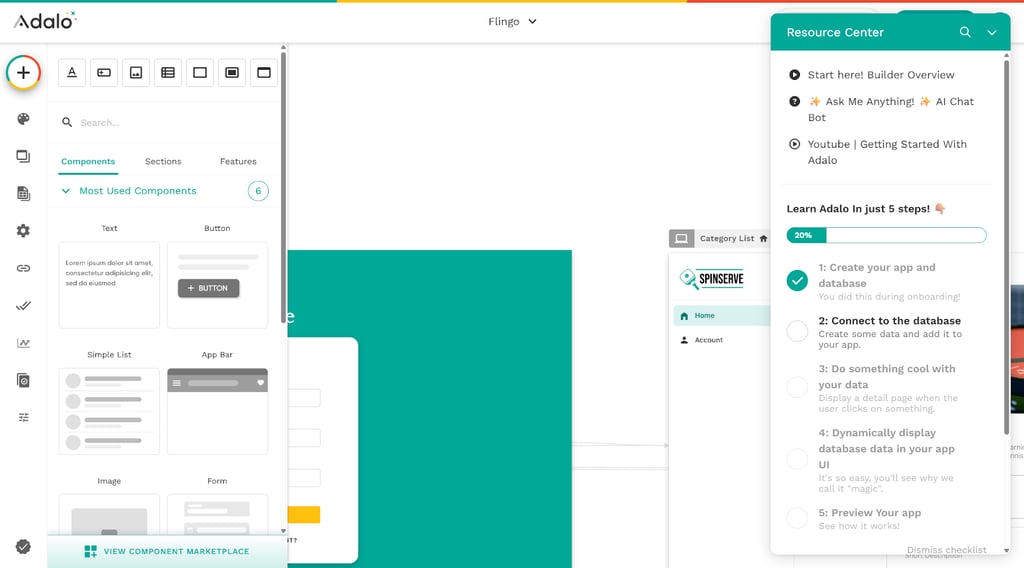
Adalo supports both mobile and web apps. You can use it to build native iOS and Android apps, browser-based web apps, and early minimum viable products (MVPs), such as task trackers, online stores, marketplaces, social networks, or business tools. You can then deploy them to app stores or web hosts. Publishing to app stores is unlocked at the paid, Starter tier.
How the platform is built
Adalo reminds me of putting puzzle pieces together. Instead of typing code, you drag and drop UI pieces, such as buttons, lists, and navigation bars, onto screens. Each component represents a piece of your app. When you connect them in the editor, Adalo defines how the app should look and behave.
Under the surface, Adalo uses a built-in data layer called Collections. Think of these as simple tables where you define what data you want to store, for example, text, numbers, or images. You connect UI components to these collections so the app can read and write data, like saving user profiles or listing items. You can also link to external data sources, such as Airtable or Google Sheets, if you prefer to manage data somewhere else.
Instead of code, Adalo uses visual logic flows attached to components. When a user triggers an action, e.g., taps a button or submits a form, you can visually configure how the app is supposed to react to the particular trigger. For example, it can move the user to a new screen.
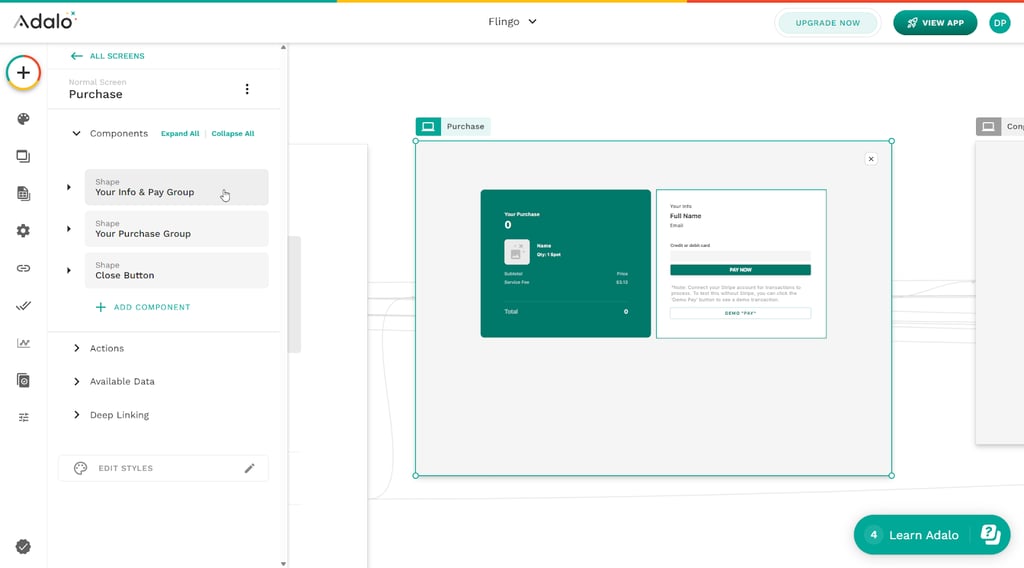
Once your app is built, Adalo handles the back-end infrastructure for you. It stores your data, runs your logic, and serves the app. You don’t need to set up servers or manage infrastructure yourself. A single project can be published to the web and to mobile app stores for iOS and Android. The platform takes care of deployment and hosting.
Who Adalo is for (and who it’s not for)
My personal experience and in-house testing performed by the Cybernews team led to the conclusion that Adalo won’t work for every developer and every business.
Core features that matter in practice
Now that the overview is finished, let’s have a look at how the core features turn out in practice, and whether you can truly build and ship an app with Adalo from start to finish.
App builder and UI components
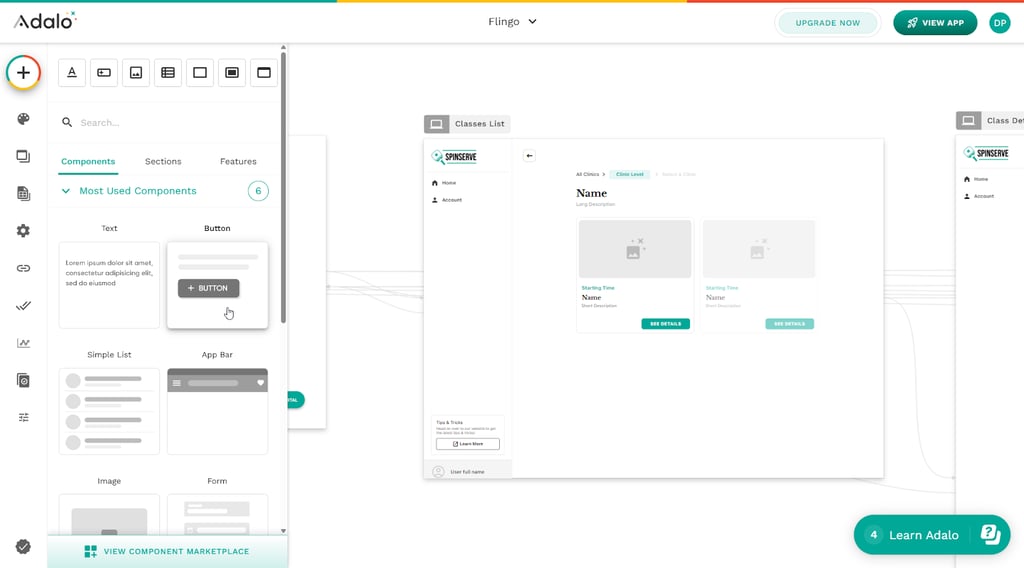
Adalo’s visual editor is based on a canvas where users stack screens like pages in a book. You create apps screen by screen, starting from a blank canvas or a template, then arrange and combine elements inside each screen. Everything is visually represented, including links between screens, so there is no code involved. I think it’s really intuitive.
There is a decent variety of different UI components you can use to create an app, including buttons, lists, text blocks, forms, image galleries, navigation bars, tabs, maps, and calendars. Each element can be dragged from a side panel onto the canvas. The elements snap into grids to keep proper alignment.
Layout uses flexible containers and rectangles to fit the elements of your app. Adalo automatically adapts your design to different screen sizes across desktop computers, tablets, and smartphones. What I like in particular is that you have options to turn individual components on or off for specific device types. For example, a large text box that you have in the web version can be toggled invisible on mobile devices.
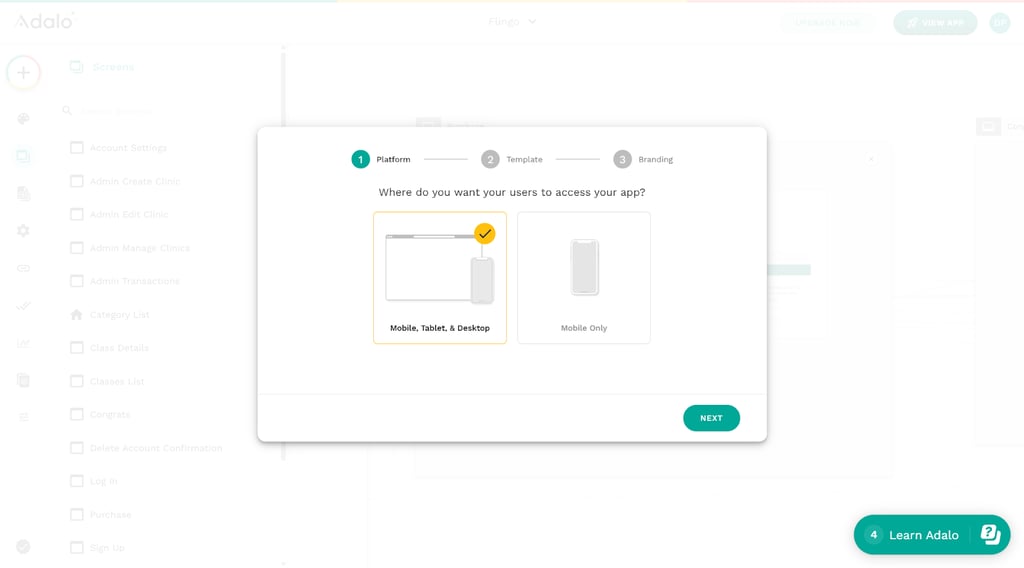
Customization options are rather limited, and I think those of you who like to fine-tune designs may find it lacking. You can choose colors or fonts, tweak icons and positioning, but that’s about it. These options may be sufficient for users without design experience, but anyone more proficient will most probably feel limited.
That said, this simplicity allows inexperienced users to design an interface that works without much of a problem. The intuitive snapping and quick previews can lead to an early prototype in hours.
Logic, Actions, and database
Adalo uses its own system called Actions to support simple workflows and define app behavior. Instead of writing code, you attach Actions to UI elements, for example, “when this button is tapped, go to the next screen” or “save this form to the database”. Actions create visual connections between screens and events – it’s clear and simple.
Actions can include conditional logic to run only when specific criteria are met. They support areas such as visibility, list filtering, and user permissions connected to authentication. However, these require manual configuration, which can get tedious with more intricate projects. I saw one user reporting that a setup that took two hours in Adalo would take them just a few minutes of writing code.
The database is built around Collections, which are similar to spreadsheet tables with fields for text, numbers, or images. You also define relationships between the elements.
Managing dynamic data is intuitive. You can bind interface components to collections or external data sources and use filters or visibility rules. It works smoothly, at least with smaller projects.
However, performance can deteriorate notably when you have more than 1000 records. It’s one reason why Adalo struggles with more robust or complex apps. The visual setup also feels ineffective when faced with extensive conditional branching or multi-stage logic. In large projects, you end up with dozens of screens connected by a web of arrows. Finding a specific logic flow becomes a chore.
Integrations and extensions
Adalo connects to other tools mainly through a handful of native integrations and external APIs. Native options include such basics as Stripe payments and social logins like Google or Apple. With Zapier you can connect other, non-native tools such as Gmail, Google Sheets, Trello, SendGrid, Salesforce, Slack, and many more.
The built-in components require minimal setup, but connecting an external API is more challenging. API configuration requires knowledge of JSON, so as you can see, depending on what you want to do with Adalo, it may not be an entirely no-code solution.
Custom Actions allow you to send and receive data from external APIs, which expands what your app can do beyond its native features. However, I noticed that this functionality is only available with the Professional and higher plans.
Zapier integrations may not work in real time, depending on the plan. Users report that in the free tier, they may have a 15-minute sync delay, while the paid plans enable instant synchronization. With Zapier integration, you can automate workflows and transfer data between Adalo and external services.
As for scalability, integrations like Zapier, Xano, and external data sources help scale simple workflows, but I can easily imagine how difficult it can get as complexity increases. Code-based solutions give you better flexibility and, possibly, better performance if optimization is prioritized.
For simple solutions and widely supported devices, Adalo’s integrations feel like a big positive, especially with how easy the tool is to use.
To make Adalo truly powerful, most professional builders use it as a front-end only, connecting it to an external database (Xano) and a logic engine (Make/Zapier). If you stay within the Adalo ecosystem, integrations are a strength. If you need to connect to obscure 3rd-party APIs, it can start to feel like you're using duct tape to hold the app together.
Adalo interface and ease of use
Building in Adalo is approachable at first. You get straightforward, beginner-friendly onboarding where you’re guided toward templates, basic video tutorials, or a blank project. My first session didn’t feel overwhelming at all. If you decide to use templates, you will see how Adalo’s components fit together (screens, data, Actions), but starting from scratch should also be manageable for newcomers.
The UI is clear most of the time, but figuring out how data, conditions, and Actions connect with UI components was a bit confusing for me at the beginning.
Simple apps can be assembled quickly. Browsing through user comments, I found multiple indications that functional prototypes can be set up within just a few hours. More complex app development takes significantly more time, particularly due to issues with debugging.
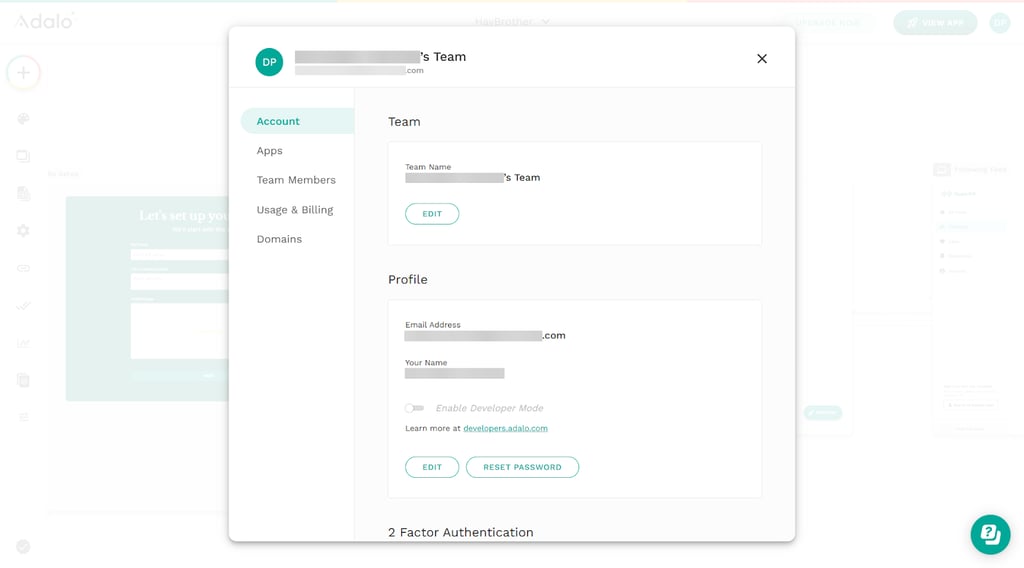
With the Professional and higher tiers, you get access to collaboration options. The Professional plan opens up access for 5 team members, the Team plan extends this number to 10, while the Business option allows for an unlimited number of collaborators. However, there aren’t many collaboration tools included.
Adalo development and maintenance
Adalo enables quick web app updates. Content and UI can be updated quickly by editing screens, components, or data directly in the editor without the user reinstalling or resubmitting the app if it’s web-based. For iOS and Android apps, the process is typical for the stores, meaning that you need a new build and have to wait for the stores’ approval.
Adalo offers version control through snapshots and the ability to restore your app to a previous version. Snapshots allow you to save your app’s design and layout at specific points, but not changes or API keys, so there is a limitation to Adalo’s rollback capabilities.
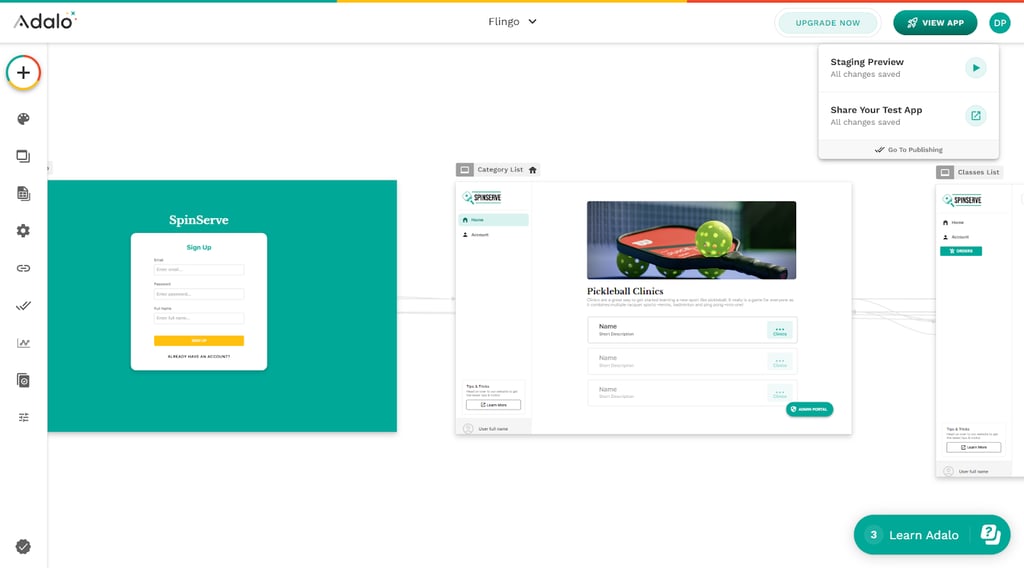
Debugging is mostly manual. You can test how things work in the preview mode, inspect Actions, and trace where the logic fails. There are just basic error displays. As the project increases in scope, maintenance becomes notably harder. You can see the impact on performance, too. As I mentioned earlier, with a growing database, you can feel the app running slower than initially.
Importantly, Adalo doesn’t allow you to export your app's code, forcing you to rebuild everything from scratch if you want to move elsewhere. If you start building your app using this software, you are basically tied to the platform.
Building smarter apps with Adalo’s AI features
Adalo uses two AI features to help you create apps. They’re called MagicStart and MagicAdd. The features are defined on Adalo’s website:
MagicStart uses AI to suggest a complete starting database for you, based on the type of app you want to build and is available in the Adalo Database Tab when you are creating a new app from scratch.
MagicAdd is used when you already have an app started and want to add a new feature.
AI in Adalo helps set up the database, organize records, and generate collections and relationships for new features. You can also connect other AI services to perform different roles, such as ChatGPT, but these are external solutions, not a core part of Adalo.
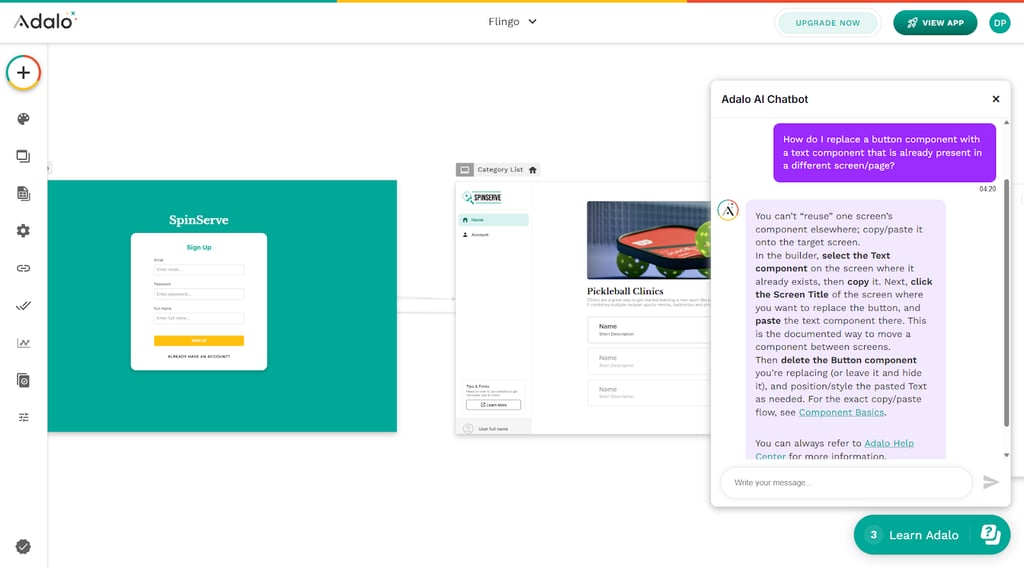
Overall, AI doesn’t replace the core building in Adalo. It doesn’t plan complex logic, tune performance, or refine layout.
Pricing and what you actually get
Adalo features five pricing plans, including a free tier, which are billed either monthly or yearly. The cheapest plan starts at $36.00/month with annual billing.
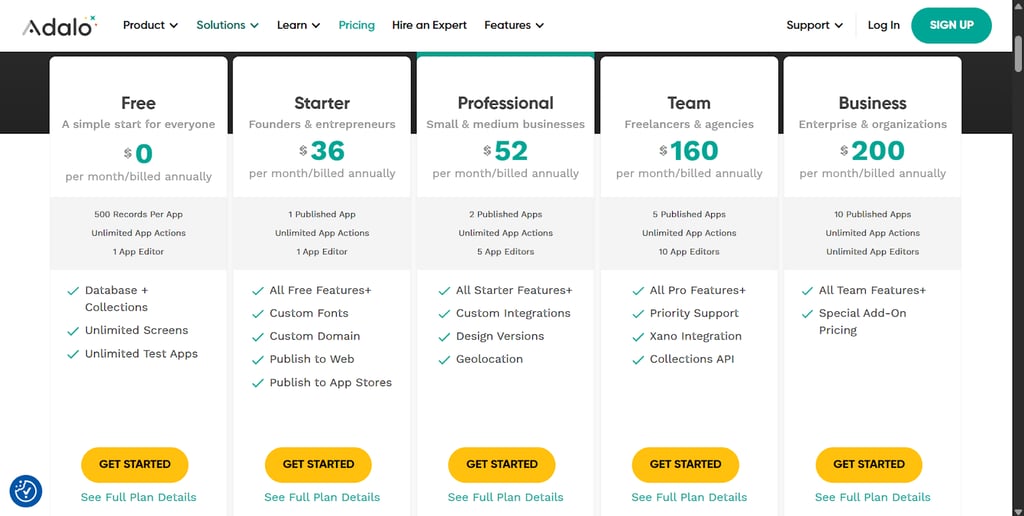
The table below outlines the pricing and limitations of each of Adalo’s plans.
| Price per month billed monthly/annually | App limits | Key restrictions | |
| Free | $0.00 | Data storage limited to 200/500 records per app, 0 published apps, 1 editor | Cannot publish to app stores, only to web; only for solo users; no custom Actions; Zapier synchronization is delayed; no version history, ticket email support, Xano access, geolocation, push notifications, font library, external database collections, Google Maps integration, collections API, notifications API, and no geolocation |
| Starter | $45.00/$36.00 | 1 published app; 1 editor; 5GB data storage per team | Only for solo users; no custom Actions, Xano access, version history, push notifications, geolocation, external database collections, no Google Maps integration, no collections API, and no notifications API |
| Professional | $65.00/$52.00 | 2 published apps; 5 editors; 25GB data storage per team | No Xano access, Collections API, notifications API |
| Team | $200.00/$160.00 | 5 published apps; 10 editors; 125GB per team | – |
| Business | $250.00/$200.00 | 10 published apps; unlimited editors; 500GB per team | – |
The free tier serves as a nice teaser with unlimited Actions. It’s enough to let you test the platform. With the starter plan, you only get 1 published app, and you can’t collaborate on one project with others until you unlock the Professional tier. Even then, only 2 collaborators are allowed. Combined with other restrictions, the costs can increase rapidly, which may make you look more favorably towards the competition.
What real users say about Adalo
A few minutes spent on Reddit and product review sites, and I could identify a pattern for users’ impressions of Adalo. Users consistently praise the software’s drag-and-drop simplicity and rapid prototyping speed, highlighting it’s a good entry point for beginners building MVPs or simple internal tools without coding skills. Plus, the process often takes just hours, depending on the complexity of the app.
A recurring disadvantage centers on performance, with visible slowdowns with more complex apps or large datasets. The Cybernews research team and I confirm these findings. Other users also mention poor customer support response times and significant pricing hikes. More experienced developers point out the lack of code export, debugging difficulties, and visual constraints.
Adalo vs competitors
Adalo emphasizes a visual drag-and-drop approach for native mobile and web apps, while Bubble offers advanced workflows for complex web platforms. When compared to Glide, Adalo offers more customization options, while the other focuses on rapid conversion of spreadsheets into simple apps. And then, there is Flutterflow, which is a low-code platform that allows for code exporting – an important feature unavailable in Adalo.
| Platform | Ease of use | Flexibility and custom logic | Performance and scaling | Pricing | Best use case |
| Adalo | Beginner-friendly drag-and-drop editor | Basic workflows, limited advanced logic | Simple apps work fine, but there are performance issues with complex apps or lots of data | Free tier; paid plans from $35.00 | Quick MVPs for both web and mobile, simple apps |
| Bubble | Steeper learning curve | Complex workflows, high flexibility | Does fine even with larger apps with careful development and optimization | Free tier; paid plans from $59.00 | More complex web apps |
| Glide | Spreadsheet-based, simple to use | Limited to data-driven logic | Basic scaling, performance is usually fine if you use high-performance data sources (SQL, BigQuery) | Free tier; paid plans from$19.00 | Data apps from spreadsheets |
| FlutterFlow | Low-code, dev-friendly | High flexibility and code export | Good performance up to medium-sized projects | Free tier; paid plans from $29.25 | MVPs, proof of concept, small and medium-sized apps |
I think Adalo’s biggest selling point is its drag-and-drop system, which is very beginner-friendly. If someone has previously created websites with block builders, then this will be familiar ground – enough of an advantage to try out the free tier before choosing one of the paid plans with more options.
However, this simplicity has a price. Adalo may not be enough for more experienced users who expect more control over the software they create. Programmers would probably appreciate Flutterflow or Bubble, both of which grant the developer more power.
Final verdict: is Adalo worth using?
After testing Adalo hands-on with our in-house research team, my takeaway is clear. Adalo excels at accessibility and quickly creating simple apps. It does a very good job helping non-technical users turn ideas into working mobile or web apps without touching code. Founders validating ideas, small teams building internal tools, and anyone shipping an MVP fast will get real value from it.
That said, Adalo isn’t built for large-scale, data-heavy, or highly customizable projects. You’ll likely outgrow it quickly. Paying for higher-tier plans only makes sense if your apps stay relatively simple because the limitations become apparent as your projects get more complex. Remember that Adalo doesn’t allow you to export your code when you decide you need something with bigger capabilities.
Overall, Adalo is a strong starter tool, but it probably won’t suit your needs forever.
FAQ
Can Adalo apps scale to thousands of users?
Yes, Adalo can scale to thousands of users, but performance degrades the more the app grows.
Is Adalo good for production apps or only MVPs?
Adalo is best for testing MVPs and creating simple apps. It may not be sufficient for complex or data-heavy projects.
Does Adalo allow custom backend logic?
No, Adalo doesn’t allow custom backend logic.
What happens if you outgrow Adalo?
Performance deteriorates with complex, data-heavy apps. Adalo doesn’t allow for code transfer, so if you decide to switch tools, you have to build your project from scratch elsewhere.
Is Adalo worth the price compared to alternatives?
Yes, if you want to try out no-code app building or create simple applications without collaborating with others. If you’re considering more complex projects or collaborating with peers, you should consider competitive options.