Glide vs FlutterFlow: which no-code platform is better in 2026?
Being behind major reports like The Mother of All Breaches and RockYou2024, our in-house cybersecurity experts and journalists provide unbiased, real-world testing and in-depth analysis.
We maintain complete transparency by openly sharing our testing methodologies with our audience.
Learn more

When it comes to no-code app builders, Glide vs FlutterFlow is a common debate. Both are similar but take different paths to build an app with very little code involvement. Glide focuses on speed and simplicity, making it easy to turn data into a functional app. FlutterFlow offers a more flexible, design-oriented approach to creating more complex applications.
Each platform serves a different purpose and audience. To determine how they perform in real-world scenarios, I tested Glide and FlutterFlow with the Cybernews research team, evaluating their strengths, limitations, and best-fit use cases.
The results were clear that Glide is best suited for fast app creation and simple internal tools, while FlutterFlow stands out for teams that need deeper customization and long-term scalability.
Glide vs FlutterFlow overview
After rigorous testing, I found that FlutterFlow wins against Glide. FlutterFlow provides more flexibility for app creation, together with more advanced, complex features. Here’s a short overview table based on our testing:
| Platform | Glide | FlutterFlow |
| Key features | Prebuilt components, AI-powered features, built-in logic and workflows, and real-time data updates | 200+ configurable UI elements, backend integration, translation tools, custom logic, and workflows |
| Pros | Easy to use, rapid app creation, useful integrations, free hosting | Design flexibility, add custom code, native mobile apps, scaling beyond MVPs |
| Cons | Limited publishing, no design flexibility, limited advanced features | Steep learning curve, pricing can increase, not free hosting |
| Price | $25.00/month | $39.00/month |

How the tools are built
The architectural differences of platforms have a direct impact on what users can create with them. Glide and FlutterFlow take very different approaches to building applications, and I would like to discuss them in more detail.
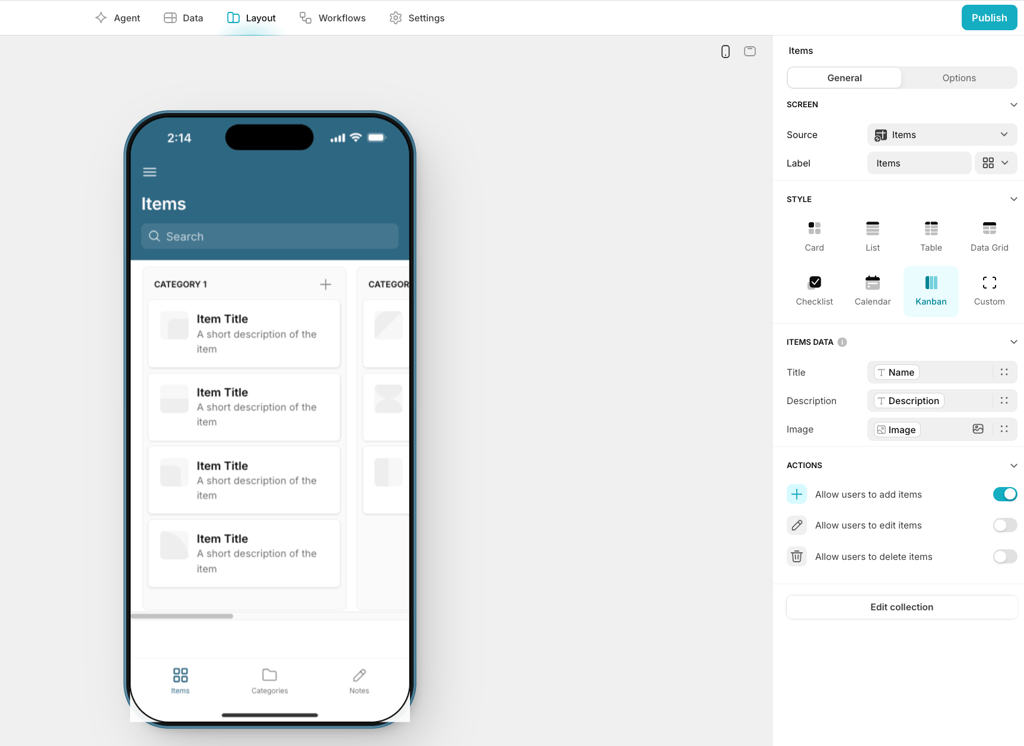
Glide follows a data-first, abstraction-heavy approach. Apps are built around databases, and most of the complexity is handled behind the scenes. Users connect their data, and Glide automatically turns it into an app. This makes a platform fast and beginner-friendly, but it limits how much control you have over layout, logic, and advanced behavior.
On the other hand, FlutterFlow uses a UI-first approach and Flutter-based architecture. Users design screens visually or use a pre-made application template, while FlutterFlow generates real Flutter code on the backend. This approach gives more control over UI elements and workflows. However, it would require more effort and a steeper learning curve.
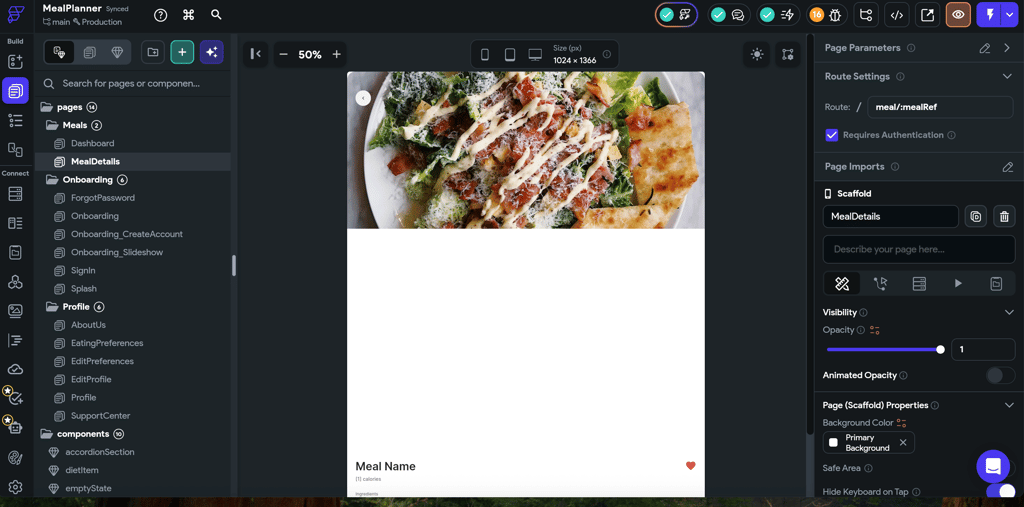
In practice, Glide’s architecture favors speed and simplicity, while FlutterFlow’s design enables better performance, flexibility, and scalability for growing apps.
Glide vs FlutterFlow: side-by-side features comparison
| Feature | Glide | FlutterFlow |
| Learning curve | Easy, beginner-friendly | Moderate, learning curve |
| Custom UI control | Limited, component-based | High, full UI customization |
| Logic complexity | Basic to moderate workflows | Advanced logic and workflows |
| Performance | Good for small apps and tools | Strong, suitable for production apps |
| Native mobile apps | ❌ No | ✅ Yes |
| Backend flexibility | Built-in, limited control | External backend with full control |
| Code export | ❌ No | ✅ Yes |
| Price | Can get expensive at scale | Higher upfront, better long-term value |
| Best use case | Internal tools, simple apps, fast MVPs | Complex, scalable, production apps |
The biggest differences come down to simplicity versus control. Glide is faster to learn and easier to use, making it perfect for internal or simple data-driven apps. FlutterFlow requires more effort but offers far greater flexibility, better performance, native mobile apps, and the ability to export real code for long-term projects.
Ease of use and learning curve
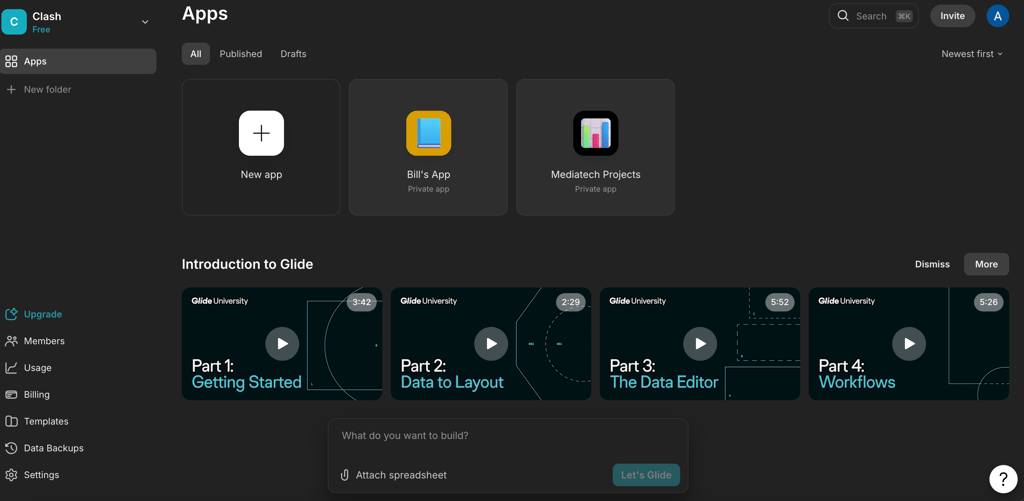
When it comes to how quickly you can master a platform and build a fully deployable app, Glide and FlutterFlow differ a lot. Glide’s onboarding consists of a few videos; the one I found most useful was about workflows. Other features are easy to figure out on your own, but to fully grasp workflows, you might want to check out the video.
To start working with Glide, I simply uploaded my Google Spreadsheet, chose the appropriate template, and could see a functional app, which only needed slight design changes. Its interface is very intuitive, making it easy to use even for those with no prior experience with no-code platforms.
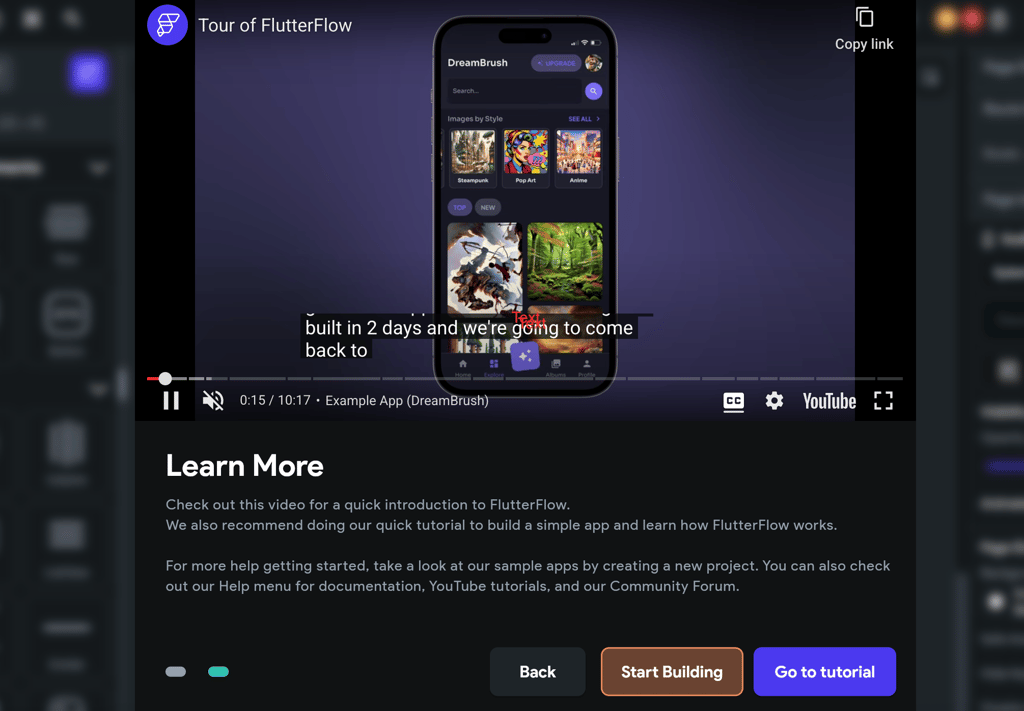
In contrast, FlutterFlow offers an efficient 10-minute video. To create an app, I had a choice to use a blank page or get help from an AI assistant. Even with the help of AI prompts, I still needed to assign actions to the buttons and add animations myself.
While FlutterFlow gives you a lot of control over UI and app creation, it may be challenging to become proficient quickly. For this reason, creating an app in Glide takes a few hours to a day, while in FlutterFlow, you might spend days or even weeks on a more complex application.

Backend
In no-code and low-code tools, backend usually means built-in data handling and authentication, which Glide focuses on, while FlutterFlow prioritizes flexibility and scalability.
Glide uses a built-in backend connected to data sources like Google Sheets or Airtable to manage data, basic logic, and user authentication. This makes user management simple, with email sign-in and role-based access, though backend logic is limited to basic computed columns and actions. Similarly, Glide supports API integrations through Webhooks and Glide Tables, but more complex data processing or custom server-side workflows are limited.
In contrast, FlutterFlow works as a low-code platform that connects to external backends such as Firebase. This gives users more control over authentication, databases, and server-side logic. While FlutterFlow allows advanced API integrations and complex workflows, it requires more technical knowledge.
Customization and custom code integration
The main differences between Glide and FlutterFlow are their levels of customization and control. FlutterFlow offers an extensive design customization option. With it, users have a wide range of UI, each of which can be customized. The platform allows for creating unique designs, rather than being limited to predefined styles and templates.
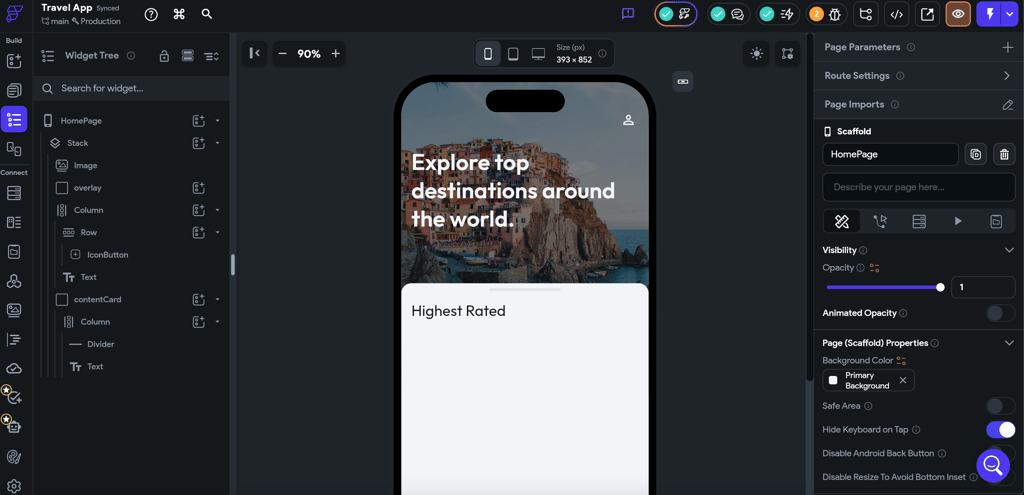
At the same time, Glide focuses on simplicity and speed. It provides a range of pre-built templates, but users won’t be able to get very creative. While using it, you are tied to Glide’s logic and visual constraints. However, it will ensure speed and remove issues such as colors not adapting correctly or layouts breaking across different devices.
Also, FlutterFlow supports custom code injection and code export, making it suitable for long-term projects and team collaboration. Glide, by contrast, has no code to edit, which speeds up development but limits customization without workarounds. Overall, FlutterFlow trades speed for control, while Glide prioritizes simplicity over flexibility.
Data management and integrations
When it comes to handling data, Glide and FlutterFlow take very different approaches. Glide is built around a spreadsheet-style interface, typically using Google Sheets or Glide Tables. Data is being taken directly from tables and can be synchronized. It makes it easy to visualize and update it. Still, simplicity comes at a price – as database sizes grow, Glide’s performance might degrade.
FlutterFlow, in contrast, connects natively to structured databases like Firebase or Supabase. It allows efficient handling and can store large amounts of data. At the same time, bigger storage also comes with more complexity in setting it up.
Both platforms also support API integrations. Glide comes with many built-in integrations, but to connect a custom one, users need to use another platform as a bridge. This extra step can make the process more complicated and less efficient. FlutterFlow uses both built-in API integrations and customizable options. However, it is more optimized to handle large databases and real-time data, making it better suited for complex or scalable applications.
Development, maintenance, and scaling
Glide’s approach makes updating apps after launch very straightforward. As the apps are primarily based on the websites, any changes users make in their databases will be reflected in the app immediately. On the downside, the more the app and the number of users grow, the more workarounds Glide would require.
Also, apps built with Glide are tightly tied to its platform. As it doesn’t provide users with the code that can be exported, there is a significant risk of being trapped. On the other hand, FlutterFlow allows users to export the full application source code, enabling easy transfer to another platform or further development with code-based interfaces. This reduces lock-in risk and lets users switch platforms whenever they want.
FlutterFlow, on the other hand, can be slightly more complex when updating native apps, as changes often require submission to the Google or Apple App Stores. As a result, updates in FlutterFlow require more deliberate planning than in Glide. However, FlutterFlow is better suited for larger-scale apps, as it can efficiently connect to bigger databases and handle more data without significant performance issues.
Templates and pre-built components
Both Glide and FlutterFlow aim to make app building easier with their templates and pre-built components. Glide offers a wide range of easy-to-use templates. This can let users get a running app within minutes. However, Glide allows only slight customization of the selected template. It would be impossible to drastically change the existing template.
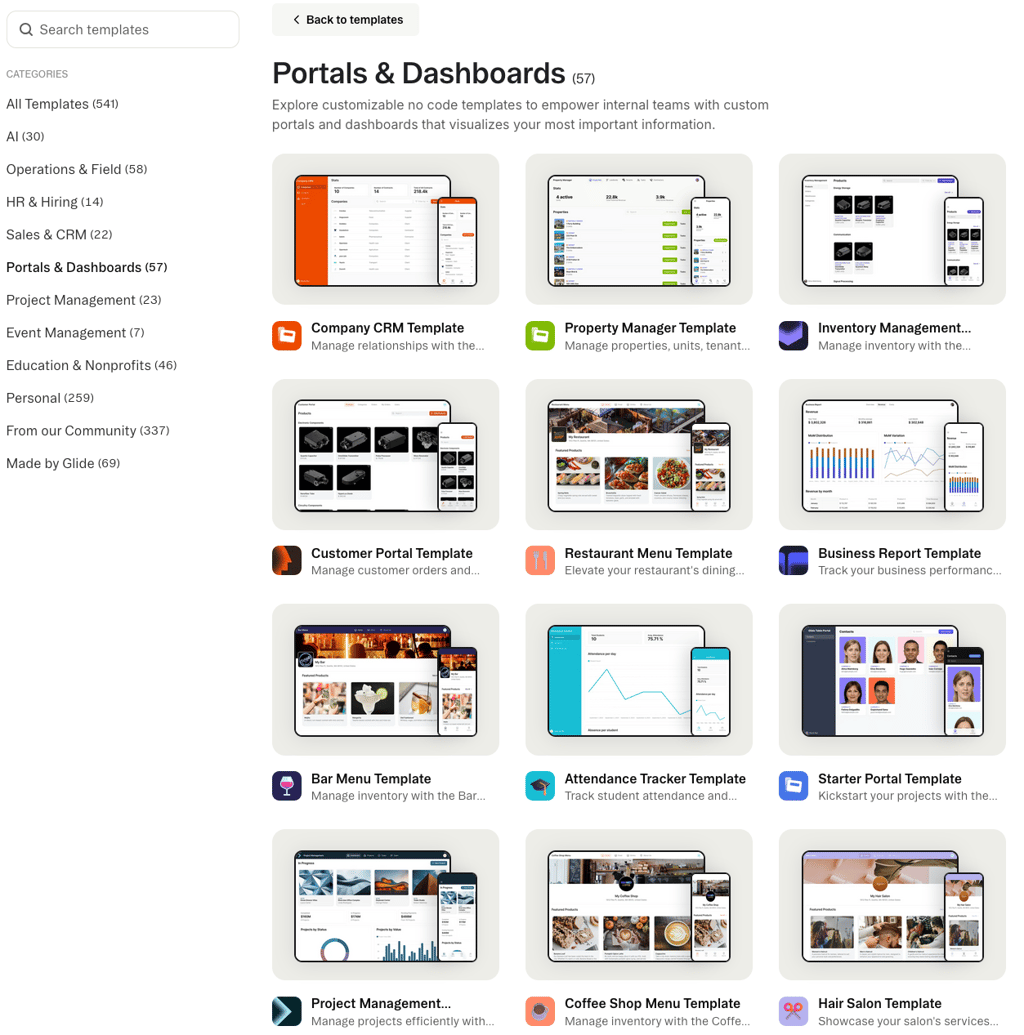
FlutterFlow also offers a wide range of templates. They can produce high-quality, ready-to-use apps. One of the main differences with Glide is that, even when using an existing template, users can still customize separate widgets. In addition to the general template store, there is also a separate widget templates panel. Also, FlutterFlows supports component reusability, allowing developers to save and reuse widgets across multiple screens.
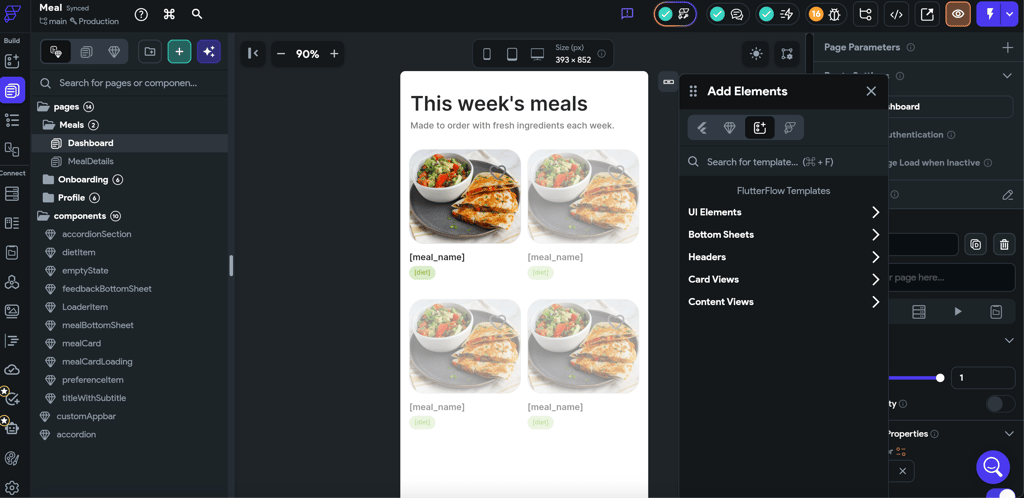
Both platforms provide a range of different templates and pre-built components. The main difference is that Glide focuses on speed and simplicity, which limits design flexibility. FlutterFlow gives more flexibility and design options.
Price and overall value
Glide and FlutterFlow use very different pricing models, which can significantly impact long-term costs. Glide’s pricing scales mainly with the number of users and apps, meaning costs can rise quickly as an app gains more users. This model might work well for smaller teams, but once the application becomes public, it can become quite expensive.
FlutterFlow, on the other hand, uses tier-based pricing that focuses on features rather than user count. It goes without saying that as the project grows and users need extra features, the price will also increase. However, because pricing is not tied directly to the number of users, FlutterFlow is more predictable.
| Plan | Glide | FlutterFlow |
| Explorer/Basic | $25.00/month | $39.00/month |
| Maker/Growth | $60.00/month | $80.00/month + $55.00/month for second seat |
| Business | $249/month | $150.00/month + $85.00/month for each additional seat |
Both platforms also offer a free plan that lets users explore the interface and basic functionality. While these plans are limited and not suitable for building a fully working app, they are useful for getting a feel for how each platform works.
Use cases: internal business apps vs consumer apps
Choosing between Glide and FlutterFlow highly depends on where and how the app will be used. Glide can work well for apps like dashboards, admin panels, and internal tools. It can create an app very quickly and make updates without hassle, simply connecting the spreadsheet. It will work well for smaller teams that prioritize speed over customization.
FlutterFlow is better suited for consumer-facing apps that are focused on growth. Public apps often require high customization, long-term flexibility, and scalability, and FlutterFlow will deliver all three. Its ability to support bigger databases and a growing number of users makes it a safer option for public tools.
Choosing the wrong platform can cause risks. Using Glide for a public app may result in rising costs and performance issues. Using FlutterFlow for an internal-use app will result in unnecessary complexity and development time.
Glide vs FlutterFlow: which one should you choose?
To conclude, in case you need to quickly build an app with no extra hassle, Glide is a perfect fit for you. But if you want to build a high-performance public app that handles a lot of users and complex, customizable logic, then FlutterFlow is for you.
| Category | Glide | FlutterFlow |
| Beginner-friendly | ✅ | ❌ |
| Customization & control | ❌ | ✅ |
| Scalability | ❌ | ✅ |
| Native app support | ❌ | ✅ |
| Backend flexibility | ❌ | ✅ |
| Code export | ❌ | ✅ |
| Price & long-term value | ❌ | ✅ |
| Data management | ✅ | ✅ |
| Pre-built templates | ✅ | ✅ |
| Use cases | ✅ | ✅ |
Being a low-code platform, FlutterFlow will not just give you more flexibility but also make it valuable long-term. If you want to migrate in the future without losing your app, FlutterFlow lets you export code. In the meantime, since Glide is a no-code platform, you are tied to it with no transfer options.
My personal choice is FlutterFlow due to its more advanced features and more control provided. This helps me create not only more complex but also more visually appealing apps.
FAQ
Can FlutterFlow fully replace custom Flutter development?
No, FlutterFlow cannot fully replace custom Flutter development. While it allows you to build more complex apps, fully custom Flutter development is still required for highly tailored projects.
Is Glide or FlutterFlow better for beginners?
Glide is better for beginners because it's easy to use and has a simple interface.
Which platform is more cost-effective long-term?
FlutterFlow is more cost-effective long-term. It may cost more upfront, but its code export and scalability have better value over time for complex apps.
Can you migrate from Glide to FlutterFlow?
No, you cannot directly migrate from Glide to FlutterFlow. Glide doesn’t allow code export to other platforms.