Gumloop vs n8n
Being behind major reports like The Mother of All Breaches and RockYou2024, our in-house cybersecurity experts and journalists provide unbiased, real-world testing and in-depth analysis.
We maintain complete transparency by openly sharing our testing methodologies with our audience.
Learn more

Gumloop and n8n are popular workflow automation tools, but they offer slightly different features. Gumloop is a hosted no-code platform that focuses on speed and providing a simple user experience, while n8n is a flexible automation tool that you can self-host and customize to your needs.
With the help of the Cybernews research team, I wanted to find out if these tools can handle my workflows, which one is easier to learn and maintain, how expensive they are, and which is safer for sensitive data. Overall, I found that Gumloop excels for AI-driven workflows and quick setup, while n8n is a solid choice when you need full control, custom integrations, and self-hosting.
If you’re curious about how n8n performed against other popular automation platforms, we’ve performed an n8n detailed review and compared n8n with Make.
n8n vs Gumloop overview
Here’s a quick overview of how Gumloop and n8n compare on key features, pricing, and suitability. Use this table to see which tool is a better fit for your workflow needs.
| Gumloop | n8n | |
| Rating | ||
| Key features | Fully hosted no-code automation, built-in AI actions, easy custom integrations via MCP nodes, ready-made business workflows, and enterprise security (SOC 2, SSO) | Open-source automation, visual node editor, full API access, large community integrations, and self-hosting support |
| Pros and cons | Pros: very easy to use, everything included, minimal setupCons: limited flexibility for heavy custom logic | Pros: highly flexible, deep customization, strong communityCons: harder to learn, more setup, extra costs for AI and data tools |
| Who’s this for? | Business teams and operators who want automation without managing infrastructure or code | Developers and technical teams who want full control over workflows and data |
| Free plans | Free tier with 2000 monthly credits | No free tier or trial |
| Pricing | From $30.00/month for 10,000 credits | From $20.00/month for 2500 workflow executions |


Gumloop vs n8n: side-by-side features comparison
In the table below, I break down how Gumloop and n8n compare based on my testing. I focused on setup effort, flexibility, AI support, and how much work it takes to run these automations day-to-day.
| Feature | Gumloop | n8n |
| Platform type | Fully hosted cloud tool | Open-source, can be cloud or self-hosted |
| Setup required | No, ready to go immediately | Yes, requires hosting and configurations |
| Integrations | Common business applications plus custom connections via application programming interfaces and artificial intelligence | Very large library of official and community integrations |
| Customization level | Medium, mostly no-code | High, code and logic required |
| AI features | Built-in tools for data extraction, routing, and summaries | External only, you connect and manage your own artificial intelligence models |
| Scalability | Automatic scaling is handled by the platform | Depends on your infrastructure setup |
| Security controls | Single sign-on, role-based access, and audit logs included | Security controls depend on how you configure the platform |
| Data control | Data is managed by Gumloop | Full control over where data is stored |
| Hosting | Cloud only | Cloud or self-hosted |
| Triggers & webhooks | Built-in and easy to use | Very flexible, more technical |
| Open source | ❌ No | ✅ Yes |
| Visual builder | Simple, business-friendly editor | Powerful, but more complex editor |
| Learning curve | Low | Medium to high |
| Pricing model | Credit-based pricing per execution, artificial intelligence included | Run-based pricing per execution, artificial intelligence billed separately |
| Best for | Business and operations teams | Developers and technical teams |
Ease of use and learning curve
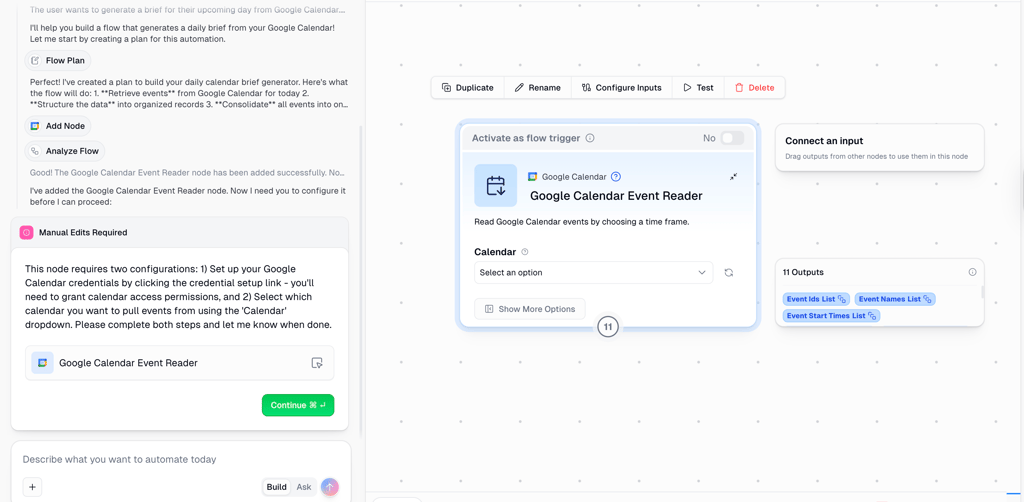
When testing both platforms hands-on, I noticed Gumloop is quicker to set up. There’s no formal onboarding flow, but the knowledge base is well organized and searchable, with a built-in chat to find answers fast. It was easy to create my first workflow using the AI chat, which guided me through the process. It did become tricky later, when I needed to understand how data flows between blocks and how to configure AI inputs correctly.
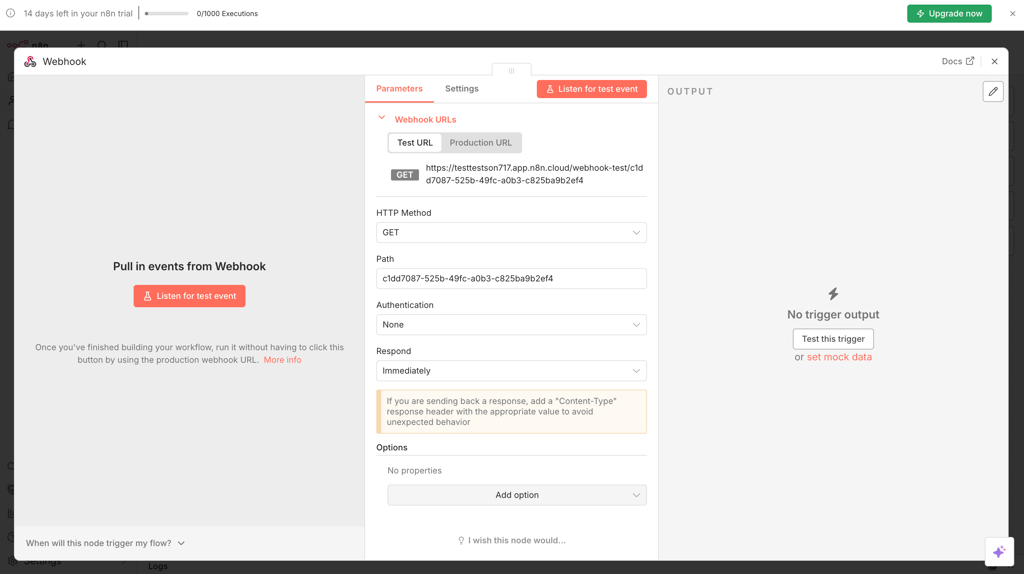
n8n took longer to get started, but it did feel more structured. After signing up, I was guided through a short setup flow with an intro video, templates, and a live demo. Building a basic workflow was easy, but I did struggle at first when connecting services, especially when setting up API keys or OAuth credentials, as this required switching to external dashboards.
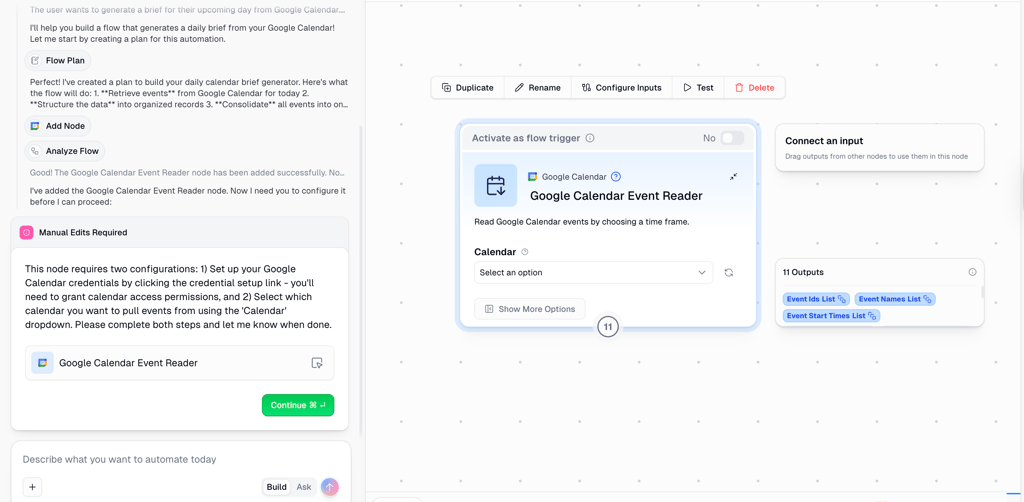
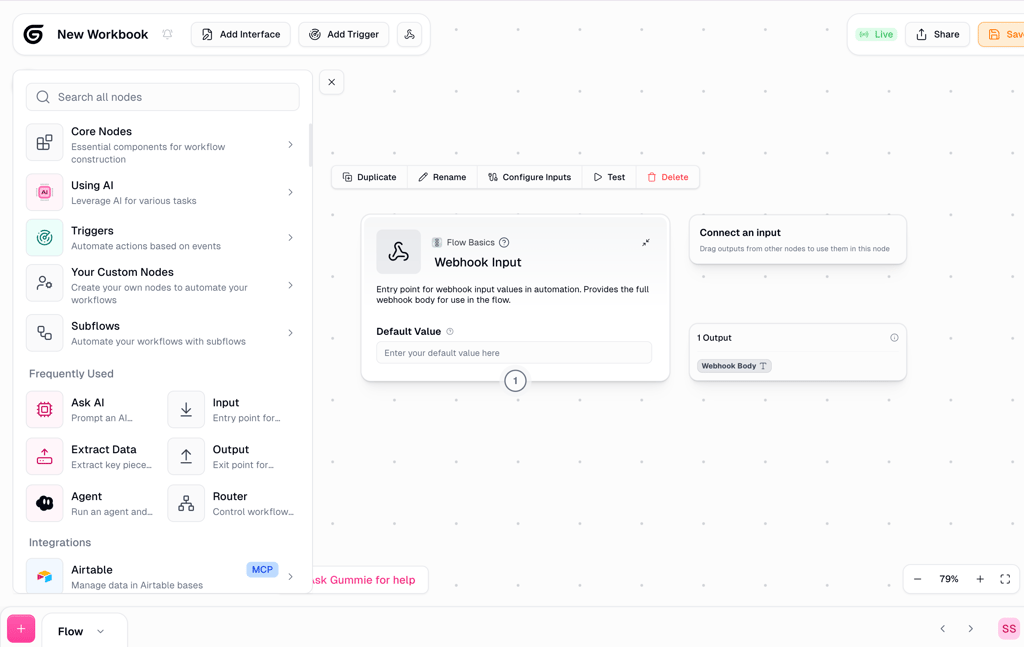
When it came to workflow building, Gumloop felt more guided, with blocks grouped by function and templates covering common use cases. n8n’s node-based editor gave me more freedom to build complex logic, loops, and branching flows, but required more manual configuration.
Both tools also handled debugging well. Gumloop displays clear error messages and makes reruns simple, while n8n shows exactly which node failed and what data caused the issue.
I also noticed collaboration is simpler in Gumloop. Sharing workflows and making changes together felt straightforward, even without much setup. n8n also supports collaboration, but it depends more on how the instance is configured, and managing access can take extra time.
Why Gumloop is easier to get started with:
- Chat-assisted workflow creation
- Predefined templates for common tasks
- Clear debugging and error messages
- Minimal setup, with no hosting or credentials needed
Why n8n is better for complex workflows:
- Full visual node-based editor with loops and logic
- AI-generated workflow skeletons from text prompts
- Flexibility to connect to any API or service
- Detailed execution logs for advanced debugging
Integration depth and extensibility
n8n has a large library of native integrations, with over 400 built-in nodes covering everything from Slack and Google Sheets to Salesforce and niche apps. The depth varies by connector, but in general, you can reach every API field, handle pagination, set retries, and manage authentication directly. Its webhook and API support is robust, but you need some technical knowledge to configure OAuth, handle tokens, or manage rate limits.
Gumloop supports fewer apps overall, focusing on the ones most teams actually use every day, like Salesforce, Slack, Google Workspace, and Notion. For these apps, the platform provides all the actions most users need, so common workflows work reliably without extra setup.
On top of that, Gumloop’s AI-powered MCP nodes let you describe what you need in plain language, and it generates the workflow steps for you. You don’t need coding experience, and you can save workflows, reuse blocks, or create templates to quickly replicate automation across projects. Webhooks and APIs are supported, but the platform handles most of the technical setup automatically, so you don’t have to manage authentication or rate limits yourself.
Both platforms support custom connectors, but n8n is built for developers who are comfortable managing code, authentication, and updates. Gumloop uses AI guidance when creating custom steps, making it more approachable for business users.
What to watch out for:
- OAuth and token refresh issues
- Payload size limits
- Rate limiting and retries
- Inconsistent fields between connectors
AI capabilities and workflow automation
When I tested both platforms, the difference in how they use AI was clear. Gumloop comes with built-in AI blocks for summarizing text, extracting data, classifying content, routing items, and drafting messages. These steps output structured JSON and automatically validate its format, helping avoid errors when passing data to the next step.
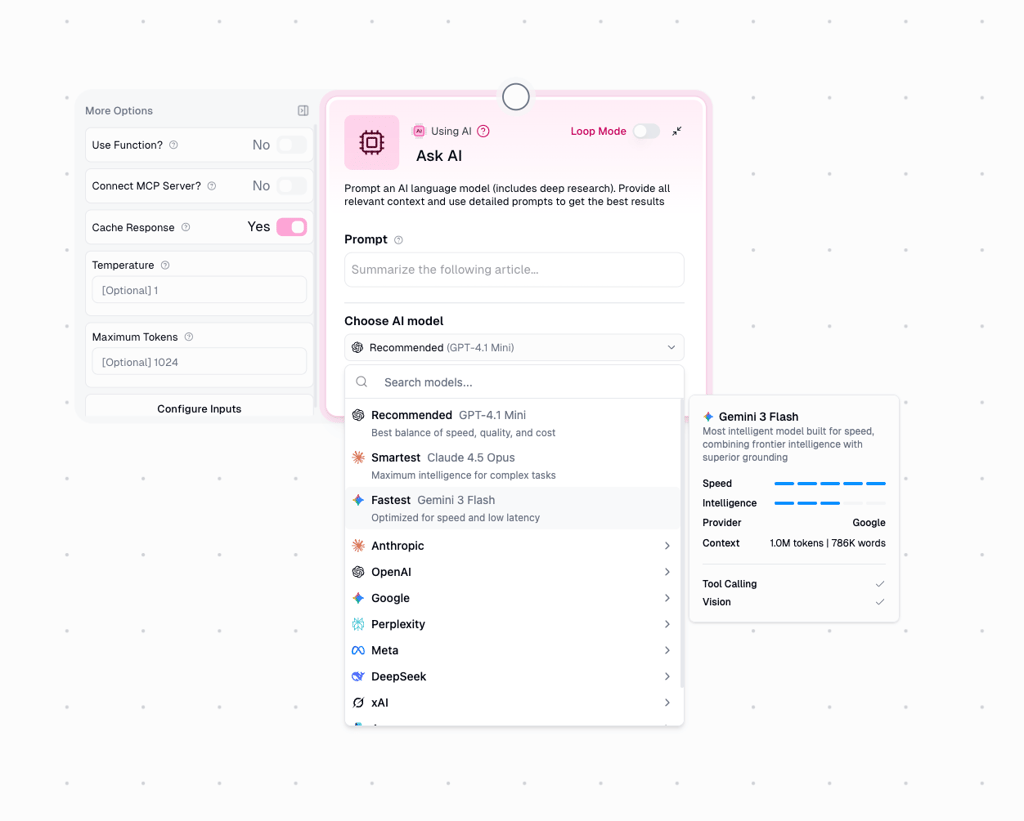
Gumloop also gives you flexibility in choosing a model. You can pick from OpenAI, Anthropic, or Google Gemini, depending on cost, speed, or accuracy. Guardrails like validation checks, confidence thresholds, and optional human review are built in, which makes it reliable for standard AI tasks, though I wouldn’t use it for high-stakes decisions without supervision.
n8n supports similar AI tasks, including text generation, summarization, classification, and data transformation. Its standout feature is the AI-assisted workflow builder, where you describe the goal in plain language and n8n generates the node structure. Model choice is flexible, but each AI service requires its own API keys and billing, and there are no built-in guardrails, so critical decisions need manual checks.
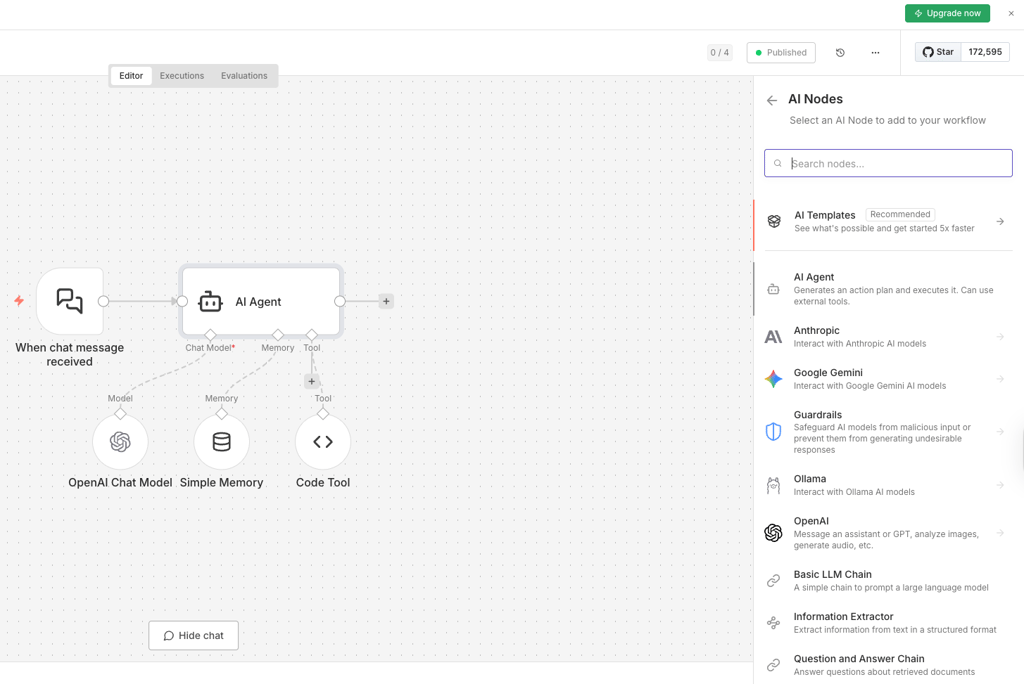
Best AI workflows for Gumloop:
- Automatically summarizing Slack messages or emails
- Classifying support tickets and routing to the right team
- Extracting structured data from documents or web content
- Drafting outreach emails or internal reports
- Combining AI steps with other workflow actions, like enrichment or notifications
Best AI workflows for n8n:
- Pulling data from multiple APIs, then summarizing and formatting it
- Using AI to classify and tag incoming form submissions
- Generating structured JSON from text for further processing
- Creating workflow skeletons from natural language prompts
- Combining AI outputs with custom logic or code nodes
Deployment, hosting, and sharing workflows
Deployment and workflow sharing work very differently across the two platforms. Gumloop is fully cloud-hosted, so I didn’t have to manage servers, updates, or scaling. Workflows can be built, tested, and published in one place, then shared through team libraries, templates, or simple links with basic permissions.
Version history is built in, which makes it easy to rerun or roll back earlier versions. You can export workflows, but moving them to another platform isn’t seamless, so there’s some level of commitment to consider.
n8n takes the opposite approach. You get full control, but production use usually means self-hosting. During testing, I deployed workflows using Docker, Google Cloud Run, and Kubernetes, which gave me flexibility but required more setup and maintenance work.
Workflows move from draft to production cleanly, but sharing and versioning depend on how you manage them. n8n workflows are portable as JSON files, though migrating triggers and environment-specific credentials can take extra work.
Enterprise features and security
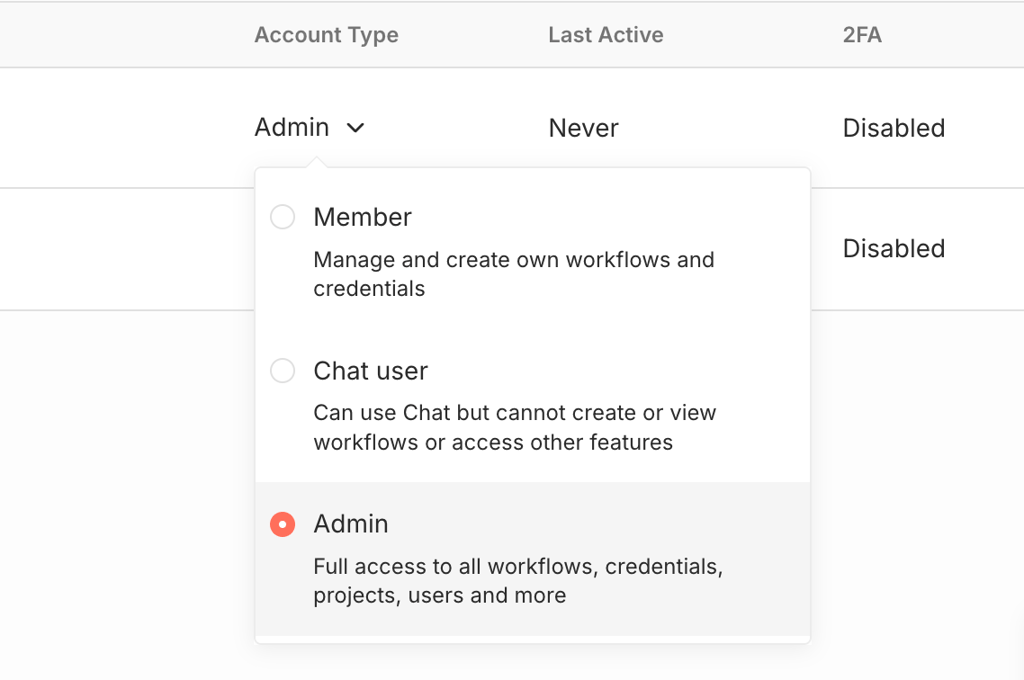
When I tested Gumloop, I could set up a team and manage permissions right away. SSO was ready to use, roles and workspace controls let me select who could view, edit, or run workflows, and the logs made it easy to track activity. Because it’s cloud-based and meets SOC 2 and HIPAA standards, I didn’t have to worry much about compliance.
n8n gives you more control, but security depends on how you set it up. If you self-host, you manage all data handling, retention, and logs yourself. SSO, roles, and audit tracking aren’t built-in, and you need to configure them manually. The platform logs workflow runs and errors, but sensitive data protection is the admin's responsibility. When running n8n in production, it’s important to follow best practices like least-privilege access, separate test environments, and redacting sensitive fields.
Best use cases and scenarios
Here’s how I’d pick between Gumloop and n8n depending on the type of workflow. Each choice highlights the strengths I noticed while testing.
AI-first document and data workflows – Gumloop
With Gumloop, I didn’t encounter any issues and built AI-driven workflows quickly without writing any code.
- Built-in AI nodes handle summarization, extraction, classification, and enrichment reliably.
- MCP nodes let you describe a workflow in plain language, and the steps are generated automatically.
Ops workflows (CRM updates, ticket routing, alerts, reporting) – Gumloop
Day-to-day business automation is easier and faster with Gumloop.
- Pre-built actions connect immediately to Salesforce, Slack, and Google Workspace.
- Templates and reusable blocks make scaling and sharing workflows across teams simple.
Engineering-led automation (custom APIs, complex logic, internal tooling) – n8n
n8n gives technical teams full control over complex workflows.
- Node-based editor with HTTP/JavaScript nodes supports loops, branching, and custom integrations.
- Fine-grained control over authentication, retries, and error handling.
Privacy-sensitive workflows (self-host requirement, regulated environments) – n8n
n8n is best when data must stay on your own infrastructure.
- Self-hosting keeps all data and logs under your control.
- Sensitive-field redaction and separate test/production environments reduce risk.
High-volume workflows – draw
The best option depends on scale, workflow complexity, and cost.
- Gumloop uses a credit-based system; n8n bills per execution.
- Cloud convenience vs self-host infrastructure cost affects efficiency and budget.
- Workflow complexity and integration needs determine which platform scales better.
Non-technical teams – Gumloop
Gumloop is easier for users without coding experience.
- Guided workflow building and AI assistance make setup straightforward.
- Templates and reusable blocks reduce time spent on repetitive tasks.
Price and overall value
Pricing is where Gumloop and n8n really differ. Gumloop charges credits that cover AI, enrichment, and workflow runs. n8n’s platform is cheaper, but you pay extra for hosting, external APIs, and setup time.
| Plan | Starting price (with annual plan) | Usage metric | Feature gates | Best for |
| Gumloop Free | Free | 1000 credits | Basic workflows only | Small experiments or testing |
| Gumloop Solo | $30.00/month | 10,000 credits | Limited templates, BYO API Key, AI included | Individuals or small teams running AI-heavy workflows |
| Gumloop Team | $195.00/month | 60,000 credits | Team workspaces, sharing, org features | Teams scaling automation across departments |
| n8n Starter | $20.00/month | 2500 workflow executions | Limited templates, no AI included | Developers or small teams building custom automation |
| n8n Pro | $50.00/month | 10,000 workflow executions | Team management, advanced logic, and sharing | Technical teams or agencies |
| n8n Business | $800.00/month | 40,000 workflow executions | Advanced security, support, governance | Large orgs with compliance needs |
What makes Gumloop costs grow:
- Heavy AI usage, such as generation, extraction, and enrichment
- High workflow run volume
- Moving from solo use to shared, team-based automation
What makes n8n costs grow:
- Cloud hosting or self-hosted infrastructure
- Engineering time for setup, updates, and maintenance
- External AI or data APIs that are billed separately
Which tool tends to provide better value:
- Low usage: Gumloop Free or n8n Starter, depending on AI needs
- Mid usage: Gumloop Solo if AI is central, n8n Pro if workflows are logic-heavy
- High usage: n8n can be cheaper with efficient self-hosting, Gumloop costs more but reduces operational work
Gumloop vs n8n: user reviews
Together with the Cybernews research team, I looked at public user feedback on Reddit to see what real users are saying about Gumloop and n8n.
I noticed that most users appreciate how easy it is to get started with Gumloop. The AI-assisted workflow building and MCP nodes let you set up automations quickly without writing code. For basic AI-heavy workflows, it feels almost effortless.
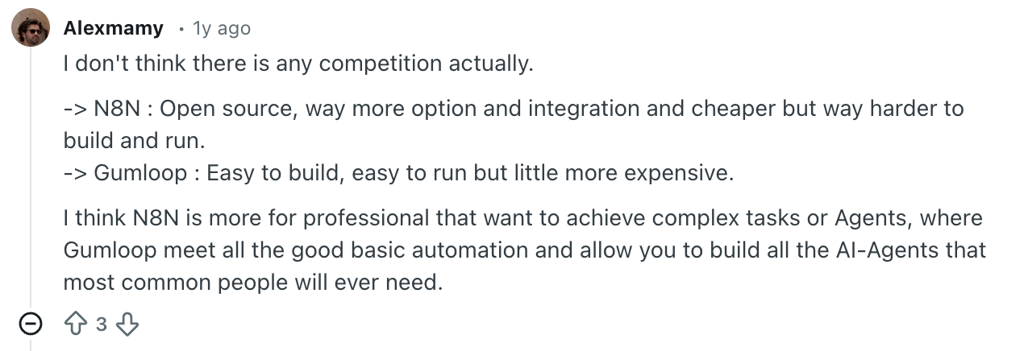
On the other hand, users often encounter glitches and limitations. The AI can freeze or fail, sometimes wasting credits on incomplete flows. Some advanced controls, like creating custom environment variables, aren’t straightforward, which frustrates anyone who wants more hands-on control.
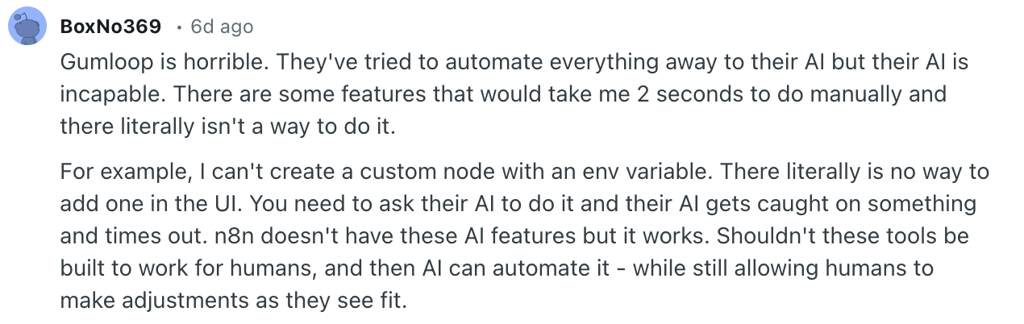
n8n is often praised for flexibility and control. People like the open-source setup, the ability to self-host, and full access to APIs and JavaScript nodes. Once workflows are up and running, it’s very reliable.
The main downsides of n8n are its complexity and setup time. Many users mention a steep learning curve, especially around credentials and self-hosting. Non-technical users often struggle at first, though teams with more experience choose it for the control it gives them.
Overall, users recommend Gumloop for quick, AI-powered automation, while n8n is best for full control and flexibility.
Verdict: which tool fits your workflow better?
Here’s a quick guide based on workflow type, team skill level, and your automation goals.
Choose Gumloop if:
- You want AI-first workflows for extraction, summarization, enrichment, or routing
- Your team is mostly non-technical and wants to avoid writing code
- You need a fast setup with minimal configuration and maintenance
- Built-in AI models and enrichment sources are more important than custom APIs
- You want predictable, all-in-one SaaS pricing without managing infrastructure
- You’re scaling workflows across business teams rather than engineering teams
Choose n8n if:
- You need deep customization with custom APIs, logic, or internal tools
- Your workflows require precise control over authentication, retries, and data flow
- Self-hosting is required for privacy or compliance
- You’re comfortable managing infrastructure and updates
- You want to extend workflows with JavaScript or community-built nodes
- You expect very high execution volume and want to optimize costs long-term
If your team is business-led and AI-heavy, Gumloop is faster and easier for day-to-day work. If your team is technical, handling sensitive data, or needs highly custom integrations, n8n gives more control. Long-term costs also differ: Gumloop trades higher usage costs for convenience, while n8n shifts costs into infrastructure and engineering time.
Overall, Gumloop prioritizes simplicity and AI-driven speed, while n8n prioritizes flexibility and control.
Best alternative: Nexos.ai
Gumloop and n8n approach automation from different angles, but they still won’t match every team’s priorities. Some users may want something less centered on traditional workflow building and more focused on operational AI use cases. That’s why I also included Nexos.ai as a third option, especially for teams looking for an AI-first automation layer rather than another workflow automation tool.
I tested Nexos.ai with the Cybernews research team as part of the broader automation tooling landscape, and I appreciated how it combines AI agents, workflows, and integrations in one shared environment. Compared with Gumloop and n8n, Nexos.ai feels more focused on helping teams coordinate AI-driven work across tools than on building automation logic step by step. Its approach is centered around no-code agents, connected context, and operational workflows that involve research, content, analysis, and multi-step task handling.
I wouldn’t present Nexos.ai as a direct replacement for highly technical automation setups. However, if your main priority is AI-first workflow automation in one workspace, it’s a strong alternative to take into account.
FAQ
Is Gumloop or n8n better for AI-first automations?
Gumloop is the stronger choice for AI-first workflows. Its built-in AI nodes and MCP features let you summarize, extract, classify, and route data without coding. I found it much faster to build AI-heavy workflows with Gumloop compared to n8n, which requires configuring nodes and external AI APIs manually.
Can n8n be self-hosted, and what does it require?
Yes, n8n can be self-hosted. It typically runs on Docker, Kubernetes, or cloud services like Google Cloud Run, and needs a Postgres database for production workflows. You also need to handle updates, infrastructure maintenance, and API keys for any AI or external services.
Which tool is better for custom API integrations?
n8n is better for custom API integrations. Its HTTP request and JavaScript nodes give full control over APIs, authentication, and data transformations. Gumloop can handle custom integrations through MCP and Custom Nodes, but it’s more geared toward non-technical users and AI-assisted setup.
Which is cheaper for high-volume workflows?
n8n can be cheaper if self-hosted efficiently, because you only pay for infrastructure and ops. Gumloop is more convenient for AI-heavy or team-based workflows, but costs rise with high credit usage.
Which platform is safer for sensitive business data?
n8n is safer if you need self-hosting, complete control over data, and isolated environments. Gumloop is secure for most teams with SOC 2 and HIPAA-ready cloud hosting, but sensitive organizations may prefer n8n’s self-managed approach.