Softr review 2026: the AI co-builder that actually ships real apps
Being behind major reports like The Mother of All Breaches and RockYou2024, our in-house cybersecurity experts and journalists provide unbiased, real-world testing and in-depth analysis.
We maintain complete transparency by openly sharing our testing methodologies with our audience.
Learn more
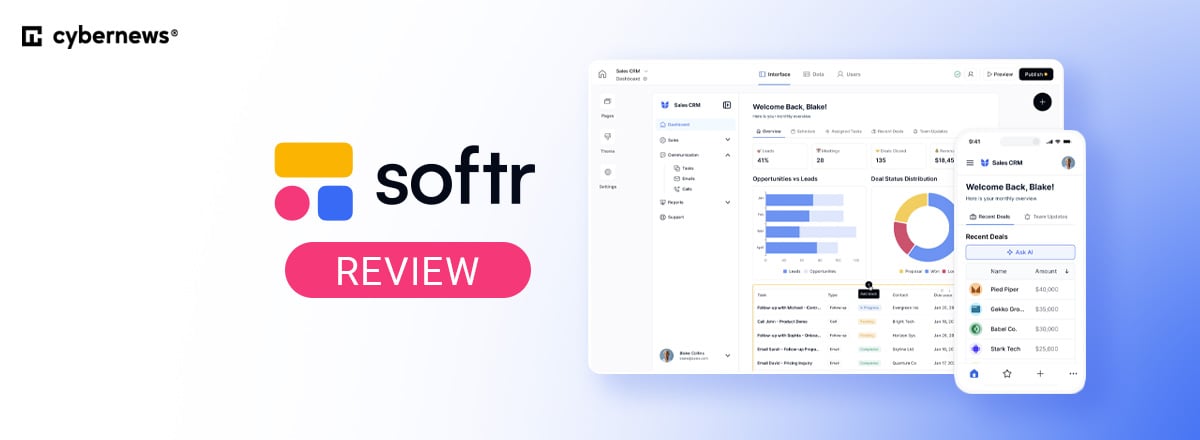
If I told you that you could describe your app in plain English and watch it go live in under 60 seconds, I doubt you’d believe me. But that’s what Softr’s AI Co-builder delivers in 2026. What started as a front-end layer for Airtable has evolved into a full-stack AI app builder, positioning itself among other popular no-code tools available today.
Finding that it has a 4.7out of 5 score on G2 from 1,800 reviews, Softr had me intrigued. So the Cybernews team and I tested Softr's AI Co-builder, examining its features, pricing structure, integrations, and hands-on user experience. I also reviewed the full platform, verified user feedback, and Softr's official documentation to give you a complete picture before you commit. Keep reading to see how this no-code builder can benefit your team.
Quick overview: what is Softr?
Softr is an AI-powered full stack app builder that lets teams launch client portals, internal tools, and business web apps without writing a single line of code. You can use the platform’s own Softr Database or connect to data sources your team already uses, including Airtable, Google Sheets, HubSpot, Supabase, BigQuery, and SQL databases, turning data into a functional, user-facing application.
In 2025, Softr made a decision to move away from being a frontend builder and become a full-stack AI app platform. The company, Softr, was founded in Berlin in 2019 and soon raised a $13.5M Series A led by FirstMark Capital. On the security side, Softr runs on AWS and holds a SOC 2 Type II certification with no noted exceptions, so enterprise teams have something concrete to point to during procurement.
Softr AI Co-builder: hands-on test
Here’s my hands-on experience with Softr AI Co-builder:
What it does (and how well)
During testing, I found that Softr was great at quickly generating a plain-language prompt into a functional, visually editable business app, with no coding required at any point in the process..
When I first signed up, Softr gave me three options: start from scratch, pick a template, or generate with AI. I chose the AI path and described my use case: a project tracker for a design agency. The co-builder asked a few follow-up questions about the business need and my design preferences, then automatically assembled a database, user roles, and front-end blocks in under a minute.

After the build completed, I was taken to the editor interface. I found it clean, sleek, and modern while still being easy to navigate. The building experience centers on a visual, block-based editor. Unlike traditional drag-and-drop tools that require pixel-perfect positioning, Softr uses pre-built, responsive blocks (lists, forms, charts) that snap into place.
Of course, I immediately tested the Vibe Coding block. I added a block to the app, selected the "Vibe coding block" option, connected the database I wanted to use, and described exactly what I needed. Some features I wanted to see were a peer-to-peer chat and an interactive dashboard. Softr’s output always provided a solid foundation for me to build on or further experiment with.

Connecting to external databases was also straightforward. While editing a block, I went to the Source tab in the sidebar and selected "Add another data source" from the dropdown menu. I then followed the on-screen steps to connect my Google sheet, after which I manually remapped the necessary fields to this new data source
The speed advantage
Reviews say Softr can generate blocks and fully functional business apps in 50 to 60 seconds, so I had high expectations. While testing it myself, Softr generated my app in 15 seconds, which is a real advantage for startups, small businesses, internal teams, and any organization that needs to ship tools quickly.
Before full stack AI app builders, shipping an internal tool meant a Figma design, a development sprint, and a staging environment. Softr compresses all of that into a single prompt.
Honest limitations
For more complex configurations, such as advanced permissions, custom logic, or fine-tuned layouts, you may need to handle these manually through the no-code visual editor rather than relying on the AI co-builder alone.
Fortunately, the visual editor is capable enough to handle those adjustments without much technical knowledge. For most users, the drag-and-drop interface fills that gap without requiring outside help.
The full Softr AI stack: other features
Softr doesn't treat AI as a single feature. It runs through three separate layers of the product:
- AI Co-builder generates your full app structure from a prompt connected to your data source.
- AI Agents are database-level automations that can summarize records, auto-fill, search the web and tag fields, and extract information from PDFs. Instead of configuring a Zapier chain, you describe a workflow and the agent handles it.
- AI Workflow Generator lets you set a trigger, such as a database record being added, then describe the automation you need. The AI then builds the workflow logic from that description.
- Ask AI is a chat assistant embedded within app blocks that lets end-users query live data conversationally. It respects the permissions and visibility rules already set in the app, so users only ever see data they're authorized to access.
Together, these three form a coherent AI system. Each layer serves a distinct stage: building the app, using it, and managing the data inside it.
Softr AI benefits
Here are my favorite features from Softr, each one helping make your team’s workflow smoother:
- AI co-builder. Softr turns a plain-language prompt into a fully structured app, complete with database, user roles, and front-end blocks, in under a minute.
- Vibe coding block. You can describe a custom feature, and Softr generates the code behind it, so you get professional, functional blocks without limited – or possibly no – coding necessary.
- Visual drag-and-drop editor. Every element the AI generates can be adjusted, rearranged, or extended manually in a no-code interface, without touching a line of code.
- Granular permissions. You control exactly what each user role can see and do, great for real business logic rather than demo scenarios.
- Native integrations. Airtable, Google Sheets, HubSpot, Supabase, BigQuery, Monday.com, ClickUp, and SQL databases are all supported, with higher-tier plans unlocking more sources.
- Built-in database. If you’re starting without an existing data source, Softr's native Postgres-based database lets you build one inside the platform and launch immediately.
- Native workflows. Softr's Workflows feature responds to in-app user actions and database changes in real time, with direct access to your app's data and permissions. External tools like Zapier can’t replicate that native depth.
- Custom domain and SEO support. Apps come with custom domain support, meta tag control, and Google Analytics integration, so your app carries your brand from day one.
Softr pricing
Softr offers five pricing tiers. The free plan is one of the most capable in the no-code category, including AI credits and publish-ready apps with no credit card required.
Here’s an overview of Softr’s subscription plans:
| Softr plan | Pricing (billed annually) | Best for | AI credits included | App users |
| Free | Free | Solo founders, testing phase | 5 credits | 5 users |
| Basic | $19.00/month | Small teams launching a first app | 10 credits/month | 5 team users and 5 client users |
| Professional | $99.00/month | Growing teams needing more users and workflows | 50 credits/month | 10 team users and 50 client users |
| Business | $329.00/month | Multiple apps, advanced data sources, high user counts | 100 credits/month | 30 team users and 50 client users |
| Enterprise | Custom | Large orgs needing SSO, SLAs, and dedicated support | Custom usage limits | Custom usage limits |
I can confirm that the Free tier is genuinely useful, as I used it for my testing. I was able to set up a fully functional app without paying a cent or even giving my credit card details.
For most teams, I recommend the Professional tier. It unlocks 10 team users and 50 client users, 50 AI credits, and 500,000 database records, covering most growing-team scenarios. At $99.00/month, Softr presents a viable alternative to hiring an additional junior developer, which can set you back by $3,000 to $5,000 per month.
The Enterprise plan adds the following features, perfect for large organizations:
- Single sign-on (SAML, OpenID, etc.)
- Custom agreements and SLAs
- SOC2 reporting
- Advanced app security (IP blocking)
- Priority support
You can also buy additional AI credits, starting at +100 credits for $10.00/month and going up to +5,000 credits for $500.00/month.
Who Softr is built for
Simply put, Softr is ideal for teams that need a proper interface for their databases. Imagine getting a client-facing portal up-and-running by the end of the workday, using a simple Google Sheet to store your data and without having to write a single line of code.
Operations managers can use Softr to track projects across a team in Google Sheets; agency owners can build client portals for each account; and small business teams can set up an internal tool without any engineering resources.
However, Softr is not designed for developers building highly complex backends with heavy logic or custom architectures. These projects are better served by Bubble or Retool.
Softr vs. the competition
Here’s how Softr compares with its competitors:
| Tool | Key feature | Why Softr wins |
| Bubble | Complex custom apps | Softr is dramatically simpler. Bubble has a steep learning curve; Softr ships in minutes. |
| Adalo | Mobile-first apps | Softr's AI stack and data integrations are significantly more capable. |
| Glide | Google Sheets apps | Softr delivers richer layout control and the full AI Co-builder advantage. |
| Retool | Internal tools for devs | Softr requires zero code and no developer involvement at all. |
Softr has carved a niche for itself within the no-code market. It quickly generates business apps such as client portals and internal tools. Other AI app builders may be better suited for mobile apps or quick web app MVPs, but when it comes to building a full stack, functional portals, dashboards. and internal tools, Softr stands out..
Is Softr worth it?
Softr in 2026 is not the same product it was when it first launched. The AI Co-builder, Ask AI, and AI Agents together turn it into a full-stack business app platform that earns its 4.7 out of 5 rating on G2. For non-technical founders, operations managers, and agencies, it delivers stronger ROI than any comparable tool at its price point.
The free plan alone is more functional than most competitors' entry-tier paid options. I especially like that you don’t need to enter a credit card to still enjoy its AI and publish-ready features. At $99.00/month on the Professional plan, you're replacing what would otherwise cost $3,000 to 5,000 per month in developer time.
Softr is the fastest path from data to a live, functional app in 2026. If your team runs on spreadsheets and needs a real interface for them, Softr will help you start building.
FAQ
Can I trust Softr?
Yes, Softr is a legitimate no-code platform used by businesses to build apps and portals. It integrates with trusted data sources and follows standard security practices for authentication and data handling.
Is Softr better than Bubble?
Softr and Bubble serve different use cases. Softr focuses on speed and simplicity for data-driven apps, while Bubble offers deeper customization for complex logic and fully custom web applications.
What is the Softr AI Co-builder?
Softr AI Co-builder generates app layouts, blocks, relational databases and workflows from prompts. It uses your connected data to create functional interfaces without manual configuration or coding.
Does Softr use AI?
Yes, Softr uses AI to generate app components, suggest layouts, and accelerate setup through its Co-builder. It helps transform prompts and data sources into functional interfaces with minimal effort.
What data sources does Softr connect to?
Softr connects to data sources like Airtable, Google Sheets, SmartSuite, Supabase, Monday.com, Notion, Xano, ClickUp, HubSpot, and REST APIs. These integrations let you turn existing datasets into apps, dashboards, and portals without migrating your data elsewhere.
How much does Softr cost?
Softr offers a free plan with basic features and paid plans that scale based on users and functionality. The Basic plan is only $19.00/month, and the Professional plan costs $99.00/month.
Is Softr good for SEO?
Yes, Softr supports SEO basics like meta tags, custom domains, and indexing controls. It works best for content-light apps and portals, but it’s not designed for large-scale content marketing sites.
Is Softr free to try?
Yes, Softr offers a free plan that lets you explore its core features and build basic apps. You can upgrade to paid plans later for more users, integrations, and advanced functionality.