Concord review 2026: features, pricing, and user feedback
Being behind major reports like The Mother of All Breaches and RockYou2024, our in-house cybersecurity experts and journalists provide unbiased, real-world testing and in-depth analysis.
We maintain complete transparency by openly sharing our testing methodologies with our audience.
Learn more

Concord Horizon is an AI first platform where natural conversation replaces traditional contract software. Instead of navigating menus, users ask questions and Horizon responds with contextual insights drawn from their entire portfolio. This shift reflects a complete platform transformation in which contract understanding, reporting, and task execution all flow through a single conversational workspace.
Horizon builds on Concord’s strengths in contract storage, tracking, approvals, and AI supported metadata extraction, capabilities highlighted in real world evaluations of Concord as a modern CLM for growing teams. The result is a unified environment where intake, drafting, collaboration, and portfolio level intelligence operate through natural language, giving legal, procurement, and business users immediate visibility without traditional software complexity.
Pros and cons of Concord
What is Concord?
Concord Horizon is an AI-first system where users manage the entire contract lifecycle by asking questions rather than navigating software.
Core features remain available across all plans, which continues to differentiate Concord from traditional CLM vendors.
Horizon organizes work around three stages: draft and review (intake, drafting tools, clause library), sign and store (e signature, repository, deadline tracking), and analyze and optimize (AI Copilot, integrations, AI reporting).
Concord markets Horizon as suitable for every business team and workflow, from legal and finance to procurement, sales, and operations.
Concord features
Concord’s key features include its centralized workflow, handy alerting features, and well-designed AI ecosystem. I’ve explored these in depth below.
AI Search, AI Copilot, and AI Reporting
Horizon is the company’s AI-first platform for conversational analysis, reporting, and action on the entire contract portfolio.
Users ask questions instead of navigating folders or building filters, and Horizon returns instant answers with evidence pulled from contract text and structured data. It surfaces portfolio-level insights such as auto renewal exposure, gaps in termination terms, payment irregularities, or unusual liability positions.
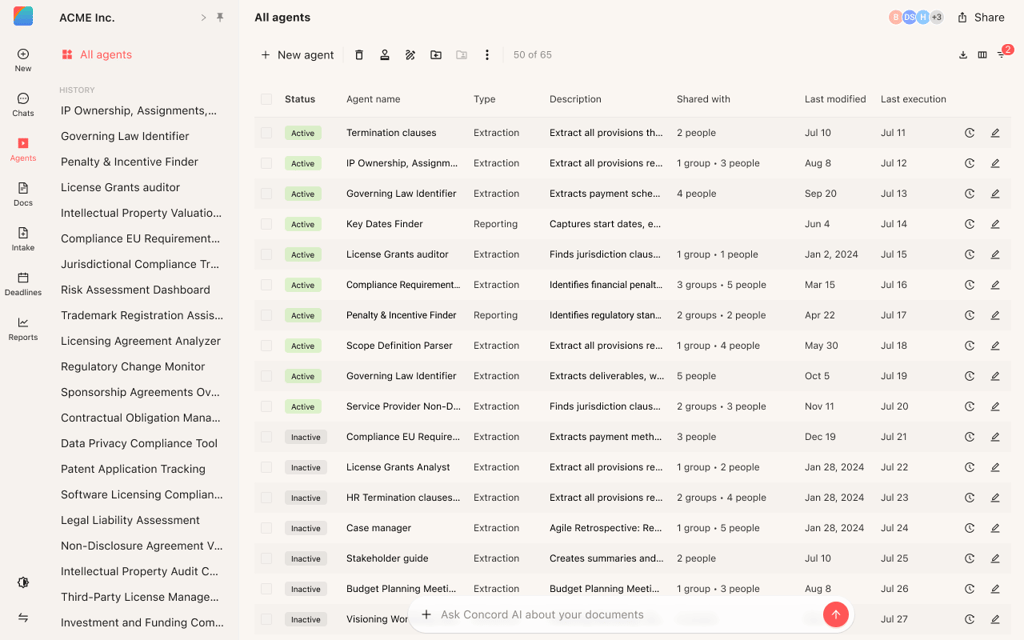
AI Search lets users ask natural questions about any contract and returns the most relevant matches across text and extracted fields.
AI Copilot summarizes portfolios, flags risks and renewal issues, and surfaces patterns across vendors or customers.
AI Reporting generates structured outputs from these same data points, giving teams exportable tables they can refine for audits, planning, or reviews.
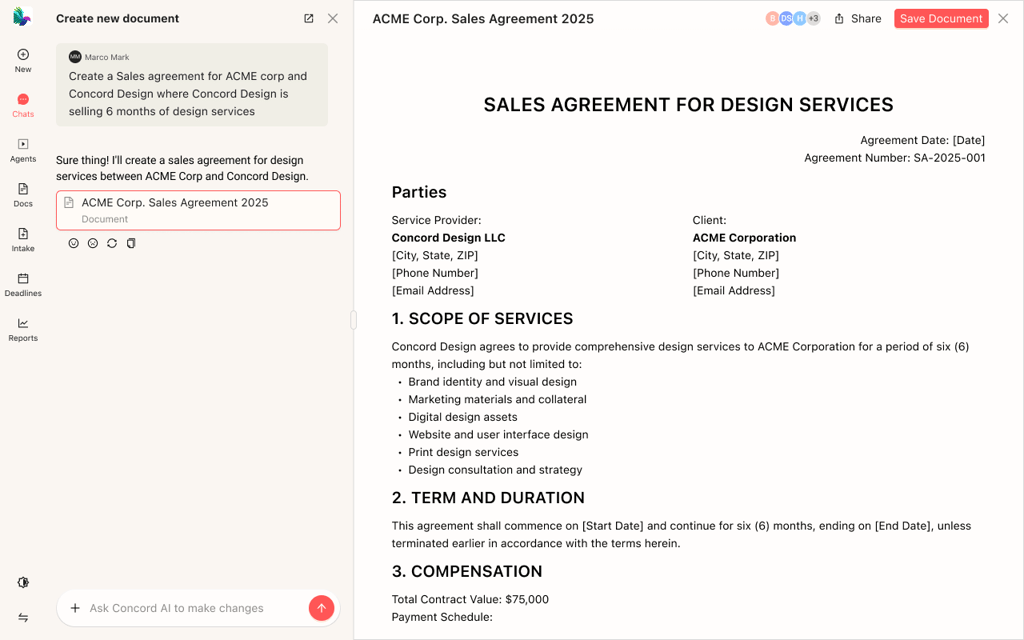
Horizon also supports workflow automation tied to upstream systems. For example, a new Salesforce deal can trigger automatic template generation, routed approvals, e signature, and calendar based deadline tracking without manual data entry.
MCP support extends this capability to external AI tools so users can query live contract data inside ChatGPT or Claude, bring accurate figures into documents or presentations, and analyze trends directly within their existing workflows.
Pre-signature phase
You have intake, drafting, and approvals in the pre-signature phase. Smart intake forms let you grab key details, apply routing rules, and let requesters track status. With the online editor, you can draft, import Word or PDF files, and turn them into reusable templates with smart fields. The clause library helps keep pre-approved language organized – so updates reflect across templates. Unlimited approvals let you add mandatory or conditional steps, attach them to templates, and send automatic notifications to the next approver.
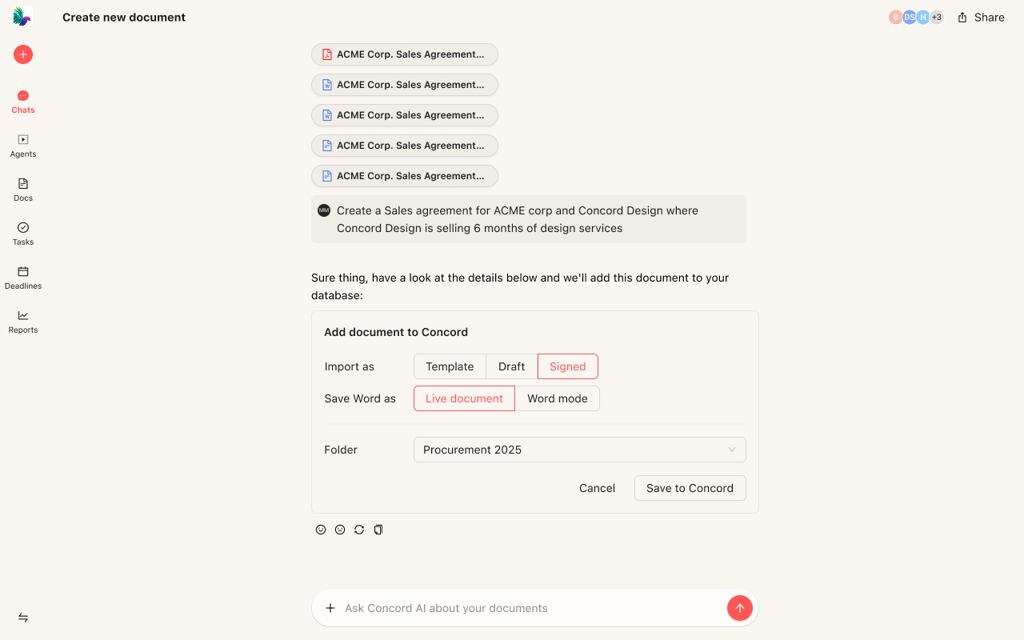
Signature phase
You have unlimited, legally binding e-signatures across all plans. There’s no cap on signers or invited guests. Both internal and external parties can review, redline, and sign in the same document – or sync edits via Word. You also have useful alerts and reminders for pending signatures and approvals.
Post-signature phase
Signed contracts are stored in an unlimited, centralized repository with tags, folders, and linked amendments. Global search and Optical Character Recognition (OCR) mean files are searchable even as scanned PDFs. With deadline tools, you can add lifecycle and custom deadlines, view them in calendar or report views, and receive weekly email reminders before important dates. Customizable reports are available for export to Excel or CSV for further analysis.
Platforms and integrations
Concord is very well integrated. It works smoothly with thousands of applications and even popular AI chat platforms. Since Concord is on the cloud, teams access it from a browser – so there’s no need to install resource-heavy desktop software. It’s designed to integrate with your existing stack – your CRM, storage, communication tools, and many other apps.
Concord integrates with major CRMs like Salesforce and HubSpot – so you can complete contracts without leaving those systems at all. Concord also integrates with storage platforms like Google Drive, Box, and Dropbox – and it can automatically export signed documents to those as a backup.
There’s even more automation via Zapier, webhooks, and an API. With Zapier, you can connect Concord to over 5,000 applications, while webhooks and the API help developers fine-tune control over custom workflows.
Concord’s Enterprise plan supports SSO with SAML 2.0, Azure Active Directory, and LDAP. Another feature that makes Concord stand out is Model Context Protocol (MCP) support – meaning Concord lets AI tools like ChatGPT or Claude pull live contract data. With MCP, these AI tools can also answer questions and trigger actions in Concord. There’s even a Slack integration (currently in beta).
Ease of use and setup
Using Concord is like using a familiar piece of software – like Google Docs or Word. The interface is clean and simple: the main screen looks like an inbox, and you get a document-style view. There’s a search bar at the top, and folders on the left side. The process of importing files, setting fields, adding signers, and sharing is as user-friendly as could be.
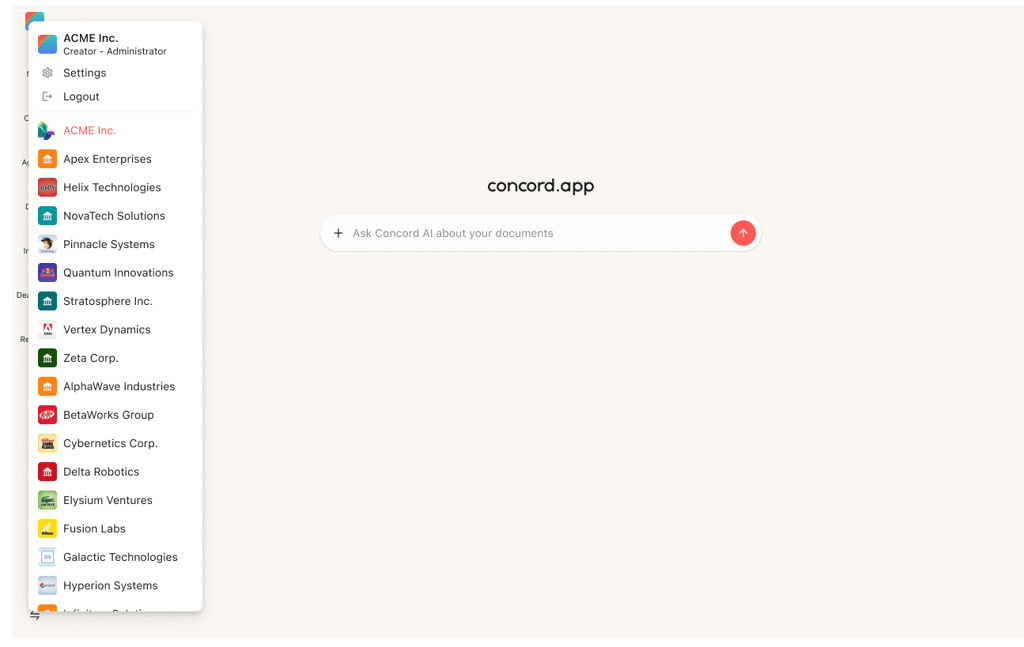
Getting started is also simple. You simply drag and drop existing agreements, and Concord automatically extracts key data – ranging from parties to values. Then, you can organize documents in your workspace with folders, tags, and stages.
Everything’s very intuitive and trouble-free. After all, this is a cloud solution with standard SSO and integrations, so configuration isn’t technical. Visual menus guide you through everything. You also have access to analytics represented by visual graphs – a nice touch.
The learning curve with Concord is low. The case studies section on the company’s website – from Sovrn and AANA – describes legal teams migrating, configuring workflows, and going live quickly. It’s easy to implement Concord across departments without heavy training. In most cases, a short guided demo is enough to get most users started comfortably.
How much does Concord cost?
Concord’s published pricing is transparent, with all plans billed annually. The plans are clearly laid out and compared on the official website, and Concord states that there are no hidden add-on fees.
| Plans | Cost |
| Essentials | $499/month/five users (extra seats at $49/user/month) |
| Business | $899/month/five users (extra seats at $69/user/month) |
| Enterprise | $1299/month/five users (extra seats at $89/user/month) |
Volume discounts are available for the Enterprise plan. All of the plans include: AI Copilot and extraction, unlimited documents and e-signatures, and unlimited free viewers and guests.
Essentials covers everything for the core CLM experience, including: contract repository, templates, redlining, collaboration, full-text search, reminders, and audit trails. However, integrations are limited. Business unlocks automation: intake forms, approval workflows, custom roles, plus key CRM and storage integrations.
Finally, Enterprise includes everything in Business plus: a clause library, bulk send, subsidiary management, custom email branding, and full REST API access.
What are some Concord alternatives?
Concord is a top contract management software, but it’s helpful to mention the alternatives – since it’s not alone in the modern CLM space. It’s also not the only AI-enabled CLM.
For instance, Evisort is a solution for when you require advanced AI extraction and portfolio-level contract analysis. It's often focused on enterprises that need deep analytics.
LinkSquares is another – for when you mainly need post-signature capabilities. It’s focused on obligations, renewal terms, and reporting dashboards in the post-signature phase. Another alternative is Ironclad – for when you have a larger legal team and require multi-stage AI for each step of the workflow.
Adding to those, if you’re already in the DocuSign eSignature ecosystem, DocuSign CLM is often the default choice. There are dozens of alternatives to Concord, just with different emphasis – Concord is collaboration-focused, while others are more technical. Each platform has its strengths, so it’s worth thinking about the features you need, and your budget.
User feedback
Though there are a limited number of reviews online, real-world user feedback on Concord generally leans to the positive side. Users praise its ease of use and how pleasant it is to use day-to-day – namely the Google Docs-style editor and simple template flow.
Others call it a “practical and useful platform” for contracts and renewal tracking. One buyer said it took 15 minutes to configure Concord for two domains. Customer support was also praised more than once, with one user saying the “helpdesk is responsive, polite, and helpful.”
On the other hand, there is some negative feedback as well – particularly around occasional software glitches – such as “clunkiness”, formatting issues when uploading, and difficulty finding specific files. Others noted that the price is quite high for smaller teams that don’t need some of the features.
Overall, it looks like Concord needs to iron out a few glitches. I didn’t read anything that would indicate a serious problem.
Verdict
This Concord review was created purely from what’s officially available from the company, plus real-world user feedback to help you decide whether Concord is for your team. Concord's obvious strengths are that it’s an end-to-end CLM, with unlimited documents and e-signatures, smart AI implementation (AI Copilot, search, reporting), and an intuitive UI. For me, the Business plan is the best value – it unlocks the all-important integrations (Salesforce, HubSpot, Zapier, storage, Slack beta).
I recommend you try Concord if you’re a mid-sized or enterprise team that thrives on collaboration and AI assistance.
FAQ
What is Concord software?
It’s a cloud-based, AI-powered contract lifecycle management (CLM) platform. With Concord, everything contract-related is in one workspace – from pre-signature to post-signature workflows. It’s made to reduce the burden on legal teams, and for smart collaboration between businesses.
Is Concord one of the best contract management tools?
Yes, if you require collaboration and AI features. On all plans – unlike many rivals – Concord provides unlimited documents, e-signatures, and core collaboration tools. However, if you’re a larger or more technical team, you may prefer other powerful alternatives.
What is the difference between CMS and CLM?
Contract management software (CMS) and CLM are similar, but CLM tends to cover the full lifecycle of contract management – often with AI and automation features. It is common for businesses to start with a CMS and later transition to a CLM.
How much does contract management software cost?
The cost varies based on the provider, but basic contract management tools usually start at $30-35 per user/month for the lowest tier. The highest-tier plans – like enterprise or advanced plans – may cost up to thousands of dollars per month, depending highly on the features. Concord itself starts at $499/month for five users, rising up to $1,299/month for five users. More than five users adds to the cost.