What is prompt chaining?
Being behind major reports like The Mother of All Breaches and RockYou2024, our in-house cybersecurity experts and journalists provide unbiased, real-world testing and in-depth analysis.
We maintain complete transparency by openly sharing our testing methodologies with our audience.
Learn more
In this guide, you’ll learn what prompt chaining is, how it works, and when it’s better than using one big prompt. Together with the Cybernews research team, I tested prompt chaining across different AI tools to see when breaking tasks into steps helps and when it just makes things more complicated.
Here are the main questions I’ll answer:
- When is one good prompt enough?
- When do you need a specific sequence of steps?
- Does chaining genuinely make answers more accurate, or just more complex?
To give you a clear overview, I’ll explain some useful prompt chaining techniques, how to set them up, and share real examples to help you improve your workflows.
What is prompt chaining?
Think of prompt chaining as solving a logic puzzle, one clue at a time. Each answer helps narrow down the options and leads to the next step. Simply put, prompt chaining is breaking a complex task into a series of prompts. The output from each step becomes the input for the next, instead of asking an AI model to do everything at once.
In a prompt chain, each step can have its own purpose. For example:
- Clean or transform data, such as standardizing formats, extracting key fields, or filtering out noise
- Generate intermediate outputs, like making lists, outlines, first drafts, or summaries that help with the next steps
- Validate or refine earlier outputs by checking for errors, making sure rules are followed, or improving quality before moving on
In my experience, prompt chaining works well for tasks that need several steps, organized content processes, or workflows with checks or external tool calls between stages. When I tried to do the same tasks with one big prompt, the models often lost focus or went off-topic. In short, prompt chaining helped the AI stay focused and accurate.
Reasons to use prompt chaining
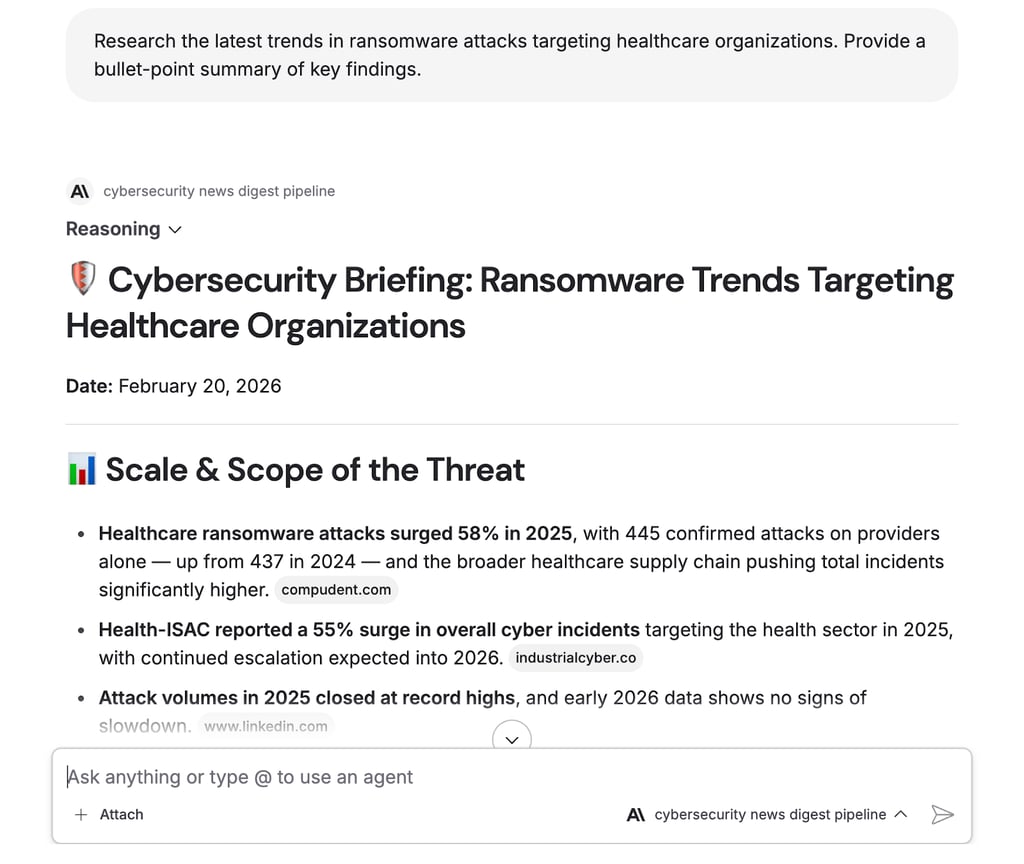
Primarily, I wanted to figure out when prompt chaining works better than using just one well-written prompt. For example, I tested a cybersecurity news digest pipeline that filtered articles, pulled out key details, and created daily briefings. From this and other tests, here are the situations where I recommend prompt chaining:
- Breaking complex tasks into smaller steps. Splitting research, planning, drafting, and editing into separate prompts gave much cleaner results. When I crammed everything into one request, the model lost focus or skipped steps.
- Increasing control and inspecting intermediate results. Chaining gives far more visibility. Each step produces output you can review, adjust, or reject before moving on.
- Reusing sub-steps across workflows. Once you build a solid "extract key entities" or "generate outline" prompt, you can plug it into different projects. This modular approach saves hours of your time.
- Improving reliability for multi-stage reasoning. Breaking reasoning into phases, like analyze, decide, and explain, led to fewer logical errors. The model works better when focusing on one thing at a time.
- Integrating external tools between prompts. Chains let you pause, call an API, query a database, or run validation mid-workflow. A single prompt can't do that.
Prompt chaining techniques
While testing, I noticed the same patterns coming up. Here are the main techniques we tried, each fitting different workflow needs.
Sequential task decomposition
This is the simplest approach. Each prompt handles one subtask at a time, such as gathering facts, grouping topics, or creating an outline. It’s the most common type of prompt chaining and works well for content pipelines and research.
Plan-then-act chains
With this method, the model first makes a plan or checklist. Then, prompts complete each step. I found this approach helps organize and manage complex tasks, like reports, campaigns, or project plans.

Validation and critique chains
The second prompt checks or critiques the first result, and the third prompt makes changes based on that feedback. We used this a lot for editing content and quality control.
Branching chains
One input triggers several prompts at once, each examining a different aspect, such as tone, audience, or format. Later, another prompt combines or chooses the best result. This works especially well for marketing and creative brainstorming.
Retrieval-augmented chains
These chains have a step that pulls documents or data from a knowledge base and then passes that information to the next prompt. This is key to leveraging company knowledge and ensuring facts are correct.
Tool-calling and API chains
Prompts can trigger tool calls or API requests between steps to get user data, check a CRM, or do calculations. At this point, the line between chaining and agent-style behavior starts to blur.
Multi-agent chains
Different agents, each with its own role such as a researcher, strategist, writer, or editor, pass work to each other. In our tests, this helped with complex tasks, but you have to design it carefully to avoid loops and mistakes.
Hybrid chains with human-in-the-loop
These chains stop for a human to review, like approving an outline or adjusting a brief, before moving on. For important or brand-sensitive work, this step is essential.
Benefits of prompt chaining
If you set up chaining correctly, you get real results. These are the practical benefits I personally saw in our tests.
Better accuracy and reduced hallucinations
Breaking tasks into clear steps with checks helps avoid mistakes and false information. Retrieval steps add real data, and human reviews in the chain catch errors early. In our tests, this method worked better than single prompts when accuracy mattered.
More reusable workflows
Chains turn tasks into reusable building blocks. Once you create a good "extract entities" step or a strong "format output" prompt, you can use it in new projects without starting from scratch. Over time, you build a library of tested parts that speed up new workflows.
Easier debugging and optimization
If something goes wrong, you can check each step separately instead of searching through one long prompt. You can also test changes on a single step without changing the rest. This way, you can improve your process much faster
Better alignment with business processes
Prompt chains can match the steps teams already use, such as research, draft, review, and publish. This makes it easier to add AI to existing workflows. People recognize the stages, and the transitions feel smooth instead of disruptive. With less friction, teams adopt new tools more quickly.
More stable performance at scale
For production AI apps, chains usually give more reliable results than using one large prompt for everything. Each step has a clear role, so you get fewer surprises when handling many requests and need steady results.
Implementing prompt chaining in your AI workflows (step-by-step)
After running dozens of chains during our testing, I developed a repeatable process for building them. Here's the playbook I follow.
Step 1 – identify chain-worthy tasks
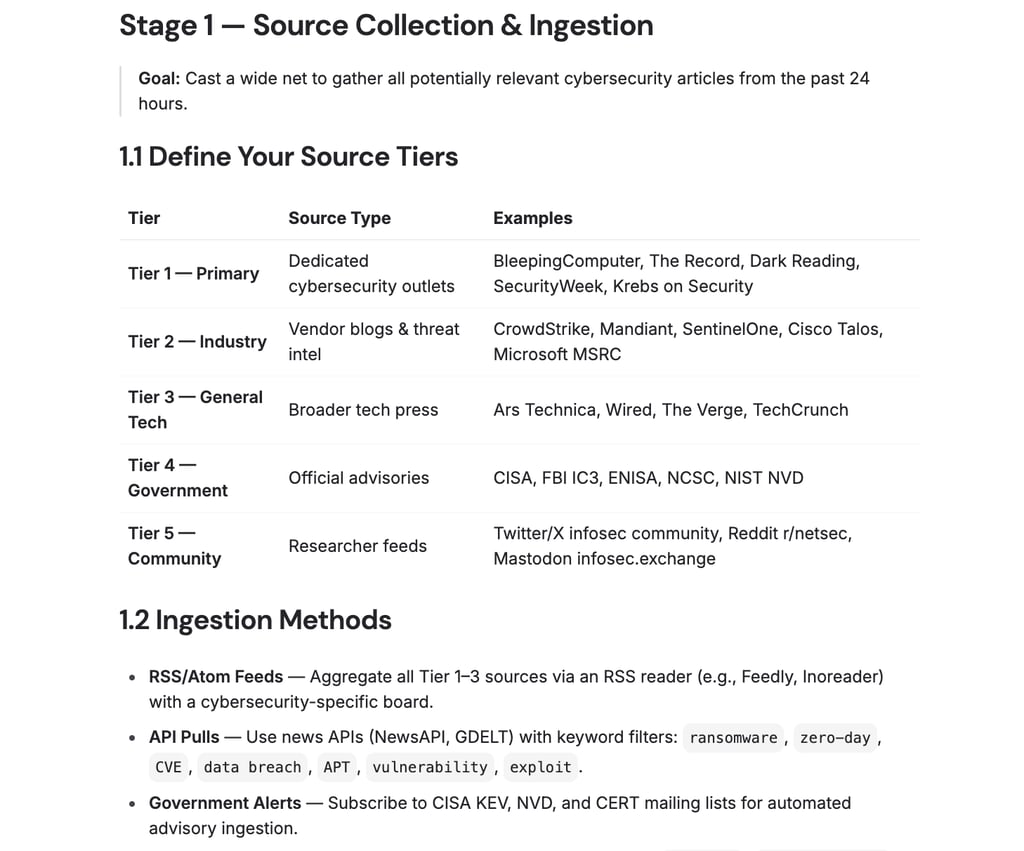
Not every task needs to be chained. Look for jobs that are too complex, risky, or have several steps for just one prompt. For example, our cybersecurity news digest was a great fit because it meant pulling articles, checking their relevance, extracting key details, and putting together a briefing. If your task uses several documents, needs checking, or has clear stages, it’s probably a good candidate for chaining.
Step 2 – map your process into discrete steps
Write out your current workflow as a series of steps. For our news digest, the steps were: gather articles, filter for relevance, pull out key details, put together the briefing, and check for accuracy. This outline is the base for your prompt chain. If you’re not sure about the steps, you can ask the AI to help break down the task. It’s actually pretty good at that.
Step 3 – design prompts for each step
Write focused prompts for each stage with clear inputs and outputs. Define output formats carefully, such as bullet points, numbered lists, or JSON, so the next step can consume them easily. Vague outputs create headaches downstream.
Step 4 – choose where the chain lives
From our testing, you have a few choices. You can use no-code workflow tools for a quick setup, code-based chaining if you want full control, or agent frameworks if you need to manage each step clearly. Choose what fits your technical skills and how much flexibility you want.
Step 5 – test, log, and refine the chain
Try out your chain with test cases, keep logs at each step, and look for places where things go wrong. In my experience, fixing the weakest step often leads to the best results. Write down your changes so you can see what works.
Applications and use cases of prompt chaining
Prompt chaining works in many fields, and the patterns are often quite similar. Here are some common use cases:
- Coding and code help – chains that split tasks into steps, like understanding the codebase, finding issues, suggesting fixes, and making tests. This method helps catch bugs sooner and leads to better solutions.
- Content pipelines – chains for research, outlining, drafting, refining, and then translating or localizing. Each step builds on the previous one, so the final result stays consistent and matches the brand.
- Customer support and triage – chains that figure out what the customer needs, find the right policy or help article, write a reply, and check the tone and safety before sending. This leads to quicker replies and fewer errors.
- Data analysis and reporting – chains for making queries, understanding results, summarizing, and describing visuals. This process turns raw data into useful insights without overloading the system.
- Product and UX research – chains that combine survey answers, group similar themes, and write recommendations. This helps turn messy feedback into clear, organized findings.
- Sales and outreach – chains that research a potential client, pull out key details, and write personalized messages. This saves time and keeps messages relevant.
The future and potential of prompt chaining
Prompt chaining is evolving beyond manual, one-time setups and moving toward more organized workflows and agent-based systems. Based on our testing and research, a few trends are becoming clear.
First, new tools can now automatically create and improve chains based on your goals. You describe what you need, and the system sets up the steps. Later, you can organize your prompts into a prompt library, letting you save and reuse your best prompts across projects.
Second, these tools are being added to orchestration platforms, which helps with monitoring, version control, and rolling back changes in production. Third, as more companies use these systems, there is a stronger focus on safety checks, audit trails, and governance controls.
Looking ahead, I think prompt chaining will remain its own concept for now, especially as teams figure out how to organize AI workflows. Over time, though, it will probably become the usual way to build AI systems. Relying on one big prompt and hoping for the best will become outdated, like writing an entire app in a single function. Chaining is simply better prompt engineering, and the tools are getting better fast.
FAQ
What is prompt chaining in simple terms, and how is it different from just using multiple prompts?
Prompt chaining links prompts in a sequence so that each answer becomes the next question’s starting point. This approach builds a step-by-step workflow, unlike using separate prompts that don’t connect to each other.
When should I use prompt chaining instead of a single, more detailed prompt?
Chaining works best for tasks with several steps, when you need to check results along the way, or if one big prompt often leads to mistakes. If one prompt does the job well, you don’t need to chain.
Do I need special tools or frameworks to implement prompt chaining?
No special tools are required. You can chain prompts by copying each result into the next prompt yourself. Still, using workflow tools, code, or agent frameworks can make the process quicker, more reliable, and easier to manage as it grows.
How does prompt chaining relate to agents and workflows in AI systems?
Prompt chaining is a basic part of agents and automated workflows. Agents often use chains behind the scenes, adding things like decisions, tool use, and repeating steps to the basic idea.
Can prompt chaining help reduce hallucinations and improve the reliability of AI output?
Yes. Splitting tasks into clear steps with checks along the way helps catch mistakes early. Adding steps to look up facts or have people review the results can also cut down on errors and make the answers more accurate.