Windows Defender vs McAfee: which antivirus is better?
Backed by leading cybersecurity experts and investigative journalists, we deliver independent, real-world antivirus testing and analysis, guaranteeing objective evaluations without undue influence or bias from outside parties.
Our transparent and consistent methodologies ensure objective, up-to-date reviews, empowering readers to make well-informed decisions.
Learn more
McAfee and Windows Defender (now rebranded as Microsoft Defender) are two well-known antivirus programs on the market. While the latter is well known for its built-in protection on Windows devices, McAfee is a feature-rich third-party antivirus suite that offers cross-platform security, identity protection, and additional privacy tools.
To help you make an informed decision, we stress-tested both antiviruses in areas such as malware detection, system performance impact, security features, and overall ease of use. Read on to find which antivirus is best for you.
Windows Defender vs McAfee at a glance
During testing, both Windows Defender and McAfee showed reliable protection against malware, making them a good choice as a primary antivirus. Windows Defender is lightweight and offers convenience to Windows OS, providing foundational defense.
On the other hand, McAfee not only has better independent testing results but also provides more advanced security features. It’s aimed towards users who seek more than basic protection against online threats.
| McAfee Antivirus | Microsoft Defender | |
| ⭐ Rating: | ||
| 🥇 Overall rank: | #10 out of #30 | #21 out of #30 |
| 🔥 Coupons: | McAfee Antivirus coupon 67% OFF | Antivirus Coupons 2026 |
| 💵 Price: | From $49.99/year | From $99.99/year |
| ✂️ Free version: | Yes (Android, iOS) | Yes |
| 🖥️ Platforms: | Windows, Mac, Android, iOS | Windows |





Our team of researchers thoroughly tests antivirus software following a well-established testing process. In unison, our experts combine in-house and independent testing lab findings with first-hand experience to help you make informed decisions about each product. Learn how we test antivirus software.
Windows Defender vs McAfee: which offers better protection?
I tested McAfee vs Windows Defender to see which antivirus provides better protection against malware, focusing on real-time malware protection, firewall protection, and scanning.
Real-time malware protection
Real-time malware protection falls into two categories: detection and protection. Malware detection aims to flag and remove an infected file when it reaches your device, while protection activates when the file becomes active and deals with it before it can make any changes to your system.
According to independent lab testing results from AV-Comparatives, Windows Defender achieved 89.2% in offline detection and 98.1% in online detection. The online protection rate was 99.93%. McAfee has a slightly lower offline detention rate with 86.1%. However, the online detection rate is 99.2%, and the protection rate is 99.97%.
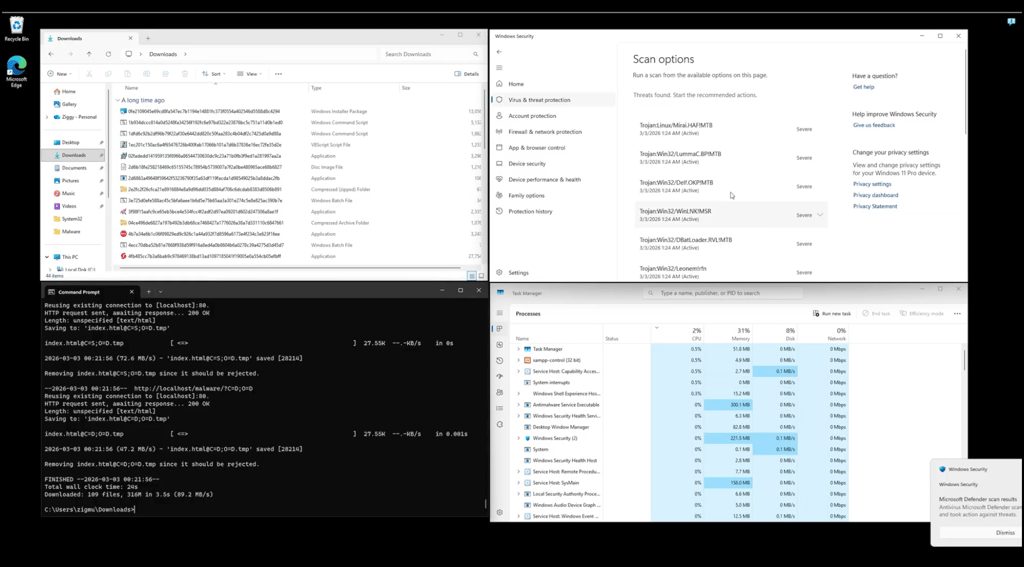
Another independent lab, AV-TEST, rated both Windows Defender and McAfee 100% for protection against 0-day malware attacks and for the detection of widespread and prevalent malware, ranking 6/6 in protection score.
The two antivirus software providers seem to be fairly evenly matched in terms of detection rates, with McAfee performing better in online detection and Windows Defender winning in offline detection.
Firewall protection
A firewall essentially monitors incoming and outgoing network traffic and blocks certain traffic according to predefined rules. Because it is a default app that comes with Windows OS and is already built into the system, Windows Defender’s firewall activation is fairly easy, and in most cases, it works by default. You can also customize the firewall based on the type of connection you have, such as a private (home) network or a public one (Wi-Fi at a coffee shop).
McAfee’s firewall is included in the provider's premium plans, so you will receive it when you subscribe. However, once enabled, it will work alongside Windows Defender firewall. One obvious advantage for McAfee is that its firewall works with both Windows and macOS, so it can cover a larger share of users.
Scanning
Scanning time is where McAfee’s performance shines. Based on the in-house testing done by the Cybernews research team, McAfee takes about 2 minutes to complete a quick scan, while a full scan takes nearly an hour – 59 minutes. Windows Defender, on the other hand, completes a quick scan in 27 seconds, but a full scan takes about 1h 34min. That’s quite a jump between the two, especially taking into consideration the detection rates of the two software programs.
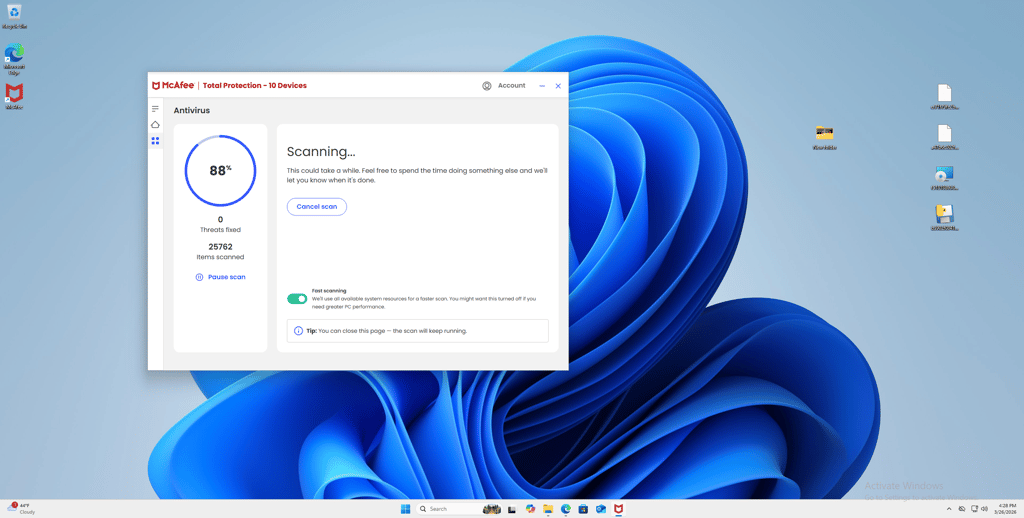
If you’d like a speedier, everyday scan, Windows Defender’s quick scan is a good option for keeping your system safe. But if you prefer a more thorough scan to detect issues that might be deeper, McAfee offers a good balance between speed and security.
McAfee vs Windows Defender pricing
Windows Defender is technically free and comes with Windows OS by default, but if you want more comprehensive safety, you can choose to purchase a Microsoft 365 plan, which starts at $99.99/year. Alternatively, McAfee has three plans, with the cheapest starting at $$49.99/year.
| Plan | Windows Defender | McAfee |
| Free plan | Windows OS | Windows, Mac, Android, iOS |
| Basic | Free, 1 device | $49.99/year, 1 device |
| Personal/Essential | $99.99/year, 5 devices | $39.99/year, 5 devices |
| Family/Premium Individual | $129.99/year, 30 devices | $49.99/year, unlimited devices |
| Premium/Advanced Individual | $199.99/year, 30 devices | $89.99/year, unlimited devices |
| Money-back guarantee | 30 days | 30 days |
| Check pricing | Check pricing |
McAfee’s plans are pretty straightforward, offering increasingly advanced security features, such as support for connected devices, a privacy manager, and online shopping monitoring. Even the most basic plan provides web protection and a secure VPN, which significantly increases your online safety.
On the other hand, Windows Defender’s basic plan, while free, offers the most basic protection with none of the add-ons McAfee offers. Microsoft's Windows Defender plans are all pricey and offer no additional safety features. Instead, the plans are aimed at the general use of the Microsoft suite, including Word and OneDrive.
McAfee vs Windows Defender features
When evaluating Windows Defender vs McAfee, both apps offer essential protection against malware and phishing. However, McAfee offers more specialized security features, such as a VPN, while Windows Defender is a basic-protection antivirus with not many layers.
| Windows Defender | McAfee | |
| Ransomware protection | ✅ Included | ✅ Included |
| Detects scam and phishing sites | ✅ Included | ✅ Included |
| Wi-Fi security | ❌ Firewall only | ✅ Included |
| Anti-tracker technology | ❌ Not included | ✅ Included |
| VPN | ❌ Not included | ✅ Included |
| Protection against brute force attacks | ❌ Not included | ❌ Not included |
| Vulnerability assessment | ❌ Not included | ❌ Not included |
| Password manager | ❌ Not included | ✅ Included |
| Parental controls | ✅ Included (with Family plan) | ✅ Included |
| Anti-theft | ❌ Not included | ✅ Included |
McAfee offers several plans, and safety features increase with each tier. Some features are available to all users, regardless of plan, such as a VPN and identity monitoring. If there’s a specific feature you’re interested in, it’s worth looking into which plan will grant you access to it, since, as with all antivirus apps, not all plans have the same perks. Despite the tiered system, McAfee has an advantage over Windows Defender, since the latter lacks additional features beyond basic defense.
Windows Defender’s focus is pure protection, prioritizing the system’s security rather than the user’s online safety. That’s what keeps it from matching McAfee, which offers a more comprehensive set of services. However, Windows Defender is free, so even its few features offer great value. A closer look at the app is available in the Windows Defender overview.
Impact on PC performance
One of the most important metrics for an antivirus is how much it burdens the system. Because the app will likely run in the background while the device is operational, I recommend choosing an antivirus that doesn’t require too many resources and won’t interfere with your activities.
Based on our in-house testing, while idle, Windows Defender’s CPU usage fluctuates between 1% and 12%, with RAM usage at 37%. When the app is in the scanning process, CPU usage rises to 20–96%, while RAM usage drops to 26–36%. The drastic jump in CPU activity could mean that older devices might have some trouble with Windows Defender.
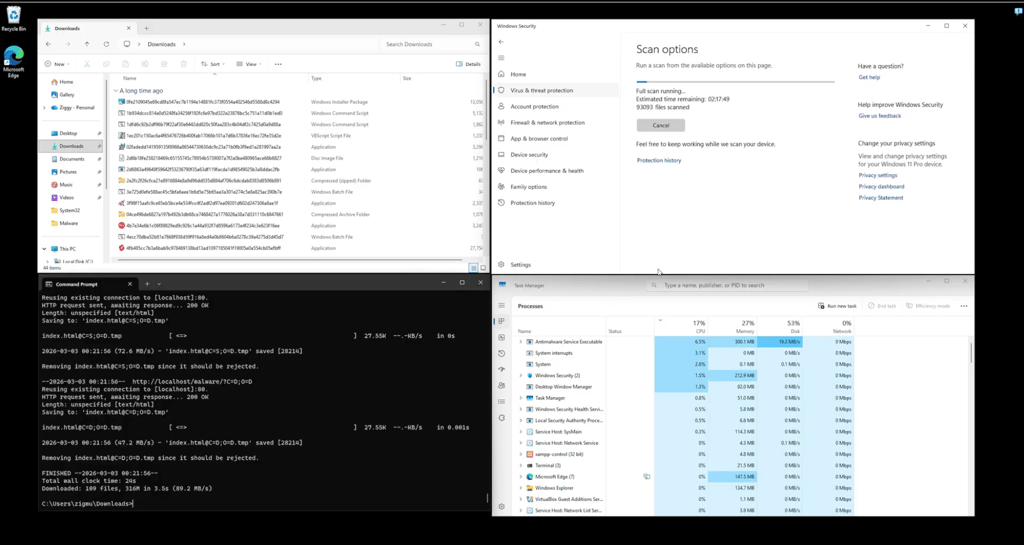
McAfee showed similar results during testing. The app’s idle CPU usage is 0–25%, and RAM usage is 37–45%. These results fall to 29–36% in RAM usage and rise to 32–100% in CPU usage during a scan. Once again, older devices might struggle to run the app at full capacity.
Windows Defender and McAfee both show similar results in system performance. However, this can be seen as a demerit on Windows Defender’s part, since this app is already built into the Windows OS, which affects your CPU and RAM from the get-go.
AV-Comparatives measured the performance and impact of various antiviruses, and according to its data, McAfee performed better than Windows Defender, with better metrics for system impact.
Apps and interface: which is more user-friendly?
Windows Defender is readily available on Windows, so the user doesn’t need to download or install it separately. It is activated by default on all Windows 10 and Windows 11 devices. McAfee, on the other hand, is an app that must be downloaded separately. In terms of pure convenience, Windows Defender wins simply because the user doesn’t need to do anything additional for it to work.
Desktop apps
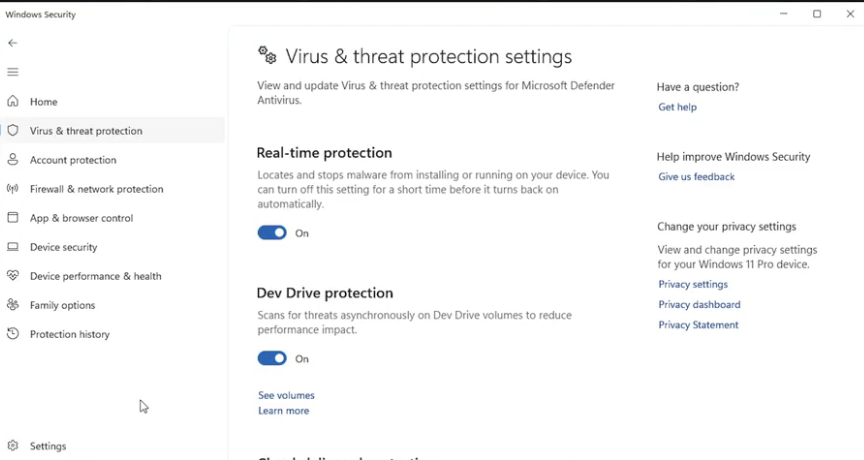
Both Windows Defender and McAfee have desktop apps. However, Windows Defender is built for the Windows OS. The app’s design is part of the overarching Windows Security section, and it is easy to navigate, with very few additional features. Tinkering with the app is also fairly easy because most toggles include an attached explanation.
It’s worth noting that it’s possible to have Windows Defender on a Mac device, but this requires a paid plan, which mainly focuses on the broader Windows suite and has Windows Defender as a small part of the package. On Mac, it also serves in tandem with the device’s built-in security, without branching out into additional features or a complicated interface.
McAfee’s desktop app is impacted by which plan you have. Before downloading the app, log in to your McAfee account on the website and then manually add the devices you want to use McAfee on. Afterward, you will be prompted to download the app according to the device you selected. McAfee is available on both Windows and macOS, and installation is guided by prompts. Compared to Windows Defender, McAfee is harder to install, and the initial process might not be very straightforward, especially for new users. After installation, the app’s layout is modern and clean but still more stylized than the simplicity of Windows Defender.
Mobile apps
McAfee is available on both Android and iOS. Unlike the desktop app, the mobile version needs to be downloaded from the official stores: Google Play Store for Android and App Store for iOS. This makes the experience of installing the app a bit more straightforward in the mobile version. Once the app is on your device, you will be prompted to log in. McAfee retains its sleek design from the desktop app, where users can clearly see the features they have access to and turn them on or off.

Windows Defender does have a mobile app, but you will need to purchase the premium Windows suite pack to access it. The mobile version is more robust compared to the free desktop app, so the layout is a bit more complex as well. But it is still easy to navigate, with various features separated into different sections, such as Web Protection or Network Protection.
Overall, both Windows Defender and McAfee embraced the clean and sleek design, but that’s where the similarities end. Windows Defender seems to have two separate versions in terms of looks and layout – a free desktop app with integration to the device’s security and a paid mobile app with more modern features. McAfee maintains similar ease of use throughout desktop and mobile apps, so users can get used to the app’s features faster.

Customer support
Customer support is a lifeline between a customer and a working app. A good and varied customer support can elevate the entire experience, which is important for premium, paid plans. Here’s how Windows Defender and McAfee held up in our customer support evaluation.
| Windows Defender | McAfee | |
| 24/7 live chat | ❌ Not available | ✅ Available |
| Email support | ❌ Not available | ✅ Available |
| FAQ | ❌ Not available | ✅ Available |
| Help articles | ✅ Available | ✅ Available |
| Phone support | ❌ Not available (phone support is for Windows OS as a whole) | ✅ Available |
With McAfee, you’ll have multiple ways to contact customer support, should anything go wrong. You can ask for help in writing via email or live chat, or you can contact support by phone. Certain countries and regions have their own dedicated phone lines, making it easier to reach support personnel. There are helpful guides on the provider’s website, and there’s an FAQ for you to go through.
The free version of Windows Defender, however, only offers help articles and troubleshooting. If you’re paying for a plan, you can fill out a request form, and the customer support will get back to you.
Final verdict
In this comparison, McAfee comes out on top over Windows Defender. It stands out for its robust features, good foundational defense against cyberthreats, and extensive and accessible coverage.
| Category | Windows Defender | McAfee |
| Features | ❌ | ✅ |
| Protection | ❌ | ✅ |
| PC performance | ✅ | ✅ |
| Pricing | ❌ | ✅ |
| User interface | ✅ | ✅ |
| Support | ❌ | ✅ |
Windows Defender (now Microsoft Defender) is a good alternative to its premium counterpart, but while its free version is easily accessible to Windows users, other devices require a pricey plan that focuses more on the Windows Suite. McAfee is designed for broader audiences and has more accessible plans, with an emphasis on cybersecurity.
Is McAfee as good as Windows Defender?
Yes, McAfee is as good, if not better, than Windows Defender. Both apps deliver strong fundamental malware protection, but McAfee offers more features and lower-priced plans. McAfee is a specialized antivirus app, meaning all its features are built to overcome cyberthreats.
Do I need Windows Defender if I have McAfee?
No, you don’t need Windows Defender, but you can keep it as a secondary antivirus app. McAfee will cover basic security, same as Windows Defender, but it also has additional features that the built-in Windows app lacks. Between the two, Windows Defender could be an additional software, not the main protection program.
What are the disadvantages of McAfee?
McAfee doesn’t have a free desktop app. You can always take advantage of the 30-day money-back guarantee, but if you want to keep McAfee for an extended period of time, you will have to pay for a plan.