Best VPS hosting I’ve tested in 2026: which one is my #1?
Our in-house experts conduct independent, hands-on testing and transparent reviews of VPS hosting providers by using real server environments, and industry-recognized benchmarking methods to ensure impartial and evidence-based assessments
Using the same criteria for all VPS services, we share our detailed methodologies and testing practices to help customers compare performance, reliability, scalability, and overall value before choosing a virtual private server.
Learn moreVPS hosting gives you more reliable performance, scalable resources, and greater control compared to shared hosting. From my experience, the best VPS hosting is about strong uptime, fast server speeds, robust security, and flexible plans that let you easily scale up or down as your needs change.
My tests showed that Contabo is the #1 pick for VPS because it delivers the best resource allocation per dollar of any provider I tested, backed by a smooth root-access-first setup and 100% uptime over a 50-day monitoring period.
Overall, I compared 9 VPS hosting providers for this review. I tested them for a month using a consistent methodology described below and ensured all my findings were based on real-world performance and verified data.
9 best VPS hosting providers in 2026
- Contabo – best all-round value VPS hosting (from $5.28/month).
- Hostinger VPS – best beginner-friendly VPS hosting (with a 73% OFF coupon).
- Bluehost – best secure VPS hosting (from $4.99/month).
- Liquid Web – best Windows VPS hosting. Read more
- Kamatera – best VPS hosting for developers. Read more
- DreamHost – best VPS for beginners. Read more
- Hosting.com – best VPS hosting for eCommerce. Read more
- ScalaHosting – best managed VPS. Read more
- IONOS – best affordable VPS hosting. Read more
Not sure which VPS hosting fits your needs? Answer 3 quick questions and we’ll match you with the most suitable option from our tested providers.


Find VPS hosting match
Three simple questions. We’ll point you the right pick. No email, no sign up.
What will you use your VPS for?
What matters most to you?
How experienced are you with VPS hosting?
Best VPS pick for your needs

Hostinger VPS
Get your VPS up and running quickly with an easy-to-use control panel, one-click apps, and beginner-friendly management. A strong fit for automation tools, AI apps, and users who want less manual setup.
Best VPS pick for your needs

Contabo
Get more server resources for your money, with flexible VPS configurations suited to demanding workloads. A good choice for game servers, larger projects, and experienced users who want more control.
Best VPS pick for your needs

Bluehost VPS
Run websites, web apps, and AI projects on a straightforward VPS setup without unnecessary complexity. It works well for users who are comfortable managing a VPS but still want a relatively simple hosting experience.
Best VPS hosting in 2026 – my practical review
When creating this list, the research team and I carefully evaluated the best web hosting services to find the top choices for VPS hosting. I ran multiple performance tests, assessed pricing and available resources, and analyzed the overall user experience with each provider. Below, you’ll find my detailed findings, which will help you make an informed decision.
1. Contabo

| Rating: | |
| Starting price: | From $5.28/month |
| Money-back guarantee: | ✅ Yes, 14 days |
| Storage: | 100GB–600GB SSD |
| 24/7 support: | ✅ Yes |
| Best deal: | Get Contabo for just $5.28/month! |
Founded in Munich in 2003, Contabo has built a reputation as the resource-per-dollar leader in the VPS space, offering specs that typically cost two to three times more with competitors.
💡 Why I picked Contabo as the best VPS overall?
Contabo topped my list because nothing else I tested comes close in terms of raw value. The entry Cloud VPS 4 plan I tested gave me 4 vCPUs and 8GB RAM for $5.28/month, and combined with a genuinely smooth checkout and consistently strong uptime, it edges out the competition even without a polished managed-hosting layer.
⭐ My experience with Contabo VPS – 4.5/5
What stood out immediately was the checkout process – I could set my root credentials before completing the purchase, which meant I could jump straight into configuring the server once payment went through, rather than hunting for access details afterward. That's a small thing, but it's not something every provider on this list gets right.
Contabo doesn't offer the polished, template-driven onboarding that Hostinger does — there's no one-click app installer front and center, and setup leans on SSH and manual configuration. For a general WordPress-style test stack, this meant more time in the terminal than with Hostinger or Bluehost. But the trade-off paid off in our Contabo testing: I recorded 100% uptime over a 50-day monitoring period, with response times ranging from 36ms to 384ms depending on test location.
Security is where Contabo asks the most of the user, as there's no built-in firewall out of the box. For anyone comfortable configuring that themselves, though, the resource advantage is hard to ignore.
Contabo VPS plans
Contabo offers six self-managed Core VPS plans, starting at $5.28/month:
| Price | CPU | RAM | Storage | Best for | |
| Cloud VPS 4 | $4.2/month | 4 vCPU cores | 8GB | 100GB | Personal projects and small sites |
| Cloud VPS 6 | $7.20/month | 6 vCPU cores | 12GB | 200GB | Small business sites and apps |
| Cloud VPS 8 | $13.44/month | 8 vCPU cores | 24GB | 300GB | Medium-traffic sites and databases |
| Cloud VPS 12 | $24.00/month | 12 vCPU cores | 48GB | 400GB | Resource-heavy apps |
| Cloud VPS 16 | $35.60/month | 16 vCPU cores | 64GB | 500GB | High-performance production workloads |
| Cloud VPS 18 | $47.04/month | 18 vCPU cores | 96GB | 600GB | Large-scale apps and heavy multi-site hosting |
For workloads that need more consistent CPU performance, Contabo's Performance VPS tier starts at $13.00/month and features newer-generation AMD EPYC CPUs./
2. Hostinger VPS

| Rating: | |
| Starting price: | From $5.84/month |
| Money-back guarantee: | ✅ Yes, 30 days |
| Storage: | 50GB–400GB NVMe SSD |
| 24/7 support: | ✅ Yes |
| Best deal: | Get up to 73% OFF Hostinger VPS |
Established in 2004, Hostinger offers four VPS plans for different budgets and performance levels. The company is known for its affordable, versatile web hosting services, a beginner-friendly control panel, and global infrastructure.
💡 Why I picked Hostinger as the best VPS overall?
Hostinger is so high on my list because it’s an excellent and versatile option. With preinstalled OS templates and one-click setup, getting started is easy. Its intuitive dashboard, AI tools, and competitive pricing make it a top choice for any user level.
⭐ My experience with Hostinger VPS – 5/5
My experience with Hostinger has always been very positive, mostly because it’s so easy to use. The dashboard’s intuitive interface makes it easy to navigate – the design is one of the best I’ve seen overall.
On top of that, Hostinger offers a one-click VPS setup with a wide range of pre-configured operating systems and templates to choose from. You can quickly deploy options like Ubuntu, Debian, AlmaLinux, CentOS, Rocky Linux, or even application-ready templates such as Docker, cPanel, CyberPanel, or n8n. This eliminates the need for manual installation and makes it much faster to get a VPS running.

While VPS hosting is, in general, quite complicated, Hostinger makes it much easier to start with. One of the things that really helped me in that department is the excellent Kodee AI assistant, which offers the best AI support I’ve seen so far. The AI assistant answered all my questions fast, and the information was, in 9 out of 10 cases, reliable and correct.
Other than that, Hostinger also offers good pricing plans, starting from $5.84/month. The performance test results were also excellent, with 100% uptime. For more details on how it is to use Hostinger, read our Hostinger review.
Hostinger VPS plans
Hostinger offers four self-managed VPS plans, starting at $5.84/month. Here’s a quick overview of all its pricing options:
| Price | CPU | RAM | Storage | Bandwidth | Best for | |
| KVM 1 | $5.84/month | 1 vCPU cores | 4GB | 50GB NVMe SSD | 4TB | Personal projects and prototypes |
| KVM 2 | $8.09/month | 2 vCPU cores | 8GB | 100GB NVMe SSD | 8TB | Medium-sized WordPress sites |
| KVM 4 | $11.69/month | 4 vCPU cores | 16GB | 200GB NVMe SSD | 16TB | eCcommerce and dynamic apps |
| KVM 8 | $23.39/month | 8 vCPU cores | 32GB | 400GB NVMe SSD | 32TB | Complex projects and heavy apps |
3. Bluehost

| Rating: | |
| Starting price: | $4.69/month |
| Money-back guarantee: | ✅ Yes, 30 days |
| Storage: | 50GB–450GB NVMe SSD |
| 24/7 support: | ✅ Yes |
| Best deal: | Get Bluehost VPS with 55% OFF |
Bluehost is a US web hosting company founded in 2003. It’s well-known as a long-standing host recommended for WordPress users and for its robust security suite and broad ecosystem of services for beginners and small businesses. Its VPS plans are managed and integrate cPanel for server administration.
💡 Why I picked Bluehost as the best secure VPS hosting?
I chose Bluehost as the best secure VPS hosting because it covers all essentials without you having to purchase anything extra. SSL certificates, DDoS protection, firewalls, and automatic backups are only a few of the security features that Bluehost provides to keep your site secure.
⭐ My experience with Bluehost VPS – 4.5/5
Bluehost is my top choice for security because its user-friendly dashboard lets you easily access and manage the features straight from the dedicated Security Center tab. It includes more than just essential security features. I liked that in its VPS plans, Bluehost also includes more advanced features, such as SiteLock security, 24/7 real-time monitoring, dedicated firewalls, and SSH and SFTP access. What’s more, Bluehost is easy to use. Managing its security features and navigating the control panel might seem complex, but Bluehost provides helpful instructions.
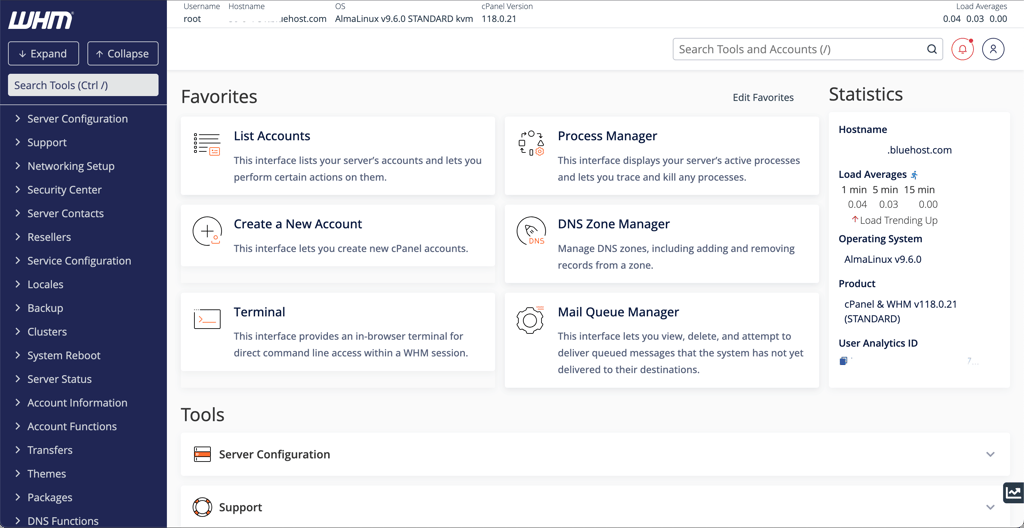
Bluehost is not only secure but also user-friendly. That’s something that stood out to me while testing this provider. It's equally suitable for beginners and advanced users who prioritize security. To learn more about the experience with this provider, read our Bluehost review.
Bluehost VPS plans
Bluehost provides four self-managed VPS plans, starting at $4.69/month:
| Price | CPU | RAM | Storage | Bandwidth | Best for | |
| NVMe 2 | $4.69/month | 1 vCPU cores | 2GB | 50GB NVMe SSD | Unmetered | Entry-level apps and blogs |
| NVMe 4 | $9.49/month | 2 vCPU cores | 4GB | 100GB NVMe SSD | Unmetered | Balanced performance and speed |
| NVMe 8 | $12.99/month | 4 vCPU cores | 8GB | 200GB NVMe SSD | Unmetered | Gaming servers and high traffic |
| NVMe 16 | $25.99/month | 8 vCPU cores | 16GB | 450GB NVMe SSD | Unmetered | Big data and virtualization |
4. Liquid Web VPS

| Rating: | |
| Starting price: | From $5.00/month |
| Money-back guarantee: | ✅ Yes, 30 days |
| Storage: | 30GB–960GB SSD |
| 24/7 support: | ✅ Yes |
| Best deal: | Get up to 50% OFF Liquid Web VPS |
Established in 1997, Liquid Web specializes in managed hosting, including VPS, cloud, and dedicated servers. Its VPS hosting is designed for business-critical workloads and includes fully managed and self-managed options for Windows and Linux with strong uptime guarantees and expert support. The company has a global presence with many data centers and serves a large base of professional customers.
💡 Why I picked Liquid Web as the best Windows VPS?
I picked Liquid Web as the best option for Windows VPS because, unlike some providers that simply support Windows OS, it offers Windows hosting with official Windows server licenses, remote desktop access, and full support for Windows-native technologies. It’s backed by high-performance hardware, dedicated resources, and consistently 100% uptime in our tests.
⭐ My experience with Liquid Web – 4.5/5
Liquid Web impressed me with its exceptional performance and reliability for Windows VPS hosting. It uses high-performance CPUs specifically designed for handling resource-intensive workloads (such as Intel Xeon and AMD EPYC). To put it more simply, Liquid Web’s advanced hardware is what makes this provider ideal for resource-intensive and large projects.
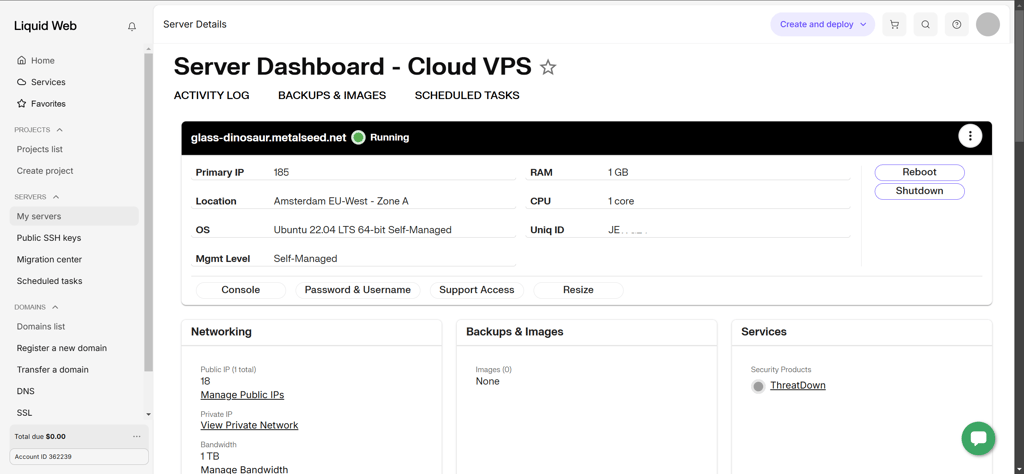
Besides the technical specifications, my in-house tests also showed excellent performance results. Over the course of a month, I tracked uptime, and it didn’t go down once. I also like that Liquid Web offers both managed and unmanaged VPS services, so you can choose which one works for you based on your experience level. If you choose to pay extra for managed VPS, Liquid Web will take care of the technical server management, and you can dedicate your time to developing your project. Read our Liquid Web review to learn more about our hosting experience with it.
Liquid Web VPS plans
Liquid Web provides VPS plans for Windows and Linux. Specifically, there are eight managed VPS plans starting at $33.00/month and eight unmanaged VPS plans starting at $5.00/month. Here’s an example of four of Liquid Web’s plans, but if you want to learn about other plans with higher CPU, RAM, and storage limits, check out their website:
| Price | CPU | RAM | Storage | Bandwidth | Best for | |
| 1 GB for Linux (self-managed) | $5.00/month | 1 vCPU cores | 1GB | 30GB SSD | 1TB | Learning and microservices |
| 4 GB for Windows (self-managed) | $8.50month | 2 vCPU cores | 4GB | 80GB SSD | 3TB | Basic Windows environments |
| 4GB (managed) | $36.00/month | 2 vCPU cores | 4GB | 80GB SSD | 3TB | Startups and lightweight apps |
| 8GB (managed) | $50.00/month | 4 vCPU cores | 8GB | 240GB SSD | 5TB | Popular sites and databases |
5. Kamatera

| Rating: | |
| Starting price: | From $4.00/month |
| Money-back guarantee: | ❌ No, but 30-day trial |
| Storage: | 20GB–4000GB SSD |
| 24/7 support: | ✅ Yes |
| Best deal: | Get Kamatera now, starting at only $4.00/month |
Kamatera is a cloud infrastructure provider founded in 1995. It offers highly customizable cloud VPS servers with flexible CPU, RAM, storage, and OS options. It operates numerous data centers worldwide across North America, Europe, and the Asia-Pacific and supports both unmanaged and managed plans. Kamatera is popular for its global reach, pay-as-you-go model, and ability to tailor resources to specific project needs.
💡 Why I picked Kamatera as the best VPS hosting for developers?
Kamatera became my top pick for developers mainly because of its unmatched flexibility. Whether you know exactly what specs, OS, or configurations you need, Kamatera lets you adjust everything to suit your workflow. For developers who hate one-size-fits-all solutions, this provider really nails it.
⭐ My experience with Kamatera – 4.5/5
Kamatera is my top choice for developers because it makes scaling resources up and down especially easy. The provider supports quite a wide range of operating systems, with the option to add your own, which I found unique. During my tests, I was able to choose the CPUs for my server, customize RAM and storage, and choose a data center location. It also offers a Managed Kubernetes service for deploying containerized applications.

One thing I really like about Kamatera is its pay-as-you-go pricing model, which makes it the most flexible host on my list in terms of cost. You can choose to pay hourly or monthly, and you can cancel anytime. For more information on the hosting experience, read our Kamatera review.
Kamatera VPS plans
Along with custom packages, Kamatera offers a variety of fixed and customizable self-managed VPS plans, starting at $4.00/month. Here’s an example of three recommended default pricing plans, but you can check other options with more resources on the Kamatera website:
| Price | CPU | RAM | Storage | Bandwidth | Best for | |
| Standard | $4.00/month | 1 vCPU cores | 1GB | 20GB SSD | 5TB | Testing environments and static websites |
| Basic | $25.00/month | 1 vCPU cores | 2GB | 20GB SSD | 5TB | Low-traffic blogs and personal projects |
| Pro | $39.00/month | 2 vCPU cores | 4GB | 20GB SSD | 5TB | Small business websites |
6. DreamHost

| Rating: | |
| Starting price: | From $10.00/month |
| Money-back guarantee: | ✅ Yes, 30 days |
| Storage: | 60GB–360GB NVMe SSD |
| 24/7 support: | ✅ Yes |
| Best deal: | Get DreamHost, now 83% OFF |
DreamHost is an American hosting provider founded in 1996. It offers a wide suite of services, including shared, VPS, dedicated, and cloud hosting. DreamHost’s VPS plans are managed and aimed at beginners and small businesses that want straightforward server management backed by solid support. The company has a long history in the hosting industry and is known for its commitment to privacy, transparent pricing, and support for open-source projects like WordPress.
💡 Why I picked DreamHost as the best VPS hosting for beginners?
DreamHost truly takes the hassle out of VPS hosting for beginners. With its managed plans and handy AI-powered tools, I barely had to lift a finger – everything was handled seamlessly. If you’re a complete beginner when it comes to VPS and want power without the technical headache, DreamHost is the way to go.
⭐ My experience with DreamHost VPS – 4/5
From my experience, DreamHost's managed VPS plans are perfect for beginner users who may not yet know exactly which resources they need and how many. The managed VPS allowed me to focus on my site, while DreamHost handled all the backend work. What I liked the most about DreamHost VPS was its AI Business Advisor, which not only helped with VPS-related issues but also answered questions related to running a business in general. This tool was very accurate during my testing, which really impressed me. Perhaps the only superior AI assistant to it is Hostinger’s Kodee.
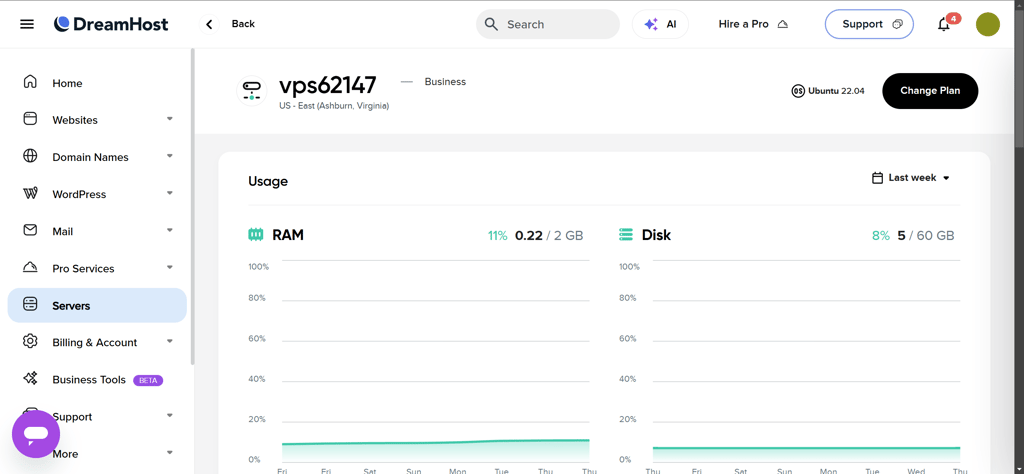
However, I can see how DreamHost might feel too limiting for more advanced users who prefer to have control over the server. The plans don’t include root access and aren’t as customizable as they could be. I would’ve appreciated more plan options with more or fewer resources. To learn more about hosting with DreamHost, read our DreamHost review.
Dreamhost VPS plans
Dreamhost offers four managed VPS plans starting at $10.00/month:
| Price | CPU | RAM | Storage | Bandwidth | Best for | |
| VPS Business | $10.00/month | 2 vCPU cores | 2GB | 60GB NVMe SSD | Unmetered | New websites and email hosting |
| VPS Professional | $20.00/month | 2 vCPU cores | 4GB | 120GB NVMe SSD | Unmetered | Content-heavy sites and portfolios |
| VPS Enterprise | $40.00/month | 4 vCPU cores | 8GB | 240GB NVMe SSD | Unmetered | Resource-intensive web apps |
| VPS Premier | $60.00/month | 6 vCPU cores | 12GB | 360GB NVMe SSD | Unmetered | Multiple high-traffic sites |
7. Hosting.com

| Rating: | |
| Starting price: | From $9.99/month |
| Money-back guarantee: | ✅ Yes, 30 days |
| Storage: | 80GB–640GB SSD |
| 24/7 support: | ✅ Yes |
| Best deal: | Get up to 50% OFF hosting.com VPS |
Hosting.com, previously known as A2 Hosting, was founded in 2001. It provides a range of hosting solutions, including managed and unmanaged VPS plans. Hosting.com’s services are well-suited for both developers and large businesses, thanks to the company’s performance (e.g., Turbo servers for speed) and reliability. Hosting.com is recognized for its robust infrastructure and green hosting practices.
💡 Why I picked hosting.com as the best VPS hosting for eCommerce?
Hosting.com stood out for eCommerce because it offers both managed and unmanaged VPS hosting, so you can pick how hands-on you want to be. The fast, reliable speeds I saw in testing make a real difference for both customer experience and search rankings.
⭐ My experience with hosting.com VPS – 4/5
Hosting.com is a performance-focused hosting service that not only introduces features for performance optimization but also offers a good price-to-resource ratio. I liked having the option to choose between managed and unmanaged VPS hosting. The VPS M solution is especially great for those looking to optimize speed, such as large eCommerce projects that rely on fast page load speeds to function properly.
Hosting.com is also relatively customizable, although not to the same level as Kamatera. Nevertheless, I believe that developers and online store owners will appreciate the reasonable pricing for reasonable resources, especially in terms of storage and CPU cores. If you want to know more about the hosting experience, check out our Hosting.com review.
Hosting.com VPS plans
Hosting.com offers four self-managed VPS plans starting at $9.99/month and four managed cPanel VPS plans starting at $28.75/month. Here’s an example of the four cheapest options, but you can check out more resource-rich plans on the Hosting.com website:
| Price | CPU | RAM | Storage | Bandwidth | Best for | |
| Self-managed VPS XS | $9.99/month | 2 vCPU cores | 4GB | 80GB SSD | Unmetered | Developers and staging environments |
| Self-managed VPS S | $19.99/month | 4 vCPU cores | 8GB | 160GB SSD | Unmetered | Web hosting and lightweight applications |
| Managed cPanel 4GB | $28.75/month | 2 vCPU cores | 4GB | 100GB SSD | Unmetered | Small businesses needing support |
| Managed cPanel 8GB | $45.42/month | 4 vCPU cores | 8GB | 150GB SSD | Unmetered | Critical business websites |
8. ScalaHosting

| Rating: | |
| Starting price: | From $14.95/month |
| Money-back guarantee: | Anytime partial refund for unused services |
| Storage: | 50GB–2000GB NVMe SSD |
| 24/7 support: | ✅ Yes |
| Best deal: | Get up to 63% OFF ScalaHosting VPS |
ScalaHosting is a US-based web hosting provider founded in 2007. It has a strong focus on managed cloud VPS services with free control panel licensing and strong security protections. ScalaHosting is known for blending advanced VPS performance with user-friendly interfaces and support.
💡 Why I picked ScalaHosting as the best managed VPS hosting?
I picked ScalaHosting as the best managed VPS because it gives you the freedom to fine-tune your resources and server setup just like Kamatera, but takes care of the initial server setup, security, updates, server monitoring, and backups. It’s the perfect mix of deep customization and hassle-free hosting.
⭐ My experience with ScalaHosting VPS – 3.7/5
ScalaHosting managed VPS hosting solutions are suitable for a variety of users – business owners, developers, online store owners, and those looking to host web applications. I liked that it allows you to choose between Linux and Windows OS.

The best part about ScalaHosting was that it managed the server very well while I focused on developing my project. ScalaHosting took care of speed optimizations, managing site security, updates, and backups. I was particularly stoked that it offers free site migrations when transferring from another provider. If you’re curious for more, check out our ScalaHosting review.
ScalaHosting VPS plans
While there’s an option to build your custom VPS solution, there are four managed VPS plans starting at $14.95/month.
| Price | CPU | RAM | Storage | Bandwidth | Best for | |
| Entry Cloud | $14.95/month | 2 vCPU cores | 2GB | 50GB NVMe SSD | Unmetered | Starting personal projects |
| Build #1 | $29.95/month | 2 vCPU cores | 4GB | 50GB NVMe SSD | Unmetered | Growing blogs and small shops |
| Build #2 | $44.95/month | 4 vCPU cores | 8GB | 100GB NVMe SSD | Unmetered | Professional business portals |
| Build #3 | $69.95/month | 8 vCPU cores | 16GB | 150GB NVMe SSD | Unmetered | Resellers and resource-heavy apps |
9. IONOS

| Rating: | |
| Starting price: | $2.00/month |
| Money-back guarantee: | ✅ Yes, 30 days |
| Storage: | 10GB–720GB NVMe SSD |
| 24/7 support: | ✅ Yes |
| Best deal: | Get up to 94% OFF IONOS |
IONOS (originally 1&1 Internet) is one of Europe’s oldest and largest hosting companies, founded in Germany in 1988. It offers a full spectrum of hosting services, including low-cost VPS hosting with both Linux and Windows options and scalable resource configurations. IONOS is known for its broad global reach, flexible plans, and strong support infrastructure, making it suitable for everything from personal projects to business workloads.
💡 Why I picked IONOS as the best affordable VPS hosting?
I picked IONOS as the best affordable VPS hosting because its pricing is some of the lowest on the market, even when you compare it to other budget providers. Plus, with several plan tiers, it’s easy to scale up and get more resources.
⭐ My experience with IONOS VPS – 3.5/5
VPS hosting is usually significantly more expensive than shared hosting, and this can be a problem if you require specific resources but don’t have a large budget. IONOS VPS plans are very cheap, with six different options to choose from. The pricing of the most expensive plan is still cheaper than most ScalaHosting or half of DreamHost plans, and with more resources than each.
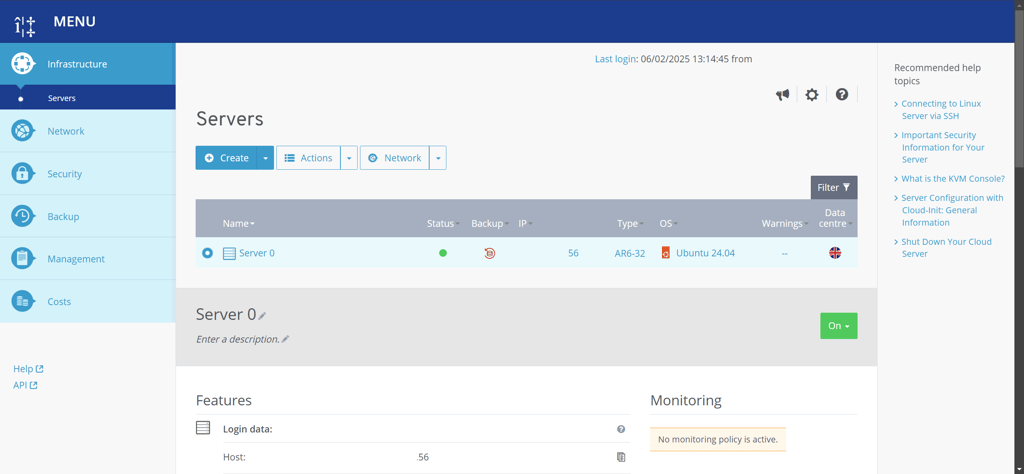
Besides its great price, IONOS also provides excellent support. I had some questions when connecting my domain name, and got an answer in just a few minutes. Finally, since IONOS is based in Europe, you can be assured it’ll follow the strict data security practices. For more details, be sure to read our IONOS review.
IONOS VPS plans
There are six self-managed VPS plans starting at $2.00/month. You can check all of them on the IONOS website, but here’s an example of the four cheapest options:
| Price | CPU | RAM | Storage | Bandwidth | Best for | |
| VPS XS | $2.00/month | 1 vCPU cores | 1GB | 10GB NVMe SSD | Unmetered | Testing environments and static sites |
| VPS S | $3.00/month | 2 vCPU cores | 2GB | 80GB NVMe SSD | Unmetered | Low-traffic blogs and personal websites |
| VPS M | $4.00/month | 2 vCPU cores | 4GB | 120GB NVMe SSD | Unmetered | Small business websites and CMS |
| VPS L | $8.00/month | 4vCPU cores | 8GB | 240GB NVMe SSD | Unmetered | Web servers and eCommerce stores |
VPS hosting comparison
| Starting price | RAM | Storage | Uptime test results | Support | Best for | |
| 1. Contabo | $5.28/month | 8GB–96GB | 100GB–600GB | 100% | 24/7 chat and ticketing | Overall value |
| 2. Hostinger VPS | $5.84/month | 4GB–32GB | 50GB–400GB NVMe | 100% | 24/7 live chat | Unmanaged VPS hosting |
| 3. Bluehost | $4.69/month | 4GB–16GB | 50GB–450GB NVMe | 100% | 24/7 live chat, phone | Secure VPS hosting |
| 4. Liquid Web | $5.00/month | 1GB–32GB | 30GB–960GB | 100% | 24/7 support via chat, phone | Windows VPS hosting |
| 5. Kamatera | $4.00/month | 1GB-128GB | 20GB-4000GB | 100% | 24/7 live chat, phone, email | VPS hosting for developers |
| 6. DreamHost | $10.00/month | 2GB–12GB | 60GB–360GB NVMe | 100% | 24/7 live chat, email | VPS for beginners |
| 7. Hosting.com | $9.99/month | 4GB–32GB | 80GB–640GB | 100% | 24/7 live chat | VPS for eCommerce |
| 8. ScalaHosting | $14.95/month | 4GB–128GB | 50GB–2000GB NVMe | 100% | 24/7 live chat | Managed VPS hosting |
| 9. IONOS | $2.00/month | 1GB–24GB | 10GB–720GB NVMe | 100% | 24/7 live chat and phone | Affordable VPS hosting |
Do you need VPS hosting?
If you’re launching your first website, VPS hosting is probably more than you actually need. In most cases, shared hosting is the best starting point. If you think you’ll quickly outgrow shared hosting, cloud hosting could be a good alternative. For most small websites, affordable plans offer plenty of performance.
However, VPS hosting is the right choice if you’re running into performance issues, need specialized features like root access or custom server configurations, or plan to host multiple demanding projects.
In short:
- ❌ If you're a beginner or aren’t sure why you’d need a VPS, you likely don’t need one
- ✅ If you know that a VPS will provide the control and resources you need, then it’s worth it
Key factors to consider when choosing VPS hosting
A VPS hosting plan should provide your business or project with the right amount of resources, necessary features, and tools, while ensuring top-tier performance. Before signing up with a VPS host, make sure to consider the following factors:
- Uptime and reliability. To ensure that your website or application is always accessible, the VPS host should guarantee reliable uptime and minimal downtime. In our testing process, such uptime is always 99% or above.
- Server resources. Consider how many resources, such as CPU cores, RAM, and storage, your project or business needs. Choose a VPS plan that meets at least the minimum requirements – you can always upscale or downgrade your plan if the situation changes.
- Root access and OS options. Most VPS hosting plans come with root access, but not all. Consider whether your project needs it. Also, make sure the OS options fit your needs. For example, not all providers offer Windows VPS hosting, so double-check with the hosting provider before committing.
- Managed vs unmanaged VPS. Evaluate the time and expertise you’re willing to dedicate to your VPS. Managing a VPS requires technical expertise and is time-consuming. If you have neither the expertise nor the time and would rather spend your energy on your project, consider a managed VPS. However, an unmanaged VPS might be the better choice if you prefer the flexibility and control it offers.
- Customer support. Since VPS hosting is more complicated than shared hosting, professional and timely customer support is essential. Choose a provider that offers support options most attractive to you, such as a live chat, a chatbot, and a knowledge center.
- Scalability and migration. As your project or business grows, you’ll need to access more resources. Make sure your host offers easy ways to scale up your plan. Also, if you already have a website and want to switch hosts, check the available migration options.
- Data center location. If you’re hoping to reach global audiences, consider your host’s data center locations. Most hosts may have only one location, such as a city in the US, and others may offer a variety to choose from worldwide.
- Price-to-performance ratio. Ensure you’re getting what you paid for, including the promised resources and performance. For this, read some reviews from experts and other users to get a feel for whether the price is fair for what the host offers.
What is VPS hosting?
VPS or virtual private server hosting is a type of hosting where a web host offers a dedicated virtual server with resources dedicated to a single user. The virtual server is still hosted on a physical server that multiple users share, but the resources, such as storage and bandwidth, are allocated to each user separately. This usually means that with VPS hosting, you can enjoy a more reliable uptime, faster site loading times, and more resources than with shared hosting.
Additionally, VPS hosting plans are usually very flexible and easy to scale. You can often choose how many resources you need, including CPU, RAM, storage, and sometimes bandwidth.
How does VPS hosting work?
VPS hosting works by providing a user with a virtual private server for hosting their site. This means that a physical shared hosting server is divided into several virtual servers, each for one user. This process is called virtualization.

These virtual servers are isolated from each other, so you get a whole server with a set amount of resources (such as RAM and storage) for yourself. You don’t share these resources with anyone else. Depending on your host and plan, you may also get root access and full control over the virtual server. This results in a hosting experience similar to that of a dedicated server, just less expensive.
Is VPS hosting better than shared hosting?
Whether VPS hosting is better than shared hosting depends on your unique needs as a user. For most websites, shared hosting is the best option, since it’s usually affordable, easier to manage, and offers good resources. However, VPS hosting is better if your website or project is large, and you prefer flexibility and control.
Here are the main differences between shared and VPS hosting:
| Shared hosting | VPS hosting | |
| Server resources | Shared with other users, limited. | Not shared, easy to scale, and provides more resources. |
| Hosting management | Usually cPanel. Easier for beginners and not very complicated. Has some flexibility and customization, but less than VPS hosting. | Managed or unmanaged, a variety of control panels. Managed is better for beginners, unmanaged is complicated but offers more control. |
| Cost | Usually more affordable than VPS. | More expensive than shared hosting, and less expensive than dedicated or cloud hosting. |
| Performance | Depends on the server load. Heavy load from other sites can impact performance. | More reliable than shared hosting, fast enough for large sites, and less dependent on server load. |
| Best for | Small to medium-sized websites, blogs, portfolios, and small online stores. | Medium to large websites, eCommerce websites, gaming servers, and web applications. |
What OS options are available for VPS?
The VPS operating system options depend on the provider. Linux-based operating systems and Windows are the most popular. For example, in our list, Hostinger offers a variety of Linux-based OS for VPS, but Liquid Web offers both Linux and Windows.
Do I need a managed or unmanaged VPS?
VPS hosting can be managed or unmanaged. With managed VPS hosting, the hosting provider sets up and manages the server for you – this includes installing a control panel, setting up security, and taking care of performance optimizations and updates. Managed VPS is a good option for beginners and those who want to focus on running their site rather than hosting. With unmanaged VPS hosting, you’ll need to set up and keep up the server yourself. Users who prefer more freedom and flexibility will appreciate unmanaged hosting more, but it could be too difficult and time-consuming for beginners.



Our in-house VPS research team and expert writers work together to regularly test VPS hosting services across different use cases and provide accurate, up-to-date insights. Learn more about how we test and evaluate virtual private servers.
Best VPS hosting FAQ
Which VPS hosts have the best uptime?
Regular Cybernews tests show all tools from my list above have 100% uptime for VPS hosting. I can recommend you try IONOS and Liquid Web, as, along with perfect uptime, their reachability marks are also 100%.
Which VPS host is easiest to set up and manage?
Hostinger is the easiest to set up and manage due to its interface. It uses a custom control panel called hPanel, which is significantly cleaner, more modern, and more intuitive than standard cPanel. It includes Auto-Installers for VPS templates that allow you to set up a server by clicking a few buttons.
What VPS services are ideal for lightweight applications?
IONOS and Kamatera are the best choices for lightweight apps like simple bots, VPNs, or testing scripts, because they allow you to pay for small amounts of resources. For example, IONOS’s XS plan starts at only $2.00 per month for 1 vCPU and 1GB RAM, while Kamatera allows you to build your own VPS server with little resources starting at $4.00 per month.
How much traffic can VPS hosting handle?
A VPS can handle anywhere from a few thousand to hundreds of thousands of visitors, depending on the resources (CPU, RAM, bandwidth) and how well your site is optimized. Lightweight sites with caching and a CDN scale much higher, while heavy apps eat resources faster. In general, a starter VPS fits ~20–50K monthly visits, while larger plans can push well beyond 500K.
How much does a good VPS cost?
A good VPS can cost you anywhere from $2.00 to a few hundred dollars per month, depending on the amount of resources and whether it’s managed or unmanaged. Managed VPS usually starts at around $10.00/month, while unmanaged is cheaper. For the best value VPS, consider the amount of resources you get, and compare different providers to each other.
Can I get a VPS for free?
No, VPS hosting isn’t available for free. Some hosts claim they’re free, but Cybernews tests show they only refer to free trial periods. Running a VPS server requires high-quality hardware, energy, and expertise, which costs money. Any provider that offers completely free VPS hosting is most likely a scam or includes hidden costs. However, there are some very cheap VPS hosts with prices starting from just $2.00/month.
Which VPS is best for the US?
The best VPS provider for the US is the one with US-based data centers. Our list includes some providers suitable for the US, such as Hostinger, hosting.com, and DreamHost.
What are the disadvantages of VPS hosting?
VPS is more expensive than shared hosting, especially managed VPS hosting. Unmanaged VPS requires technical expertise that beginners might not have. For the server to run properly, you must set it up correctly, which leaves a lot of room for error.