How to watch YouTube without commercials in 2026
Our in-house cybersecurity experts and journalists, renowned for major reports like The Mother of All Breaches, conduct transparent, unbiased VPN testing and in-depth analysis.
With 750+ articles crafted based on real-world research, we empower readers to make informed purchasing decisions through first-hand expertise.
Learn more

While YouTube Premium remains the official and most reliable way to remove YouTube ads, it can be costly. Free and lower-cost workarounds still exist, like browser ad blockers and privacy-focused browsers, but their reliability varies. For instance, since July 2025, Chrome’s move away from older Manifest V2 extensions has affected some well-known ad blockers. This has forced users to switch to newer Manifest V3 versions that may have fewer advanced filtering options.
Other options include VPN region changes: you can use a VPN to connect to servers in locations where YouTube may display fewer or no ads, but it’s important to note that VPNs don’t reliably block ads.
In this article, I’ll explain the main ways you can watch YouTube with fewer or no ads, what each method can and can’t do, and which limitations to expect before you try them.
What can actually remove YouTube ads?
Before you pick a method, it’s helpful to know what each option can realistically do. Some tools can directly remove YouTube ads, while others can only reduce them or work in specific situations. Here’s a breakdown of what can actually remove ads on YouTube:
| Method | What it can do | Main limitation |
| YouTube Premium | Officially removes ads across YouTube when you’re signed in | Requires a paid subscription |
| Browser ad blockers | Can block or reduce ads in some browsers | May be detected by YouTube or affected by browser extension changes |
| Privacy-focused browsers | Can reduce ads and tracking with built-in blocking tools | Results vary by browser, device, and YouTube’s current detection systems |
| VPN region changes | Can make YouTube see your connection as coming from another country, where fewer or no ads may be shown | Does not block ads directly, and results are not guaranteed |
| Built-in VPN ad blocker | Some VPNs include ad and tracker blockers, such as NordVPN Threat Protection Pro and Surfshark CleanWeb. These can block many ads and trackers across the web. | They don't guarantee blocking all YouTube ads because YouTube serves many ads directly within its video streams. |
| Modded YouTube apps | May remove ads outside the official YouTube app experience | Unofficial option with security, privacy, update, and account-risk concerns |
Watch YouTube without ads with a VPN

There are countries where YouTube ads may be limited or unavailable. These include Albania, Andorra, Bhutan, Monaco, Mongolia, Myanmar, Papua New Guinea, and Uzbekistan. By using a VPN, you can connect to one of these locations and check whether YouTube shows fewer or no ads. However, a VPN doesn’t block ads directly, so results can vary by server location, browser or app, account settings, cookies, and YouTube’s current ad systems. Here's how you can try it:
- Sign up for a VPN with servers where YouTube may show fewer or no ads
- Download and install the VPN app on your device
- Open the VPN app and connect to one of those server locations
- Visit youtube.com and check whether ads are reduced or removed
5 best ways to watch YouTube without ads
Watching YouTube without ads can be tricky, but there are several methods that may help reduce or remove ads. Below, you’ll find a comparison of how easy, reliable, and affordable each option can be.
| Method | Reliability | Price | Setup difficulty |
| Using a VPN | Conditional | Cheap | Easy |
| Getting YouTube Premium | Highly reliable | Expensive | Easy |
| Using an ad blocker | Inconsistent | Cheap | Moderate |
| Using the Brave browser | Conditional | Free | Easy |
| Using modded YouTube apps | Risky/unofficial | Free | Moderate |
1. Watch YouTube without ads with a VPN
In some countries, YouTube may show fewer or no commercials, and connecting to those locations with a VPN may reduce or remove ads, but it’s not guaranteed, as availability can change.
On top of that, not every VPN provider can offer servers in those locations. However, top VPNs offer servers in ad-light countries, such as Albania, Andorra, Bhutan, Monaco, Mongolia, Myanmar, Papua New Guinea, and Uzbekistan.
Keep in mind that the content and ad experience you see in these countries may slightly differ. Here's how to watch YouTube with fewer or no ads using a VPN:
1. Sign up for a VPN service in ad-light countries
2. Download and install the VPN application on your device
3. Connect to a server where YouTube ad monetization may be limited
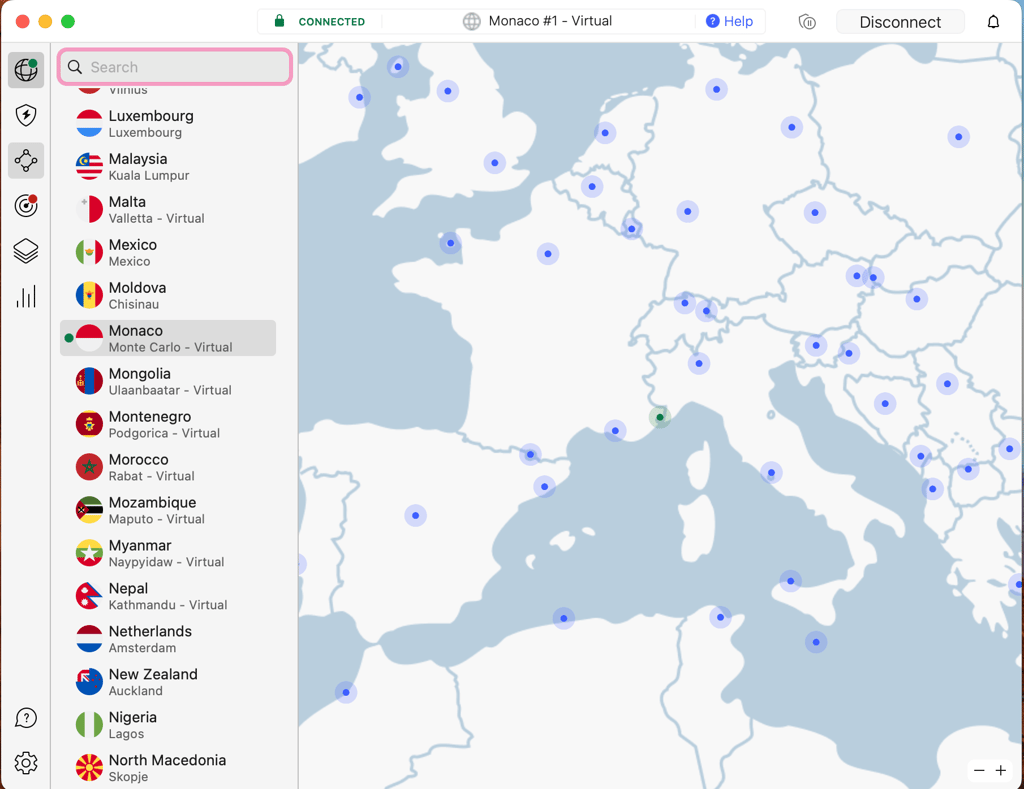
4. Open YouTube and check if you see fewer ads
Countries with no ads on YouTube
There are a few countries where YouTube either doesn’t show ads at all or shows far fewer of them. This often comes down to local ad availability, low advertiser demand, or limited platform monetization. Here are examples of countries where YouTube ads may be limited or unavailable, based on YouTube’s current monetized-market availability:
| Country | Ad-light YouTube location? |
| Albania | ✅ Yes |
| Andorra | ✅ Yes |
| Bhutan | ✅ Yes |
| Monaco | ✅ Yes |
| Mongolia | ✅ Yes |
| Myanmar | ✅ Yes |
| Papua New Guinea | ✅ Yes |
| Uzbekistan | ✅ Yes |
2. Get YouTube Premium subscription cheaper
Getting YouTube Premium is one of the most seamless options for enjoying YouTube ad-free. However, a YouTube Premium subscription can be quite expensive. That said, there are several potential ways to get it for less.
First, start by exploring YouTube's pricing options. YouTube offers multiple subscription options, so compare them to find the best fit. Here are some examples:
- Individual monthly plan: $15.99/month
- Annual plan: $159.99/year (about $13.33/month)
- YouTube Premium via Apple App Store: $20.99/month
- Student discount: $8.99/month
- Family plan: $26.99/month ($5.40/month per person when split)
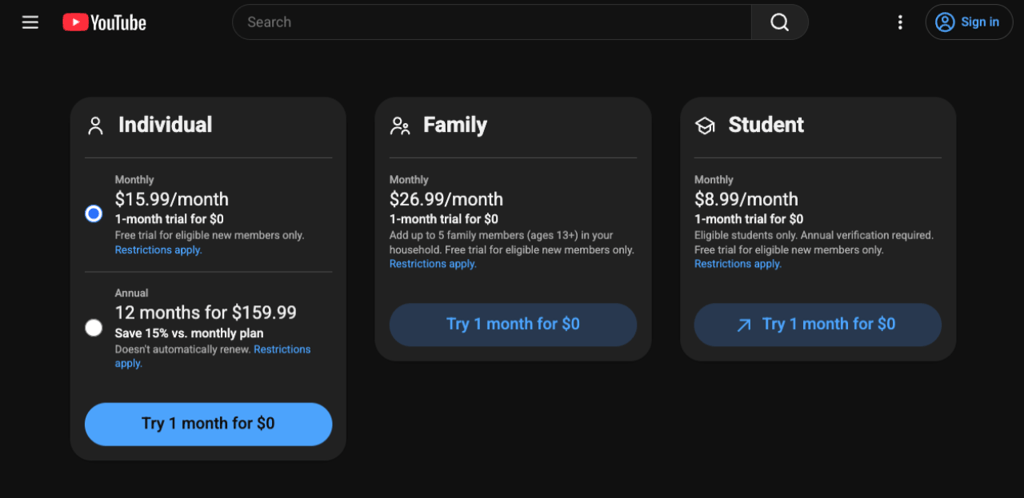
It’s important to note that YouTube Premium prices vary by country. For example, while the individual plan costs $15.99/month in the US, it’s about $7.92/month (PLN 29.99/month) in Poland.
Using a VPN to get cheaper YouTube Premium pricing may violate YouTube’s terms, leading to payment failure, subscription cancellation, or account issues. While a VPN can change your IP address, it can’t change your Google or Apple account country, payment method, billing address, or app-store region.
Here’s how you can get YouTube Premium cheaper using a VPN:
1. Sign up for a VPN
2. Download and install the app
3. Connect to a server where YouTube Premium may be cheaper, such as Romania or Poland
4. Open youtube.com/premium in a private browsing window to reduce cached-location issues
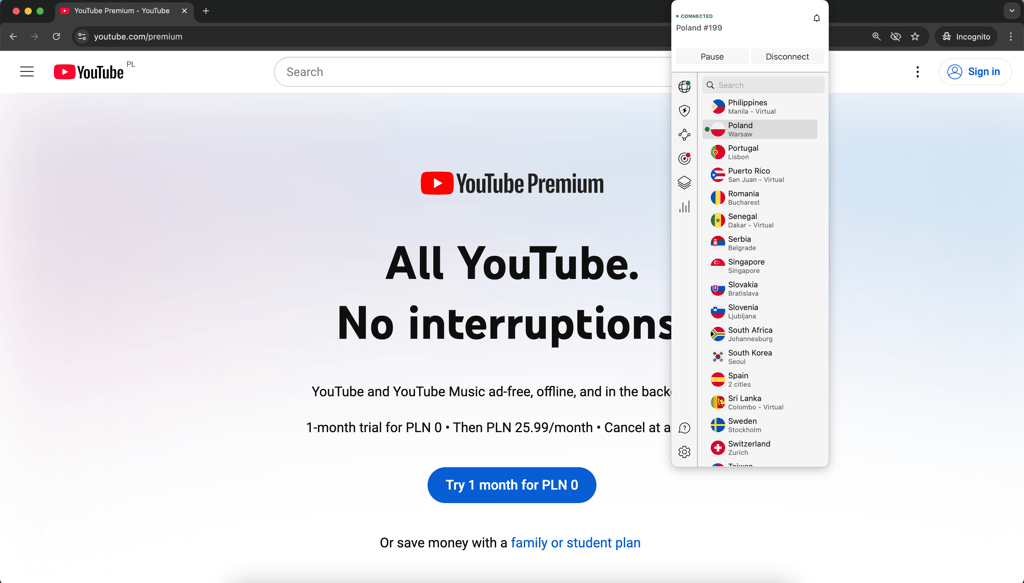
5. Select the preferred plan and log in to your Google Account
6. Complete the transaction if checkout is available
3. Watch YouTube without ads with an ad blocker
An ad blocker offers an effective way to reduce or remove YouTube ads in some browsers. While there are still some that work, YouTube has implemented advanced systems that may detect, restrict, or block ad blockers, so their performance can change over time. Additionally, keep in mind that ad blockers may also go against YouTube’s terms.
If you want to test this method, here’s how you can block YouTube ads using an ad blocker:
1. Select an effective ad blocker
2. Download and install the application or browser extension
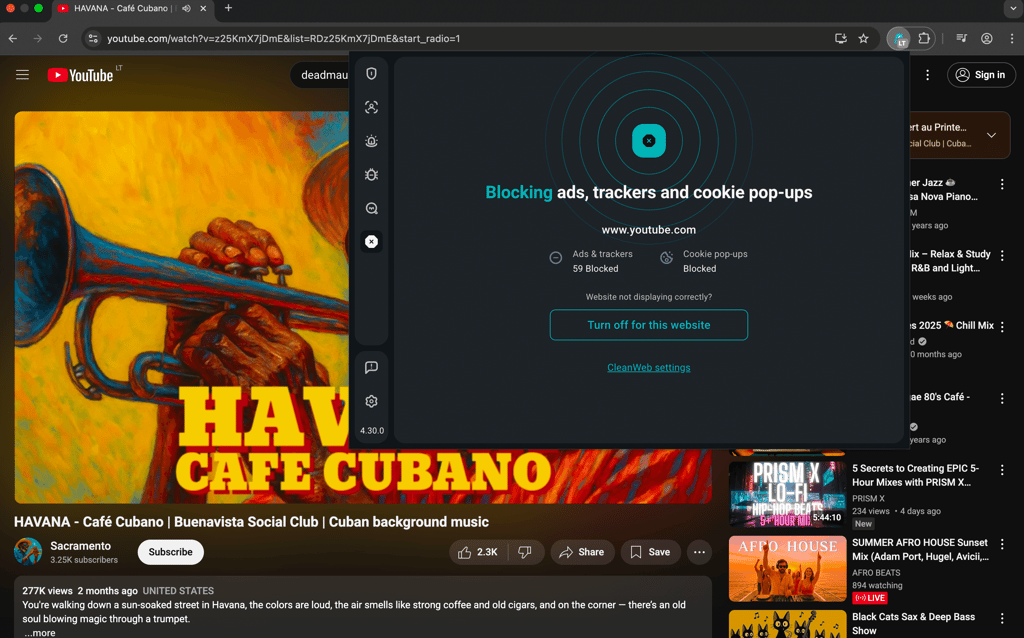
3. Enable the ad blocker
4. Open YouTube and check whether ads are reduced or removed
4. Watch YouTube ad-free using the Brave browser
Brave is a privacy-focused browser with built-in ad and tracker blocking. Because of these features, Brave may help you reduce or remove YouTube ads, but results can vary due to YouTube’s detection tools. Here’s how you can test it:
1. Download and install the Brave browser on your device
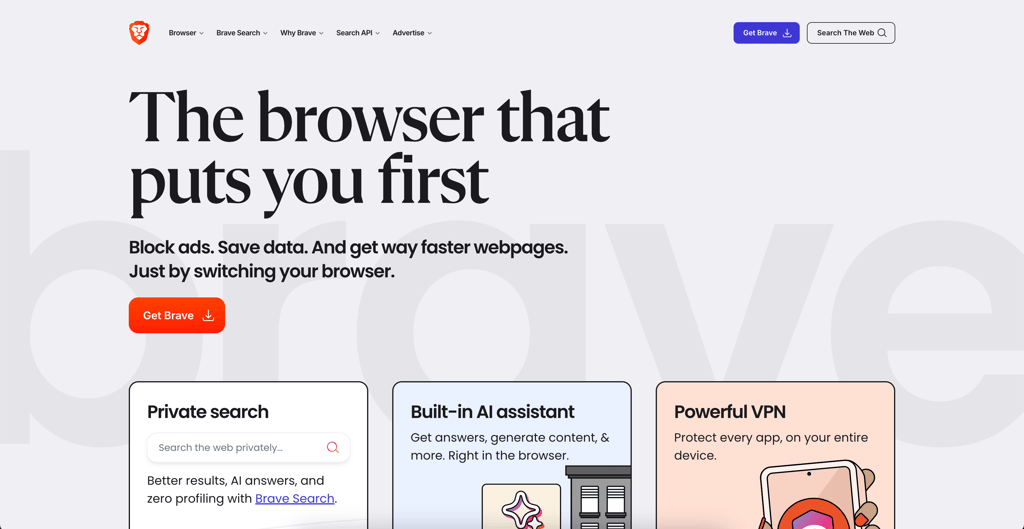
2. Open the browser and go to youtube.com
3. Start watching and see whether you get fewer or no YouTube ads
5. Use modded or unofficial YouTube apps
Modded and unofficial YouTube apps aren’t official YouTube products. They may carry security, privacy, account, update, and terms-of-service risks. Avoid downloading APKs from random mirror sites, and be careful about signing in with your Google account.
For Android users, there are several unofficial or modded YouTube apps that may offer features like background playback and fewer or no ads. Popular options include YouTube ReVanced, NewPipe, FreeTube, and SkyTube. Here's how you can use them:
1. Research the app that you want to use, such as YouTube ReVanced, NewPipe, FreeTube, or SkyTube
2. Check the project’s official site or repository, and avoid unofficial APK mirror sites
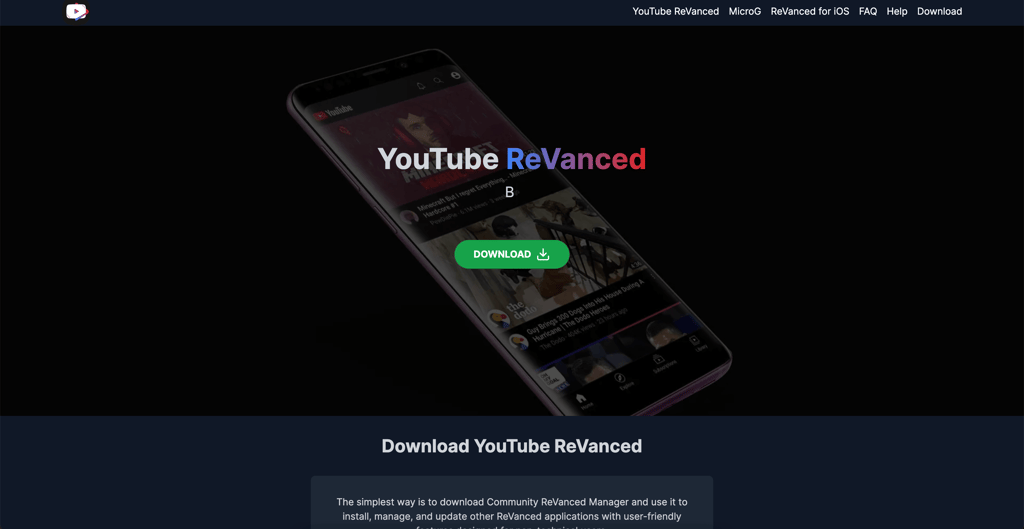
3. Install the application on your Android device, but only if you’re comfortable with the risks
4. Start watching and check if you’re seeing fewer ads
VPN is not reducing YouTube ads: quick fixes
If your VPN isn't reducing ads on YouTube, here are a few things you can try to fix it:
- Connect to an ad-light country. Make sure you're connected to a server in a country where YouTube may show fewer or no ads.
- Check for IP and DNS leaks. Use tools like dnsleaktest.com to confirm your real IP is not being exposed.
- Use incognito mode. Try using your browser's incognito mode, as your browser or the YouTube app may retain cached location information from previous YouTube sessions.
- Reconnect to a different server. Switch to a different server in a country where YouTube monetization may be limited.
Final thoughts
Watching YouTube with ads can often be frustrating, especially as they’ve gotten longer and more frequent over the years. However, there are several ways to reduce, remove, or avoid YouTube ads altogether, depending on your device and how reliable you need the method to be.
The official and most straightforward option is to get YouTube Premium. Meanwhile, alternative workarounds include using a browser ad blocker, switching to a browser like Brave, or using a VPN to connect to ad-light countries. Just keep in mind that these methods can vary in performance and, due to the ever-changing YouTube landscape, may not work consistently.
FAQ
How much does YouTube without ads cost?
YouTube Premium pricing depends on the plan and country. In the US, the Individual plan costs $13.99/month, while prices can be lower in other regions. For example, YouTube Premium costs roughly $6.34/month in Romania and $7.92/month in Poland. However, it’s important to note that subscribing from other regions may require matching account, billing, and payment details. This means that a VPN alone doesn’t guarantee access to cheaper YouTube Premium pricing.
Is there a free alternative to YouTube Premium?
Yes, there are free alternatives to YouTube Premium, such as browser ad blockers, privacy-focused browsers, and unofficial YouTube apps. Some unofficial apps, such as YouTube ReVanced, NewPipe, SkyTube, and FreeTube may reduce or remove ads and allow background playback. However, since they’re not official YouTube products, they may carry security, privacy, account, update, and terms-of-service risks.
Do ad blockers no longer work on YouTube?
Yes, some ad blockers can still reduce or remove YouTube ads, but their performance varies. YouTube may detect, restrict, or block ad blockers, so what works one day may not work consistently over time.
Is it legal to watch YouTube videos without ads with a VPN?
Using a VPN to watch YouTube is legal in many countries. However, a VPN doesn’t block YouTube ads directly and can’t guarantee an ad-free experience. Since VPNs only change the location YouTube sees, results can vary by server location, browser or app, account settings, cookies, and YouTube’s current ad systems.
What countries don't have ads on YouTube?
YouTube ads may be limited or unavailable in some countries that aren’t listed as YouTube monetized markets. Such examples include Albania, Andorra, Bhutan, Monaco, Mongolia, Myanmar, Papua New Guinea, and Uzbekistan, though availability can change.