Google built Chrome Sync for convenience, but stalkers increasingly use it to spy on victims
The Chrome Sync cyberstalking technique is scarily simple and effective
Image by Cybernews.

 Follow us
- Chrome Sync’s convenience can be quietly weaponized, letting abusers monitor victims without malware or hacking
- Brief phone access is enough to enable stealthy browser-history syncing and possible password exposure
- Victims should regularly review signed-in Chrome accounts and secure devices with strong locks
A growing number of cyberstalkers are relying on a technique requiring no hacking skills, malware, or spyware apps. They only need to access Chrome Sync. Google, quite obviously, wasn’t planning on this, but the feature is being exploited to spy on victims who may have never known it existed.
Last week, I was listening to a soccer podcast from the UK when the lads suddenly began chatting about how you can tell when a person is using a chatbot to generate their messages – perfect grammar, stylish sentences.
That, sort of, was the point of the story. But I was also intrigued by the wider narrative.
Apparently, a woman one of the guys behind the pod knows was cheated on, and she realized the boyfriend was using ChatGPT to send very thorough apology messages because she had access to his Google account through Chrome Sync.






Has your password leaked?
Now, the boyfriend had given her access earlier in their relationship voluntarily, so the poor woman wasn’t really stalking him in the truest sense of the word. Plus, he deserved it.
But plenty of cyberstalkers do indeed exploit Chrome Sync to spy on their domestic partners. That’s all they need, researchers from Certo say in a new report – the technique requires no hacking skills, malware, or spyware apps of any kind.
A simple and effective technique
Certo also has a story as an example of what can – and does – happen. It’s about a woman who waited until her abusive partner was asleep to search for a family lawyer and read through a domestic abuse support website.
She closed the tab afterward, but a few days later, her partner brought it up. He knew precisely what website she had visited and when.
Plenty of cyberstalkers exploit Chrome Sync to spy on their domestic partners.
It turns out that weeks earlier, the abuser snatched the woman’s phone when she wasn’t there for a few minutes, opened the Chrome app, and signed it into a Google account of his own.
“From that moment on, every site she visited was being copied straight to his account, viewable from any device, anywhere in the world,” Certo explained.
The firm’s researchers say there’s a growing number of incidents exactly like this. Cyberstalking is now apparently pretty easy, and it’s all thanks to Chrome Sync, a feature Google built for convenience.
Yes, modern smartphones are more difficult to compromise: we’ve got regular security updates, on-device threat detection, and MFA. Cyberstalking is thus also much riskier.

“As a result, we’re increasingly seeing abusers turn to something far simpler: the legitimate apps already sitting on their victim’s phone. No installation, no suspicious permissions, no telltale battery drain – just a quiet misuse of a feature the victim never knew existed,” says Certo.
The Chrome Sync technique is indeed terribly simple and effective because of just how popular this Google browser is. Also, of course, the feature makes our Google lives so much easier.
Hold on to your phone, or else
When you sign in with a Google account on any device with Chrome, the browser will keep your bookmarks, browsing history, open tabs, autofill data, and saved passwords. It’s quite obviously very convenient.
But for the nefarious-minded, Chrome Sync is also a surveillance tool. The only hands-on step required is brief physical access to the target’s phone.




Stay updated with our latest stories and follow us on social media
Be the first to discover new stories, ideas, and updates from our team.
In less than a minute, the stalker opens the Chrome app and adds a Google account under their control – either their own personal account or one created specifically for this purpose.
Then, the attacker makes sure Chrome Sync is switched on for that particular account. This sets browsing history to sync automatically.
The Cybernews community is talking about this. Be a part of the conversation.
The victim, of course, carries on using their device as normal. But actually, their browsing activity is copied to the attacker’s Google account in the background – the stalker can access it whenever they choose, from anywhere with a web connection.
“Because the attacker signs in with an account they already control, they never need to know the victim’s Google password,” Certo reminds.
“And because it’s the attacker’s account that’s new – not the victim’s – any 'new sign-in' security alert Google sends goes straight to the attacker’s inbox, not the victim’s.”
Because the attacker signs in with an account they already control, they never need to know the victim’s Google password.
The threat is very real. Since Chrome held almost 70% of the worldwide browser market share as of June 2026, millions of users can be affected – and the issue isn’t limited to mobile, as the same sign-in-and-sync mechanism works identically on Chrome for Windows and Mac.
Steps you could and should take
Certo finds it worrying that there simply is no warning inside Chrome: “Unlike some account-security features on other platforms, there is no pop-up, badge, or notification in the Chrome app to tell a victim that a new account has been signed in or that sync has been switched on.”
Finally, and crucially, if the victim ever saves a website password in Chrome, that password becomes visible to the attacker as well. Browsing history issue then turns into a much broader account takeover risk.
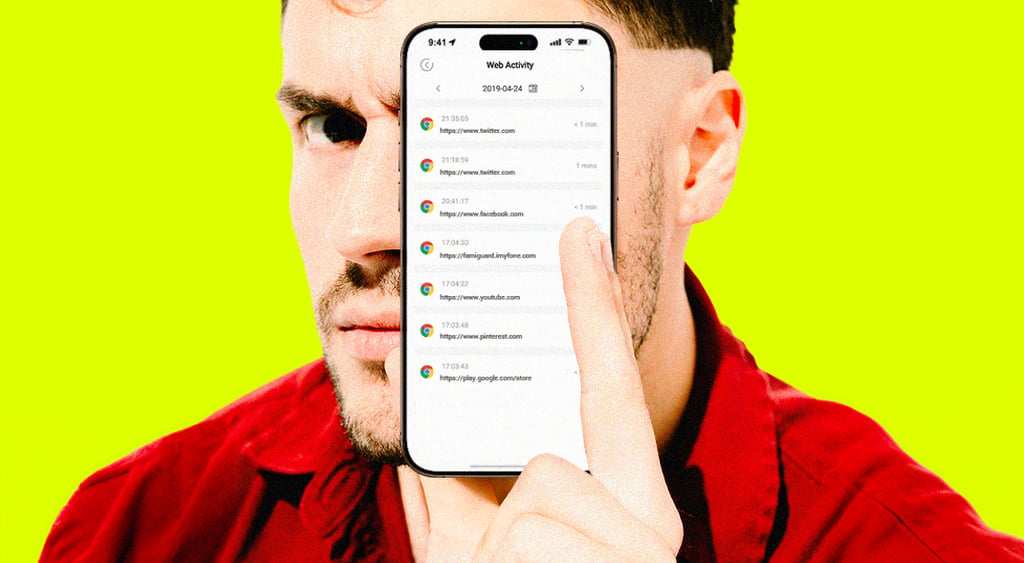
Thankfully, fixing this is just as easy. You just have to open Chrome on whichever device you’re using from time to time and review the accounts that are currently signed in. If you see an account you didn’t add yourself, remove it or sign out of it.
Should you find a stranger-danger account lurking, you should also immediately change passwords for important accounts, especially if you’ve ever saved them in Chrome.
According to Certo, using Incognito mode for sensitive browsing wouldn’t hurt, too (even if it’s also a little murky). Surely, securing your device with a strong passcode or a biometric lock also only takes a few minutes.