Phishing is out of control: Microsoft recommends disabling Run dialog box and PowerShell
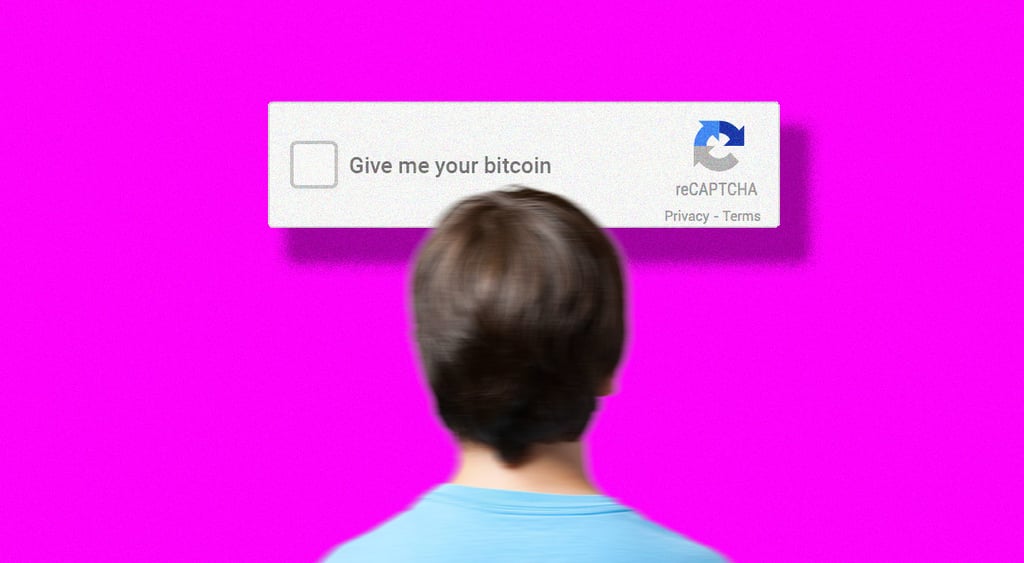
Microsoft is urging system admins to disable the Run dialog box and restrict command-line tools in response to waves of ClickFix phishing attacks. The technique relies on users copy pasting malware themselves as part of fake CATCHA checks or other social engineering.

Image by Cybernews.

 Follow us
Microsoft is urging system admins to disable the Run dialog box and restrict command-line tools in response to waves of ClickFix phishing attacks. The technique relies on users copy pasting malware themselves as part of fake CATCHA checks or other social engineering.
Scammers jumped on the ClickFix social engineering technique early last year, providing users with simple challenges to solve minor technical issues, such as fake CAPTCHA or other human verification checks. However, if victims complete the instructions, they end up with infostealers or other malware.
Microsoft observes the growth in popularity of this technique, with campaigns targeting thousands of user devices globally every day, and infecting thousands every month.
“In early 2025, Microsoft Defender Experts observed thousands of devices being affected by a ClickFix attack (that is, the ClickFix command was executed by a user on the device) per month, even with an endpoint detection and response (EDR) solution enabled,” the Microsoft Threat Intelligence team writes in a new advisory.
Malicious payloads affect both Windows and macOS users and ultimately lead to data theft.


“It typically gives the users instructions that involve clicking prompts and copying, pasting, and running commands directly in the Windows Run dialog box, Windows Terminal, or Windows PowerShell.”
The recommendations now include some drastic measures. One of them is disabling the Run dialog box.
“We assess that the threat actors who use this technique are banking on the idea that most of their targets aren’t familiar with this Windows OS component and what it’s used for, unlike the more advanced users doing system administrator tasks.”
Microsoft also suggests prohibiting the launch of PowerShell and other native Windows binaries from Run, restricting Windows Terminal access, and adding warnings to users when they paste code with multiple lines.
“Because ClickFix relies on human intervention to launch the malicious commands, a campaign that uses this technique could get past conventional and automated security solutions,” Microsoft warns.
Hackers deliver trojans and infostealers
Typically, attackers use malvertising (malicious advertising), spam, spearphishing emails, and compromised or otherwise malicious websites to lead users to a deceptive landing page where the attack begins.
Many users fall victim when they attempt to stream free or pirated movies on certain websites and inadvertently launch various scam pages when they click the play button.
Several other delivery methods include mimicking Google’s “Aw, Snap!” crash or other error messages, spoofing social media platforms like Discord, which supposedly need to verify users before joining a server.
The main goal of attackers is to trick victims into executing a malicious command themselves.

The technique is constantly evolving. Threat actors have been observed obfuscating malicious commands and the JavaScript code that generates visual lures on malicious sites, and downloading parts of malware from different servers.
“We’ve observed numerous threat actors that leverage ClickFix attacks,” Microsoft warns.
This technique has been used to deliver LummaStealer, one of the most prolific infostealer, remote access tools (RATs) such as Xworm, AsyncRAT, NetSupport, and SectopRAT, malware loaders like Latrodectus and MintsLoader, and even rootkits such as r77.
Often, malware is “fileless” and only runs in memory. It injects code into living-off-the-land binaries – legitimate executables such as msbuild.exe, regasm.exe, or powershell.exe.
Microsoft Threat Intelligence researchers have noted that several threat actors have been selling ClickFix builders on hacker forums. The kits often promise to bypass antivirus protections and ensure persistence and are priced between $200 and $1,500 per month.
“Run” and CLI are not for everyone
Microsoft’s recommendations for admins include a long list of mitigations to reduce the impact of phishing.
The tech giant suggests educating users to identify social engineering attacks and to be cautious of what they copy and paste. Email filtering solutions help block spoofed emails and malware, and browser phishing protection can help identify many of the phishing attempts.




While Microsoft suggests using its suite of security tools, it also recommends using Group Policy to “deploy hardening configurations” for Windows features, such as the Run dialog box.
“Use PowerShell execution policies such as setting AllSigned or RemoteSigned to help reduce the risk of malicious execution by ensuring only trusted, signed scripts are executed, adding a layer of control,” Microsoft urges. “Create an App Control policy that prohibits the launch of native Windows binaries from Run.”
The advisory also lists dozens of IPs, URLs, and other indicators of compromise that might help network defenders recognize malicious activity.
Cybersecurity experts recommend that home users disable unused CLI tools, too. However, this task may not be trivial.
