How to watch NCAA March Madness online in 2026
Our in-house cybersecurity experts and journalists, renowned for major reports like The Mother of All Breaches, conduct transparent, unbiased VPN testing and in-depth analysis.
With 750+ articles crafted based on real-world research, we empower readers to make informed purchasing decisions through first-hand expertise.
Learn more

March is here, and that means one thing: it’s time for the best in men’s college basketball! March Madness fans can tune in this year for 68 teams competing all around the US. If you’re wondering how to watch NCAA March Madness in Europe on anywhere else in 2026, we’ve got the complete guide to make sure you don’t miss a single game.
| Dates: | March 19 – April 8, 2024 |
| Watch in the US: | Paramount+, Hulu + Live TV |
| Watch anywhere: | Get NordVPN – 75% OFF |
While the games will be broadcast live in the US, fans in other countries can use a VPN to watch the games live from anywhere in the world. When you connect to a reliable VPN, you can bypass geo-blocks and start streaming games regardless of your location.
If you’ve never used a VPN before, don’t worry. We’ve put together a complete guide to installing a VPN, connecting to the right servers, and masking your real IP address to watch NCAA March Madness online from anywhere.
How to watch NCAA March Madness with a VPN

- You need a VPN that excels at streaming – we recommend NordVPN, now 75% off!
- Download the VPN on your device and open the app
- Connect to a server in the US
- Create an account or log into chosen streaming service
- Start streaming March Madness games live!
Why use a VPN to watch NCAA March Madness online
Each year, March Madness delivers to fans an exciting onslaught of men's college basketball. While the games are held all across the United States, only some networks and streaming platforms have broadcasting rights.
Since these rights can be restricted to a US-only audience, it can be tricky for international fans to catch the games live. Outside the US, you might run into geo-blocks and error messages when trying to access the live stream.
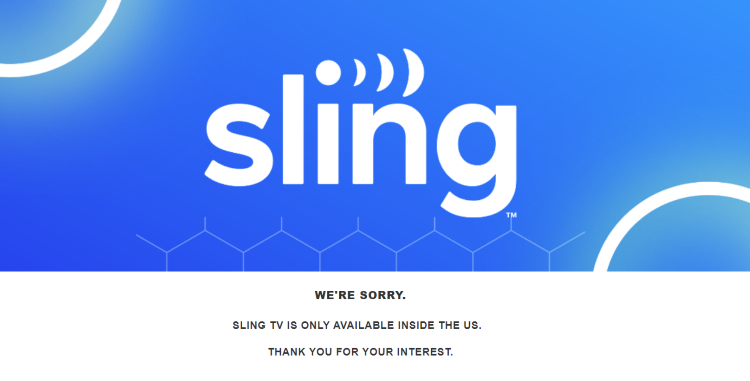
To bypass geo-restrictions, you can use a reliable VPN to watch NCAA March Madness. By connecting your VPN to a server in the US, you can mask your real location and use a US IP address while streaming.
3 Best VPNs to watch NCAA March Madness
- NordVPN – overall best VPN for streaming NCAA March Madness
- Surfshark – high-speed VPN with unlimited device connections
- IPVanish – affordable VPN to watch NCAA March Madness
Where can I watch NCAA March Madness online
If you want to know how to watch NCAA March Madness without cable, we’ve got plenty of options for you right here. With the rise in popular streaming platforms, you can take your pick of these options for streaming NCAA March Madness games. The good thing is that some of the platforms offer free trials, so you can even watch the NCAA games online for free.
| Streaming Services | Included Networks | Plans starting at |
| Max | TBS, TNT, and truTV | $9.99/month |
| Paramount+ | CBS | $11.99 a month (7-day free trial) |
| Sling TV Blue | TBS, TNT, and TruTV | $20.00 a month (3-day free trial) |
| Hulu + Live TV | CBS, TBS, TNT, and TruTV | $79.99 a month |
| fuboTV | CBS, TBS, and TNT | $79.99 a month (7-day free trial) |
| DirecTV Stream | TBS, TNT, and TruTV | $84.98 a month (5-day free trial) |
If you already have one of these streaming services, you can easily tune in for all the great March Madness action. If you need to choose one for March Madness, Max or Paramount+ are the most affordable options. Plus, you’ll be able to stream all its other great content once you subscribe.
How to watch NCAA March Madness from anywhere
Whether you’re in the US or abroad, you can use several popular streaming services to watch the March Madness 2026 games live. We’ve assembled a few step-by-step guides to help you watch, depending on where you are.
How to watch NCAA March Madness in the US
If you’re in the US, you can easily tune into the live broadcasts on CBS, TBS, TNT, or truTV. Using your VPN is optional, but it’s still recommended for secure streaming online. Here’s what you should do to watch NCAA March Madness online:
- Choose a privacy-focused VPN. We suggest using NordVPN
- Install the app on your device
- Connect to a server in the US
- Log into Paramount+, Hulu + Live TV, Sling Blue TV, or fuboTV
- Enjoy the best in men's college basketball for 2023!
How to watch NCAA March Madness in the UK
If you’re tuning in from the UK, a VPN can give you a seamless March Madness viewing experience. Here’s what to do:
- Pick a VPN that bypasses geo-restrictions – try NordVPN, now 75% OFF
- Download the VPN app and open it on your device
- Connect to a server in the US
- Go to Paramount+ or other streaming service and log in
- Start watching the live stream of the NCAA March Madness games!
How to watch NCAA March Madness in Europe or anywhere
Wondering how to watch March Madness in Europe or from any other country? Here’s the guide to tuning in from anywhere:
- Choose a reliable VPN for streaming – our top pick is NordVPN
- Install your VPN
- Connect to a US server
- Log in or create your Paramount+ or other streaming service's account
- Start streaming your favorite March Madness games!
How to watch NCAA March Madness on your devices
No matter where you want to watch March Madness, a VPN can help you bypass geo-restrictions on a wide range of devices. Here are a few guides to help you get started:
- Watch NCAA March Madness on your PC
- Watch NCAA March Madness on your smartphone
- Watch NCAA March Madness on your streaming devices
Watch NCAA March Madness on your PC
Setting up your VPN is a breeze on your PC. Whether you use Windows or macOS, just follow these instructions to get started:
- Install your VPN on your PC and open the app. Try NordVPN for the best experience
- Connect to a US server
- Log in or create a chosen streaming service's account
- Catch the live stream of NCAA March Madness!
Watch NCAA March Madness on your smartphone
For streaming 2026 March Madness on the go, you’ll want to set up your VPN on your smartphone:
- Download the VPN app from the App Store/Play Store. NordVPN works extremely well.
- Open the app and connect to a US server.
- Download and open the chosen streaming service's app
- Log in and select the NCAA March Madness live stream
Watch NCAA March Madness on your streaming devices
Streaming devices are becoming a popular option for life without cable. If you have a Roku, Firestick, Apple TV, Kodi, or other device, here’s a few helpful steps to set up your VPN:
- Make sure you pick a VPN with SmartDNS, like NordVPN
- Go to the VPN settings and turn on Smart DNS
- Follow the steps to connect it to your streaming device
- Once you’re connected, open the Paramount+ or other streaming service's app
- Start streaming March Madness on your favorite streaming device!
Why can’t I watch NCAA March Madness with a VPN
Running into error messages when you try to watch NCAA March Madness with a VPN? Here are a few fixes that can help resolve some of the most common issues.
- Clear your cache and cookies. Clear your history, cache, and cookies, reconnect to your VPN, and try the site again.
- Update your device. You might be having trouble with your VPN if you’re running on an out-of-date version. Make sure you install the latest updates and try your VPN again.
- Choose a different server. All our recommended VPNs have multiple server locations in the US, so you can always try a new server in a different location if you’re having connection issues.
- Go for one of the top VPNs. Free VPNs usually don’t have the power to bypass geo-restrictions or stream at high speeds. You can confidently choose from our recommendations since we hand-tested their streaming performance.
- Contact customer support. Reach out to your VPN’s customer service team. Top providers, like NordVPN or Surfshark, have 24/7 live chat available to answer your questions immediately.

How to watch NCAA March Madness for free
You can watch NCAA March Madness for free combining VPN free trial with your favorite streaming service trial. Paramount+ and fuboTV offer a 7-day free trial for new users, while Sling TV offers a 3-day cost-free trial. It gives you time to fully test out the platform and even catch some NCAA March Madness games for free. Plus, you can watch other great content on these platforms during the trial period.
When it comes to VPNs, free options are not recommended. In most cases, they make money by logging and selling your data to third parties. That being said, opt for free trials of premium providers instead:
- NordVPN – comes with a 3-day free trial for Android users and offers a 30-day risk-free money-back guarantee for all.
- Surfshark – offers a 7-day free trial for macOS, iOS, and Android users. Plus, a 30-day money-back guarantee is included.
NCAA March Madness Schedule for 2026
NCAA March Madness is one of the biggest sporting events of the year in the US and is the ultimate showcase for NCAA Division I men’s basketball. This tournament has been happening since 1939 and is anticipated each year by fans all around the globe. This year’s final will take place at the State Farm Stadium in Phoenix, AZ.
The schedule for this basketball tournament is truly madness. As 68 teams face off this March, you can look forward to non-stop marathon days of back-to-back games to get to the Final Four and ultimate championship game in Houston.
Here’s a quick rundown of the 2026 NCAA March Madness schedule:
| Date | Round |
| Tuesday, March 19 | First Four in Dayton, Ohio |
| Wednesday, March 20 | First Four in Dayton, Ohio |
| Thursday, March 21 | Round of 64 |
| Friday, March 22 | Round of 64 |
| Saturday, March 23 | Round of 32 |
| Sunday, March 24 | Round of 32 |
| Thursday, March 28 | Sweet 16 |
| Friday, March 29 | Sweet 16 |
| Saturday, March 30 | Elite 8 |
| Sunday, March 31 | Elite 8 |
| Saturday, April 6 | Final Four |
| Monday, April 8 | National Championship Game |
Final thoughts
Although this is a US sporting event, March Madness has fans around the globe, and a VPN makes it easier for anyone to catch all the excitement this year. By using a VPN to bypass geo-restrictions, you won’t have to miss out on any of the games just because of where you live.
For the best streaming experience, we recommend NordVPN. With thousands of US servers and a great reputation for unblocking geo-restricted content, this VPN is an excellent choice to stream 2023 March Madness.
More VPN guides from Cybernews:
How to watch NBA games online: watch every game from anywhere
How to watch NBA All-Star game: bypass geo-blocks with a VPN
How to watch Rugby games online: stream online with ease
How to watch Sky sports: use a VPN to watch from your country
FAQ
How can I watch March Madness?
If you’re in the US, you can watch March Madness on CBS, TBS, TNT, or truTV. If you’re outside of the US or don’t have these channels, you can stream the games on Paramount+, Hulu + Live TV, Sling Blue TV, or fuboTV. However, you’ll need to use a capable VPN, such as NordVPN, and connect to a server in the US.
What platforms is March Madness on?
March Madness is on Paramount+, Hulu + Live TV, Sling Blue TV, Max, DirecTV, or fuboTV. If you live in a region with geo-restrictions, you can use a VPN to bypass geo-blocks and stream March Madness online.
When is NCAA Final Four 2026?
The NCAA Final Four consists of two games that will be played on Saturday, April 6th. The winners of these two games will continue to the National Championship Game on Monday, April 3rd.