Best free VPNs for Android 2026 for all Android devices
Our in-house cybersecurity experts and journalists, renowned for major reports like The Mother of All Breaches, conduct transparent, unbiased VPN testing and in-depth analysis.
With 750+ articles crafted based on real-world research, we empower readers to make informed purchasing decisions through first-hand expertise.
Learn more
-
 View deal1. The best free trial VPN for Android – NordVPNExpert review
 -
 View deal2. Great free VPN for Android – Proton VPNExpert review
 -
 View deal3. Reliable and minimalist free Android VPN – Hide.meExpert review
 -
 Learn more4. Free VPN for Android with ads and extra features – Hotspot Shield
 -
 Learn more5. Fun free Android VPN with a monthly data cap – TunnelBear
Installing a virtual private network (VPN) service, whether free or premium, is vital to keep your Android device well protected. After all, the popular mobile operating systems, including Android, don’t have a built-in VPN. This means you need a third-party service to mask your online activities.
Free VPNs are a great starting point for protecting your privacy on your Android device. They might lack some of the premium features that are available in paid VPNs, but they are a great addition to keeping your privacy protected. Additionally, using a VPN allows you to bypass geo-restrictions, which is a useful bonus to access content and websites that might be blocked in your region.
Our research team and I have created this article on the best free Android VPNs of 2026 to help you find the perfect option for your Android device and avoid unreliable service.
What are the limitations of using a free VPN on my Android?
Free services, including VPNs, come with certain disadvantages. The biggest issue with free VPNs is privacy risks. There’s a saying, “If you’re not paying for the product, you are the product.” Free VPNs often generate revenue by selling your data to data brokers or bombarding you with numerous ads.
Furthermore, free VPNs often limit how much data you can use, which can mess up your streaming, downloading, or browsing. They also often have fewer server options, making it challenging to access content from other countries or get around geo-blocks. Finally, since there are so many people using a limited number of servers, the internet can get really slow, leading to a lot of lag and buffering.
To avoid these problems, I recommend using free trial VPNs like NordVPN. They offer better services without risking your privacy.
Best VPN for Android
I'm a huge fan of free trial VPNs. They're a better choice than fully free Android VPNs in so many ways. They're more reliable and perform better in the speed and security departments, making them a more sensible choice. The only drawback is that they're temporary, but I bet you won't want to return to free VPNs after trying them. The best VPN for Android based on features and functionality is:
- NordVPN – this Android VPN has 8,600+ servers in 149 countries and is hands down the best VPN for Android. The NordVPN 7-day free trial is available directly on the Google Play, but you’ll be able to use the service on any device afterward. All you need to do is provide payment details to claim this offer, and you won't be charged until the trial is over. Plus, you can cancel beforehand if you're not satisfied.
- Surfshark – with 4,500+ servers in 100 countries, this VPN is one of the best options for fast connections and streaming. You can claim Surfshark's 7-day free trial on either the Google Play or Apple App Store. The terms and conditions are similar – you only need to provide payment details to qualify.
- Norton VPN – a security-focused VPN for desktop and mobile devices with 2,000+ servers in 149 countries. It offers a 7-day free trial on its website so you won't have to go through third-party app stores. Just like with NordVPN and Surfshark, you'll need to provide payment details to claim this offer.
How we tested free Android VPNs
Our team and I rigorously evaluated several VPN providers on the Android operating system. The Samsung Galaxy S21 device running Android 12 was used for speed testing. We had a connection speed of 282Mbps for downloads and had a ping of 6ms. After thorough research, we rated the top encrypting VPNs based on the following criteria:
- Privacy and security (30%). We evaluated the VPNs’ encryption capabilities, their protocols and their log-keeping policies. Factors considered included the strength of encryption like AES-256, secure protocols like WireGuard and OpenVPN, their privacy history, and other security features such as a kill switch.
- Performance (30%). In order to estimate the total performance, speed tests were carried out by our research team using various servers. Internet speed was determined to a rough average and different locations were tested.
- Usability and support (20%). I had the first-hand experience of using each VPN app which has enabled me to study how simple the apps are to operate. I evaluated what types of customer support are offered and used my own experience to deduce what the users are expected to find.
- Features and functionality (20%). I reviewed the available features of each VPN, assessing their benefits and limitations. This included checking for ad-blocking, malware protection, the availability of a double VPN, and Onion over VPN options, noting how such features could enhance user experience.
Best free Android VPNs – detailed list
Below is a list of the top free and trial-based Android VPNs, including test outcomes, and relevant details to help you select the one that meets your requirements.
NordVPN – the best free-trial VPN for Android

-
Privacy and security
-
Performance
-
Features and functionality
-
Usability and support
NordVPN is the best free-trial VPN for Android of 2026, offering fast speeds, strong security, and extensive content access. While not free, it provides a 7-day free trial and a 30-day money-back guarantee for its Android features, allowing you to explore its capabilities without immediate commitment.
Privacy and security
NordVPN is undoubtedly the most effective VPN service on the privacy and security front. Firstly, it’s based in Panama, and thanks to weak data laws, NordVPN does not have to share any of your data with any governmental entities. Plus, NordVPN has a strict no-logs policy, which was verified for six times by independent third parties.
Additionally, NordVPN’s arsenal includes AES-256 encryption, double VPN, onion over VPN and an automatic kill switch. The NordLynx protocol, built on WireGuard, guarantees speedy and stable connections without affecting security services. The Android app also includes Call Protection, which can warn you about and automatically block suspected scam or telemarketing calls before you pick up, helping you avoid phishing and social-engineering attacks even when the VPN isn’t actively connected.
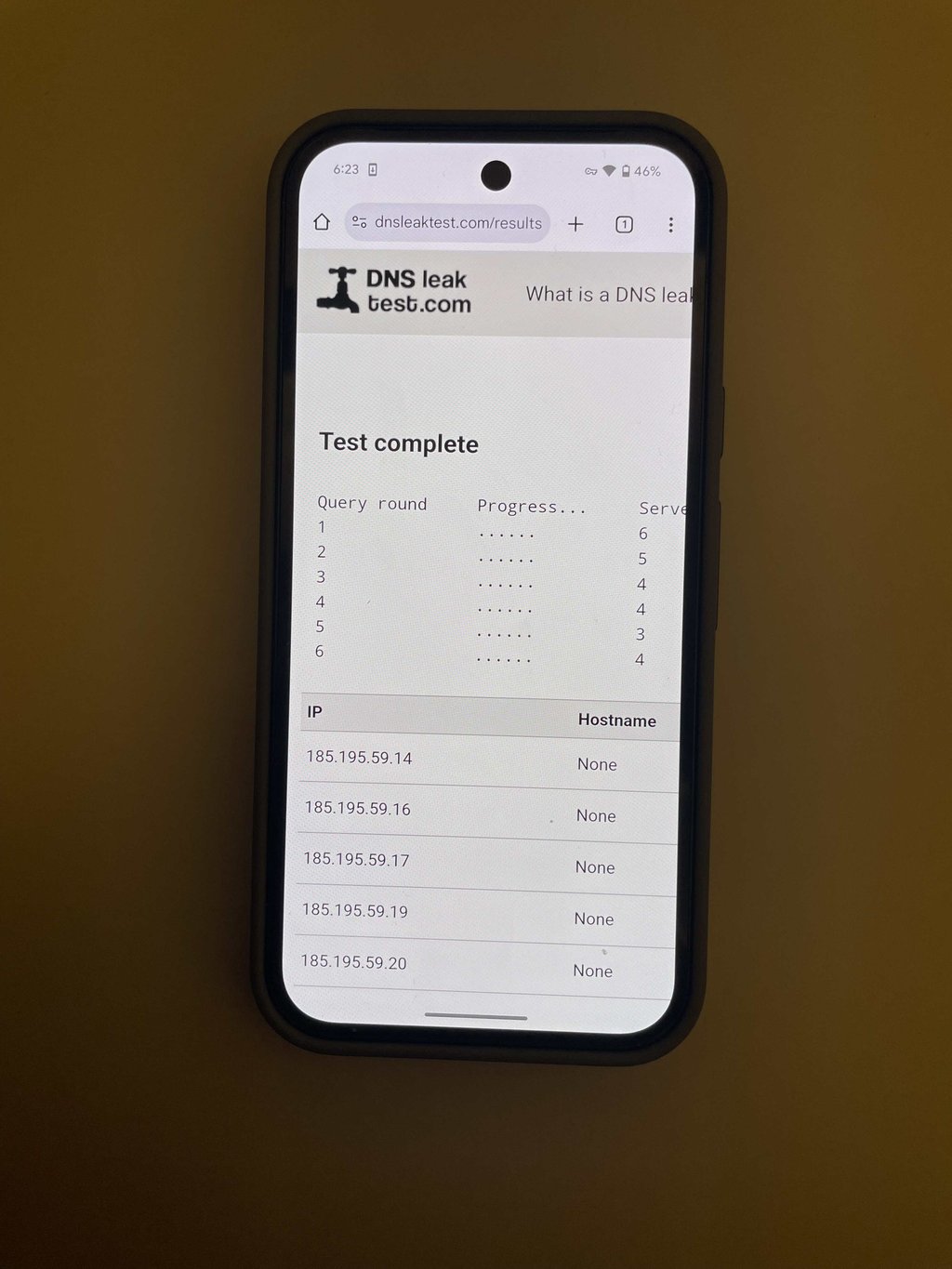
To confirm that the IP is indeed changed without any issues, I ran a DNS leak test and the results speak for themselves – all IP’s belong to NordVPN.
Performance
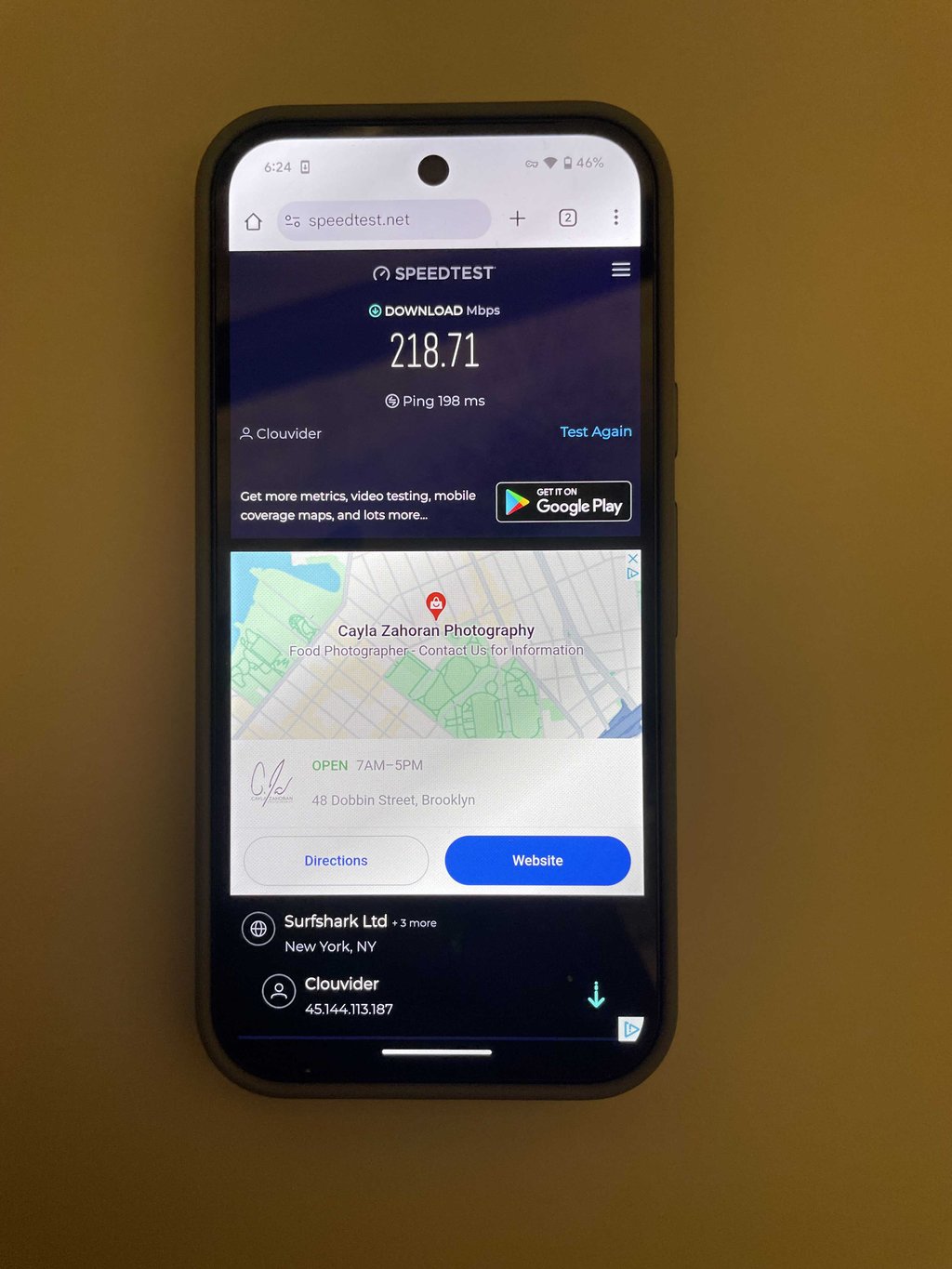
As expected NordVPN performed quite well in our speed tests on an Android device, clocking in at 218.71Mbps from a baseline of 282.09Mbps. While it wasn't the fastest among all VPNs tested, its speed is more than sufficient for most users, offering stable and consistent performance throughout the day, even during peak usage periods.
I was genuinely impressed with NordVPN's free trial. It handled HD streaming effortlessly, providing smooth playback without any interruptions. Thanks to its vast server network, gaming was equally reliable.
Features and functionality
NordVPN is packed with features that enhance both security and practicality. Outside the already discussed robust encryption, NordVPN offers features like Meshnet, which connects multiple devices directly, and Threat Protection Pro which blocks ads and malicious sites.
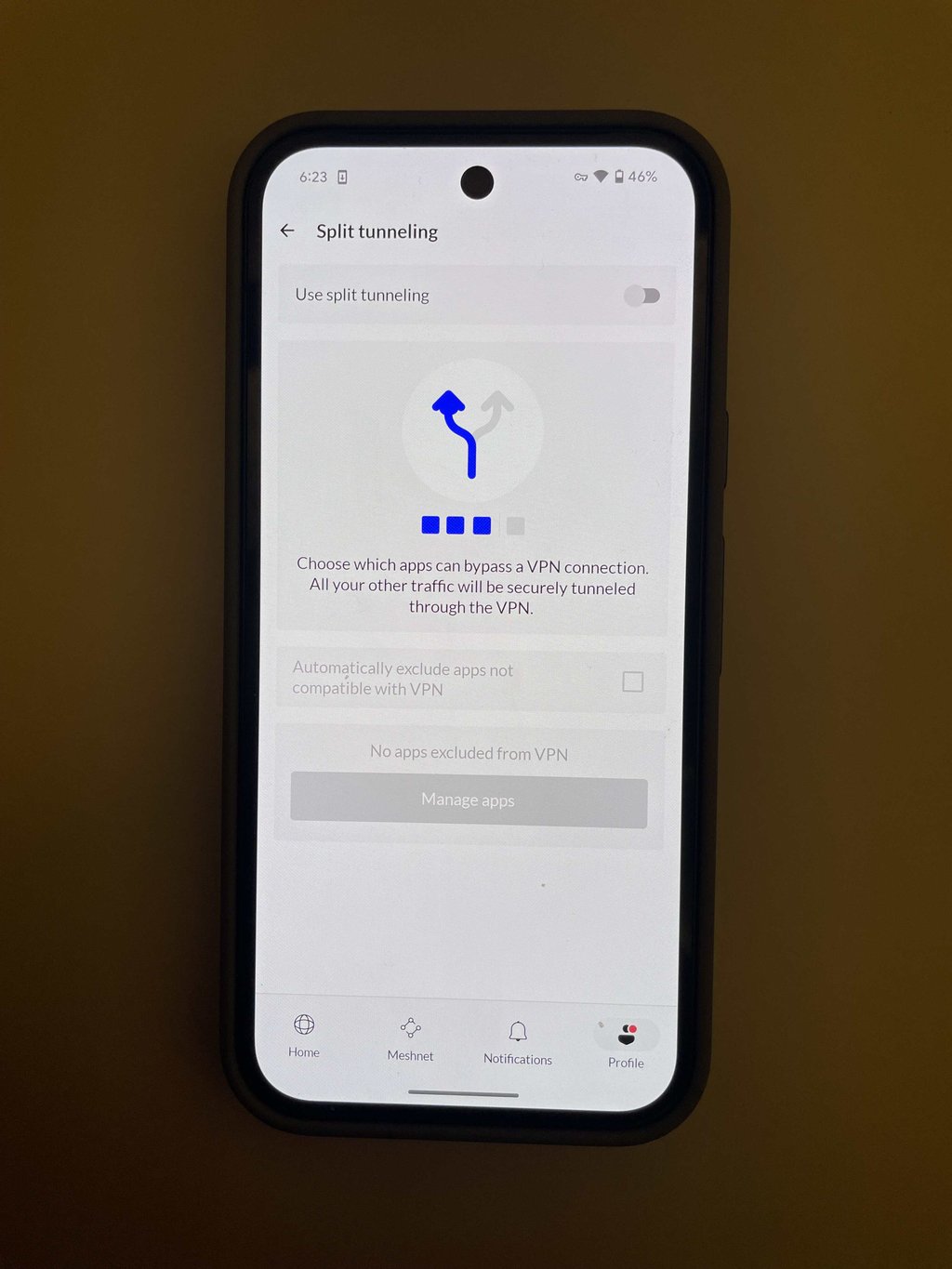
I found the split tunneling feature extremely useful because it allowed me to exclude apps like SoundCloud from the VPN, ensuring faster streaming speeds while keeping the rest of my internet traffic encrypted for enhanced security.
Usability and support
The NordVPN Android app is clear and straightforward to use, and the recent redesign makes it even easier. The new connection screen shows city and country names up front, and an expanded interactive map view lets you browse and connect to servers directly on a full-screen map. A unified search bar brings locations, server types, and Meshnet devices into one place, so finding the right server is quick. The updated statistics section also shows weekly connection-time trends, with Call Protection stats visible on Android.
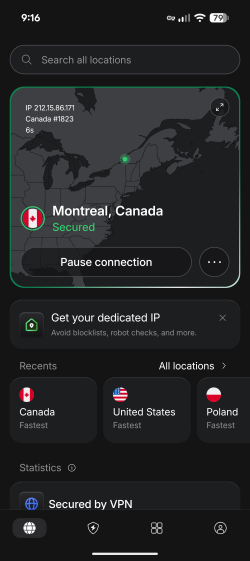
Customer support options are also quite extensive, ranging from a knowledge base to 24/7 live chat. However, there is no phone support. Nevertheless, you can get a live chat response in just 1 minute, which guarantees that you’ll receive help.
Proton VPN – great free unlimited VPN for Android

-
Privacy and security
-
Performance
-
Features and functionality
-
Usability and support
When it comes to completely free VPNs, I find Proton VPN the top free VPN for Android, providing service with no data caps or speed limits, and completely ad-free. Additionally, it offers solid speeds and robust security, making it great for streaming and gaming across various devices.
Privacy and security
Proton VPN has the most powerful security and privacy package of all the free Android VPNs reviewed here. First, it deploys state-of-the-art AES-256 encryption to encrypt your connections. The free version also offers a kill switch that acts in case of connection drops to avoid IP leakage. Finally, modern protocol options include WireGuard for fast and secure connections.
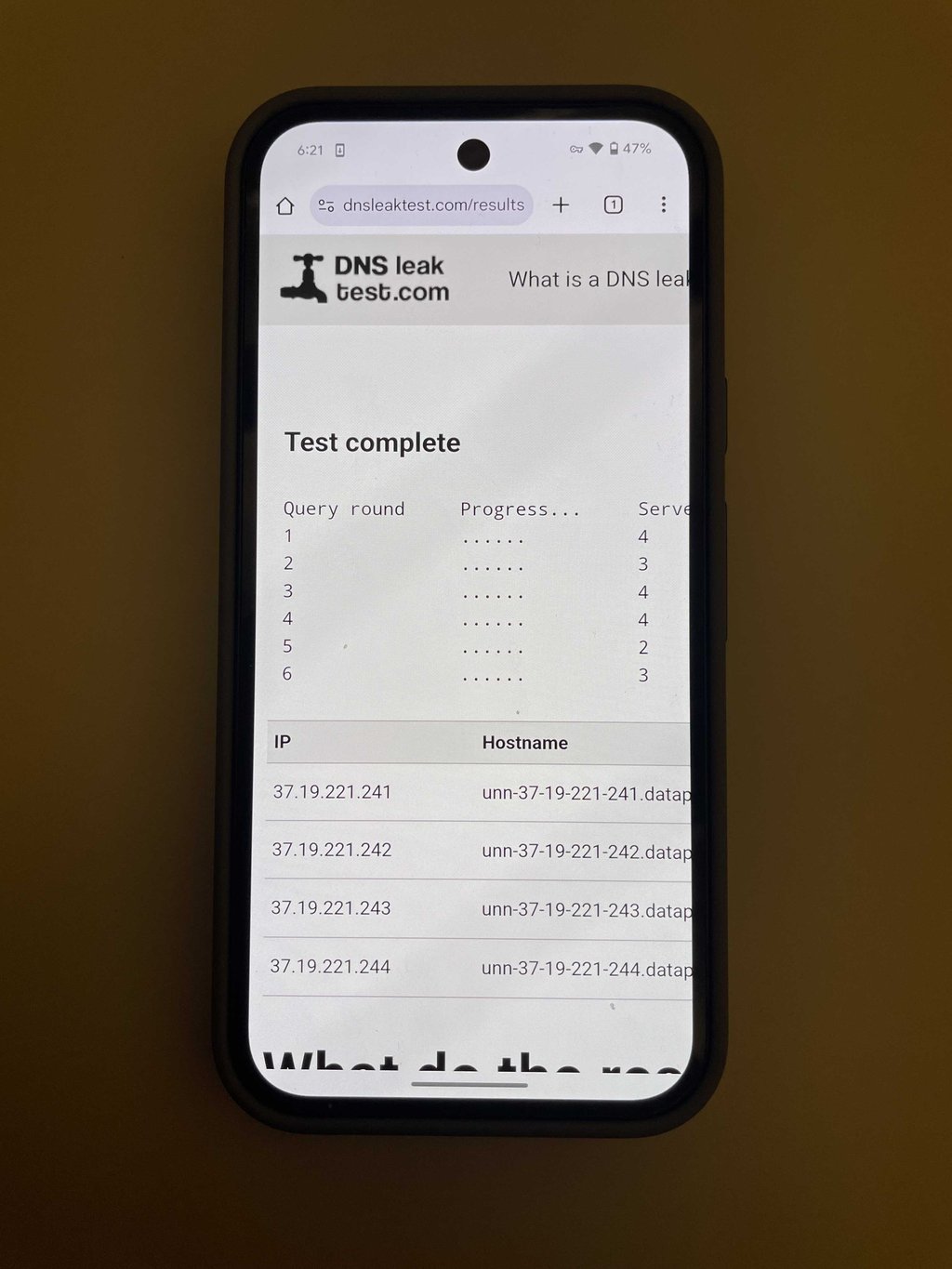
Speaking of which, Proton VPN is, without question, the best in terms of privacy. First, it's one of the few well-known VPNs with open-source software, making it an obvious choice for people like me who appreciate transparency. Crucially, it's based in privacy-friendly Switzerland and boasts an audited no-logs policy, thus assuring me that Proton VPN takes customer privacy seriously.
Performance
During testing, the free version of Proton VPN surprised me by retaining a whopping 79% of the original speed, even outperforming NordVPN. This impressive performance is thanks to its inclusion of the WireGuard tunneling protocol igmn the free tier, currently the fastest open-source option available for serious VPN usage.
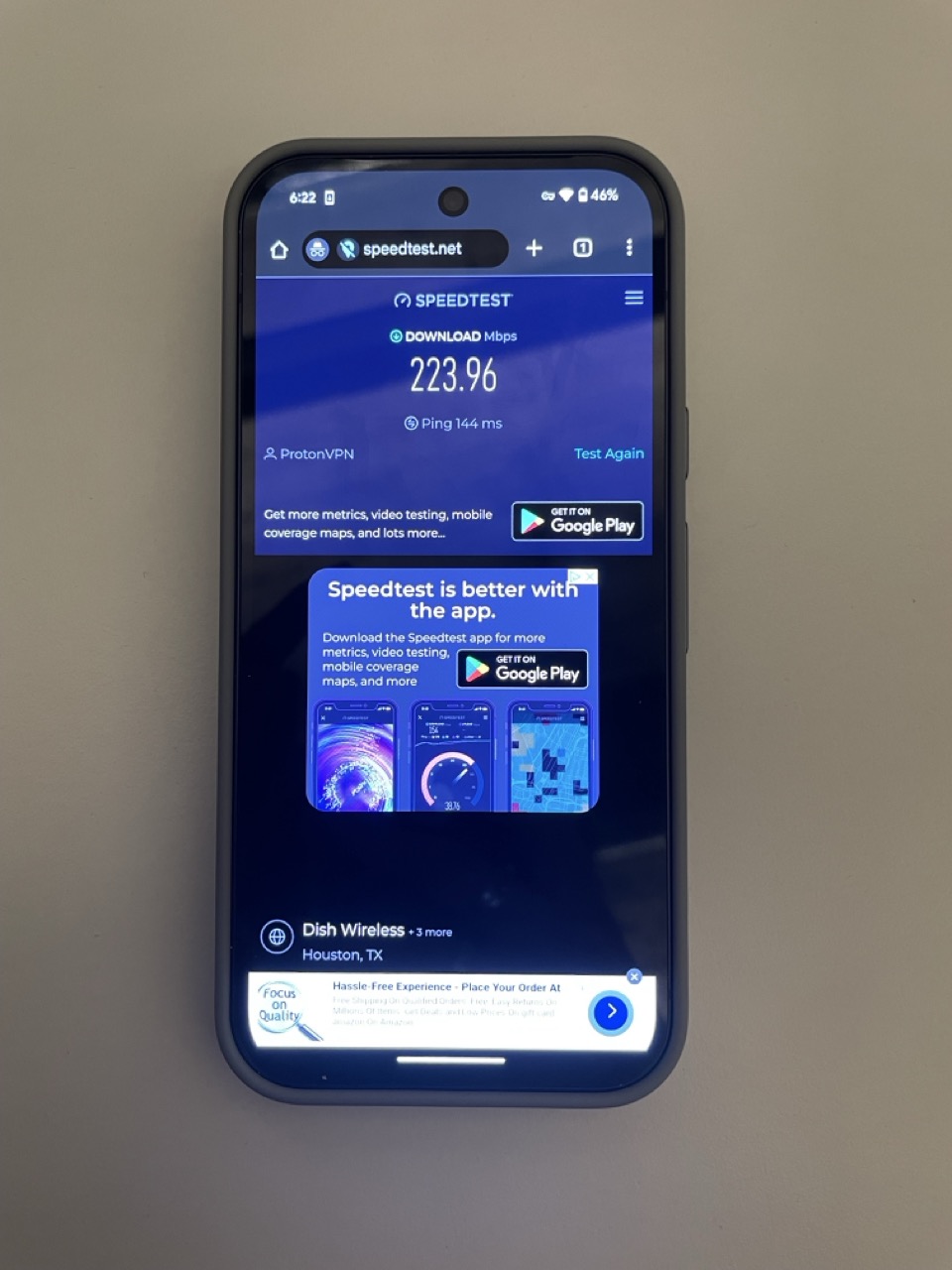
Another benefit of Proton VPN is that its free tier does not have any data caps and thus can be used with unlimited usage. That said, unfortunately, the randomized server selection makes it challenging to choose specific locations, which limit options for streaming content.
Features and functionality
Unfortunately, the free version doesn't include split tunneling. It also displays premium features like NetShield and VPN Accelerator, but they are not accessible and are shown to entice upgrades.

[Proton VPN Split tunneling feature]
This marketing approach is quite direct and might be off-putting for some. Despite these limitations, the server selection across five countries is decent for a free VPN. However, since you cannot choose specific servers, you're stuck with a random one.
Usability and support
Proton VPN's free Android app is generally user-friendly and easy to install. I could use the free version of Proton VPN without creating an account, which is fantastic for those who want to quickly protect their online activities. The user interface is smooth and uncluttered.
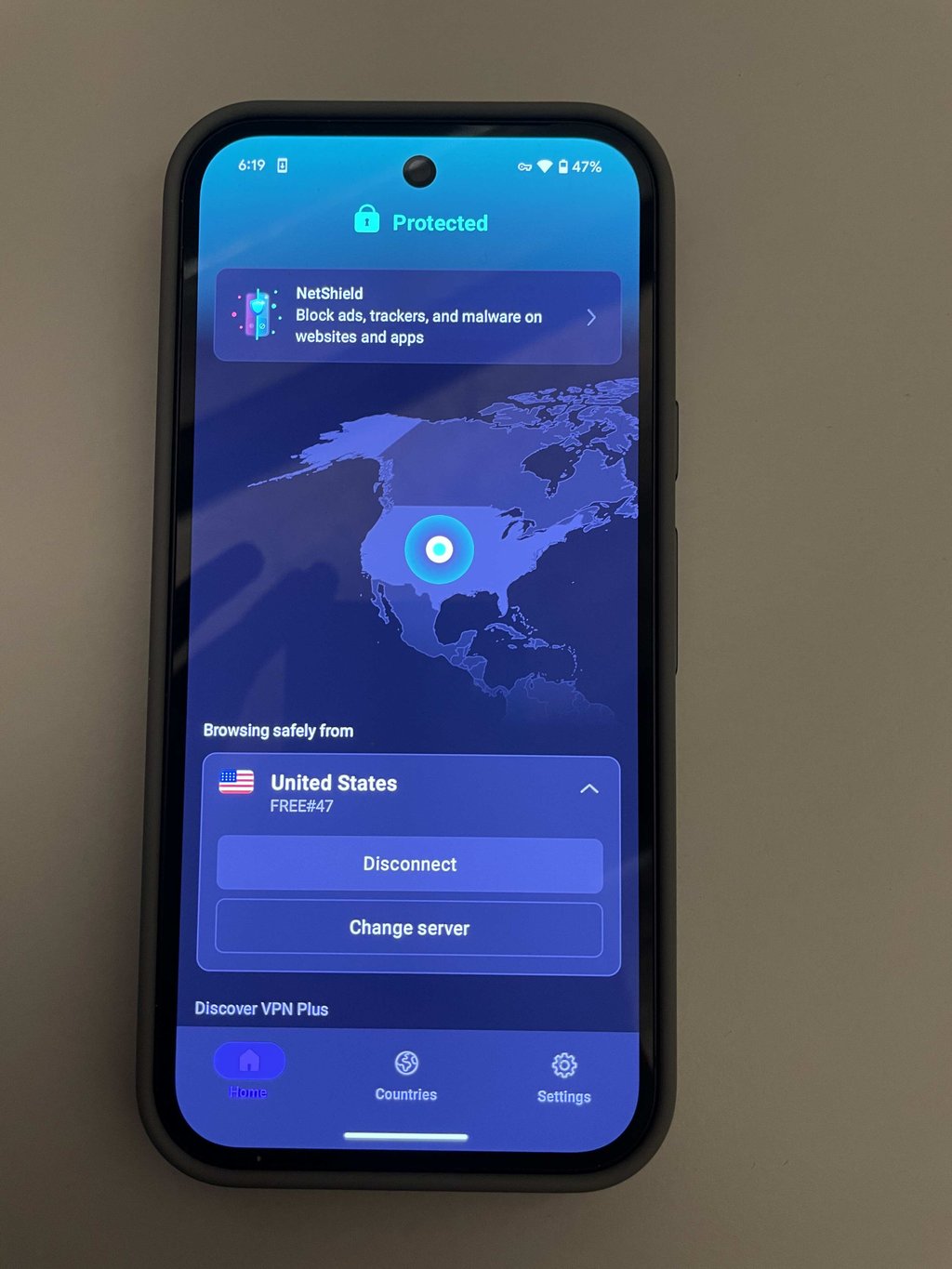
The free Proton VPN version support options primarily include a knowledge base and email support. Unfortunately, it lacks the live chat option which is only available with the paid plans.
Hide.me – free Android VPN with basic features

-
Privacy and security
-
Performance
-
Features and functionality
-
Usability and support
Hide.me is a no-nonsense free VPN that doesn't require an account to be used. Although you can't choose your location, the app compensates with its simplicity and ad-free interface. With not many extra features to manage, you can quickly activate the VPN and browse without any hassle.
Privacy and security
On the privacy side, it's worth saying that Hide.me does stand out because it is based in Malaysia and is a bit unconventional for VPN services. This can be particularly appealing because it offers a location beyond the Fourteen Eyes surveillance network, enhancing privacy. Their no-logs claim is also supported by an independent audit.
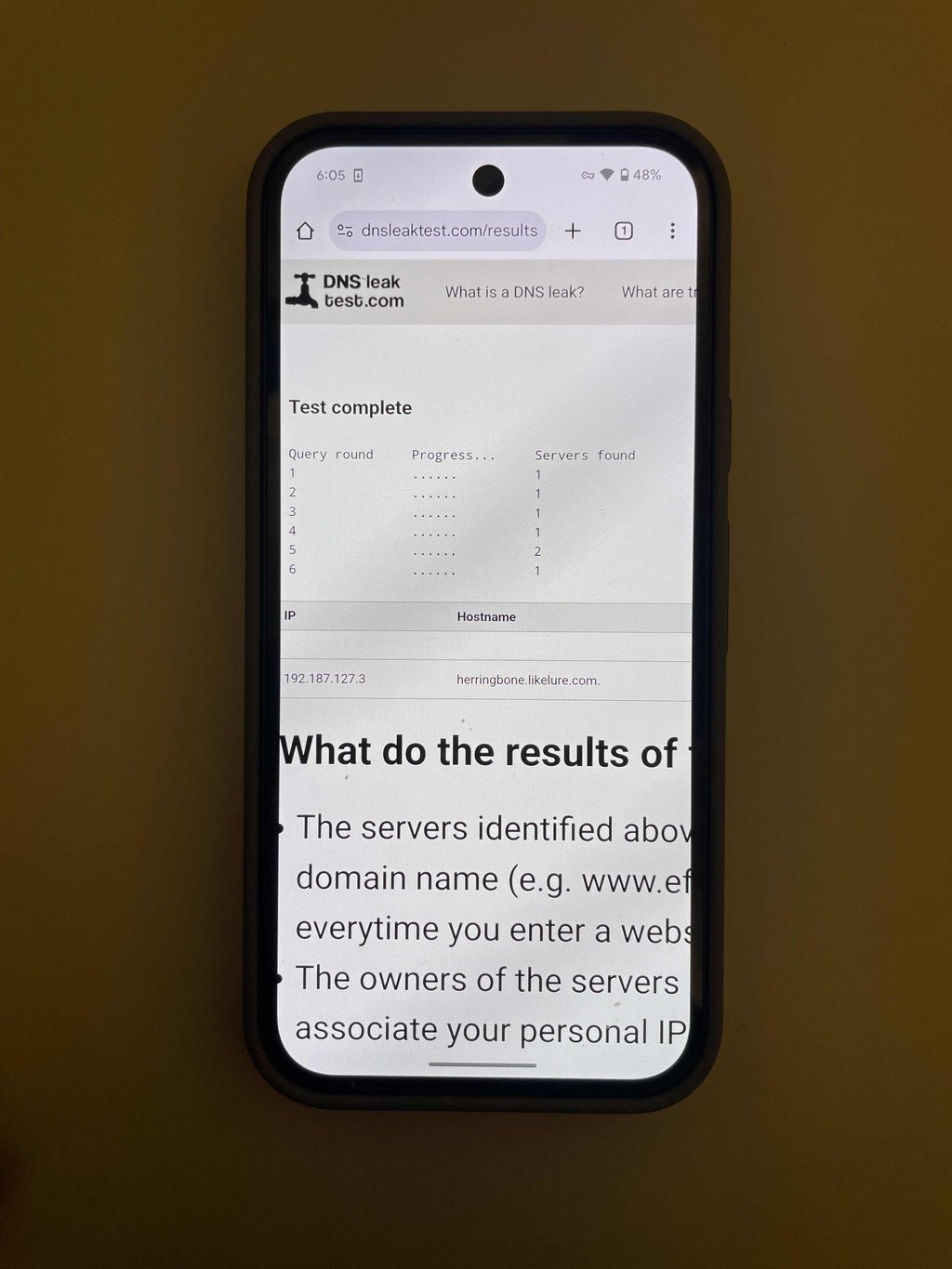
The DNS leak test I ran confirmed no vulnerabilities. Hide.me offers all the must-have VPN security features, such as auto-connect and a kill switch. It also supports strong protocols like IKEv2, OpenVPN, and WireGuard; therefore, the connections are not only secure but also reliable.
Performance
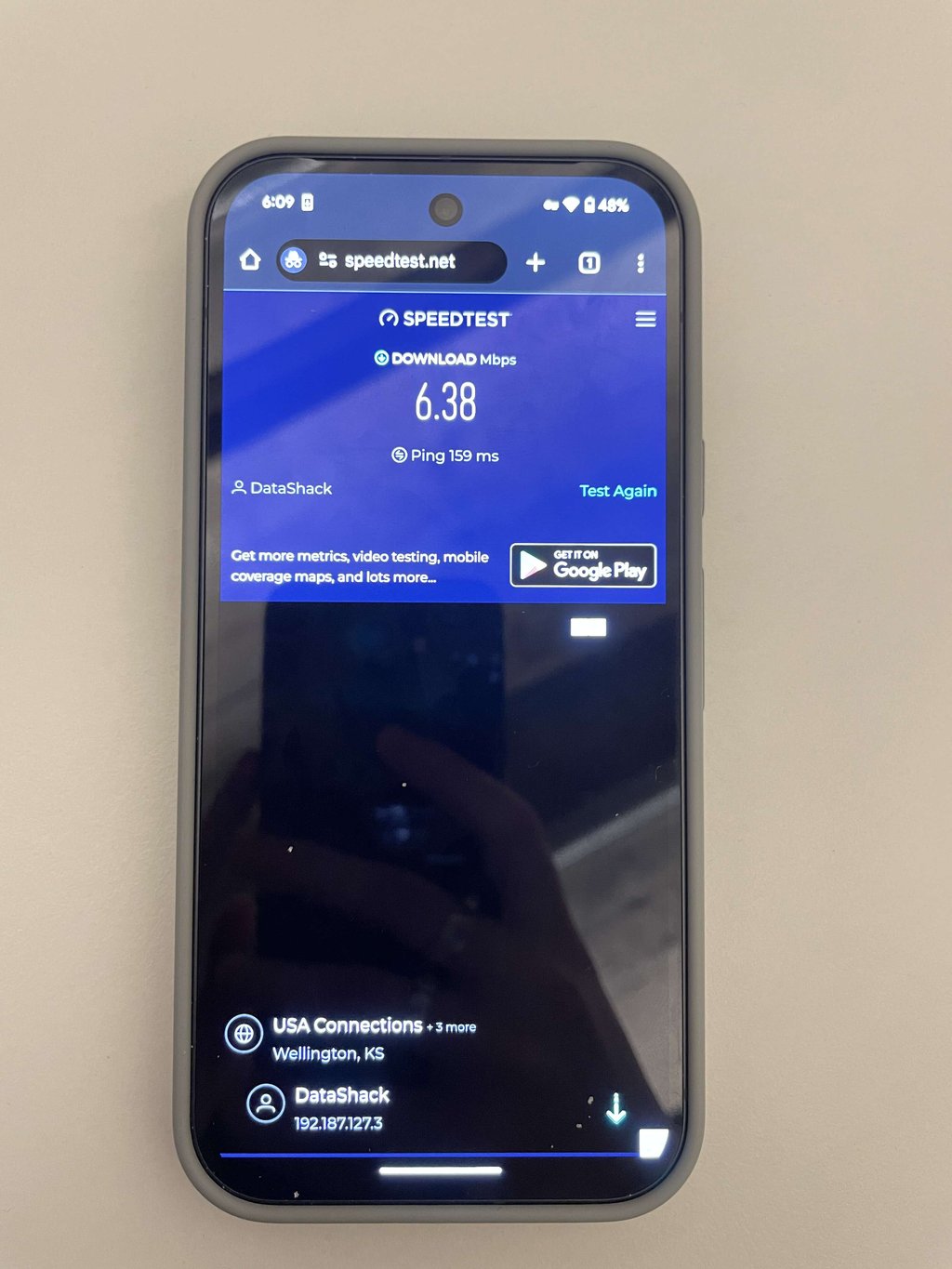
Despite using the speedy WireGuard protocol, during our tests, speed was significantly reduced to only 6.38Mbps from a baseline of 282.09Mbps, a considerable drop. Additionally, the free version provides access to 8 server locations, but the interface shows all potential servers, not just those available, which can be confusing.
Features and functionality
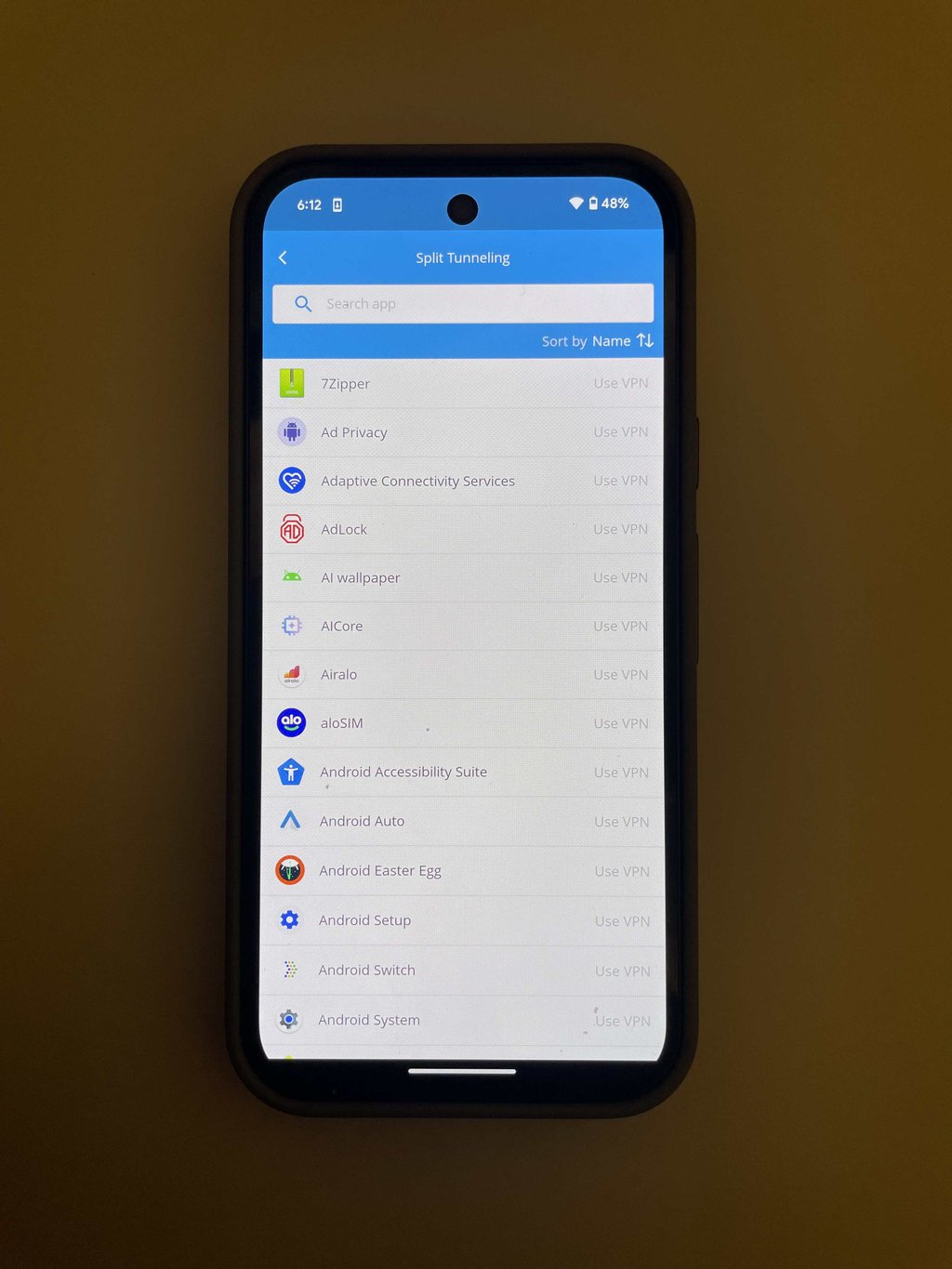
Similar to NordVPN, Hide.me offers split tunneling and a kill switch, but features like ad blocking and malware protection are reserved for the premium tier. Unfortunately, its free version, with quite restricted speeds and no server choice, suits basic browsing and IP masking but lacks flexibility for more demanding tasks like streaming or gaming.
Usability and support
Hide.me offers full support suite that includes 24/7 live chat, email, and a comprehensive knowledge base. When I reached out through their live chat, the wait was longer than anticipated, but the agent was patient and thoroughly addressed my inquiries once connected.
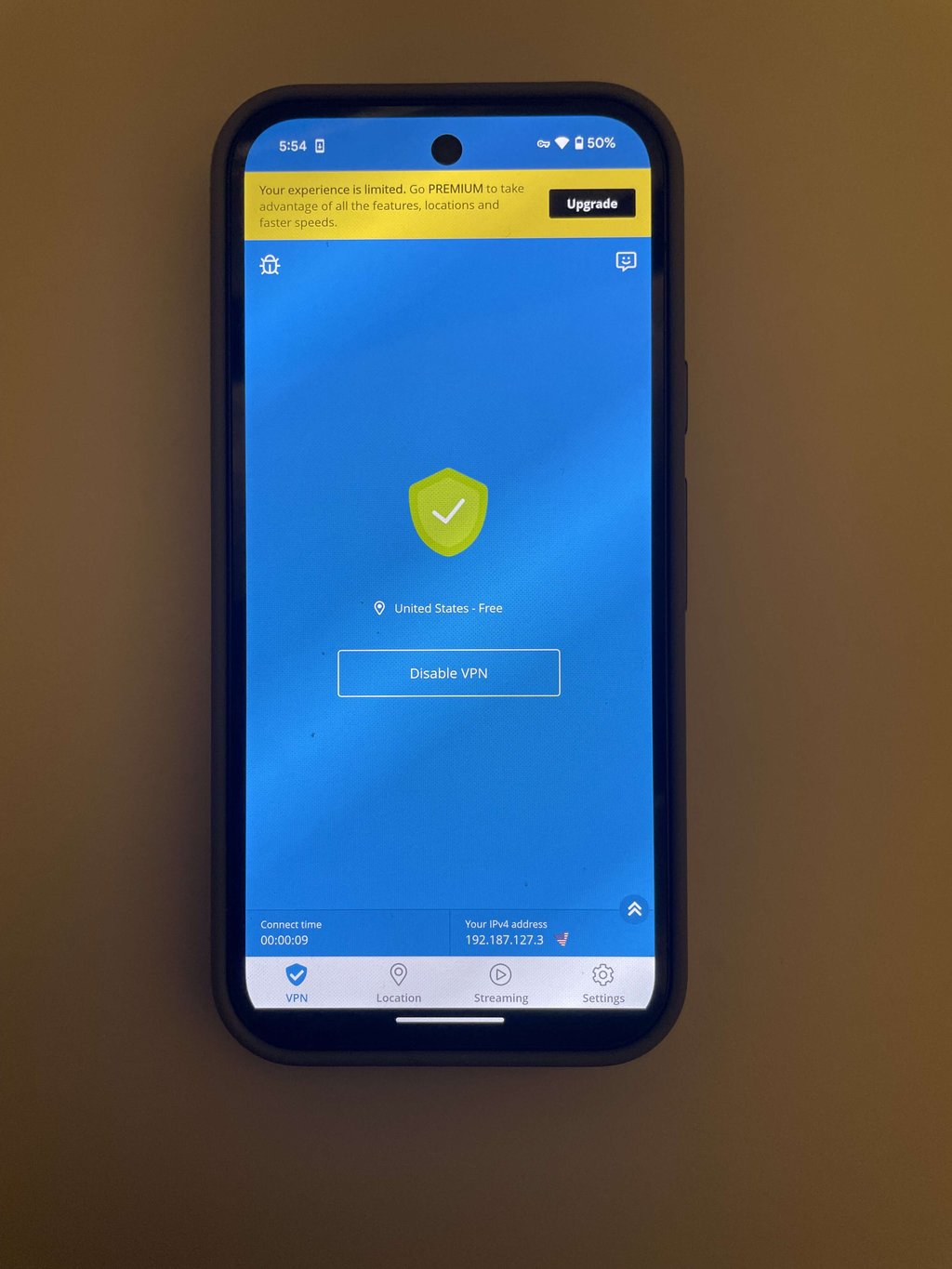
Personally, downloading and setting up Hide.me from the Google Play Store was hassle-free. The interface is clean and modern, with no ads, making navigation simple. However, not being able to choose server locations is a drawback if you need access to specific regions
Hotspot Shield – free VPN with a lot of ads

-
Privacy and security
-
Performance
-
Features and functionality
-
Usability and support
Hotspot Shield's free Android VPN is straightforward but includes ads whenever you connect. Despite this, it offers unlimited data and strong encryption, making it a decent option for users needing quick and secure internet encryption.
Privacy and security
While Hotspot Shield offers robust technical features like a kill switch and split tunneling even in its free version, it's based in the US, a Five Eyes alliance member, which is a concern.
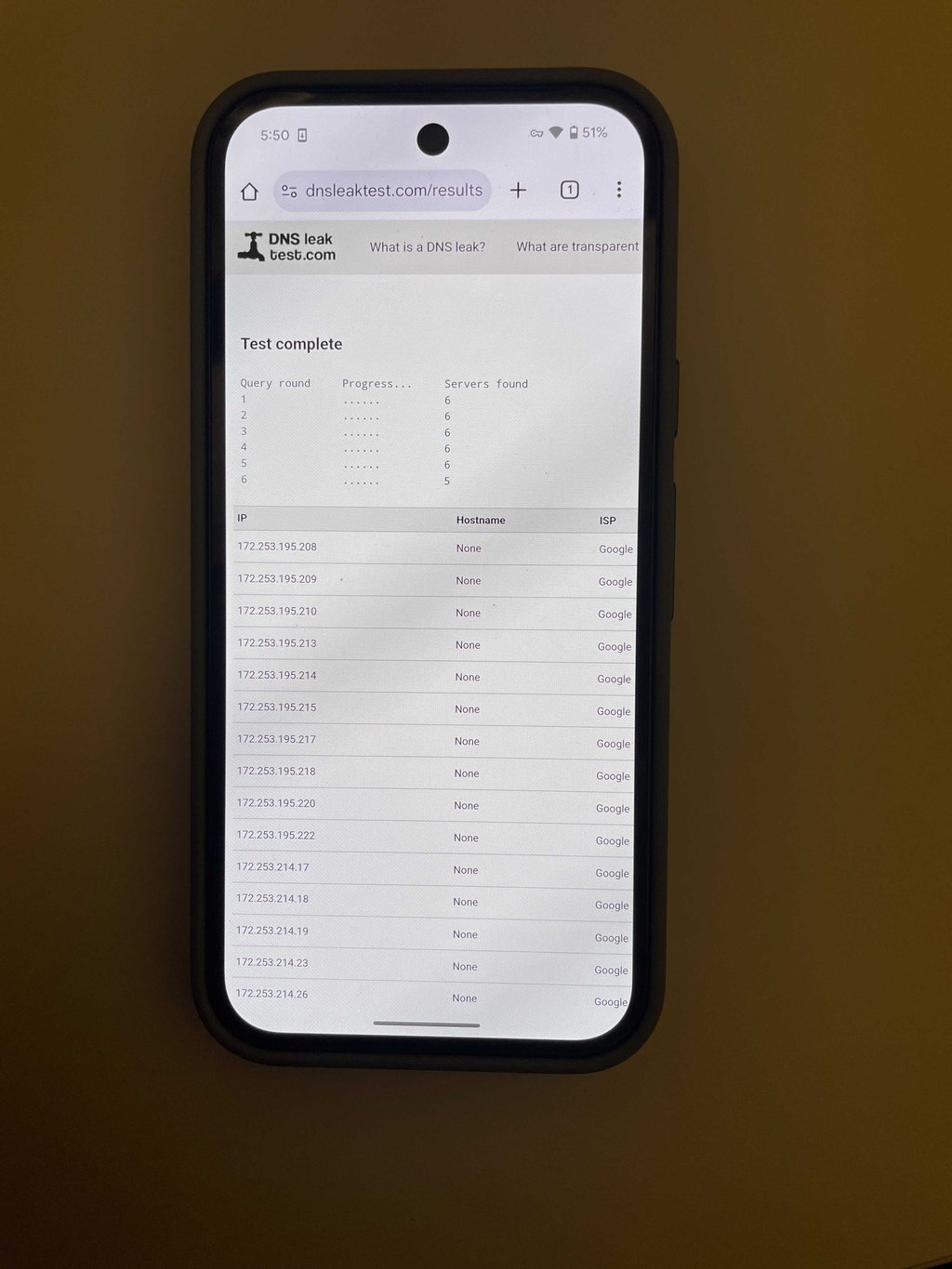
However, improvements in privacy practices have been made, with transparency reports and upgrades after the 2017 controversies. The DNS leak test results shown do not indicate any leaks, suggesting effective security measures are in place.
Performance
Hotspot Shield’s free version comes with Hydra and WireGuard protocols, maintaining about 50% of the original speed during my tests. While this isn’t as impressive as the speeds offered by services like NordVPN or Proton VPN, it's decent for a free service.

The main downside is the requirement to watch a 30-second ad to gain 15 minutes of VPN use, which can be rather disruptive and annoying. But if you're mostly web browsing and can handle the interruptions, it could be worth it.
Features and functionality
Hotspot Shield's free version really goes beyond the basics by including features like always-on VPN and trusted Wi-Fi connections, which keep it running when you need it most. It even offers split tunneling, a handy feature often missing in other free services like Proton VPN. Plus, it stands out with a free Chrome extension that, despite a modest 250MB data cap, has earned a strong reputation among users.
![Hotspot Shield Split Tunneling feature]](https://media.cybernews.com/images/1024w/2025/01/hotspotshield-split-tunneling-not-enabled.jpg)
Usability and support
Hotspot Shield offers a variety of assistance options, including an in-depth knowledge base, email, and live chat that is available around the clock. From my experience, reaching the live support is difficult since they try to redirect you to the email support in any way possible.

Unfortunately, the free variant of the software has adverts that spawn every time you use the VPN, which is a nuisance because this app is intended to increase privacy. Besides, one thing that I found inconvenient was that the options were somewhat restrained in the free version. The application does allow you to select which servers to connect to, but if you require a specific regional connection, then this can be confining. Usability-wise, I found the Hotspot Shield Android app easy to use, and setting it up was self-explanatory.
TunnelBear – highly-rated free Android VPN with data cap

-
Privacy and security
-
Performance
-
Features and functionality
-
Usability and support
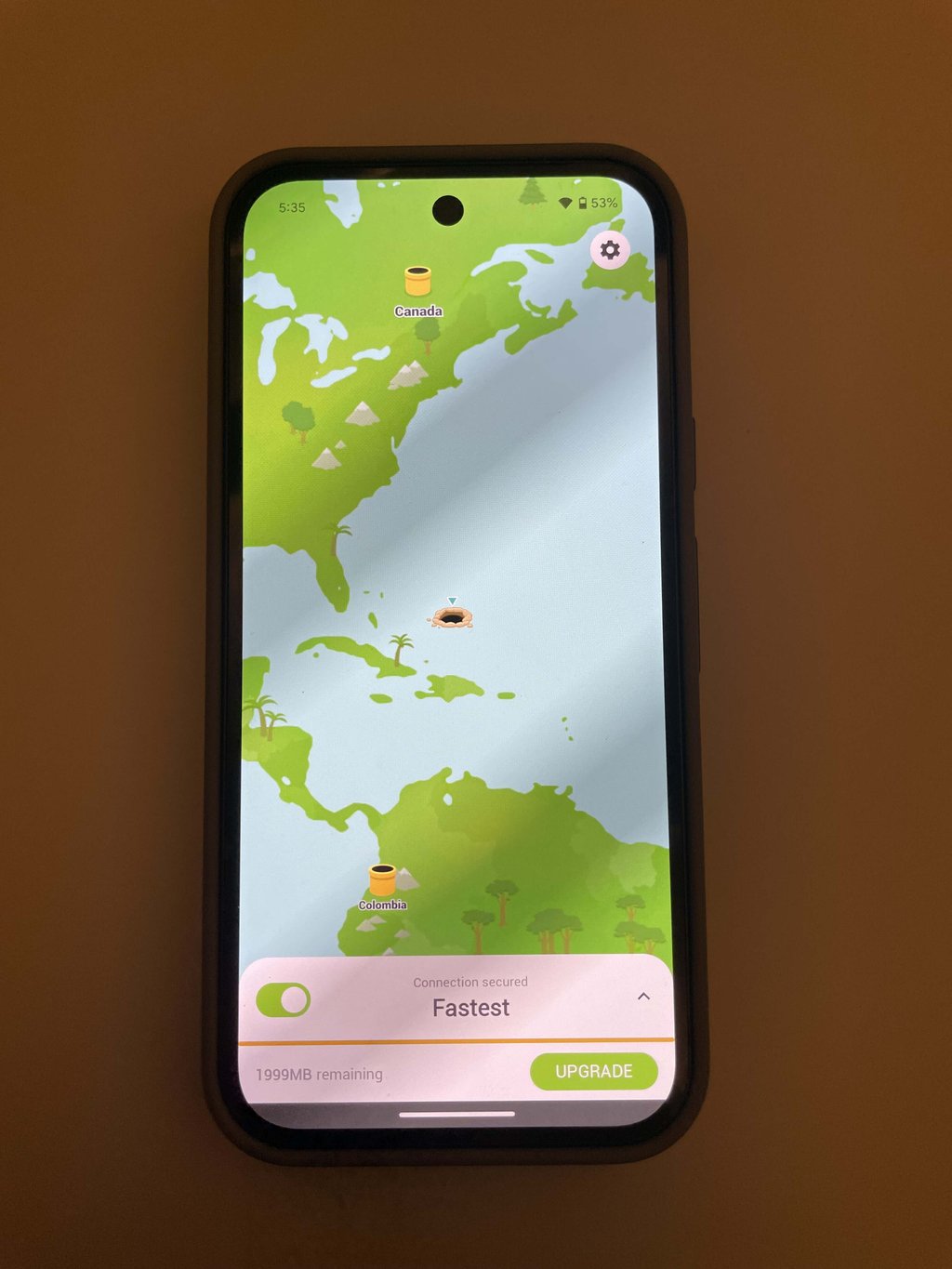
TunnelBear is a recognizable VPN that offers robust security features, though its free version is limited to a 2GB monthly data cap. It stands out not just for its bear-themed quirks and puns, which add a fun element to the experience, but also for being a solid free VPN option for Android.
Privacy and security
Like other top providers, TunnelBear offers strong security with AES-256 encryption and SHA-256 hash function for authentication. It includes a reliable kill switch for added protection. The app also features extra security tools like VigilantBear and GhostBear.
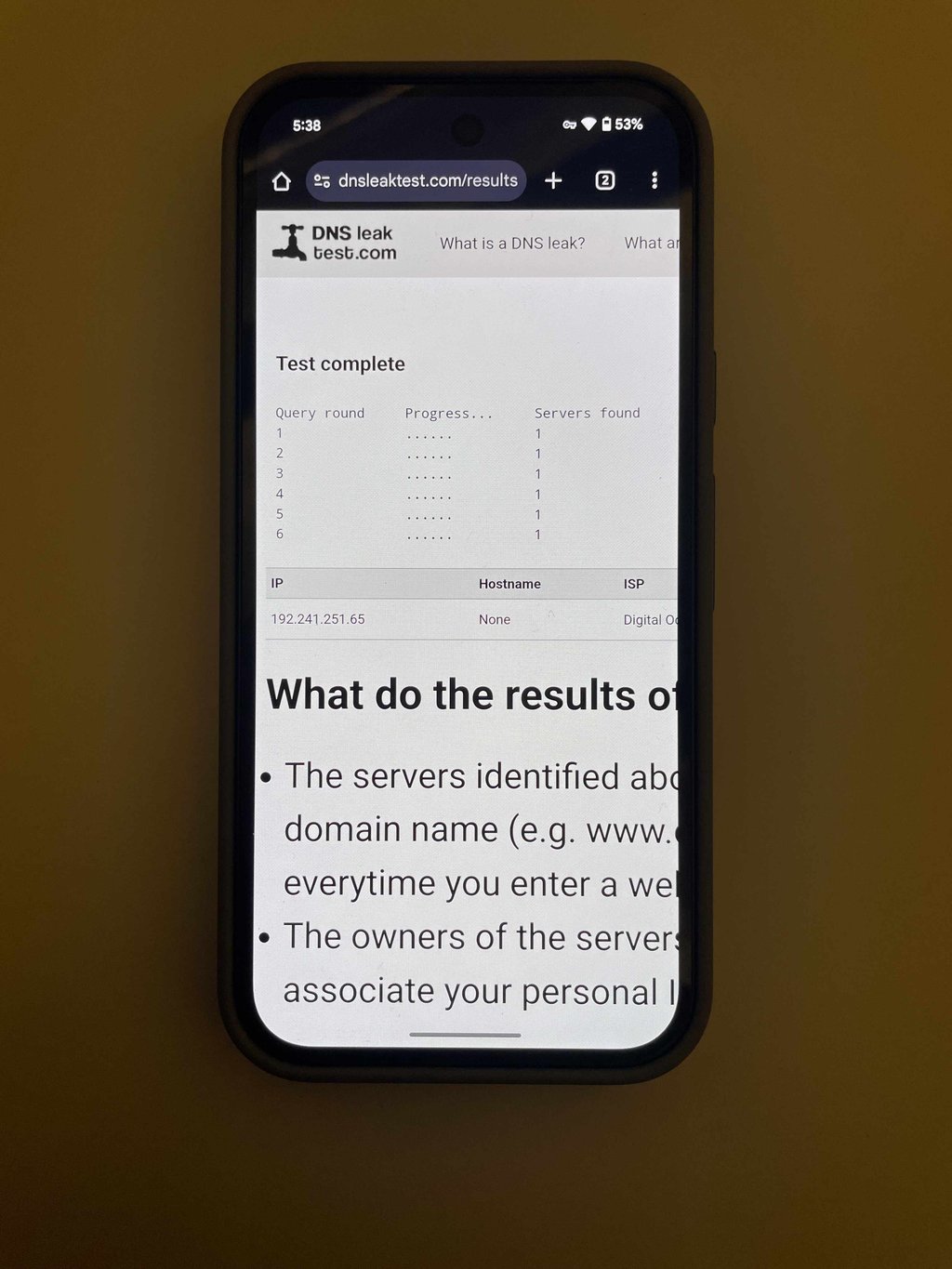
Although security is strong, the privacy side does leave TunnelBear behind others, considering it is under the jurisdiction of Canada – a Five Eyes alliance member. Nevertheless, its transparency through 7 independent security audits as of February 2024 has done quite a lot to raise the bar on user safety.
Performance
The performance of TunnelBear is impressive, especially due to its very fast connectivity with the WireGuard protocol. Performance tests showed it held onto about 76% of baseline speed, clocking in at 215.61Mbps from a baseline of 282.09Mbps.
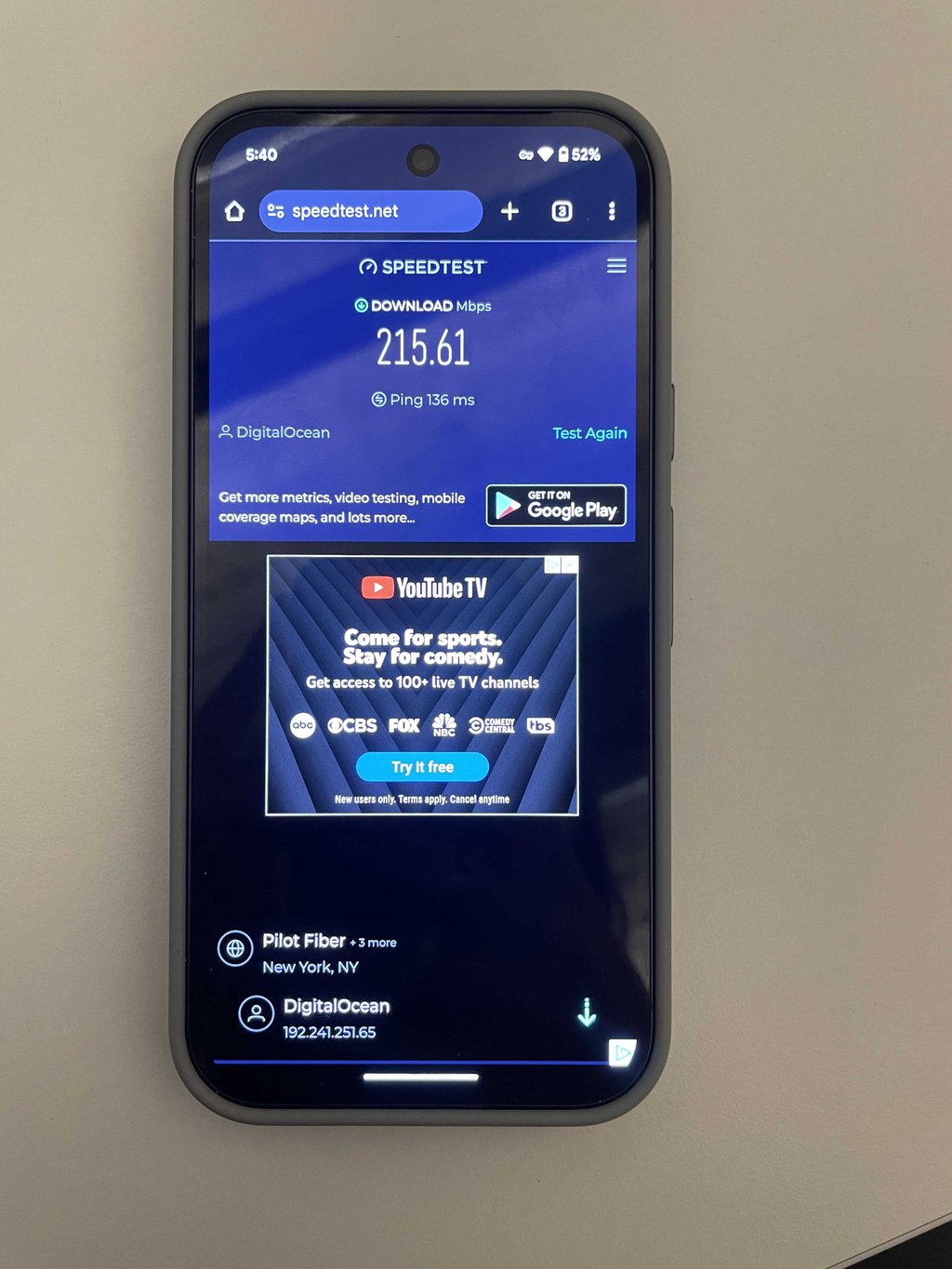
Despite this, the 2GB monthly data cap is a huge limitation for TunnelBear, especially compared with other competitors, such as Proton VPN and Hide.me, which provide unlimited data. Such restrictions are a serious drawback for users who need more data.
Features and functionality
As already mentioned, TunnelBear offers strong security features like VigilantBear, a kill switch, and GhostBear, which camouflages VPN traffic. It also includes SplitBear for split tunneling, enhancing usability by allowing users to select which apps use the VPN.
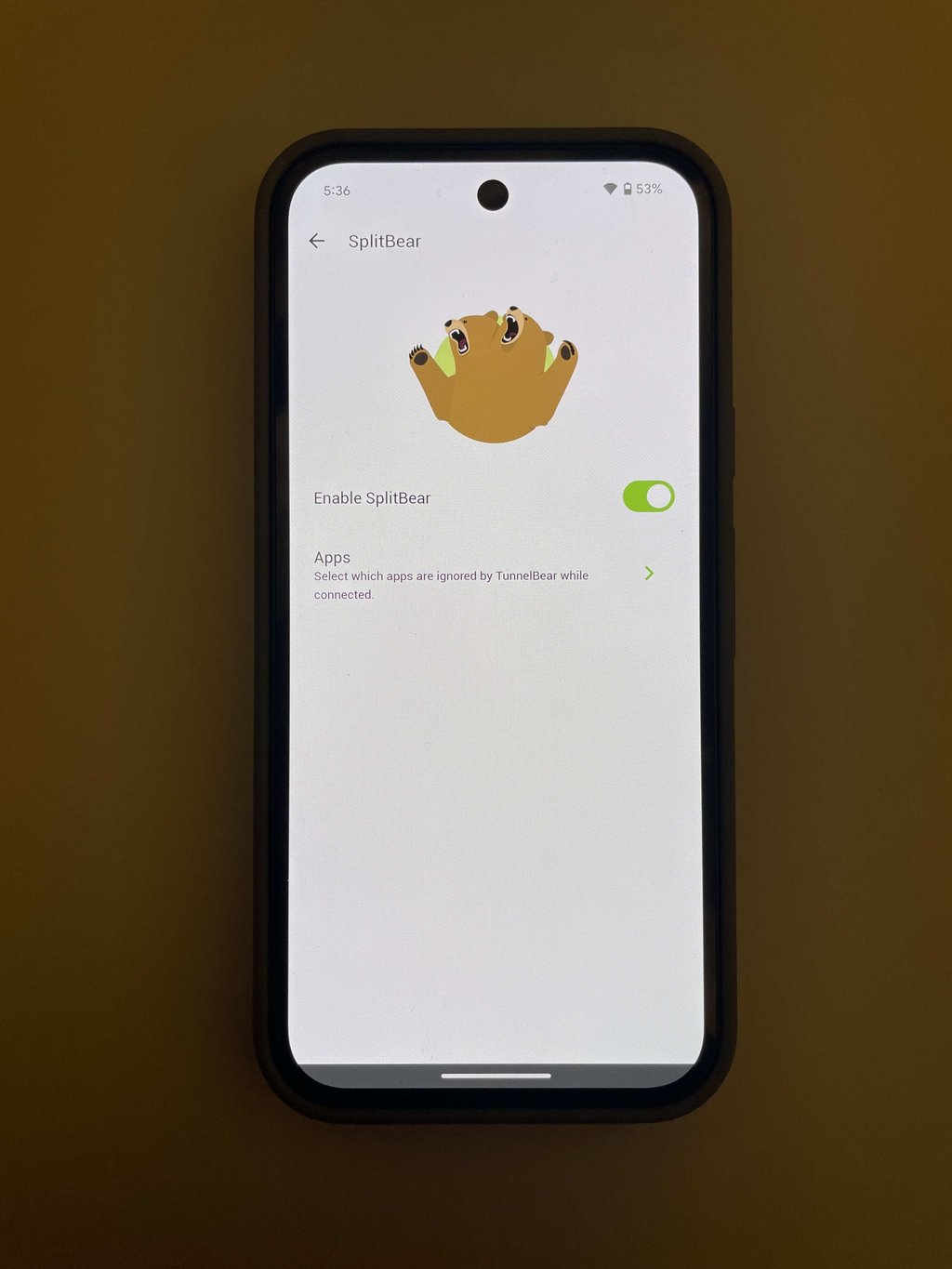
However, the need to create an account for Android usage and a 2GB data cap limits its appeal for me. Despite this, its engaging bear-themed interface provides a fun and unique user experience.
Usability and support
TunnelBear offers a user-friendly experience with a charming, themed interface that makes navigation easy. Support options include a detailed help center and RoboCub, an AI chatbot for quick assistance, though it lacks real-time human support. Despite the need to create an account for use, the setup process is straightforward. However, the absence of live chat could be a drawback for users needing immediate help.
Conclusion
When compared to other options, in my opinion Proton VPN is the most reliable option out there. For a free VPN Proton VPN stands out by providing no data cap, strong encryption, and good speed with the connection. It is not suited for torrenting or watching geo-blocked sites, but given the numerous other benefits it provides, these setbacks seem tiny.
That said, paid services have a lot more to offer in terms of security, server versatility, and strong geo-unblocking capabilities. Paid VPNs, such as NordVPN, often offer a free trial so that users can independently assess the VPN's potential before paying for it, thereby letting you test the advanced security and functionality at no cost.
More VPN guides
FAQ
What free Android VPN has the most servers?
TunnelBear, a free VPN, offers more server locations than any other free VPN on the market and unblocks many more streaming services, but it comes with a monthly data cap. To be exact, it comes with 8,000 servers in 47 countries.
Is ExpressVPN free for Android?
No, ExpressVPN is not free. It also doesn't offer a free trial or a money-back guarantee to experience its features without any obligation. A great free alternative is Proton VPN, which has no data or speed caps.
What is the best free VPN with unlimited data for Android?
Proton VPN offers free, trusted security features without any restrictions on bandwidth. Alternatively, NordVPN provides a free trial, which enables you to try out its premium speed and unlimited bandwidth at no cost.
Can using a free VPN affect my Android's battery life or performance?
Yes, using a free VPN on your Android can affect battery life and performance due to the encryption and data routing it requires. However, with a quality VPN and proper settings, this impact should be minimal and barely noticeable.
Can you get a free VPN on an Android?
Yes, Proton VPN is a top free VPN for Android with no speed limits or data caps, offering strong privacy. You can download it from the Google Play Store.