Best VPNs for Firefox in 2026
Our in-house cybersecurity experts and journalists, renowned for major reports like The Mother of All Breaches, conduct transparent, unbiased VPN testing and in-depth analysis.
With 750+ articles crafted based on real-world research, we empower readers to make informed purchasing decisions through first-hand expertise.
Learn more

In today’s digital landscape, protecting your online privacy and security is more important than ever. Although Firefox is well known for its built-in privacy features, pairing it with a VPN adds an extra layer of protection. A VPN encrypts your internet traffic, masks your IP address, and helps you bypass geo-restrictions with ease.
Whether you’re browsing on public Wi-Fi, streaming content from other countries, or aiming to keep your activity private, choosing the right VPN for Firefox makes all the difference. In this guide, we review the best VPNs for Firefox to help you stay secure and browse without limits.
My top 3 picks for Firefox VPN extensions in 2026
- NordVPN – best VPN for Firefox overall
- Surfshark – best affordable Firefox VPN
- Proton VPN – best free VPN for Firefox




We spare no effort to test the products & their features. All information is gathered by our in-house research team & fact-checked by our team of experts. Discover the ins and outs of our testing procedures.
How to choose a VPN for Firefox?
With lots of choices out there, it's important to think about a few key things when you start searching for the best VPN for your Firefox browser:
- Dedicated Firefox extension. When looking for a VPN with a Firefox extension, make sure that your chosen VPN has a dedicated add-on. You can easily check it on the Mozilla add-on store.
- Server network. If you're into streaming, gaming, or watching sports from around the world, it's important for a VPN to have lots of servers. Check the server count each VPN offers to find the right fit for you.
- Security. Prioritize VPNs with strong security features. Look for robust encryption protocols, such as OpenVPN. Extra features such as a kill switch, split tunneling, and DNS leak protection provide added security.
- Privacy policy. Before choosing a VPN, make sure to review the VPN provider's privacy policy and ensure it has a strict no-logs approach. This means the VPN won't gather or keep any data about what you do online, giving you more privacy.
- Compatibility. Check VPNs’ compatibility with different Firefox versions. A good VPN should regularly update its extension to ensure compatibility with the latest browser updates. You can find all information about VPN’s current version and new updates on the Mozilla extension store in the section More information.
- Speed and performance. Try out the VPN's speed and performance using online tools like www.speedtest.net. Make sure to test it during busy times too. A good VPN should give you steady speeds for smooth browsing and streaming.
Best VPNs for Firefox – detailed list
At Cybernews, we regularly test VPNs across platforms and use cases. In our latest October 2026 review, we focused on VPNs with dedicated Firefox extensions, evaluating features, browser integration, performance, pricing, and usability. Every VPN on this list is versatile, whether you want enhanced privacy, seamless streaming access, or ad-free browsing.
1. NordVPN – best Firefox VPN overall in 2026

| Firefox extension: | Yes |
| Based in: | Panama |
| Servers/countries: | 8,000+ servers in 149 countries |
| Current deal: | Get 75% OFF NordVPN + 3 months free |
NordVPN is the best VPN for Firefox browsers. It uses advanced encryption algorithms to protect all your device’s activity. Thanks to its growing server network and excellent unblocking capabilities, it allows you to bypass any geo-restriction and access all content worldwide.
NordVPN Firefox extension stands out because it works independently, without needing to set up the main app. This makes it lightweight and user-friendly, a quick alternative to a full VPN service.
NordVPN's extension encrypts traffic using HTTPS proxies with TLS encryption, prevents IP leaks, and can connect automatically when you open Firefox. Moreover, it has lightning-fast speeds, retaining around 87% of the initial connection speed, and excels at blocking malware and ads.
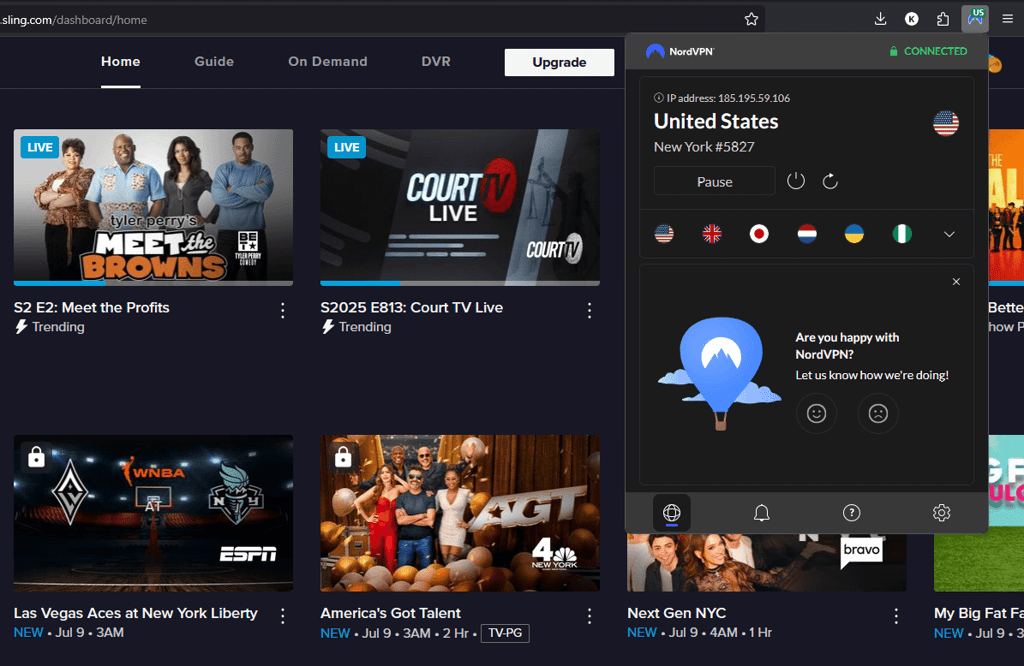
The provider offers over 8,000 servers in 149 countries, effortlessly unblocking geo-restrictions on all tested streaming services.
NordVPN offers robust security features, including custom DNS, router connections, and split tunneling. Plus, you can connect up to 10 devices simultaneously.
NordVPN pricing starts at just $3.49/month, backed by a 30-day money-back guarantee.
2. Surfshark – wallet-friendly Firefox VPN

| Firefox extension: | Yes |
| Based in: | Netherlands |
| Servers/countries: | 4,500+ servers in 100 countries |
| Current deal: | Now up to 85% OFF Surfshark + 3 months FREE |
Surfshark is among the top VPNs for Firefox, offering excellent value. You can save even more by using the discount code OFFCN. It includes multiple unique security features but keeps the pricing affordable.
Its Firefox and Chrome extensions mirror the desktop app, providing easy server access.
Independently audited for security, Surfshark ensures privacy whether you use the app or add-on. For top-notch security, it relies on proxy servers with HTTPS encryption. Additionally, Surfshark boasts robust security features like CleanWeb for ad and malware blocking. For a more in-depth feature analysis, visit our Surfshark VPN review.
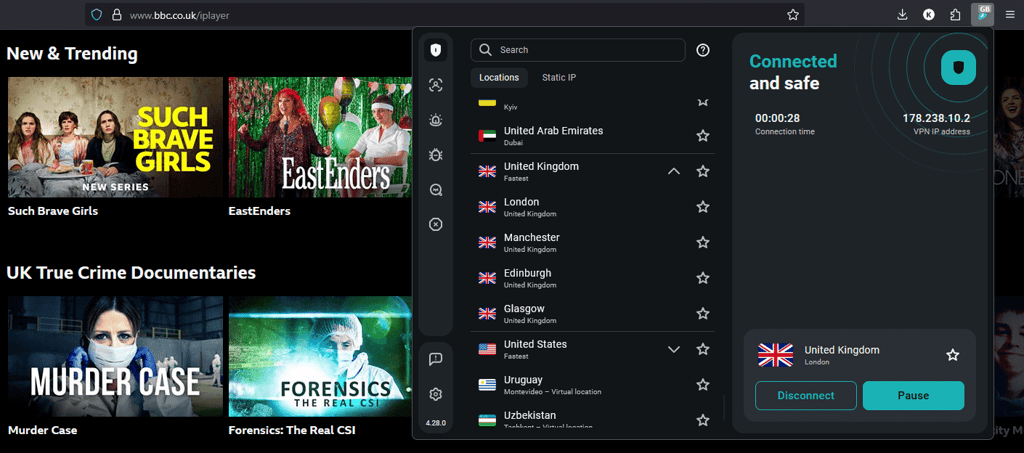
With its WireGuard protocol, Surfshark maintains 93% of the initial connection speed for seamless surfing and streaming. Over 4,500 servers in 100 countries unlock geo-restricted content on various platforms. Plus, Surfshark allows unlimited simultaneous connections, which is ideal for families.
Starting at just $2.49/month, it's budget-friendly, with additional discounts available. Plus, the 30-day money-back guarantee allows you to test it risk-free.
3. Proton VPN – best free VPN for Firefox

| Firefox extension: | Yes |
| Based in: | Switzerland |
| Servers/countries: | 20,700+ servers in 149 countries |
| Current deal: | Get up to 70% OFF Proton VPN |
Proton VPN is the best free VPN for Firefox. Its free version provides access to servers in 5 different locations, keeps your data secure with strong encryption, and offers unlimited data – something uncommon among most other free VPN services.
The Proton VPN Firefox extension is intuitive and user-friendly, closely matching the design of its desktop version. This makes it easy to locate and use.
Proton VPN utilizes robust encryption standards such as AES-256 and ChaCha20, and supports protocols including OpenVPN, IKEv2, and WireGuard. These features ensure your Firefox browsing sessions remain secure and your traffic is completely private. The free version even includes an integrated kill switch and supports obfuscation, which is rarely found in other free VPNs.
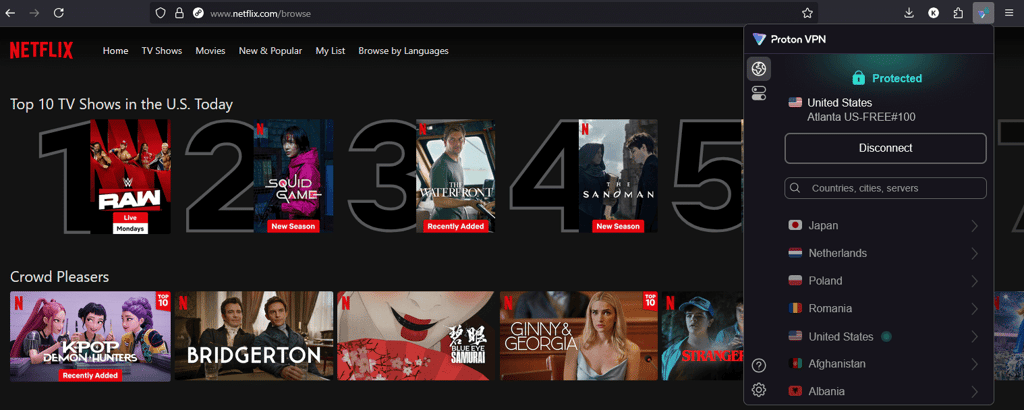
However, if you subscribe to the paid version, you unlock the full potential of Proton VPN. It boasts a massive server fleet – over 20,700 in 149 countries. Plus, it includes features like NetShield ad blocker, Secure Core servers, port forwarding, and other features discussed in our Proton VPN review. Additionally, the paid version delivers maximum VPN speeds. It maintained 86% of the initial connection speeds during my tests.
Proton VPN's free plan offers unlimited data usage. If you're interested in upgrading, paid plans start at just $2.99/month and include a 30-day money-back guarantee.
4. ExpressVPN – high-end VPN for Firefox

| Firefox extension: | Yes |
| Based in: | British Virgin Islands |
| Servers/countries: | Undisclosed numbers of servers in 113 countries |
| Current deal: | Now up to 80% OFF ExpressVPN + 4 months FREE |
ExpressVPN is a great option for those looking for a reliable VPN for Firefox. It offers seamless access to popular streaming services while protecting your browsing activity without sacrificing connection speeds.
Intuitive Firefox extension makes it a popular choice. You can easily control the application through the extension and set it to auto-connect when you open your browser.
ExpressVPN takes your online security seriously, using strong encryption like OpenVPN. It also has a kill switch, which is like a safety net – if the VPN connection drops, it cuts off your internet to keep you secure. What's cool is that ExpressVPN doesn't keep any logs of your online activities, respecting your privacy.
Additionally, ExpressVPN tests show excellent connection speeds. Various tunneling protocols, including its Lightway tunnel, keep connections fast and secure. It's also effective for bypassing geo-restrictions, granting access to major streaming services like Paramount+.
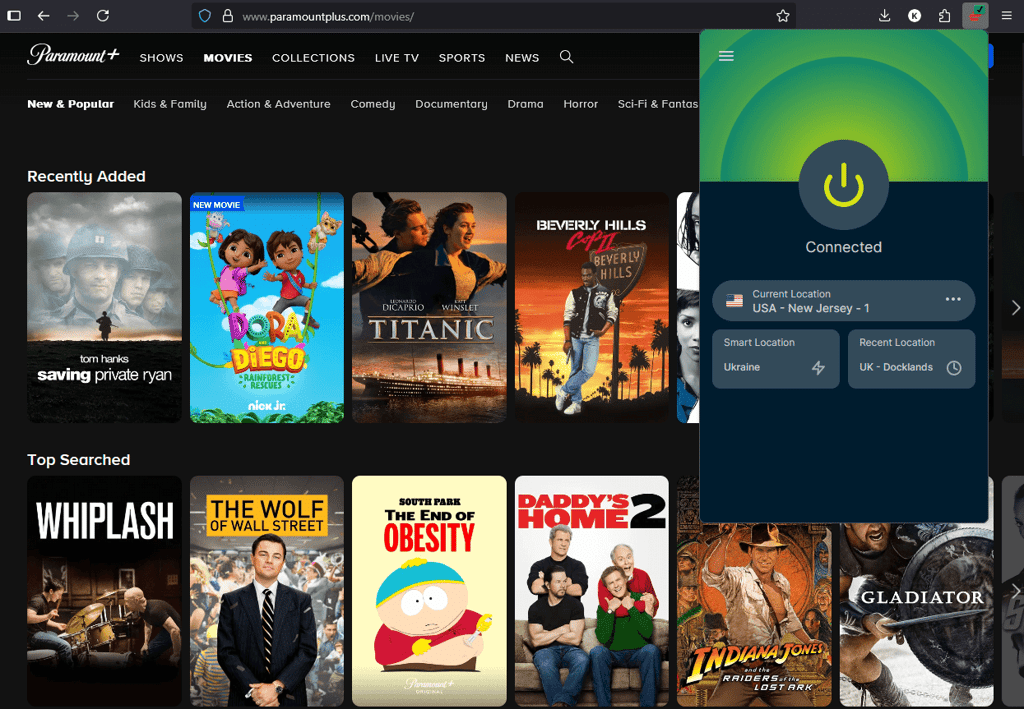
Despite its starting price of $2.99/month, for plans ranging from 1 month to 2 years long. Plus, our ExpressVPN discounts provide premium service at a discounted rate.
5. CyberGhost – VPN for Firefox with streaming-optimized servers

| Firefox extension: | Yes |
| Based in: | Romania |
| Servers/countries: | Servers in 100 countries |
| Current deal: | Watch Live Sports Securely, now with 83% OFF CyberGhost + 2 months FREE |
CyberGhost is an excellent Firefox VPN for streamers and gamers. It offers specialized servers for bypassing geo-blocks on various streaming services, minimizing latency while gaming, and even torrenting securely.
When it comes to security, along with the advanced tunneling protocol, this VPN also uses industry-leading encryption to make your traffic unreadable. And while the kill switch feature protects your IP address at all times, an independently audited no-logs policy guarantees complete privacy.
CyberGhost covers 100 countries, giving you access to fast and reliable connections worldwide. Its use of the WireGuard tunneling protocol ensures minimal impact on initial connection speeds while maintaining security. That said, the free Firefox extension allows you to connect to servers in just 4 countries, with no data limits but slower speeds.
Beyond security, CyberGhost excels at bypassing geo-blocks and offers specialized servers for gaming, torrenting, and streaming.
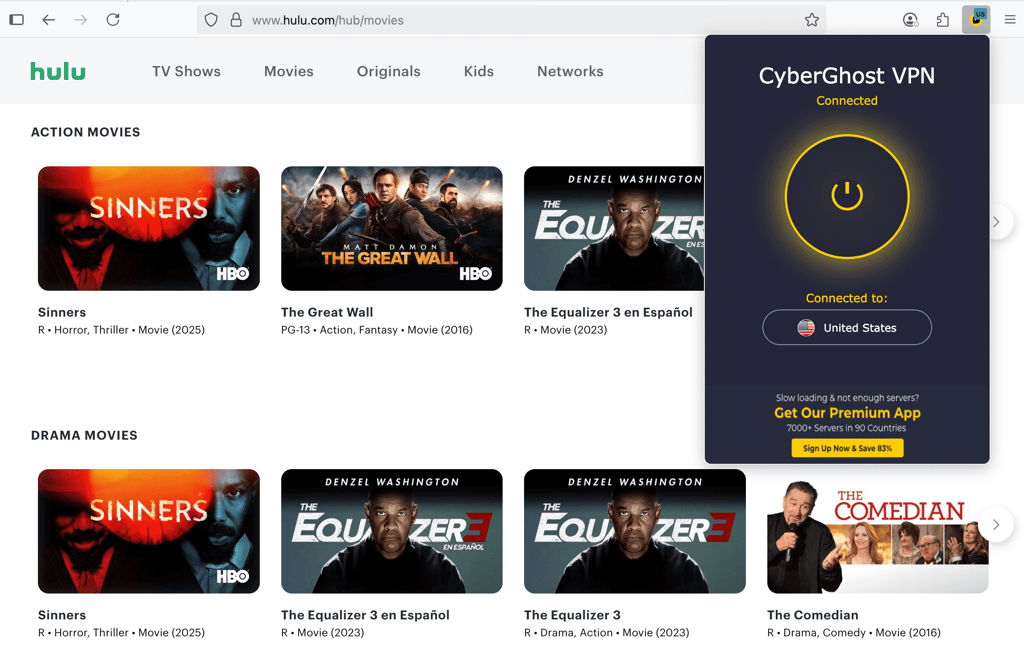
Despite its impressive features, it remains one of the most affordable options, starting at just $2.19/month, offering excellent value for money. Plus, you can test it out risk-free with a 45-day money-back guarantee.
6. Norton VPN – simple Firefox VPN with antivirus protection

| Firefox extension: | Yes |
| Based in: | United States |
| Servers/countries: | Servers in 65 countries |
| Current deal: | Now up to 54% OFF Norton VPN |
Norton VPN is a solid choice for enhancing your online security. When used alongside the Norton 360 security suite, it protects your Firefox connections, keeping your connections private and invisible to your ISP or trackers.
The Firefox extension is designed to integrate with the desktop app, allowing you to easily customize your VPN connection without leaving the browser itself. While the extension doesn’t include all the features that the desktop version has, it’s perfect for quickly switching servers without leaving your browser.
However, I did experience an issue where the Firefox extension wouldn’t connect to the desktop app and displayed an error. Despite this, the desktop app itself worked flawlessly during my testing, giving me seamless access to geo-blocked content.
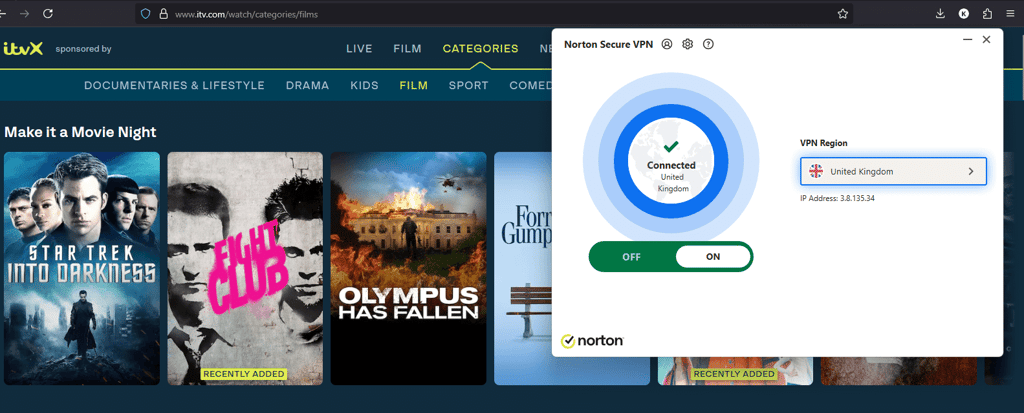
Norton VPN uses strong AES-256 and ChaCha20 encryption and supports OpenVPN, IPSec/IKEv2, WireGuard, and Mimic protocols for maximum security. The extension also includes a built-in ad blocker, helping to hide ads and block trackers to further enhance your privacy.
Although not the fastest VPN on my list, it still maintained a respectable 80% of the initial connection speeds during my tests. As mentioned in our Norton VPN review, the server network is more limited, with servers in 65 countries, but this is more than sufficient for everyday VPN use and unblocking content.
As for pricing, it starts at $3.33/month and comes with a very generous 60-day money-back guarantee.
7. PureVPN – Firefox VPN for advanced security

| Firefox extension: | Yes |
| Based in: | British Virgin Islands |
| Servers/countries: | 6,000+ servers in 65 countries |
| Current deal: | Now $1.99/month with 87% OFF |
PureVPN stands out as a highly privacy-focused Firefox VPN. Headquartered in the British Virgin Islands, it features an audited no-logs policy, ensuring that no connection data is ever logged.
While the desktop app and the browser extension have different designs, I found the extension very user-friendly. Everything you need is easily accessible within just a few clicks.
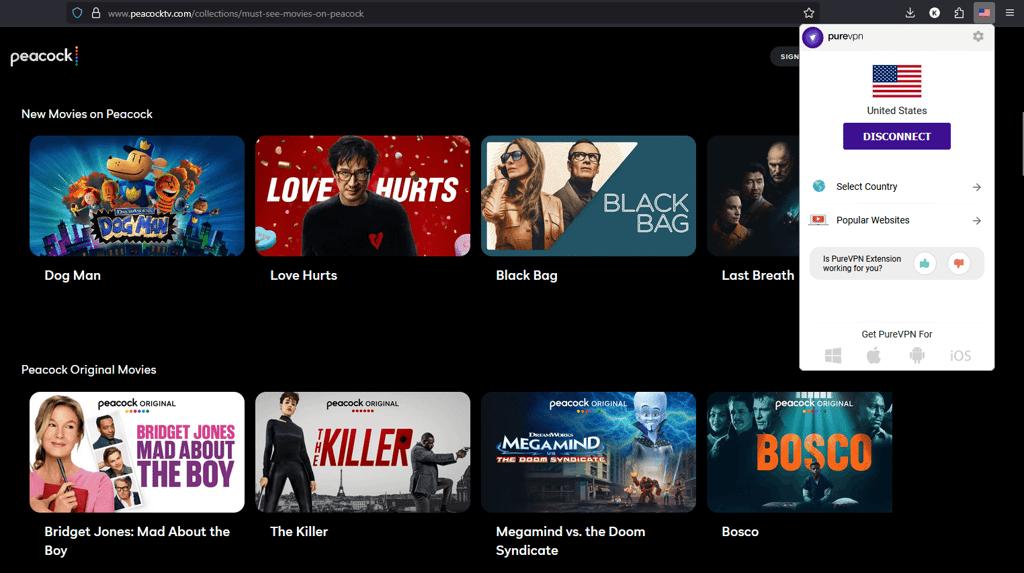
For security, PureVPN uses AES-256 encryption and supports both OpenVPN and WireGuard protocols. The extension also offers handy features, such as one-click access to specific sites: for example, you can select US Netflix on the extension, and it will automatically connect you to a US server and launch Netflix. Additionally, it provides WebRTC leak protection and even GPS spoofing for extra privacy.
Speed is another strong point. In my recent tests, PureVPN maintained 93% of the initial connection speed, which is impressively fast. However, while it offers over 6,000 servers, they are spread across 65 countries. The server count is good, but the country coverage could be better.
As for practicing, it’s quite affordable. Plans start at $1.99/month, and come with a 31-day money-back guarantee.
Best VPNs for Firefox: side-by-side comparison
To help you find the best VPN for Firefox quickly, I’ve summarized the essential details in the table below for easy comparison.
| VPN | Rating | Firefox extension | Servers | Security features | Price |
| NordVPN | ✅ Yes | 8,000+ servers in 149 countries | Kill switch, Threat Protection, obfuscated servers, Double VPN, RAM-only servers | From $3.49/month | |
| Surfshark | ✅ Yes | 4,500+ servers in 100 countries | Kill switch, CleanWeb, NoBorders Mode, MultiHop, RAM-only servers | From $2.49/month | |
| Proton VPN | ✅ Yes | 20,700+ servers in 149 countries | Kill switch, NetShield, Secure Core, Forward Secrecy | From $2.99/month | |
| ExpressVPN | ✅ Yes | Servers in 113 countries | Kill switch, Threat Manager, Ad Blocker, RAM-only servers | From $2.99/month | |
| CyberGhost | ✅ Yes | Servers in 100 countries | Kill switch, Content Blocker, RAM-only servers | From $2.19/month | |
| Norton VPN | ✅ Yes | Servers in 65 countries | Kill switch, ad blocker, Wi-Fi Security | From $3.33/month | |
| PureVPN | ✅ Yes | 6,000+ servers in 65 countries | Kill switch, port forwarding, split tunneling, obfuscation | From $1.99/month |

How we tested and ranked VPNs for Firefox
To create the list of the best VPNs for Firefox, I, along with our research team, tested various VPNs to see how well each performs on Firefox. We use our trusted VPN testing methodology to make sure we give you the most accurate results.
I installed each extension on my Firefox browser to evaluate how intuitive and functional each was. I paid close attention to whether the add-on was user-friendly and all settings were easy to find. For speed testing, I used Speedtest by Ookla tool with the Firefox VPN extension to see how well each provider maintains its speeds. I tested the speeds across various locations worldwide.
To evaluate each VPN's unblocking capabilities, I tried accessing Netflix, HBO Max, Disney+, and Amazon Prime Video through the browser. Finally, I examined each VPN's privacy policy and checked for past controversies. I gave preference to VPNs that offer AES-256 or ChaCha20 encryption and any advanced features ensuring safe browsing on Firefox.
Once I gathered all the data, I ranked each provider using these criteria:
- Compatibility (30%). How well the VPN performs with Firefox, including the reliability and convenience of its Firefox browser extension.
- Privacy and security (30%). The strength of the encryption, privacy features, no-logs policy, and whether the VPN is based in a privacy-friendly country with third-party no-logs audits.
- Speed retention (20%). How much internet speed the VPN retains during use, based on my speed test results from various locations.
- Features (10%). Availability of useful extras, such as kill switches, ad blockers, or split tunneling.
- Price-to-value ratio (10%). Whether the price matches the quality and range of features offered.
Should you use free VPNs for Firefox?
Honestly, I don’t recommend relying on free VPNs for Firefox. Most free VPNs come with frustrating limitations, like slow speeds, a restricted amount of data, or just a few servers to choose from. Also, many struggle to unblock websites, don’t do a great job securing your traffic, and some can even track your activity or bombard you with ads.
If you want to avoid issues like these, I suggest using a premium VPN’s free trial or money-back guarantee instead. This way, you can test the service risk-free and cancel if it’s not right for you. While you’re trying it out, you’ll enjoy the full set of features, access to all content, an ad-free experience, and, most importantly, a secure connection. For example, you can get NordVPN's free trial and use it on Firefox for excellent security and seamless access.
However, if you absolutely need a free VPN for Firefox, Proton VPN is the only one I recommend. It’s highly secure, uses advanced encryption, and doesn’t log your data, even on the free plan. While there are some limitations, like speed caps and restricted features, it’s still a reliable and secure free option for Firefox.
Other Firefox VPN extensions that we tested
We've tested several other VPN providers and reviewed their privacy policies. However, they didn't make it to our top list due to their low-end security features. Here are some of the providers we have also checked:
- Browsec, in its privacy policy, mentions that it collects user data but assures that it neither uses nor sells it to third-party services. Although it's not based in any of the Fourteen Eyes countries, it operates from Russia, which is known for not being privacy-friendly.
- Touch VPN openly states that it gathers user data. Additionally, Touch VPN is owned by a US-based company, subjecting it to Five Eyes jurisdiction.
- Hoxx VPN isn't the most secure choice either. The highest level of encryption you'll get is 4096-bit RSA, which is very outdated. Additionally, Hoxx VPN logs a lot of user data.
- Mozilla VPN shows strong privacy commitments but actually lacks security features and performs poorly during our speed tests. We experienced connection problems, and the VPN struggled to unlock popular streaming sites.
How I set up a VPN extension for Firefox
Setting a VPN extension for your Firefox browser is a great step towards secure browsing. The process is straightforward and easy to follow. Below, I’ve provided a step-by-step guide using my top choice, NordVPN:
Step 1: create an account and subscribe to a trusted VPN
I started by going to NordVPN’s website and creating my account, which only took a minute. I chose the 2-year Plus plan because it offered the best value for all the features I wanted. It also came with a 30-day money-back guarantee, so I knew I could get a refund if it didn’t meet my needs.
Step 2: install the Firefox extension
Once my subscription was active, I opened the Firefox Add-on store and searched for NordVPN. I clicked Add to Firefox to begin the installation. When Firefox prompted me, I clicked Add and then Okay to allow the application to run in a private window.
Step 3: log in to your VPN account
Once the extension was installed, I located it in the toolbar. I clicked on the NordVPN logo, which opened the extension. I then tapped the Log in button to enter my account details and sign in.
Step 4: connect to a server and start browsing
Once logged in, I could use the VPN freely. To test it, I connected to a server in Japan and opened Netflix. I was impressed by how easily NordVPN bypassed geo-blocks. I was able to stream content from the Japanese Netflix library without any issues.
Should you pick a VPN extension or app for your browser?
Choosing between a VPN extension for Firefox and a desktop app can be tricky, since the difference between the two is not always so obvious.
A Mozilla Firefox VPN extension is simply a plugin for a quick VPN connection. It’s a more convenient and lightweight version of a VPN app that works only on the browser. This means traffic from other apps on your device isn’t secure. An extension hides your IP address and keeps your Firefox activities anonymous.
In contrast, a VPN app encrypts all the internet traffic from your entire device and sends it through a secure tunnel to the VPN server. This means that, whether you’re browsing the web or using other apps, all your online activity is protected and hidden from anyone trying to eavesdrop.
The option you choose really depends on your needs and how you use your device. If you only use your browser and want to secure your browsing activity, a Firefox VPN extension could be a perfect fit. However, if you want to protect all the internet traffic on your device or need a VPN for multiple devices, a full VPN app is a better choice.
Does Firefox have a built-in VPN?
No, Firefox doesn’t have a built-in VPN. Mozilla offers a separate product called Mozilla VPN. You can use it alongside the private Firefox Browser to safeguard your connection on Wi-Fi and protect your IP address.
However, I suggest considering other VPN extensions for Firefox because Mozilla VPN lacks strong security features, has limited server locations, and isn't as effective at unblocking content. Additionally, previous reports from the independent audit company Cure53 found vulnerabilities in Mozilla VPN's security, which I found concerning. Instead, I strongly recommend using one of our tested VPNs, like NordVPN, to be sure your personal information is safe and secure.
Final thoughts
A Firefox VPN extension is a great way to protect your connection while browsing. Compared to full desktop VPN apps, these extensions are more lightweight, use fewer system resources, and offer a simple, user-friendly interface.
My top pick is NordVPN, which combines strong security, a wide server network, and excellent features. For those on a budget, Surfshark is a solid choice. And if you prefer a free but reliable option, Proton VPN offers a secure Firefox extension that gets the job done.
FAQ
Which VPN is best for Firefox?
NordVPN is the best VPN for Firefox I’ve tested. It offers excellent security features, including WebRTC leak protection and Threat Protection. Plus, the auto-connect feature conveniently connects the VPN as soon as you launch your browser.
How do I enable VPN on Firefox?
To enable a VPN on Firefox, choose a VPN service from the add-on store. Click Add to Firefox. Once you see the logo appear in the Toolbar, click on it and set up your VPN account. After that, connect to preferred server, and you're ready to browse the internet securely.
What is the best free VPN add-on for Firefox?
I don’t recommend using a free VPN for Firefox, as they can be dangerous. Instead, you can take advantage of free trials and money-back guarantees offered by premium providers. If you absolutely need a free VPN, you can use Proton VPN, which is secure and doesn’t have any data caps.
What happened to Firefox VPN?
Mozilla discontinued Firefox Private Network on June 20, 2023. Customers can no longer use, install, or reinstall the extension. Anyone with an active subscription was refunded for any unused time and is no longer billed.