AI assistants privacy and security comparisons
Being behind major reports like The Mother of All Breaches and RockYou2024, our in-house cybersecurity experts and journalists provide unbiased, real-world testing and in-depth analysis.
We maintain complete transparency by openly sharing our testing methodologies with our audience.
Learn more

AI assistants now sit quietly inside our inboxes, browsers, and code editors – answering questions, rewriting drafts, and processing documents with impressive speed. But behind their helpfulness is a simple reality: every interaction feeds them data.
What happens to that data, how it's stored, used, or shared, depends entirely on the provider. Some assistants keep your prompts indefinitely. Others use them to train future models. A few may pass them to third-party systems for processing.
So we turn to the companies behind: nexos.ai, OpenAI, Google, Anthropic, and Microsoft, and ask the questions that rarely make it into marketing decks:
- When users hand over their data, what exactly are you collecting?
- Where does that data go? How long do you keep it?
- Is any of it used to train your models now, or in the future?
- And are users ever given a clear explanation of what’s happening?
How we compared AI assistant privacy and security
To understand how major AI assistants handle user data, I looked beyond claims and focused on what’s documented – both in official policies and independent findings.
The evaluation focused on 5 key criteria:
- Data collection. What information do these systems capture – intentionally or by design? Does it include prompts, uploaded files, interaction logs, or background telemetry?
- Storage and retention. Once collected, where does the data live? For how long? Under what encryption standards, and with what access controls?
- Data sharing and use. Is user data used to train future models? Is it ever reviewed by humans, shared with contractors, or routed through third-party processors?
- Compliance and transparency. Do these tools meet regulatory benchmarks like GDPR and CCPA? Just as important: how clearly do they explain any of this to the user?
- Consumer vs enterprise practices. I made a distinction between freely available consumer tools and their enterprise-grade counterparts, where the data handling policies often diverge, even within the same company.
Data collection and storage policies
We all know, in theory, that AI assistants are learning something about us. But what exactly are they collecting? And where does that data go after the chat ends?
This section looks at what each major provider, nexos.ai, OpenAI, Google, Anthropic, and Microsoft, actually stores: prompts, files, metadata, and usage habits. I examine how long that data sticks around, where it’s kept, and what control (if any) users really have over it.
nexos.ai
Nexos is an AI assistant provider that gives you access to multiple LLM models, allowing you to build automations and templates depending on the strength of various engines. Its data policies are privacy-focused, protecting your privacy and information.
Here’s a breakdown:
| Policy area | Details (2026) |
| Data collected | Account details, full prompts, LLM responses, uploaded files, API traffic, token usage, IP address, device info, and interaction logs. |
| Retention (standard users) | Stored only as long as necessary to fulfill service purposes or legal obligations. |
| Temporary chat mode | Supported via zero data retention at the LLM layer – requests are processed transiently by model providers and not retained. |
| Enterprise/education tiers | Dedicated, physically isolated tenants (via WorkLLM) with role-based access controls (RBAC), Single Sign-On (SSO), and centralized audit logs. |
| Data residency | The platform and most available models are hosted in Europe, allowing users to select models based on regional compliance. |
| Special features | Full LLM observability (tracking every token), custom AI guardrails (real-time filtering of PII/sensitive inputs), and human-in-the-loop approvals for AI Agents. |
| Encryption | Encrypted at rest and in transit by default using modern industry standards. |
| Deletion/export options | Full GDPR compliance, including the right to access, correct, delete, and port personal data. |
| Training use | Strict zero-training default. Customer data is never used to train AI models unless explicitly allowed. |
| Limitations | End users cannot access detailed interaction logs or usage analytics (these are restricted to platform admins); independent third-party LLMs may apply their own privacy constraints. |
ChatGPT (OpenAI)
OpenAI’s data policies have evolved under pressure: from the public, regulators, and lawsuits, but the core model still leans heavily on data collection. If you're using ChatGPT in its standard form, your content is stored by default, your metadata is logged, and your deletion rights are opt-in, not automatic.
Here’s a breakdown of how it works:
| Policy area | Details (2026) |
| Data collected | Prompts, responses, uploaded files (images, docs), IP address, browser, device info, usage analytics |
| Retention (standard users) | Indefinite, unless manually deleted |
| Temporary chat mode | Optional; data auto-deletes after 30 days |
| Enterprise/education tiers | Customizable retention; default data stored in preferred regions (US, EU, Japan) |
| Data residency | Supported at rest; some transient processing may occur outside selected regions |
| Special features | Operator AI agents may store data (e.g. screenshots) for up to 90 days |
| Encryption | TLS 1.2+ in transit, AES-256 at rest |
| Deletion/export options | Available in account settings; full deletion may take up to 90 days |
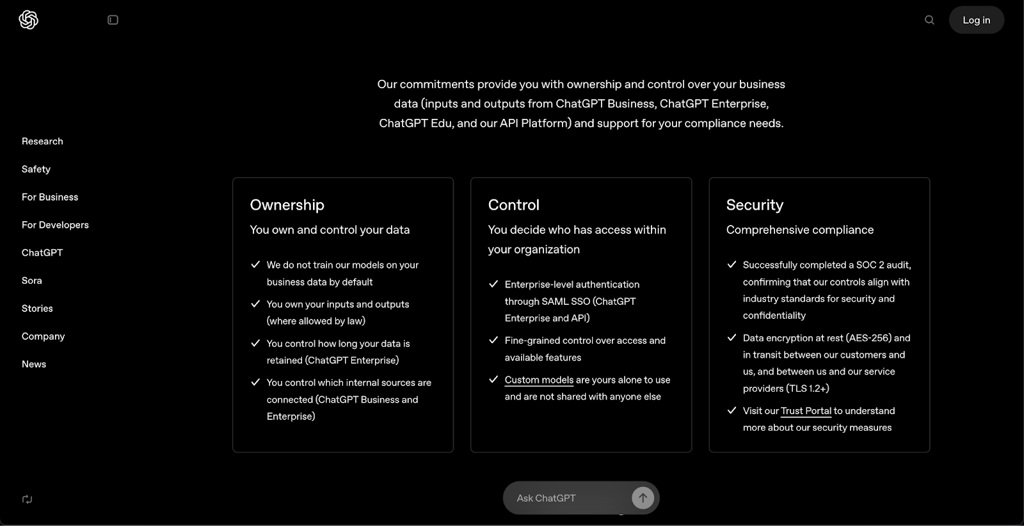
| Training use | Opt-out default for standard users; enterprise data excluded from training |
| Limitations | Third-party GPTs and Apple Intelligence are not covered under data residency rules |
ChatGPT’s privacy posture now includes more user controls, but the defaults still favor collection and long-term retention. If you’re not proactive, your data will likely stick around longer than you think.
Gemini (Google)
Google's Gemini sits at the intersection of enterprise infrastructure and consumer-facing AI – a position that demands a balancing act between control and data appetite. On paper, the privacy framework is great: strict access rules, region-aware storage, and enterprise-grade encryption.
But peel back the layers, and the policy reveals a familiar tension, especially in the standalone app and API tiers, where training use and long retention windows quietly persist.
Here’s a breakdown of how Gemini handles data in 2026:
| Policy area | Details (2026) |
| Data collected | Prompts, responses, uploaded content, device metadata, system logs, usage analytics |
| Workspace interactions | Prompts/responses not retained after session ends; content handled per Cloud DPA |
| Standalone app retention | Up to 36 months by default; can be configured by org admins |
| Conversation history off | Data retained for up to 72 hours for service performance |
| Enterprise control | Admins manage retention via Google Vault; Workspace DLP and client-side encryption supported |
| Training use | Free-tier user data may be used to train models; enterprise/org data excluded unless consented |
| Data access | Strict permissions model; no cross-user data access |
| Human review | Some prompts/files reviewed to improve AI; disassociated but not anonymized |
| Review retention | Up to 3 years, even if original data is deleted |
| Export/deletion options | Managed through Workspace and Google Account tools |
| Storage location | Distributed globally; EU data boundaries respected for enterprise |
| Security | Enterprise-grade protections; client-side encryption available |
Despite a strong security posture, Gemini’s consumer-level data use, especially the training defaults and prolonged human-reviewed storage, raises questions about transparency and GDPR nuance. For enterprise users, the policies are safer, clearer, and tightly governed. But for everyone else, the system quietly remembers more than it lets on.
Claude (Anthropic)
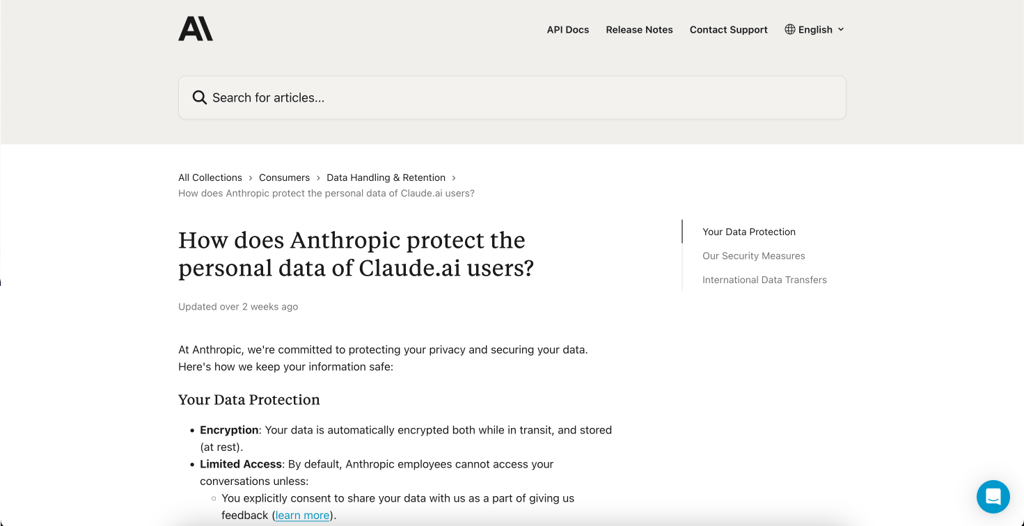
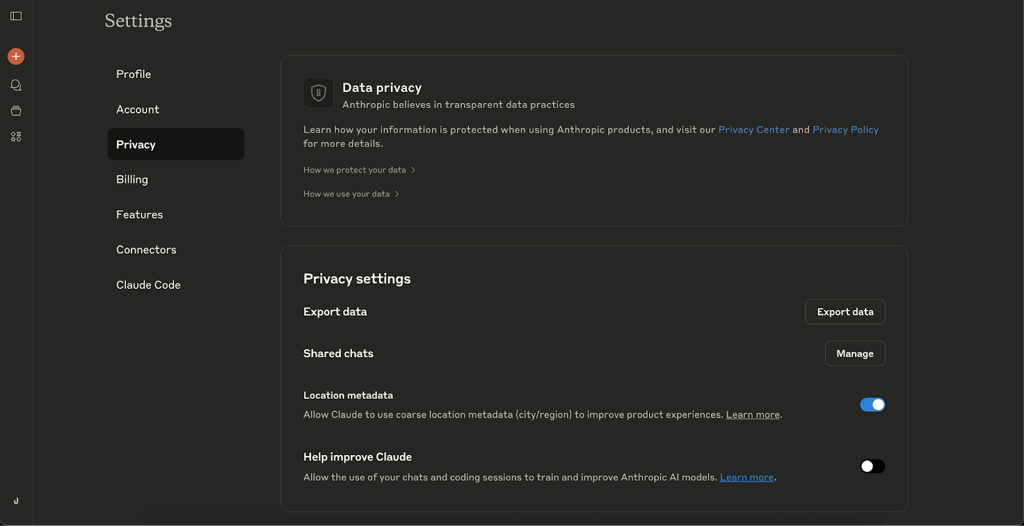
Claude was once the poster child for restraint – deleting consumer data within 30 days, promising no training without consent. That chapter has now closed. As of late 2025, Anthropic has introduced a default opt-in model for training data, reshaping Claude’s privacy posture from conservative to quietly expansive.
The shift hinges on consent, but with a twist: if you don't explicitly opt out by September 28, 2025, your silence is taken as permission. From that point, your chats, your code, and your conversations may be used to train Anthropic’s future models, and they may be stored for up to five years.
Here’s how Claude handles data now:
| Policy area | Details (2026) |
| Data collected | Prompts, code, conversations, usage metadata; flagged content tracked separately |
| Consent model | Opt-out required by Sept 28, 2025; non-response = consent |
| Training use | Default opt-in for Claude Free/Pro/Max/Code; enterprise, gov, and API users excluded |
| Retention (ppt-in users) | Up to 5 years for training data |
| Retention (deleted/flagged) | Deleted chats excluded from training; flagged content stored up to 7 years |
| Privacy controls | Settings available to opt in/out; applies only to future data, not retroactively |
| Enterprise protection | Business, education, government, and API users’ data not used for training |
| Third-party sharing | No personal data shared for training; filtering tools applied to reduce sensitive content |
| Export/deletion options | Limited; retroactive deletion of training data not supported |
| Security | Standard encryption and internal safeguards; data not shared externally |
This marks a philosophical pivot: from default privacy to default contribution. Claude now asks users to choose, but quietly assumes consent if they don’t. In a climate of rising AI ambition, that’s less a bug and more a business model.
Copilot (GitHub / Microsoft)
Copilot operates under a different set of assumptions. While other assistants mine prompts and documents for signals, Copilot is built to get in, suggest, and get out, especially when it comes to your code. It doesn’t store the code it sees, doesn’t reuse it for training, and offers settings that can push telemetry collection close to zero. The message is clear: we’ll help you write, but we don’t need to remember it.
Here’s a breakdown of how GitHub Copilot handles your data in 2026:
| Policy area | Details (2026) |
| Data collected | Code snippets (processed in real-time), usage analytics, prompt acceptance/rejection, engagement data |
| Code retention | Code is not stored post-suggestion; discarded immediately after processing |
| Telemetry retention | Prompts/suggestions: up to 28 days or not retained (depending on mode); engagement data: up to 2 years (Business/Enterprise) |
| Customization options | Users/orgs can disable most telemetry for near-zero data retention |
| Training use | Code snippets not used to train models |
| Security | End-to-end encryption, fine-grained access control, local real-time processing |
| Feedback data | Retained as long as necessary for service improvement, abuse detection, compliance |
| Compliance | GDPR-compliant; Data Protection Agreements available for enterprise customers |
| Developer controls | Code scanning/filtering tools to reduce exposure of sensitive data in prompts |
| Storage location | Managed via GitHub’s infrastructure; subject to DPA agreements for enterprise |
In a landscape filled with aggressive data retention and default opt-ins, Copilot’s posture is almost ascetic. It’s here to help, not to harvest. And for developers who treat their code like intellectual property, as they should, that separation matters.
Data sharing and third-party access
While AI providers often state they don’t sell user data, that doesn’t mean it stays entirely private. Internal systems, integration partners, and legal obligations can all create pathways for third-party access.
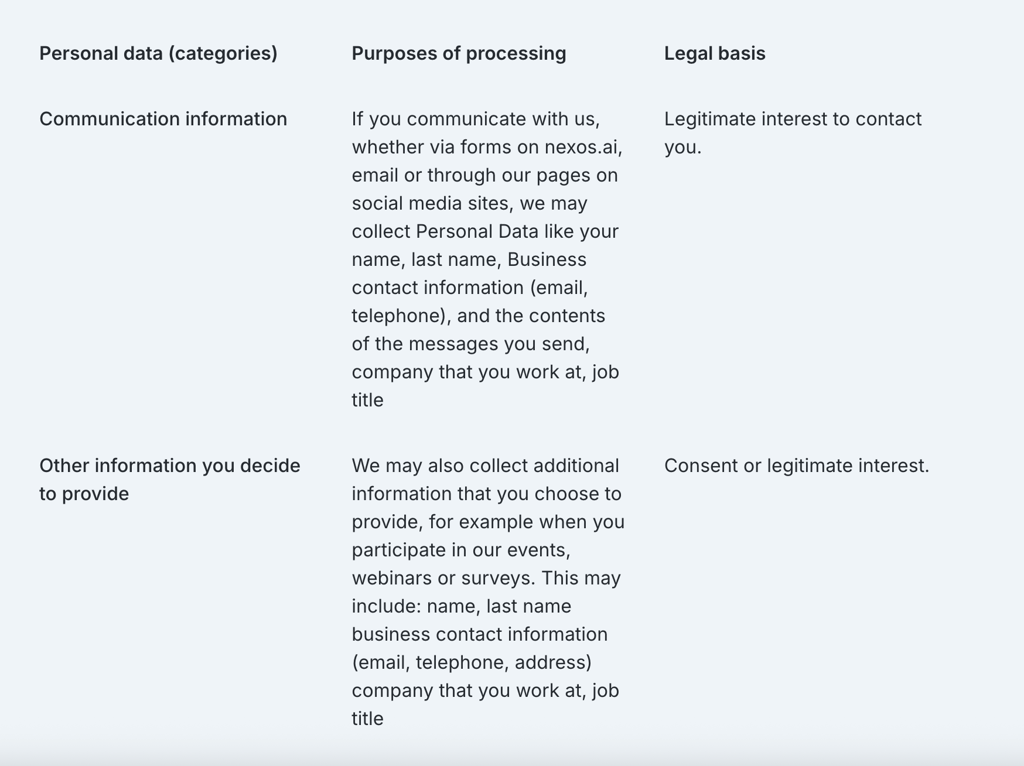
nexos.ai allows authorized subcontractors and partners access to user data under strict controls and does not share your data for advertising. Your chats, uploads, and interactions are strictly excluded from AI model training by default unless you explicitly grant permission. Enterprise environments operate in physically isolated, dedicated tenants, and data is only retained as long as necessary, with an option to enable zero data retention at the LLM layer. Because the platform acts as a gateway routing prompts to over 200 third-party models, those underlying providers may apply their own transient processing rules. nexos.ai complies with GDPR and government demands, and may retain data if mandated by legal obligations.
OpenAI (ChatGPT) allows authorized vendors access to user data under strict controls and doesn’t share data for advertising. But unless you opt out, your chats and uploads may be used to train its models. Enterprise data is excluded, but for everyone else, retention is long, and integrations carry their own risks. OpenAI complies with government demands and may retain deleted content under legal orders.
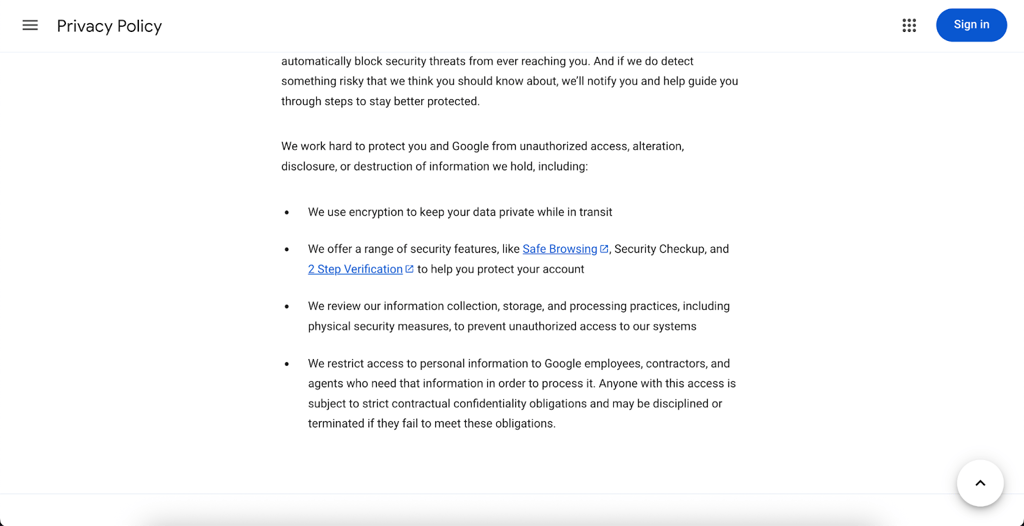
Google Gemini shares data within the Google ecosystem to support integration with Workspace and Cloud tools. Advertising use is off the table, but personalization and product improvements are very much on it. Enterprise data remains within controlled environments, and government requests are disclosed via standard transparency reports.
Claude (Anthropic) now uses a default opt-in model for training: no response by the deadline means consent. Data isn’t shared for advertising, and enterprise and API users are shielded from training use. While Anthropic follows legal obligations, it lacks the scale of public transparency offered by larger firms.
GitHub Copilot stands apart. It doesn’t retain or reuse code snippets, and telemetry, though collected, is tightly scoped and configurable. Code is not used for training. Microsoft handles legal requests through detailed public disclosures, offering the clearest window into government access.
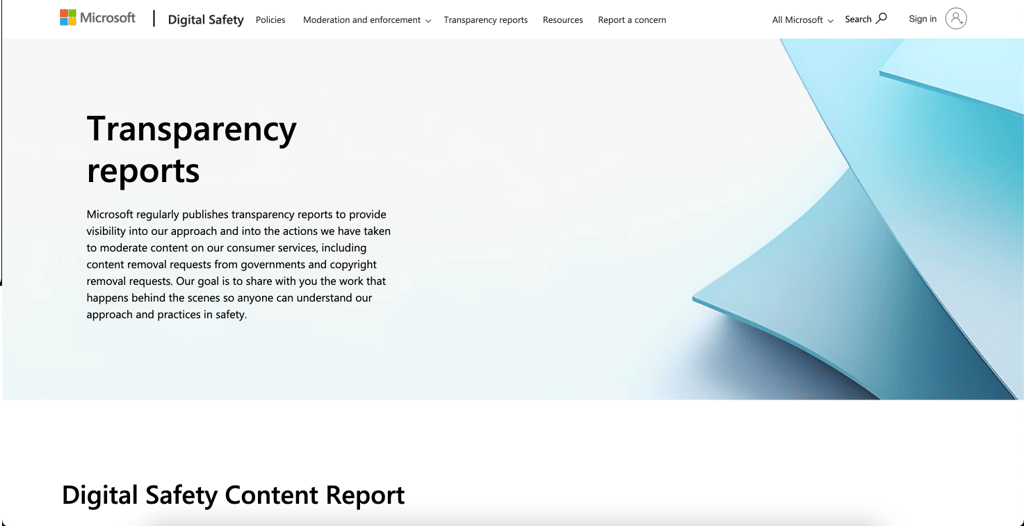
In short, nexos.ai provides full privacy, Claude and OpenAI lean toward model training, Google toward integration, and Copilot toward discretion. The safest path still begins with reading the settings you skipped past.
Security measures
In 2026, encryption is the easy part. Every major provider encrypts data both in transit (using protocols like TLS 1.2+) and at rest (with AES-256 or similar). That’s the baseline.
Where they differ is in how they manage identity, enforce access, and track accountability. This includes the strength of their authentication systems (SSO, MFA), the depth of their enterprise control layers (admin tools, audit logs, policy enforcement), and the granularity of access management (who can do what, and when).
Authentication & access control
| Provider | Consumer login | Enterprise login |
| nexos.ai | Standard email + password, OAuth. | SAML SSO, strict Role-Based Access Control (RBAC), centralized governance. |
| OpenAI (ChatGPT) | Email + password, optional MFA | SAML SSO, enforced MFA, org-wide policies, role-based access |
| Google Gemini | Google account (OAuth, email/password) | Workspace SSO, enforced MFA, IAM controls, audit trails |
| Claude (Anthropic) | Email + password, optional MFA | SSO with major IAMs, configurable auth, contractual restrictions |
| Copilot (GitHub) | GitHub account (email/password, MFA) | Azure AD SSO, centralized identity, audit logging |
This review focuses on official AI assistant platforms and their supported login methods. However, many unofficial or third-party tools built around these assistants rely on basic email-based access and often bypass secure protocols like OAuth. These tools typically lack formal authorization and present greater security risks, especially for regular users.
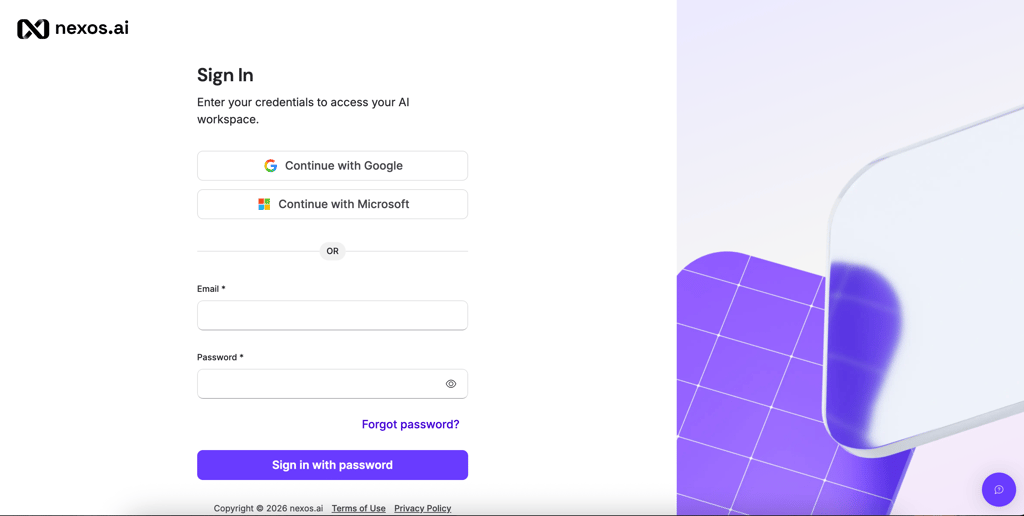
nexos.ai supports SAML SSO, a widely used standard that lets companies connect the platform to internal identity providers like Okta, Microsoft Entra ID (Azure AD), or Google. This means employees log in using their company credentials, and IT can enforce global security rules across all 200+ available AI models: MFA, password policies, and strict role-based access control (RBAC).
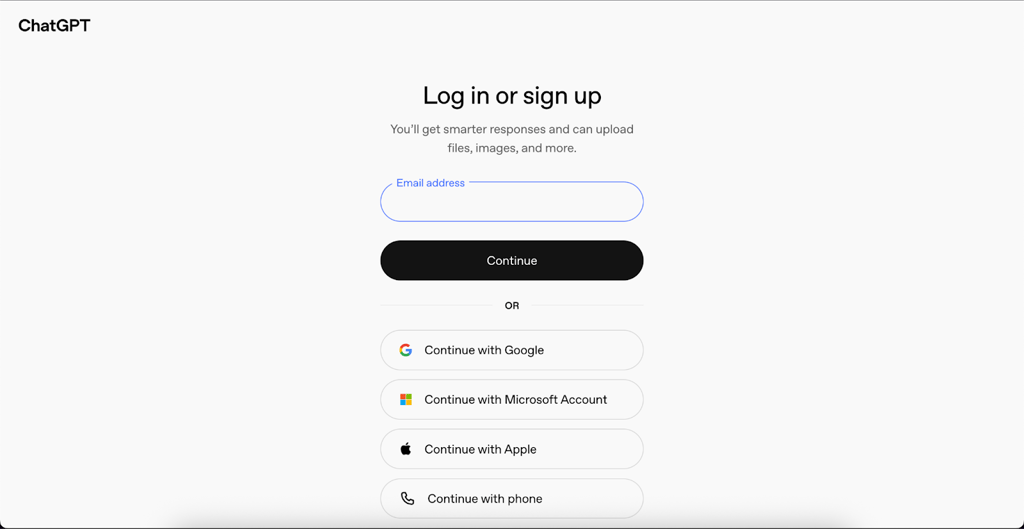
OpenAI’s ChatGPT also supports SAML SSO, letting itconnect internal identity providers like Okta, Azure Active Directory, or Ping Identity. This means employees log in using their company credentials, and IT can enforce global rules: MFA, password policies, and session timeouts.
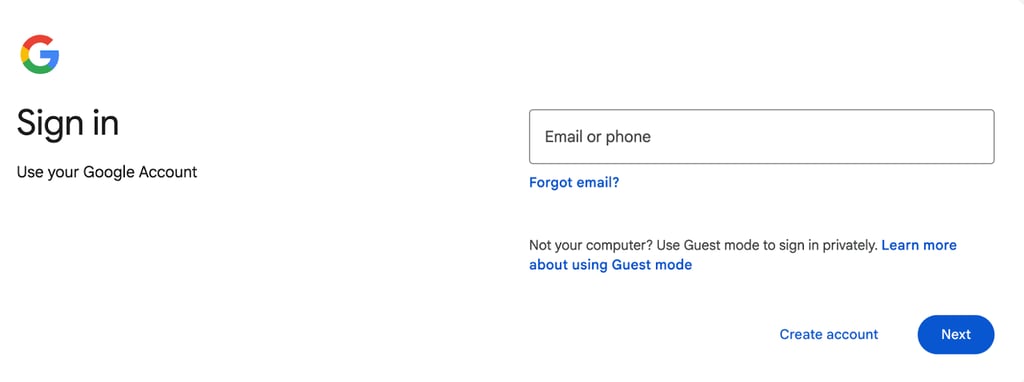
Every action inside Gemini ties back to your Google Identity, allowing administrators to control OAuth app permissions, force MFA, monitor activity logs, and define detailed access rules, all without leaving the Google Admin dashboard.
Claude, via its Claude Enterprise and Bedrock offerings, supports SSO integration through leading IAM platforms. That includes tools like Okta, AWS IAM, or any provider that supports SAML or OIDC standards. This allows companies to tailor login behavior, which enables biometric MFA, region-specific access, or temporary login tokens.

Copilot, tightly bound to Microsoft’s ecosystem, uses Azure Active Directory (AAD) to manage enterprise access. With AAD SSO, developers sign in using their existing Microsoft credentials – those used across Outlook, Teams, and Azure. Admins can enforce conditional access (e.g., only allow logins from company devices), monitor session logs, and revoke permissions at the user or repo level in real time.
Data encryption standards
When AI companies say your data is encrypted in transit and at rest, they’re using two standard tools.
TLS (Transport Layer Security) keeps your data safe while it’s moving, like when you send a message to the AI. AES-256 protects it once it’s stored on their servers.
| Platform | Encryption in transit | Encryption at rest | End-to-end encryption | Enterprise vs consumer differences |
| nexos.ai | TLS 1.2+ / TLS 1.3 | AES-256 | ❌ No | Enterprise adds dedicated isolated tenants, custom AI guardrails, SSO/RBAC, and centralized audit logs |
| OpenAI | TLS 1.2+ | AES-256 | ❌ No | Enterprise adds data residency, retention, and access controls |
| Google Gemini | TLS 1.2/1.3 | AES-256 | ❌ No | Enterprise gets client-side encryption, data loss prevention, residency |
| Claude | TLS (latest) | AES-256 | ❌ No | Enterprise offers zero-retention, hardware encryption options |
| GitHub Copilot | TLS 1.2/1.3 | AES-256 | ❌ No | Enterprise supports compliance-focused encryption, controls |
All four providers rely on robust encryption protocols, but none offer true end-to-end encryption for AI interaction data due to the necessity of processing data on their servers for AI functionality. Enterprise plans across the board provide additional encryption controls, data residency, and retention policies to meet compliance needs more effectively than consumer plans.
Model training with user data
| Platform | Uses user data for training | Opt-out available | Enterprise default policy |
| nexos.ai | ❌ No | ❌ Not needed (Opt-out by default) | No training on enterprise data |
| OpenAI | ✅ Yes | ✅ Yes, user opt-out | No training on enterprise data |
| Google Gemini | ✅ Yes | Limited, mainly admin-controlled | No training on enterprise content |
| Claude (Anthropic) | Only with explicit opt-in | ✅ Yes, opt-in required | No training by default |
| GitHub Copilot | ❌ No (code excluded) | Not generally required | No training on enterprise code |
In brief, all four platforms use user data for model training to varying extents but provide opt-out or opt-in mechanisms for consumers. For enterprise customers, the default is generally set to exclude customer data from AI training to maintain confidentiality and compliance.
User control and transparency
| Platform | Data deletion and export tools | Training opt-out | Transparency reports |
| nexos.ai | Full GDPR compliance for access, correction, deletion, and export | Not needed (zero-training by default) | Trust Center with SOC 2, ISO 27001 reports, and compliance docs |
| OpenAI | User deletion, export, dashboards | User opt-out available | Regular transparency reports |
| Google Gemini | Data deletion, export via Workspace | Admin-controlled opt-out | Part of Google transparency reports |
| Claude | Deletion, export (enterprise focus) | Explicit opt-in only | General transparency policies |
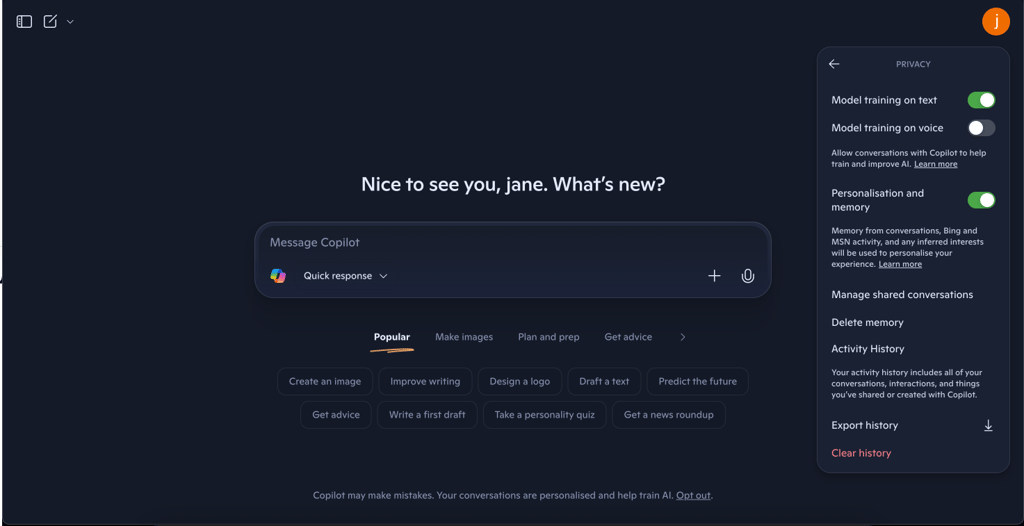
| GitHub Copilot | Limited deletion, via GitHub tools | Code excluded, no opt-out | Microsoft transparency reports |
nexos.ai provides full data control centered around strict European privacy standards. Users can request complete deletion, access, correction, or export of their data at any time. There is no need to manually opt out of training, as all user interactions are strictly excluded from AI model training by default across all tiers. Instead of traditional consumer transparency reports, nexos.ai maintains a dedicated Trust Center providing detailed SOC 2 Type II and ISO 27001 compliance documentation.
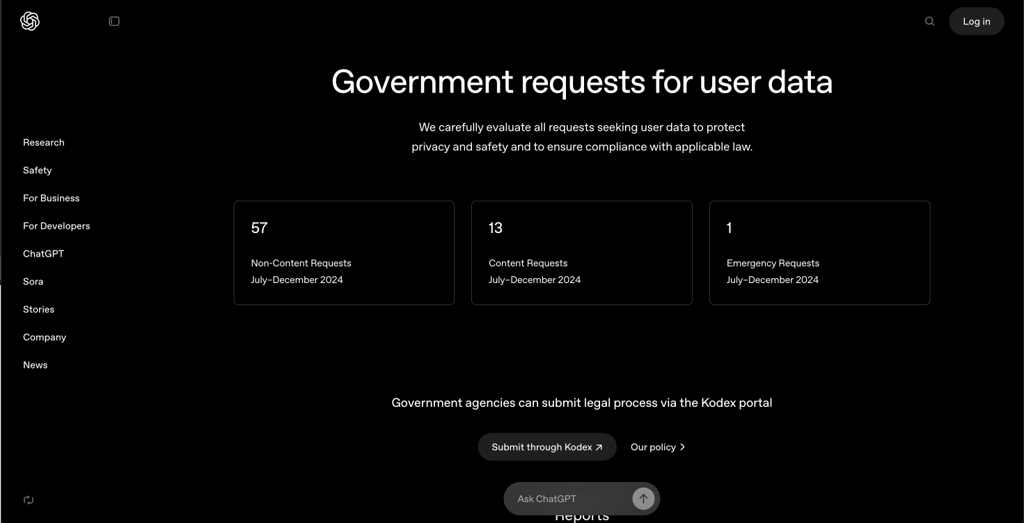
OpenAI (ChatGPT) was the most user-friendly in terms of data management. You can delete chats (with a 30-day delay), export your data, and opt out of training right from the settings. Enterprise users are excluded from training by default. Their transparency reports are clear and regularly updated.
Key takeaway for ChatGPT: while a deletion feature exists, its effectiveness for non-enterprise users is now in question due to legal obligations imposed on OpenAI.
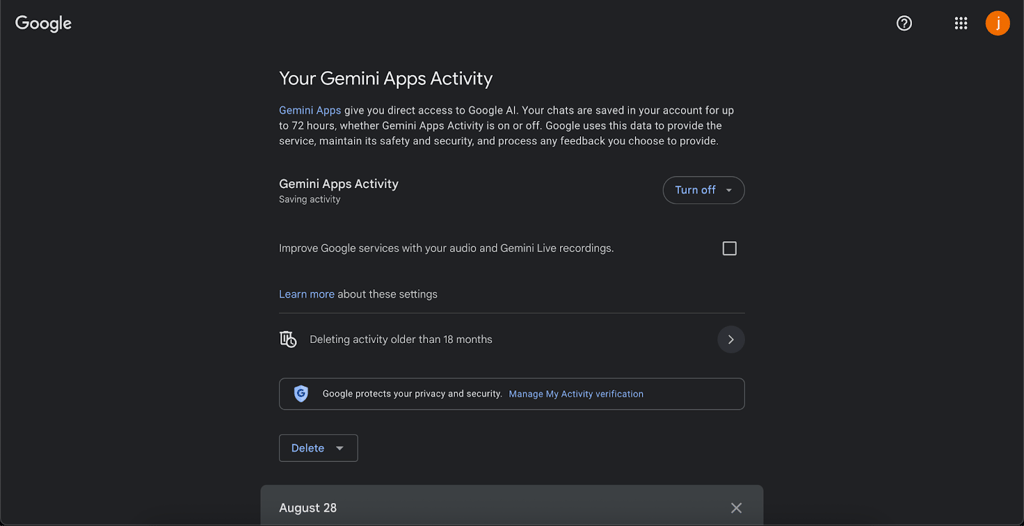
With Google Gemini, most control sits with Workspace admins. Deletion and export happen through tools like Google Takeout, and training opt-out is mostly an organizational setting. Consumers get less say, but Google's infrastructure is strong and well-documented.
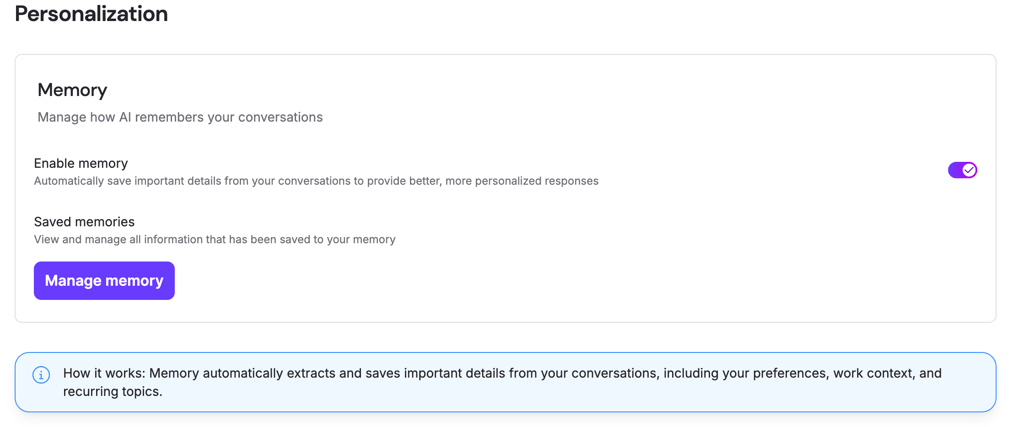
Claude (Anthropic) has moved to a default opt-in model; if you don’t opt out, your data can be used for training and kept for up to five years. Deleted chats aren’t used, but older ones might still live on. Enterprise tools are stronger; consumer-facing controls are still developing.
GitHub Copilot avoids most of this by not using code for training at all. But telemetry data is collected, and users have limited ways to delete it. Most controls live in GitHub or Microsoft account settings. Microsoft’s legal transparency, though, is solid.
FAQ
Can enterprises safely use AI assistants for sensitive data?
Yes, enterprises can use AI assistants for sensitive data, but doing so safely requires careful attention to security, data governance, and usage policies.
Do AI assistants comply with GDPR and HIPAA?
Full GDPR and HIPAA compliance depends heavily on how organizations configure and govern their use of the AI, including choosing enterprise solutions with appropriate contracts and controls.
Do AI assistants use user data to train models?
Yes, AI assistants generally use user data to train models, but provide user controls and stronger enterprise privacy options to balance innovation with data protection.
Can I delete my data from AI assistants?
Yes, users can delete their data from AI assistants, but the ease and completeness of deletion vary by platform:
What security risks should I be aware of?
AI assistants pose risks across confidentiality, integrity, and availability, demanding security practices, user awareness, and continuous monitoring