Best AI knowledge management tools
Being behind major reports like The Mother of All Breaches and RockYou2024, our in-house cybersecurity experts and journalists provide unbiased, real-world testing and in-depth analysis.
We maintain complete transparency by openly sharing our testing methodologies with our audience.
Learn more

Choosing the best AI knowledge management tools is more than picking software. It is about how your team captures, stores, and retrieves its daily knowledge. I tested six options with the Cybernews research team: nexos.ai, Slite, Lindy, Knowmax, Notion, and ClickUp
You might wonder: will AI help your team find information faster, or will it just add another tool to manage? Will these platforms work with your existing systems? How safe is it to let AI access internal documents? Which tools suit small teams versus larger organizations?
This article answers all of that. I cover what these tools are, how they work, what they actually deliver in practice, how to implement them, and which one fits your situation best.
Best AI knowledge management tools – shortlist
- nexos.ai – multi-source AI knowledge management
- Slite – AI team wiki for internal documentation
- Lindy – AI agents for task automation
- Knowmax – decision-tree-based knowledge guidance
- Notion – customizable all-in-one workspace
- ClickUp – knowledge-driven project management
The best AI knowledge management tools compared
Picking an AI knowledge management tool that suits your needs can be difficult, given numerous factors at play. I put together a comparison table to help you identify the one that's right for you.
| Overall rating | Standout features | Starting price | Free trial | Best for | |
| nexos.ai | Multi-model AI search and agentsKnowledge Agents | $9.75 user/month | 14-day money-back guarantee available | Teams that need answers across multiple business tools | |
| Slite | Ask AI assistant | $8.00 user/month | Free trial available | Remote and product teams that collaborate heavily on docs | |
| Lindy | AI agents | $49.99/month | Free trial available | Anyone looking to offload repetitive work to AI | |
| Knowmax | Cognitive Decision Trees | Not disclosed | Demo available | Guiding support agents to faster, more accurate query resolution | |
| Notion | Custom Agents | $10.00 user/month | Free plan available | Teams looking to bring all their tools into one workspace | |
| ClickUp | ClickUp Brain | $7.00 user/month | Free plan available | Project-driven teams that want knowledge built into their workflow |

6 best AI knowledge management tools – my detailed list
Not every AI knowledge management tool is built the same way, and the differences matter more than most comparisons let on. Below, I break down each tool based on hands-on testing, covering what it does best, who it suits, and where it falls short.
1. nexos.ai – best for connecting scattered workplace information
| Overall rating: | |
| Standout feature: | AI agents and multi-model search |
| Starting price: | $9.75/user/month |
| Best for: | Connecting dispersed workplace information |
nexos.ai is an AI knowledge management platform that helps teams find and use information stored across their existing workplace tools. Instead of moving everything into a separate knowledge base, it connects with the systems teams already use and brings relevant information together through AI-powered search and summaries.
What stood out to me most was its ability to understand information in context. Rather than simply retrieving individual documents, nexos.ai analyzes content from connected sources to help users find relevant answers, summarize complex information, and uncover insights faster.
The platform also goes beyond search and summaries with no-code AI agents that can automate repetitive workflows. Teams can use these agents to organize information, create reports, and handle follow-up tasks, helping turn internal knowledge into practical actions.
However, nexos.ai is better suited for teams managing large amounts of workplace information. Smaller teams looking for a simple documentation tool may find its broader AI capabilities more than they need.
2. Slite – best for teams that run on shared documentation

| Overall rating: | |
| Standout feature: | Ask AI assistant |
| Starting price: | $10.00/user/month |
| Best for: | Teams that rely heavily on collaborative documentation |
Slite fits in this list of AI knowledge management tools thanks to its Ask AI assistant, which lets teams quickly retrieve and summarize information across their internal knowledge base.
I found it a strong fit for remote and product teams, as well as support departments that need quick access to shared information. Its simple editor and structured workspace make it easy to maintain internal knowledge without a steep learning curve.
The Ask AI feature is particularly useful for quickly retrieving information. Instead of manually searching documents, AI outlines content from multiple internal sources and references the documents it used. This saves the time that would otherwise be spent browsing folders.
Another feature I appreciated is Slite's Doc Verification. It helps teams trust their content, as verified documents rank higher in AI results. Team members can flag outdated content or request verification to keep information up to date, while the document owner verifies it.
Slite also integrates with many commonly used workplace tools. These include Slack, Google Drive, Asana, Figma, Airtable, and similar productivity platforms, allowing teams to connect their documentation with everyday workflows.
However, teams that prefer full manual control over their documentation may find the heavy reliance on AI uncomfortable. The user interface can also feel slightly confusing at first, which may slow things down during onboarding.
3. Lindy – best for automating repetitive tasks

| Overall rating: | |
| Standout feature: | AI agents that perform tasks on user’s behalf |
| Starting price: | $49.99/month |
| Best for: | Boosting productivity and reducing manual workload |
Lindy is an AI agent that automates repetitive tasks that slow teams down. I chose it for this list because it goes beyond answering questions. It acts on your behalf, handling email, meetings, and workflows autonomously so you can focus on work that actually needs your attention.
Setting Lindy up is easy, as it only takes a couple of minutes. It learns to get more personalized with use, allowing Lindy to draft replies in your tone or to match the recipient's tone. It has a number of additional features like Meeting Prep, Meeting Notes, and Follow-ups, which are pretty self-explanatory.
Lindy manages email by triaging, prioritizing, drafting, and sending replies in your voice. You always remain in control, as it doesn't send messages without your verification. It also sends follow-ups after meetings, including identified decisions and next steps, to all attendees.
Lindy's workflow builder lets you create custom agents without coding, making it accessible to users with no technical prowess. It supports major tools such as Google products, Slack, Teams, and hundreds more via native connectors and automation platforms.
It's worth noting that Lindy takes time to learn your preferences, so it won't feel fully personalized straight away. Smaller teams that don't need extensive automation may also find it more than they need.
4. Knowmax – best for guiding customer service agents through complicated support processes
| Overall rating: | |
| Standout feature: | Cognitive Decision Trees |
| Starting price: | Not disclosed |
| Best for: | Reducing agent errors and speeding up query resolution |
Knowmax is an AI-guided knowledge management platform built specifically for customer experience teams. I picked it for this list because it goes beyond storing information. It structures knowledge in a way that actively guides customer service agents through complex queries, making it a strong fit for contact centers handling high volumes of customer interactions.
Knowmax works best for customer experience teams managing large numbers of customer interactions daily. This includes industries such as telecom, banking, and insurance, where queries tend to be complex, and agents need fast, accurate guidance. It is also suited for outsourced support teams running large-scale operations across multiple channels.
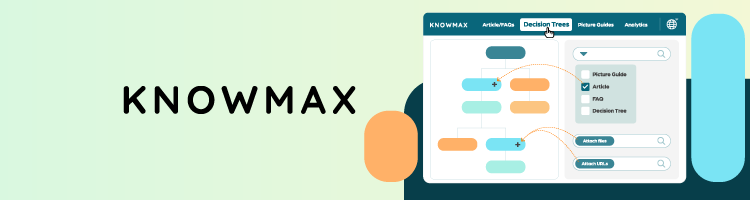
What stood out most during my research was the Cognitive Decision Trees feature. Rather than leaving agents to figure things out on their own, Knowmax breaks complex processes into step-by-step workflows. This keeps agents on track and reduces the chance of errors, ensuring accuracy.
The platform also includes a search engine similar to Google that instantly pulls relevant knowledge from across all your support channels. It comes with visual guides and a built-in learning management system for agent training.
That said, Knowmax is designed specifically for customer support environments. Teams looking for a general internal knowledge base or a collaborative documentation tool will likely find it too narrow for their needs.
5. Notion – best for teams that want docs, projects, and AI in one place

| Overall rating: | |
| Standout feature: | Custom Agents |
| Starting price: | $10.00/user/month (free plan available) |
| Best for: | Replacing multiple tools with a single connected workspace |
Notion is an AI workspace that combines documentation, project management, and knowledge management into a single platform. I picked it for this list because it goes beyond a simple wiki. It brings together everything a team needs to capture, organize, and act on information without switching between tools.
What stood out during testing was Notion's Custom Agents feature. You can set up automated workflows that run on your behalf, pulling context from your pages, connected apps, and the web. The setup is straightforward, and once it is running, it handles repetitive tasks in the background without any further input from your team.
Enterprise Search was another feature I found genuinely useful. Rather than searching Notion alone, it pulls results from connected tools like Slack, Google Drive, and GitHub into one place. For teams working across multiple apps, this alone saves significant time.
Notion also includes AI Meeting Notes, which automatically capture meeting details and summaries without needing a separate tool or bot.
That said, Notion can feel overwhelming at first. The flexibility that makes it powerful also means there is a steep learning curve, and smaller teams may find it excessive.
6. ClickUp – best for teams that manage projects and knowledge together

| Overall rating: | |
| Standout feature: | ClickUp Brain |
| Starting price: | $7.00/user/month (free plan available) |
| Best for: | Teams that already use ClickUp for project management |
ClickUp is a productivity platform combining tasks, docs, chat, and AI in one workspace. I included it here because it approaches knowledge management differently, embedding knowledge where work happens rather than treating it as a separate knowledge base.
What stood out in testing was ClickUp Brain, an AI assistant built into every corner of the platform. It answers questions, summarizes docs, updates tasks, and pulls context from your connected apps. It's accessible from anywhere in your workspace, giving you instant answers without having to switch tools.
ClickUp Brain also includes AI Agents that autonomously handle repetitive work. You can build custom Agents without coding, and once set up, they manage task assignments, progress, and project updates. The Autonomous Answers agent quickly resolves recurring internal questions with instant responses.
Meetings are handled well too. Notes, follow-ups, and tasks are captured automatically, so nothing is lost after a call.
That said, knowledge management is one feature among many here. Teams seeking a dedicated knowledge base may find it less focused than tools built specifically for that purpose.
What are knowledge management tools?
AI knowledge management tools organize your team's information. Instead of searching through documents, chats, tickets, or internal wikis, teams can quickly find what they need in one place. This reduces the time teams spend tracking down answers and confirming the latest information.
Finding information effortlessly is what makes these tools useful. They can handle answering questions in plain, simple language. They can also summarize long documents, link related information, and suggest the most relevant resources to your question. Over time, it also learns how your team works, surfacing frequently used files and highlighting updates that matter.
I tested these tools with the Cybernews research team, and the best knowledge management tools that generative AI powers felt more like internal AI assistants than static wikis. They not only provided answers quickly but also anticipated what information teams would need next.
Main components of AI knowledge management tools
The best AI knowledge management tools are made up of several core components that work together to keep your team's information organized and accessible. Here is what to look for:
- Knowledge capture – the tool ingests content from documents, emails, tickets, chats, and databases, keeping everything synced automatically so information stays current
- Knowledge organization – spaces, tags, and permissions structure information by team, project, or topic, making it easier for the right people to find what's relevant to them
- AI search and Q&A – natural language search returns direct answers instead of a list of links, with references back to the original sources so you can verify them
- Contextual surfacing – relevant information appears inside tools your team already uses, like Slack or email, rather than a separate portal nobody remembers to check
- Governance and access control – permissions, roles, and audit trails control who can view and edit information, keeping sensitive content secure and changes traceable
Types of knowledge management tools and software
There are several types of AI tools for knowledge management, spanning product categories that existed long before AI. What's changed is that AI is now layered on top of most of them, making search smarter and information easier to surface.
- Wiki and docs-first platforms – tools like Notion and Slite start as collaborative docs and wikis, with AI search and Q&A built on top. They work best when your team needs a central place to write, tag, and update content over time.
- AI assistants over existing tools – systems like Lindy act as agents across multiple apps rather than living inside a single wiki, pulling answers from wherever your information already lives.
- Contact center and support platforms – tools like Knowmax focus on agent-facing knowledge, guided flows, and customer support scripts, built specifically for support teams rather than general use.
- Productivity and PM suites – ClickUp-style tools blend tasks, docs, and AI-powered knowledge search in one place, useful for teams looking to reduce tool sprawl.
- Specialized enterprise KM platforms – systems built for regulated industries, compliance-heavy documentation, and deep integrations with legacy systems.
What AI knowledge management actually delivers?
The right tool does more than store information. It changes how your team works daily, and here is what you can expect in practice.
Faster answers and fewer interruptions
- Instead of pinging colleagues, teams ask questions in plain language and get cited answers pointing back to the exact source.
- In my tests, the strongest tools surfaced the right page or snippet in one or two queries instead of long manual searches.
Less duplicated work and re-created knowledge
- Centralized, searchable knowledge stops different teams from rewriting the same processes, templates, or analyses from scratch.
- The best tools suggest existing content when someone starts writing something that already exists elsewhere.
Better onboarding and ramp-up
- New hires can ask questions and explore curated spaces rather than relying entirely on a senior colleague to show them the ropes.
- AI-generated summaries and guided spaces help new team members get up to speed faster.
More consistent decisions and customer answers
- AI knowledge tools give teams one version of the truth for policies, processes, and product details.
- This matters most for support, sales, and roles where compliance is critical, as inconsistent answers cause real problems.
Insight into knowledge gaps
- Search logs and unanswered questions reveal where documentation is missing, outdated, or unclear.
- Over time, this creates a feedback loop that helps teams continuously improve the quality of their knowledge base.
How to implement an AI knowledge management tool in your organization (step by step)
Getting the most out of these tools depends less on the technology and more on how you roll it out. Based on my testing and research, here is what a realistic implementation looks like.
Step 1. Define your primary use cases
Start by deciding what you want the tool to solve first. Whether that's support agents answering faster, internal teams finding policies, or product teams sharing research, having one clear goal from the start leads to better adoption than trying to solve everything at once.
Step 2. Map and connect key knowledge sources
Identify where your knowledge currently lives. This could be docs, shared drives, wikis, ticketing systems, chat tools, or any combination of these. Connect the most important sources first and check the quality of the first sync before moving forward.
Step 3. Set up spaces, permissions, and governance
Organize content into clear spaces by team, product, or topic. Define who can create and edit content versus who can only view it, and agree on what should not be ingested, such as sensitive data or personal information.
Step 4. Launch a pilot and collect feedback
Roll out to one team first and ask them to use AI search for real workflows. Record pain points and adjust structure and content coverage based on what you hear.
Step 5. Expand, train, and measure impact
Roll out to more teams with short sessions on how to ask good questions and verify answers. Track search usage, time to answer, and reduction in repetitive questions over time.
Practical tips for implementing AI knowledge management tools successfully
These are the tactics that made the biggest difference in my testing, along with the pitfalls worth avoiding before they slow you down:
- Start narrow, then scale. Begin with one team or use case rather than syncing everything at once. This makes it easier to tune the tool, catch early issues, and get genuine buy-in before rolling out further.
- Clean and curate critical content first. Outdated or contradictory documents will confuse both the AI and the people using it. Prioritize cleaning your most frequently accessed docs before connecting them.
- Set expectations on accuracy and verification. AI answers are helpful starting points, not the absolute truth. Always click through to the source before acting.
- Promote good knowledge habits. Ask teams to flag or update docs when they spot something wrong or outdated. People who keep key pages up to date are genuinely valuable and worth recognizing.
- Monitor usage and gaps. Search logs show what people are actually asking, where they drop off, and which topics need better documentation. Check these regularly.
- Align with security early. Bring in your security or IT team from the start to agree on which systems are in scope and how to handle sensitive data and access control.
What to look for when choosing the best AI knowledge management tool
Picking the right tool is about more than just features. This is what really counts when you are comparing your choices:
- Source coverage and integrations. Check which tools and repositories it connects to, such as Google Drive, Slack, Jira, ticketing tools, or your CRM. A long list of integrations means little if they don't work consistently.
- Search and answer quality. The AI should understand natural language questions, surface relevant documents, and cite sources clearly. Vague or uncited answers are something to watch for during testing.
- Permissions and security model. Look for support for single sign-on, role-based access controls, and granular permissions. AI answers should respect the same access rules as the source content.
- Knowledge organization features. Spaces, tags, templates, and governance tools keep your knowledge base maintainable, not just searchable.
- User experience and adoption. Non-technical employees need to be able to ask questions and contribute content without struggling. If the tool feels confusing, adoption will stall regardless of how capable it is.
- Analytics and insights. Good tools show you what people are searching for, which content performs well, and where gaps exist.
- Pricing and scalability. Understand how costs grow with users, spaces, or queries, and whether there is a realistic path from a small pilot to a full rollout.
Our methodology
Future of AI knowledge management
AI knowledge management is shifting away from being a search layer on top of documents. The tools I tested are already moving toward contextual assistants embedded directly in chat, workflows, and the apps teams use every day.
A few trends stand out from my testing and research. Real-time sync with business systems is getting stronger, governance and compliance options are maturing, and data residency controls are becoming standard rather than reserved for enterprise plans.
The most significant shift is toward agents that not only answer questions but also take action. Drafting responses, updating records, and triggering workflows based on knowledge are already emerging capabilities across several tools I reviewed.
For knowledge-heavy organizations, I see AI knowledge management becoming core infrastructure over the next few years, in the same way that CRMs and project management tools are today.
Which AI knowledge management tool should you pick?
The right choice depends on your team size, existing tools, and what problem you are trying to solve first.
Choose nexos.ai if:
- Your team needs answers from information stored across multiple workplace tools
- You want AI to find, summarize, and connect information without manually searching different sources
- You need AI agents to automate knowledge-based workflows
Choose Slite if:
- Your team runs on shared documentation and needs a clean, simple wiki
- You want an AI search without a steep learning curve
- You are a remote or mid-sized team looking for one place to store and retrieve knowledge
Choose Lindy if:
- You want AI agents operating across multiple tools rather than a single knowledge base
- Your priority is automating repetitive tasks like email, meeting notes, and follow-ups
- You need workflows that run independently without manual input
Choose Knowmax if:
- You run a contact center or customer support operation
- Agents need guided, step-by-step workflows to resolve complex queries accurately
- You need a tool built specifically for high-volume support environments
Choose Notion if:
- You want docs, projects, and knowledge management in one connected workspace
- Your team is already using or considering Notion for project management
- You need flexible AI agents that automate repetitive workflows
Choose ClickUp if:
- Your team already uses ClickUp for project management
- You want knowledge embedded directly into tasks and workflows
- You need one platform covering projects, docs, chat, and AI together
Quick decision guide
If your knowledge is spread across multiple workplace tools, nexos.ai is the best choice. If you mostly need AI over an existing docs setup, Slite is a strong starting point. For support and contact center knowledge, Knowmax is the focused choice. If you want agents working across tools, Lindy is the most autonomous option. Teams already invested in Notion or ClickUp will find that layering AI knowledge management there is more practical than adding a new platform.
The best knowledge management AI tools depend on where your knowledge lives today and which teams need help first.
FAQ
What is an AI knowledge management tool, in simple terms?
It is a platform that organizes your team's information and uses AI to help you find it instantly. Instead of searching through documents, wikis, or chat tools, you ask a question in plain language and get a direct, cited answer.
Do I need to migrate all my documents into one platform to use AI knowledge management?
No, most tools, including nexos.ai, connect to the systems you already use, such as Google Drive, Slack, or your ticketing system, and pull knowledge from there. You can start with your most important sources and expand from there.
How safe is it to let AI tools access internal company knowledge?
Most reputable tools include access controls and permissions that ensure users only see information they are authorized to access. Always review a tool's security policies before connecting sensitive systems.
Can small teams benefit from AI knowledge management, or is it only for large enterprises?
Yes, small teams can benefit. Several tools on this list, including Notion and Slite, offer free plans and are designed with smaller teams in mind. The key is starting with one clear use case rather than trying to solve everything at once.
How do I measure whether an AI knowledge management tool is actually improving productivity?
Track metrics like time spent searching for information, reduction in repetitive questions, and how quickly new hires get up to speed. Most tools also provide search usage analytics and content performance data that show where the tool is making a difference.