Best HR AI tools 2026 – what to choose not to lose a human touch
Being behind major reports like The Mother of All Breaches and RockYou2024, our in-house cybersecurity experts and journalists provide unbiased, real-world testing and in-depth analysis.
We maintain complete transparency by openly sharing our testing methodologies with our audience.
Learn more

Implementing AI for HR is tricky, as the two seem to contradict each other. In reality, it’s the manual work that often drains HR professionals of all empathy. AI, on the other hand, helps free up time for supporting employees, headhunt rare talent, and make thoughtful decisions.
The Cybernews research team and I analyzed the best HR AI tools for automating hiring, performance management, and HR operations while preserving the human element. In this review, you’ll find the detailed descriptions of Paradox, SeekOut, Lattice, HiBob, Rippling, and Workday, their pricing, and core features. I also share research-based advice on how to smartly implement AI, so it doesn’t become another problem to deal with.
Best HR AI tools – shortlist
- Paradox – best for high-volume recruiting
- SeekOut – best for hiring rare talents
- Lattice – best for performance management
- HiBob – best people management platform for growing businesses
- Rippling – best unified HR, IT, and finance platform
- Workday – best for large enterprises
Best HR AI tools compared
| Best for | Overall rating | Standout feature | Starting price | Free trial | |
| Paradox | High-volume hiring | 4.7 | Customizable AI chatbot that communicates with applicants | Custom | ✅ Yes, a demo version |
| SeekOut | Sourcing rare talents | 4.7 | Talent search across internal ATS, Reddit, GitHub, and research platforms | $833.00/month | ✅ Yes, a demo version |
| Lattice | Performance management | 4.6 | Shared employee-manager interface for 1:1 communication | $11.00/month per seat | ✅ Yes, a demo version |
| HiBob | HR operations with great UX | 4.5 | Social-media-style interface | Custom | ✅ Yes, a demo version |
| Rippling | Managing HR, IT, and finance in one platform | 4.4 | HR, IT, and finance data in one graph for each employee | $8.00/month per employee + a $35.00 base fee | ✅ Yes, a 14-day free trial |
| Workday | Managing all people-related problems for big enterprises | 4.4 | Reports and dashboards with real-time metrics | Custom | ✅ Yes, a 30-day free trial |
6 best HR AI tools – our detailed list
I’ve tested the best HR AI tools’ usability, pricing, and AI features. Here are the detailed overviews of each of them.
1. Paradox – best for high-volume hiring
| Rating: | 4.7 |
| Standout feature: | Customizable AI chatbot that talks to candidates |
| Starting price (billed monthly): | Custom |
| Free version: | ✅ Yes, the demo version is available on demand |
| Best for: | High-volume hiring where speed-to-hire is critical |
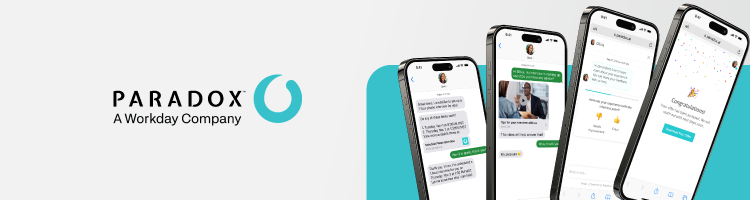
Paradox is a conversational AI platform that can work as an AI assistant and a standalone applicant tracking system (ATS). It’s most popular for automating screening and interview scheduling, as it directly communicates with candidates in 100 languages, reducing manual CV review.
I like that Paradox can be integrated as a chatbot directly on your websites to answer applicants’ questions 24/7 to lower drop-off rates. The best thing is that candidates can apply solely via SMS, Messenger, or WhatsApp, without calls, creating accounts, or filling out long forms.
I found that it works for any industry, including healthcare, hospitality, and logistics, because the AI assistant’s behavior, name, avatar, and tone are fully customizable. Moreover, it tracks and visualizes over 1000 performance metrics that you can include in your HR reports. Aside from that, Paradox AI automates sending offers, closing and opening job positions, and collecting paperwork.
The price of Paradox depends on the automation volume and the number of roles. First, you need to submit an application for your personal free demo, after which Paradox calculates the price. According to user reviews, it may start from $1000.00/month. Large enterprises hiring over 500 people per month can expect costs of $25,000.00/month or higher.
2. SeekOut – best for sourcing rare passive talents

| Rating: | 4.6 |
| Standout feature: | Uses in-house ATS, Reddit, GitHub, and other channels for the search of passive talents |
| Starting price (billed monthly): | $833.00/month |
| Free version: | ✅ Yes, the demo version is available on demand |
| Best for: | Hard-to-find and passive talent sourcing |
SeekOut is an AI recruitment platform that helps hiring managers recruit hard-to-find talents. It shows potential candidates’ personal emails and phone numbers and uses semantic AI search that understands context, rather than picking out relevant keywords.
I like that SeekOut goes beyond standard hiring platforms – it scans over a billion public profiles across research platforms and channels like GitHub and Reddit to find people who aren’t actively looking for a job but have rare qualifications. It can also integrate with your existing ATS to automatically rediscover and score past applicants, filling roles faster without starting from scratch.
The search itself is highly customizable and has 30+ filters. The best one is the Blind Hiring Mode that hides applicants’ names, photos, and demographic data to help reduce unconscious bias.
In addition to AI recruiting, SeekOut automates highly personalized email campaigns, filters inbound applicants against custom requirements, and runs automated job-hunting workflows. It also visualizes talent pool analytics and your hiring pipeline's performance.
SeekOut’s pricing starts from $833.00/month per seat. You can book a free demo to try out the platform in practice.
3. Lattice – best for easy performance management
| Rating: | 4.5 |
| Standout feature: | 1:1 tool for transparent employee-manager communication |
| Starting price (billed monthly): | $11.00/month per seat |
| Free version: | ✅ Yes, the demo version is available on demand |
| Best for: | Clear, standardized performance management |
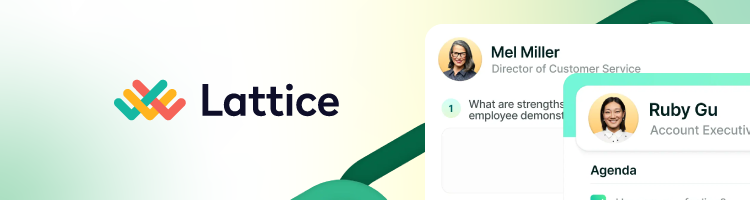
Lattice is an all-in-one people success platform that automates performance reviews, peer assessments, and employee sentiment analysis. I like its special 1:1 tool for clear employee-manager relationships – it shows shared notes, insights from past meetings, goals, and the agenda for upcoming calls.
While the initial setup requires time, in my experience, it’s very intuitive to use for HR and managers. From a centralized dashboard, you can compare employees’ compensation and progress, schedule calls, or fill out standardized performance improvement plans. Lattice also visualizes how a single employee’s performance aligns with the company or team-wide OKRs.
I like that Lattice is easy to use for employees too, because it integrates directly into Slack, Microsoft Teams, Jira, and Google Workspace, so they can give feedback, complete reviews, or update goals without using a separate HR portal. Employees can also have access to visual career tracks to know what they have to do to get promoted.
One of the best Lattice’s features is customizable surveys that measure employee net promoter score (eNPS), i.e., their satisfaction, engagement, and loyalty. Then it automatically shows warning signs, such as flight or burnout risks.
Pricing starts at $11.00/month per seat and includes all tools for performance and OKR review automation. The tools for assessing compensation cost an additional $6.00/month per seat, while the tools for checking employees’ engagement cost $4.00/month per seat.
4. HiBob – best HRIS for top employee experience

| Rating: | 4.4 |
| Standout feature: | Social-media-style employee interface |
| Starting price (billed monthly): | Custom |
| Free version: | ✅ Yes, the demo version is available on demand |
| Best for: | Automation of all HR tasks from onboarding to payroll management for big, international teams |
HiBob is a full-fledged human resources information system (HRIS) with tools for hiring, performance management, payroll, and time tracking. It also has a built-in whistleblower tool for fully anonymous reporting on workplace misconduct and compliance with the EU Whistleblower Directive.
I think its intuitive interface resembles a social media platform. For example, there’s a centralized feed where people can post company news, welcome new hires, and publicly recognize peers for great work. Beyond standard org charts, employees can filter the directory by Clubs to find coworkers with shared hobbies, superpowers, or interests, which is a great feature for international teams.
In HiBob, HR can easily build automated workflows for onboarding, offboarding, and role changes. Moreover, HiBob has native document storage and legally binding e-signatures, so you don't need a separate DocuSign subscription. I like that it’s useful for companies with remote and international workers, as HiBob supports varying employment types, localized compliance, different currencies, and regional time-off policies.
HiBob has a special tool that lets you track company financial plans, revenue, and expenses – all clearly visualized for stakeholders outside of finance. There, I also found customizable dashboards showing real-time headcount, turnover rates, diversity metrics, and pay equity.
HiBob’s pricing is custom, depending on the number of features you’d like to include in your platform. As you describe your needs, HiBob will provide you with a free demo to try before you decide. Companies report that the price per employee can vary from $16.00 to $25.00/month.
5. Rippling – best unified HR, finance, and IT solution
| Rating: | 4.4 |
| Standout feature: | Employee Graph that unifies HR, IT, and finance data for each employee |
| Starting price (billed monthly): | $8.00/month per employee + a $35.00 base fee |
| Free version: | ✅ Yes, a 14-day free trial |
| Best for: | Global teams that want to manage employee finances, devices, and onboarding in one place |
Rippling is a workforce management platform that unifies all HR, IT, and finance operations in one place. The name reflects its main advantage: there’s only one central employee record, so once you update a job title, it instantly ripples through their salary range, software permissions, and other details.
I like its ATS, which uses AI to screen candidates and convert the hires into active employees without duplicate data entry. Moreover, HR can create automated onboarding workflows that send offer letters, collect tax documents, and enroll employees in local benefits programs. Once a person is hired, Rippling can automatically order, configure, and ship technical equipment and lock it once an employee leaves.
Rippling is perfect for international companies because it acts as an employer of record (EOR), so you can legally hire in 185+ countries without setting up local business entities. This way, you can pay full-time employees and freelancers in their local currencies.
For me, Rippling’s pricing structure is too complex: it starts at $8.00/month per employee plus a $35.00 base fee for the basic HR platform. Every module, like payroll, EOR, and IT, costs extra. The final cost requires contacting the sales team.
6. Workday – best for large enterprises with a complex organizational structure
| Rating: | 4.4 |
| Standout feature: | Pre-built reports and dashboards with real-time HR metrics |
| Starting price (billed monthly): | Custom |
| Free version: | ✅ Yes, a 30-day free trial |
| Best for: | Large, global enterprises with complex HR workflows |
Workday is a Fortune 500 company with an enterprise-grade platform for HR, payroll, and talent management. It has heavily integrated generative, agentic, and predictive AI that runs a 24/7 chatbot for employees, auto-creates performance reviews, and spots global pay equity gaps on time.
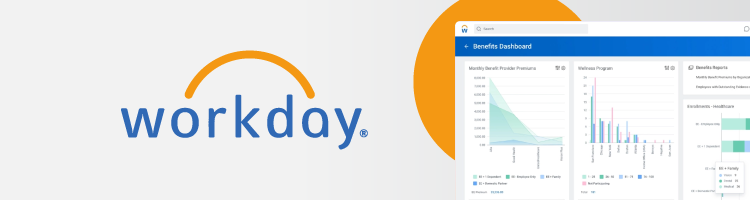
In my experience, Workday works similarly to Rippling but on a bigger scale. It automatically manages complex, multinational compliance and runs continuous payroll calculations across 60+ countries. Here, any HR change instantly updates payroll without manual syncing. There are also pre-built reports and dashboards with real-time HR and financial metrics.
Workday has a special module that runs employee surveys and analyzes sentiment to spot early signs of burnout and dissatisfaction. Managers can also run real-time scenario planning (i.e., modeling headcount changes and reorganizations) tied directly to the corporate budget.
Workday charges per employee and the chosen modules included in your custom platform. It doesn’t disclose prices, but I researched clients' reviews, and they share that they’re charged $35.00–100.00/month per user.
What is an HR AI tool?
An HR AI tool is software that automates hiring and onboarding, as well as performance management and employee engagement evaluation. It doesn’t replace human HRs – instead, it provides them with a more standardized, automated framework to work with.
My research showed that AI platforms require careful maintenance from HR workers, e.g., verifying the accuracy of auto-filled data, keeping documentation clear, monitoring for bias, and adjusting workflows. Without this human oversight, AI simply doesn’t deliver benefits.
Different types of HR AI tools
There are several types of HR AI tools:
- AI recruiting and talent acquisition tools. They help recruiters automate sourcing, outreach, screening, interview scheduling, and candidate engagement. Examples: Paradox and SeekOut.
- AI-powered performance and engagement platforms. They help HR teams and managers automate performance data gathering and track employee satisfaction rates. Example: Lattice.
- HRIS and people ops platforms with AI features. These systems act as centralized hubs for employee data while using AI to streamline administrative processes and improve decision-making. Examples: HiBob, Rippling, and Workday.
- AI analytics and insights tools. They help organizations make informed, long-term workforce decisions by identifying patterns in people analytics and predicting future turnover trends. They usually embed in larger HR platforms, like HiBob and Workday.
- AI knowledge and support assistants. They automatically answer employees’ or applicants’ questions, reducing the workload on HR teams. They usually embed in larger HR platforms, like Paradox and Workday.
Why HR teams should use AI
Remote work, talent shortages, and international teams are hard to manage manually, while high expectations for candidate and employee experience make it even harder. You don’t have to struggle on your own – based on my testing, AI can help you:
- Automate repetitive high-volume tasks, such as interview scheduling, basic candidate screening, and answering routine policy questions. So, the company's administrative engine runs 24/7 without manual intervention for every small task.
- Summarize and organize unstructured data, as HR is often buried under thousands of free-text resume bullets, exit interview notes, and open-ended survey comments. AI can independently turn them into standardized, structured shortlists, tables, and graphs.
- Spot patterns in hiring, performance, and engagement data that are hard to see manually. For example, it can flag early warning signs of burnout before an employee submits a resignation, identify internal candidates for promotion, or detect unconscious bias in hiring patterns.
AI tools don’t dehumanize the workplace but eliminate the draining, mechanical aspects of the job. This way, HR professionals can focus on what requires real human empathy and building a positive company culture.
Core features of HR AI tools
During my research, I noticed a few functionalities that define the best HR AI tools.
Intelligent sourcing and candidate matching
Modern AI tools like SeekOut let recruiters use natural language to scan millions of public profiles. Then, AI can match candidates to open positions by analyzing their underlying skills, certifications, and career trajectories, even if their resumes aren't perfectly tailored. After the analysis, it can present recruiters with a ranked list of the most qualified individuals, rather than the chaos of thousands of matching profiles.
Automation for screening and scheduling
Conversational AI like the one in Paradox allows candidates to get through the pre-screening process via text messages, WhatsApp, or a website widget. This reduces candidate drop-off rates because they don’t need to wait for a call or sign up for another platform.
The successful candidates are automatically scheduled for the interviews with the right hiring managers. It also automatically sends the video links and manages reschedules.
AI-driven insights for performance and engagement
AI like Lattice AI can process the unstructured employees’ feedback and performance insights. It automatically identifies overall employee sentiment, such as frustration with a specific process or praise for a new manager.
Predictive AI, then, can warn that specific employees or whole departments are at a high risk of turnover or simply dissatisfaction. Some tools also suggest subsequent coaching sessions or 1:1 conversations.
People analytics and reporting
The best AI platforms provide visual, real-time reporting on your most critical metrics. You can instantly pull up live data on global headcount, departmental turnover rates, pay equity, and diversity representation.
Make sure that those metrics are customizable so you can choose what to track. Otherwise, you risk drowning in the sea of unnecessary data.
Some advanced platforms, like Workday, allow HR to run predictive models to forecast exactly how decisions will affect your long-term budget and headcount goals. For example, you can check the impact of a 5% company-wide merit increase or opening a new regional office.
HR workflow and policy assistance
Internal chatbots can digest your company's entire documentation to provide your employees with the exact, compliant answers without waiting for the HR team's response. In some cases, AI assistants are also useful for managers to handle administrative tasks via simple chat-based communication.
Choosing HR AI tools: how to pick the right tool for your organization
Below are the main aspects to consider when choosing an HR tool.
Align tools with your HR priorities
Make sure you set your priorities straight: are you looking for an AI tool for faster hiring, better performance and engagement management, or cleaner HR operations? Most often, you don’t need an all-in-one platform but a focused, specialized tool that perfectly fulfills only a few main functions.
Integration with your existing stack
Check how the new tool will integrate into the existing ATS, HRIS, and collaboration tools. If it can’t talk to your current setup, it’ll only create another silo to take care of manually.
Data privacy, compliance, and fairness
Your AI HR tool will handle sensitive and personal employee data, so make sure it:
- Complies with data protection laws and regulations like GDPR
- Has SOC 2 Type II and ISO 27001 certifications
- Has zero data-retention policies, so employees know their sensitive information isn’t used to train public or third-party AI models
- Audits its AI models for bias to ensure total fairness in hiring and performance evaluations
Admin control and configurability
Strict role-based access controls are another way to protect employees’ data. Also, make sure the new system is highly configurable, allowing you to tailor automated workflows, evaluation criteria, and the chatbot’s tone of voice to match your company’s policies.
Experience for candidates, managers, and employees
Remember that AI is here to ease work, not overburden people with a new, difficult tool. The navigation should be clear and highly responsive for a pleasant candidate experience. For internal leadership, the platform must offer a manageable learning curve to make manual performance and engagement tasks easier.
Most importantly, make sure you stay absolutely clear about how you use AI in HR decisions. Both candidates and employees should know that you don’t eliminate the human touch but use it for assistance.
Implementing HR AI tools: what HR leaders should know
AI tools that actually streamline workflow usually aren’t plug-and-play. Their smart implementation requires careful pre-planning. Consider the following steps when integrating AI into your workflow:
- Start with a narrow pilot. Don’t try to change your entire system overnight. Instead, choose one high-volume, low-risk workflow, e.g., automating interview scheduling for entry-level roles. As your team learns the technology and its peculiarities, check its ROI before scaling to more sensitive areas.
- Involve stakeholders early. Bring in your HR business partners and managers and talent acquisition leads so that they can communicate their teams’ actual daily needs. Most importantly, consult with your legal and compliance teams to help with the evolving AI regulations before signing a contract with a vendor.
- Define success metrics upfront. For example, if you are automating screening, track your time-to-fill and candidate drop-off rates. If you are deploying an HR chatbot, measure the reduction in admin hours spent answering routine portal tickets.
- Document policies and guardrails. Clearly document exactly what the AI is authorized to do and what decisions remain strictly human-only (e.g., final hiring approvals, compensation changes, or terminations).
- Train HR, managers, and employees. Make sure your employees aren’t afraid of AI by targeted training for everyone who will interact with the system. Teach your recruiters how to write better prompts, show your managers how to verify AI-generated performance summaries, and ensure employees know exactly how to escalate an issue to a human HR representative if the AI provides a confusing answer.
- Regularly review AI outputs. Schedule monthly or quarterly audits to ensure AI doesn’t screen out specific demographics, generate biased language in job descriptions, or provide cold and robotic feedback for candidates and employees.
Bottom line: which HR AI tools are best for you?
My research showed that you should choose:
- Paradox, if you need high-volume recruiting automation and AI chatting with candidates
- SeekOut, if you’re hiring rare talents in a passive job search
- Lattice, if you need to automate performance and engagement management
- HiBob, if you need an all-round HRIS with a user-friendly interface
- Rippling, if you want to have HR, IT, and finance data in one place
- Workday, if you’re a large organization needing an enterprise-grade HR platform
Remember that AI won’t magically resolve your current bottlenecks – integrating it requires careful planning and setup to actually automate manual HR tasks. Also, make sure to inform your employees and applicants about how you use AI to create a company culture based on trust.
FAQ
Are HR AI tools safe to use with sensitive employee and candidate data?
Yes, but it depends on the vendor you choose. Go for the tools that explicitly state they have zero-data retention policies, hold SOC 2 Type II and ISO 27001 certifications, and offer role-based access control.
Can AI in HR increase bias, and how do I reduce that risk?
Yes, if AI is trained on the data where managers historically favored male candidates from specific universities, the AI will repeat that pattern. To reduce that risk, make sure that AI only recommends candidates, but a human decides. Some tools also offer blind screening, which strips names, ages, and addresses from resumes and provides third-party algorithmic bias audit reports.
Which HR AI tools are best for small HR teams vs larger enterprises?
Small and medium-sized teams can go for HiBob or other intuitive, all-in-one platforms with built-in AI features that don't require an IT team to manage. Large enterprises need more advanced engines, like Workday. Such heavy-weight platforms are more expensive and unify HR, financial, and compliance departments for international teams.
How do I measure whether an HR AI tool is actually improving our processes?
You can measure your time-to-fill and candidate drop-off rates – a good AI platform should lower those KPIs by engaging candidates instantly. If you implemented an internal HR chatbot, measure your ticket deflection rate, the percentage of employee questions answered by AI without escalating to a human.
Will HR AI tools replace recruiters or HR managers, or simply change their role?
No, AI won’t replace HR professionals, but HR professionals who use AI will probably replace those who don't. The reason is that they will stop spending most of their days manually screening resumes, scheduling interviews, and answering basic questions. Instead, they will headhunt top-tier talents, deal with complex conflict resolution, and build company culture.