Adalo vs FlutterFlow 2026: features, pricing, and real use comparison
Being behind major reports like The Mother of All Breaches and RockYou2024, our in-house cybersecurity experts and journalists provide unbiased, real-world testing and in-depth analysis.
We maintain complete transparency by openly sharing our testing methodologies with our audience.
Learn more

Adalo and FlutterFlow are popular platforms that allow building apps without coding. However, they’re built for different users. Adalo is designed for users looking for quick, simple solutions, while FlutterFlow targets users who want more control, customization, and scalability.
I tested both platforms with the Cybernews research team, focusing on their workflows and performance. We wanted to know which platform lets you build a working app faster, where each one starts to break down, and which one is worth paying for?
After testing, we found that Adalo is the better choice if you want to launch quickly with minimal setup and a smaller learning curve. FlutterFlow is the stronger option if you need flexibility and deeper logic.
Adalo vs FlutterFlow overview
Here’s a quick side-by-side comparison of how Adalo and FlutterFlow perform in the key areas, such as features, limitations, and pricing.
| Tool | FlutterFlow | Adalo |
| Rating | ||
| Key features | Advanced visual app builder, large template library, deep logic and API control, custom code support, code export, and GitHub sync | Fully no-code app builder, visual database, simple logic workflows, built-in publishing to web and app stores |
| Pros/cons | Pros: high flexibility, scalable for complex apps, strong design, and integration control | Pros: very easy to use, clean interface, fast setup, beginner-friendly onboarding, and support options |
| Price | Free or from $29.25/month | Free or from $36.00/month |

Adalo vs FlutterFlow: side-by-side features comparison
Both Adalo and FlutterFlow provide a comprehensive choice of features. With the Cybernews research team, I’ve created a head-to-head comparison:
| Feature | FlutterFlow | Adalo |
| UI design and layout control | Advanced layout system with precise control over spacing, responsiveness, animations, and custom UI components | Simple drag-and-drop UI with limited layout flexibility and fewer design customization options |
| Logic/workflow complexity | Handles complex workflows, conditional logic, and multi-step actions well, and supports advanced app logic | Best suited for basic logic and straightforward workflows, as complex logic becomes restrictive |
| Data model/database handling | Strong data modeling with support for Firebase, Supabase, and external databases | Built-in database is easy to use but limited for larger or more complex data structures |
| Custom code and export options | Supports custom Dart code, code export, and GitHub sync on paid plans | No custom code support and no access to source code |
| Integrations and APIs | Deep API integrations, custom API calls, and third-party service support | Basic integrations are available, but API capabilities are limited |
| Performance | Apps scale better, but the builder itself can be slow to load | Fast for small apps, but performance decreases as apps grow in size and data |
| Mobile and web support | Native-quality iOS and Android apps plus responsive web apps | Mobile and web apps are supported, but provide less control over platform-specific behavior |
| Price | Free or from $29.25/month | Free or from $36.00/month |
| Best use case | Scalable products, custom-designed apps, and projects that may outgrow no-code limits | Simple apps, internal tools, and beginners who want to create with minimal input |
Ease of use and learning curve
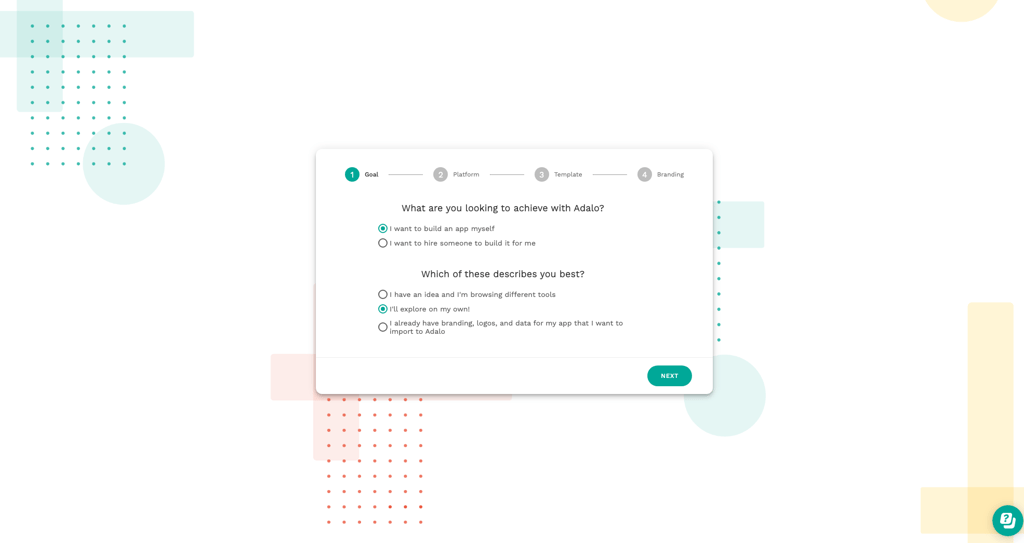
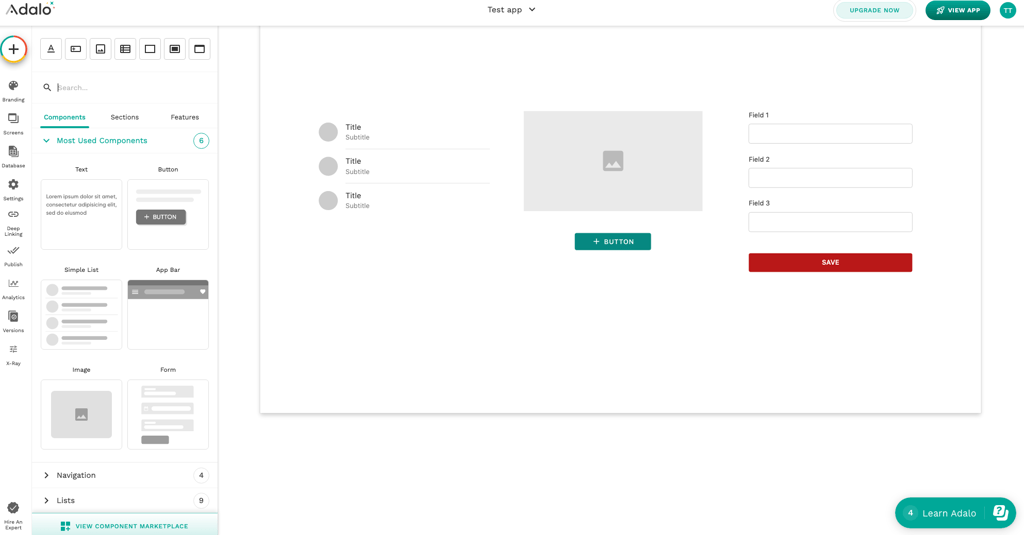
Adalo is designed for beginners, with a guided onboarding, a setup checklist, and in-app help. The builder interface is clean, and it’s simple to follow how screens, data, and actions connect. Because of this, getting to a first working app is quick, even if you’ve never built one before. I also appreciate that Adalo has a well-documented help center, a chat for quick questions, and the option to hire an expert if you need more help.
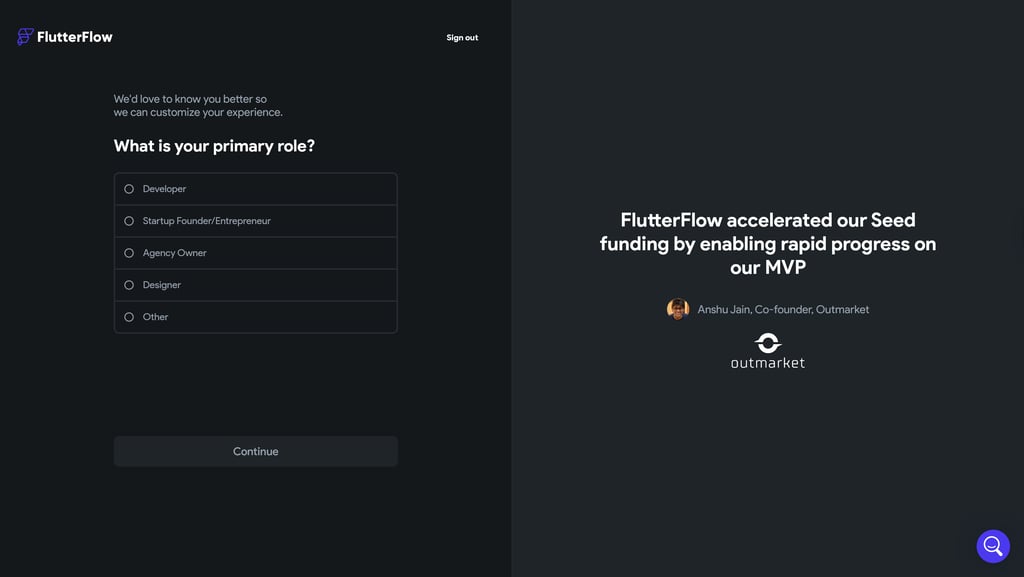
FlutterFlow has a much faster account setup, but the builder is more difficult to use. The interface offers deep control over design, logic, and data, but with so many settings and options visible at once, it can feel overwhelming. FlutterFlow relies more on video tutorials, its knowledge base, and YouTube content to help users, which can slow down the time to a first working app for beginners.

Customization and development depth
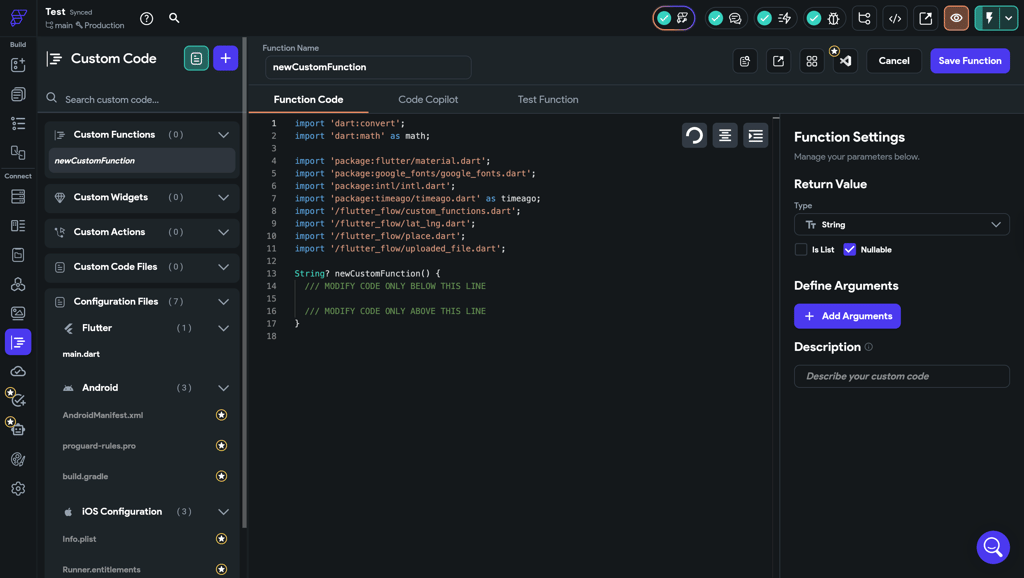
FlutterFlow offers a lot of design freedom and development depth. It uses widgets, which provide precise control over layouts, responsiveness, and animations. You can customize app logic visually, add custom Dart code when needed, and connect to any API or backend.
FlutterFlow also lets you export the full source code and sync it with GitHub, making it realistic to hand the project over to developers or continue building outside the platform. This setup makes FlutterFlow far better suited for complex workflows, scalable apps, and projects that need to evolve beyond an MVP.
Adalo’s drag-and-drop builder is easy to use, but layout control and design customization are limited. You stay entirely within Adalo’s no-code environment, with no option to add custom code or export the underlying source code. While this makes development faster, it also means you’ll hit limits as soon as your app requires advanced logic, custom integrations, or performance optimization.
Data management and backend
FlutterFlow relies on external backend services like Firebase or Supabase, which provide full control over your app’s data and logic. It supports real-time databases, cloud storage, and built-in user authentication, letting you handle complex user flows, live updates, and multi-user scenarios.
You can connect any API or external service, including payments, analytics, or AI tools, and even add custom backend logic when needed. The platform generates Flutter code, so you can manage your data structures and workflows in a way that mirrors traditional development.
Adalo has a native, built-in database that’s easy to use and requires no external setup. You can create collections, handle user authentication, and set up basic actions such as saving or querying data right within the platform.
It also offers integrations with tools such as Stripe for payments and external databases for higher functionality. Adalo’s approach is beginner-friendly and great for quickly building MVPs, but complex workflows or apps with large amounts of data can experience slower performance, and real-time updates are more limited.
Templates and ecosystem
FlutterFlow offers a robust library of templates and pre-built components, such as ready-to-use login and signup screens, that speed up development. It also features over 200 configurable UI elements, like buttons, charts, maps, and ready-made workflows connected to Firebase, which allow you to quickly assemble both the visual interface and the underlying app logic.
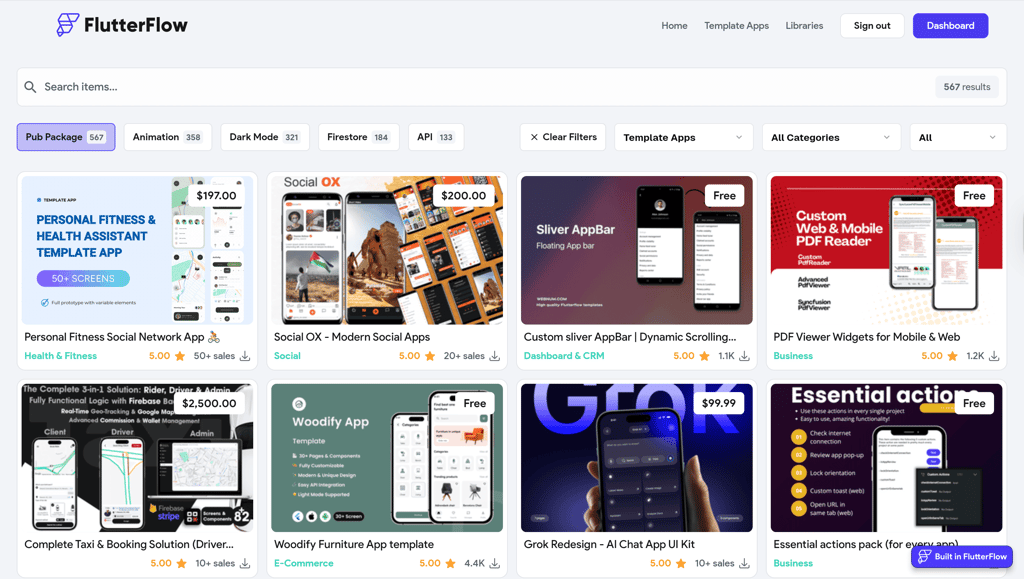
The community is growing, and the FlutterFlow marketplace allows developers to share reusable components. These assets are production-ready and scale well, so you can take a template and expand it into a more complex app.
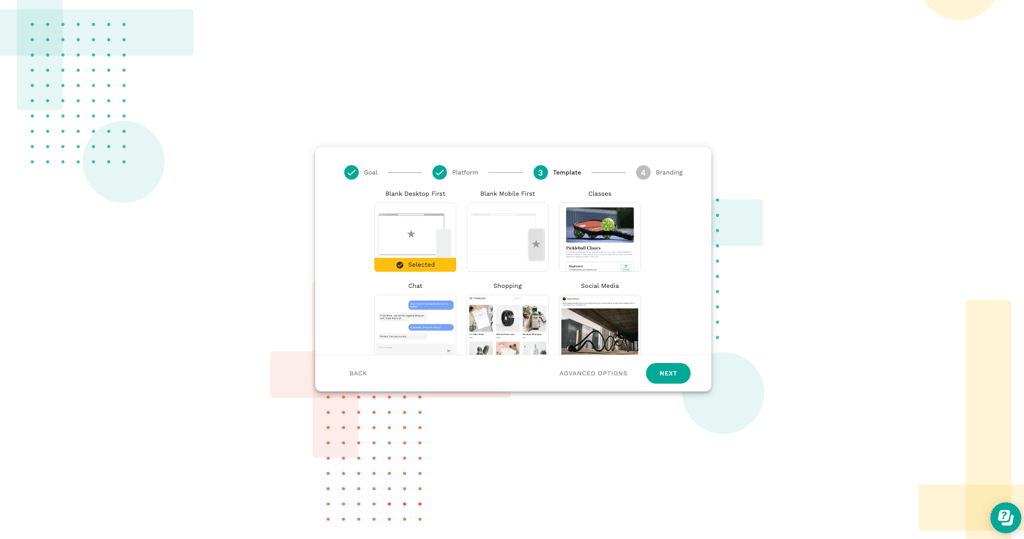
Adalo focuses on simplicity and speed, offering a variety of templates for common app types like marketplaces, directories, and booking apps. Its drag-and-drop editor makes it easy to get a working app up fast.
I found the pre-built components great for small apps, though they’re less suited for more complex projects, as it has logic limits and can feel laggy once more data is added to the database.
The community is supportive and great for beginners, but smaller than FlutterFlow’s. The marketplace focuses more on visual components and basic integrations, such as Stripe or Zapier, rather than deep technical extensions.
Performance and scaling
FlutterFlow is built on Flutter’s native rendering engine, so interfaces and animations stay smooth even as apps become more complex. It handles large datasets well by loading data from external backends such as Firebase and rendering it efficiently on the user’s device.
Complex workflows, conditional logic, and multi-screen navigation don’t cause noticeable slowdowns either. FlutterFlow’s mobile performance is especially strong, and web apps are stable, with load times slightly affected by large assets or inefficient data queries.
Adalo works smoothly for small apps, but its limits become more noticeable as projects grow. Apps with large collections, long lists, or frequent data updates can start to slow down, especially if too much data is loaded on a single screen.
During testing, I noticed Adalo’s performance depends on keeping datasets small, optimizing images, and avoiding overly complex action chains. Mobile apps hold up noticeably better than web apps, while data-heavy screens are more likely to show lag over time.
App publishing and deployment
Adalo makes publishing very straightforward. Web apps can be published directly from the platform and updated instantly, allowing changes to be pushed without deployments or downtime. You don’t need to manage hosting or servers, as Adalo handles everything for you. This makes web apps easy to maintain, especially when you’re making frequent minor updates.
For mobile apps, publishing to the iOS App Store and Google Play is available on paid plans. The process is guided, but every update still requires creating a new build and waiting for store approval. Apps behave like native mobile apps for common features such as logins, payments, and navigation, but offline use is limited. As apps grow, publishing itself remains simple, though larger updates can highlight performance and platform constraints.
FlutterFlow gives you more control over how apps are shipped. Web apps can be deployed to external hosting providers or exported, which means you decide where and how they run. This adds an extra step compared to Adalo, but it also makes FlutterFlow better suited for projects that need custom hosting setups or tighter integration with existing systems.
On mobile, FlutterFlow produces fully native iOS and Android apps that follow standard app store publishing workflows. Updates require more hands-on work, but they’re also easier to manage long-term. Native behavior is stronger overall, and offline functionality is more reliable when combined with backends like Firebase that support caching and data syncing.
Accessibility for AI-assisted development
Overall, AI in both platforms is assistive, not automatic. It can speed up building and reduce repetitive work, but expect to do most of the setup yourself.
FlutterFlow includes AI features that suggest UI layouts, generate basic logic flows, and help with repetitive tasks. These tools make the platform faster for experienced builders, but you still need to set up data connections, workflows, and app state manually. AI works best for early prototyping or quickly assembling screens, while production apps require careful setup to handle more complex logic and data.
Adalo takes a more beginner-friendly approach. Its MagicStart feature can create a starter database, and MagicAdd helps you add new features to an existing app. Even with these AI features, you still need to adjust workflows, design, and logic yourself. AI is helpful for early versions, but it doesn’t handle complex apps or large datasets.
Price and overall value
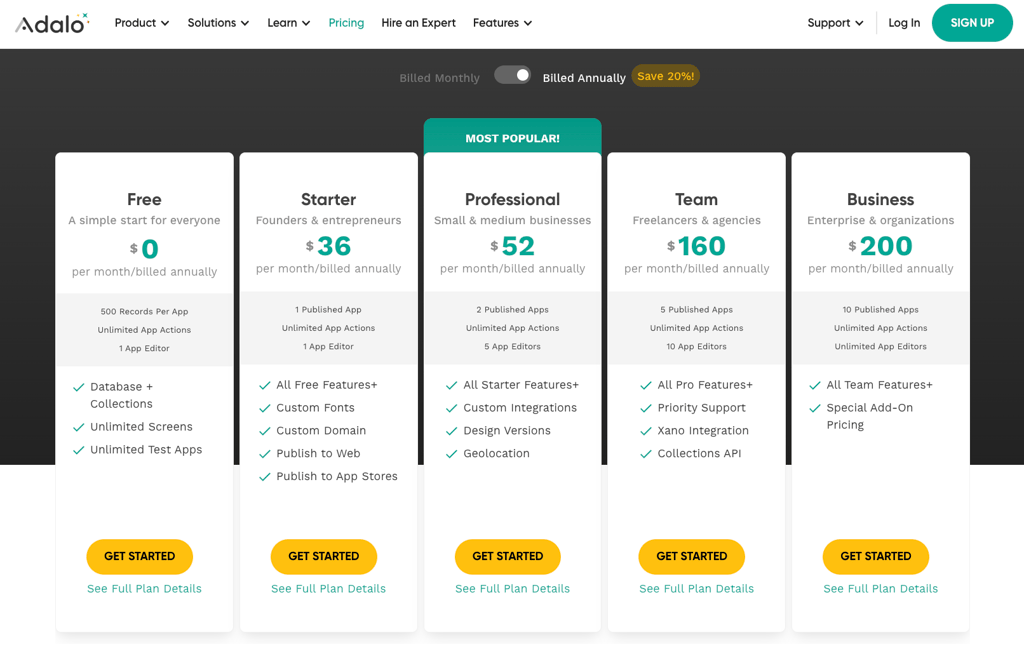
Adalo offers 5 plans, including a free one, which is mainly for testing and comes with heavy limits, including no app store publishing, low data caps, delayed integrations, and no collaboration. The cheapest paid plans costs $36.00/month when billed annually, which allows one published app but still restricts collaboration and advanced features.
Once you reach the Professional plan, you gain more flexibility and access to advanced features. It unlocks multiple editors and higher data limits. As your app grows, costs increase quickly, especially if you need more editors, storage, or integrations.
FlutterFlow has 4 Individual plans. The Free plan lets you build and test apps, access over 1000 templates, publish to the web, and create up to 2 projects. The Basic plan adds code download, APK export, local device testing, custom domain web publishing, and one-click app store deployment.
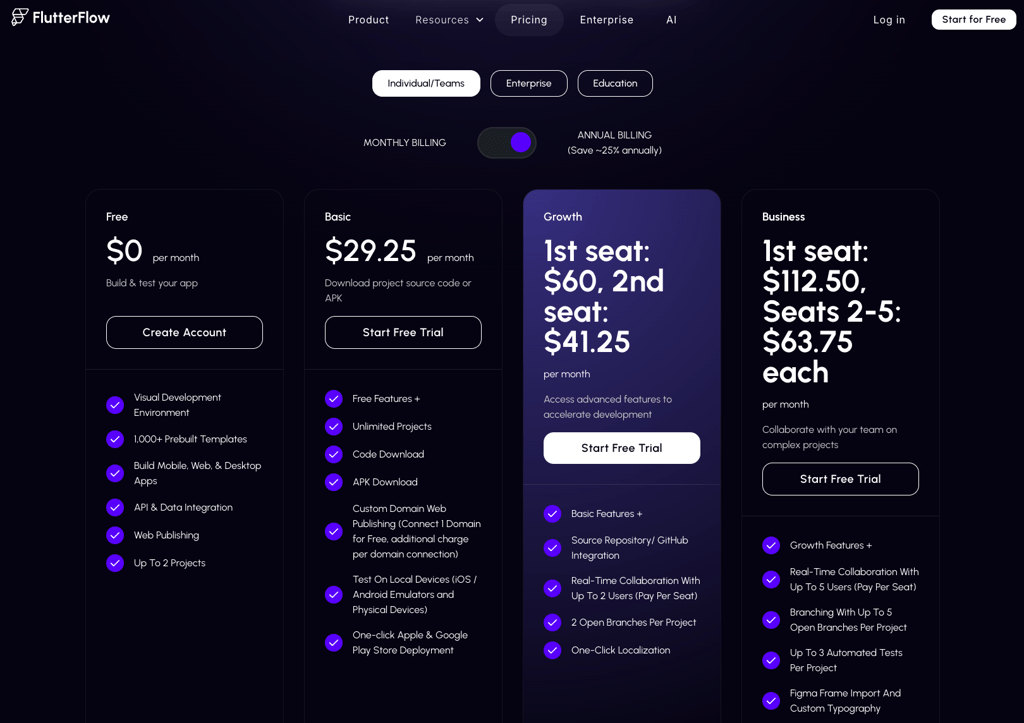
The Growth plan introduces advanced features like GitHub integration and real-time collaboration, but it’s priced per seat: $60.00 for the first user, $41.25 for the second. This allows small teams to work together efficiently. The Business plan adds more collaboration features, branching, automated tests, and Figma import, with seat-based pricing, costing $112.50 for the first seat and $63.75 for seats 2–5.
Community and support
Adalo offers support through help documentation and email-based tickets, along with a limited set of tutorial videos. Access to support is the same across pricing tiers, meaning paid plans don’t significantly improve response speed. Since there’s no live chat or dedicated onboarding, getting direct help can take longer, especially during busier periods.
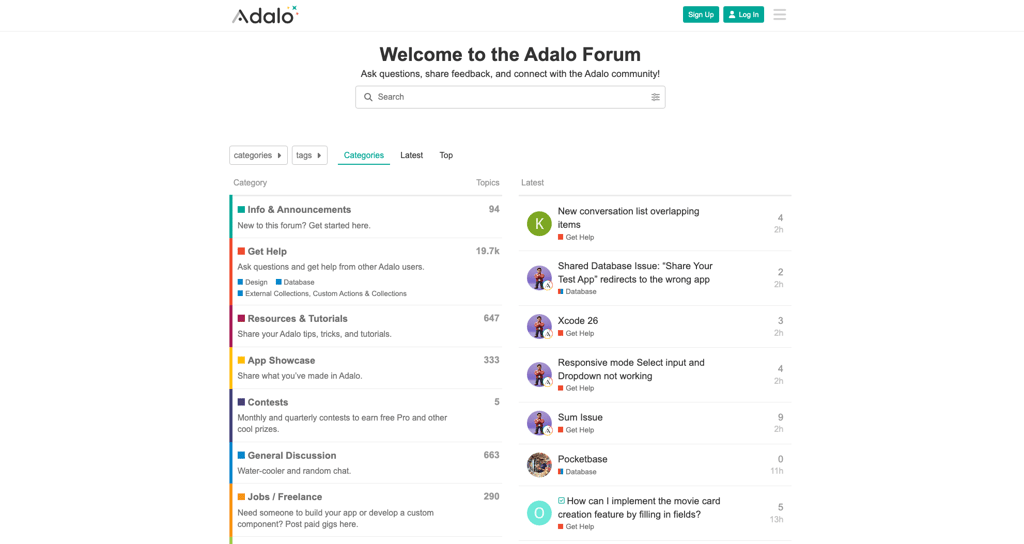
The community ecosystem is smaller compared to competitors. There’s a forum, a Discord group, and a subreddit, but I noticed it’s less active than FlutterFlow’s community. It also has learning resources, such as basic video walkthroughs and the Adalo App Academy, which offers structured tutorials and guided lessons for beginners. However, I’ve noticed the information it includes is helpful for early projects, but limited when you need advanced guidance.
FlutterFlow has stronger support options. Paid plans unlock email support, onboarding resources, and team collaboration guidance. Live chat is limited, but its documentation, guides, and example projects are more extensive than Adalo’s. Tutorials cover everything from UI building to advanced logic and code export.
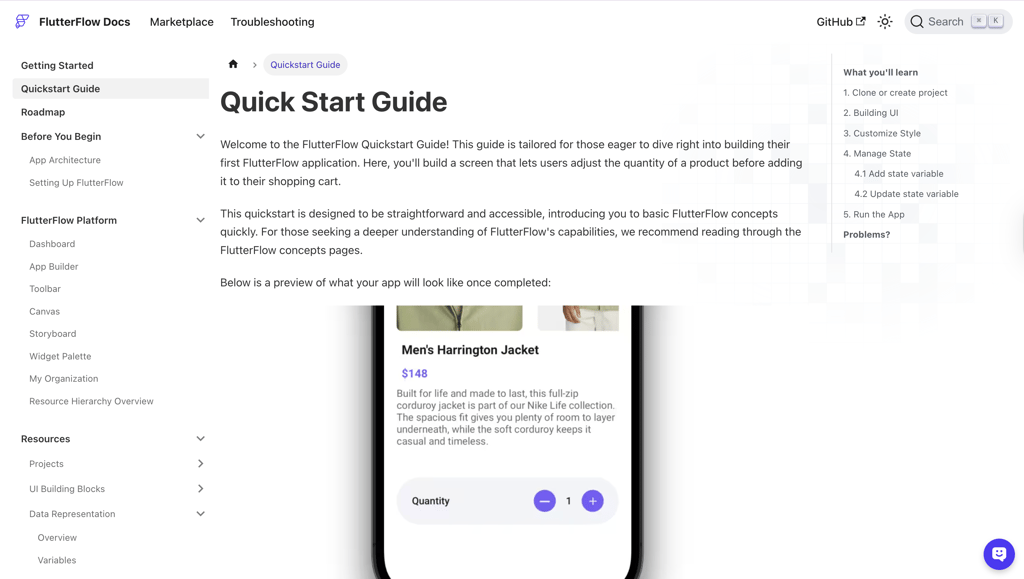
The community ecosystem is larger and more active. There’s a Discord server, forums, and active threads where developers share tips, showcase projects, and answer questions. It’s easy to find solutions quickly, and the community supports advanced use cases.
Our methodology
For this Adalo vs FlutterFlow comparison, I worked together with the Cybernews research team and focused on usability, flexibility, performance, and how quickly I can turn an idea into a working app.
I started by building similar app scenarios on both platforms to keep the comparison fair. These included user authentication, database-driven screens, basic workflows, and third-party integrations. From there, I evaluated each platform using a weighted scoring system. Here are the things I took into account:
- Ease of use and learning curve (25%). I looked at onboarding, interface clarity, and how quickly you can build a functional app without prior experience. Documentation quality and in-app guidance were also a part of this score.
- Customization and flexibility (25%). This covered layout control, logic complexity, database handling, integrations, and the ability to customize templates. I also assessed how restrictive each platform feels once I tried to add advanced features.
- Performance and scalability (20%). I tested app responsiveness, data handling, and how well each platform performs as the app grows. This included load behavior, screen transitions, and overall stability.
- Speed to launch (15%). I measured how long it takes to go from a blank project to a publishable web or mobile app, including setup, testing, and deployment steps.
- Pricing and value (10%). I compared what you actually get at each paid tier and how costs scale as app complexity increases, focusing on features unlocked at higher plans rather than entry-level limitations.
- Community and ecosystem (5%). I evaluated learning resources, documentation, templates, tutorials, and community support, including official resources like the Adalo App Academy.
After completing hands-on tests and comparing results across all categories, to score and rank both platforms.
Adalo vs FlutterFlow: which no-code platform should you choose?
Adalo is the better choice when you want to launch fast with minimal technical effort. It’s the better choice for non-technical users who want to create internal tools or small consumer apps that are easy to use. The learning curve is smaller, and you can get a functional app live very quickly.
FlutterFlow is the stronger option for more ambitious projects. It’s better suited for complex logic, custom APIs, scalable backends, and apps that may be used by developers. Code export and GitHub sync make it a safer long-term choice if you expect the app to grow beyond no-code limits.
FAQ
Is Adalo or FlutterFlow easier for beginners?
Adalo is the better choice for beginners. It includes guided onboarding, a simple interface, and ready-to-use templates to start building. FlutterFlow is more powerful but can feel overwhelming at first for non-technical users.
Can FlutterFlow support large user-base apps?
Yes, FlutterFlow can handle larger apps. By using external backends like Firebase and optimizing data loading, it scales better for apps with many users or complex workflows.
Does Adalo allow exporting code?
No, Adalo does not allow code export. If you outgrow the platform, you would need to rebuild your app elsewhere from scratch.
Which platform is more cost-effective long-term?
FlutterFlow is more cost-effective for growing projects. While its plans start slightly higher, the ability to export code, integrate custom backends, and scale efficiently means you avoid expensive limitations later. Adalo can be cheaper initially, but costs rise if you need more storage, collaborators, or advanced features.