FlutterFlow vs Bubble: which no-code platform is better in 2026?
Being behind major reports like The Mother of All Breaches and RockYou2024, our in-house cybersecurity experts and journalists provide unbiased, real-world testing and in-depth analysis.
We maintain complete transparency by openly sharing our testing methodologies with our audience.
Learn more

FlutterFlow and Bubble are two popular visual app builders that let you create apps without writing a single line of code. Both promise speed and simplicity but take a slightly different approach.
Bubble is a true no-code platform and one of the easiest tools to get started with. It’s ideal for absolute beginners and for quickly testing new ideas. FlutterFlow, on the other hand, is a low-code platform designed with scalability in mind. It generates real, usable Flutter code that you fully own, which makes it far better suited for long-term projects and production apps.
Together with the Cybernews research team, I tested FlutterFlow vs Bubble side by side to evaluate real-world usability, scalability, and long-term value. I found that Bubble shines when it comes to validating ideas, while FlutterFlow is a better choice if you have at least some coding experience and don’t want to be limited by the platform.
Bubble vs FlutterFlow overview
Before going into detail, here’s a quick overview of FlutterFlow vs Bubble and how they differ.
| FlutterFlow | Bubble | |
| Rating | ||
| Key features | Dart functions, custom Flutter widgets, Debug Panel, translation tools, 200+ configurable UI elements | AI agent, visual builder, instant app store deployment, built-in database, API integrations |
| Price | From $29.25/month | From $29.00/month |

Pros and cons of FlutterFlow and Bubble
FlutterFlow is a low-code app builder that allows users and developers to build production-ready apps quickly.
Bubble is a no-code platform, which makes it easy for anyone to create apps and platforms visually.
Bubble vs FlutterFlow: side-by-side feature comparison
| Feature | FlutterFlow | Bubble |
| Learning curve | Medium | Low |
| Custom UI control | Extensive | Limited |
| Logic complexity | Strong when combined with custom code/APIs | Strong visual workflows |
| Performance | High | Moderate to high, can degrade with complex apps |
| Native mobile apps | ✅ Yes | ❌ No |
| Backend flexibility | Advanced | Basic |
| Code export | ✅ Yes | ❌ No |
| Price | From $29.25/month | From $29.00/month |
| Best use case | Complex apps, scalability, multi-platform tools | Web apps, internal tools, prototyping |
FlutterFlow stands out as an app builder thanks to its strong multi-platform support and ability to generate real Flutter code you actually own. This makes it a solid choice for apps that need to scale over time. Bubble, in contrast, is best suited for web apps. Its true no-code approach makes it more beginner friendly, but that simplicity comes at the cost of the flexibility and control that you get with FlutterFlow.
Ease of use and learning curve
When it comes to ease of use and learning curve, FlutterFlow and Bubble both make it simple to get started, but they start to feel very different once you begin building.
Onboarding is light on both platforms. FlutterFlow immediately prompts you to create a project, either from scratch or by using a template. Choosing a template gives you a fully built app right away, which you can customize. With Bubble, you can either start from a blank canvas or let its AI generate an app for you. In my testing, the AI option took about 10 minutes to create an app, which felt impressively fast.
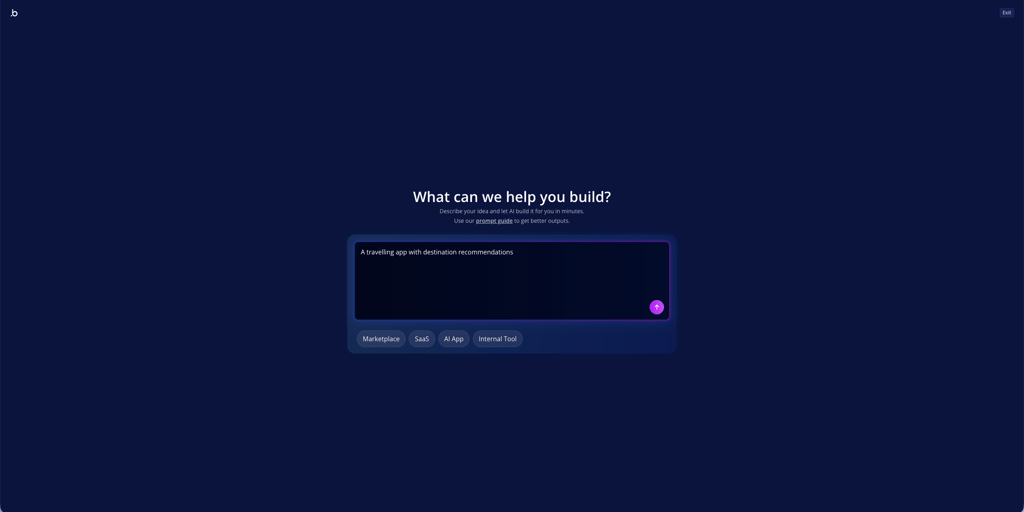
With FlutterFlow, you build apps by adding widgets and defining actions through a visual interface. Things like login flows can be created without code, but you also have the option to write custom code when needed. That flexibility is what sets FlutterFlow apart, but it also increases the learning curve. Building apps takes more time, and you need some logical thinking and a basic understanding of how apps are structured. It’s not the best choice for complete beginners, but it’s still far quicker than building an app from scratch with traditional code.
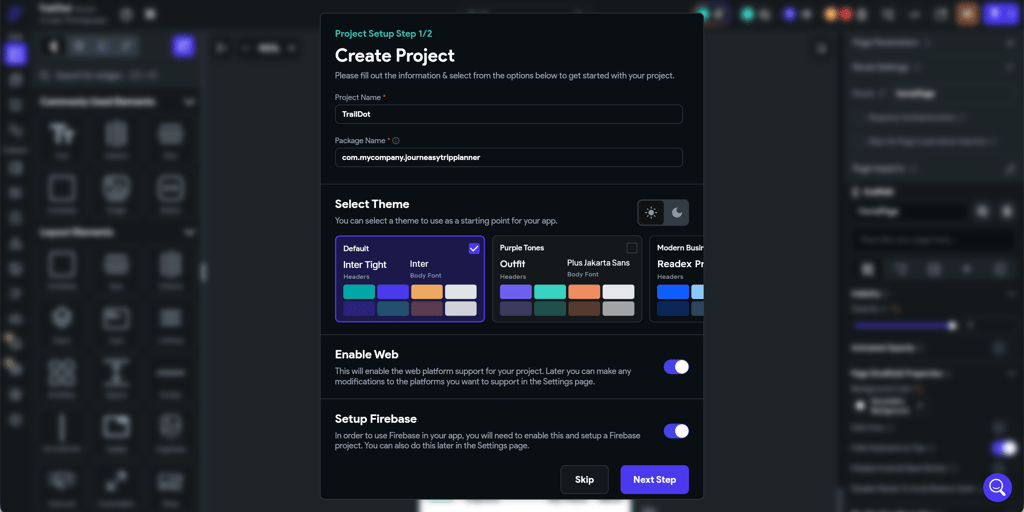
Bubble is far more beginner friendly. The built-in AI agent helps design layouts, add features, and build workflows as you go. You can realistically create a simple app in under an hour, even with no technical background.

Backend, database, and integrations
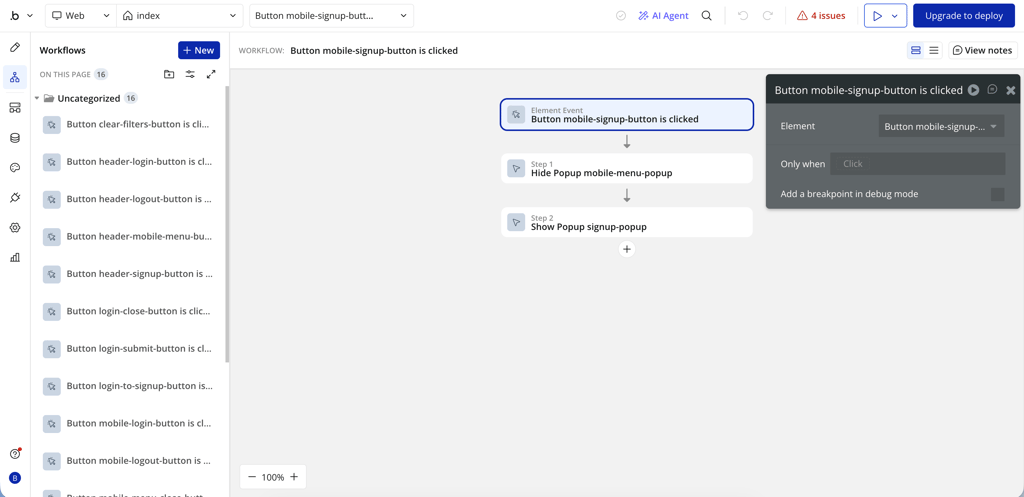
When comparing backend, database, and integrations, FlutterFlow and Bubble differ mainly in how much structure they provide out of the box. Bubble includes a built-in database fully integrated into the editor. You can create a database with a spreadsheet and link fields to define relationships. Authentication covers sign-up, login, and security natively. User roles are created using custom fields, privacy rules, and conditional workflows. This setup makes CRUD operations, filtering, search, file uploads, and basic automations fast and easy. However, handling complex logic, background tasks, or advanced errors often requires plugins or specific workarounds.
FlutterFlow, on the other hand, connects to Firebase, Supabase, or a custom backend. Collections, tables, and relationships are defined outside the builder. Authentication is set up through actions and settings, and roles are typically managed with a user_roles field enforced via conditional navigation, visibility rules, and backend security. API integrations rely on custom REST calls instead of native connectors. While CRUD, filtering, file uploads, webhooks, and automations are all possible, building complex production apps usually requires external services or custom code.
Performance and scalability
Performance is crucial in app development. Load times, responsiveness, and reliability matter every day. With Bubble, it all depends on how well the app is built. Well-optimized Bubble apps can support thousands of users, but getting there requires careful workflow design, database structure, and resource management.
As apps grow, page load times often slow down due to heavy workflows and reliance on Bubble’s internal database. You can reduce bottlenecks by upgrading your plan, optimizing queries, adding caching, or connecting external databases, but ultimately you’re still tied to Bubble’s hosting, runtime, and environment.
FlutterFlow scales differently. Thanks to its integration with backends like Firebase, you can scale as much as you need. In practice, this means better handling of real users, stronger production reliability, and far less risk of needing to rebuild once usage increases. Features like lazy loading, client-side caching, background tasks, and image optimization help keep apps responsive under higher load. If needed, you can export the code and host it yourself, add custom infrastructure, or move to more advanced backend setups.
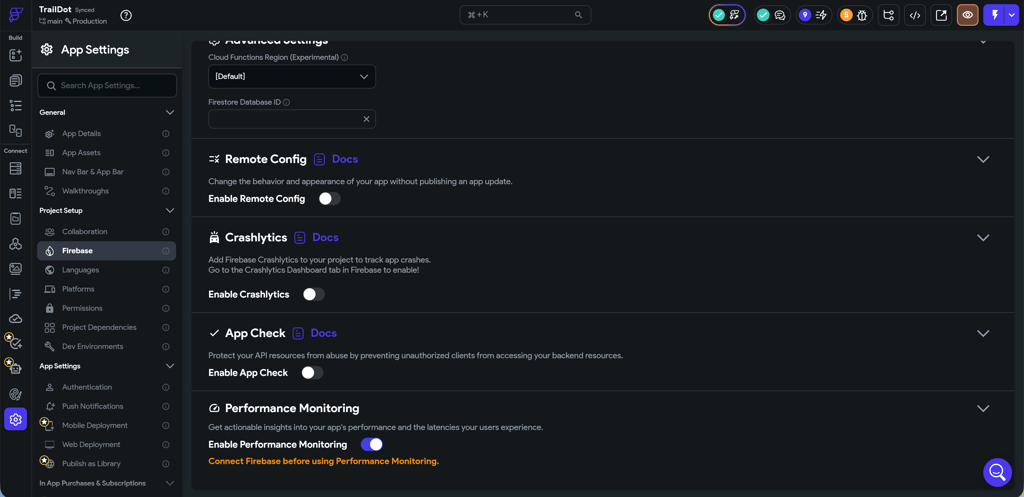
Design customization and code ownership
Both Bubble and FlutterFlow offer drag-and-drop app builders, but the design customization feels very different. Bubble makes UI building very intuitive and beginner friendly. You can create responsive layouts, reuse components, and style pages visually. Bubble also lets you add custom CSS and JavaScript, or build custom elements with AI. You simply write a prompt explaining what you’re looking for, and it generates elements or logic for you. This makes building complex UI patterns feel smooth and intuitive, even for beginners.
In FlutterFlow, you build everything through widgets, which can feel limiting at first. It does take a while to get used to, especially if you’re new to app builders. Once you understand how widgets work, building polished and complex UI patterns becomes much easier. You can also add custom code for custom elements or logic, but that does require coding skills. Like Bubble, FlutterFlow lets you build workflows visually, which keeps logic easy to follow.
Ownership is where FlutterFlow clearly pulls ahead. You get full access to your app’s Flutter code and can export it at any time. You can migrate, maintain, or continue development outside the platform using manual Flutter code. Bubble doesn’t offer code export. You own the app and your data, but the code stays locked in Bubble.
Security and compliance
When it comes to security, Bubble and FlutterFlow take a different approach. Bubble offers built-in user authentication, privacy rules, and role-based access controls. You can define who can read or modify data at a granular level, but these rules are easy to misconfigure, which is one of the most common security risks on Bubble apps. Data is stored and encrypted within Bubble’s managed infrastructure, which simplifies setup but limits transparency and control. For business users, Bubble provides admin tools, basic auditability, and environment separation for development and production. It can work for privacy-sensitive apps, but regulated projects may need extra care and proper configuration.
With FlutterFlow, you have more control. Authentication, permissions, and encryption depend mainly on the backend you choose, such as Firebase or a custom server. This gives you stronger control, clearer auditability, and better alignment with regulated or compliance-driven requirements. However, this means that security is only as strong as how well you configure it. That said, the provider follows GCP best practices and is SOC 2 Type 1 certified, ensuring your data is handled with the utmost care. For teams that need compliance flexibility and long-term control, FlutterFlow is generally the safer fit.
Community support and resources
Both FlutterFlow and Bubble offer strong community support, and I found it easy to get help when needed. Starting with FlutterFlow, the documentation is detailed and well structured, covering nearly every feature of the platform. I also liked the YouTube tutorials, which make it easy to follow along while building. On top of that, FlutterFlow has a community tab and a very active subreddit.
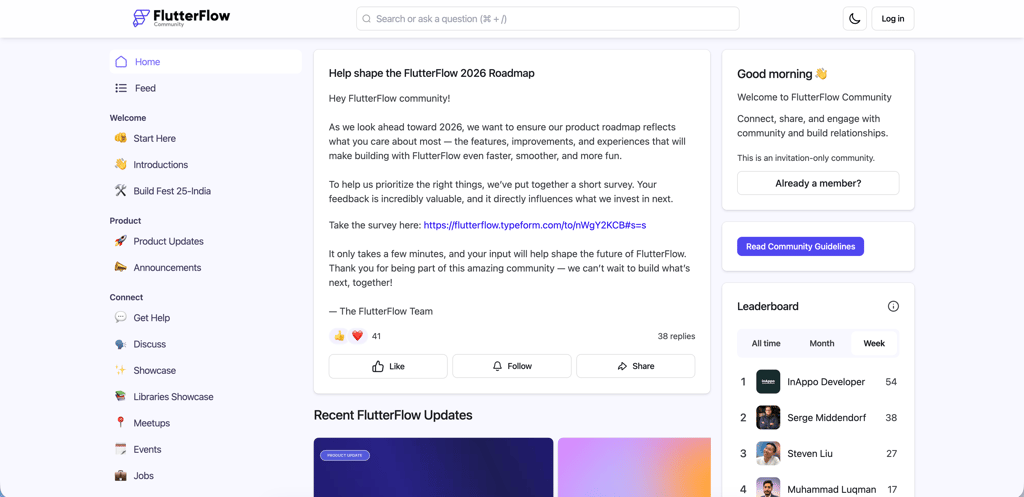
Support response times can be a bit slower with FlutterFlow. Email support is available on the Basic plan during ET working hours, while higher-tier plans unlock in-app and live chat support. That said, the FlutterFlow chatbot is always available, which helped me quickly resolve simpler questions.
Bubble offers a very similar experience. It has extensive documentation for every feature and topic, plus you can join the Bubble Academy, which includes structured courses on everything from basics to advanced workflows. There’s also a large forum, an active Reddit community, and a strong presence on X.
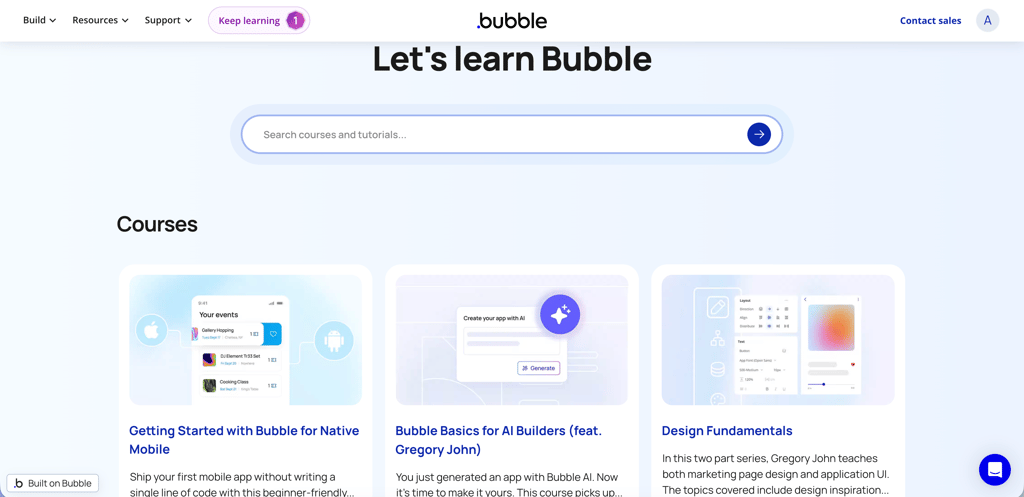
Bubble provides 24/7 live chat and email support. In my testing, the live chat connected me to a bot instantly. When I asked for human support, the bot warned me that I could expect some delay since the team was short staffed. Still, I got a follow-up email a few hours later.
Overall, both FlutterFlow and Bubble offer excellent community resources and support. In most cases, I was able to find clear documentation and step-by-step guides without needing direct support at all. Plus, both providers' ecosystems felt very mature, especially with verified developers you can hire directly through the platform.
Price and overall value
Both FlutterFlow and Bubble offer a free tier, which lets you explore the platform and build an app before committing to a paid plan. Once you are ready to upgrade, FlutterFlow plans begin at $29.25/month, while Bubble starts at $29.00/month for web apps when billed annually.
| Plan | FlutterFlow | Bubble (Web & Mobile) |
| Basic/Starter | $29.25/month | $59.00/month |
| Growth | 1st seat $60.00/month, 2nd seat $41.25/month | $209.00/month |
| Business/Team | 1st seat $112.50/month, 2nd seat $63.75/month | $549.00/month |
FlutterFlow keeps its pricing simple with three paid plans that scale mainly by collaboration features:
- Basic ($29.25/month) – 1 editor, unlimited API endpoints, app publishing, custom domain, 20 subdomains, unlimited projects, app code download, 1 AI agent
- Growth (1st seat $60.00/month, 2nd seat $41.25/month) – 2 editors, up to 4 single project collaborators, unlimited API endpoints, app publishing, custom domain, 20 subdomains, unlimited projects, app code download, unlimited AI agents
- Business (1st seat $112.50/month, 2nd seat $63.75/month) – 5 editors, up to 10 single project collaborators, unlimited API endpoints, app publishing, custom domain, 20 subdomains, unlimited projects, app code download, unlimited AI agents
Bubble’s pricing is more complex, as it separates plans by platform. For a fair comparison, here’s a look at the Web & Mobile plans:
- Starter ($59.00/month) – 175k monthly workload units, 1 app editor, 50GB storage, app publishing, custom domain
- Growth ($209.00/month) – 250k monthly workload units, 2 app editors, 100GB storage, app publishing, custom domain
- Team ($549.00/month) – 500k monthly workload units, 5 app editors, 1TB storage, app publishing, custom domain
Overall, both providers' plans are easy to understand. The free tier works well for testing, the Basic/Starter plan fits individual builders, Growth supports collaboration, and Business/Team is designed for small to mid-sized teams.
One key difference is backend costs. Bubble includes backend infrastructure in its pricing, while FlutterFlow requires a separate backend like Firebase, which can add up. Even so, Bubble is generally the more expensive option, especially for mobile apps, while FlutterFlow tends to offer better overall value.
Use cases and examples
FlutterFlow and Bubble are made for different types of projects, and the right choice depends on what you are building and how far you plan to take it.
FlutterFlow is a strong option for mobile-first apps, MVPs, and content-heavy products that need good performance and room to scale. It works well for startup MVPs like fitness apps, habit trackers, travel apps, or media-style platforms where a smooth mobile experience is crucial. It’s also a good match for projects that may need custom code later on, as the app grows. That said, FlutterFlow isn’t a good choice for simple internal tools or admin panels, where it would be unnecessarily complicated compared to Bubble.
Bubble works best for marketplaces, SaaS dashboards, and internal tools. It excels at building data-driven web apps such as CRMs, admin dashboards, booking platforms, or two-sided marketplaces, where workflows and database logic are the core focus. Bubble is a poor fit for mobile-first apps or products that require strong performance or full control over the codebase, due to the platform lock-in.
When choosing a platform, many founders make the mistake of choosing one based on hype rather than project needs. Another common mistake is underestimating backend complexity or ignoring long-term lock-in. To avoid this, I recommend defining your product’s future scope early, thinking through data and scaling requirements, and choosing a tool that isn’t just fast but also works long term.
FlutterFlow vs Bubble: which one should you choose?
Choose FlutterFlow if you care about strong mobile app support, plan to build something complex, and want room to scale. It works best for teams with at least some technical knowledge and for anyone who wants the option to export code and keep full ownership of the app.
Choose Bubble if you want to move fast and keep things simple. It’s ideal for internal tools, SaaS apps, and non-technical builders who prefer an all-in-one platform with an integrated database and don’t plan to take development outside the platform.
In simple terms, FlutterFlow trades ease of use for flexibility and control, while Bubble prioritizes simplicity, but you’re bound by the platform’s limits. For quick, short-term projects, Bubble often makes more sense. Long term, FlutterFlow gives you far more freedom. Based on my testing, FlutterFlow comes out ahead overall thanks to better scalability, control, backend options, and pricing.
FAQ
Is FlutterFlow better than Bubble for scaling apps?
Yes, FlutterFlow is better for scaling apps compared to Bubble. With FlutterFlow, you can export the full source code and continue scaling outside the platform. It also builds native apps with better performance, while Bubble apps remain tied to Bubble’s infrastructure and database limits.
Can Bubble handle production-level applications?
Yes, Bubble can support production-level applications. However, long-term performance depends heavily on database structure, workflow optimization, and how efficiently the app is designed.
Does FlutterFlow allow full code ownership?
Yes, FlutterFlow gives you full ownership of your app’s code. You can export the source code at any time and continue development independently without relying on the platform.
Is FlutterFlow or Bubble more cost-effective long term?
FlutterFlow is generally more cost-effective over the long term. It allows you to choose your own backend, control infrastructure costs, and scale outside the platform if needed. Bubble includes a built-in backend, which simplifies setup but can become expensive as your app grows and you hit platform limits.