How to use AI for studying: in-depth tutorial for students in 2026
Being behind major reports like The Mother of All Breaches and RockYou2024, our in-house cybersecurity experts and journalists provide unbiased, real-world testing and in-depth analysis.
We maintain complete transparency by openly sharing our testing methodologies with our audience.
Learn more

The rise of AI has impacted many fields of our day-to-day lives, and education is no different. With new tools appearing almost every day, in this article, I’ll help you learn how to use AI for studying.
Why should you use AI for studying?
AI has become a very versatile tool for learners and teachers alike. It can help you get through hours of busy work, allowing you to focus purely on learning. Here’s what AI can help you with in terms of education:
- Note-taking and summaries. Voice recognition software can help you turn lectures into transcripts, and applications like ChatGPT will help you turn these transcripts into simple summaries.
- Personalized learning and tutoring. Everyone is different in terms of learning preferences. With an AI tutor, you can adjust the way information is presented to you to ensure the best fit possible.
- Better exam prep and retention. AI chatbots can quickly generate quizzes for you in order to let you practice for your next exam.
- Managing large volumes of reading material. AI is excellent at summarizing written information. Thus, if you’re assigned massive amounts of reading, you can get the summary in seconds.
- Explaining complex topics in simple terms. In higher education especially, some concepts can be difficult to grasp. AI can simplify learning and help you better understand the areas where you struggle.
- Roleplay various scenarios. Whether you’re stressing before an oral exam or a presentation, AI can help you roleplay the scenario.
How to use AI for note-taking and summarizing
AI has become particularly useful when it comes to replacing humans in more tedious tasks. For me, note-taking was always boring. Between my horrible handwriting and my tendency to easily lose focus during long lectures, I could’ve really used some help. Luckily, apps like Motion AI, Otter, and Jasper can now help you turn a recording into a comprehensive transcript, along with a detailed summary.
To figure out how to best use AI for note-taking and summarizing, I decided to try Otter’s free plan to see how well it would handle a lecture. I started by finding a lecture I could test it with. I found an MP3 file of a class about modern poetry by Langdon Hammer.
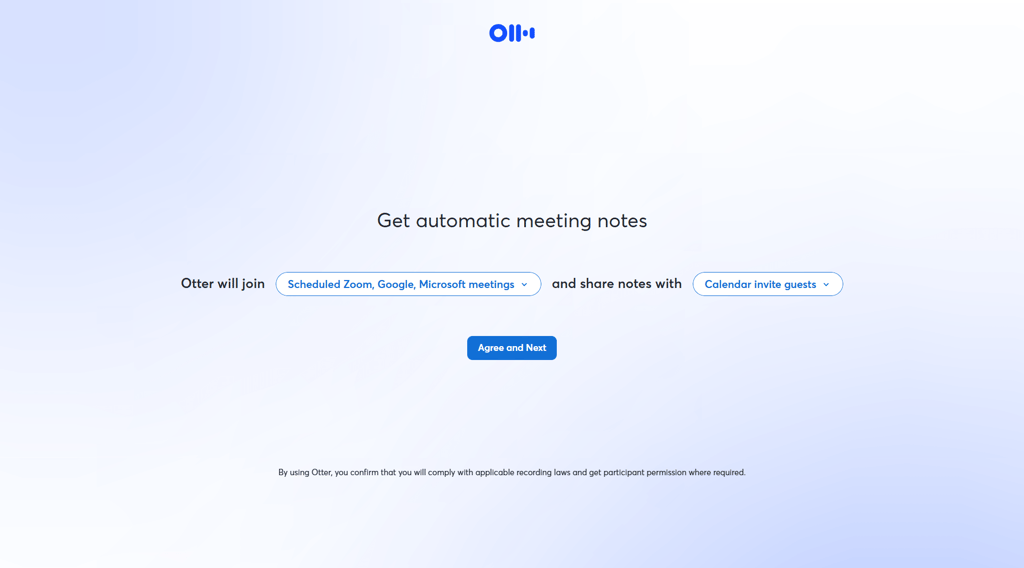
The whole process was simple, and after logging in, I was prompted to set up if Otter should come into my meetings and record them, and who should receive the transcripts. This might be useful for teachers who want to support their class, but for students, it might not be as helpful, as the meeting host has to be the one to invite others.
After getting through the onboarding process, I imported the MP3 file into the software. After the upload was complete, the software transcribed 30 minutes of the 48-minute lecture. This was not a bug, but rather a limitation of the free version, which can only transcribe 30 minutes at a time. The paid versions offer larger limits depending on the plan.
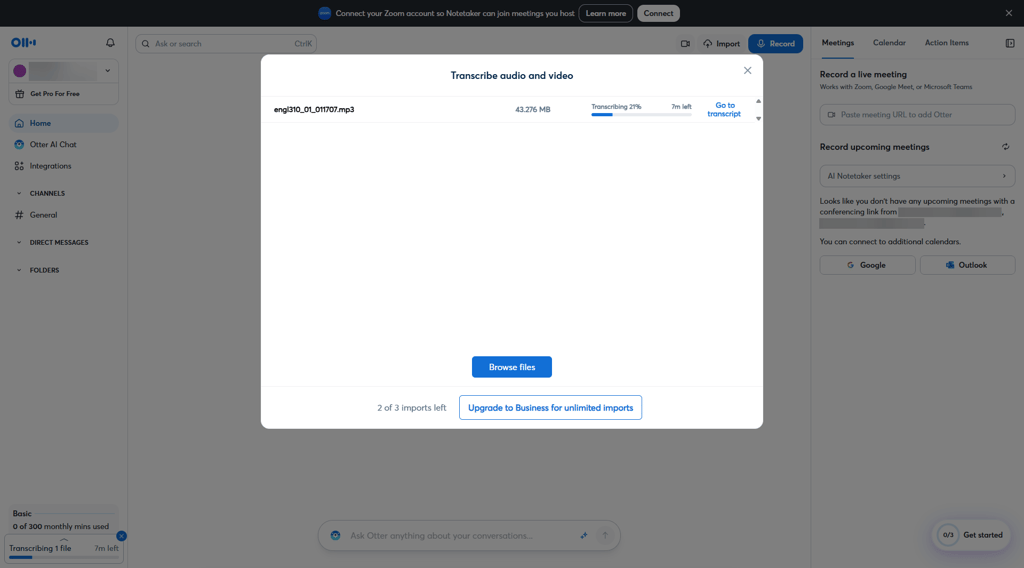
Otter took around 8 minutes to produce a transcript and summary. I appreciate how detailed the summary was, and the fact that I could switch between templates to adjust it to my needs.

I also appreciate the fact that Otter added timestamps to its summary, which helped me refer to the source transcript and audio whenever I wanted to dive deeper into a topic.
While I used Otter for this example, we’ve also reviewed note taking apps such as Motion, and Fieldy as well, and they have proved to be excellent too. For summaries, chatbots like ChatGPT and Gemini can also deliver reliable content.
Using AI as a study tutor
Another great way to use AI for studying is to have it serve as your tutor. To do so, you can use virtually any chatbot and prompt it to become your teacher. Additionally, some chatbots like ChatGPT and Gemini also offer special learning modes, further helping you grow your knowledge and prepare for class.
To test this out, I activated Gemini's guided learning mode and found it to be an excellent tool for tutoring. I first asked it to give me an Astrophysics 101 quiz. It did so in a few seconds and gave me a thorough and visually appealing quiz. I particularly appreciated how Gemini explained each answer, and when I made a mistake, it explained what the wrong answer was as well.
Prompt: “I have an Astrophysics 101 test tomorrow. Can you help me prepare with a sample quiz?”
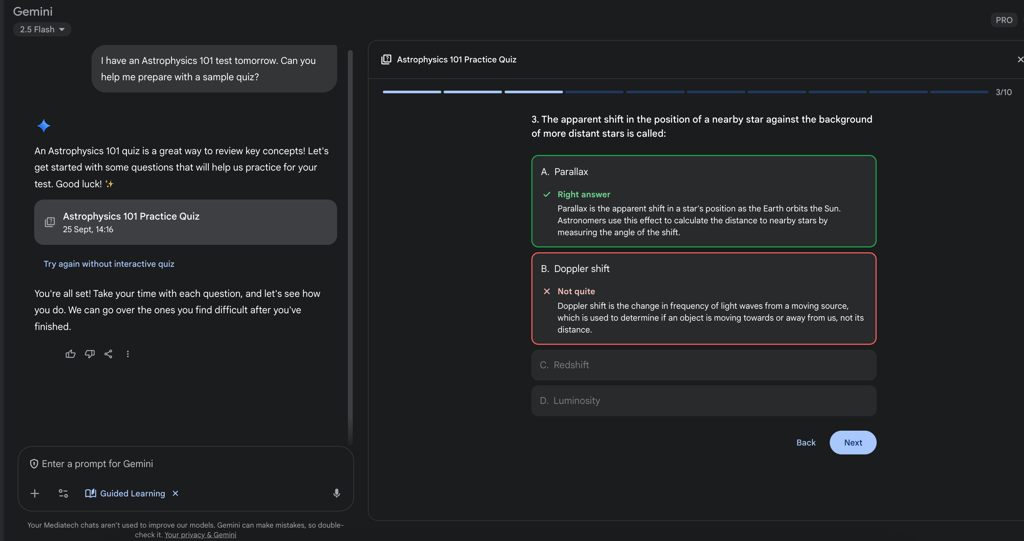
Once I completed the quiz, Gemini gave me the option to analyze my performance, while also suggesting flash cards for learning and a detailed study guide. I found that to be very helpful, and the cards were a fun little addition to the mode.
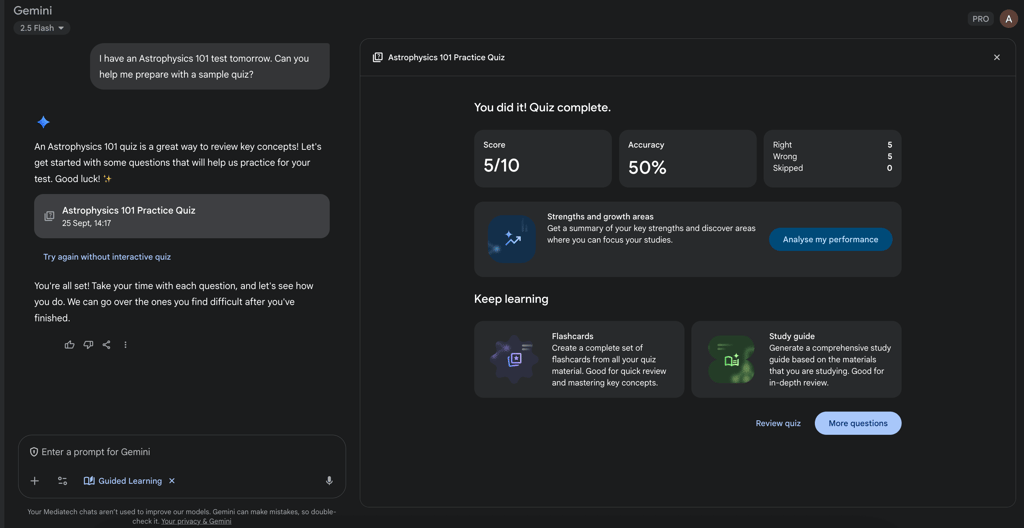
Overall, this makes me a bit sad that tools like this weren’t available back when I was a student. It definitely would’ve made my life easier, making learning intuitive and fun.
I also eventually asked Gemini to create a study guide, and it responded by assessing my knowledge and quizzing me to see how well I know the topic. In this case, my prompt was:“I'm struggling to understand trigonometry. Can you help me create a study guide?”
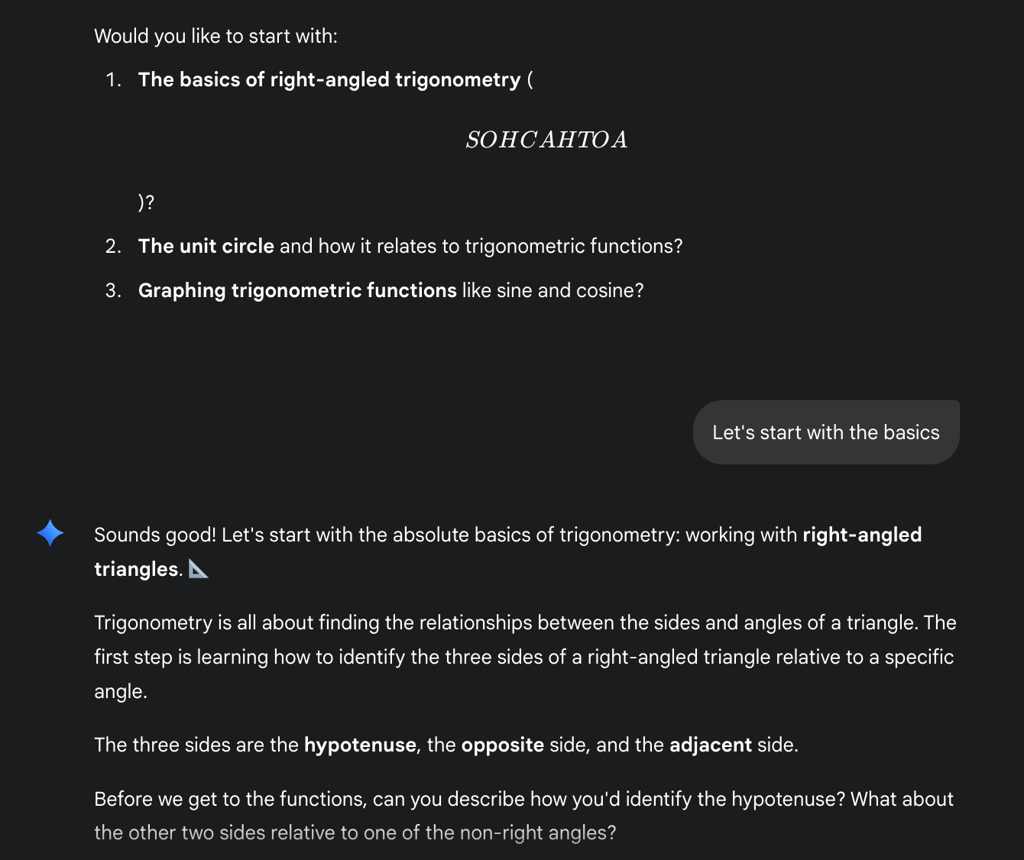
In order to optimize your prompts for using AI as a tutor, be sure to include the details of what you’re looking for, and when possible, turn on a dedicated studying mode. That way, the chatbot will be able to generate guides, quizzes, and assignments based on your actual knowledge.
How to use AI for writing tasks
There are a few ways to use AI for writing. The most basic way is to get AI to write your essay for you. However, this is likely against your school’s policy and may get you in trouble. With AI detectors getting better and better, I personally wouldn’t risk submitting an AI-written essay if it’s against the rules. That said, if you want to write one using tools, our list of the best AI essay tools will definitely help you out.
Even if you can’t use AI to write the whole task, you can still use it to help you write your essay. Here’s how you can use AI during writing tasks:
- Creating an essay outline. Having a simple paragraph-by-paragraph or section-by-section plan can be very helpful when writing an essay.
- Research. AI can create comprehensive research for your topic, along with ready-made citations.
- Proofreading and fact-checking. AI can help you find mistakes in your writing and check if your facts are correct and fit the sources you cite.
- Brainstorming. If you’re ever in a rut or have writer’s block, talking to an AI chatbot can be a great way to get out of it.
To test out chatbots in terms of writing, I asked Gemini to prepare an outline for an essay with this prompt:“I'm writing an essay about the ethical implications of AI in education. Prepare an essay outline.”
Gemini essay outlineI received a comprehensive outline that included an essay structure, along with tips for what each element should consist of. I particularly appreciated the fact that, while extensive, the outline remained a guideline, rather than doing all the work for me.
Of course, chatbots aren’t the only tools helping with writing tasks. For example, Grammarly actually proofread this article and gave suggestions on how to improve my wording. By combining various tools, you’ll be able to create the perfect essay.
Important ethical considerations when using AI for studying
While AI has been beneficial for students across the world, it also comes with a few challenges. That’s why, before you start using LLMs in your schoolwork, be sure to consider the following:
- Your school’s policy on AI use. Most schools have very particular policies on AI use. Be sure to analyze your school’s policy to see what uses of AI are allowed before using it for your schoolwork.
- Plagiarism. Since AI tools are trained on other people’s content, using AI-generated text may result in accidentally plagiarizing someone.
- Hallucinations. AI isn’t always precise. Remember always to confirm their work with the provided sources to ensure that your information is correct.
Conclusion
Using AI for studying can improve your grades and save you a lot of time. Using the right tools in your work will help you take notes, learn quickly, and write better. However, you have to remember that AI isn’t perfect, and many institutions are limiting its use. That’s why you should be responsible while including AI in your day-to-day school work.
FAQ
Can AI help me study?
Yes, AI can help you study by creating note summaries, pop quizzes, flashcards, and learning guides.
What is the best AI tool for writing tasks?
Cybernews has selected EssayDone as the best tool in our best essay writing AI ranking. That said, other software such as Gemini or Grammarly can be useful when writing about AI.
How accurate are AI tools for studying?
That depends on the model you use. However, virtually every AI can hallucinate, so you should always request sources and check whether they are correct.