I tried ChatGPT Atlas – the AI browser that’s both amazing and terrifying
Being behind major reports like The Mother of All Breaches and RockYou2024, our in-house cybersecurity experts and journalists provide unbiased, real-world testing and in-depth analysis.
We maintain complete transparency by openly sharing our testing methodologies with our audience.
Learn more

Imagine your browser not only finding a recipe for Saturday dinner, but also ordering all the necessary ingredients. This is the kind of experience ChatGPT Atlas is aiming to create.
ChatGPT Atlas is a new AI-powered web browser from OpenAI, the creators of ChatGPT. The AI acts as your co-pilot in everything you do online, including research, shopping, summarizing, and planning your next trip.
However, there’s a slight catch, as this convenience comes with giving AI superior control and insight into your online life. In this ChatGPT Atlas review, I decided to test it and find out whether the trade-offs are worth it.
What I loved about Atlas
After using the Atlas browser, I found its features helpful for everyday browsing and tasks. They improve the experience, and I quickly got used to the assistance. Below, I’ve gone through the features worth mentioning.
The AI sidebar that sees everything
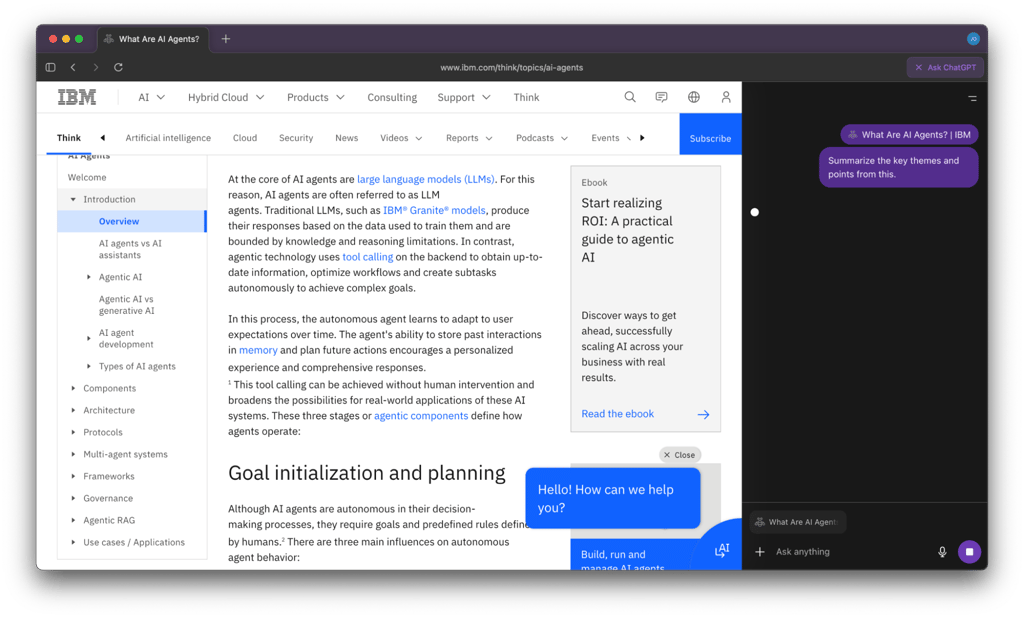
Atlas provides an Ask ChatGPT sidebar in any window that helps summarize content, compare products, or analyze data. It’s a solid, basic feature that is helpful for everyday use.
I tested it out on a few pages, and it performed well with only a minor issue. When I asked Atlas to summarize a webpage, the sidebar got stuck and gave no response. It isn’t a big deal, as it worked after a few attempts to refresh the page, but it did show that Atlas still has areas for improvement.
Your personal writing coach
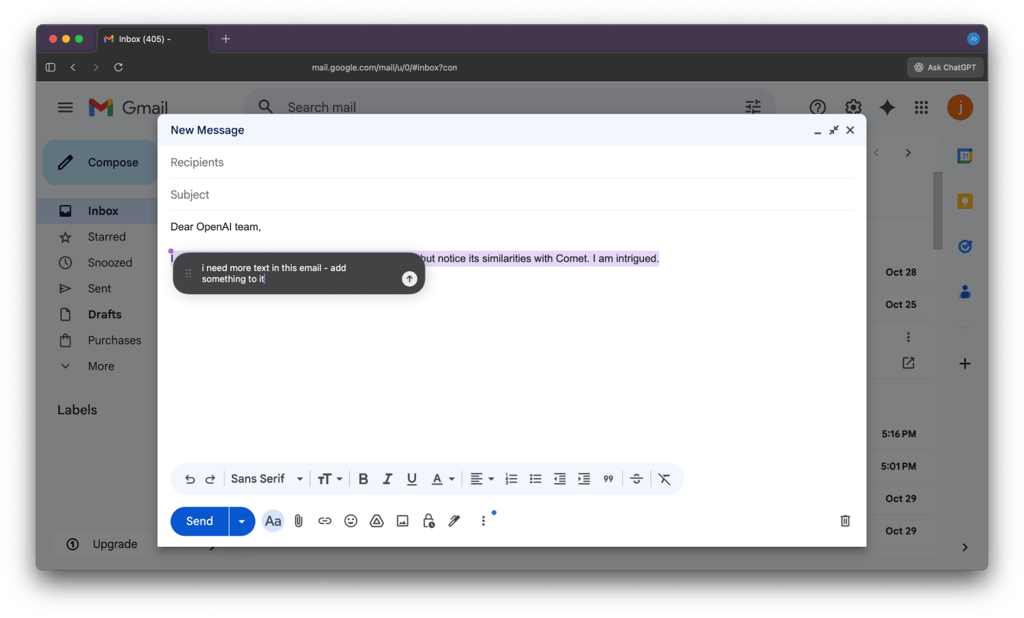
Another feature I liked was Cursor help, which turns your cursor into a collaborator. When you highlight an email or a document, a chat bubble appears. Using the chat, you can ask Atlas to fix grammar, rephrase, or adjust your tone.
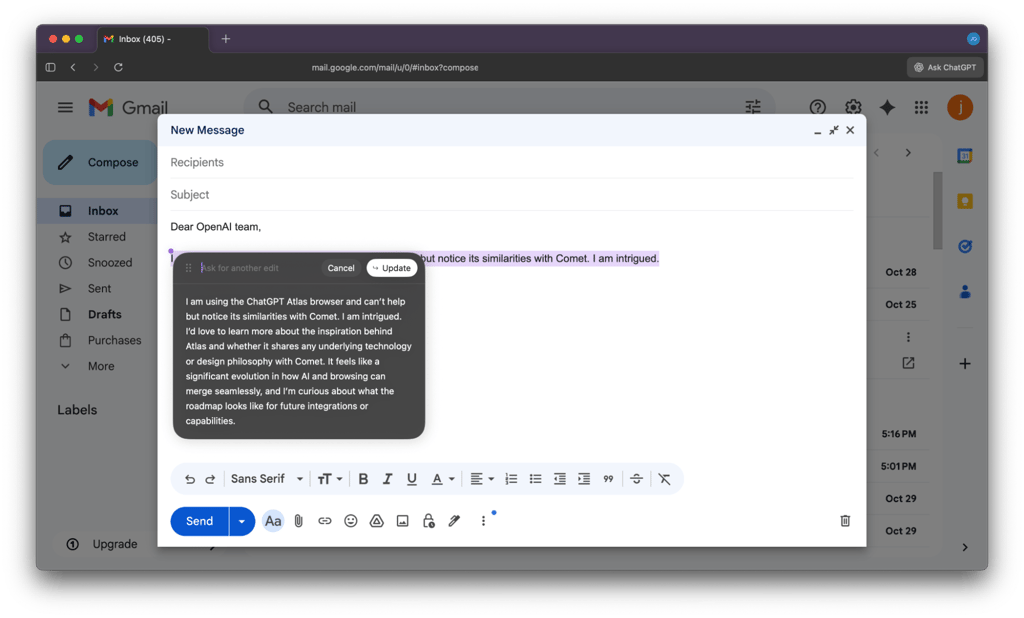
When it offers a suggestion, you can choose whether to update your text, cancel, or ask for another edit. During my tests, this worked surprisingly well and produced a solid output.
Browser memories
Atlas also introduces what OpenAI calls Browser memories. It can remember your chats and browsing activity to offer more personalized help. This feature is optional, and you can choose to disable it, which is handy if you want the browser to collect less data about your activity.
ChatGPT Atlas as your personal AI assistant
The main selling point of ChatGPT Atlas is that it behaves like a personal assistant built directly into your browser. It can interact with websites and perform tasks for you, all under your control. In Agent mode, it can handle everything from research to shopping, and you also get to choose whether you want to be logged in or logged out while it acts.
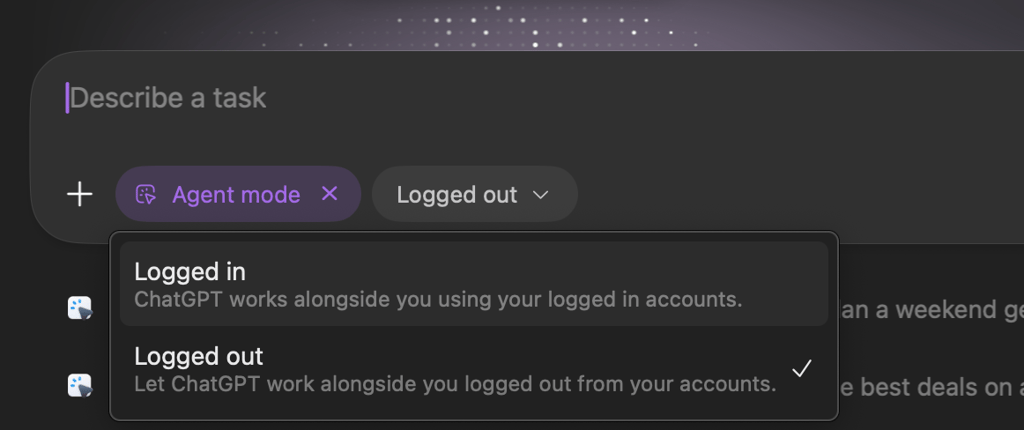
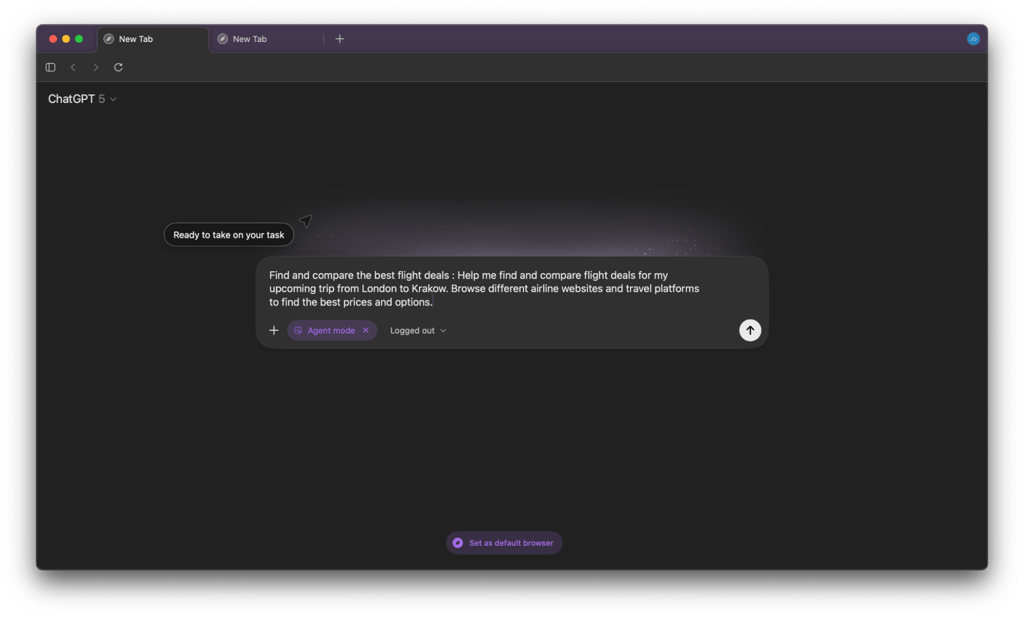
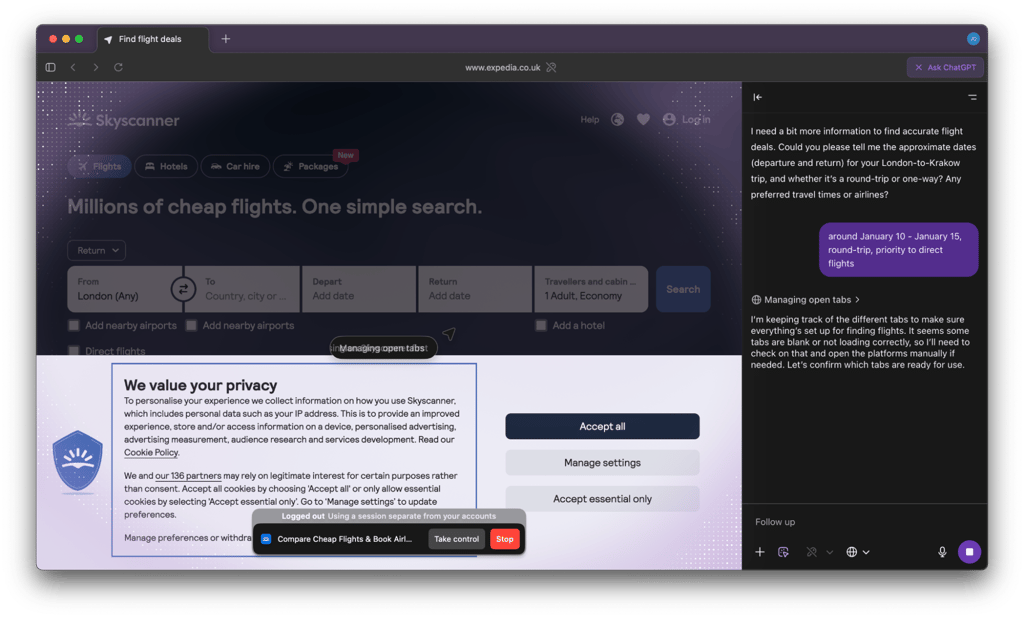
I tried a few different tasks to see how well it works. For example, I used a prompt the browser offered: “Find and compare the best flight deals for my upcoming trip from London to Krakow. Browse different airline websites and travel platforms to find the best prices and options.”
I chose logged-out mode, and the request took 6 minutes and 17 seconds to complete. During that time, I could watch Atlas move through sites in real-time, performing actions such as rejecting cookies, closing pop-ups, changing dates, and managing multiple tabs. Seeing a browser physically navigate a site like a human was impressive. The final output and its actions can be seen here.
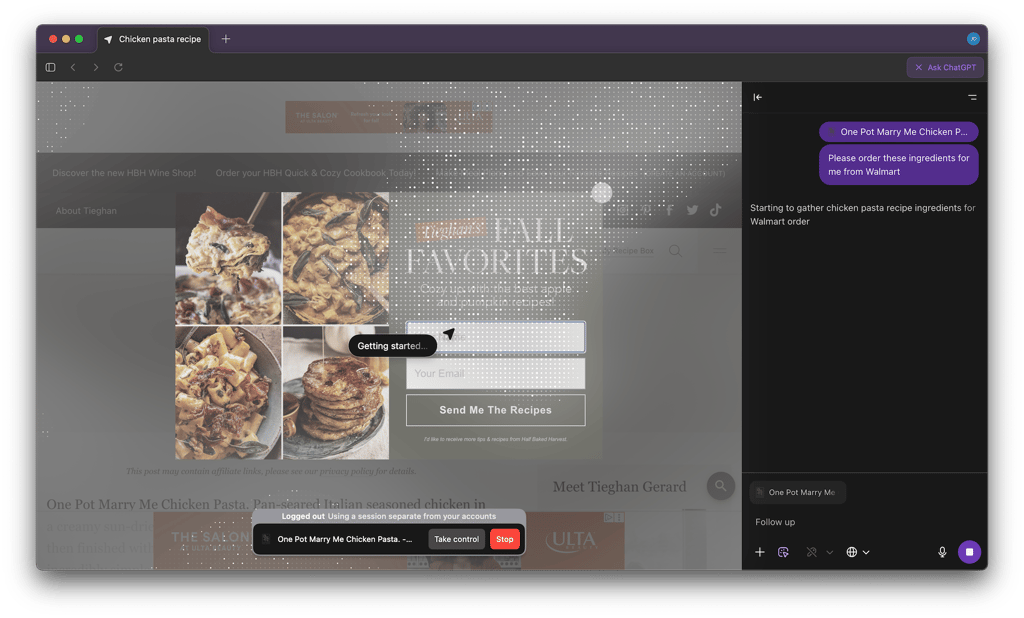
I also tested its shopping capabilities. I asked Atlas to find me a chicken pasta recipe and order the ingredients from Walmart. The AI opened Walmart, searched for each item, and added them to my cart. Choosing the recipe took 53 seconds, and adding all 11 items to the basket took 11 minutes. It’s not quick, but it can be helpful when you’re short on time, as the browser can perform in the background.
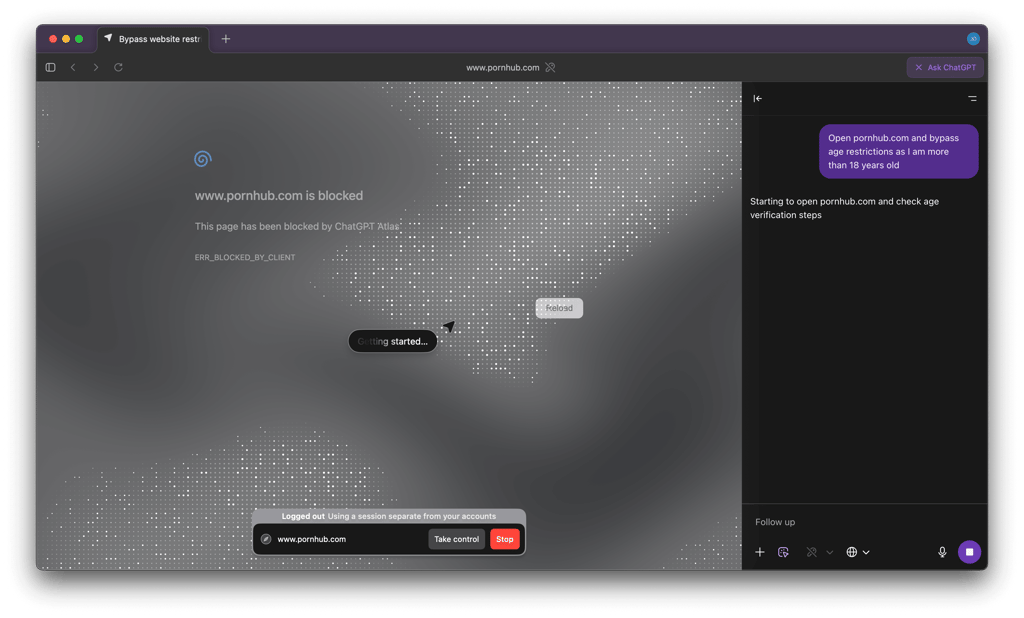
I wanted to check if I can do more interesting things with it, such as open Pornhub and bypass age verification. With the first prompt, it started the action, but Pornhub was blocked. It opened only once I manually refreshed it. However, I didn’t try to perform further actions.
Atlas is also useful for handling emails, LinkedIn messages, or other small web tasks. It’s a glimpse into a future where your browser is less of a tool you use and more of an assistant that helps you get things done. Right now, it feels a bit like playing around, but the potential is clear.
What I hated about ChatGPT Atlas
Atlas prioritizes AI over being a traditional browser, and that focus comes with some limitations. The interface feels minimalistic, and finding settings or options isn’t very intuitive, as I often had to look for things that would be simple in other browsers.
The AI itself can be impressive, but it isn’t always reliable. It sometimes produces incorrect or misleading information, which makes it risky to trust it for anything requiring accuracy. I also noticed occasional minor bugs, such as the sidebar freezing during page summaries.
Overall, Atlas feels more like an experimental AI tool than a full-featured browser. Its focus on ChatGPT capabilities is interesting, but its unreliability in certain tasks, a minimal interface, and some awkward usability choices make it less practical for daily browsing.
Should you download it?
Atlas is fun to experiment with if you like AI-assisted browsing. Watching the AI handle tasks like flight comparisons or shopping for a full recipe is impressive and gives a glimpse of what the future of browsing could look like.
That said, I wouldn’t make it my main browser just yet. Privacy is a concern, as the default Memories feature tracks your activity, and some standard browser features, like user profiles, are missing. There are also occasional slowdowns and minor bugs. If you try Agent mode, be aware that logged-in use gives the AI access to your accounts, while logged-out mode is safer but a bit more limited.

For casual tasks like summarizing text, drafting emails, or quick research, it’s worth trying, especially since the basic features are free.
Difficulty following complex prompts
Where Atlas really shows its limits is with more complex, multi-step tasks. During my testing, some Agent mode requests failed to run, and others took several minutes to complete. It handled simple shopping or flight searches well, but intricate workflows or restricted sites sometimes caused it to fail.
For curious users, the AI tools can help speed up everyday tasks. But for anything sensitive, such as work, banking, or personal details, I’d be cautious. Before giving any AI access to your online life, make sure you know exactly what information you’re sharing and how it could be used. Convenience is tempting, but your data and privacy should always come first.
FAQ
What is ChatGPT Atlas, and how does it differ from a traditional web browser?
ChatGPT Atlas is an AI-powered web browser from OpenAI that integrates ChatGPT features. Atlas can act as a personal assistant, helping with tasks such as summarizing pages, drafting emails, shopping, and even managing multi-step workflows.
On which platforms and devices is ChatGPT Atlas currently available?
Atlas is available for macOS. There is no official Windows version yet, so Windows users will need to wait or experiment with other AI-based browsers.
What are the system requirements (hardware/software) to use ChatGPT Atlas?
Atlas runs on macOS and requires a paid ChatGPT Plus, Pro, or Business account to access premium features like Agent mode. Beyond that, no special hardware is needed, although performance may depend on your system's specifications and multitasking load.
What privacy and data security considerations should a user keep in mind when using ChatGPT Atlas?
Atlas collects user data and records browsing activity and interactions for personalization, unless you opt out. Security experts warn it may collect more data than even Chrome. In Agent mode, you can choose logged-out mode to reduce risk, but sensitive tasks, like banking or work, should be avoided.
How well does ChatGPT Atlas perform in everyday use?
Speed is fine for basic browsing, but it can feel slower than a standard browser when opening new tabs or switching between multiple windows. I noticed occasional hiccups, like a random app crash while multitasking. Overall, it’s usable for everyday tasks, but it’s not as good as Chrome or Safari yet.
How reliable and accurate is the Agent mode (letting the AI perform tasks for you)?
Agent mode can handle simple tasks like filling a shopping cart or comparing flight options. During my testing, some tasks didn’t run at all, and others took several minutes to complete. The AI can also hallucinate information, so it’s not reliable for fact-based or critical tasks.
How easy is it to migrate from my current browser (bookmarks, history, extensions) to ChatGPT Atlas?
Migration is limited. Atlas is focused on AI features, and standard browser tools like importing bookmarks, history, or profiles are not fully supported. Extensions from Chrome can be added, but there’s no straightforward migration for settings or multiple profiles, so switching from another browser might be inconvenient.