Microsoft Defender vs Trend Micro: which antivirus is better?
Backed by leading cybersecurity experts and investigative journalists, we deliver independent, real-world antivirus testing and analysis, guaranteeing objective evaluations without undue influence or bias from outside parties.
Our transparent and consistent methodologies ensure objective, up-to-date reviews, empowering readers to make well-informed decisions.
Learn more
Microsoft Defender (previously Windows Defender) and Trend Micro are two widely used antivirus programs. Both include malware protection, ransomware defense, phishing blocking, firewall tools, and multi-device security features. This makes choosing between them harder than expected. However, small but important differences in protection results, system performance, features, and pricing set the two antivirus solutions apart.
To actually see the differences, I tested Microsoft Defender vs Trend Micro hands-on. I also reviewed independent lab reports, evaluating live threat blocking, scan speed, device load, feature depth, pricing, apps, and support. Keep reading to see which antivirus performs better for your needs.
Microsoft Defender vs Trend Micro at a glance
During testing, Microsoft Defender delivered stronger antivirus protection for Windows in the areas that matter most, especially ransomware defense and phishing blocking, while Trend Micro added value with better live malware detection and a richer feature set.
While Microsoft Defender delivered more consistent overall security results, I think that Trend Micro still brings useful extra features, so the two can complement each other in different setups. That said, neither does as good a job as the best antivirus providers in the market, like our #1 ranked Bitdefender.
| TOP Choice | |||
| Bitdefender Antivirus | Microsoft Defender | Trend Micro | |
| ⭐ Rating: | |||
| 🥇 Overall rank: | #1 out of #30 | #21 out of #30 | #12 out of #30 |
| 🔥 Coupons: | Bitdefender coupon 78% OFF | Antivirus Coupons 2026 | Trend Micro coupon 50% OFF |
| 💵 Price: | From $12.99/year | From $99.99/year | From $29.95/year |
| ✂️ Free version: | Yes | Yes | Yes (Android and iOS) |
| 🖥️ Platforms: | Windows, macOS, Android, iOS | Windows | Windows, macOS, Android, iOS, Chromebook |
| Get Bitdefender |




Our team of researchers thoroughly tests antivirus software following a well-established testing process. In unison, our experts combine in-house and independent testing lab findings with first-hand experience to help you make informed decisions about each product. Learn how we test antivirus software.
Microsoft Defender vs Trend Micro: which offers better protection?
To cut to the chase, Microsoft Defender delivered stronger overall protection than Trend Micro based on both our tests and independent lab results. Trend Micro detected more live malware in our test, 56% versus 9%, butMicrosoft Defender achieved higher ransomware detection at 80% versus 40%, and blocked 50% of phishing URLs compared to Trend Micro’s 0%.
Independent testing confirms this trend. Microsoft Defender scored 6.0/6.0 in AV-TEST (Jan-Feb 2026), detecting 100% of widespread malware and 100% of zero-day threats. While Trend Micro only scored 4.5/6.0 for protection, with 98.5%-98.9% zero-day detection and 99%-100% known malware detection, which falls slightly behind.
Real-time malware protection
Trend Micro’s real-time malware protection performed better in our controlled test environment. Trend Micro detected 56% of 150 live malware samples, while Microsoft Defender detected only 9% under identical conditions.
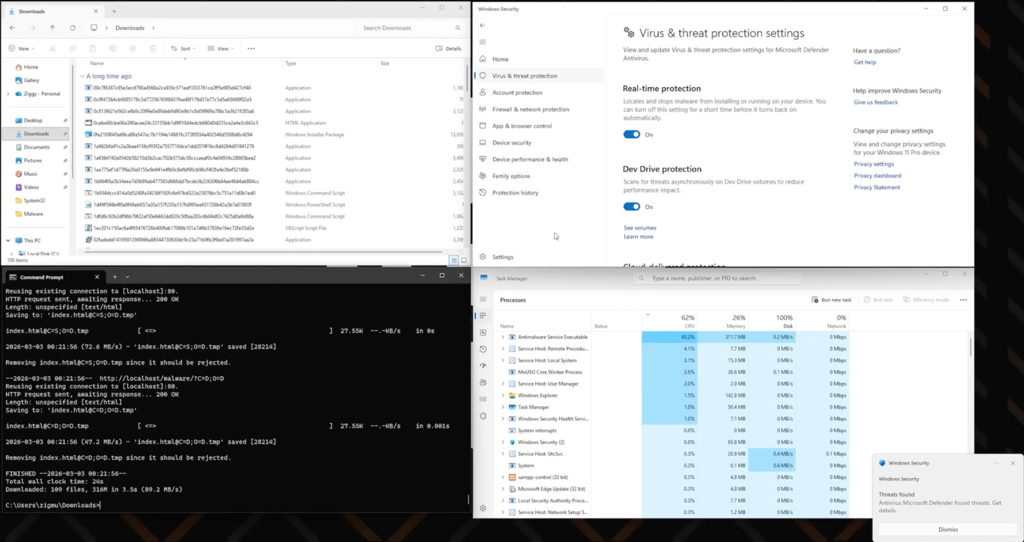
Trend Micro leads this category against Microsoft Defender, but its detection rates still lag behind top-tier providers like Bitdefender. Overall, leading antivirus tools typically exceed 90% in real-time malware detection, while Trend Micro’s results remain below that benchmark in our tests.
Even so, Trend Micro outperforms Microsoft Defender here due to its higher real-time detection rate in our testing.
Firewall protection
When it comes to firewall protection, Microsoft Defender actively manages inbound and outbound traffic through Windows Security, giving users full control over network rules and real-time visibility.
On the other hand, Trend Micro also includes a firewall component, but it works differently and is not fully enabled by default. Trend Micro’s firewall builds on top of the Windows Firewall and requires manual configuration, with features like stateful inspection and traffic filtering available only when properly set up.
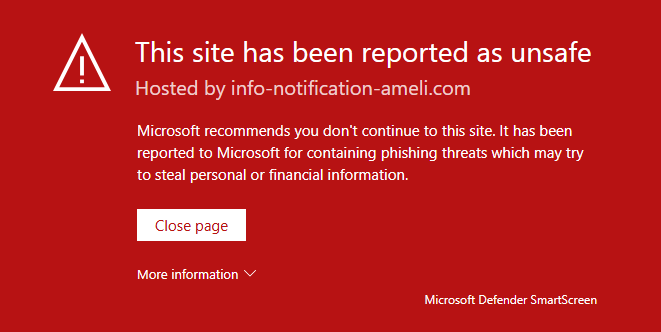
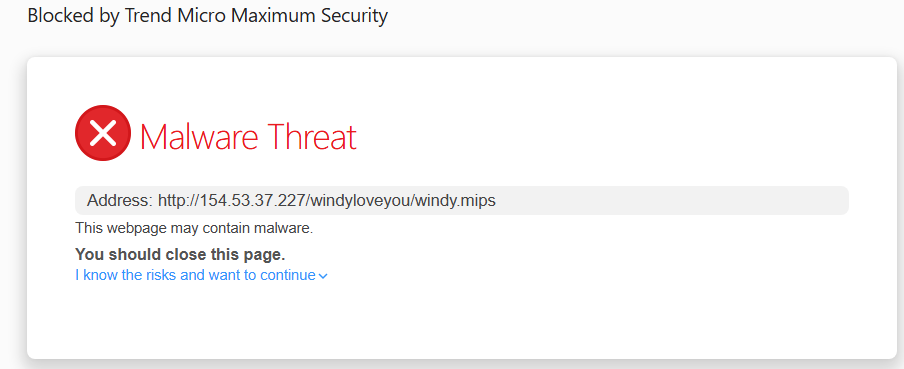
Oddly enough, Trend Micro performed weaker in our testing despite having more configurable firewall options. Trend Micro blocked 0% of phishing URLs and only 10% of malware URLs. By contrast, Microsoft Defender blocked 50% of phishing URLs, but didn’t manage to catch a single malware URL.
Scanning
During our system scanning tests, Microsoft Defender performed slightly better, especially against ransomware. Microsoft Defender detected 56% of malware samples in full scans and 80% of ransomware samples, while Trend Micro detected 55% of malware and only 40% of ransomware.
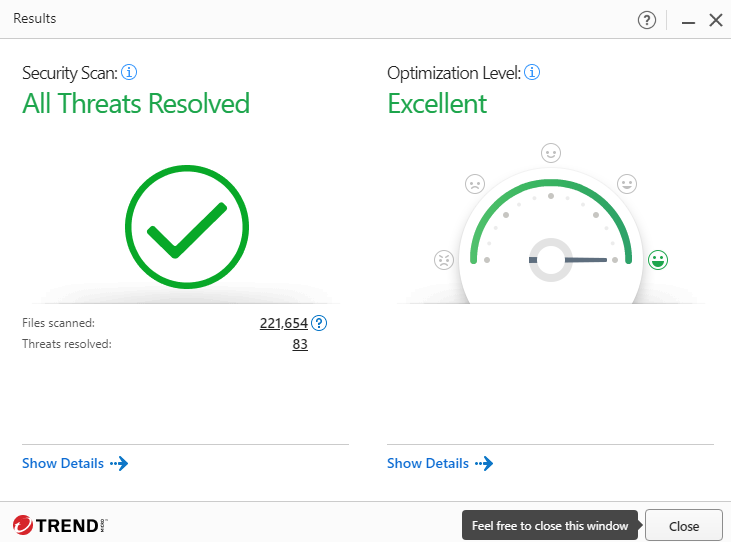
Trend Micro completed a full scan in 35 minutes, while Microsoft Defender took 1 hour and 34 minutes. Trend Micro is faster, but Microsoft Defender delved deeper, which may be why it won this category. AV-Comparatives April 2026 data supports this, too, showing Defender's overall performance is better for broader detection, while Trend Micro is better for efficiency.

Trend Micro vs Microsoft Defender pricing comparison
Microsoft Defender is mainly a free antivirus that comes with Windows, while Trend Micro uses tiered paid plans with increasing features. Here are the main plans of each:
| Plan | Trend Micro | Microsoft Defender |
| Free | ❌ No free plan | ✅ Free within with Windows |
| Entry plan | $29.95/year – Antivirus+ Security | Microsoft Defender – included with Windows |
| Mid-tier | $39.95/year – Internet Security | $99.99/year – Microsoft 365 Personal |
| Family plan | $49.95/year – Maximum Security | $129.99/year – Microsoft 365 Family |
| Premium plan | $99.95/year – Premium Security Suite | $199.99/year – Microsoft 365 Premium |
Microsoft Defender's free version is hard to beat on price because, well, it’s free, built into Windows, and covers all the essentials. There are some advanced features, though, requiring a Microsoft 365 subscription, which adds identity monitoring, dark web scanning, and multi-device coverage, along with OneDrive storage, Office apps, and identity theft protection.
Trend Micro’s pricing, on the other hand, follows a standard antivirus pricing scheme. Based on your needs, you can choose an exact security plan, pay for the number of devices you want to cover, and get a clearer security-first package.
Antivirus+ Security is the lowest-cost entry point, while Internet Security allows 3 devices and adds banking and shopping protection. Maximum Security expands to 5 devices and AI app protection, and lastly, Premium Security Suite adds VPN access, identity protection, and up to $1,000,000 in identity fraud insurance for US users and covers 10 devices.
What I appreciate is that both providers offer a 30-day money-back guarantee. Trend Micro applies it directly to its online purchases, while Microsoft 365 offers a similar 30-day refund window for purchases of its subscription bundles.
Trend Micro vs Microsoft Defender: features
Despite the testing results, Trend Micro offers an overall richer security suite. Microsoft Defender covers the essentials well, but Trend Micro goes further with banking protection, scam filtering, AI app protection, and more privacy tools. Here’s a rundown of their key features:
| Feature | Trend Micro | Microsoft Defender |
| Ransomware protection | ✅ Included | ✅ Included |
| Scam and phishing protection | ✅ Included | ✅ Included |
| Wi-Fi security checks | ✅ Included | ✅ Included |
| Parental controls | ✅ Included | ✅ Included |
| Mobile protection | ✅ Included | ✅ Included with Microsoft 365 |
| Identity monitoring | ✅ Included on higher plans | ✅ Included with Microsoft 365 |
| Anti-tracker tools | ✅ Included | ❌ Not included |
| Pay Guard secure browsing | ✅ Included | ❌ Not included |
| AI app protection | ✅ Included | ❌ Not included |
| Secure erase | ✅ Included | ❌ Not included |
| VPN | ✅ Included on Premium Security Suite | ❌ Not included |
While Microsoft Defender doesn’t expand much on its features, it does the basics well. It blocks malware and warns about unsafe sites, and even adds identity monitoring, dark web scanning, and ransomware protection through Microsoft 365, which works across Windows, Mac, Android, iPhone, and iPad through the Microsoft Defender app and web portal.
That said, Trend Micro offers a much wider protection range. Together with the essentials, it adds Pay Guard for online banking, Secure Erase for permanent file deletion, and AI app protection. Trend Micro’s higher tiers also include VPN access, anti-track and ad-blocking, and identity fraud support.
Trend Micro’s protection is also more complete for families and users who work across multiple devices. It scales better across its product line, with the Internet Security plan covering 3 devices, the Maximum Security covers 5, and the Premium Security Suite covering 10 devices, while the Microsoft 365 pack only covers up to 5 devices simultaneously.

Impact on PC performance
Microsoft Defender uses fewer system resources at idle and is less demanding during scans. In our tests, Microsoft Defender stayed between 1–12% CPU and 37% RAM when idle, compared to Trend Micro’s 3–29% CPU and 56% RAM, making Microsoft Defender the lighter option for everyday background use.
However, CPU usage during scans shows a different pattern. Microsoft Defender reached 20–96% CPU during scans and 43–98% during real-time protection, while Trend Micro ranged from 30% to 100% during scans and 13–90% in real-time protection. Trend Micro spreads its load more evenly, but both tools can push CPU usage close to 100% under heavy workloads.
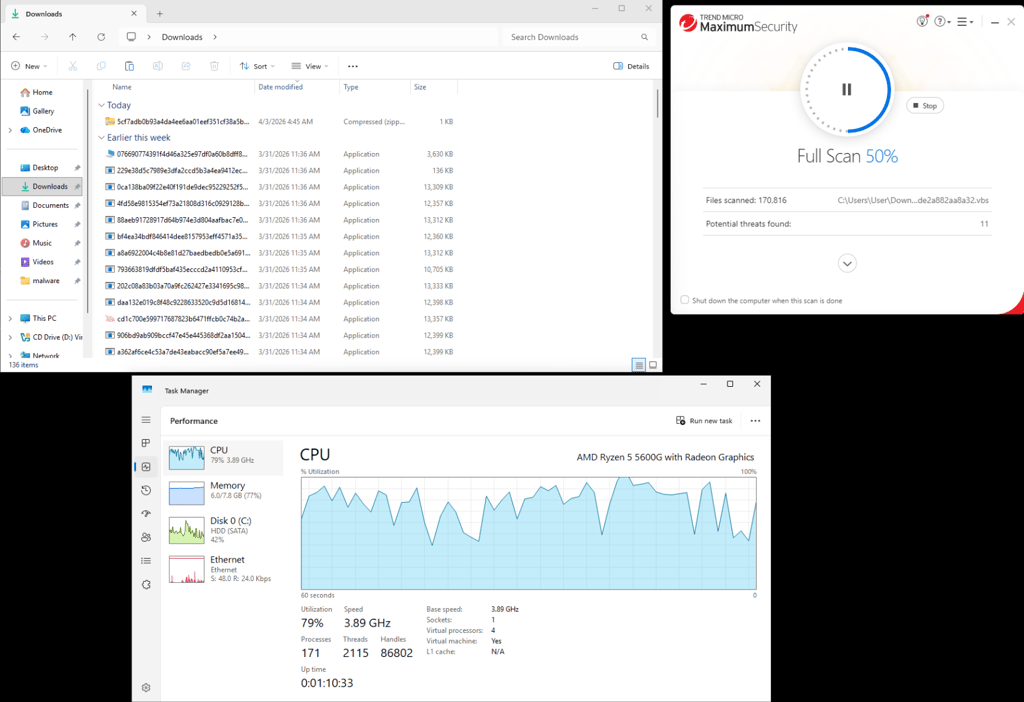
On the other hand, Microsoft Defender used only 26–36% of RAM during scanning and 25% in real-time protection, while Trend Micro used a whopping 77% during scans and 56% in real-time protection. This higher memory usage can be much more noticeable on lower-end systems or devices with limited RAM.
Apps and interface: which is more user-friendly?
Both Microsoft Defender and Trend Micro are fairly easy to get started with, but they differ a lot in how clearly their features are presented and how comfortable they feel to navigate in day-to-day use.
Desktop apps
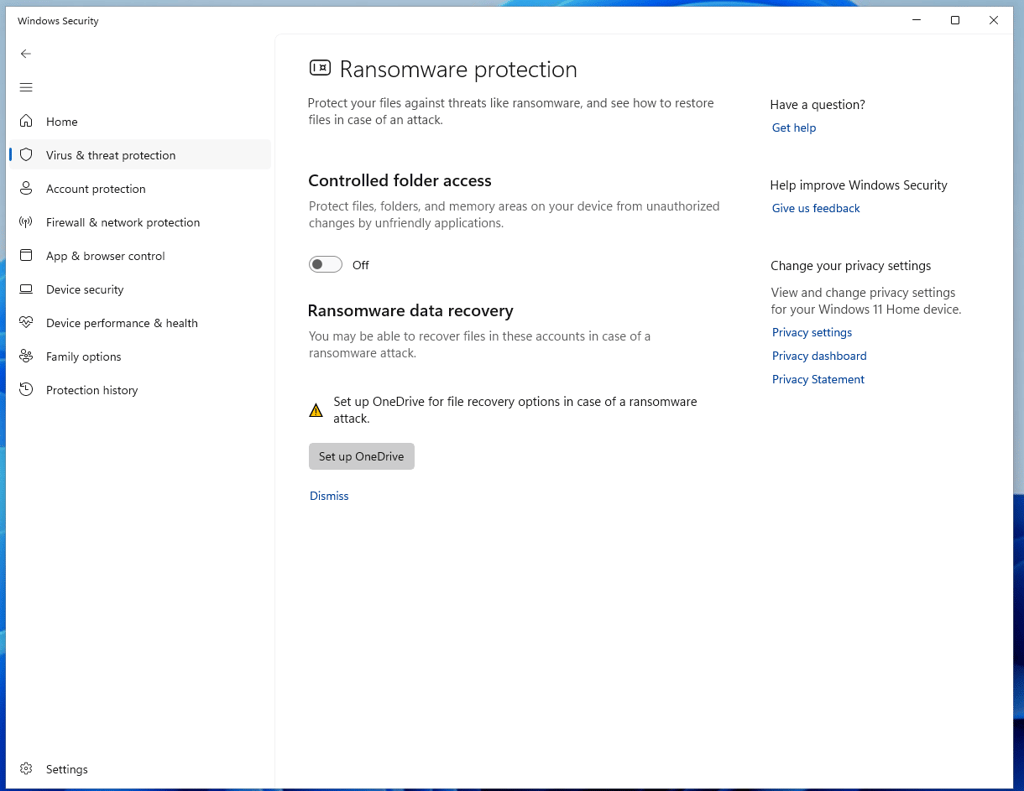
While Microsoft Defender antivirus lives primarily in its own dedicated Windows Security tab, it isn’t really like a traditional antivirus app. A lot of its controls are spread across deeper system menus.
The main dashboard is simple, but as soon as you try to go beyond basic protection, things become quite fragmented. Advanced controls and system-level protections redirect you to separate Windows areas like the Control Panel.
For me, that really splits the experience. Beginners may find it fine for basic protection, but when trying to fine-tune settings will likely run into confusion. On top of that, some features are tied to Microsoft services like OneDrive, which adds extra layers of confusion if you want full functionality.
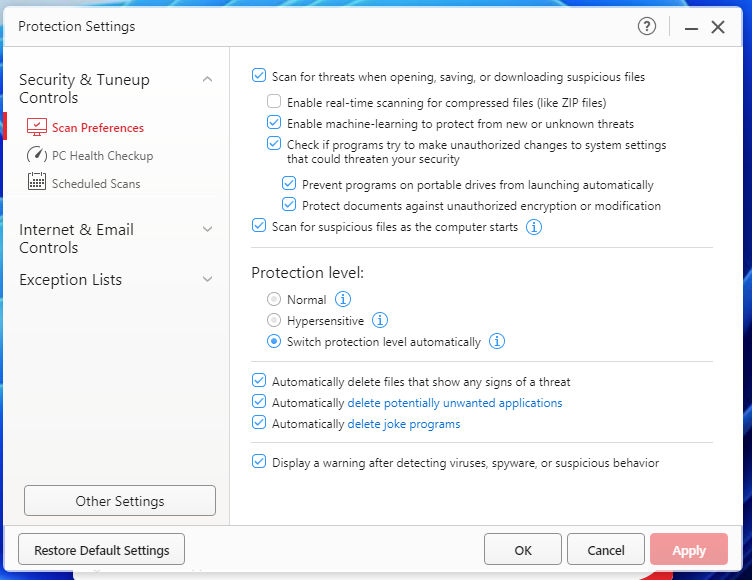
Trend Micro, on the other hand, keeps everything inside a single dedicated desktop app. It’s not the most modern-looking interface, but it's logically structured. Key features like scanning, privacy, and device security are grouped clearly, so navigation is really simple.
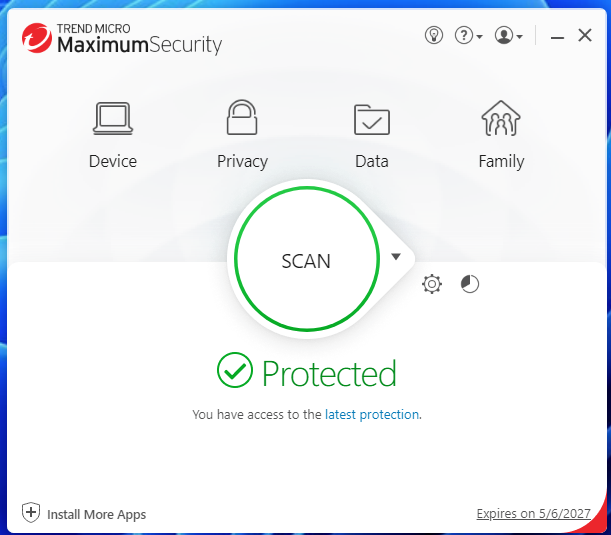
Scan types (Smart, Quick, Full, and Scheduled) are easy to access, and security modules are clearly labeled. Instead of splitting controls across system menus, everything lives in one place, which makes day-to-day use much easier.
Mobile apps
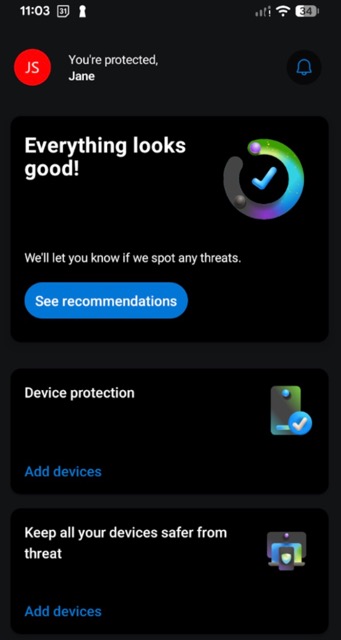
Microsoft Defender’s mobile app is one of its weaker points. While it extends basic protection, the interface is stripped down and unintuitive. Features are limited, and the layout doesn’t match the clarity of the desktop version. It works, but it doesn’t feel like a fully developed mobile security app, especially compared to third-party solutions.
Trend Micro’s mobile app is noticeably more complete. Although the design isn’t particularly modern or visually polished, it is far more usable. Everything is placed in one clear menu system, and core tools like Web Guard, Wi-Fi Checker, and Pay Guard are easy to find.
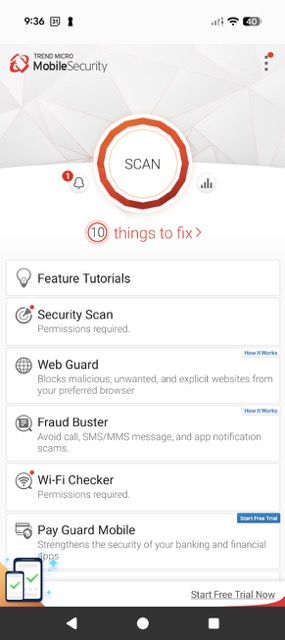
Overall, neither is visually perfect, but Trend Micro clearly offers more control and usability on mobile devices.
Customer support
As expected from a dedicated antivirus provider, Trend Micro provides stronger support options, including live chat, email, and even phone, while Windows Defender mainly relies on documentation and community forums. Here’s a quick rundown:
| Windows Defender | Trend Micro | |
| Knowledge base | ✅ Yes | ✅ Yes |
| Community forum | ✅ Yes | ✅ Yes |
| ✅ Yes | ✅ Yes | |
| Live chat | ❌ No | ✅ Yes |
| Phone | ❌ No | ✅ Yes (Premium users) |
Windows Defender and Trend Micro both offer knowledge bases, community forums, and email support. Windows Defender relies more on self-service through Microsoft Support, which works well for common issues but can slow down complex troubleshooting. For deeper issues, Microsoft Defender also offers a ticket system with email support from technical agents.
Trend Micro offers more direct support channels, including 24/7 live chat and phone support. However, phone support is only available to Premium users.
Final verdict
Throughout this comparison, Windows Defender and Trend Micro had an equal number of wins. However, protection remains the most important factor in antivirus performance, and on this basis, Windows Defender comes out ahead. It offers stronger overall protection, better system efficiency, and a more cost-effective setup, making it the more reliable choice for most users in 2026.
However, Trend Micro comes out ahead in broader feature versatility, user interface, and support, offering a more unified app experience and direct support via live chat and phone. Overall, both services, especially on Windows, could work well together, but Windows Defender takes the lead.
| Category | Microsoft Defender | Trend Micro |
| Protection | ✅ | ❌ |
| Pricing | ✅ | ❌ |
| Features | ❌ | ✅ |
| Impact on PC | ✅ | ❌ |
| User interface | ❌ | ✅ |
| Support | ❌ | ✅ |
FAQ
Is Trend Micro as good as Windows Defender?
No, based on Cybernews testing, Trend Micro is not as strong as Windows Defender in core protection. Windows Defender delivered better ransomware defense, phishing blocking, and overall consistency in tests. Trend Micro offers more features and better support, but lags in key security performance.
Do I need Windows Defender if I have Trend Micro?
No, you do not need Windows Defender if you have Trend Micro installed. Trend Micro replaces active real-time protection and handles malware, ransomware, and phishing defense on its own.
What are the disadvantages of Trend Micro?
The biggest drawback is that Trend Micro has lower malware detection rates than top antivirus competitors. It also uses more system resources during scans and real-time protection. Additionally, it fully relies on paid subscriptions for access to its security suite, which limits testing capabilities.