NordPass vs KeePass: the ultimate password manager showdown

When comparing NordPass vs KeePass, it quickly becomes clear that these two password managers are built for very different types of users. NordPass offers a sleek, modern experience with strong encryption, convenient features, and an interface designed for simplicity. On the other hand, KeePass takes a more technical approach, giving users full control through its open-source framework and extensive customization options.
To provide a fair and practical comparison of NordPass vs KeePass, I evaluated key areas including security architecture, features, pricing, usability, and customer support. My assessment is based on hands-on testing, technical analysis, and real-world usability to reflect how each password manager performs in practical scenarios.
Keep reading to discover how NordPass and KeePass compare in detail and which one is the better fit for your needs.
NordPass vs KeePass – an overview
NordPass stands out with its polished apps, strong security, and broad platform support, while KeePass prioritizes flexibility, transparency, and complete control at no cost. The choice ultimately comes down to convenience and ease of use versus advanced customization and manual setup.
| NordPass | KeePass | |
| ⭐ Rating: | ||
| 🥇 Overall rank: | #1 out of #20 | #19 out of #20 |
| 🔥 Coupons: | NordPass coupon 61% OFF | Cybernews Password Manager Coupons |
| 💵 Price: | From $1.29/month | Free (donations) |
| ✂️ Free version: | Yes | Yes (unlimited) |
| 🔒 Encryption: | XChaCha20 | AES-256 |
| 🖥️ Platforms: | Windows, macOS, Linux, Android, iOS | Windows |
| 🌐 Browser extensions: | Chrome, Edge, Firefox, Opera, Safari, Brave, Vivaldi | Only with unofficial plugins |

Recent Updates
Key differences between NordPass and KeePass
NordPass and KeePass are both reliable password managers, but they take very different approaches to protecting and managing your data. NordPass focuses on convenience, modern design, and cross-platform usability, while KeePass emphasizes full control, transparency, and offline security. Choosing between them depends largely on how much simplicity or customization you need.
Choose NordPass if:
- You want an easy-to-use, ready-to-go solution. NordPass offers a polished interface, automatic syncing, and seamless setup, making it ideal for beginners and everyday users.
- You need cross-platform access. It works across Windows, macOS, Linux, Android, iOS, and major browsers, so you can access your passwords anywhere without manual transfers.
- You prefer built-in features and automation. NordPass includes autofill, password sharing, breach monitoring, and secure storage without requiring additional setup or plugins.
- You value ongoing support and updates. As a commercial product, NordPass receives regular improvements, security audits, and dedicated customer support.
For a full breakdown, check out the NordPass review to see how it performs in real-world testing.
Choose KeePass if:
- You want a completely free and open-source tool. KeePass is fully transparent, with no subscription costs, making it ideal for privacy-focused users.
- You prefer full control over your data. It stores passwords locally by default, giving you complete ownership without relying on cloud services.
- You like deep customization. KeePass supports a wide range of plugins and configuration options, allowing advanced users to tailor the experience to their needs.
- You prioritize offline security. Since KeePass can function entirely offline, it reduces exposure to online threats when set up correctly.
Read the KeePass review to explore its features, setup process, and security capabilities in more detail.
NordPass vs KeePass: pricing overview
Despite KeePass being completely free, NordPass is a clear winner in terms of price-to-value. For starters, NordPass is also a free password manager. In addition, it has plenty of scaling options and diverse plans to suit different users. NordPass offers a 30-day free trial and a 30-day money-back guarantee for risk-free trials.
As for KeePass, it’s entirely free for everyone. However, since there’s only one plan, it might not be ideal for families or businesses. Plus, it’s important to consider that KeePass offers only the bare minimum for features, and you’ll need plugins to extend functionalities.
| Plan | NordPass | KeePass |
| Free | $0.00 | $0.00 |
| Premium | $1.29/month (1 user) | – |
| Family | $2.32/month (6 users) | – |
| Business plans | From $1.79/month/user (unlimited users with the Enterprise plan) | – |
| Try NordPass | Try KeePass |
NordPass pricing
NordPass has four plans:
- Free – $0.00
- Premium – $1.29/month for 1 user
- Family – $2.32/month for 6 users
- Business – starting at $1.79/user/month
NordPass’ free tier includes all the basics, such as unlimited passwords, autosave, autofill, automatic sync, and MFA. However, you’ll need the Premium plan to enjoy the full spectrum of features. It comes with everything the free version has, but adds secure sharing, emergency access, data breach scanner, and Password Health checker.
Data breach scanner recently added email and credit card monitoring, with advanced customization options. Similarly, Password Health introduced the Exposed Password feature, which scans the dark web for leaked login credentials.
If you’re sharing with others, get the Family plan. It has all the same features as Premium but supports up to 6 users.
NordPass business plans are an excellent solution for enterprises. The Teams plan allows you to add 10 users, while the Business and Enterprise plans allow up to 10,000 users. If you need to cover more than that, you can contact NordPass’ sales department for a custom solution. Along with all the Premium features, you also get an admin panel for user management, and each employee can use their own personal password vault.
Recent updates bring plenty of new features for business users, including Shared Folders, Authopia, Sharing Hub, as well as Vanta and Splunk integration.
KeePass pricing
KeePass has two completely free editions, KeePass 1.x and 2.x, which are fundamentally different. KeePass 1.x is the lightweight basic version, while KeePass 2.x is more advanced and has more features. Both editions run on Windows, but KeePass 2.x has the added advantage of working on other operating systems, such as macOS and Linux.
Either way, both editions let you extend functionalities with plugins. KeePass has over 100 community-created plugins covering integration, transfer, and import.
NordPass vs KeePass: security comparison
NordPass and KeePass both deliver strong security, but they take slightly different approaches. NordPass focuses on modern, user-friendly protection with advanced encryption and flexible MFA options, while KeePass emphasizes customizable, open-source security with multiple encryption choices. Overall, NordPass is a safer password manager compared to KeePass, offering a well-rounded, accessible security setup.
Encryption
When it comes to encryption, NordPass leads with its more advanced, secure algorithm. Having said that, you can expect the best from both password managers.
In NordPass’ case, it uses XChaCha20 encryption instead of the industry-standard 256-bit AES encryption. A stream cipher that encrypts individually rather than in blocks, XChaCha20 is safer, simpler, faster, and less resource-intensive than AES-256.
Additionally, NordPass is a zero-knowledge password manager. This means that this password manager works by encrypting and decrypting all data locally on your device, and only the encrypted data is sent to its servers. As a result, the company has no way to access or view your data.
As for KeePass, the encryption algorithms supported depend on the edition you have. That said, the two available options are all secure, stable, and efficient:
- KeePass 1.x – 256-bit AES and Twofish
- KeePass 2.x – 256-bit AES and ChaCha20
Multifactor security
MFA provides a crucial extra layer of security by requiring two or more identity verification methods before granting access to the vault. In this regard, NordPass is a clear winner with its diverse and flexible MFA methods.
With NordPass, you get three main options for MFA:
- Authenticator applications, such as Google Authenticator, Microsoft Authenticator, and Authy
- Security keys like YubiKey and MultiPass FIDO
- Backup codes
KeePass also supports multiple two-factor authentication options, but most require manual setup or plugins. You can use key files stored on external devices, bind access to a specific Windows user account, or enable TOTP codes through plugins like KeeOtp. Hardware-based authentication is also available, including YubiKey and other compatible challenge-response devices. For that reason, NordPass is generally easier to use for MFA.
Convenience aside, it’s worth noting that third-party plugins can pose a security risk. Hence, it’s best to proceed with caution here and carefully evaluate the plugin before installation.
Data storage
Most password managers also double as secure cloud storage vaults for sensitive documents. I found that both NordPass and KeePass overcomplicated this simple feature.
With NordPass, you’ll need to download an entirely separate app, NordLocker, to store anything other than passwords. If you can overlook this slight hassle, NordLocker is very generous with storage. The free plan comes with 3GB, and you can purchase up to 2TB.
Meanwhile, KeePass's Attachments feature lets you store documents, text files, and images. While the inconvenience of saving items as attachments could be forgiven, KeePass is also unnecessarily vague about capacity.
That said, creator Dominic Reichl confirmed that it isn’t designed to store huge attachments and mentioned that the maximum file size is about 4GB. Judging from users’ complaints, that’s an accurate estimate since they encountered various issues when trying to store larger files.
Privacy policy
Whether they’re built on zero-knowledge architecture or otherwise, most password managers collect some personal user data. That said, both NordPass and KeePass’ privacy policies are reasonable.
Among other things, both password managers collect:
- Personal data, like email addresses
- Device and browser information, such as IP addresses, browser types, operating systems used, and internet service providers
- Statistical information about your account’s activities, like the date and time of access
- Cookies
While that might seem like a long list, the data they collect is pretty standard for the industry. Plus, both password managers’ privacy policies make it very clear that different methods to mask your identity are available. You also control how some of your data is shared and can enforce your rights with erasure, rectification, and withdrawal of consent.
Third-party security audits
Independent security audits are critical to evaluate a password manager’s security and reliability. It’s also crucial to ensure it meets all the necessary compliance and regulatory requirements. Both NordPass and KeePass have been audited and were quick to fix any security gaps. However, they could certainly do with more regular and comprehensive audits.
In NordPass’ case, it passed the SOC 2 Type 1 audit. Beyond that, NordPass was also externally audited by Cure53. While the firm found 9 vulnerabilities, the NordPass team fixed the issues before the auditors had even completed the full audit.
Meanwhile, KeePass is an open-source password manager and is OSI-certified. It was also audited as part of the EU-FOSSA 1 project. Plus, the European Commission sponsored the finding of security vulnerabilities in KeePass 2.x for the EU-FOSSA 2 project. A few issues were discovered, but they’ve since been fixed.
NordPass vs KeePass: features comparison
The NordPass vs KeePass feature comparison clearly highlights how differently these two password managers are built. NordPass stands out with a wide range of built-in tools, including easy password import, account recovery options, secure sharing, and seamless autofill. In contrast, KeePass offers a more minimal feature set, with many advanced features available only through plugins and manual configuration.
Password importing
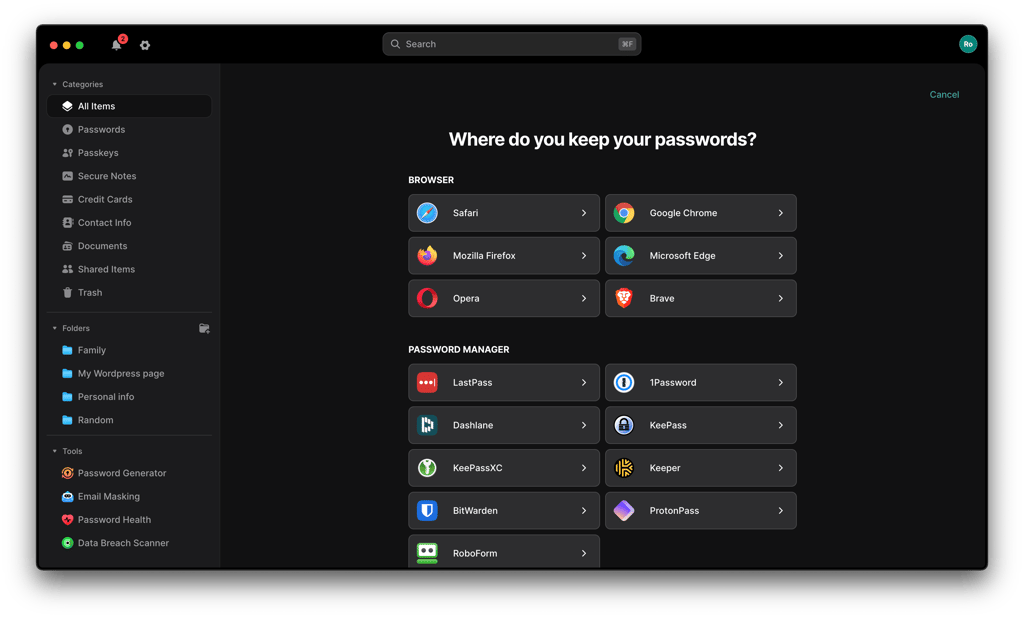
NordPass and KeePass support bulk password importing from all popular browsers, files, and password managers. NordPass supports more applications, and its password-importing process is significantly easier and more intuitive.
NordPass can automatically recognize all saved passwords in Chrome and Firefox browsers and lets you transfer them with just a couple of clicks. Additionally, it also allows import from various password managers, such as KeePass, Keeper, and RoboForm. Naturally, importing using the standard CSV file is allowed as well.
As for KeePass, the edition you have will determine the options available to you. If you’re on KeePass 1.x, your options are limited to just CSV files, CodeWallet, Password Safe, and Personal Vault.
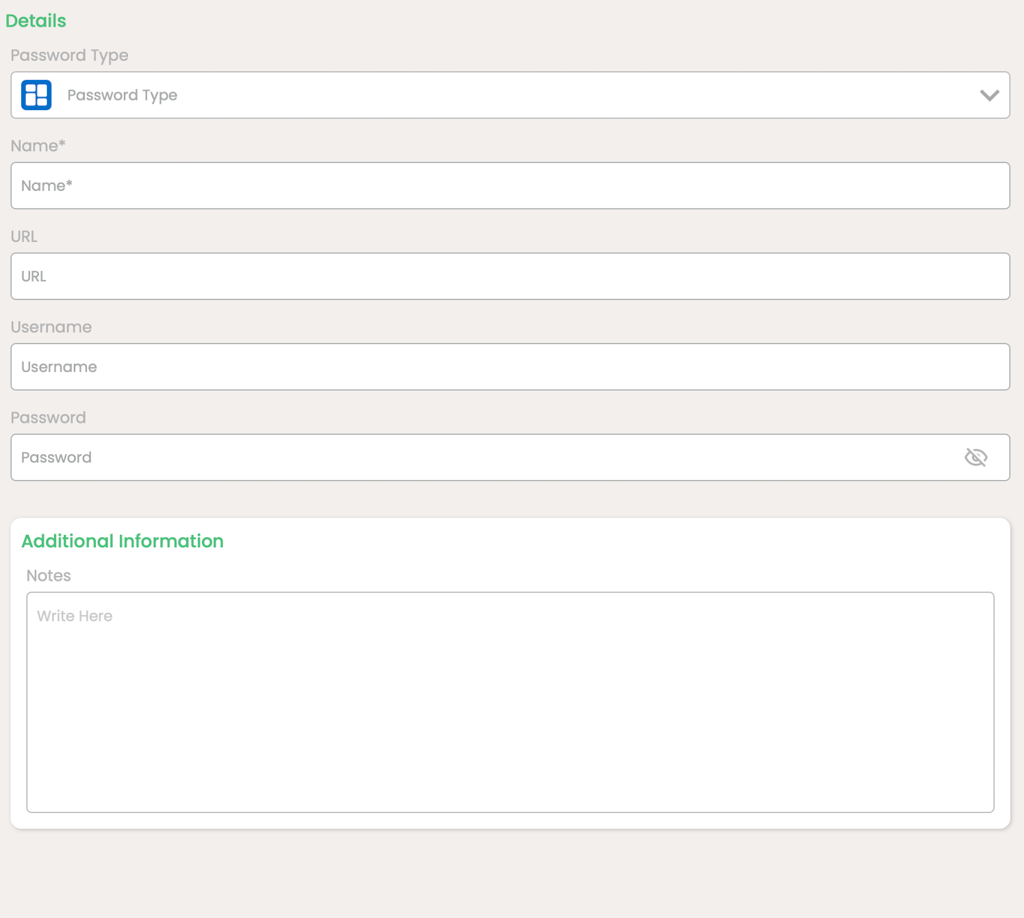
Meanwhile, KeePass 2.x is more versatile and supports a longer list that includes:
- KeePass 1.x
- Password managers like 1Password, RoboForm, and Keeper
- Browsers like Chrome and Mozilla
- CSV files
However, KeePass’ password-importing process is rather tiresome and unnecessarily complicated. It has guides for it, but they’re long and technical.
Account and password recovery
NordPass has an easy lead in this round of KeePass vs NordPass, as it offers several account and password recovery options. Meanwhile, KeePass doesn’t offer any recovery options.
With NordPass, you can generate a set of 24-character recovery codes when you sign up for an account. These codes should be properly safeguarded as they help recover your account if you lose or forget your master password. Without it, you can only reset your NordPass account.
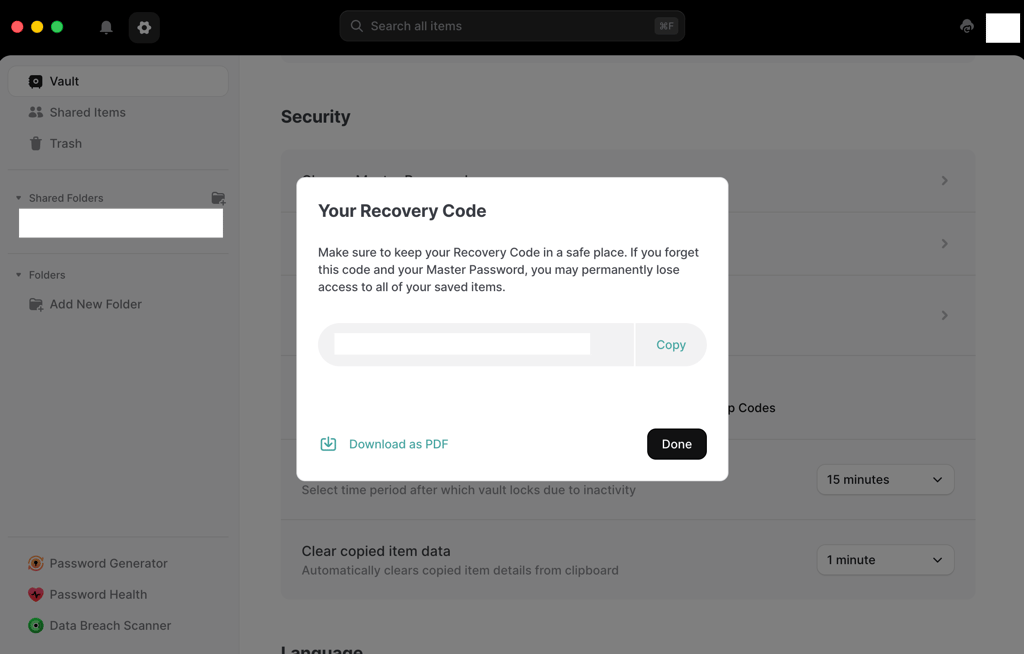
NordPass’ Premium users, on the other hand, have another safety net in the form of its Emergency Access feature. Here, your pre-assigned contacts get read-only access to your vault. While this isn’t a perfect solution, it’s still a better alternative than a complete loss.
Speaking of complete losses, KeePass doesn’t offer a single account and password recovery method. This is because the database encryption is designed so that the master password cannot be recovered by the provider. So, if you’ve lost or forgotten your master password, your only available option is to create a new account.
Password generator
A password generator is a handy tool that helps quickly create strong passwords that are difficult to crack. Both NordPass and KeePass offer this feature.
NordPass’ password generator allows plenty of customizations in terms of length and character types. The default password length is 12 characters, but you can stretch it out to 60. Additionally, you can include or exclude upper cases, lower cases, symbols, and numbers.
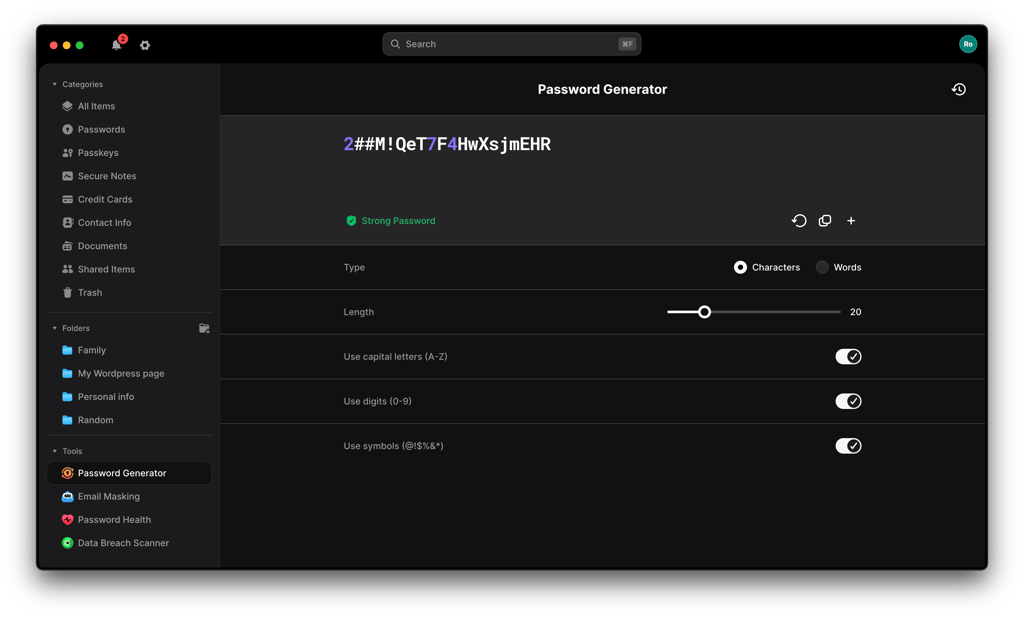
Plus, it also allows you to create passphrases of up to 10 words. Compared to a long string of random letters, numbers, and symbols, passphrases are far easier to remember.
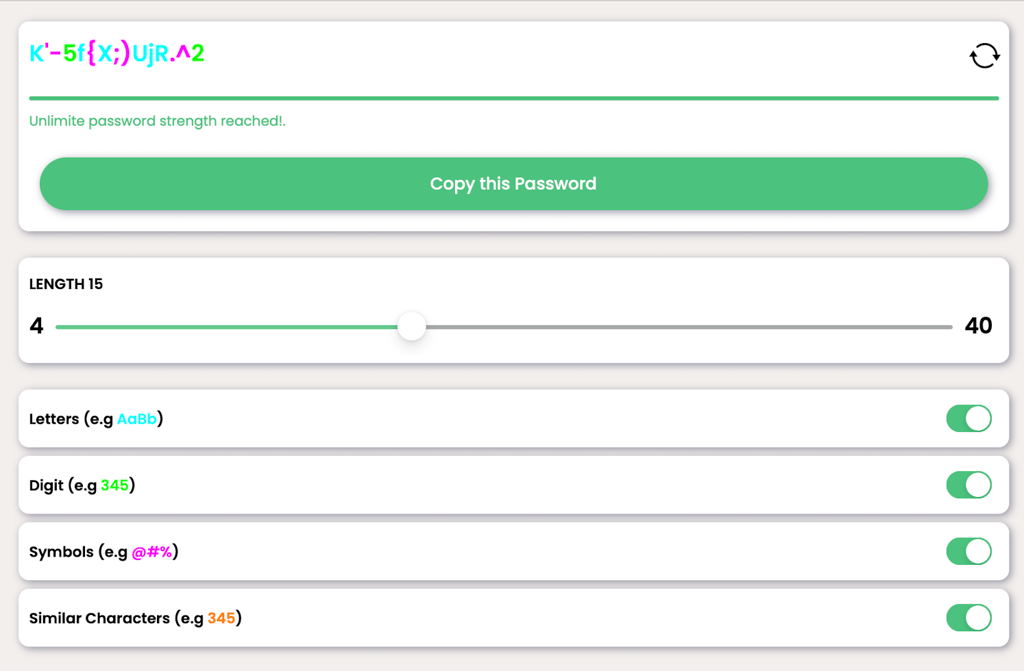
Similarly, KeePass’ password generator is equally customizable. In fact, for advanced users, it’s even more customizable compared to NordPass. You can tweak capitalization and the type of characters to include.
Password sharing
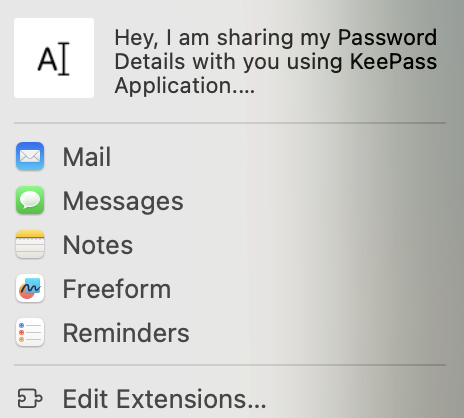
When it comes to NordPass vs KeePass for password sharing, NordPass offers better options. With NordPass, you can easily and securely share all your saved credentials like passwords, credit card details, and secure notes. Plus, you can control each recipient’s access level.
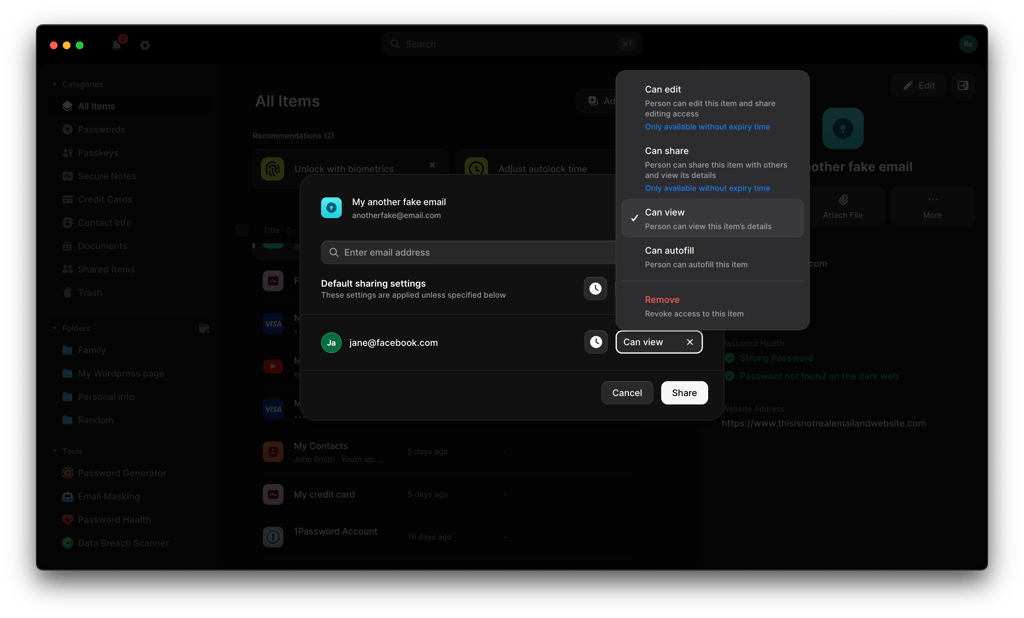
Recently, NordPass introduced time-limited sharing, allowing users to set a time for which the shared item will be accessible. All you need to do is select the item to share, adjust the access level, and enter the recipient’s email address. Your recipient will then receive a notification about the shared item.
In glaring contrast, KeePass doesn’t have a built-in password-sharing feature like NordPass. Instead, there’s a command to copy and export an entry under the Data Exchange section. However, this function isn’t easy to use and falls behind NordPass’ sharing options.
Autofill
A good autofill feature improves user experience and security by automatically filling out login, payment, and other online forms. Between the two password managers’ autofill features, NordPass’ version easily comes out on top.
With NordPass, its autofill feature is a breeze to use. With the recent introduction of Instant Login, users receive a Log in with NordPass prompt. One click and you're logged in. This feature can be disabled for certain websites.
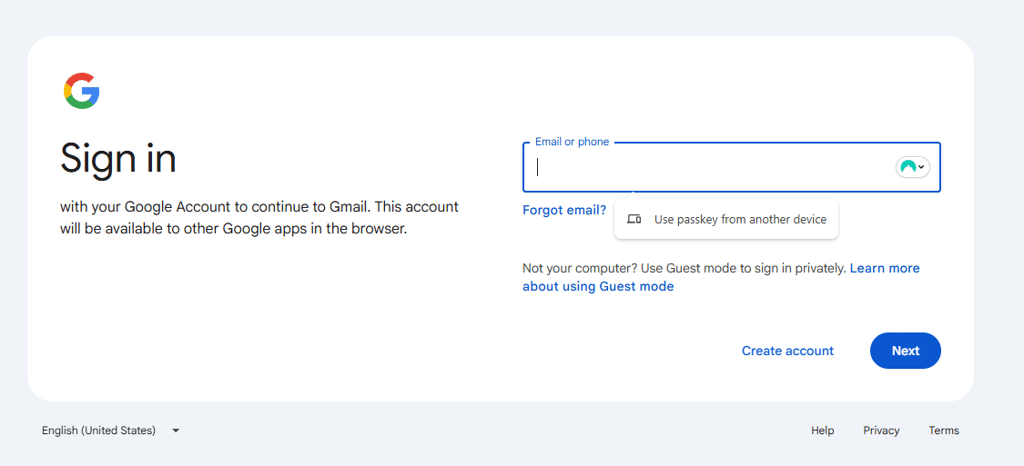
Contrastingly, KeePass doesn’t have a regular autofill feature. Instead, you get Auto-Type, which serves a similar purpose and automatically types pre-defined credentials into the login fields. Here, you’ll need to plug in your own keystroke sequence. The process isn’t all that complex, but it’s similar to manually entering your credentials. Plus, KeePass’ process of creating customized sequence associations can be tricky for beginners.
Platforms, interface, and ease of use
NordPass takes the lead in this round of NordPass vs KeePass due to its broad compatibility and ease of use. It supports all major operating systems and browsers, offering well-designed, intuitive apps across desktop and mobile devices. KeePass, by comparison, is primarily built for Windows, with limited support on other platforms and no official browser extensions or mobile apps, resulting in a less seamless and user-friendly experience.
| NordPass | KeePass | |
| Supported OS | Windows, macOS, Linux, Android, iOS | Primarily Windows, macOS, Linux, Android, and iOS via ports and plugins |
| Browser extensions | Chrome, Safari, Brave, Vivaldi, Chromium, Firefox, Opera, and Edge | Plugins only |
| Number of users | Up to 6 | Multiple users |
Desktop apps
NordPass and KeePass’ desktop apps are supported on Windows, macOS, and Linux devices. Regardless of your operating system, the setup is easy and could be done in minutes.
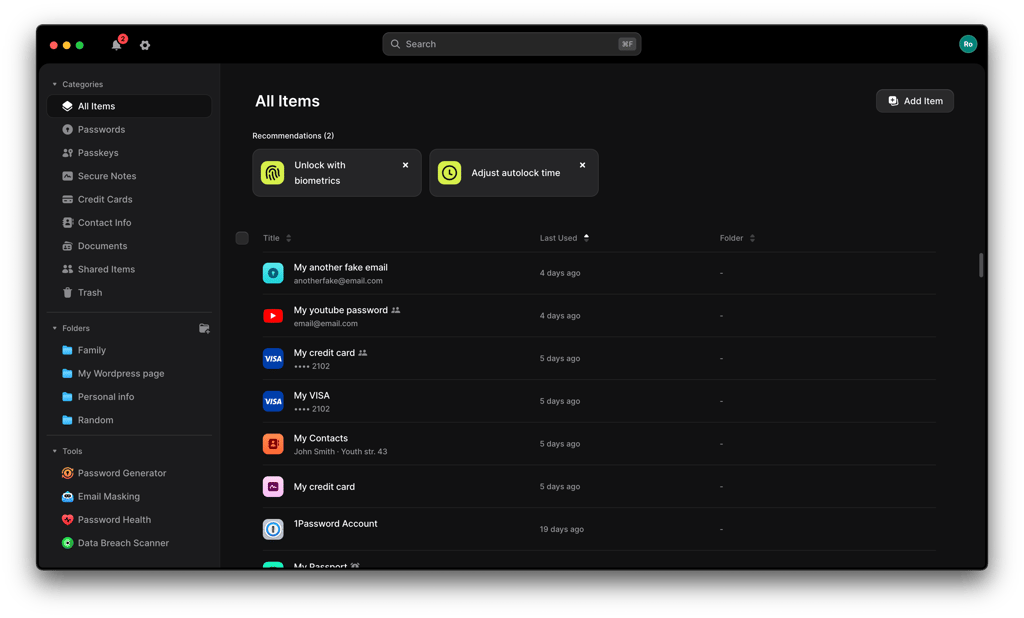
In NordPass’ case, its desktop apps for Windows, macOS, and Linux look pretty much identical. All three versions are streamlined, modern, and intuitive. Important items are neatly organized on a menu to the left. Navigation is super easy and intuitive, making it suitable for families with users of all skill levels, including beginners.
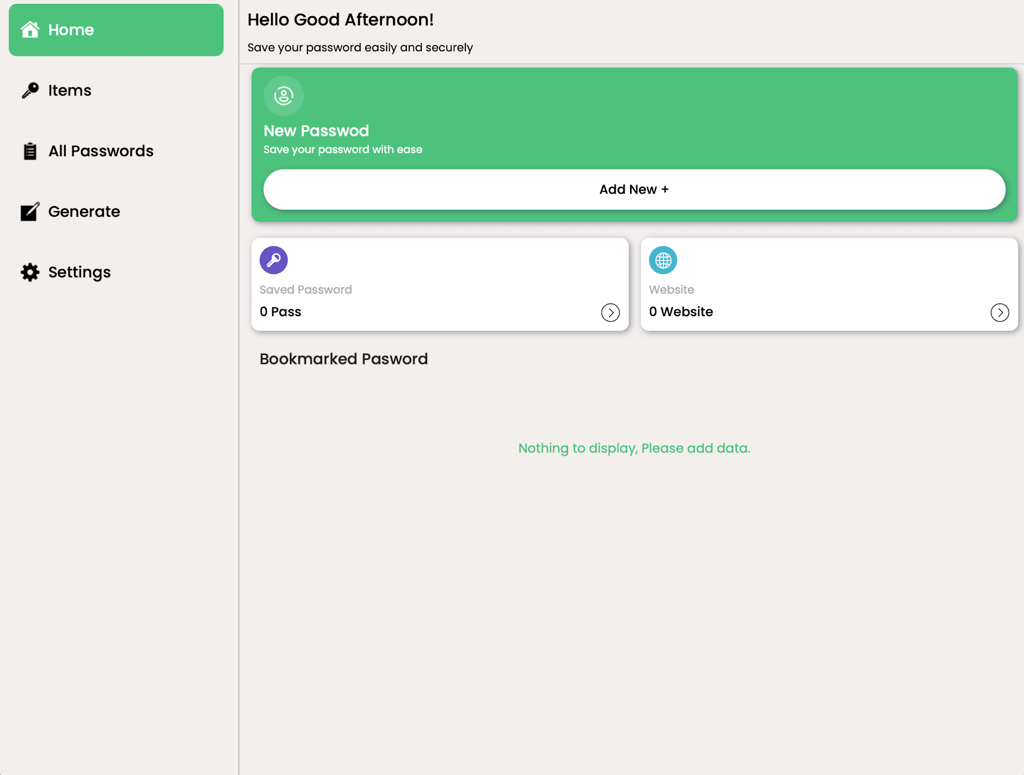
Similarly, KeePass’ desktop apps for the different operating systems look very similar. I found the interface minimalistic and well-structured – a significant improvement from what this password manager used to look like. However, it's still more dated compared to NordPass’ versions.
Browser extensions
NordPass offers browser extensions for popular browsers like Chrome, Safari, and Firefox. It takes just a couple of clicks to add the extension to your browser.
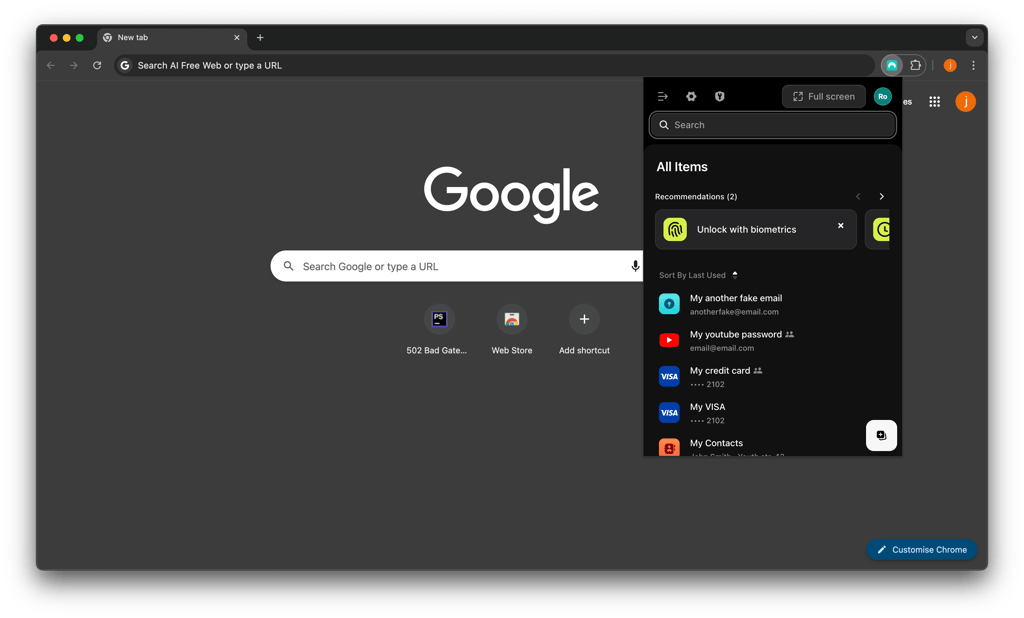
Just like most browser extensions, NordPass’ version has its functionalities linked to its web app. That said, you won’t be left without the core features like autosave, autofill, and password generator.
On the other hand, KeePass doesn’t have any official browser extensions. Your closest alternatives are the community-created plugins. But, of course, it’s vital to note that third-party plugins carry a certain level of risk.
Mobile apps
To set up NordPass on your mobile device, simply download the app from either the Apple App Store or Google Play.
NordPass’ mobile apps for Android and iOS devices are very similar. Both are well-structured, responsive, and easy to navigate. Plus, they offer the same features as NordPass’s desktop apps. In fact, NordPass is our best password manager for iOS.

KeePass, meanwhile, doesn’t have official mobile apps. Instead, you can use community-created apps like KeePass2Android, KeePassDX, KeePassDroid, OneKeePass, KeePassium, and Strongbox.

However, note that you’ll inevitably see distinct differences in terms of quality, security, and functionality. So, it’s best to research each beforehand.
Customer support
NordPass is the clear winner when we compare NordPass vs KeePass for customer support. NordPass’ support team is available 24/7 via live chat and email. Its agents are efficient, knowledgeable, and eager to help. Alternatively, you could also visit NordPass’ extensive online help center. It has knowledge-base articles, step-by-step guides, and tutorials to resolve almost any issue.
In striking contrast, KeePass doesn’t provide any agent support. An FAQ and a help center are the only official assistance it offers. Otherwise, you could try to get help on the local KeePass Wiki or the user forum.
Video review
If you want to see a different take or simply prefer an audiovisual format, check out this video comparison of both providers:
NordPass vs KeePass: final verdict
NordPass and KeePass are both secure password managers, but they excel in different areas. NordPass stands out with its modern interface, built-in features, cross-platform compatibility, and reliable customer support, making it a strong choice for users who value convenience and ease of use.
KeePass, on the other hand, shines with its completely free, open-source model, strong encryption options, and high level of customization, which appeals to more advanced users who prefer full control over their setup.
Overall, NordPass is the better all-around option for most users thanks to its balance of security, usability, and features, while KeePass is best suited for those who prioritize cost, transparency, and customization over convenience.
More password managers guides from Cybernews
NordPass vs 1Password: Premium vs Premium
NordPass vs RoboForm: Premium vs Budget
Keeper vs NordPass: Premium vs Premium
NordPass vs Bitwarden: Premium vs Budget
1Password vs Dashlane: Premium vs Premium
FAQ
Is NordPass better than KeePass?
Yes, NordPass is better than KeePass. First, NordPass provides stronger and more well-rounded security protection. Additionally, NordPass offers significantly more features than KeePass. NordPass is also easier to use and offers great customer support.
Which is better for mobile: NordPass or KeePass?
NordPass is better for mobile than KeePass. NordPass’ mobile apps for Android and iOS devices are intuitive, well-designed, and come with the full range of features to take care of all your password management needs. Contrastingly, to use KeePass on mobile devices, you need to download unofficial ports.
Can NordPass import passwords from KeePass?
Yes, NordPass can import passwords from KeePass. First, export your KeePass credentials to a CSV file. Then, go to settings in NordPass’ desktop or web app and hit Import Items. Select KeePass from the list of options and upload the exported CSV file. Finally, click Import.