Google Docs alternatives for (2026)
Being behind major reports like The Mother of All Breaches and RockYou2024, our in-house cybersecurity experts and journalists provide unbiased, real-world testing and in-depth analysis.
We maintain complete transparency by openly sharing our testing methodologies with our audience.
Learn more

Google Docs has earned its spot as a go-to writing tool. It’s free, easy to use, and great for real-time collaboration. But it’s not without its flaws. Limited formatting, unreliable offline access, and growing privacy concerns have led many users, myself included, to look for better options.
Finding reliable and suitable alternatives can be a real challenge. To save you time, I teamed up with the Cybernews research team to narrow down the 6 best alternatives to Google Docs. I focused on tools that strike the right balance between usability, features, and security. Whether you’re a student, writer, remote worker, or small business owner, this guide will help you find a solution that truly fits the way you work.
Best alternatives to Google Docs in (2026)
- Proton Docs – best secure and private alternative to Google Docs.
- Microsoft 365 – best Google Docs alternative for Windows users
- Notion – best alternative for an all-in-one workspace
- Quip – best Google Docs alternative for mobile-first teams
- Zoho Writer – best business-friendly Google Docs alternative
- CryptPad – best alternative for full end-to-end encryption
Best alternatives to Google Docs in (2026) – detailed review
Google Docs is an impressive writing tool with good online and offline features. As such, the process of choosing a suitable alternative should be as comprehensive as possible. For this review, I assessed various document editors based on their collaboration strengths, offline functionality, privacy features, and user-friendliness. Here are the top 6 tools that impressed me most:
1. Proton Docs – best Google Docs alternative for privacy-focused users

| Rating | 4.5 |
| Price | Free basic access, paid plans start at $11.00/month (Proton Unlimited) |
| Best deal | Included in Proton Unlimited plan |
Proton Docs is a top-tier writing tool from the team behind Proton Mail and Proton Drive. Like Google Docs, it’s accessible on all major browsers and offers free access. What sets Proton Docs apart is its strong focus on privacy and its unique features – earning it the top spot on my list of the best alternatives to Google Docs.
Why is Proton Docs a great alternative to Google Docs?
Here’s a quick breakdown of why Proton Docs is a better choice than Google Docs for users who value privacy:
- End-to-end encryption. On Google Docs, your files are stored on Google’s servers and may be accessed by authorized personnel as part of its system management. Proton Docs, however, encrypts your files from end to end, meaning only you and the people you choose can open them.
- No tracking. Google monitors how you use Docs to improve its services, but Proton Docs never tracks your activity.
- Open by design. Proton Docs is built on open-source code, so anyone can inspect how it works.This transparency helps ensure there are no hidden data practices and makes it easier to verify its security.
- Independent usage. You can use Proton Docs without having a Google account, Google Chrome, or Google Drive.
2. Microsoft 365 (Word Online) – best alternative to Google Docs for Windows users
| Rating | 4.7 |
| Price | Free limited version, full access starts at $6.99/month |
| Best deal | Microsoft 365 Personal at $6.99/month (includes desktop apps + 1TB cloud) |
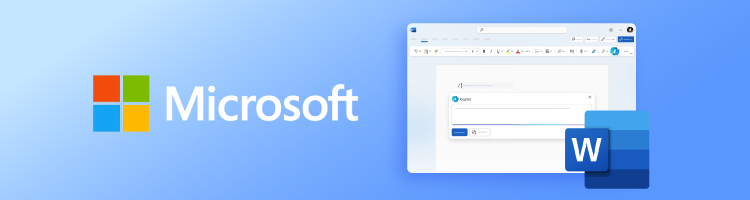
Microsoft 365 is one of the best alternatives to Google Docs and is well-suited for anyone already using Microsoft apps on Windows. This writing tool integrates seamlessly into your workflow and handles a wide range of file types with ease.
Why is Microsoft 365 a great alternative to Google Docs?
Here's why:
- Handles .docx cleanly. It opens and saves .docx files without breaking the layout, something Google Docs still struggles with.
- Switch between desktop and web. When you edit a document in Word Online (the browser version), the file is saved to OneDrive and instantly available in the Word desktop app. Changes sync in real time, so you don’t need to export, copy, or transfer files manually.
- Feels natural on Windows. If you're a Windows user, Word works smoothly with OneDrive, file sharing, and system settings with no extra setup required.
- Works offline. Google Docs requires users to take extra steps to work offline. On the other hand, the desktop version of Microsoft Word lets you write and edit automatically with no internet connection at all.
3. Notion – best all-in-one workspace Google Docs alternative

| Rating | 4.6 |
| Price | Free for individuals, paid plans starts at $8/month per user (billed annually) |
| Best deal | Free for students and educators |
Notion made my list because it combines writing, planning, and organization features into one flexible platform. It’s a full workspace where you can handle everything from meeting notes to project timelines. Simply put, it’s more versatile than Google Docs.
Why is Notion a great alternative to Google Docs?
Here’s why:
- All-in-one workspace. Unlike Google Docs, which focuses on just documents, Notion lets you do a lot more. With Notion, you can combine text, checklists, calendars, and task boards all on one page.
- Flexible content layout. Google Docs uses a fixed top-to-bottom structure. Notion, on the other hand, lets you move content blocks around, so you control how your ideas are arranged.
- Customizable structure. Notion doesn’t rely on traditional folders. Instead, you can create pages within pages and add internal links to organize information in the way that works best for you.
4. Quip – Best Mobile-Friendly Solution
| Rating | 4.3 |
| Price | Free plan, paid plan starts at $10/user/month |
| Best deal | Free trial available, best value on team plans |
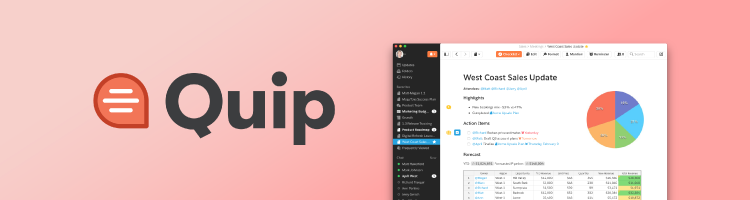
If you often work on your phone or tablet, you’ll really like Quip as an alternative to Google Docs. It feels faster and much easier to use on smaller screens. That’s why it made my list as a mobile-friendly option.
Why is Quip a great alternative to Google Docs?
Here are some key reasons why I recommend Quip as a solid option, especially for mobile users:
- Made for mobile. Quip is specifically designed to provide a seamless writing experience on mobile devices. Unlike Google Docs, which adapts its features for mobile use, Quip’s features are built from the ground up for optimal efficiency on smaller screens.
- Docs and chat in one place. With Quip, you don’t have to switch between Google Docs and a messaging app. It lets you write and chat with your team in one place, so you can easily create a collaborative work experience.
- Less in your way. Quip has a clean, uncluttered interface. This makes it easier to focus on your writing without distractions from extra menus or features.
5. Zoho Writer – best Google Docs alternative for business teams and workflows

| Rating | 4.4 |
| Price | Free for individuals, business plans starts at $4/month per user |
| Best deal | Included in Zoho Workplace bundle with 20+ apps |
Zoho Writer will be a better alternative to Google Docs if your team handles contracts, templates, or approvals. It offers business-focused tools that Google Docs doesn’t, and works even better if you’re already using other Zoho apps.
Why is Zoho Writer a great alternative to Google Docs
These are the reasons I recommend Zoho Writer over Google Docs when it comes to business use:
- You can automate everyday tasks. Zoho Writer lets you fill out fields, generate documents, and send files for signing automatically. There is no need for extra plugins like you would require with Google Docs.
- Editing is more controlled. You can lock certain parts of a document, track detailed changes, and even approve edits before they go live.
- It keeps working when you’re offline. If your internet drops, Zoho Writer still lets you keep writing and then syncs everything when you’re back online.
- It connects with the rest of your tools. If you already use Zoho apps like Mail, CRM, or Projects, Writer fits right in and keeps your workflow seamless.
6. CryptPad – best Google Docs alternative for end-to-end encrypted collaboration

| Rating | 4.2 |
| Price | Free for basic use, paid plans at $5.50/month |
| Best deal | $5.5/month for 5GB encrypted storage and full feature access |
If privacy is your top priority but you still need to collaborate, CryptPad is a great choice. It uses client-side end-to-end encryption, which means your data is encrypted before it leaves your device and cannot be accessed by the platform. And unlike Google Docs, you do not need an account to get started.
Why is CryptPad a great alternative to Google Docs?
Here’s why:
- Your content stays private. Unlike Google Docs, CryptPad doesn’t access or store readable versions of your documents.
- No sign-up required. You can create and share files anonymously, which is useful for sensitive work.
- Real-time collaboration. Even with encryption, you and others can edit together live.
What I looked for in Google Docs alternatives
To create this guide, I teamed up with the Cybernews research team to analyze and compare several document editors. I examined features and user feedback to find tools that offer more control, better privacy, or smoother performance than Google Docs. I narrowed the list down to 6 top picks based on the following key criteria:
- Real-time collaboration. I chose tools that allow multiple people to edit the same document smoothly at the same time. The experience had to feel fast, responsive, and reliable.
- Offline access. A good editor should keep working when your internet goes out. So, I looked for tools that sync everything once you're back online.
- Export/import formats. File compatibility is essential, especially with .docx and PDF. The editors had to preserve formatting during import and export.
- Compatibility with Microsoft Office. Many users still work with Word, so I tested how well documents transferred between platforms. Layout, styling, and structure had to remain intact.
- Privacy & encryption. I prioritized tools with strong privacy features like end-to-end encryption or zero tracking. Open-source transparency was also a major plus.
- Version history. It’s important to track what changed and when, especially while making edits or updating content. I picked tools that let you review or restore earlier versions easily.
When you should still use Google Docs
It is important to mention that this review of Google Docs alternatives doesn't mean you should ditch the tool entirely. There are still a number of situations where Google Docs remains the best option to use. Here’s when it’s the right tool for you:
- When your workflow already depends on Google Drive, Gmail, or Calendar
- When you need fast, real-time collaboration with no setup required
- When automatic saving and built-in version history are important to you
- When most of your writing is simple, cloud-based, and shared with others
- When you don’t need advanced formatting or strict privacy controls.
Wrapping up
Google Docs is one of the most popular and reliable writing tools on the market. However, it is important to point out that it doesn't meet every need. This means that there are several instances where you'll get better results with an alternative. For example, if privacy is a big deal for you, Proton Docs’ secure end-to-end encryption makes it the best alternative to Google Docs.
For business-focused writing, Zoho Writer is an alternative I strongly recommend. Its combination of automation and workflow tools makes it the go-to product for team projects. If you do a lot of writing on your phone, then Quip is an excellent Google Docs alternative I recommend.
In the end, it’s not about replacing Google Docs feature for feature. It’s about knowing which writing tool best fits your goals, workflow, device, and personal preferences.
FAQs
Is Microsoft Word better than Google Docs?
Yes, especially when formatting matters. If your work involves layouts, print documents, or .docx sharing, Word feels more reliable. But for fast access and team edits, Google Docs still makes life easier.
Are there free alternatives to Google Docs?
Yes, there are several free alternatives to Google Docs, each with its own strengths. For example, Proton Docs is one of the best options if you prioritize privacy.
Can I import my Google Docs into other editors easily?
Yes, many editors support importing Google Docs files, often using the .docx format. While you might need to adjust spacing or layout, your content generally stays intact.