Apocalypse-ready software: tech YouTuber builds ultimate “survival computer” in case SHTF
A tech YouTuber has distilled the world’s knowledge into a compact, offline server that can be downloaded for free, no strings attached, and run on an old laptop. What started as a passion project has turned into the best apocalypse-ready software.
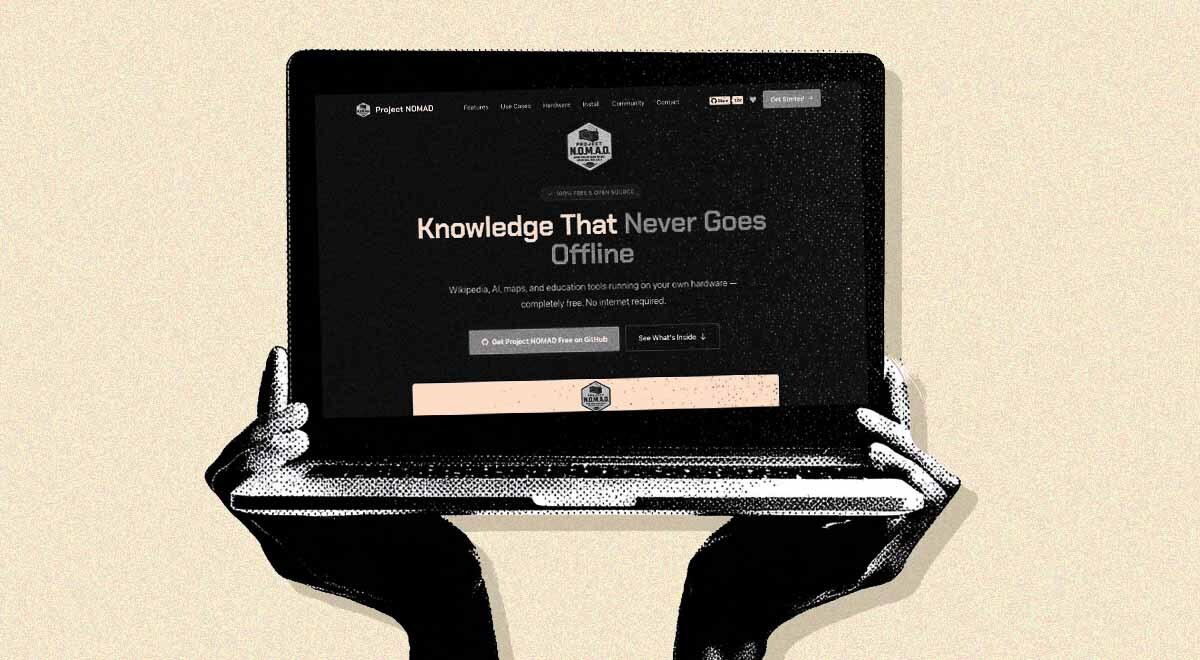
Image by Cybernews.

 Follow us
A tech YouTuber has distilled the world’s knowledge into a compact, offline server that can be downloaded for free, no strings attached, and run on an old laptop. What started as a passion project has turned into the best apocalypse-ready software.
Do you have a survival computer in case the internet goes down for good? There’s no need to build everything from scratch.
Chris Sherwood, a networking expert who runs a YouTube channel, Crosstalk Solutions, has been building Project Nomad, which bundles offline Wikipedia, maps, educational and data tools, a local AI assistant, survival guides, and more. NOMAD stands for Node for Offline Media, Archives, and Data.
The expert isn’t someone who wears a tin foil hat, quite the opposite. Everything nowadays requires an internet connection, but SHTF events do happen. A natural disaster, a cyberattack, blackout, or just living off grid in a cabin in the woods – there are many scenarios where access to the internet might be severed, restricted, or completely unavailable.
“When that internet connection goes away, it all goes away. Now, I wanted to find a way to save a copy of that information locally,” Sherwood explains in a video on the project.





“This is a passion project of mine. I’m not trying to sell you anything. Project Nomad is 100% free.”
There are no subscriptions, paid tiers, account requirements, or telemetry. The internet is only required to download the tool and the offline libraries.
Curious what others think about this story? Contribute your thoughts to the debate below.
True digital independence seekers are swarming Project Nomad. It is already one of the fastest-growing repositories in the self-hosting space, with 11,300 stars and over a thousand forks on GitHub.
The built-in benchmark leaderboard shows that some people throw serious computing power at their instances, dedicating even the fastest consumer GPUs available.
What is it and how does it work?
Project Nomad is basically a self-hosted server – a website that users can access on their network.
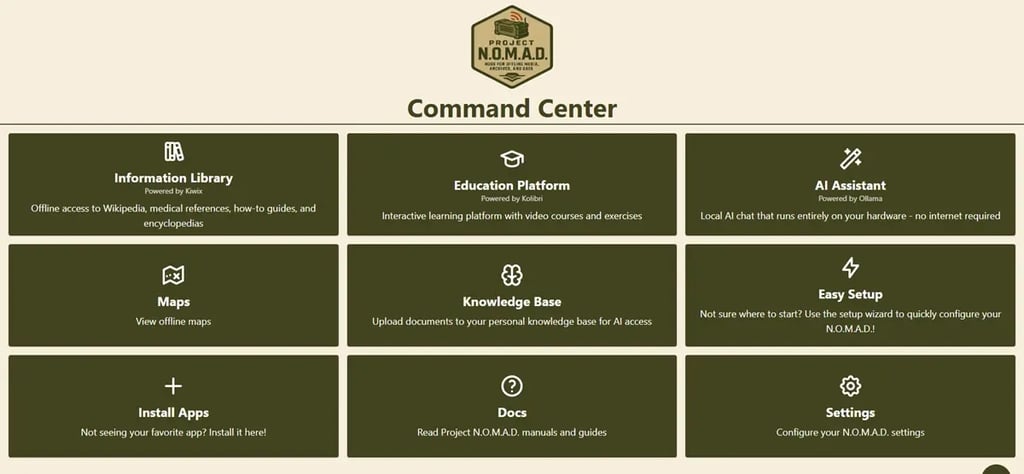
It’s user-friendly and highly customizable. Survivalists can select what to include in the different modules: information library, education platform, AI assistant, and offline maps, for example. The included knowledge base allows uploading personal documents for later access, and the server allows installing additional apps. The storage bar indicates the required disk space before downloading.
For example, the “Information library” can be equipped with Wikipedia, Project Gutenberg (an online library with 75,000 free books), how-to guides, medical references, and other encyclopedias.
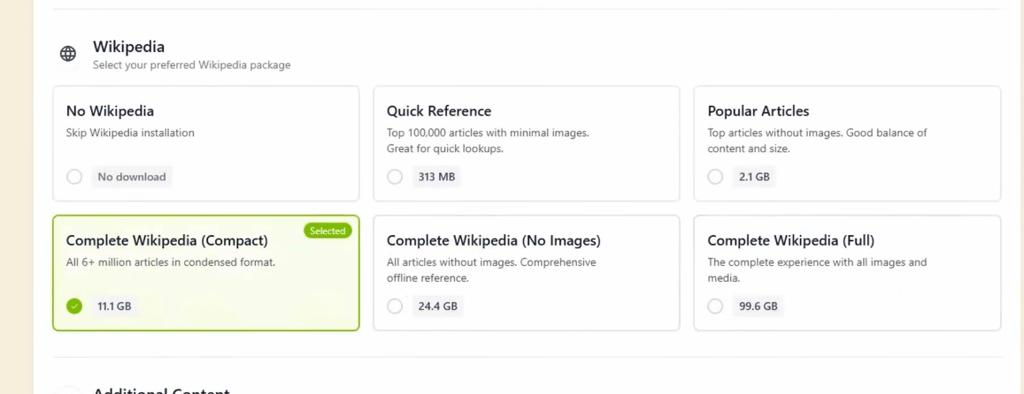
The full package of Wikipedia is quite hefty at 99.6GB. However, users can choose to download a much smaller compact package (11.1GB) or just the popular articles. Other information is also organized in similar tiers of essential, standard, and comprehensive packages.
Educational tools include Khan Academy courses, K-12 curriculum content, interactive exercises, and more. OpenStreetMap data powers offline maps.
“This also isn't vibecoded. My developer and I have been working on Project Nomad for over a year now because I believe that everyone should have access to knowledge even without an internet connection,” Sherwood said.
The tool even allows you to run your own AI assistant. However, larger, capable large language models require a powerful computer, while the rest of the project can run on any minimally equipped Linux system.
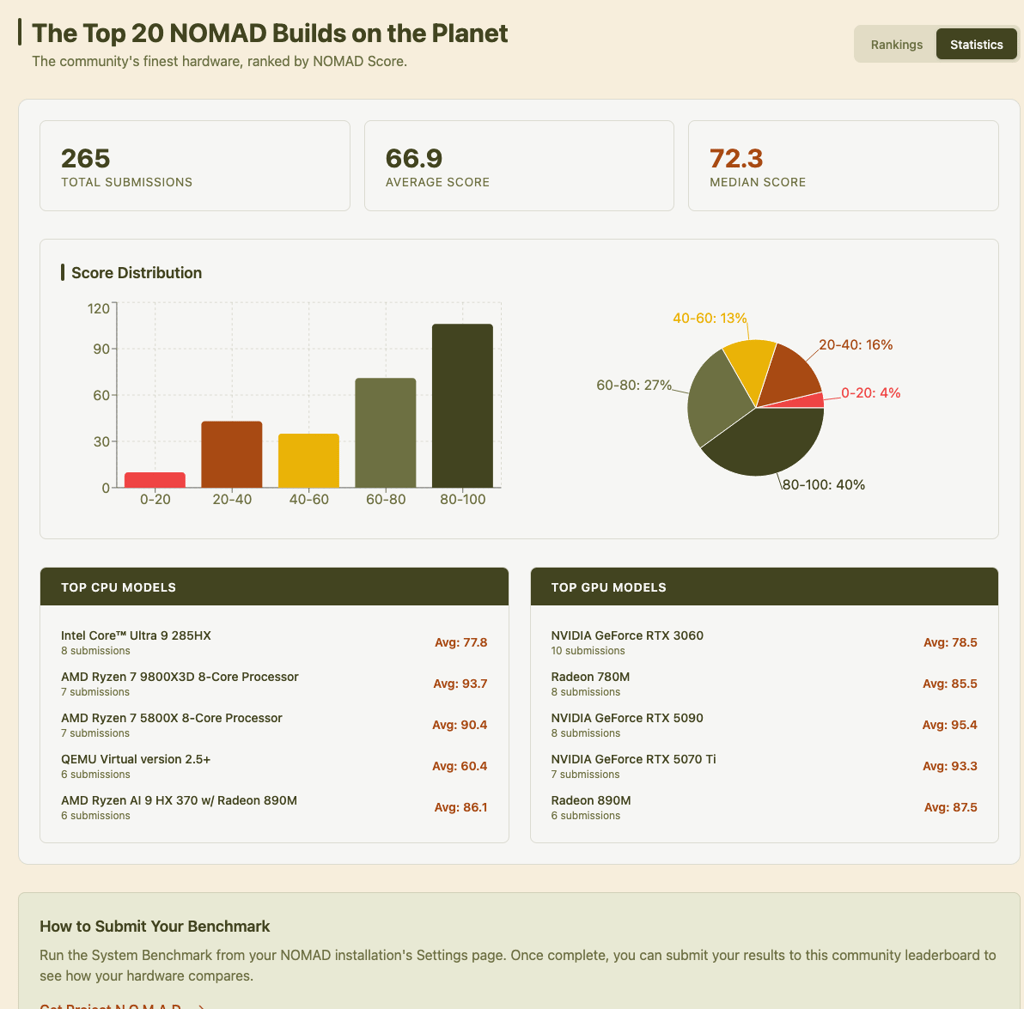
It will run on a dual-core CPU with 4GB of RAM, but it’s recommended that users have at least a 500GB SSD, 16-32GB of RAM for a budget build. AI tools would require a more powerful computer with a dedicated GPU for faster responses. Sherwood recommends adding at least an Nvidia RTX 3060 12GB model or better, but larger AI models would require even more.
Project Nomad includes a built-in system benchmark, and users can choose to upload their scores. Currently, it has over 250 submissions, with some builds being powered by NVIDIA GeForce RTX 5090.
“Don’t buy anything yet. Project Nomad runs on almost any x86 Linux machine,” the website explains. “That old desktop under your desk, a retired office PC, even a laptop you're not using – any of these could be a Project Nomad server.”
Installing is also easy, even for beginners. Once Ubuntu or other Debian-based Linux is running, a single script sets up everything, from all necessary components, Docker containers, and other services. The setup walks you through the process step by step, and users can select the capabilities they want. Docker containers are used to run the whole thing, from database to web interface.






“Nomad is a management UI (Command Center) and API that orchestrates a collection of containerized tools and resources via Docker. It handles installation, configuration, and updates for everything – so you don't have to,” reads the documentation on GitHub.
To access the local website, hobbyists can just use the browser, enter an IP address or host name, and Nomad will be running on port 8080.
Sherwood acknowledges that Nomad isn’t the first project of this type, and some alternatives exist. However, they usually come as $150-700 doomboxes, which basically are Raspberry Pis with Wikipedia and some survival PDFs.
The project resonates strongly with nerds
On YCombinator’s Hacker News, Silicon Valley’s premier tech forum, the post about this project garnered nearly 500 points in less than a day, with many tech enthusiasts expressing their support.
“Normally, I cringe at doomsday preppers, but given how many dictators out there love the idea of cutting their country off the internet whenever anything starts going not in their favor, I imagine a lot of people may find this useful,” one member said.
Some forum members noted that the project appears highly US-centric, and map coverage and support for other languages are lacking. There were suggestions to create a portable “Nomad Deck” version powered by “Steam Deck.”
The project is still in active development, and the developer believes it can bring more “really cool things” in the near future.
Sherwood is working to integrate a family food planner, which is a separate project to plan and budget weeks of food, as well as adding more curated content collections, including entertainment. The GitHub repository is fully open, and the maintainer hopes to grow the community behind the project.
Unlock more exclusive Cybernews content on YouTube.