How to watch Argentina vs Austria live stream for free – FIFA World Cup 2026
Our in-house cybersecurity experts and journalists, renowned for major reports like The Mother of All Breaches, conduct transparent, unbiased VPN testing and in-depth analysis.
With 750+ articles crafted based on real-world research, we empower readers to make informed purchasing decisions through first-hand expertise.
Learn more

Argentina and Austria meet at AT&T Stadium in Arlington, Texas, on June 22nd, 2026, in a Group J clash that could determine the final group standings. The defending World Cup champions, Argentina, opened their campaign with a dominant 3-0 victory, while Austria celebrated their return to the World Cup stage after 28 years with a 3-1 win over Jordan. Both teams are well positioned to advance, but this match will shape their path through the knockout bracket. Lionel Messi continues to lead Argentina's attack, while Austria's Marko Arnautovic and Romano Schmid have already found the scoresheet in their tournament opener.
Every match streams live and free in English on BBC iPlayer and ITVX in the UK and on SBS On Demand in Australia. These broadcasters geo-block streams outside their home country, so you need a VPN to watch from abroad. We recommend NordVPN for reliable unblocking, fast HD streaming, and broad device support across all three broadcasters.
The match kicks off at AT&T Stadium in Arlington, Texas on June 22nd, 2026 as Group J's Matchday 3 finale. Kickoff times: 1:00 pm EDT / 10:00 am PDT / 6:00 pm BST / 7:00 pm CEST / 12:00 pm CDT (stadium local). The match streams free in English on BBC iPlayer in the UK and SBS On Demand in Australia, with a VPN unlocking access from anywhere.
Where to watch Argentina vs Austria
| Country | Streaming Service | Price | Local kickoff time | Notes |
| USA | Fox Sports | From $74.99/month (via Fubo, Sling, or YouTube TV) | 1:00 PM EDT / 10:00 AM PDT | English coverage, also on Fox cable channel with cable login |
| USA | Telemundo | Free (OTA) | 1:00 PM EDT / 10:00 AM PDT | Spanish-language free broadcast, also streams on Peacock |
| USA | Tubi | Free (VOD only) | 1:00 PM EDT / 10:00 AM PDT | Free on-demand replay starting 30 minutes after live broadcast |
| Argentina | TV Publica / Telefe | Free | 2:00 PM ART | Free Spanish-language coverage in Argentina, geo-blocked abroad |
| Austria | ORF / ServusTV | Free | 7:00 PM CEST | Free coverage in Austria, geo-blocked abroad |
| UK | BBC iPlayer | Free (account required) | 6:00 PM BST | Free English coverage, requires UK postcode at signup, geo-blocked abroad |
| Australia | SBS On Demand | Free (account required) | 3:00 AM AEST (June 23rd) | Free English coverage, geo-blocked abroad |
| Canada | CTV / TSN | CTV free (select matches), TSN from $19.99/month | 1:00 PM EDT / 10:00 AM PDT | CTV carries select matches free, TSN has full coverage |
How to use a VPN to watch the World Cup 2026 for free

- Choose a VPN. We recommend NordVPN for streaming. It operates thousands of servers worldwide, including locations in the UK, Australia, Argentina, and Austria, uses the fast NordLynx protocol for smooth HD streaming, and supports Smart DNS for compatible TVs.
- Install the VPN app. Download and install the VPN on your device (Windows, macOS, iOS, Android, or a supported smart TV).
- Connect to a server in the correct country. Connect to a UK server for BBC iPlayer or ITVX, an Australia server for SBS On Demand, an Argentina server for TV Publica/Telefe, or an Austria server for ORF/ServusTV.
- Open the streaming platform. Visit the broadcaster's website or app. Create a free account if required.
- Start streaming Argentina vs Austria for free. Find the live match and start watching. Keep your VPN active throughout the stream.
Platforms like BBC iPlayer, ITVX, and SBS On Demand require you to create a free account. During registration, you will be asked for a local postal code. Simply Google and use any random, valid postal code from that specific country (e.g., a London postcode for the UK) to complete your registration.

Argentina vs Austria live coverage
Why you need a VPN to watch Argentina vs Austria
FIFA licenses World Cup 2026 rights country by country, so free broadcasters like BBC iPlayer, ITVX, SBS On Demand, TV Publica, and ORF block streams from outside their home countries. When you try to access the stream from abroad, the platform detects your location and displays an error message.
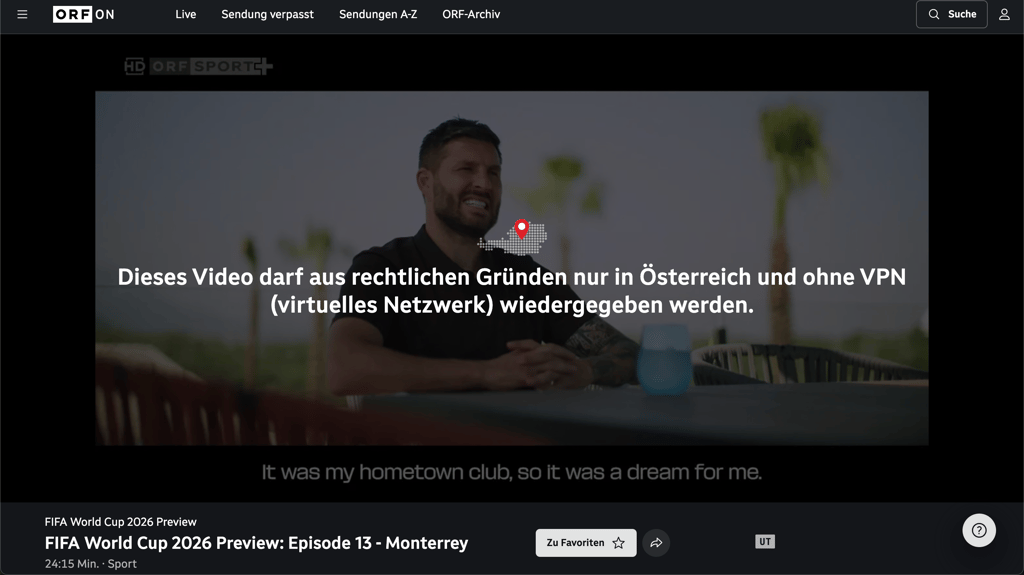
A VPN changes your virtual location so the broadcaster recognizes you as in-region, unlocking the free stream. This also helps travelers and expats keep access to their paid home broadcaster (Fox Sports, TSN, beIN, ORF) while abroad. For more on choosing the right VPN for streaming, check our guide to the best VPNs for streaming.
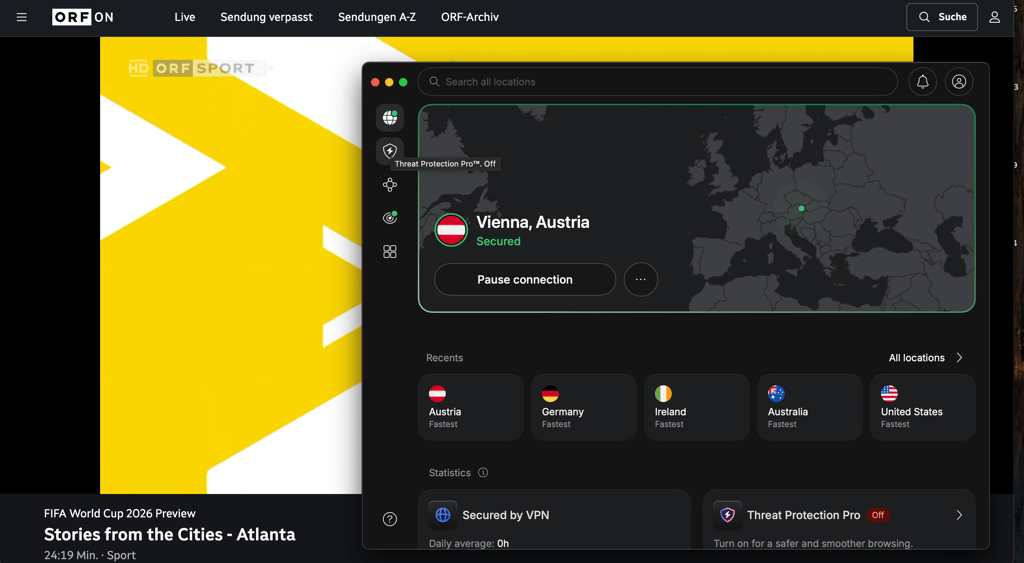
How to watch Argentina vs Austria free with a VPN - detailed guide
Step 1. Choose a VPN with servers in the UK, Australia, Argentina, or Austria
NordVPN is our top recommendation for streaming Argentina vs Austria. Starting at $3.49/month on the 2-year plan, it operates thousands of servers across 224 locations, including strong coverage in the UK, Australia, Argentina, and Austria. NordVPN's NordLynx protocol delivers 86% speed retention in our tests, which means smooth HD streaming with minimal buffering. It reliably unblocks BBC iPlayer, ITVX, SBS On Demand, TV Publica, Telefe, ORF, and ServusTV. For smart TVs without native VPN apps, NordVPN offers Smart DNS support. The service comes with a 30-day money-back guarantee. Read our full NordVPN review for technical details.
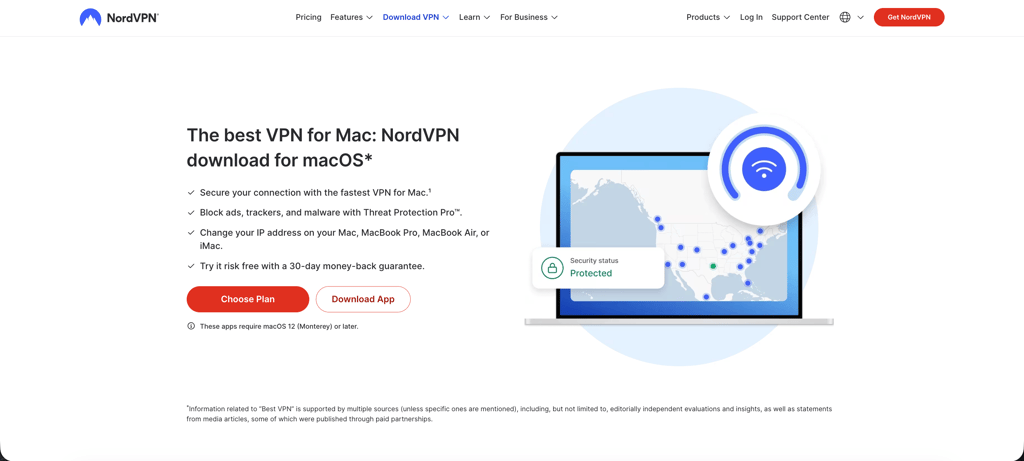
Step 2. Install the VPN app on your device
Download and install the NordVPN app on the device you plan to watch on. NordVPN supports Windows, macOS, iOS, Android, smart TVs (Google TV, Android TV, Fire TV), Apple TV, and more. For this match, we recommend using a laptop, tablet, or smartphone for the simplest setup. The broadcaster apps (BBC iPlayer, ITVX, SBS On Demand) work well on all these platforms. If you're watching on an iPhone or Android device, check out our best VPN for iPhone and best VPN for Android guides.
Step 3. Connect to a server in the correct country
Open the NordVPN app and connect to a server in the UK for BBC iPlayer or ITVX, Australia for SBS On Demand, Argentina for TV Publica or Telefe, or Austria for ORF or ServusTV. Connecting to a server in the broadcaster's country changes your IP address to make it appear as if you're accessing the stream from that location. If the stream doesn't load on your first try, switch to a different server in the same country. For more on how VPNs change your location, see our guide on how to change your location with a VPN.
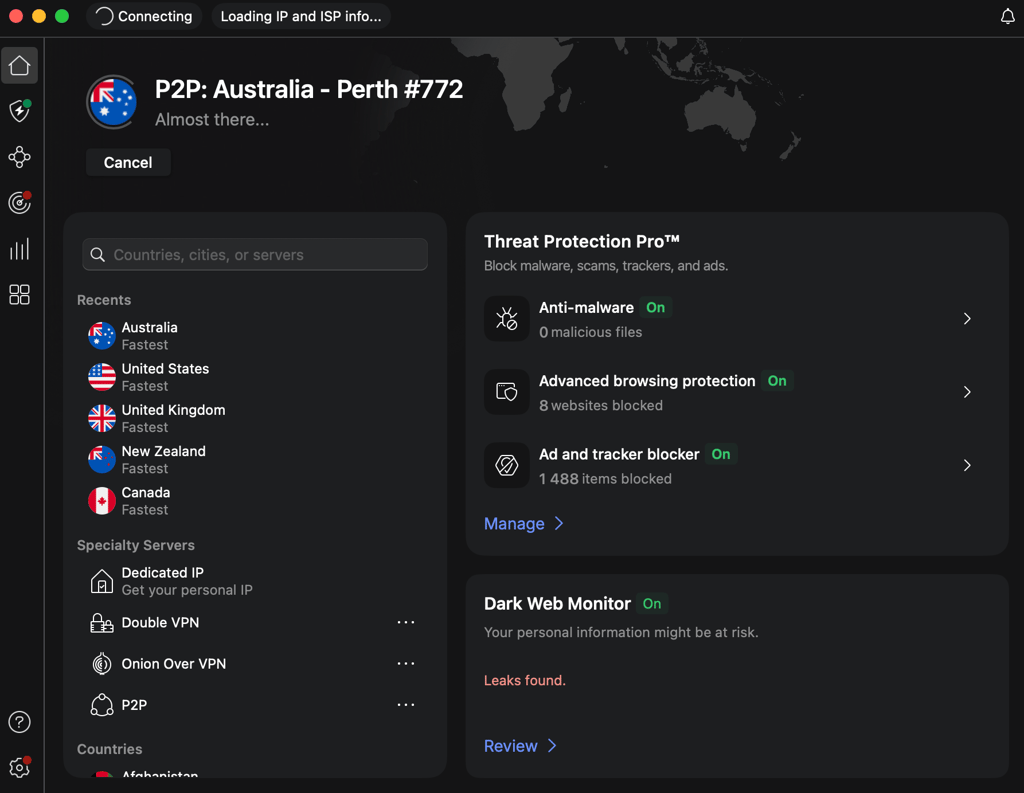
Step 4. Open the official streaming platform
Visit BBC iPlayer, ITVX, SBS On Demand, TV Publica, Telefe, ORF, or ServusTV in your browser or app. You'll need to create a free account on BBC iPlayer, ITVX, and SBS On Demand. During registration, the platform will ask for a local postal code. Use any valid postal code from that country (Google "UK postcode" or "Australian postcode" for examples). For the best results, use a private browsing window or clear your cookies before signing up.
Step 5. Start streaming
Find the Argentina vs Austria live stream on the platform and start watching. Keep your VPN active throughout the match. If the stream buffers or doesn't load, try switching to a different VPN server in the same country, restarting the app, or clearing your browser cache. Most issues resolve by switching servers.
How to watch Argentina vs Austria on different devices
Watching Argentina vs Austria depends on two things: whether the streaming service supports your device, and whether the VPN works on that device if the stream is geo-restricted. Some devices like Roku and certain Samsung TVs don't support VPN apps directly, so you may need workarounds like browser access, mobile streaming, HDMI mirroring, or Smart DNS.
- Web browsers (desktop and mobile) offer the simplest setup. Install the VPN app on your Windows, macOS, or Linux computer, connect to a server in the broadcaster's country, and open the broadcaster's website in any modern browser. BBC iPlayer, ITVX, SBS On Demand, TV Publica, Telefe, ORF, and ServusTV all have web players that work in Chrome, Firefox, Safari, and Edge. Clear cookies or use a private window if the site detects a previous session location.
- iPhone and iPad users can install the NordVPN app from the App Store (available worldwide) and connect to a server before opening the broadcaster's app or website. BBC iPlayer, ITVX, and SBS On Demand apps are region-locked on the Apple App Store, so you'll need a UK or Australian Apple ID to download them. The easier workaround is to use Safari on your iPhone or iPad with the VPN active and visit the broadcaster's mobile website instead.
- Android phones and tablets work similarly. Install the NordVPN app from Google Play, connect to a server, and use the broadcaster's app or mobile website. The Google Play country setting can only be changed once per year, so if the broadcaster app isn't available in your region's Play Store, use the mobile website in Chrome instead.
- Smart TVs vary by platform. Google TV and Android TV have native NordVPN apps, so you can install the VPN directly and watch through the broadcaster's app. Samsung Tizen and LG webOS TVs don't support VPN apps, so you'll need to install the VPN on your router (which routes all home network traffic through the VPN) or use NordVPN's Smart DNS feature. Smart DNS doesn't encrypt traffic but it does change your apparent location, which is enough to unblock most geo-restricted broadcasters.
- Streaming sticks like Fire TV and Apple TV support NordVPN apps. Install the VPN, connect to the correct country, and open the broadcaster's app. Roku doesn't support VPN apps, so you'll need router-level VPN or Smart DNS. Chromecast works by casting from your phone or laptop, so enable the VPN on the device you're casting from.
- Game consoles like PlayStation and Xbox don't support VPN apps directly. Use router-level VPN, Smart DNS, or cast from a phone or laptop with the VPN active.
The easiest option for most users is watching on a laptop or mobile browser with the VPN active. For TVs without VPN app support, an HDMI cable from your laptop or casting from your phone works well. Fire TV and Android TV systems offer the smoothest setup because both the VPN and the streaming app support them natively.
Argentina vs Austria: match preview
Argentina enter this match as the tournament favorites and defending champions, currently ranked #1 in the FIFA World Rankings. They opened their World Cup 2026 campaign with a commanding 3-0 victory in their first match, with Lionel Messi orchestrating the attack.
Austria, ranked #24, are back at the World Cup for the first time since 1998 and secured a 3-1 win over Jordan in their opener, with goals from Romano Schmid and Marko Arnautovic.
Current form
Argentina have been in excellent form heading into the tournament, winning their final two pre-tournament friendlies 2-0 against Honduras and 3-0 against Chile. Their opening World Cup match continued that momentum with a dominant performance. Austria also arrive in strong form, winning three of their last five internationals including their World Cup opener.
Both teams have shown attacking sharpness, but Argentina's depth and experience give them a clear edge.
Team news
Argentina have a fully fit squad with no major injury concerns. Lionel Messi leads the attack alongside Julián Álvarez and Lautaro Martínez. Emiliano Martínez anchors the defense from goal.
Austria have no confirmed injuries, with Marko Arnautovic and Marcel Sabitzer key to their attack. Manager Ralf Rangnick is expected to field a similar lineup to the Jordan match.
Tournament context
Both Argentina and Austria are well-positioned to advance from Group J after winning their opening matches. Argentina sit at the top of the group with a superior goal difference, while Austria are in second place. A win for Argentina would secure top spot and a potentially easier Round of 16 opponent. Austria can still claim first place with a win and favorable results elsewhere, but a draw or loss likely means facing a group winner in the knockout rounds. This match will shape both teams' paths through the tournament.
FAQ
Where can I watch Argentina vs Austria?
Argentina vs Austria streams on Fox Sports (paid) and Telemundo (free OTA Spanish) in the United States, CTV and TSN in Canada, BBC iPlayer in the UK, SBS On Demand in Australia, TV Publica and Telefe in Argentina, and ORF and ServusTV in Austria. See the where-to-watch table above for full broadcaster details, pricing, and kickoff times by country.
What time does Argentina vs Austria start?
Argentina vs Austria kicks off on June 22nd, 2026 at 1:00 PM EDT / 10:00 AM PDT / 6:00 PM BST / 7:00 PM CEST / 12:00 PM CDT (stadium local time). The match takes place at AT&T Stadium in Arlington, Texas, USA. Australian viewers can watch at 3:00 AM AEST on June 23rd.
How can I watch Argentina vs Austria from abroad with my home subscription?
Paid services like Fox Sports, TSN, ORF, and ServusTV geo-block their streams when you log in from outside your home country, even though you're paying for the subscription. A reliable VPN like NordVPN solves this by changing your virtual location back to your home country, so the broadcaster recognizes you as an in-region subscriber and unlocks the stream. This is a legitimate use case for travelers and expats who want to keep access to the service they already pay for. Install the VPN, connect to a server in your home country, and log in as usual.
Can I watch Argentina vs Austria for free?
Yes. Argentina vs Austria streams free in English on BBC iPlayer and ITVX in the UK and on SBS On Demand in Australia. Argentina fans can watch free in Spanish on TV Publica and Telefe, while Austria supporters can tune into ORF and ServusTV for free. All these broadcasters geo-block streams outside their home countries, so you need a VPN to watch from abroad. In the US, Telemundo carries the match free over-the-air in Spanish, and Tubi offers a free on-demand replay starting 30 minutes after the live broadcast.
Where can I watch highlights and replays?
FIFA+ publishes official highlights worldwide for free, and the FIFA YouTube channel posts goal compilations and post-match clips. In the United States, Tubi offers the full match as free on-demand VOD starting 30 minutes after the live broadcast. Broadcaster YouTube channels like BBC Sport, ITV Football, and SBS Sport also publish free clips. On-demand replays are available on BBC iPlayer, ITVX, SBS On Demand, TV Publica, Telefe, ORF, and ServusTV, geo-blocked the same way as the live streams. The same VPN technique that unlocks the live stream also unlocks the on-demand catalog.
What channel is Argentina vs Austria on in the United States?
In the United States, Argentina vs Austria airs on Fox Sports in English (available via Fubo, Sling, YouTube TV, or with a cable login) and on Telemundo in Spanish (free over-the-air broadcast, also streams on Peacock). Tubi offers a free on-demand replay starting 30 minutes after the live broadcast.
Can I watch Argentina vs Austria in Spanish in the US?
Yes. Telemundo carries Argentina vs Austria live and free over-the-air in the United States, with Spanish-language commentary. The match also streams on Peacock as part of Telemundo's coverage. Telemundo carries 92 of 104 World Cup 2026 matches free OTA, with the remaining 12 on Universo (cable/paid).
What's at stake in Argentina vs Austria?
Both Argentina and Austria won their opening Group J matches, so both are likely to advance to the Round of 16. This match determines final group standings and knockout bracket positioning. A win for Argentina secures top spot in Group J and a potentially easier Round of 16 opponent. Austria can still claim first place with a win and favorable results elsewhere, but a draw or loss likely means facing a group winner in the next round.
Can I watch Argentina vs Austria on my smart TV or Fire TV Stick?
Yes. Fire TV and Android TV support native VPN apps, so you can install NordVPN directly, connect to a server in the UK, Australia, Argentina, or Austria, and open the broadcaster's app. Samsung Tizen and LG webOS TVs don't support VPN apps, so you'll need to install the VPN on your router or use NordVPN's Smart DNS feature. The easiest option is watching on a laptop or mobile browser with the VPN active, then casting to your TV or connecting via HDMI.