No more calls from fake mom: Google releases Android fake call detection feature
Google is set to launch a feature for Android phones that can tell you if a phone call from your mom is actually from her.

Image by fizkes | Shutterstock

 Follow us
Google is set to launch a feature for Android phones that can tell you if a phone call from your mom is actually from her.
- Google is set to release a fake call detection feature for Android smartphones.
- The feature would run in the background and requires 3 apps to function.
- The feature was released to combat scam calls, in which fraudsters impersonate your friends and family to steal money or private information.
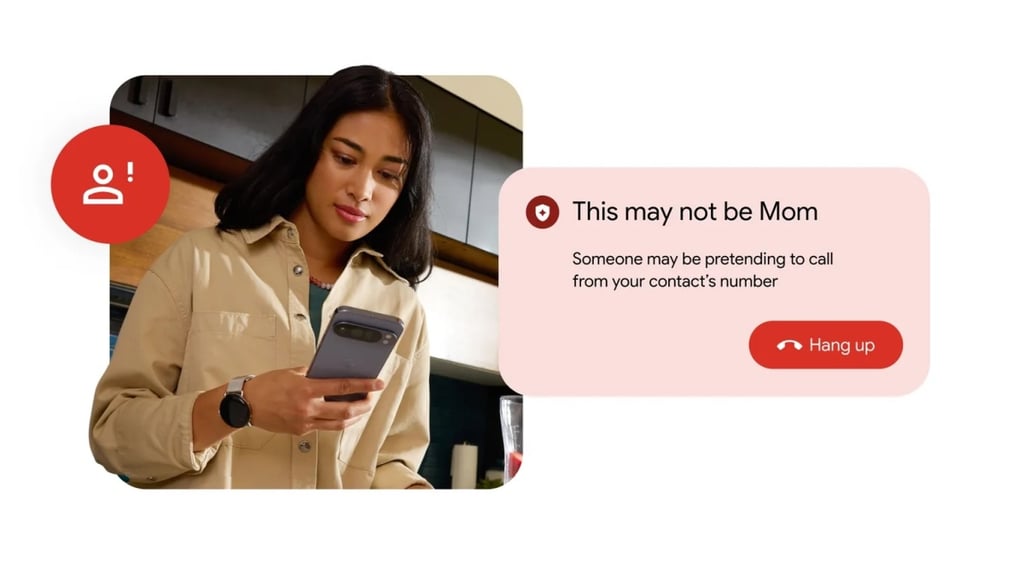
To tackle one of the more common fraud methods, Google has announced a feature that can warn Android smartphone users if the call they receive is an AI-powered scam.
The feature can detect and flag suspected spoofed calls when you and your contacts are both using Phone by Google.
Google’s scam call detection will be available worldwide starting this month on devices running Android 12 or higher.




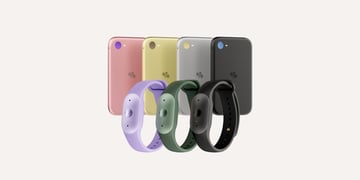

For the feature to work, you need the Phone by Google, Contacts, and Google Messages apps on your smartphone.
These apps are usually pre-installed on Motorola and Pixel smartphones, while Samsung has already switched to Google Messages, as noted by ArsTechnica.
What are impersonation attacks?
With many smartphone users ignoring unknown calls, fraudsters have found other ways to contact them to steal their data and funds.
According to Google, scammers use two main tactics.
First, they spoof a phone number, using software to route calls so they appear to come from an actual caller in your contact list.
Then, they use AI deepfake technology to make the fake caller sound just like your friend, a family member, or anyone else that you know.
Considering how advanced deepfake technology has become, and despite various methods people use to try to trick AI into giving itself away, many say it’s becoming hard to distinguish between an AI impersonation and a real person.
This becomes especially tricky if you can’t actually see a person and only hear their voice. The situation with scam calls seems to escalate to the point where families often come up with a “safe word” to check whether the caller is actually someone they know.






How does Android’s fake call detection work?
All 3 apps used to verify a caller work in the background.
When someone from your contacts calls you, their device sends a confirmation signal to your device. This signal is used to verify that the device trying to contact you is really theirs.
“Because this digital handshake uses end-to-end encrypted Rich Communication Services (RCS) technology, it is completely private,” shared Google.
Strong password generator

When a scammer tries to call you, their call won’t include this signal. Your smartphone will notice this and “ping your contact's actual device to double-check.”
If their real device shows "I'm not making a call right now," you will receive a warning message to hang up your phone.
Users can also disable this feature in the Phone by Google app settings.
Google previously issued a similar feature that would detect if the calls you’re getting from financial institutions are actually legit.
Unlock more exclusive Cybernews content on YouTube.