Base44 review (2026): turning prompts into real apps – tested
Being behind major reports like The Mother of All Breaches and RockYou2024, our in-house cybersecurity experts and journalists provide unbiased, real-world testing and in-depth analysis.
We maintain complete transparency by openly sharing our testing methodologies with our audience.
Learn more

Base44 is part of the new wave of AI-powered, no-code platforms that promise to turn plain English into working software. Instead of wiring up a frontend, configuring a backend, setting up a database, and dealing with authentication and deployment, you describe what you want.
Base44 claims it handles the rest, generating full-stack applications from a simple natural language prompt. That is a bold promise. Full UI. Functional backend. Connected database. User authentication. Live deployment. All without touching traditional code.
Together with the Cybernews research team, I tested Base44, building projects to see how it performs outside of a polished demo. We looked at how well it understands prompts, how flexible the generated apps are, how secure the setup feels, and whether it can support more than just basic prototypes.
In this Base44 review, I break down what Base44 does well, where it struggles, and whether it truly delivers on the hype around AI-driven, no-code app development.
Quick overview
Base44 is an AI-powered no-code app builder that turns simple text prompts into working applications. Instead of coding, users describe what they want in plain language, and the platform generates the frontend, backend, database, and authentication automatically.
In practice, you can type something like “build a task management app with user logins”, and Base44 will create the basic app structure within seconds, handling the technical setup in the background.
Best for: fast prototyping, MVPs, internal tools, and simple SaaS ideas.Great for: founders, product managers, and small teams who want to test app ideas without coding.Not ideal for: highly complex applications that require deep customization or advanced developer control.
Base44 explained: what it is and why it matters
Base44 is part of a growing category of AI app builders that allow users to create software using text prompts. Instead of manually developing the interface, backend logic, database, and deployment pipeline, you describe the product idea, and the platform generates the core structure of the app.
At its core, Base44 focuses on prompt-driven development. You enter a short description of the tool you want to build – for example, a habit tracker, dashboard, or small SaaS tool – and the system produces a working foundation that includes the interface, backend infrastructure, data storage, and authentication.
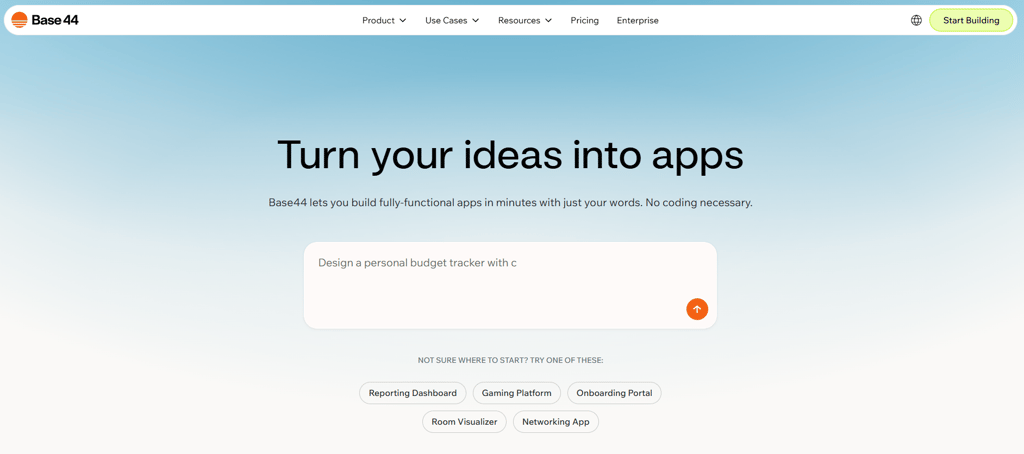
One of the key differences is that Base44 works as an integrated environment. Many no-code platforms require separate tools for hosting, databases, or user management, but Base44 aims to keep everything inside one platform. This reduces the amount of technical setup typically required before an application can run.
Because of this approach, Base44 is primarily aimed at non-technical creators, solo founders, and small teams that want to experiment with product ideas. It’s particularly useful for building prototypes, MVPs, internal dashboards, or lightweight SaaS tools, though complex enterprise-level applications may still require traditional development.
Base44 standout features – and how well they actually perform
Using Base44 feels more like describing an idea than building software. When testing the tool, I experimented with three different prompts to see how flexible it is.
The first asked it to create a clean, minimal web app that works as a training journal – something that could track workouts, sessions, and progress. I also tried generating a simple game similar to Candy Crush and a marketplace-style website inspired by Airbnb or Booking.
This helped me understand how the platform handles very different product ideas – from simple utility apps to more complex, platform-like concepts.
AI prompt-to-app generation
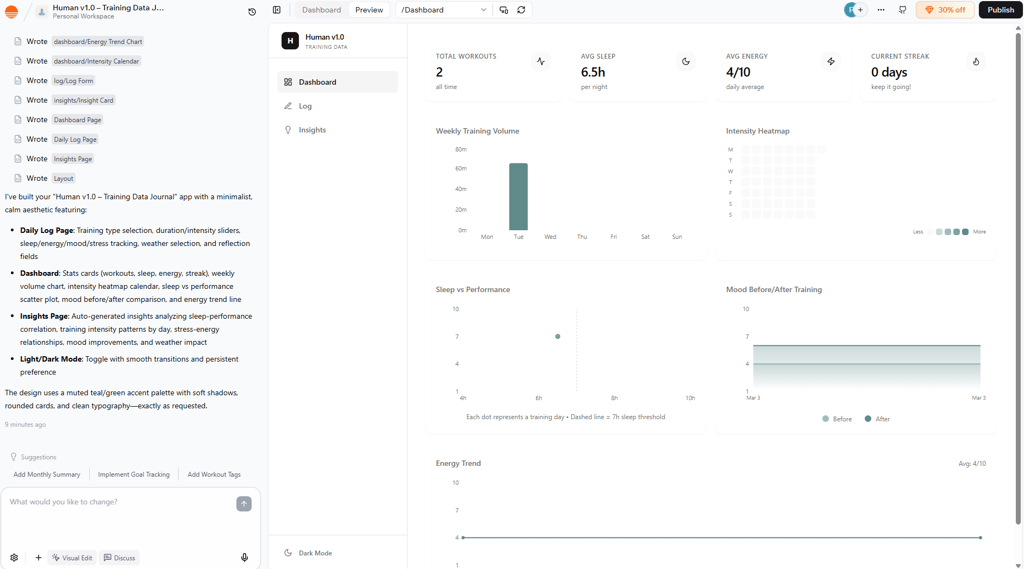
The process begins with a natural-language prompt. After submitting my request for the training journal app, Base44 generated the first version of the project automatically. Within 3 minutes, it produced a working structure with a simple interface and the core functionality needed to log workouts.
For comparison, I tried a similar prompt with Lovable, another AI app builder. It understood the idea almost the same way and generated a comparable structure. Though, the generation process took slightly longer.
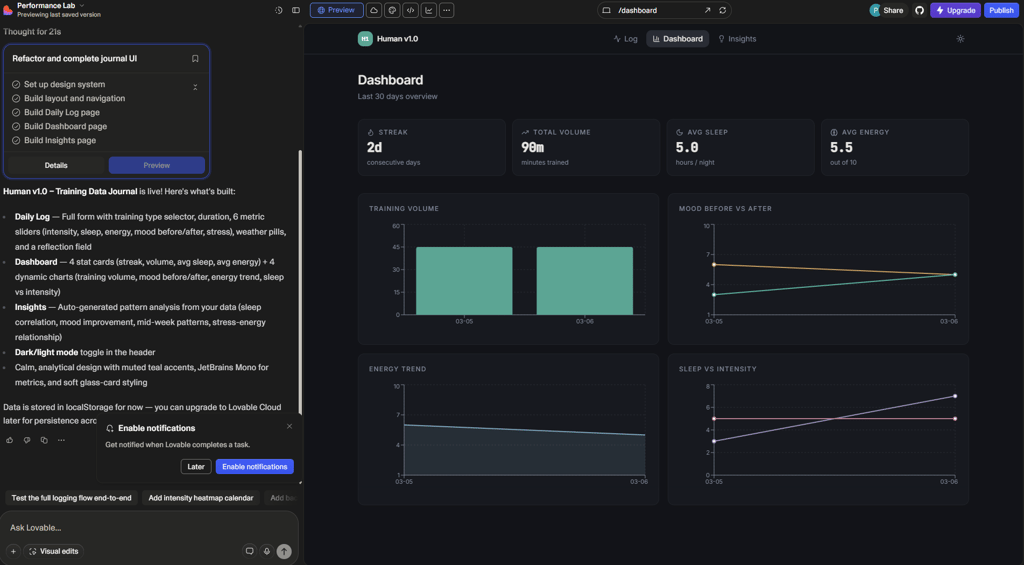
This suggests that the prompt-to-app workflow is becoming fairly consistent across tools in this category, but Base44 was, for me, quicker and more intuitive.
Live editing and builder chat
Once the app is generated, you can refine it through a visual editor with live preview. This lets you adjust layouts, add elements, and immediately see how the app behaves.
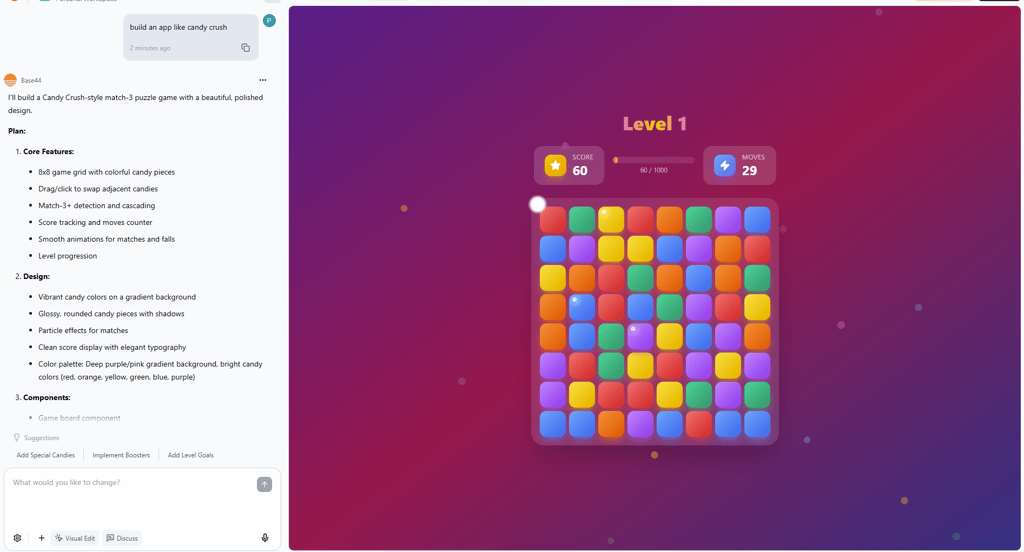
I tested this workflow with a Candy Crush-style game. After entering the prompt, I waited several minutes while Base44 generated the app. The result was quite simple visually, but it already included basic goals and level progression, and the design looked clean and colorful.
For comparison, I tried generating the same concept with Lovable. In my case, the visual design looked slightly more polished, but the game lacked goals and level mechanics, leaving the gameplay structure incomplete.
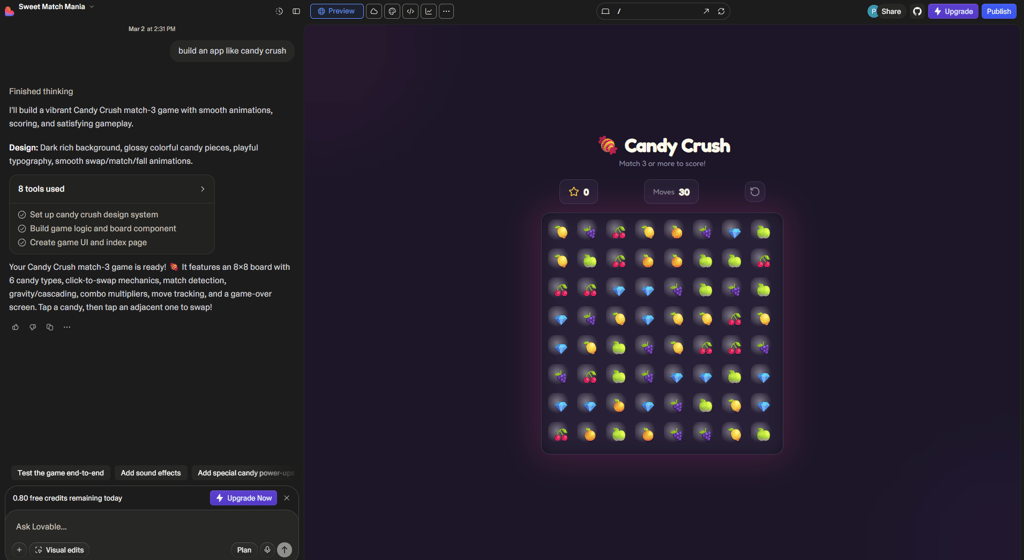
To refine both apps, I used prompts again. I asked Base44 to add boosters, while with Lovable, I requested goals and levels. Both platforms successfully implemented the requested changes, showing how iterative prompting can shape the final result.
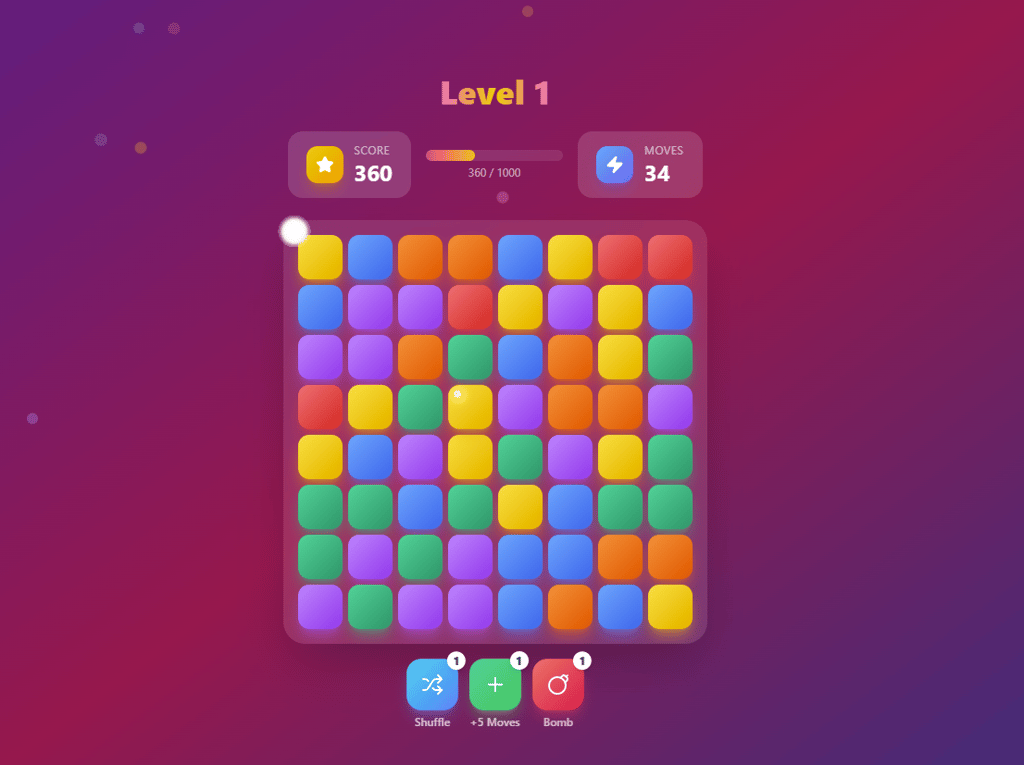
However, when evaluating the initial output from a single prompt, Base44 delivered the more complete result, since the first generated version already included core gameplay elements like levels and objectives.
Built-in backend infrastructure
Behind the scenes, Base44 handles much of the technical infrastructure. The platform automatically creates databases, authentication systems, and API endpoints, removing the need to configure servers or connect external backend tools.
Deployment and hosting
Once an app is generated, Base44 handles deployment automatically. The app runs as a web application hosted on the platform’s infrastructure, so you don’t have to configure servers or manage hosting yourself.
Development mostly happens through chat-based refinement. Instead of editing code, you describe the change you want – adding a feature, adjusting the layout, or modifying logic – and the platform regenerates the relevant parts of the app.
In my case, I generated a simple booking platform and then asked Base44 to add a feature allowing users to like properties and save them to their account. The system implemented that functionality without any issues.
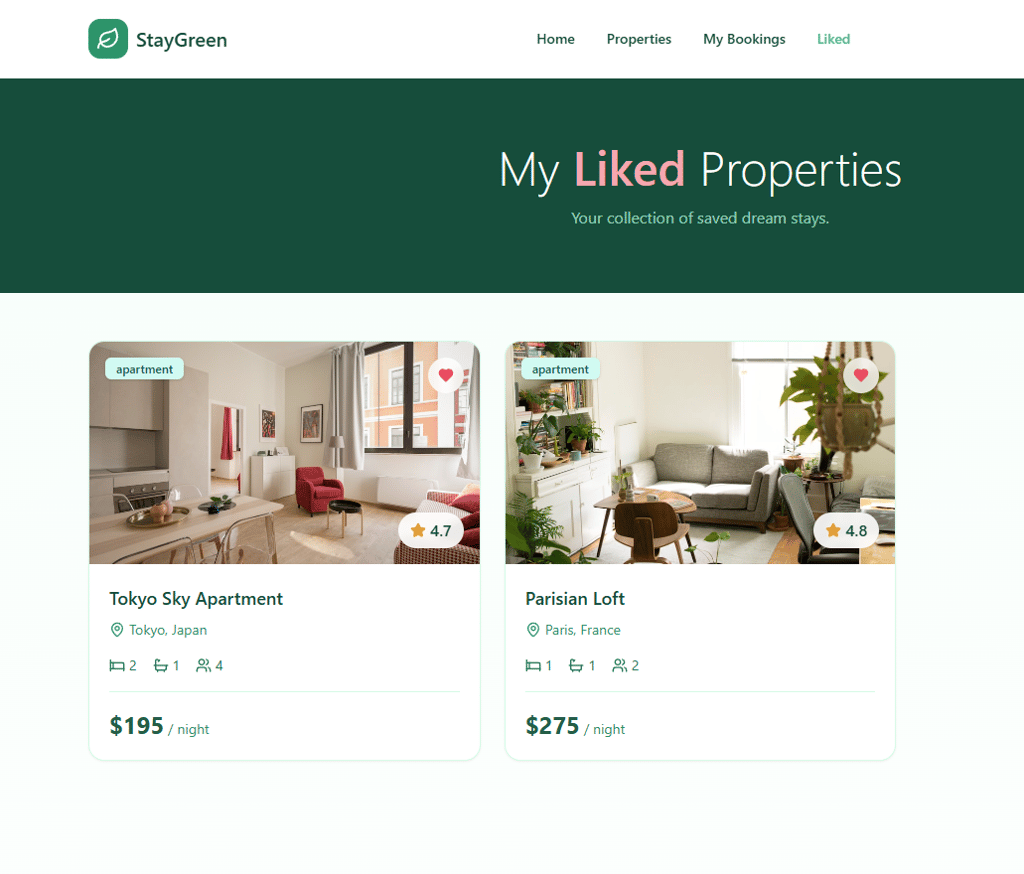
However, things became less smooth when I tried to introduce a proper authentication flow. By default, the preview automatically logged me into the app using my Base44 account, so I prompted the system to create a separate sign-in page.
At first, Base44 responded that it had accidentally deleted the entire project, then, after prompting, restored it.
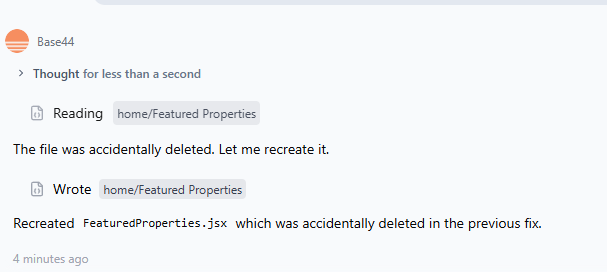
After that, it claimed the sign-in page had been created, but in the preview, the app only loaded a blank white screen. I repeated the prompt several times and clarified that the feature hadn’t actually appeared, but the result didn’t change.
I even tried generating a new project and asking for a sign-in page from the start. While the app structure was created, it still lacked the ability to create user accounts. At that point, it was unclear whether I had hit a credit limit or simply encountered a platform bug, since no notification appeared.
Integrations and ecosystem
Base44 doesn’t operate in isolation – the platform also supports integrations that help connect generated apps with common business tools and services. This allows apps to send data, automate workflows, or interact with external platforms without requiring custom backend development.
For example, Base44 can connect to CRM tools such as Salesforce, making it possible to sync customer data or trigger workflows directly from your app. Collaboration platforms like Slack can be used to send automated notifications, such as alerts when a new user signs up, a booking is created, or a task is completed.
The ecosystem also extends to Google Workspace, allowing apps to interact with services like Google Drive, Docs, Sheets, or Calendar. This makes it easier to plug generated apps into existing productivity workflows – for instance, automatically creating documents, storing files, or logging data in spreadsheets.
Depending on the plan, Base44 can also connect to payment systems and external APIs, which allows builders to add monetization features or integrate third-party services into their apps.
Overall, the integration ecosystem is designed to make Base44 apps more practical in real-world workflows, though many advanced connectors and automation capabilities are available only on higher-tier plans.
Hands-on testing: what worked (and what didn’t)
In my testing, Base44 proved surprisingly capable at quickly turning prompts into working apps. Generating them from scratch was fast and simple. For example, when I asked it to create a training journal web app, the platform produced a usable interface with workout logging features in just a few minutes. A Candy Crush-style game also worked well – the first version already included levels and goals, which meant the core mechanics were there without additional prompting.
The platform also handled feature refinement fairly well. In a booking-style marketplace app, I asked Base44 to add a function allowing users to like properties and save them to their account, and it implemented the feature without issues. This shows how the chat-based workflow can be effective for quickly extending simple product ideas.
However, more complex functionality didn’t always behave as expected. When I tried to introduce a separate sign-in page and account creation, the system claimed the feature was created, but the preview only displayed a blank screen. Even after repeating prompts and trying a new project, the authentication flow never worked properly.
Based on these tests, Base44 works best for rapid prototypes, internal tools, and simple apps. It struggles more when features require reliable authentication systems or more complex product logic.
Pricing and value breakdown
Base44 uses a credit-based pricing model, so you don’t pay per app or per user. Instead, each plan gives you a set number of credits per month. Those credits power both building and running your apps.
The Free plan is mainly a sandbox for learning and experimentation. It includes approximately 25 message credits and 100 integration credits each month – enough to explore the platform, build a small prototype, or test prompts. Credits reset monthly, so frequent iteration or complex builds will use them up quickly.
Paid tiers – Starter, Builder, Pro, and Elite – increase these limits. Message credits are used whenever you interact with the AI builder, such as generating UI components, adding features, or refining prompts. Integration credits are consumed when the finished app runs – for example, when users trigger workflows, call APIs, or use AI features within the app.
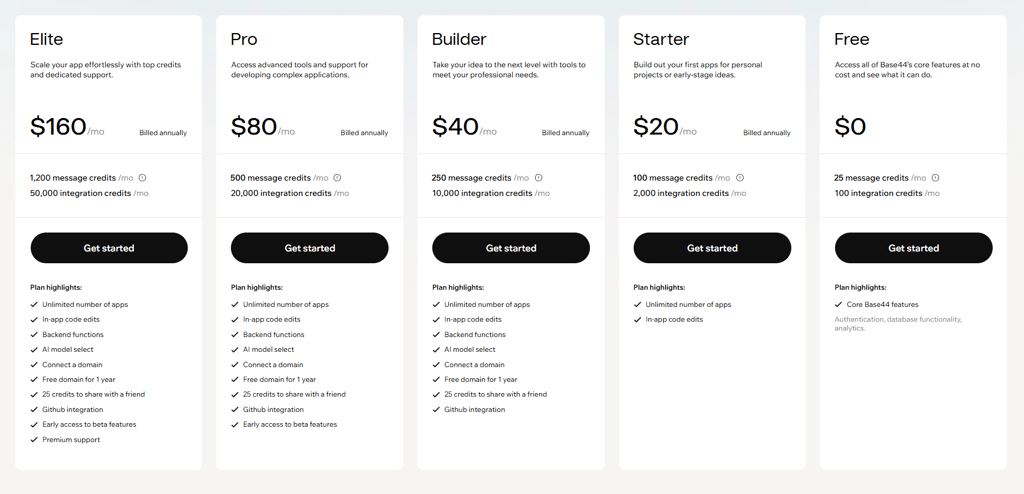
The Starter plan ($20.00/month) suits small personal projects, while the Builder plan ($40.00/month) is better for freelancers or MVP development. Higher tiers primarily offer larger credit pools and support scaling for apps with active users.
Paid plans also include GitHub integration and frontend code export. However, Base44 continues to host and manage backend infrastructure, so that portion isn’t self-hosted even with code export.
Base44 vs other AI app builders: how it stacks up
AI app builders may follow the same describe it and generate it philosophy, but they approach the process very differently.
For example, comparing Base44 vs Lovable, Base44 prioritizes speed and automation. A simple prompt can generate the interface, database, authentication, and deployment pipeline in one go.
Lovable, on the other hand, leans more toward structured development – it tends to generate clean React apps with reusable components and templates that developers can easily refine. In practice, Lovable often produces more structured UI out of the box, while Base44 moves faster when you’re rapidly iterating on features.
The main Base44 contrast with Bolt.new is more about transparency. Bolt behaves closer to a browser-based coding environment where the AI scaffolds features, but you still see and control the code. Base44 hides more of that complexity by automatically managing the backend, which makes deployment simpler but reduces direct control over the stack.
Finally, tools like Replit or Cursor are closer to traditional development environments with AI assistance. Base44 instead focuses on vibe coding – turning prompts into working apps quickly, with infrastructure handled behind the scenes.
Who Base44 is actually for (and who it isn’t)
After testing Base44, it becomes clear that the platform is built for speed and experimentation rather than deep engineering control. It excels when someone wants to turn an idea into a working product quickly – without worrying about infrastructure, backend setup, or deployment pipelines. In that sense, it feels much closer to a product-creation tool than a traditional development environment.
The platform tends to work best for people who value rapid iteration over technical customization.
Best fit for:
- Solo founders and MVP builders who want to test a product idea before investing in full development
- Non-technical creators who have product ideas but don’t want to manage servers, databases, or APIs
- Small teams validating concepts quickly, especially internal tools or lightweight SaaS experiments
At the same time, Base44 isn’t trying to replace full development stacks. Once projects become more complex, the platform’s abstraction can start to feel limiting.
Not ideal for:
- Large enterprise teams that require deeply customized infrastructure
- Projects with complex or highly specific backend logic
- Teams that need full code ownership, advanced CI/CD pipelines, or highly controlled development workflows
In short, Base44 works best as a quick prototype builder – not a replacement for traditional software engineering.
Video review
If you prefer video over reading, a complete Base44 review plus step-by-step tutorial is included right below.
Final verdict
Overall, Base44 is worth considering if your goal is to turn an idea into a working app quickly. Its biggest advantage is speed – with a few prompts, you can generate a full-stack application with a UI, database, authentication, and deployment already handled in the background. That makes it especially appealing for rapid MVPs and experimentation.
At the same time, the platform has some trade-offs. The credit-based pricing model can become restrictive when you iterate frequently or when your app has a lot of runtime activity. And because the backend infrastructure is largely managed by Base44, developers who want full control over server logic or complete code ownership may find it limiting.
In short, Base44 works best for solo builders and early-stage projects where speed matters more than deep customization.
FAQ
What is Base44?
Base44 is an AI-powered no-code app builder that allows you to create full-stack web applications using natural language prompts.
Is Base44 free?
Yes, Base44 offers a free plan. It includes a limited number of AI messages and integration credits each month, which is usually enough to explore the platform and build simple prototypes.
Can Base44 create production-ready apps?
Yes, Base44 can generate full-stack applications with built-in backend infrastructure and deployment tools, which means apps can be launched and used by real users, especially for MVPs, internal tools, or smaller SaaS projects.
Does Base44 let you export your code?
Partially. Paid plans offer GitHub integration and allow you to export frontend project files. However, the backend infrastructure and database are mostly managed within the Base44 platform.