Genspark AI review 2026: super agent, sparkpages, and real limits
Being behind major reports like The Mother of All Breaches and RockYou2024, our in-house cybersecurity experts and journalists provide unbiased, real-world testing and in-depth analysis.
We maintain complete transparency by openly sharing our testing methodologies with our audience.
Learn more

Genspark is a multi-agent AI workspace that routes prompts through specialized agents to produce structured outputs, like Sparkpages, slides, docs, spreadsheets, and even phone calls. In this Genspark AI review, I evaluated the platform together with the Cybernews research team across research, content creation, and Super Agent tasks.
It performs particularly well in research synthesis and structured content generation via Sparkpages, often producing faster first drafts than a standard chatbot. At the same time, pricing transparency is limited, credit usage can become costly on heavier tasks, and occasional hallucinations still appear, alongside a mixed customer support record. The platform is best suited for creators, marketers, and researchers who regularly need polished, structured outputs, rather than users looking for occasional AI chat assistance.
This Genspark AI review covers what the tool is, its core features, how to get started, pricing structure, real-world usage patterns, and how it compares to other AI tools.
Quick overview of Genspark AI
| Rating: | |
| Brief description: | Genspark is a multi-agent AI workspace that uses specialized agents to generate structured outputs like Sparkpages, documents, slides, and spreadsheets through automated workflows |
| Key specifications: | Multi-agent capabilities, deep research tools, Sparkpages for saving and sharing AI-generated content, structured outputs (slides, docs, sheets, and similar deliverables), image and video generation, task automation, and conversational AI assistant |
| Pricing: | Credit-based model, no fully transparent public pricing structure available |
Pros and cons of Genspark AI
Genspark AI stands out for its multi-agent system, which routes tasks through specialized AI models instead of relying on a single chatbot workflow. Meanwhile, pricing transparency and credit use remain among its biggest drawbacks.
What Genspark AI does and where it fits
Genspark AI is not a chatbot replacement. It works more like an agentic workspace that produces finished outputs. When I tried the platform out, it became clear that the focus is on deliverables like Sparkpages, slide decks, spreadsheets, documents, and even real-world actions rather than simple back-and-forth responses.
Instead of relying on a single model, Genspark breaks a prompt into smaller tasks and sends them to different specialized AI models or tools. Those outputs are then combined into a structured final result. A single request might trigger research, writing, formatting, and summarization steps, depending on the task.
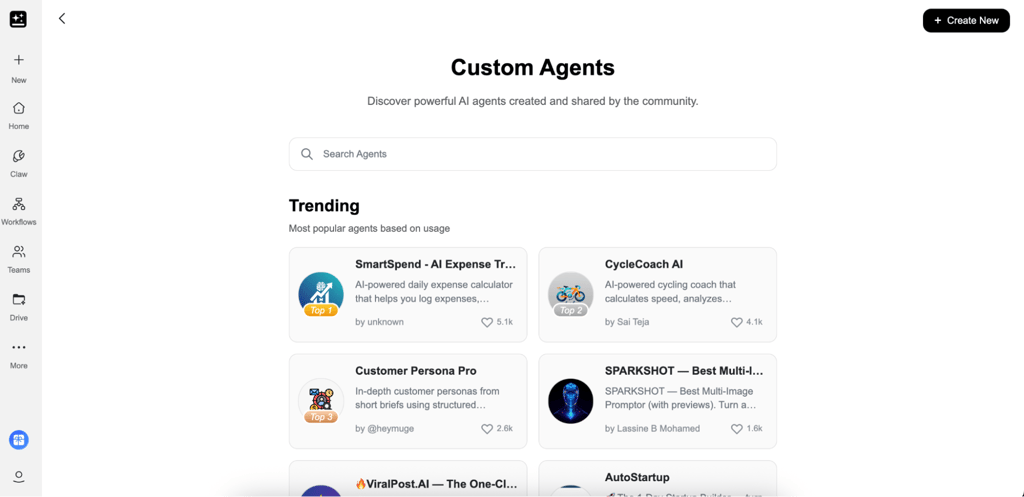
Asking for something like “top fintech trends” produces a structured Sparkpage with sections, sources, and follow-up options. A pitch deck request turns into a full presentation with speaker notes. Even something as simple as booking a restaurant can be handled end-to-end by its AI calling agent.
However, it’s important to understand what Genspark is not. It’s not a code-heavy automation framework like CrewAI or a full project management suite, or a traditional document editor with deep formatting control.
Who gets the most value from Genspark AI
Genspark AI is not the kind of platform that fits every workflow equally, especially because of its structured approach and credit-based system. After testing Genspark AI across different tasks and workflows, I found that the platform is better suited for certain types of users and workloads than others:
Best fit for:
- Marketers and content creators who need structured first drafts for articles, briefs, presentations, or campaigns
- Researchers and analysts looking for organized summaries and cited Sparkpages instead of sorting through large lists of links
- Founders and consultants creating pitch decks, competitive overviews, or client-facing documents
- Teams that prefer using a single AI workspace instead of switching between tools like ChatGPT, Notion, and Google Slides
Not the best fit for:
- Users who need advanced document editing or detailed formatting control
- High-volume users who may consume credits quickly on larger tasks
- Anyone working with highly technical or statistics-heavy topics where accuracy is essential
Genspark AI agent breakdown
Genspark AI relies on multiple specialized agents that handle different types of tasks, from research and content creation to automation. Below, I break down the core ones I tested and how they actually perform in practice.
Super Agent and Sparkpages
Super Agent and Sparkpages are the core of Genspark AI. While trying it myself, I found that this workflow takes a prompt, pulls in multiple sources, and produces a structured Sparkpage with sections, citations, and a built-in copilot for follow-up questions.
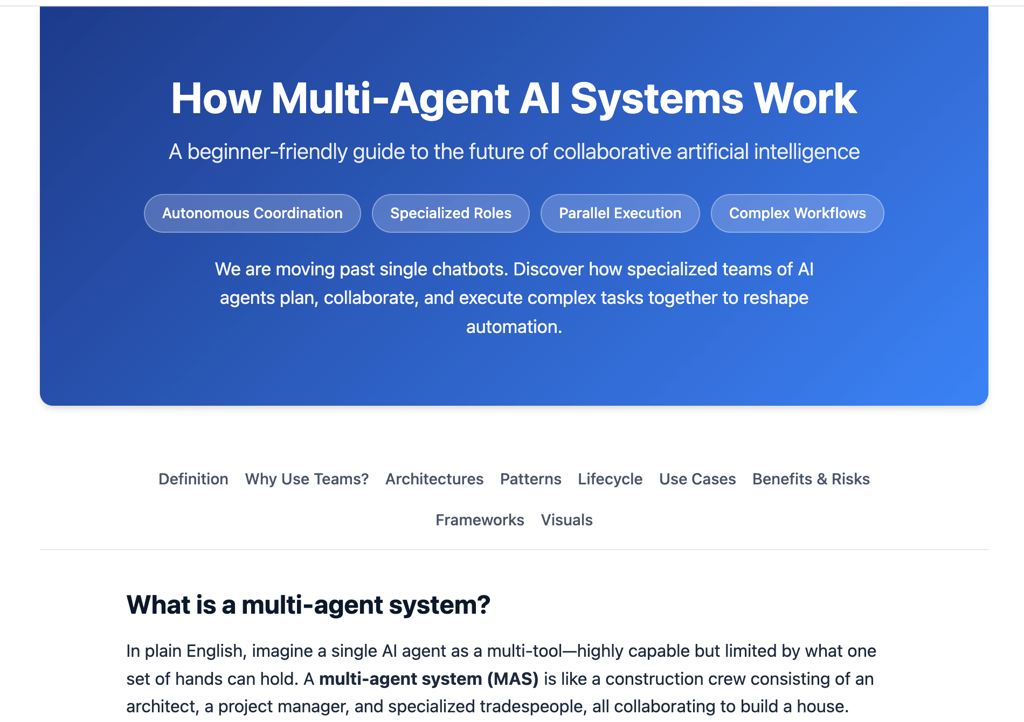
It works best for research tasks where a simple chatbot answer is not enough, especially when you need organized context, references, and a clear structure in one place.
However, results can vary depending on the topic. While general research performs well, more niche or statistics-heavy queries can sometimes produce weaker or less reliable citations.
AI Slides, Docs, and Sheets
AI Slides, Docs, and Sheets are dedicated agents offered by Genspark AI. They turn prompts into structured presentations, documents, and spreadsheets, with AI Slides also including a fact-checking layer for added reliability in research-based outputs.
I found these tools most useful when working on early drafts rather than finished materials. They can quickly produce structured decks or documents that are good enough to build on, especially when speed matters more than refinement.
However, post-generation editing is fairly limited, and adjusting outputs inside the platform can feel restrictive. I also noticed that exporting files does not always work smoothly, as mentioned in user feedback.
Deep Research and Fact Check agents
Deep Research and Fact Check agents are designed for more careful, research-heavy tasks inside Genspark AI. Deep Research gathers information from multiple sources and compiles it into a structured report, while Fact Check helps confirm that the information is supported by reliable sources.
What stood out to me is how useful these tools are for research work where accuracy and sources matter more than speed or creativity. They work well for comparing different viewpoints and building structured summaries from multiple sources.
That said, the depth of the output can vary depending on how the prompt is framed. With broader or vague questions, reports can feel shallow, so more specific instructions tend to produce better results.
Call For Me (AI phone agent)
Call For Me is Genspark AI’s phone agent that can place real phone calls on the user’s behalf. In my use, it handled tasks such as restaurant bookings, appointment scheduling, and basic confirmations through a live voice system.
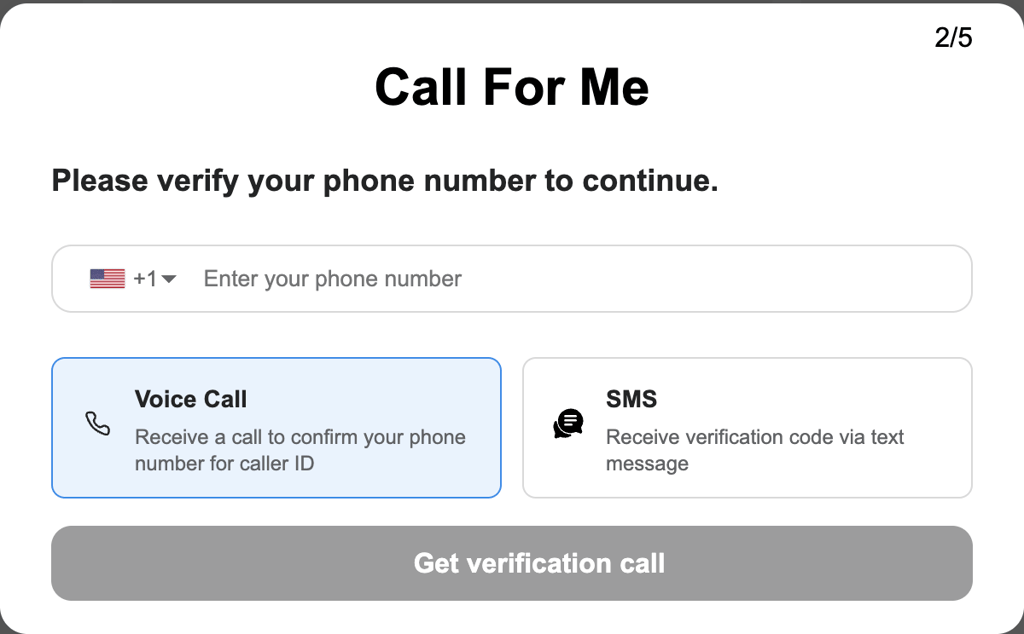
I found it most useful for simple, routine calls where I didn’t need to interact directly, especially when the request follows a clear script and doesn’t require much back-and-forth.
Regardless, performance isn’t fully consistent. Reported success rates are around 83%, and in practice, calls can still fail due to background noise or unclear responses. I also noticed that reliability can vary depending on region and call complexity. Another important point is privacy, as calls are recorded for processing and improvement.
AI Drive and multi-model chat
AI Drive and multi-model chat are two supporting features inside Genspark AI that focus on storage and flexibility. AI Drive is used to store and organize files within the platform, keeping project materials in one place for easy access during workflows. Multi-model chat allows switching between models such as ChatGPT, Claude, Gemini, and DeepSeek within a single conversation, while keeping the context intact.
In practice, I found the model-switching feature especially useful for comparing responses or adjusting output style without restarting a prompt. It makes experimentation more efficient, especially for research or drafting tasks where different models produce noticeably different results.
One thing to keep in mind is that AI Drive is mainly meant for storing and organizing files. While it keeps materials accessible inside the platform, it’s not designed for advanced formatting or detailed document editing.
Getting started with Genspark AI
Getting started with Genspark AI is fairly straightforward, although you need to create a free account before accessing any of its agents or testing the available tools. Here’s the setup process I followed:
- Go to Genspark.ai and create an account using Google or email
- Choose an agent from the left-side panel, with Super Agent being the best starting point for most tasks
- Enter a prompt and wait for the output to generate, which can take anywhere from a few seconds to several minutes depending on complexity
- Refine the result through the built-in copilot, or export and share the finished output

To quickly understand what Genspark AI does well, I recommend starting with prompts that highlight its structured output system. I came up with a few to help you get started:
- Summarize the top 5 trends in [industry] with sources
- Create a 10-slide deck on [topic] with speaker notes
- Write a one-page competitive analysis of [company] with citations
A few things to keep in mind:
- Pricing only becomes visible after signing up, so it’s worth checking plan limits before heavier use
- Vague prompts often produce shallow outputs, making specificity important
- AI Slides and Deep Research can consume credits faster than expected on larger tasks
- Exporting files does not always work smoothly, so copy/paste is sometimes the safer fallback
Support, community, and documentation
Support, community, and documentation for Genspark AI are fairly lightweight compared to those for more established AI platforms. Support is mainly handled through the Genspark Help Center and an in-app AI assistant that can answer basic questions and help with setup.
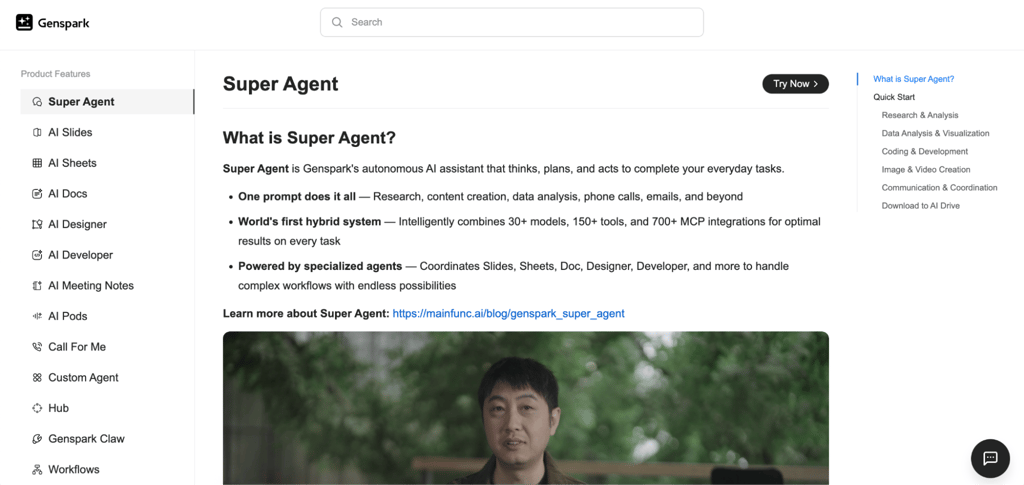
Beyond that, the platform also relies on direct email support. According to the in-app assistant, users can contact [email protected] for account or billing issues, while feedback and bug reports are handled through [email protected].
Outside official channels, the community plays a bigger role than expected. Discussions on Reddit, particularly in spaces like r/AIAssistants and r/GenAI, are where users share prompts, troubleshooting tips, and practical workarounds. Product Hunt also contains early user feedback, while I did not find an official Discord community at the time of writing.
The documentation itself is fairly basic. It covers core agents and features but does not go into much detail on advanced workflows or edge cases.
Privacy, data, and platform reliability
Privacy, data, and platform reliability are important considerations when using Genspark AI, particularly given its multi-agent architecture. Depending on the feature used, prompts may be processed through third-party AI providers such as OpenAI, Anthropic, Google, xAI, or ElevenLabs. This makes it worth treating sensitive personal or business information with caution, since inputs can be routed externally for processing.
One feature to highlight is Call For Me, which stores recordings of AI-driven phone conversations with businesses such as restaurants. These are saved for user reference and service functionality, but may not be suitable for users with strict compliance requirements.
From a security standpoint, I did not find any publicly confirmed certifications, such as SOC 2 or HIPAA, at the time of writing, so it’s worth reviewing the latest privacy documentation before use. Credit tracking is another practical factor, as usage can feel unpredictable on more complex tasks, with some users reporting unexpected consumption spikes.
Genspark AI plans and credit costs
Genspark AI uses a credit-based system, and you need to create an account before you can access any of its tools or agents. One thing I noticed early on is that pricing details are not clearly shown upfront, which makes it harder to understand usage limits before signing up. Based on available plan breakdowns, the system is typically structured into Free, Plus, and Pro tiers:
| Plan | Price | Best for | Key limits | Notable features |
| Free | $0.00 | Testing and early exploration | Limited credits | Basic agent access |
| Plus | From $39.99/month | Individual users | Monthly credit cap | Full workspace access |
| Pro | From $199.99/month | Heavy users and teams | Higher cost threshold | Priority processing and expanded limits |
Credit consumption depends heavily on what you are doing. Basic AI chat doesn't seem to use up many credits, but more complex workflows do. I noticed slides using roughly 300 to 500 credits, deep research up to around 1,000, and Call For Me billed per second of call time.
What stood out to me is the lack of clear overage handling. Once credits are used up, you either wait for the reset or upgrade to a higher plan, which can feel restrictive if you are testing more advanced features.
What real users say about Genspark AI
Looking through discussions around this Genspark AI review, the overall reaction to the platform feels mixed but generally positive. Most users seem impressed by how quickly Genspark AI can turn prompts into structured outputs, especially compared to traditional AI chat tools or search engines.
Most of the praise centers on Sparkpages and the broader set of Genspark AI features. Users often report that switching between AI models within a single workflow saves time, particularly during research-intensive tasks. Several reviews also describe Genspark AI agents as useful for quickly producing drafts, presentations, and research summaries with minimal setup.
At the same time, recurring complaints focus on support responsiveness, inconsistent results on niche topics, and credit usage that can feel difficult to predict. Concerns about Genspark AI pricing also come up regularly, especially among users running more intensive research or slide-generation tasks.
For users exploring the platform before subscribing, privacy and data handling are also worth careful review, particularly for workflows involving sensitive information.
Genspark vs competitors
Compared to other AI productivity platforms, Genspark AI takes a broader all-in-one approach by combining research, drafting, presentations, and multi-model workflows inside a single workspace. That makes it slightly different from tools like Notion AI, Perplexity, or Lindy, each of which focuses more heavily on specific use cases.
Notion AI feels closer to a productivity assistant built into a workspace, especially for writing and collaboration. Perplexity is much more search-focused, with quicker source-backed answers, while Lindy is aimed more at AI automations and task execution than content generation.
| Tool | Best for | Ease of use | Flexibility | Pricing feel | Biggest drawback |
| Genspark AI | Research, drafting, and AI workflows in one platform | Beginner-friendly | High | Credit system can feel unclear | Credit usage and inconsistent outputs |
| Notion AI | Workspace productivity and document assistance | Very easy | Moderate | More predictable | Less powerful for deep research |
| Perplexity | Fast AI search and source-backed answers | Very easy | Moderate | Straightforward | Narrower workflow capabilities |
| Lindy | AI automations and task execution | Moderate learning curve | High | Can scale quickly in cost | More technical setup |
While trying these tools myself, I found that Genspark AI works best as an all-in-one workspace for research and drafting. Perplexity still feels more reliable when accuracy matters most, whereas ChatGPT remains the more flexible option for broader everyday use.
Best alternative: nexos.ai
Not every user who looks at Genspark is after structured research outputs or Sparkpages. Some are looking for a platform that automates how work actually gets done, enabling recurring workflows, building AI agents, and managing multiple models without a developer involved.
Compared to Genspark, nexos.ai feels more focused on workflow orchestration than content generation. What stood out to me is how it targets teams that want to build daily automations and consolidate AI tools without relying on a technical team to set things up.
If Genspark is built around producing polished outputs quickly, nexos.ai is built around automating the work that happens around those outputs.
Verdict: is Genspark AI worth using?
Genspark AI is a useful research and content tool for users who want structured outputs quickly. The free plan is a solid starting point, while the Plus plan, starting at $39.99 per month, is ideal for creators and researchers with regular usage. The Pro tier only really makes sense at a larger, agency-level scale.
Best reasons to use Genspark AI:
- Sparkpages are more structured than standard chatbot outputs
- Multi-agent routing removes the need to pick models manually
- Wide output range reduces switching between tools
Reasons to look elsewhere:
- Support reliability remains inconsistent
- Pricing lacks transparency and jumps sharply between tiers
- Not ideal for high-stakes research due to occasional weak outputs
Overall, Genspark AI makes more sense for users who want structured research workflows in one place, rather than switching between tools like ChatGPT.
FAQ
Is Genspark AI free to use?
Yes, Genspark AI offers a free plan that lets you try the platform with limited credits. It’s enough for basic exploration of agents like Super Agent and Sparkpages, but heavier tasks quickly require a paid plan.
What is a Sparkpage and how is it different from a regular AI answer?
A Sparkpage is a structured output format that turns a prompt into a full page with sections, sources, and follow-up options. Unlike a standard AI answer, it’s designed to behave more like a mini research document rather than a chat response.
Is Genspark AI safe for sensitive or business data?
Genspark AI should be used with caution for sensitive data. Prompts may be processed by third-party AI providers, depending on the feature, and some interactions, like Call For Me, are recorded. It’s not ideal for highly confidential workflows.
How does Genspark AI compare to Perplexity or ChatGPT?
Genspark focuses on structured multi-agent workflows, while Perplexity is stronger for fast, source-backed search. ChatGPT remains more flexible overall, especially for general-purpose tasks and conversational depth.
What happens when you run out of credits?
Once credits are exhausted, usage stops until the next reset or until you upgrade your plan. There’s no flexible overage system, so heavy users need to monitor consumption closely to avoid interruptions.