How to watch ABC outside the US in 2026
Our in-house cybersecurity experts and journalists, renowned for major reports like The Mother of All Breaches, conduct transparent, unbiased VPN testing and in-depth analysis.
With 750+ articles crafted based on real-world research, we empower readers to make informed purchasing decisions through first-hand expertise.
Learn more

ABC is only available in the United States due to licensing restrictions, which means the channel is blocked if you travel or live abroad. Some users turn to VPNs to change their IP address to a US location and access the platform abroad. However, a VPN only helps with the location check – you still need a valid ABC-supported TV provider login or streaming subscription to actually watch most content.
In this guide, I'll explain how to watch ABC outside the US, how VPNs work with ABC's location checks, what account and device requirements you need to meet, and what to do if ABC detects VPN traffic.
What a VPN can and can’t do
Before using a VPN, it’s important to understand what it can and can’t do when accessing ABC from outside the US. A VPN can change your IP address so ABC sees your connection as coming from the US. However, some ABC content still requires a supported TV provider or streaming service login, and a VPN can’t create an account, provide a subscription, or satisfy payment requirements.
Some ABC episodes are available without a TV provider login, while locked episodes and live ABC content usually require additional access through an eligible provider. Here’s how a VPN can and can’t help:
| What you need | What it requires | Can a VPN help? |
| US location | A US IP address | ✅ Yes, a VPN can change your IP address |
| Account and subscription access (for locked episodes or the live ABC channel) | A TV provider or supported streaming subscription with valid login credentials | ❌ No, a VPN can't provide a subscription, create an account, or provide login credentials |
| Matching GPS location (on mobile) | Some mobile apps use GPS or other location signals in addition to your IP address | ❌ No, a VPN can't change your phone's GPS location |
Note that if you're already in the US and have legitimate access to ABC through an eligible TV provider or streaming service, you don't need a VPN. It's only worth considering if you're trying to access ABC while traveling or living outside the US and encounter geo-restrictions.
Is it legal to watch ABC with a VPN?
In most countries, using a VPN is completely legal, including in the US, the UK, and across the EU. This means that watching ABC with a VPN is not illegal in itself. VPNs are widely used for privacy, security, and protecting personal data on public networks.
That said, accessing ABC outside the US with a VPN may violate ABC’s Terms of Service. ABC restricts its content to the US because of licensing and broadcasting agreements, and using a VPN to bypass these geo-restrictions goes against the platform’s rules. However, this is a terms-of-service issue, not a criminal offense.
In practice, ABC does not penalize users for using a VPN. The most common consequence is that the platform may block access if it detects VPN usage. Switching to a different US server or using a VPN known to work with streaming services might resolve the issue, but service-side detection might still prevent access even when a VPN is working correctly.
It’s also important to note that VPN legality depends on your location. While VPNs are legal in most countries, some regions (such as China, Iran, and a few others) heavily restrict or ban VPN usage. If you’re traveling, always check local regulations before using a VPN.
How to watch ABC outside the US with a VPN – detailed guide
If you're traveling or living outside the US and want to access ABC, a VPN might help by giving you a US IP address. However, your access might still depend on whether you have a supported TV provider or streaming service login. Here's what you need to know:
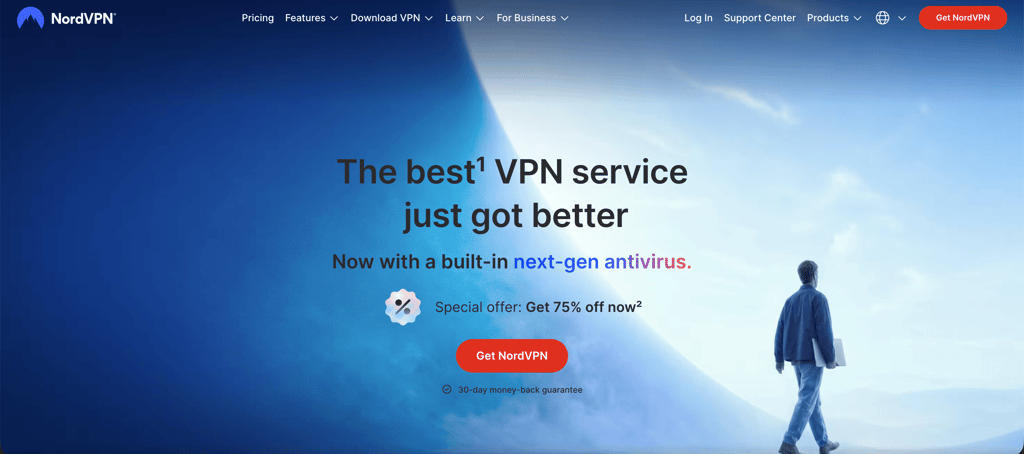
- Select a VPN with plenty of US servers.
-
Download and install the VPN app.
-
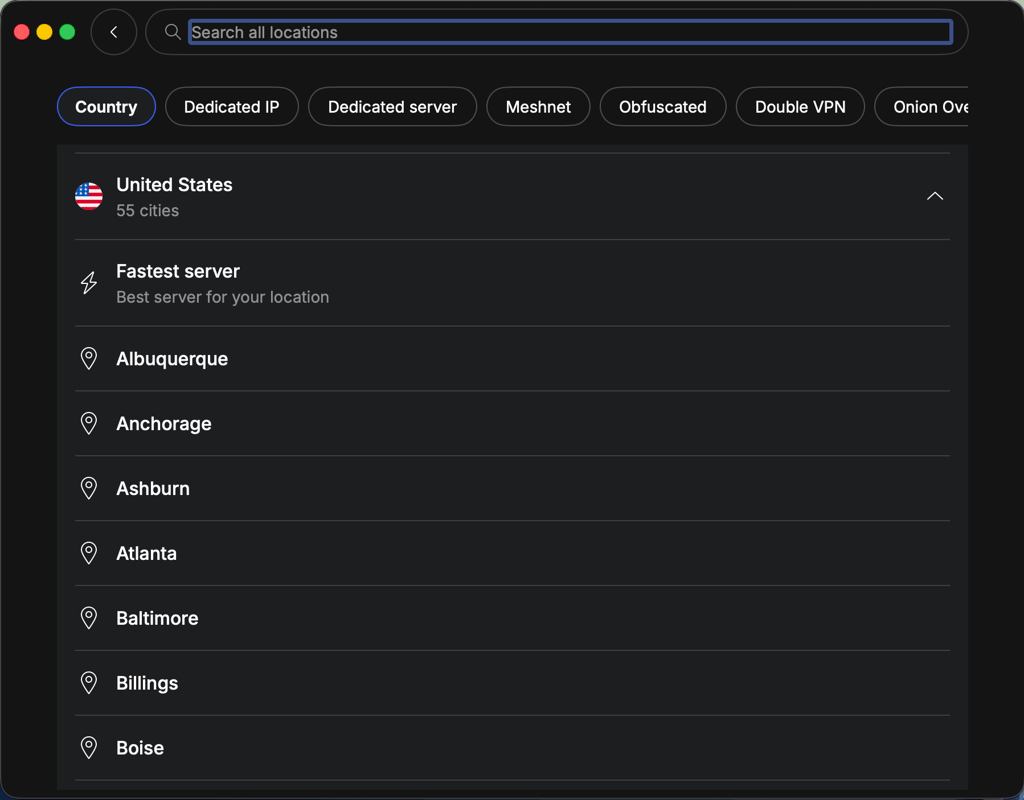
Connect to a server in the US.
-
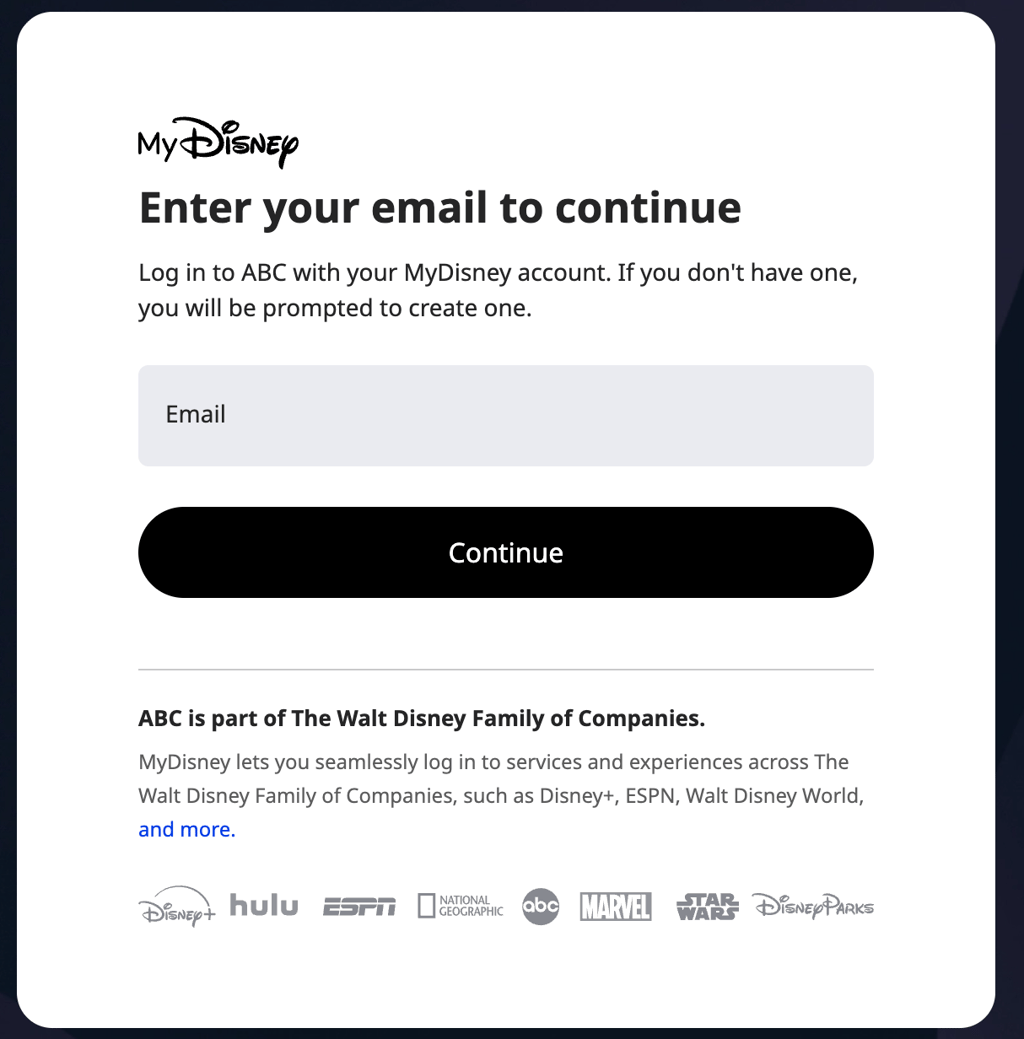
Sign in with a US TV provider or supported streaming service account (for example, Hulu + Live TV, YouTube TV, or cable credentials). Creating an ABC account alone isn’t enough, since most live and full episodes require authentication through a TV provider.
-
Watch content if access is successfully granted.

How can a VPN help you watch ABC outside the US?
ABC is only available within the US due to licensing agreements, copyright laws, and regional broadcasting rights. If you're traveling or living outside the country, you'll likely see the following error message when trying to watch content: "We're sorry, this video is not available in your region. If you think you are seeing this message in error, contact ABC Support (Error Code 11)."
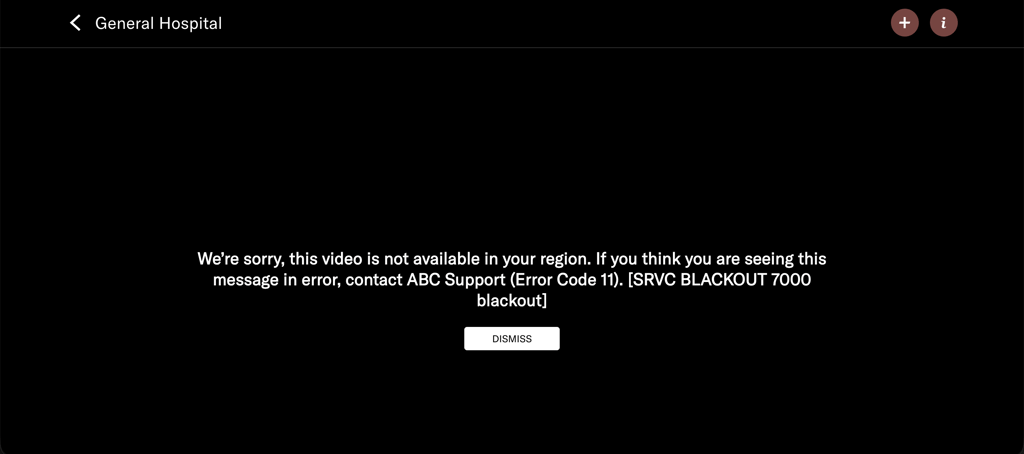
A VPN might help by providing a US IP address, which can allow ABC to recognize your connection as originating in the US. However, a VPN alone doesn't guarantee access. Depending on what you want to watch, you might also need a valid TV provider or supported streaming service login, and ABC might still detect and block some VPN connections.
How to watch ABC live without cable
In the US, ABC is available through cable and satellite TV providers, as well as several live TV streaming services. If you've cut the cord or prefer streaming, you can still watch ABC live through supported platforms. Below, I rounded up some of the best streaming services that carry ABC, along with their pricing, to help you choose the option that best fits your needs:
| US streaming service | Cost per month |
| DirecTV | From $59.99 |
| FuboTV | From $64.99 |
| Hulu + Live TV | From $89.99 |
| YouTube TV | From $82.99 |
Depending on the VPN and the streaming service, you might be able to access these platforms to watch ABC Live, but compatibility varies and might change over time. These streaming services might also offer other US channels, depending on your location and subscription.
How to watch ABC on different devices
A VPN might help you access ABC from outside the US on desktops, smartphones, streaming devices, and some Smart TVs by assigning you a US IP address through a server located in the US. However, this doesn't guarantee access, since ABC also requires a valid login from a US TV provider or a supported streaming service. Depending on the device, additional restrictions – such as GPS location checks, app store availability, or VPN detection – might also affect whether you can stream ABC.
Watch ABC on a computer or smartphone
A VPN might help with ABC’s geo-restrictions by assigning you a US IP address through a server located in the US. However, mobile apps can also use GPS and other location signals, and a VPN doesn't change your Apple App Store or Google Play region. To avoid app download issues, I recommend installing and setting up the ABC app before traveling abroad. To try watching ABC on your smartphone:
- Install the ABC app before traveling, if possible. Make sure you can download and access the app from the Apple App Store or Google Play Store. Note that a VPN doesn’t change your store region or allow you to download region-restricted apps.
- Connect to a US VPN server to change your IP address.
- Be aware that the ABC app might use GPS or other device-level location signals in addition to your IP address. A VPN doesn't change your phone's GPS location.
- Open the ABC app and sign in. You’ll still need a valid US TV provider login or supported streaming service account. A VPN can’t create an account, provide a subscription, or replace login credentials.
Keep in mind that ABC might still block access if it detects VPN usage, if your account isn’t eligible, or if the app uses GPS or other device-level location checks. Mobile access can be less reliable than desktop browsing.
Watch ABC on streaming devices
Many streaming devices, such as Roku and smart TVs, don’t support VPN apps directly. In some cases, Kodi devices might require a separate VPN configuration depending on your setup. If your device doesn't support VPN apps, you might be able to set up a VPN on your router instead. This routes your internet connection through a US server and assigns your network a US IP address.
However, using a VPN on your router doesn't guarantee access, as ABC still requires a valid US TV provider or supported streaming service login. VPN detection or device-level restrictions may also prevent playback. Here's the general process:
- Set up a VPN on your router (if your VPN and router support it) to change your network’s IP to the US
- Connect your streaming device to that network
- Open ABC on your device
- Sign in with a valid US TV provider or supported streaming service account (note that a VPN doesn’t replace authentication requirements)
- Start streaming if access is successfully granted
On the other hand, the Amazon Fire TV Stick supports VPN apps, so you might be able to install a VPN directly on the device to change its IP address to a US location. However, this doesn’t ensure access, since ABC asks for a valid US TV provider or supported streaming login, and service-side detection or account restrictions might still block playback.
For more information on device compatibility and VPN support, see our dedicated guides:
- The best Kodi VPNs – VPN options for Kodi users
- VPNs that work with Apple TVs – accessing content on Apple TV from abroad
- VPNs you can use with your Roku stick – tried-and-tested VPNs for Roku
- Our recommended VPNs for Fire TV Stick – providers with the best apps for Amazon
How to watch ABC from the UK
If you live in the UK or are traveling and want to watch your favorite shows from abroad, you’ll find that ABC is blocked outside the US. A VPN might help in some cases by changing your IP address to a US location, but this only affects location detection. You might also need a valid US TV provider or supported streaming login, and VPN detection or account restrictions might still block playback.
- Download and install a VPN that offers a wide selection of US servers
- Sign in and connect to a US server
- Go to the ABC website or open the app
- Sign in with a valid US TV provider or supported streaming service account (VPN alone won’t give access)
- Watch the content if access is successfully granted
However, even after connecting to a US VPN server, ABC requires authentication through a US TV provider or streaming service. Without an eligible login, you might still be unable to stream content.
ABC is not working with a VPN
Although a VPN can sometimes help with IP-based access to ABC from outside the US, it doesn’t ensure access. ABC might still block connections due to VPN detection, missing US TV provider authentication, or account-based restrictions. If ABC is still not working, try the following:
- Make sure you’re connected to a server specifically in the US. If so, try reconnecting to another US server
- Ensure that you have IP leak protection enabled, as your actual IP address could be showing
- Clear your cache and cookies, as they might be giving away your real location
- Try using a different browser
- Get in touch with your VPN’s customer support team
If none of these steps work, it might be due to service-side VPN detection or missing authentication requirements, which a VPN alone can’t bypass.
What you can watch on ABC
Given that ABC is one of the most established TV channels in the US, it’s no surprise that it has an impressive offering of live and on-demand content. I’ve pulled together a list of what I believe are some of the best shows on ABC that you won’t want to miss.
| Title | Genre |
| General Hospital (1963–present) | TV drama |
| 20/20 (1978–present) | TV drama |
| High Potential (2024–present) | TV comedy drama |
| Abbott Elementary (2021–2026) | Sitcom |
| 9-1-1 (2018–present) | TV drama |
| Dancing with the Stars (2005–present) | Reality TV show |
| Good Morning America (1975–present) | Morning TV news and entertainment show |
| Grey’s Anatomy (2005–present) | TV drama |
| Jimmy Kimmel Live (2003–present) | Chat show |
| The Kardashians: An ABC News Special (2022) | Reality TV show |
| The NBA Finals | Yearly sports event |
ABC is constantly adding new shows to its library. To stay up to date with all its latest content, keep an eye on ABC’s Twitter and Facebook pages.
Final thoughts
The best way to watch ABC outside the US might be to use a VPN to connect to a US server, which changes your IP address to a US one. However, this only addresses IP-based geo-restrictions and doesn’t guarantee access, since ABC also requires a valid US TV provider or supported streaming login. Also, service-side VPN detection or account restrictions might still apply.
My testing showed that NordVPN performs well for accessing ABC abroad, with a large US server network and strong speeds, but results can vary depending on the service’s detection systems and authentication requirements.
Overall, using a VPN can help with the location aspect by providing a US IP address, but it doesn’t replace the need for valid US-based login credentials or a subscription.
FAQ
How can I watch ABC in the UK with a VPN?
To watch ABC in the UK, you might be able to use a VPN to connect to a US server and change your IP address. However, this only affects location and doesn’t guarantee access, since ABC also requires a valid US TV provider or supported streaming login. VPN detection or account restrictions might still block playback.
What’s the best VPN for watching ABC online?
NordVPN is the best VPN for watching ABC online. It offers unbeatable security, blazing-fast speeds, and over 3,440 US servers that can help you access ABC.
What’s the best way to watch ABC live online?
If you’re outside the US, you can try to access ABC live online by using a VPN to connect to a US server and change your IP address. However, this only affects your location signal and doesn’t guarantee access, since ABC also requires a valid US TV provider or supported streaming login, and VPN detection or account restrictions may still block playback.