I accidentally opened a spam email on my phone: what to do next?
Our in-house experts test identity theft protection services themselves, using real-world scenarios and established testing methods. We look at how well each service monitors personal information, how quickly and clearly it sends alerts, what recovery support it offers, and how it handles customer data.
We assess every provider using the same criteria and explain our testing process clearly, so readers can compare services and make a more informed choice.
Learn more
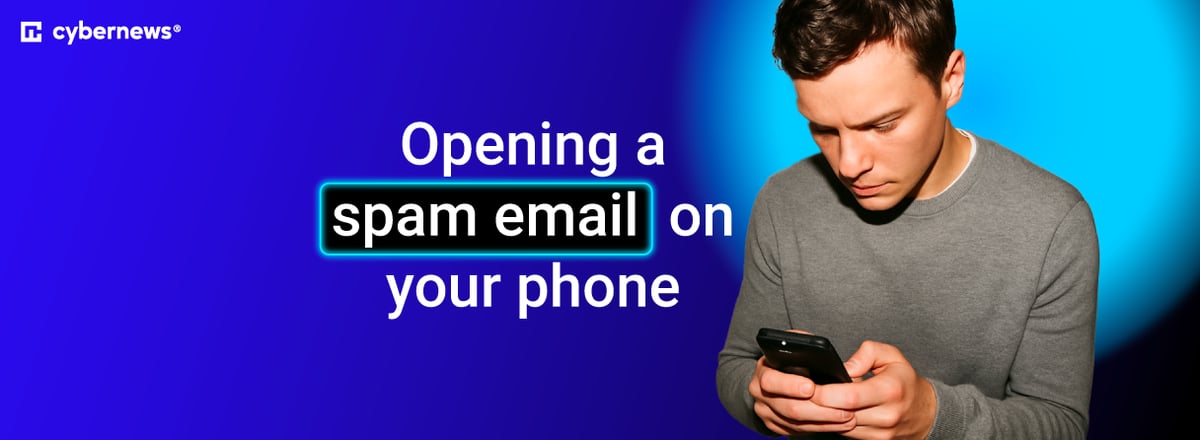
All of us receive dozens of spam emails every day. In most cases, they go unnoticed and end up in the appropriate spam folder. However, they may sometimes make it to the Promotions section or another place outside of your main inbox, and if you’re a skimmer like me, you might hit Open faster than you can make sense of the sender.
So, the main question now is: what happens if you open an email from a scammer? Thankfully, you’re unlikely to suffer serious damage, but clicking a link might put your data at risk if you don’t act immediately.
Downloading or opening an attachment usually leads to bigger security threats. Naturally, sharing your credentials and passwords is even worse, which is why I’ve created this guide to help you avoid having to change your passwords everywhere, as I unfortunately had to.





Our in-house experts test identity theft protection services using real-world scenarios and consistent criteria. We assess monitoring, alerts, recovery support, and data handling to help readers compare providers confidently. Learn more about our testing process.
What happens when you open a spam email on your phone
While serious threats like malware can enter your device if you share your personal details or click links in a spam email, simply opening one can be dangerous as well. Here are some potential threats:
- Tracking signals. Spam emails often contain small, pixelated images that load once you click them. They usually send a signal back to the scammer to notify them that your email address is active. They then use these trackers to monitor your activity unless your email app has a built-in image-blocking feature.
- Increased spam volume. As your email address gets confirmed as active, spammers get more aggressive with their messages, phishing attempts, and scam offers.
- Social engineering pressure. In my experience, scammers aren’t joking around: their spam emails are deliberate and based on fake invoices, security alerts, or even package delivery notifications. They do it in a personal way and target each user's weaknesses.
Quick checklist: what to do right now
If you accidentally opened spam emails, the important thing is not to panic, but to take appropriate action based on what you did afterward.
| Your action | Risk level | What to do immediately | What to watch out for next |
| Just opened and read the email | Low | Delete the email, disable image loading | Increased number of emails in the spam folder |
| Clicked a link | Medium risk, as your data might be tracked | Clear browser data, run malware scans | Unauthorized app installation, new profiles that you haven’t created |
| Opened an attachment | Moderate risk of loading infected files | Delete the file, scan your device for malware | Permission requests, excessive battery drainage |
| Shared personal account credentials and passwords | Very high risk of ID theft | Reset email and other passwords, enable 2FA | Unauthorized login alerts in your email notifications |
| Entered banking information or shared any other financial information | Extremely high risk of financial scam | Immediately report to your bank, freeze your cards, report fraudulent transactions | Unauthorized transactions and charges |
It all seems simple when it's laid out like this, but I’ll also expand on your potential reactions based on your situation. Here’s what you should do:
- If you’ve just opened a spam email. Make sure to block the sender's address and immediately report it. I’d also recommend disabling image loading for all emails.
- If you've clicked on any links. Merely clicking a link doesn’t magically infect your device. If you haven’t downloaded any malicious apps or files, clearing your browser data and closing the tabs should resolve the issue.
- If you entered passwords or account info. I recommend changing your passwords immediately, contacting your financial services provider, and alerting the authorities.
Action steps for different scenarios
I’ve read a number of online inquiries on forums and threads where people asked, "What to do if I opened a phishing email?" Here are some tips for each situation, in addition to the steps laid out above:
If you clicked a link
Clicking is the least risky scenario, but it can still be problematic. In such a case, there are some security tricks effective against malicious clicks, starting with closing the tab and switching off your data/Wi-Fi connection. I’d also advise you to clear your browsing data, cache, and cookies.
Plus, I’ve read thousands of testimonials from scammed users stating that at least a file or two was downloaded. Check if that's the case for you and remove any files that seem out of place. After that, run a virus scan, and if nothing comes up, you should be good to go.
I've also heard a useful piece of advice from a tech expert: if you get redirected to a login page, don't sign in from there. Just close the tab and access the official website.
If you opened or downloaded an attachment
Before we dive deeper, let's make one thing clear: previewing an attachment carries low risk, but downloading an entire file might bring viruses on board.
Naturally, the first step would be to delete the downloaded files, but you should also check for new apps or even device profiles, as well as note any configuration changes.
Still, all that might be in vain if your device is already infected. You can minimize the harm by updating your Android/iOS version, running a security scan, or even doing a factory reset.
If you entered passwords, verification codes, or payment details
This is, unfortunately, the worst-case scenario. Even a stolen email password can be devastating, let alone someone else having control over your financial transactions, so it’s important to follow this reaction sequence:
- Change your passwords. Immediately change your email account password, as it’s your primary way of recovering everything else. After that, change your banking app password and other sensitive codes.
- Enable 2FA or passkeys. Two-factor authentication provides an extra security layer, and the same goes for setting up passkeys or using authenticator apps.
- Sign out of other sessions. Next, check your active sessions and remotely sign out of your devices. For instance, you can do it for your Google account by tapping Security in account settings, finding your devices, and clicking Manage Devices.
- Contact your bank or credit card issuer. If you suspect you’ve shared your banking credentials with scammers, immediately contact your bank or credit card issuer. Ask them to monitor your account for fraudulent transactions or try to recover stolen funds.
Even after following all these steps, you might still be in danger of follow-up attacks. That’s why it’s worth knowing how to find and remove spyware from an iPhone or an Android device, so you can do some follow-up scans.
How to tell if anything was compromised
Even if you’ve just opened a spam email, you should still check if your phone has been hacked just to avoid any potential damage. Here are some indicators that might point to an issue:
- Unexpected or unauthorized login alerts
- Notifications of a new profile being installed or unknown apps being downloaded
- Pop-ups appearing outside of your browser, especially in the form of fake security warnings
- Changes in the selection of your default browser
- Major battery drains and data usage spikes
- Lower device performance overall, with apps crashing or the phone heating up without demanding use
Still, I’m not saying you should take occasional app crashes or slower loading as a definitive sign of malware. The same applies to excessive battery drain when using demanding apps such as GPS trackers or high-end games. The best way to confirm an attack is to use a personal data leak checker to see if your email or phone number has been exposed.
Tips to avoid getting trapped again
Spam-related scams are becoming more convincing every day, which is why you should keep all the tips to avoid phishing scams in mind. Some common red flags include emails that create a sense of urgency, such as messages asking you to confirm payment details now.
I’ve also heard of users reporting fake threats that claim their bank accounts will be closed within 24 hours unless a specific action is taken. Banks don’t operate this way, so don’t fall for it.
Other warning signs include URL typos and mismatches in the sender address. You can easily check this by looking up companies’ information online.
Here are a few safe habits you can follow on mobile:
- Verify email addresses via official websites
- Update your iOS/Android version for advanced security patches
- Turn off automatic image loading in your email app settings
- Don’t tap on any suspicious or unexpected emails or files
- Use automated spam detection of apps like Gmail or Outlook
- Use identity and data protection tools like Incogni
Conclusion
Opening a spam email isn’t what gets you in trouble. It’s interacting with links, images, or other attachments. In short, it comes down to what you’ve done with the email.
Build a bulletproof prevention stack:
If your goal is to stop spam on your iPhone or another device, I’d recommend using reliable privacy and security tools. Here are my top three options:
- Incogni. Incogni offers the best way of protecting yourself from spam and scams by removing your personal data from brokers and keeping your information private.
- Coveron (formerly NordProtect). This affordable yet comprehensive tool provides all-around identity theft and personal data monitoring, as well as recovery support for phishing incidents and home title protection. However, you need to get at least the Full Protection plan to enjoy more identity and cybersecurity perks. It also offers couples and family plans, covering up to 5 adults and unlimited children.
- NordPass. This is one of the strongest and most secure password managers, with real-time breach scanning and email masking. As such, it’s perfect for avoiding spam.
Other guides from Cybernews:
How to protect against identity theft: expert insights
Identity theft prevention tips: 11 actionable strategies
How to replace a social security card: simple guide 2026
Facebook Marketplace scams: how to spot them, avoid them & what to do if you’re a victim
FAQ
Can opening a spam email on my phone install malware by itself?
No, opening a spam email on your phone won’t install malware by itself. You’d need to click links or download files or attachments for that.
If I clicked a link but didn’t enter information, am I still at risk?
Yes and no. While clicking a link without providing any information isn’t as severe as downloading potentially infected files, it could still lead to device tracking, increased spam, and other small risks.
How can I report a phishing email in Gmail or Outlook on mobile?
You can report a phishing email in Gmail by opening it and clicking on the three dots for options. From there, hit Report Spam. As for Outlook, you can report both spam and phishing attempts through the top menu.
When should I change my passwords after opening a suspicious email?
If you’ve clicked any links, filled out any login pages, or shared personal information after opening a suspicious email, you should change your passwords.