How to Watch Giro d'Italia 2026 Live Free on SBS On Demand
Our in-house cybersecurity experts and journalists, renowned for major reports like The Mother of All Breaches, conduct transparent, unbiased VPN testing and in-depth analysis.
With 750+ articles crafted based on real-world research, we empower readers to make informed purchasing decisions through first-hand expertise.
Learn more

The 109th edition of the Giro d'Italia runs from May 8 to May 31, 2026, covering 21 stages across Bulgaria and Italy before finishing in Rome. Australian cycling fans can watch every stage live and for free on SBS On Demand and SBS VICELAND, with no subscription required. The Giro d'Italia Women follows immediately after, running May 30 to June 7, also exclusively on SBS.
This year's race is headlined by Jonas Vingegaard (Visma | Lease a Bike), the two-time Tour de France champion who won the Vuelta a España in 2025 and arrives in Italy as the overwhelming favourite to claim his first pink jersey. Italian hopeful Giulio Pellizzari (Red Bull-Bora-Hansgrohe) is considered his closest rival, while Australians Jai Hindley and Ben O'Connor are also in the field. Notably, João Almeida, Mikel Landa, and Richard Carapaz have all withdrawn, leaving Vingegaard with fewer challengers than expected.
SBS On Demand is geo-restricted to Australia. If you are traveling abroad, you will need a VPN to access the free stream.
Where to watch Giro d'Italia 2026
Below is a complete overview of official broadcasters showing the 2026 Giro d'Italia by country.
| Country | Streaming service | Price | Note |
| Australia | SBS On Demand / SBS VICELAND | Free | Live and exclusive; geo-restricted to Australia |
| United States | Max (HBO Max) / truTV | From $18.49/month | Live coverage across all stages |
| United Kingdom | TNT Sports | Subscription required | WBD rights renewed until at least 2029 |
| Canada | FloBikes | $29.99/month or $150/year | Live streaming via FloBikes and FloSports app |
How to watch Giro d'Italia 2026 for free with a VPN
The Giro d'Italia 2026 is free to stream on SBS On Demand in Australia, with no subscription or payment required. The platform is ad-supported and available via browser, the SBS app, and smart TVs. However, SBS On Demand is geo-restricted and only accessible with an Australian IP address. If you are outside Australia, you will need a reliable VPN for streaming to unlock the free live coverage.
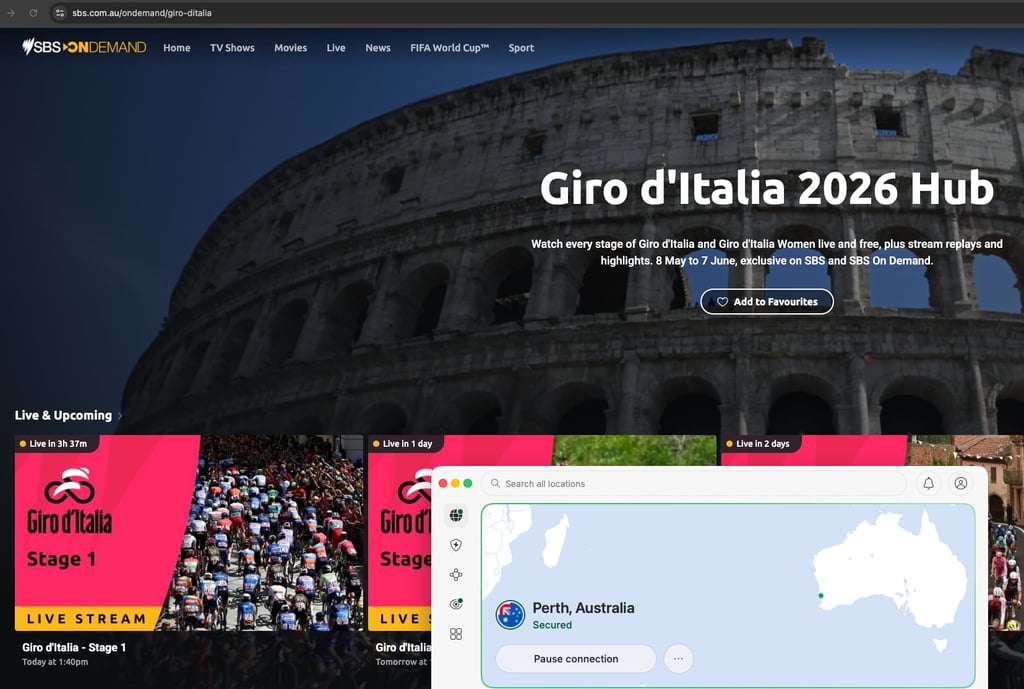
- Choose a VPN. We recommend NordVPN for streaming. It operates 9,300+ servers across 137 countries, including Australian servers, and uses the fast NordLynx protocol for smooth HD streaming with an 82% speed retention rate. It also supports Smart DNS for compatible smart TVs.
- Install the VPN app. Download and install NordVPN on your device. It supports Windows, macOS, iOS, Android, Android TV, and Fire TV.
- Connect to an Australian server. Open the app and select Australia from the server list to get an Australian IP address.
- Go to SBS On Demand. Visit https://www.sbs.com.au/ondemand/giro-ditalia or open the SBS app. Create a free account if you do not already have one.
- Find the Giro d'Italia hub and start watching. Navigate to the dedicated Giro d'Italia section and select the live stage stream. Keep your VPN connected throughout.
How to watch Giro d'Italia 2026 in the US, UK, Canada, and Australia
How to watch in Australia
Australian viewers have the best deal of any country: every stage of the 2026 Giro d'Italia is available live, free, and exclusively on SBS On Demand and SBS VICELAND. No subscription is needed; you simply create a free SBS account to access the stream. Coverage begins on May 8, 2026, with Stage 1 starting at 8:30pm AEST.
SBS On Demand also features a dedicated Giro d'Italia Hub complete with stage replays, mini-replays, highlights, and winning moments for each stage. Extended highlights air on the main SBS channel twice daily: at 7am and 5pm AEST on weekdays, and 7am and 4:30pm AEST on weekends. The platform is available via browser, the SBS app, Apple TV, Android TV, Samsung TV, and Chromecast.
How to watch in the United States
In the United States, the 2026 Giro d'Italia is available live on Max (HBO Max) and truTV, starting from $18.49/month. Warner Bros. Discovery holds the US rights to the race, and coverage runs across all 21 stages. Both Max and truTV allow streaming via browser, mobile app, and connected TV devices. Stage coverage typically begins in the morning US time, given the time difference with Europe.
How to watch in the United Kingdom
UK viewers can watch the 2026 Giro d'Italia on TNT Sports, which is part of the Warner Bros. Discovery network. WBD renewed its rights to the Giro d'Italia for the UK and Europe until at least 2029, ensuring continued coverage. TNT Sports is available via the Discovery+ app and through select TV providers. Coverage includes live stages and highlights throughout the three-week race.
How to watch in Canada
Canadian cycling fans can stream the 2026 Giro d'Italia live on FloBikes and the FloSports app. A FloBikes subscription costs $29.99/month or $150/year, with the annual plan offering significantly better value for a full season of cycling coverage. FloBikes also provides race replays, highlights, and news throughout the Giro.
Giro d'Italia 2026 stage schedule
Stages start locally between late morning and early afternoon in Europe (CEST), which translates to evening broadcast times in Australia. The table below shows key stages and their approximate broadcast windows. Always check the SBS Sport schedule for confirmed times, as individual stage start times vary.
| Stage | Date | Route | Distance | AEST (approx.) | BST (approx.) | ET (approx.) |
| Stage 1 | May 8 (Fri) | Nessebar – Burgas | 147km (flat) | 8:30pm – 12:35am | 11:30am – 3:35pm | 6:30am – 10:35am |
| Stage 2 | May 9 (Sat) | Burgas – Veliko Tarnovo | 221km | ~9:00pm – 1:30am | ~12:00pm – 4:30pm | ~7:00am – 11:30am |
| Stage 3 | May 10 (Sun) | Plovdiv – Sofia | 175km (flat) | ~9:00pm – 12:30am | ~12:00pm – 3:30pm | ~7:00am – 10:30am |
| Rest day 1 | May 11 | – | – | – | – | – |
| Stage 7 | May 15 (Fri) | Formia – Blockhaus | 244km (mountain) | ~8:55pm – 2:15am | ~11:55am – 5:15pm | ~6:55am – 12:15pm |
| Rest day 2 | May 18 | – | – | – | – | – |
| Stage 13 | May 22 (Fri) | Alessandria – Verbania | 186km (hilly) | 8:30pm – 1:35am | 11:30am – 4:35pm | 6:30am – 11:35am |
| Rest day 3 | May 25 | – | – | – | – | – |
| Stage 21 | May 31 (Sun) | Final – Rome | TBC | ~8:30pm onwards | ~11:30am onwards | ~6:30am onwards |
How to watch Giro d'Italia 2026 from anywhere – detailed VPN guide
Step 1 – Choose a VPN with Australian servers
For watching SBS On Demand abroad, you need a VPN with reliable Australian servers and fast enough speeds to handle live HD streaming without buffering. NordVPN is our top recommendation from the list of best VPN services: it operates 9,300+ servers across 137 countries and recorded an 82% speed retention rate in Cybernews testing, making it well-suited to live sports. It uses the NordLynx protocol (based on WireGuard) and supports Smart DNS for devices that do not support VPN apps natively.
Step 2 – Install the VPN app on your device
NordVPN is available on Windows, macOS, iOS, Android, Android TV, and Amazon Fire TV. The SBS On Demand app is available on iOS, Android, Apple TV, Android TV, Samsung Smart TV, LG Smart TV, and Chromecast. For the smoothest setup, Fire TV and Android TV users can install both the VPN and the SBS app directly. If you are using an iPhone or Android device, both platforms offer seamless VPN and streaming app support.
Step 3 – Connect to a server in Australia
Once the VPN is installed, open the app and select an Australian server location. This replaces your real IP address with an Australian one, which is what SBS On Demand checks when you try to access the stream. If a particular server does not load the stream, try switching to a different Australian server within the app before troubleshooting further.
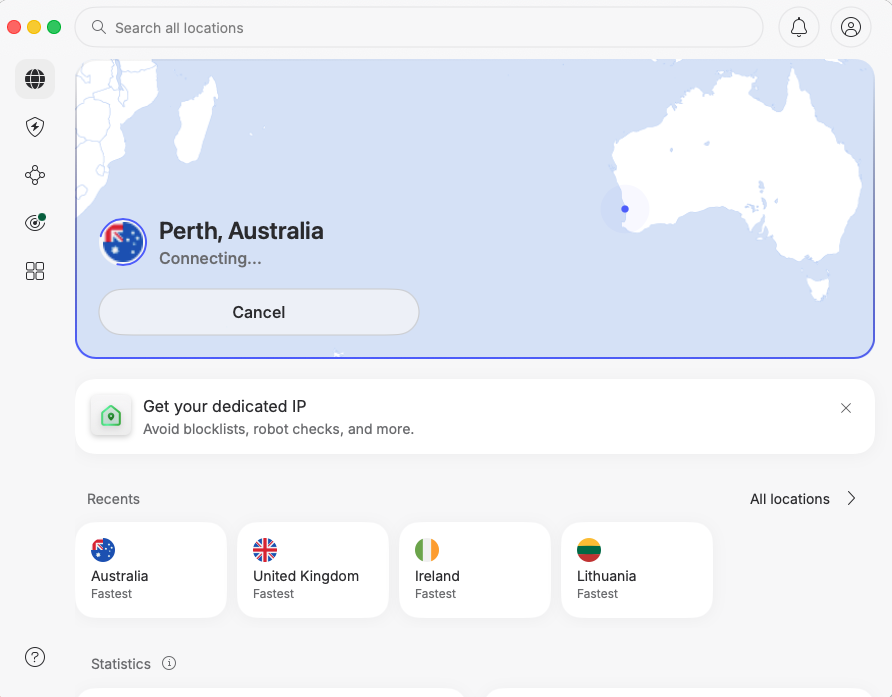
Step 4 – Open SBS On Demand
Go to sbs.com.au/ondemand in your browser or open the SBS app. If you do not have an account, registration is free and takes under a minute using a Google, Facebook, or Apple login. For best results, try opening the site in a private or incognito window if you encounter any location errors.
Step 5 – Start streaming
Navigate to the Giro d'Italia Hub and select the live stage stream. SBS On Demand is ad-supported, so expect occasional short ad breaks during live coverage. Keep your VPN connection active throughout the stream. If the stream drops or buffers, switch to a different Australian server, restart the SBS app, or clear your browser cache and try again.
Top 3 VPNs for watching Giro d'Italia 2026
- NordVPN – NordVPN is our top pick for streaming the Giro d'Italia on SBS On Demand from abroad. Prices start at $3.09/month on the 2-year Basic plan, and you get access to 9,300+ servers across 137 countries, including Australian locations. In Cybernews testing, it retained 82% of connection speed, delivering smooth HD live streams without buffering. It uses the NordLynx protocol and supports Smart DNS for TVs without native VPN apps. Read the full NordVPN review.
- Surfshark – Surfshark is the best budget option for cycling fans, starting at just $1.78/month on the 24-month Starter plan. It offers 4,500+ servers in 100 countries and allows unlimited simultaneous device connections, so the whole household can stream at once. Cybernews testing recorded a 97% speed retention rate, making it one of the fastest VPNs available. It uses WireGuard for fast, stable streaming. Read the full Surfshark review.
- Proton VPN – Proton VPN is the strongest choice for privacy-focused users, with a base in Switzerland and coverage across 20,000+ servers in 145 countries. Plans start at $2.99/month, and it is the only provider on this list with a fully free plan that imposes no data caps or bandwidth limits. The free tier is a practical option for viewers who only need access during the three weeks of the Giro. Read the full Proton VPN review.