How to watch The Madame Blanc Mysteries from anywhere
Our in-house cybersecurity experts and journalists, renowned for major reports like The Mother of All Breaches, conduct transparent, unbiased VPN testing and in-depth analysis.
With 750+ articles crafted based on real-world research, we empower readers to make informed purchasing decisions through first-hand expertise.
Learn more

The Madame Blanc Mysteries is a British cozy crime drama that follows antiques dealer Jean White, played by Sally Lindsay, as she solves mysteries and murders in the picturesque South of France. The series has garnered a loyal following for its charming characters, intriguing plots, and stunning Mediterranean setting. Season 4 premiered in 2025 on Channel 5 in the UK, with the new 5th season expected to arrive later this year.
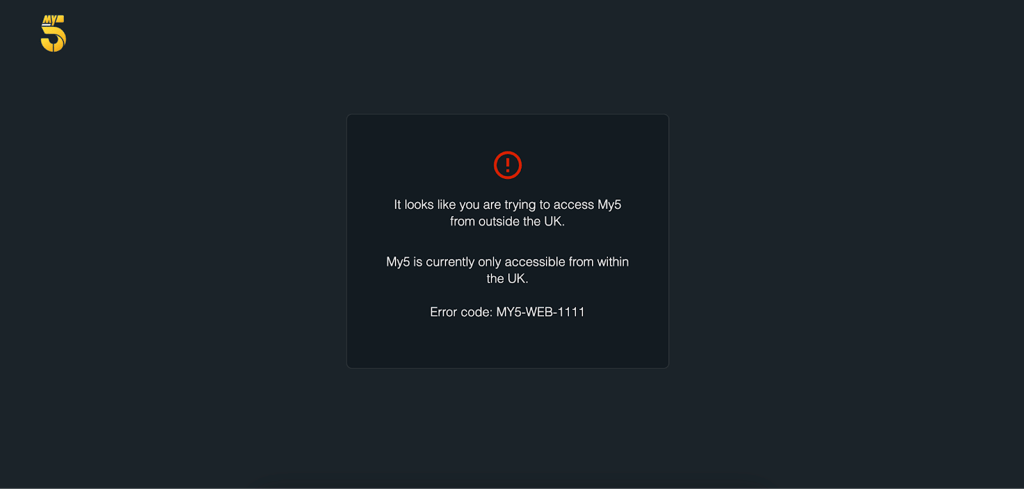
The show is available to stream for free on My5, Channel 5's streaming platform, for viewers in the United Kingdom. However, My5 is geo-restricted and only accessible with a UK IP address, meaning fans outside the UK will need a VPN to watch from abroad.
How to watch The Madame Blanc Mysteries for free with a VPN
The Madame Blanc Mysteries is free to stream in the UK on My5, the official streaming service of Channel 5. The platform is ad-supported and requires a free account with a UK postcode at signup. However, My5 is geo-restricted and only available within the United Kingdom. If you're in the US, Canada, Australia, or anywhere outside the UK, you'll need a VPN to access the free episodes.
- Choose a VPN. We recommend NordVPN for streaming. It operates tons of servers worldwide, including multiple UK locations, uses the fast NordLynx protocol for smooth HD streaming, and supports Smart DNS for compatible TVs – ideal for watching cozy mysteries without buffering.
- Install the VPN app. Download and install the VPN on your device (Windows, macOS, iOS, Android, or a supported smart TV).
- Connect to a UK server. Open the app and select a United Kingdom server to get a UK IP address.
- Go to My5. Visit the My5 website or open the My5 app. Create a free account if required, using a valid UK postcode.
- Find The Madame Blanc Mysteries. Search for the show in the My5 library or browse the drama section.
- Start streaming for free. Watch episodes on demand with ads, or catch live broadcasts on Channel 5.
How to watch The Madame Blanc Mysteries – detailed VPN guide
This detailed guide explains how to watch The Madame Blanc Mysteries using a VPN, with practical streaming advice and troubleshooting tips.
Step 1. Choose a VPN with servers in the United Kingdom
Select a VPN provider with a strong presence in the UK to ensure reliable access to My5. NordVPN is our top recommendation, offering thousands of servers across 224 locations, including multiple UK locations. Its NordLynx protocol delivers approximately 84% speed retention in our tests, making it ideal for smooth HD streaming. NordVPN also supports Smart DNS for devices that don't have native VPN apps, such as certain smart TVs. For more options, check out the best VPNs for streaming.
Step 2. Install the VPN app on your device
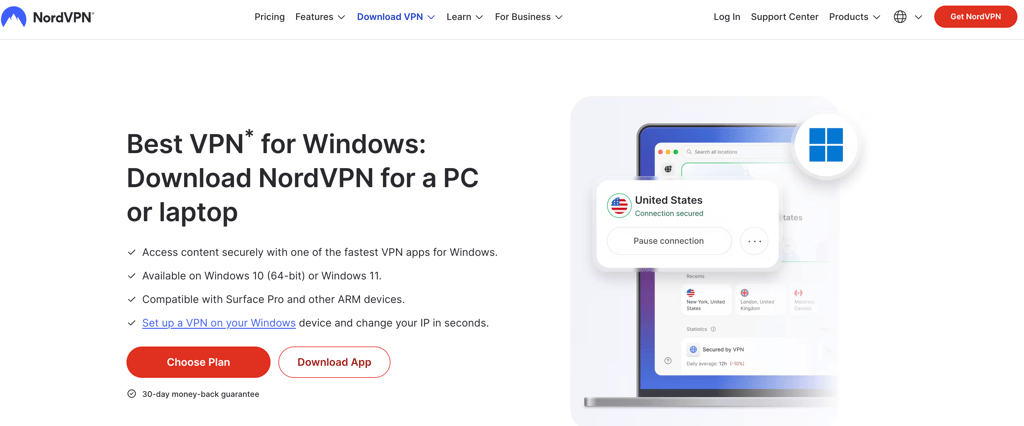
Download the VPN app on the device you plan to use for streaming. NordVPN supports Windows, macOS, iOS, Android, Fire TV, and Android TV. For the best experience watching The Madame Blanc Mysteries, we recommend using a laptop, tablet, or smart TV with the My5 app installed. If you're streaming on mobile, consider the best VPN for iPhone or best VPN for Android guides.
Step 3. Connect to a server in the United Kingdom
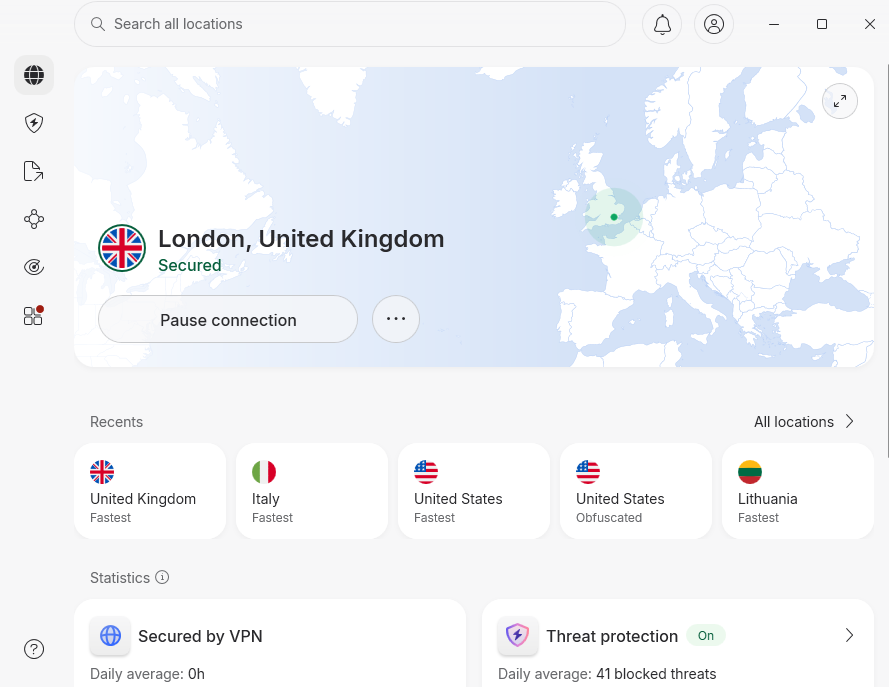
Open the VPN app and select a UK server from the server list. Connecting to a UK server changes your IP address to a British one, which makes My5 think you're accessing the platform from within the UK. If the stream doesn't load immediately, try switching to a different UK server – some server IP addresses may be detected and blocked by My5's geo-restriction system. Learn more about how to change your location with a VPN.
Step 4. Open the My5 streaming platform
Visit the My5 website in your browser or open the My5 app on your device. You'll need to create a free My5 account to access the content. During signup, you'll be asked for a UK postcode – any valid UK postcode will work. Using incognito mode or clearing your browser cookies before visiting the site can help avoid location detection issues.
Step 5. Start streaming
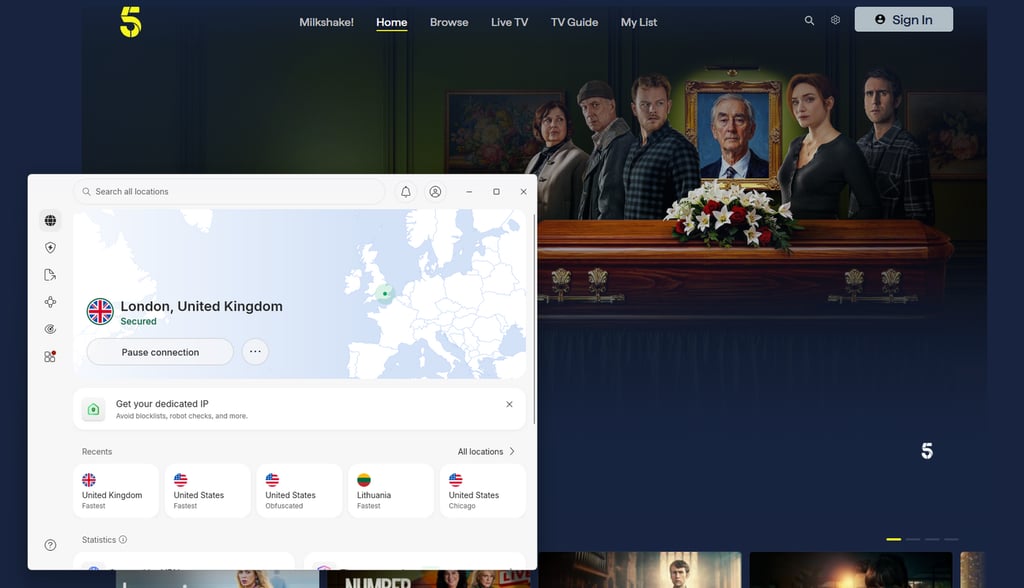
Search for The Madame Blanc Mysteries in the My5 library and start watching. The platform offers on-demand episodes with ads, and you can also watch live Channel 5 broadcasts. Keep your VPN active throughout the stream to maintain access. If you encounter buffering or playback errors, try switching to a different UK server, restarting the My5 app, clearing your browser cache, or trying a different device.
Best VPN services to watch The Madame Blanc Mysteries
These VPNs have been tested for streaming British TV services and provide fast speeds, reliable unblocking, and stable HD playback for platforms like My5. They are the top recommendations for watching The Madame Blanc Mysteries from abroad.
- NordVPN – best overall for streaming. NordVPN starts at $3.49/month and runs thousands of servers across 224 locations, with NordLynx delivering approximately 84% of our tested baseline speeds. Smart DNS support and reliable unblocking of UK streaming services like My5 make it the strongest pick for watching The Madame Blanc Mysteries abroad. Read our full NordVPN review for details.
- Surfshark – best budget option. Surfshark starts at $2.49/month with unlimited simultaneous connections and 4,500+ servers across 100 countries. The modern WireGuard protocol holds approximately 83% of baseline speeds in our tests, which is enough for smooth HD streaming of My5 content. See our Surfshark review for more information.
- Proton VPN – best for privacy-focused users. Proton VPN starts at $2.99/month and is based in Switzerland, operating under strong privacy laws. With 20,400+ servers across 148 countries, it delivers solid streaming performance for UK platforms like My5, and it even offers a free plan with limited features. Read our Proton VPN review for the full breakdown.
How to watch The Madame Blanc Mysteries on different devices
The Madame Blanc Mysteries can be streamed on a wide range of devices, but the setup varies depending on whether you're using a web browser, mobile device, or smart TV. This section explains how to watch the show on each device type.
Web browser (desktop and mobile)
Streaming The Madame Blanc Mysteries in a web browser is the simplest method. Install the VPN's desktop app (Windows, macOS, or Linux) or mobile browser app, connect to a UK server, then visit the My5 website. Most paid and free broadcasters, including My5, offer a web player that works in any modern browser. If the site detects a previous session location, clear your cookies or use a private browsing window before logging in.
iPhone and iPad (iOS / iPadOS)
The My5 app is available on the UK App Store, but it is also accessible in other regions' App Stores with in-app geo-locking. Install the VPN's iOS app from the App Store (NordVPN, Surfshark, and Proton VPN are all available worldwide). Connect to a UK server, then open the My5 app or visit the My5 website in Safari. If the My5 app is not available in your region's App Store, you can still stream The Madame Blanc Mysteries using Safari with the VPN active – most UK broadcasters work well in mobile browsers without requiring an app install.
Android phones and tablets
The My5 app is available on the Google Play Store in most regions, though some features may be geo-locked. Install the VPN's Android app from the Google Play Store (available globally for major VPN brands), connect to a UK server, then open the My5 app or visit the My5 mobile site in Chrome. If you encounter region restrictions, use the My5 mobile website in Chrome with the VPN active – most UK broadcaster sites have a polished mobile web experience that doesn't require app installation.
Smart TVs (Samsung, LG, Google TV, Android TV)
App availability on smart TVs depends on the TV's operating system. Samsung Tizen and LG webOS app stores are region-locked and may not carry the My5 app outside the UK. Google TV and Android TV have broader app catalogs and may support the My5 app directly. Most smart TV platforms do not have native VPN apps, with the exception of Google TV, Android TV, and Amazon Fire TV. For Samsung and LG TVs, install the VPN on a router so every device on your home network routes through the VPN, or use the VPN's Smart DNS feature. NordVPN offers Smart DNS, which changes your apparent location without encrypting traffic – enough to unblock geo-restricted broadcasters like My5.
Streaming sticks (Roku, Fire TV, Apple TV, Chromecast)
Amazon Fire TV and Android-based streaming sticks support native VPN apps. Install NordVPN, Surfshark, or Proton VPN directly from the device's app store, connect to a UK server, then open the My5 app. Apple TV does not support native VPN apps, so you'll need to install the VPN on a router or use Smart DNS. Roku also does not support VPN apps – router-level VPN or Smart DNS is required. For Chromecast, cast from a device (phone, tablet, or laptop) that is already connected to the VPN.
FAQ
Where can I watch The Madame Blanc Mysteries?
The Madame Blanc Mysteries is available on My5 in the United Kingdom and Acorn TV in the United States, Canada, Australia, and New Zealand. My5 is free with ads and requires a UK postcode at signup, while Acorn TV is a paid subscription service starting at $7.99/month. Both platforms are geo-restricted, so viewers outside their respective regions will need a VPN to access the content.
How can I watch The Madame Blanc Mysteries from abroad?
If you're traveling outside the UK or your home country, you can use a VPN to access your usual streaming service. Install NordVPN, connect to a server in the United Kingdom (for My5) or your home country (for Acorn TV), then open the streaming platform's app or website as normal. The VPN sets your virtual location back to your home country, allowing the broadcaster to serve the stream you're entitled to access. Broadcasters' geo-detection systems can occasionally block server IPs, so a VPN with a large server pool in the right country is essential. Check out the best VPNs for streaming for more options.
Is The Madame Blanc Mysteries available on Netflix?
Yes, The Madame Blanc Mysteries is available on Netflix UK as of June 2025. Season 4 is also available on Channel 5's My5 streaming platform in the UK. Netflix availability varies by region, so the show may not be available on Netflix in other countries.
How many seasons of The Madame Blanc Mysteries are there?
As of July 2026, The Madame Blanc Mysteries has four completed seasons, with Season 5 currently in production. Season 5 is expected to air later in 2026 on Channel 5 in the UK. Each season typically consists of 6-7 episodes, with a Christmas special occasionally included.