Adalo vs Bubble (2026): complete comparison of two no-code app builders
Being behind major reports like The Mother of All Breaches and RockYou2024, our in-house cybersecurity experts and journalists provide unbiased, real-world testing and in-depth analysis.
We maintain complete transparency by openly sharing our testing methodologies with our audience.
Learn more

No-code tools are a big part of how teams build apps in 2026, especially for internal tools, MVPs, and smaller products that don’t justify a full dev cycle. Among the options out there, Adalo and Bubble come up often, mostly because they solve similar problems in very different ways.
I tested both platforms together with the Cybernews research team to see how they hold up in real use. The focus was practical: how much control you actually get, how steep the learning curve feels, and what kind of projects each tool handles best.
In this Adalo vs Bubble comparison, I’ll cover features, pricing, use cases, and trade-offs, then give a clear verdict on which platform makes more sense, depending on what you’re trying to build.
What Adalo and Bubble are: platform overviews
Adalo and Bubble overlap on paper, but they behave very differently once you start building. Adalo wants to get your app live with fewer decisions and fewer ways to go wrong. Bubble gives you far more control, but that control comes with complexity. The real differences show up once you look at how each platform handles editing, logic, and data in practice. The table below provides a quick overview of their similarities and differences.
| Bubble | Adalo | |
| Primary focus | Full-stack no-code platform for web apps with native mobile support | Mobile-first no-code app builder for web and native iOS/Android apps |
| Learning curve | Steeper due to workflows, data rules, and backend logic | Easier to start, but can get complex as apps grow |
| Editor type | Visual editor with UI builder, workflows, and backend workflows | Visual drag-and-drop editor with components and actions |
| Customization depth | High; extensive control over logic, data, and behavior | Moderate; designed for faster mobile app creation |
| Logic and workflows | Advanced visual workflows plus server-side workflows | Action-based logic tied to UI components |
| Database | Built-in database with complex data types and privacy rules | Built-in database with collections and relationships |
| External integrations | API Connector, plugin marketplace, REST APIs | API integrations, Airtable, Google Sheets, Xano |
| Authentication | Built-in authentication with granular controls | Built-in user authentication |
| Native mobile apps | ✅ Yes (native iOS and Android, currently evolving) | ✅ Yes (iOS and Android) |
| Web apps | ✅ Yes | ✅ Yes |
| Hosting and infrastructure | Fully managed | Fully managed |
| Scalability | Better for complex, data-heavy apps | Best for small to mid-size apps |
| Best for | Web apps, internal tools, complex products | Simple mobile apps, MVPs, non-technical teams |
| Code export | ❌ No | ❌ No |
Side-by-side feature comparison
While Adalo and Bubble may seem similar, once you actually start building, though, they split hard. One gets out of your way faster. The other gives you more control, but makes you work for it. Below, I’ll break down the areas that actually matter, point out where each tool shines or stumbles, and call a winner for each one.
Editor and learning curve
Adalo is built around a familiar idea: screens, components, and actions. You drag elements around, connect buttons to actions, and see results quickly. For me, the editor felt closer to a design tool than a dev environment, which makes things easier early on.
You don’t have to understand how the whole system works to make progress. You can build something functional before you fully understand the platform.
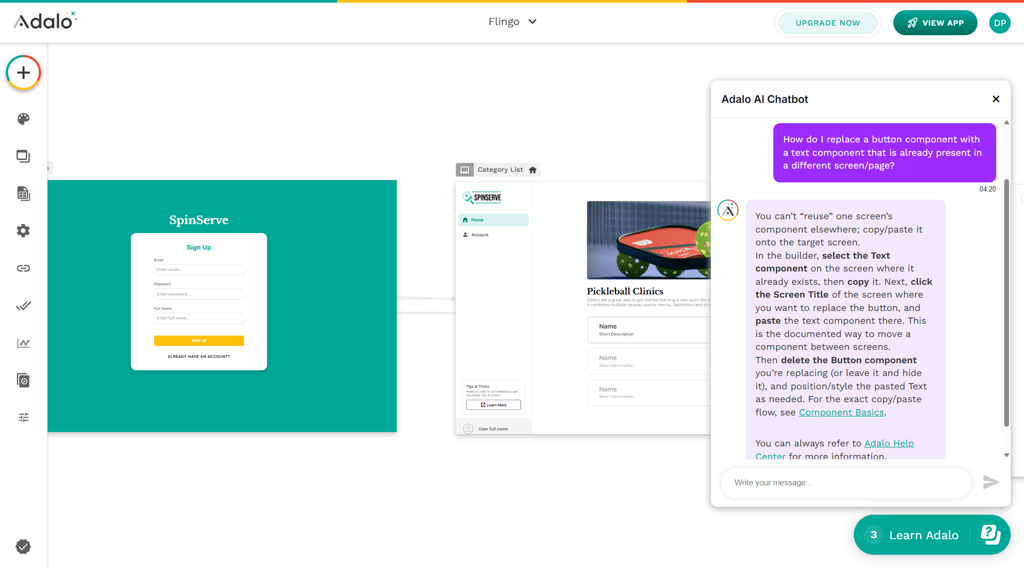
That simplicity comes with limits, but it makes the early phase easier. You can just start building. Things work, or they don’t, and you tweak them. You’re not stuck reading docs before anything happens. If you’ve never touched an AI no-code tool before, that makes Adalo much easier to get into.
Bubble’s editor is more flexible but also more layered. UI, workflows, states, privacy rules, and backend workflows all live in the same ecosystem. You don’t just place elements and wire them up. You’re constantly thinking about how data flows, when workflows are triggered, and what conditions apply.
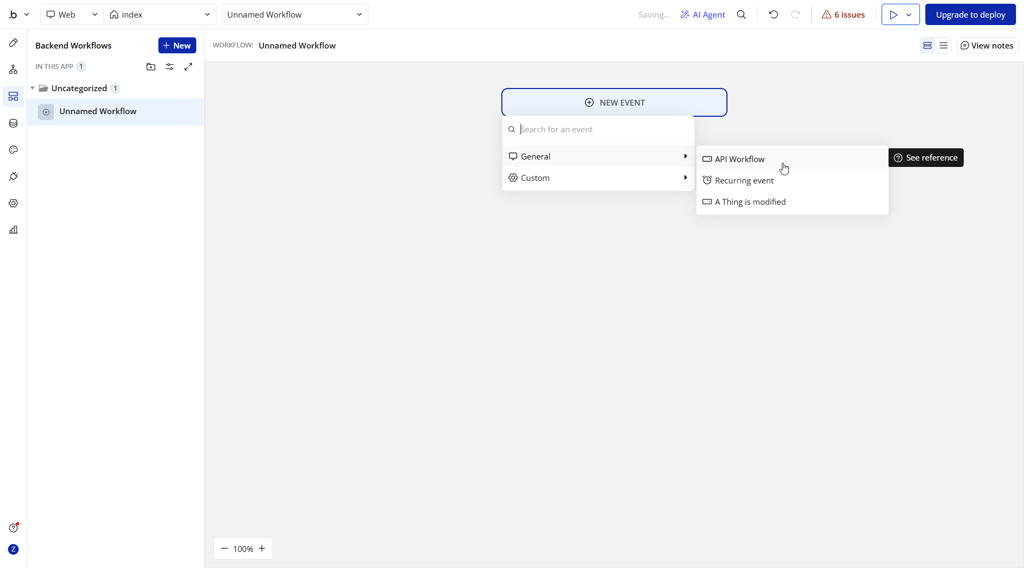
That extra power slows things down at the start. Simple changes can feel harder than they should until the mental model clicks. Once it does, Bubble opens up, but getting there takes time.

Customization and logic
Adalo’s logic is action-based and tightly tied to UI components. That works well for common app flows: navigation, form submissions, basic conditions, and user actions. You can build solid apps this way, but the structure doesn’t bend easily. When logic gets complex, you often feel the edges of the system. Workarounds become more common, and external tools start doing more of the heavy lifting.
Bubble is built around workflows. Almost everything happens through them. You can stack conditions, reuse logic, trigger backend workflows, and handle complex cases without leaving the platform. There’s more setup involved, but you’re rarely blocked by the tool itself. If something needs to behave in a very specific way, Bubble usually lets you model it. That flexibility is the reason Bubble has a reputation for complex projects.

Data and integrations
Both platforms have databases and API access. That’s where the similarities mostly end.
Adalo keeps data simple. You create collections, add fields, link things together, and keep moving. External Collections let you pull in data from tools like Airtable, Google Sheets, or Xano, which helps if you already rely on those. You’re not forced to rebuild your data layer from scratch.
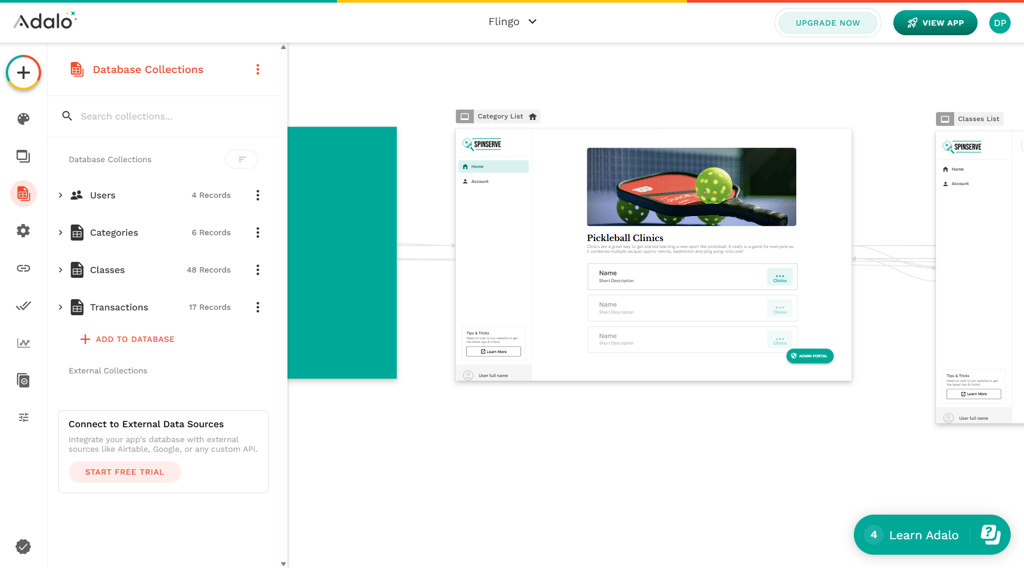
Bubble treats data as part of everything else. Data types connect directly to workflows and privacy rules. Setup takes more time, but nothing is hidden. The API Connector and plugin marketplace give you more ways to hook into outside services and custom APIs.
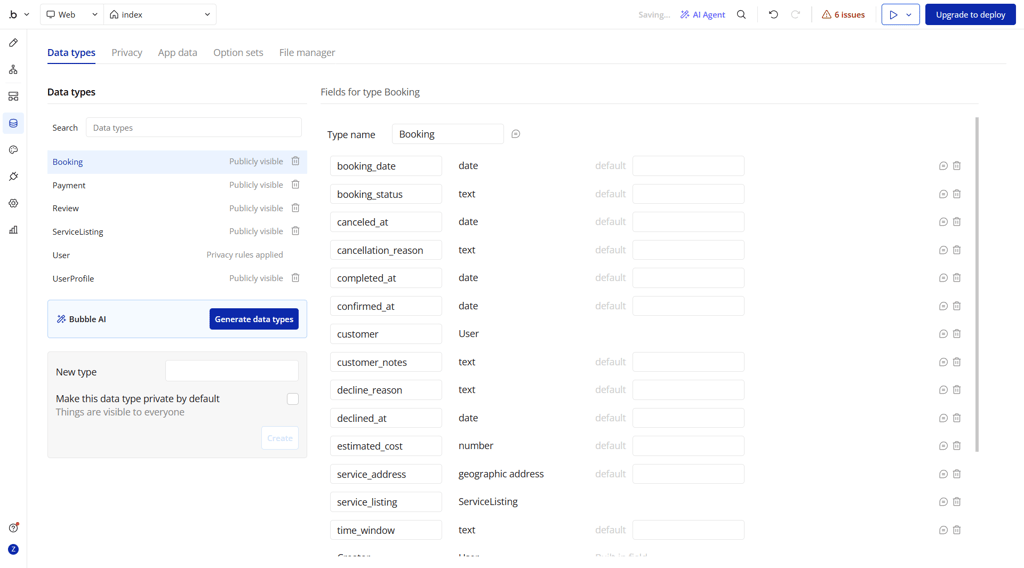
If data stays light, Adalo is easier to live with. When it starts driving the app, Bubble holds up better.
Publishing and platforms
Adalo’s publishing flow is straightforward. You can build web apps and publish native iOS and Android apps from the same project. The process is clearly structured, and app store deployment is a first-class feature. For mobile-focused teams, this is one of Adalo’s strongest areas.
Bubble is web-first, and it shows. Web apps are its core strength, and that experience feels mature and polished. Native mobile support exists and is actively evolving, but it’s still newer compared to Adalo’s established mobile pipeline.
If your main goal is shipping a mobile app quickly, Adalo feels more direct. I tend to prefer web apps over mobile-first builds, though, and for that reason, Bubble fits my workflow better overall. Still, this one really comes down to priorities.
Real testing results and usability insights
I tested both tools by doing what most people actually do: trying to get something usable off the ground without overthinking it.
Adalo clicked almost immediately. The canvas-style editor felt familiar from the start, closer to designing screens than engineering an app. I was comfortable within a couple of hours. Building a basic app with user accounts, a database, and a few screens didn’t feel like “learning software” – it felt like assembling pieces.
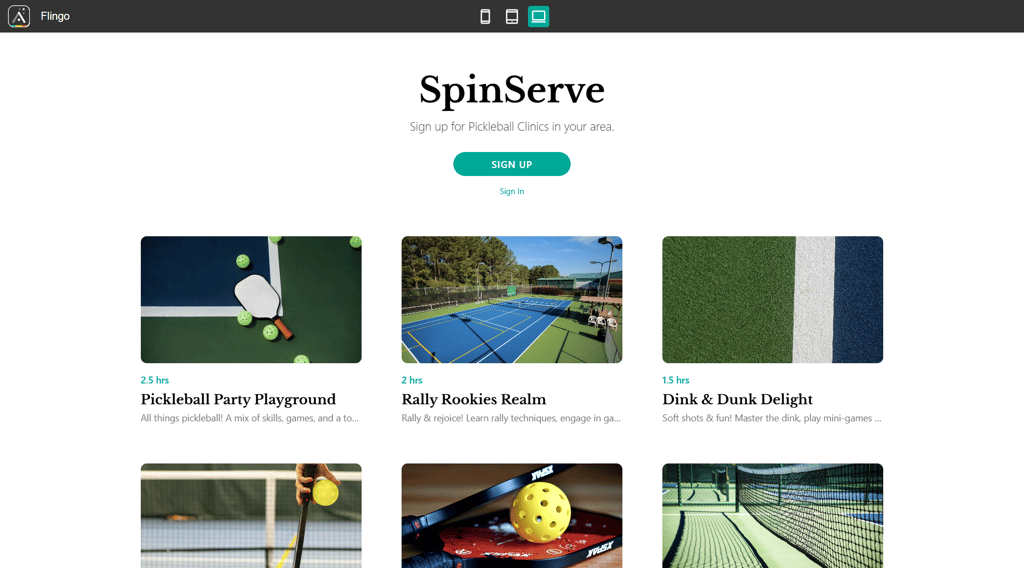
Thanks to ready-made components, getting to an MVP took days, not weeks. Database setup, screen linking, and basic styling were easy. Where things slowed down was logic. Simple conditions worked fine, but anything scheduled, automated, or data-heavy quickly pushed me toward workarounds or external tools. Performance was snappy early on, but latency became noticeable as the app grew.
I had the opposite experience with Bubble. The editor seemed intimidating at first. There’s a lot going on: design, workflows, backend logic, data, and plugins. It felt more like professional software than a visual builder. Progress was slower early, and getting to an MVP took closer to a couple of weeks.
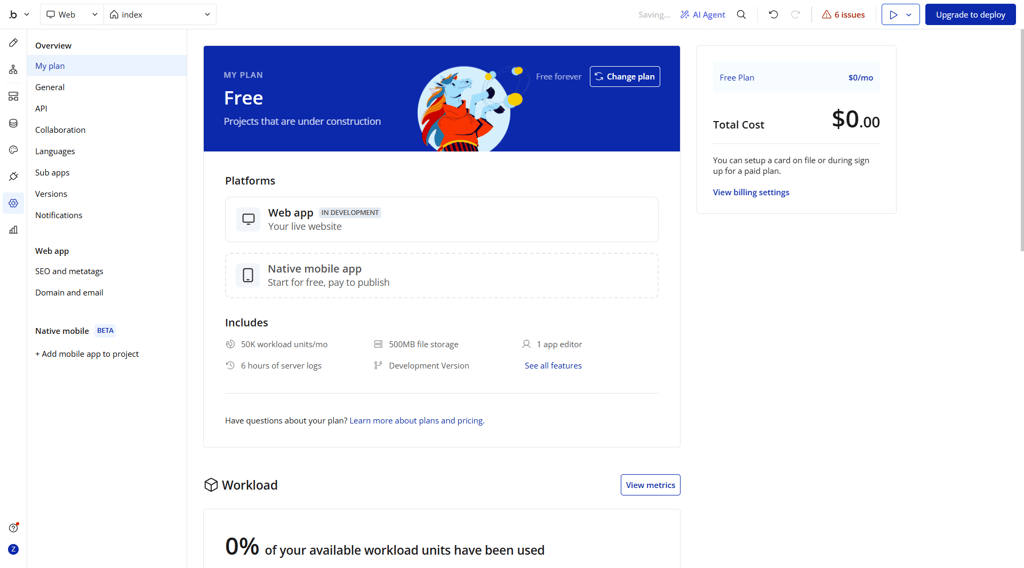
That said, once the structure was in place, Bubble handled complex workflows, integrations, and large datasets far better. Performance held up well as long as things were built efficiently. Mobile layout took extra effort, but for web apps and dashboards, Bubble felt far more capable long-term.
In short, Adalo got me moving faster. Bubble held up better once things got serious.
Pricing comparison and value analysis
At a glance, Adalo’s pricing is simpler and easier to plan around. You move from Free to Starter, and you’re already able to publish to the web and app stores. Costs scale mainly with how many apps and editors you need, not how much traffic or logic your app runs. That makes early budgeting more predictable.
Bubble’s pricing is more layered. While the Free plan is generous for testing, launching a real app means stepping into the Starter tier. From there, costs rise quickly as you move into the Growth and Team plans. Bubble ties pricing closely to workload units, logs, and collaboration features, which makes it powerful, but it’s harder to estimate long-term costs upfront.
| Plan | Bubble | Adalo |
| Free | $0.00 | $0.00 |
| Starter | $59.00/month | $36.00/month |
| Growth/Professional | $209.00/month | $52.00/month |
| Team | $549.00/month | $160.00/month |
| Enterprise/Business | Custom | $200.00/month |
The total cost of ownership looks different depending on what you build. Adalo projects often need third-party tools once logic or automation gets more advanced, which can add extra monthly expenses. Bubble can handle more internally, but plugins, higher workload limits, and scaling requirements can push costs up fast as usage grows.
So, for smaller apps, you're looking at around $50.00–$150.00/month with Adalo. It can go over $200.00 if you add automations and external services. However, the cost tends to increase gradually. On the other hand, Bubble apps start at $70.00–$100.00/month, and the cost rises more quickly with increased usage. Heavier workflows, paid plugins, and higher workload tiers can reach $250.00 to $600.00.
It’s also worth noting that Bubble offers cheaper plans if you build only web apps or only mobile apps. For this comparison, I used the Web & Mobile tiers to keep things fair. That said, if your goal is mobile-only app development, Adalo is currently the more mature and straightforward option. Bubble makes more sense when web apps are the priority and mobile is secondary.
Pricing and value – which plan makes sense?
Once you look past the raw prices, the real question is which plan actually fits what you’re building. Both Adalo and Bubble structure their plans around different assumptions, so the value depends heavily on the use case.
| Plan | Best for (Bubble) | Best for (Adalo) |
| Free | Learning Bubble’s editor, testing workflows, rough prototypes | Learning the builder, testing layouts, early prototypes |
| Starter | Launching a basic live web app with light usage | Solo founders shipping a simple mobile or web app |
| Growth/Professional | Growing products with real users and heavier workflows | Small teams with multiple apps or moderate integrations |
| Team | Teams building data-heavy web apps or internal tools | Agencies or teams managing several client apps |
| Enterprise/Business | High-traffic apps, larger teams, advanced security needs | Organizations with multiple published apps and editors |
Adalo’s plans make the most sense when your app structure is fairly straightforward, and you want publishing to “just work,” especially for mobile apps. Value comes from speed and simplicity. You move up plans mainly to unlock more apps, editors, or integrations, not because usage suddenly spikes.
Bubble’s plans are more closely tied to how much your app actually does. As workflows, data volume, and traffic increase, higher tiers start to make sense. That’s why pricing feedback around Bubble is often mixed: small apps feel affordable, while growing apps can become expensive fast.
If you’re building something simple and want predictable costs, Adalo’s plan structure is easier to live with. If you’re building something complex and expect growth, Bubble’s higher tiers unlock real value – but only if you actually need that extra power.
Best use cases: when to choose which platform
By this point, the differences should be pretty clear. Adalo and Bubble can both get you from idea to app, but they’re aiming at different kinds of projects. This section is the shortcut version – if you just want to know which one fits your situation, this is it.
Adalo is best for:
- Mobile-first apps that need to feel native on iOS and Android
- MVPs where speed matters more than flexibility
- Simple products with clear user flows
- Solo founders or small teams who want to avoid complexity
- Apps with light logic and smaller datasets
- Projects where predictable costs matter
If you want to move fast and avoid overthinking structure, Adalo fits better. You can focus on screens, flows, and getting something usable out the door, especially for mobile apps. It’s the easier path when the app doesn’t need heavy logic.
Bubble is best for:
- Web apps, dashboards, and internal tools
- Products with complex logic, workflows, or permissions
- Data-heavy apps that need structure and rules
- SaaS-style products expected to grow over time
- Teams comfortable trading speed for control
- Projects where flexibility matters more than simplicity
If your app needs structure, rules, and room to grow, Bubble makes more sense. It takes longer to set up, but you get more control. It's the better choice when the app is more than a simple MVP.
Final verdict
When you line everything up, the split is clear. Adalo wins on ease and speed. Bubble wins on depth and long-term flexibility. If I have to crown one overall, Bubble takes the win.
| Category | Bubble | Adalo |
| Editor and learning curve | ❌ | ✅ |
| Customization and logic | ✅ | ❌ |
| Data and integrations | ✅ | ❌ |
| Publishing and platforms | ✅ | ❌ |
Adalo is still the easier path if you’re shipping a mobile app quickly and don’t want to wrestle with structure. It’s faster to learn, faster to publish, and less demanding early on.
Bubble wins overall because it scales better across platforms and use cases. Web apps are where it really shines, and its publishing model fits long-term products more cleanly once logic, data, and growth enter the picture.
I usually build web apps, so Bubble wins for me. That doesn’t make it universal – it depends on what you’re trying to ship and how complex it needs to be.
FAQ
Can Adalo build web apps?
Yes, Adalo can build web apps alongside iOS and Android apps. The same project can be used across platforms, though the overall experience is still more geared toward app-style layouts.
Does Bubble support native mobile?
Yes, Bubble supports native iOS and Android builds. Mobile is newer compared to its web tooling, but it’s actively developed and usable for real projects.
Which platform is easier for beginners?
Adalo is easier to pick up if you’ve never used a no-code tool before. You can start building without learning how everything fits together upfront.
Is Adalo free?
Yes, Aidalo is free but has limits. Adalo has a free plan for building and testing. To publish apps or use advanced features, you’ll need to move to a paid plan.