4 types of VPNs and when to use them
Our in-house cybersecurity experts and journalists, renowned for major reports like The Mother of All Breaches, conduct transparent, unbiased VPN testing and in-depth analysis.
With 750+ articles crafted based on real-world research, we empower readers to make informed purchasing decisions through first-hand expertise.
Learn more
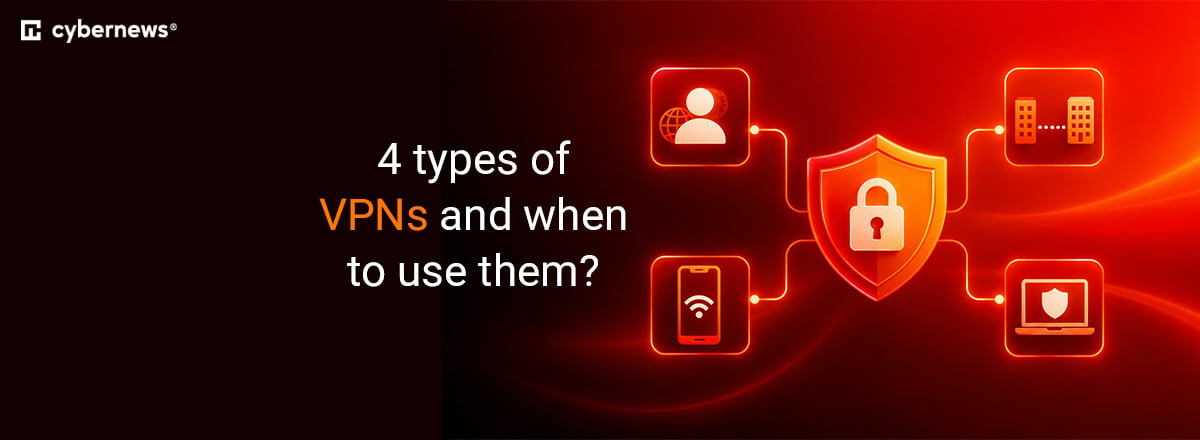
A VPN (virtual private network) protects your online activity by encrypting your connection and hiding your IP address. While many people use VPNs for privacy or streaming, different types serve different purposes.
From securing remote work to connecting entire business networks, each VPN type has its own use case. In this guide, I break down the four main types of VPNs – remote access, site-to-site, extranet-based, and personal – and explain when to use each to stay secure and connected.
-
There are four types of VPNs: personal, remote access, site-to-site, and extranet-based site-to-site
-
Personal VPNs are popular for securing private connections and bypassing geo-restrictions
-
Remote access VPNs allow accessing network resources as if you were physically in that location
-
Site-to-site VPNs are popular among businesses and healthcare institutions
-
Extranet-based site-to-site VPN are used to communicate between different entities, such as suppliers and manufacturers
-
There are six main tunneling protocols: WireGuard, OpenVPN, IPSec, L2TP, SSTP, IKEv2
-
AES-256 is the strongest encryption currently available
Comparison of the four main VPN types
Each of the four main VPN types caters to different needs and fulfills various purposes. While some are ideal for personal use, others are excellent for use between multiple organizations. So let's compare each VPN type in terms of connectivity, user access, use cases, and deployment:
| Personal VPN | Remote-access VPN | Site-to-site VPN | Extranet-based site-to-site VPN | |
| Connectivity | User device connects to a VPN server | User device connects to a private network | Connection between multiple networks | Connection between internal networks of multiple organizations |
| User access | Individual users | Individual users | Organizations with multiple networks | Multiple organizations with multiple networks |
| Use cases | Personal use (protecting privacy, accessing geo-restricted content) | Remote or traveling workers | Multi-branch organizations, healthcare providers, educational institutions | Trusted partners, suppliers, customers |
| Deployment | The VPN client is installed on the user’s device | The VPN client is installed on the user’s device | Configured on network devices | Configured on network devices |
| Examples | NordVPN, Surfshark, Norton VPN, ExpressVPN, CyberGhost | OpenVPN Access Server | NordLayer | Cisco Dynamic Multipoint VPN, Zscaler Private Access (ZPA) |
Here's what each point refers to:
- Connectivity. It refers to the ability of a VPN to establish a secure and reliable connection between the user's device and the internet.
- User access. User access refers to the level of accessibility and permissions users have when using a VPN. It can differ based on the type of VPN and its intended purpose. Some VPNs provide broader user access, allowing users to connect from multiple devices simultaneously or access specific network resources. Others may have limitations on simultaneous connections or restricted access to certain services or websites.
- Use case. A VPN’s use case refers to its specific purpose or situation where it is used. Different VPN types are better suited for different use cases. For example, businesses typically utilize site-to-site VPNs to securely connect multiple locations. Knowing the use case helps select the most suitable VPN type for a given situation.
- Deployment. Deployment refers to the setup and implementation of a VPN system. It may involve installing VPN software on devices, setting up VPN servers, configuring network devices, or utilizing cloud-based VPN solutions.
While different types of a VPN cater to different needs, let’s have a closer look at each and see what situation it serves best.
Personal VPNs
A personal VPN, also known as a commercial or consumer VPN, is a technology that enables individuals to establish secure and private connections over the internet. You can use a personal VPN by installing its software on your devices. It will encrypt your internet traffic and direct it through a remote VPN server, concealing your IP address and ensuring anonymity and privacy.
Personal VPNs are especially valuable when connecting to public Wi-Fi networks found in locations like cafes, airports, or hotels. These networks are typically unencrypted, making it easier for malicious hackers to intercept data. VPN encrypts your traffic and makes it difficult for cybercriminals to access your online activity.
Another benefit of using a personal VPN is the capability to bypass geo-restrictions and access content that might be limited to specific regions. By connecting to a VPN server in a different country, users appear as if they are accessing the internet from that location. This allows them to reach region-restricted websites, streaming services, and other online platforms.
There are various examples of VPN providers, including NordVPN, Surfshark, Proton VPN, IPVanish, and other commercial VPNs.
Remote-access VPNs
Remote access VPN is a technology that provides a secure connection for individual users to connect to a private network using the internet. It grants remote users the ability to access network resources, such as files, applications, or internal systems, as if they were physically present within the network's premises.
That means that the user has the VPN client application installed on their computer (as an example) and the client establishes an encrypted VPN tunnel to the VPN network. Remote users authenticate themselves through credentials (usernames, passwords) or other authentication methods that verify their identity. Once authenticated, the remote-access VPN creates an encrypted tunnel between the user's device and the private network.
This type of VPN can be used by remote workers, which allows them to access company resources and collaborate with colleagues. Also, it can be used by IT support – a VPN enables personnel to remotely access and troubleshoot devices, servers, or systems from any location. Examples of such VPN providers: PureDome (by PureVPN), OpenVPN Access Server.
Site-to-site VPNs
A site-to-site VPN is a technology that establishes secure connections between multiple remote networks over the internet. It is commonly used by businesses to connect different branches or locations into a single private network, known as an intranet. Each branch or location has its own local area network (LAN) with different IP ranges.
With a site-to-site VPN, these LANs are securely interconnected, allowing seamless communication between them as if they were part of the same network. The VPN creates an encrypted tunnel between the remote sites, ensuring that all transmitted data is encrypted and protected from unauthorized access, thus maintaining confidentiality.
To facilitate network traffic exchange, routing configurations are required to enable the remote sites to properly route data. Each site's routers are configured to forward traffic based on the VPN addressing scheme.
There are two variations of site-to-site VPNs: extranet and intranet. Typically, extranet is more suitable for businesses with multiple geographical locations or branches that are the primary users of this type of VPN.
For example, healthcare institutions such as hospitals, clinics, or medical centers use site-to-site VPNs to ensure secure transmission of patient data, access to electronic health records, and collaboration among healthcare professionals. And if you need such a VPN, you can take a look at NordLayer, which grants protection to multi-cloud and hybrid environments.
Extranet-based site-to-site VPNs
Extranet-based site-to-site VPN is a technology that facilitates secure communication between different organizations or entities, typically involving trusted business partners, suppliers, or customers. It enhances site-to-site VPN capabilities by enabling connections between the internal networks of multiple organizations.
Each organization maintains its own internal network, or intranet, and the VPN establishes connections among them, creating an extranet network that spans multiple organizations. Robust access control mechanisms are implemented to manage and restrict the level of access each organization has to the resources of other organizations within the extranet. This ensures that only authorized entities can access specific resources.
This technology finds various applications in business partnerships where organizations securely share resources, sensitive data, or proprietary information via a site-to-site VPN. It also enables seamless collaboration, joint project management, and secure communication channels.
Additionally, companies relying on complex supply chains involving suppliers, manufacturers, distributors, retailers, and others can benefit from a site-to-site VPN. It facilitates efficient coordination, real-time inventory management, and secure data exchange throughout the supply chain.
Another use case is customer access, where customers can connect to an organization's internal network to access information, place orders, or track transactions securely. Notable VPN providers offering such capabilities include Cisco Dynamic Multipoint VPN and Zscaler Private Access (ZPA).
Different VPN protocols
VPNs can be categorized by looking at the technology it uses, for example – different tunneling protocols. VPN tunneling protocols create secure and encrypted connections between the user's device and a VPN server. They encapsulate data within a secure tunnel and ensure its safe transmission over the internet. Such tunneling protocols provide authentication, encryption, and data integrity to protect sensitive information from unauthorized access.
WireGuard
WireGuard is a relatively new and lightweight VPN protocol that focuses on simplicity and efficiency. It aims to provide fast and secure connections while maintaining a smaller codebase for easier auditing. WireGuard tunneling protocol also offers strong encryption and is designed to be resistant to various cyber attacks, such as malicious hackers trying to steal your private information.
Some VPNs establish their own variations of the WireGuard tunneling protocol. For example, NordVPN has developed a proprietary protocol called NordLynx, a modern variation of WireGuard. By combining the speed and simplicity of WireGuard with enhanced security features, NordLynx offers faster connection speeds and strong encryption. It is available only with NordVPN and is compatible with major operating systems.
OpenVPN
OpenVPN is a tunneling protocol predominantly employed in VPNs, facilitating data transfer through either UDP or TCP. It boasts a longstanding presence in the field and is often called the tried-and-tested protocol, which some individuals may consider advantageous compared to other VPN protocols.
OpenVPN can be implemented across a range of operating systems, such as macOS, iOS, Android, Windows, and Linux, just to name a few. OpenVPN remains highly regarded for its robust security measures and continues to be favored by many users. Many VPNs still use OpenVPN as the primary tunneling protocol. However, despite its widespread popularity and extensive usage, it is relatively slower compared to modern standards.
In today's VPN market, OpenVPN is a widespread option among tunneling protocols offered by most VPN service providers, such as Surfshark VPN, IPVanish, and other leading VPN providers on the market.
IPsec
IPsec (Internet Protocol Security) is a widely used protocol suite for securing internet communications at the network layer. It provides a framework for authenticating and encrypting IP packets to ensure the confidentiality, integrity, and authenticity of data transmitted over IP networks.
IPsec operates at the network layer (Layer 3) of the OSI model and can be used to establish secure virtual private networks or to secure individual network connections. It can be implemented on various devices, including routers, firewalls, and virtual private servers (VPS).
L2TP
L2TP (Layer 2 Tunneling Protocol) is a tunneling protocol used to establish virtual private networks or to provide remote access to a private network. It operates at the data link layer (Layer 2) of the OSI model and works together with another protocol, such as IPsec, to provide security for the VPN connection. L2TP typically encapsulates the data packets from another protocol. These packets are then transmitted to the other endpoint, where they are de-encapsulated and forwarded to their final destination.
L2TP often works together with another protocol, IPsec, which adds encryption, authentication, and integrity checks to the data transmitted over the VPN. When L2TP and IPsec are used together, it's called L2TP/IPsec. IPsec handles the security aspects, while L2TP takes care of the tunneling process.
SSTP
SSTP (Secure Socket Tunneling Protocol) is a way to create a secure connection between your computer and another computer over the internet. It uses a special type of encryption called SSL/TLS, which is the same technology that keeps your online shopping and banking secure. There’s also the HTTPS port, which is normally used for secure websites, so it can often get through firewalls and other network restrictions.
SSTP is built into Windows computers, so it's easy to use if you have one. It makes sure that your connection is private and secure, so nobody can eavesdrop on your data or tamper with it.
IKEv2
IKEv2 (Internet Key Exchange version 2) is a tunneling protocol that is used to establish and manage VPN connections. It is an updated version of the original IKE protocol and is widely used in various VPN implementations. It offers features like authentication, encryption, and key management to ensure the confidentiality, integrity, and authenticity of data transmitted between the VPN endpoints.
Overall, many operating systems, such as Windows, macOS, iOS, Android, and Linux, support IKEv2 and its strong security features, flexibility, and support for mobile devices make it a popular choice for VPN deployments, ensuring secure and reliable communication.
Final thoughts
There are several types of a VPN, and all four – personal VPNs, remote-access VPNs, site-to-site VPNs, and extranet-based site-to-site VPNs – cater to different needs and purposes. For example, personal VPNs focus on individuals who simply want to secure their online activities or access geo-restricted content. Meanwhile, other technologies, like extranet-based site-to-site VPNs, facilitate secure communication between businesses, organizations, and large entities.
You should determine whether you need a VPN for personal or business use. If you need it for the latter, consider what kind of communications you’d like to secure. And if you’re unsure, some VPN types, like personal VPNs, offer money-back guarantees and free trials to try them out risk-free, so I recommend looking into that.
FAQ
Which VPN protocol is the fastest?
WireGuard is widely regarded as the fastest VPN protocol on the market. Its streamlined design, lightweight codebase, and modern encryption enable it to maintain over 80–90% of your original internet speed.
What types of encryption does a VPN have?
VPNs typically use AES-256 encryption for secure data protection, along with protocols like OpenVPN, WireGuard, and IKEv2/IPSec. These combine encryption, authentication, and key exchange methods to keep your internet traffic private and protected from cyberthreats.
What are the 4 types of a VPN?
There are 4 types of VPN: remote-access VPNs, site-to-site VPNs, extranet-based site-to-site VPNs, and personal VPNs. Each VPN type has a different purpose, so choosing the best one will primarily depend on what you’re looking for in a VPN.