Flowlist
Last updated: 18 December 2025
What is Flowlist?
Flowlist is an intuitive productivity tool that aims to enhance your workflow by bringing together task lists, notes, and project management in a seamless and visually appealing interface. Whether you're working solo or collaborating in a team, it offers a flexible structure that adapts to your preferred way of organizing information.
With its emphasis on simplicity and efficiency, Flowlist helps users prioritize their daily tasks, keep track of goals, and easily jot down ideas. Its adaptability makes it suitable for professionals across various industries, students managing assignments, or creatives planning their next project.
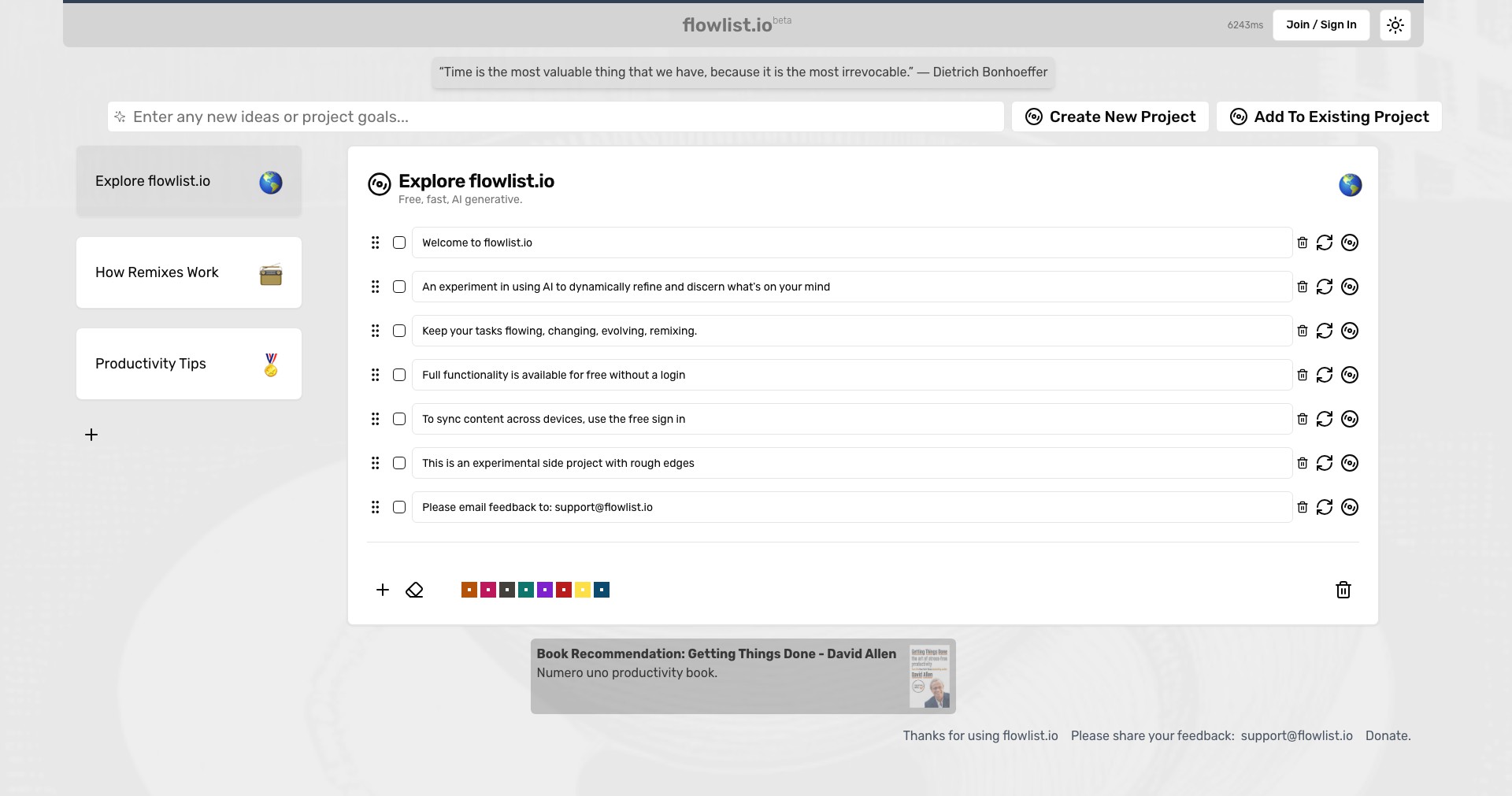
Key Features:
-
Minimalist Task Management:
Flowlist allows you to create, organize, and prioritize tasks using a clean, distraction-free interface. This makes focusing on what truly matters easier and helps prevent overwhelm. -
Integrated Note-Taking:
The built-in note system lets users add detailed context to tasks or keep standalone notes, ensuring all important information is easily accessible and never lost. -
Hierarchical Organization:
Tasks and notes can be nested under customizable categories, giving you the flexibility to structure projects and workflows in a way that fits your needs. -
Cross-Device Synchronization:
Flowlist securely syncs your data across multiple devices, ensuring you always have access to your latest lists and notes whether at home, work, or on the go. -
Collaboration Tools:
Collaborate with teammates by sharing lists and assigning tasks, making Flowlist suitable for team projects and group task management.
What makes Flowlist unique?
What sets Flowlist apart from its competitors is its commitment to minimalist, distraction-free design while delivering advanced features like hierarchical task management and seamless collaboration. Unlike many task managers that can feel cluttered or overwhelming, Flowlist prioritizes clarity and ease-of-use, helping users focus and reduce digital fatigue.
The integration of flexible note-taking within each task, along with robust cross-device syncing, further distinguishes Flowlist. Its blend of personal productivity and collaborative capabilities makes it appealing to both individuals and small teams requiring a lightweight yet powerful organization solution.
Pros and Cons
Who is using Flowlist?
Productivity Enthusiasts: Individuals who strive to improve personal organization and workflow will appreciate Flowlist's simple design and powerful features for managing daily tasks and goals.
Freelancers and Creatives: Freelancers, writers, designers, and other creatives benefit from keeping project outlines, brainstorming notes, and client tasks together, supporting inspiration and follow-through.
Small Teams and Startups: Flowlist's collaborative tools are perfect for small teams who need to coordinate project activities, divide tasks, and communicate progress without the complexity of enterprise platforms.
Product Evolution
Since its initial launch, Flowlist has steadily evolved with user-driven updates and feature enhancements. Early versions focused heavily on task management and clear list structures.
With user feedback, robust note-taking and hierarchy management improved, allowing both simple and complex projects to be tracked within the platform. The introduction of the collaboration feature marked a significant milestone.
Continuous development has brought cross-device synchronization, UI refinements, and improved performance, making Flowlist a competitive option among modern productivity tools.
Pricing
| Plan | Price | About |
| Free | $0 | Basic features with limits on the number of projects and collaboration. |
| Pro | $5/month | Unlocks unlimited projects, enhanced collaboration tools, advanced hierarchical organization, and premium support. |
Verdict
Flowlist excels in delivering a focused, user-friendly productivity experience, making it highly suitable for personal use, freelancers, and small teams looking for a balance between simplicity and feature-rich performance.
While integration with other platforms could be improved, its strong core features and competitive pricing make it a strong contender for anyone seeking a lightweight, effective organization tool.


