OneTask
Last updated: 18 December 2025
What is OneTask?
OneTask is an AI-powered productivity and personal assistant app that aims to organize your life seamlessly. Leveraging advanced artificial intelligence, it helps users manage tasks, set reminders, schedule meetings, and track goals with minimal friction. OneTask is accessible on web and mobile platforms, offering cross-device synchronization for busy professionals and multitaskers.
Unlike standard to-do list apps, OneTask applies smart algorithms to anticipate your needs, suggest actionable priorities, and reduce manual input. With integrations to other productivity tools and a focus on reducing cognitive overload, it aspires to become a central hub for daily personal management.
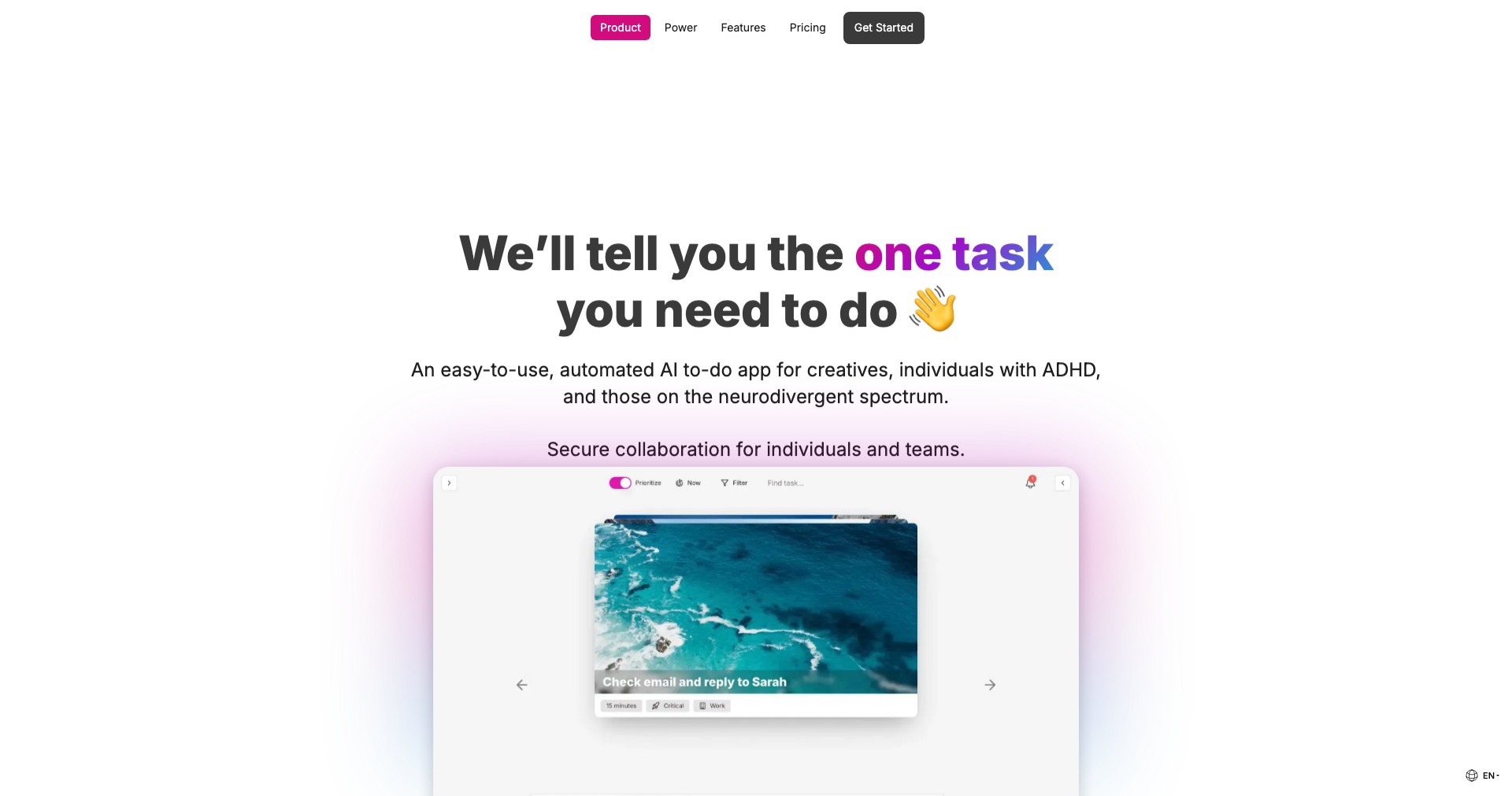
Key Features:
-
AI Smart Scheduling:
The app uses artificial intelligence to recommend the best times for meetings and tasks, analyzing your calendar and preferences to prevent scheduling conflicts and optimize productivity. -
Contextual Reminders:
OneTask leverages location data and context to trigger reminders only when they are relevant, ensuring timely notifications (e.g., reminding you to pick up groceries when near the store). -
Task Auto-Prioritization:
The system automatically ranks your tasks based on urgency, deadlines, and frequency, reducing decision paralysis and helping users focus on what's most important. -
Integrated Notes & Attachments:
You can attach files, voice memos, and detailed notes to tasks, keeping all relevant information in one place for easy access and project continuity. -
Cross-Platform Sync:
OneTask synchronizes your data across devices, so whether you're on your mobile phone or desktop, all changes and reminders are instantly updated everywhere.
What makes OneTask unique?
What sets OneTask apart is its application of real AI to context-aware prioritization and reminders, going beyond simple checklists. Unlike many competitors, it integrates context (like location and time) and intelligently surfaces the most relevant actions at the right moment, reducing mental overhead.
Additionally, OneTask's seamless cross-platform sync and extensible integrations with tools such as Google Calendar and Notion create a unified productivity experience. The granular control over reminders and tasks customized to daily patterns provides a personal touch missing from generic productivity apps.
Pros and Cons
Who is using OneTask?
Professionals & Executives: For busy office workers, managers, and executives, OneTask helps juggle multiple projects, meetings, and priorities without missing deadlines or key goals.
Students & Academics: Students benefit by organizing assignments, readings, and class schedules, while ensuring timely reminders for exams and project deadlines.
Entrepreneurs & Freelancers: Individuals managing diverse projects or clients can keep track of multiple to-do lists, appointments, and documents all in one smart hub.
Product Evolution
Since its initial launch, OneTask has consistently rolled out new capabilities, starting from a basic digital task list to becoming a smart, AI-powered assistant. Early versions focused primarily on core task management and manual scheduling.
Subsequent updates introduced contextual reminders and better integration with external productivity tools. The app began leveraging AI to automate scheduling, predict user intent, and offer actionable insights, making it more adaptable to personal workflows.
Most recently, OneTask enhanced its cross-device synchronization, support for attachments, and collaborative task features. These improvements have made it a more comprehensive option for both individuals and small teams seeking an all-in-one productivity solution.
Pricing
| Plan | Price | About |
| Free Tier | $0/month | Basic task management, reminders, and limited integrations. |
| Pro Plan | $10/month | Unlocks advanced AI features, priority support, full integrations, and increased storage. |
Verdict
OneTask stands out as a personal productivity tool that does more than just store tasks; it actively assists users by reducing manual effort and surfacing what matters most through context-aware AI. Its smart prioritization and reminder functionality help break through daily noise, ensuring nothing slips through the cracks.
While some advanced features require a paid subscription and may feel overwhelming to novices, OneTask’s thoughtful design and continuous updates cater well to users who value both efficiency and flexibility. It's a top pick for anyone looking to supercharge their productivity in a modern, connected world.


