Sourcetable
Last updated: 18 December 2025
What is Sourcetable?
Sourcetable reimagines the classic spreadsheet by integrating live data connections and automated workflows in a familiar, user-friendly environment. Developed for professionals who juggle multiple data sources, Sourcetable eliminates the need for complex coding or IT support, making business intelligence more accessible.
By bridging the gap between operational tools and spreadsheet analysis, Sourcetable empowers users to pull in live data from apps such as Stripe, Google Analytics, QuickBooks, MySQL, and more. This makes it especially valuable for small businesses, finance teams, and growth marketers seeking real-time insights, automated reporting, and seamless collaboration.
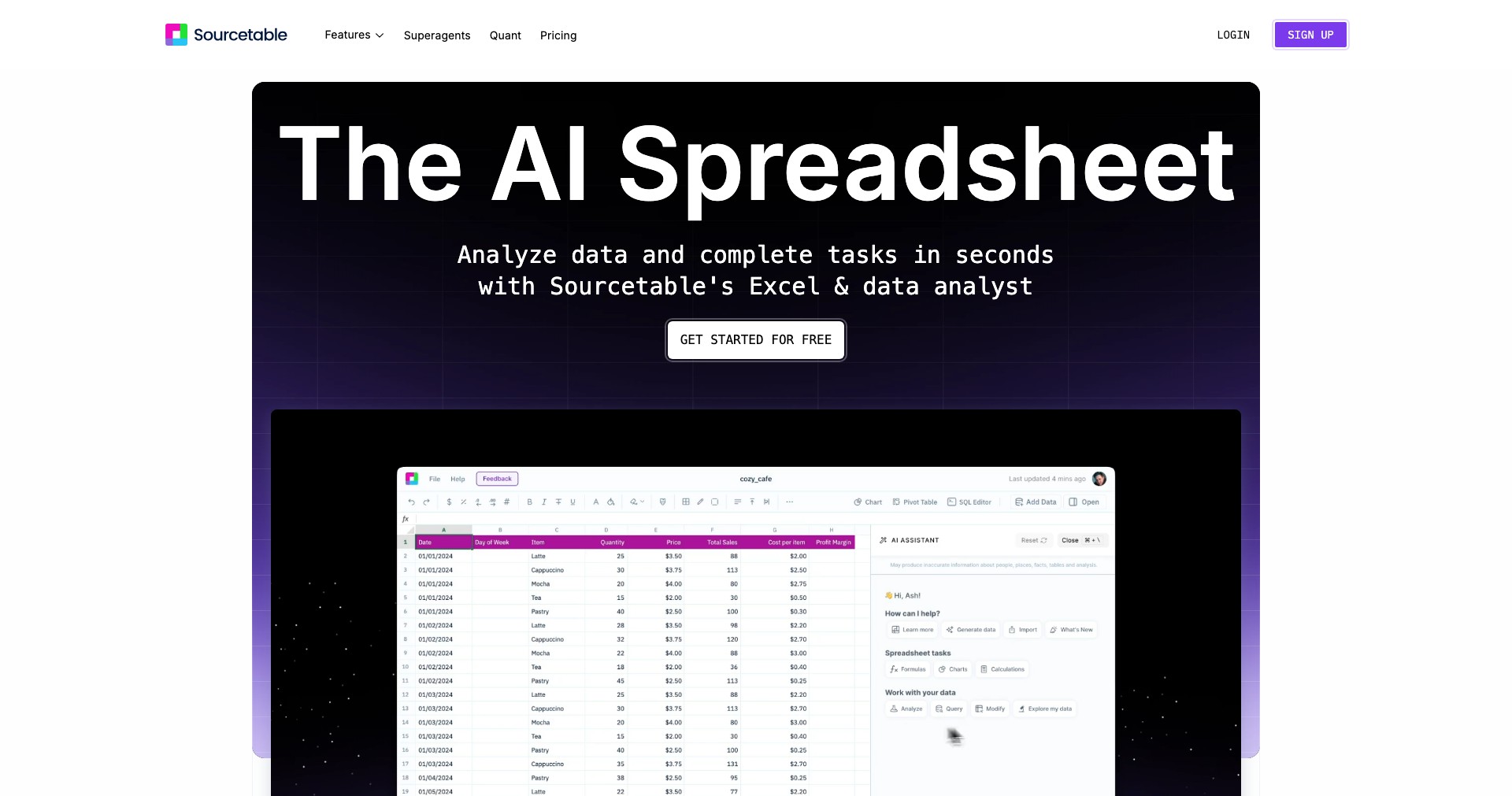
Key Features:
-
Live Data Integrations:
Connects directly to dozens of apps and databases, pulling real-time data into your spreadsheets without manual importing. This ensures your metrics and reports are always up-to-date. -
SQL-Powered Formulas:
Allows advanced users to use SQL queries inside spreadsheets, blending spreadsheet simplicity with database power for custom analytics and complex reports. -
Automated Workflows:
Schedule automatic data pulls, updates, and notifications, reducing manual work and ensuring consistent, timely updates for reporting. -
Collaboration Tools:
Share workspaces, assign tasks, and comment directly in the spreadsheet. Team members can work together on live data, ensuring decisions are always based on the latest information. -
No-Code Interface:
Designed for non-technical users, Sourcetable’s intuitive UI makes integrating, analyzing, and sharing data easy—no scripts or advanced IT skills needed.
What makes Sourcetable unique?
What sets Sourcetable apart from other spreadsheet or business intelligence tools is its tight integration between real-time data sources and traditional spreadsheet functionalities. Unlike competitors that either focus mainly on data import/export or require steep learning curves for automation, Sourcetable blends low-code power with a mainstream spreadsheet feel, making advanced data tasks simple and approachable.
Its SQL-in-spreadsheet approach and robust app integrations mean professionals can monitor their business KPIs, track growth, or automate reconciliation directly where they are most comfortable—inside a spreadsheet. These differentiators are especially notable for SMBs and startups that lack dedicated analytics resources but demand agility and reliable insights.
Pros and Cons
Who is using Sourcetable?
Small Business Owners: They benefit from Sourcetable to track finances, monitor sales, and automate operational reporting—all without needing a developer or data specialist.
Startup Teams and Growth Marketers: Use Sourcetable to centralize campaign data, user metrics, and growth KPIs from disparate tools for faster analysis and iterative decision making.
Finance and Operations Managers: Can synchronize accounting or inventory data for real-time dashboards, simplifying financial close processes or ongoing operational reviews.
Product Evolution
Since launch, Sourcetable has expanded the range and depth of its integrations, rapidly adding new business apps and databases in response to customer needs.
Automation features have matured, now allowing scheduled reports, alerts, and syncing, letting users set-and-forget even complex data flows.
Recent updates have improved collaborative features, such as comments, team permissions, and shared workspaces, making it more viable for multi-user environments and scaling teams.
Pricing
| Plan | Price | About |
| Free Trial | $0 for 14 days | Allows users to test all features with sample integrations and workflows without financial commitment. |
| Pro Plan | $50/month per user | Includes unlimited integrations, scheduling, automation features, and priority support for individuals or small teams. |
| Business Plan | Custom | Tailored pricing for organizations needing advanced features, custom integrations, or higher usage limits. |
Verdict
Sourcetable stands out as an intuitive yet powerful platform for automating data-driven workflows—especially appealing to startups, SMBs, and organizations that value accessibility over complex technical setups. Its real-time integrations, collaborative environment, and blend of no-code with SQL-driven analytics make it excellent for those seeking agility and efficiency.
While there are trade-offs, such as the dependency on integrations and fewer data visualization options compared to specialized BI software, Sourcetable is well-suited for business professionals who want to unify data, automate routine tasks, and gain actionable insights—all within a spreadsheet interface.


