Superlist
Last updated: 18 December 2025
What is Superlist?
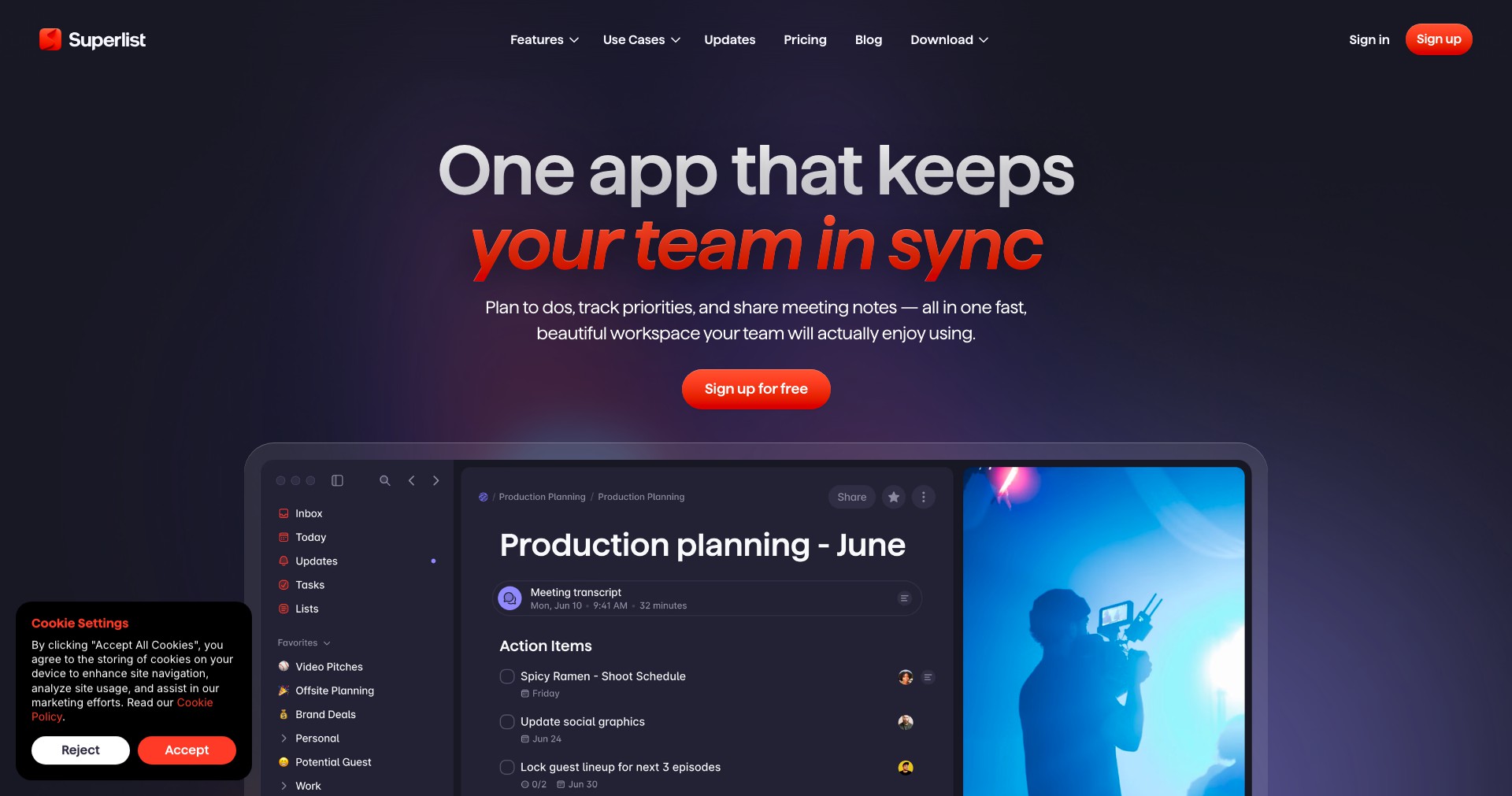
Superlist is an all-in-one productivity platform reimagining the classic to-do app for today’s hybrid work culture. Developed by key members behind Wunderlist, Superlist merges powerful task management with seamless team collaboration and personal note-taking, creating a unified space for both work and life organization.
With its clean, modern interface and a focus on eliminating friction between planning and execution, Superlist stands out by enabling smooth transitions across individual tasks, team projects, and personal goals. Its rich feature set is designed to support busy professionals, creative teams, and anyone looking to streamline their workflow without compromising on simplicity or elegance.
Key Features:
-
Collaborative Project Lists:
Create shared lists for teams, allowing for real-time updates, easy assignment of tasks, and smooth communication within projects. This feature enhances teamwork, transparency, and project momentum. -
Personal and Work Modes:
Switch between personal and workspaces effortlessly within the app, keeping your private life and professional projects clearly organized yet easily accessible in one place. -
Natural Language Input:
Quickly add tasks and set deadlines using natural language commands, cutting down on data entry time and making daily planning fast and intuitive. -
Rich Notes Integration:
Attach rich-text notes, images, and files directly to tasks or lists, making it easy to capture important details and context for future reference. -
Reminders and Smart Notifications:
Stay on track with intelligent reminders and customizable notifications that ensure you and your team never miss deadlines or key updates.
What makes Superlist unique?
Superlist draws from the beloved simplicity of Wunderlist while introducing contemporary features for the hybrid workspace. Its seamless blend of powerful task management, note-taking, and collaboration tools—without overwhelming the user—sets it apart from crowded, often overly complex productivity suites.
A major differentiator is Superlist’s beautifully minimalist design paired with deep customization options. The easy toggle between personal and work modes, as well as real-time list collaboration, meets the needs of users juggling multiple roles. Its natural language processing for task input and focus on thoughtful notifications further streamline user experience.
Pros and Cons
Who is using Superlist?
Startup Teams: Small to medium-sized teams looking for an agile platform to manage projects, delegate tasks, and keep communication centralized benefit hugely from Superlist’s collaborative features.
Busy Professionals: Individuals juggling multiple projects appreciate Superlist’s elegant interface, quick task input, and the ability to toggle between personal and workspaces.
Creative Freelancers: Freelancers working with different clients or personal creative projects can leverage Superlist’s rich notes and attachment features, keeping everything organized in one streamlined app.
Product Evolution Timeline
Since its launch, Superlist has steadily introduced new features and improvements based on user feedback and evolving productivity trends. Early versions focused on reestablishing the beloved simplicity of Wunderlist while introducing modern collaborative elements.
The team has since added natural language processing for tasks, more robust notifications, and deeper note integration. Updates frequently bring interface refinements and new ways to customize the user experience.
Superlist’s roadmap indicates ongoing investment in integrations, offline access, and advanced team management tools—pointing to a future where it can compete with, and exceed, legacy productivity solutions.
Pricing
| Plan | Price | About |
| Free Plan | $0 | Provides basic to-do and list management with limited collaboration for individuals. |
| Personal Pro | $8 per month | Unlocks advanced productivity features, rich notes, and expanded attachments for individual users. |
| Team Pro | $12 per user/month | Designed for businesses and teams, it offers enhanced collaboration, admin controls, and priority support. |
Verdict
Superlist brings a fresh approach to productivity with a focus on user experience, powerful collaboration, and a dual personal/professional mode rarely found in its competitors. It stands out for its thoughtful design and ease of use, making it an excellent fit for users who value both aesthetics and practical function.
While some advanced features require a subscription and third-party integrations are limited for now, Superlist's frequent updates suggest it’s committed to long-term growth. For startups, busy professionals, and freelancers seeking a clean, effective productivity platform, Superlist is an option worth considering as it continues to evolve and expand its capabilities.


